Orders direct, not through a marketplace
Take restaurant orders directly, without a marketplace commission
Online Ordering lets a restaurant take pickup and delivery orders from its own page instead of a marketplace. The restaurant publishes its menu, modifiers and availability windows, customers choose a time slot, payment is collected when the order is placed, and RapidCents reports orders beside in-store sales. For businesses in Canada, confirm delivery options, currency and settlement on your account.
- Your menu, your page
- Orders land at the kitchen
- Paid before preparation

- PCI DSS Level 1
- SOC 2 Type II
- Canadian support
- Interchange-plus available
- All major cards: Visa, Mastercard, Amex, Discover, UnionPay, Diners Club & Interac Debit
Who it's for
Restaurants
Direct orders without marketplace commission.
Cafés and counters
Pickup ordering to shorten the queue.
Multi-location groups
One ordering experience across sites.
Core capabilities
Menu publishing
Publish items, modifiers and availability windows.
Pickup and delivery
Offer either or both with time slots.
Order routing
Orders arrive where the kitchen can act on them.
Payment on order
The order is paid before preparation starts.
Reporting
Online orders report beside in-store sales.
How it works
Publish your menu and set availability.
Customers order from your page for pickup or delivery.
Payment is collected when the order is placed.
The order routes to the kitchen.
Online orders report alongside in-store sales.
Dashboard and reporting
Transactions, deposits and exceptions visible in the RapidCents merchant dashboard.
Try it, edit values and click buttons
Merchant dashboard
- Today
- $4,218
- Deposits
- $12,482
- Disputes
- 2 open
- In-person
- $842
- Online
- $1,104
- Virtual terminal
- $392
Demonstration data only
Integrations
Merchant dashboard
Every transaction, deposit and exception lands in one dashboard.
APIs and webhooks
Connect the product to your own software with REST APIs and signed webhooks.
Partner connectors
Certified connectors for common POS, ERP and commerce platforms.
Works with Online Ordering
Capabilities on the same account, so the parts below connect without a second integration or a second contract.
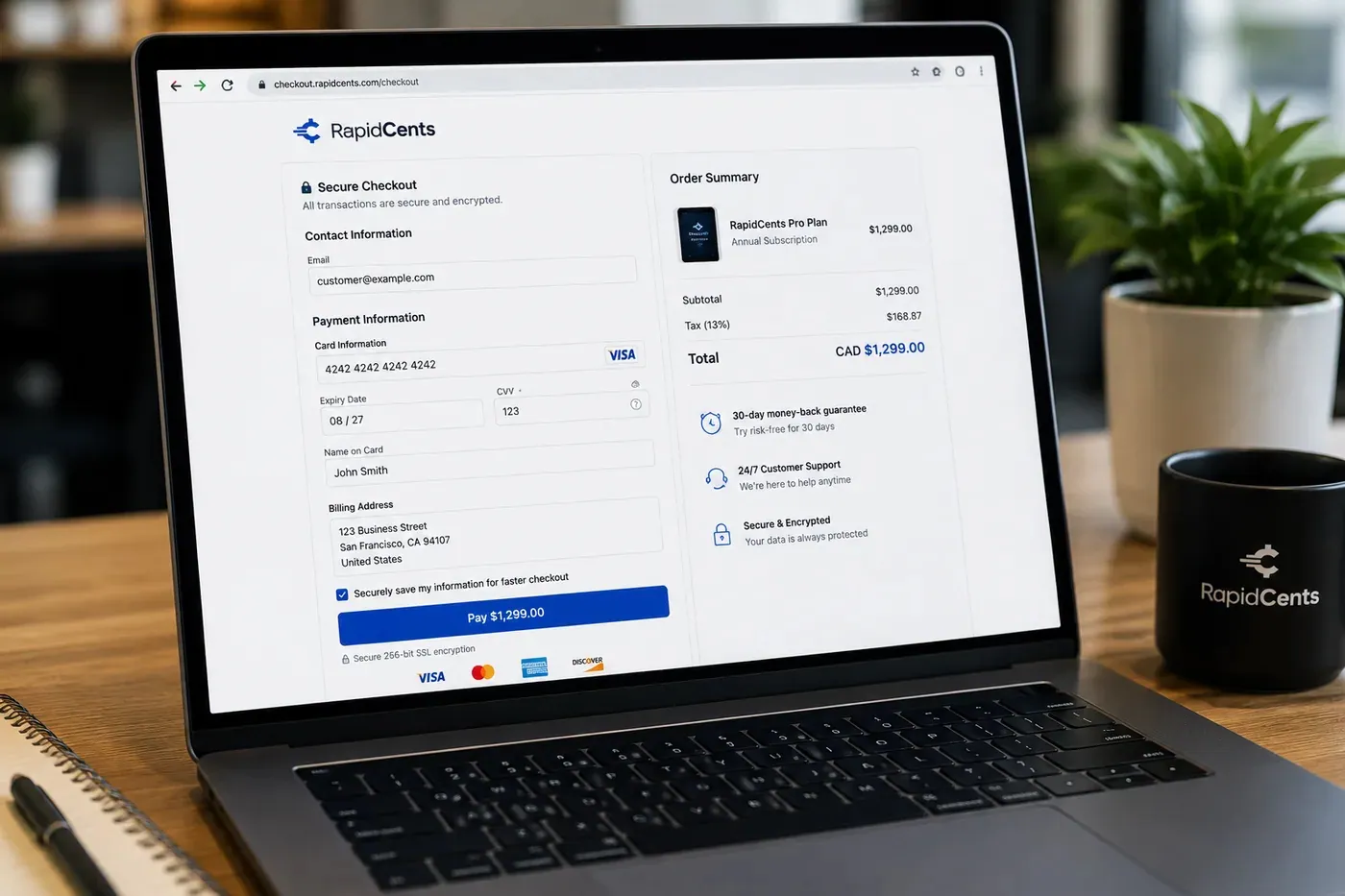
A RapidCents hosted checkout page at checkout.rapidcents.com, with the order summary and totals on the left and the card fields on the right, footed by SSL and PCI DSS assurances. Hosted checkout
A branded payment page RapidCents hosts, which keeps card data off your servers.
Explore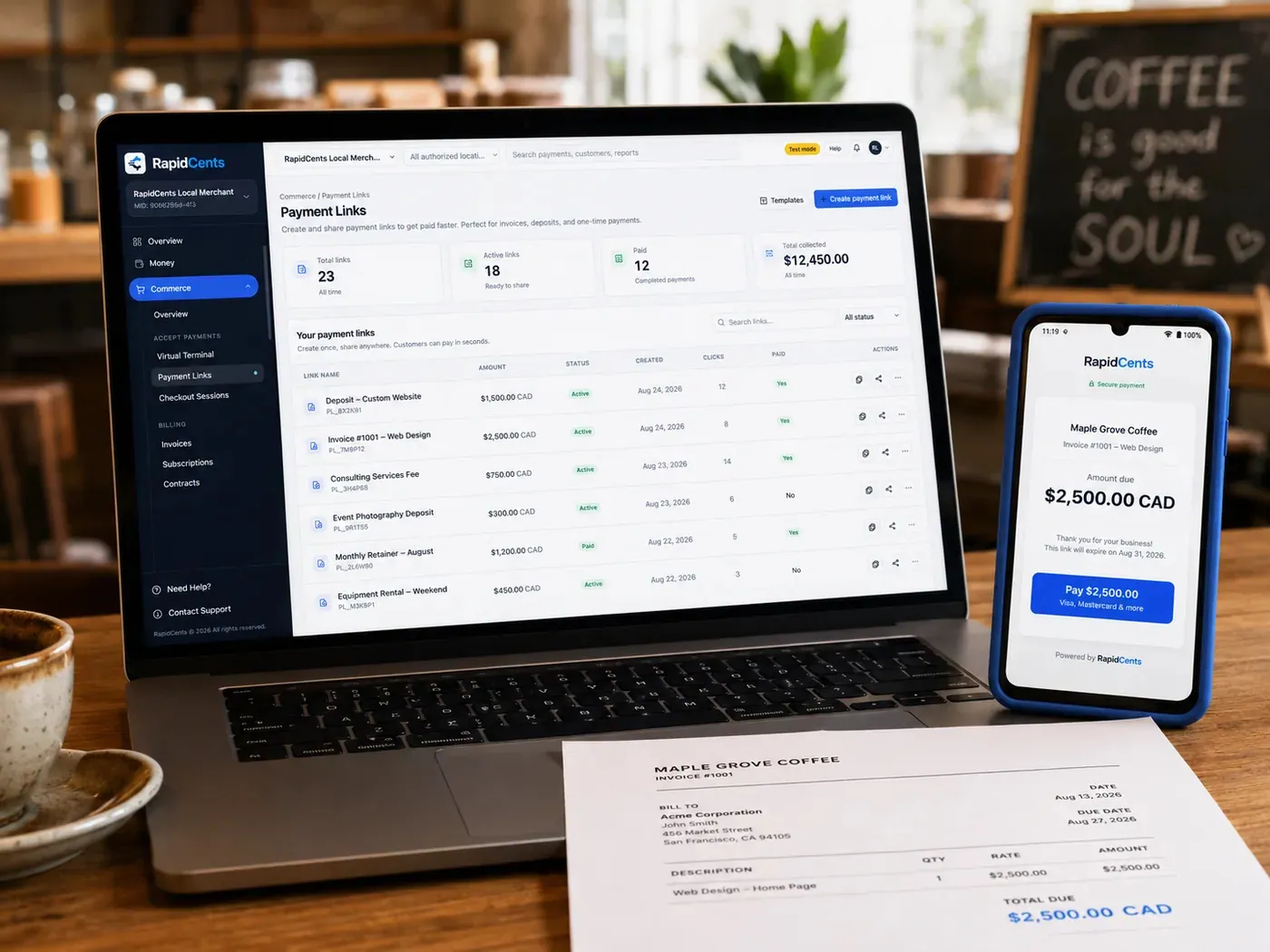
The RapidCents payment links screen listing created links with their amount, status, click count and whether they have been paid, beside a phone showing the branded page a customer opens to pay $2,500.00. Payment links
A pay-by-link URL you can send by email, SMS or QR code.
Explore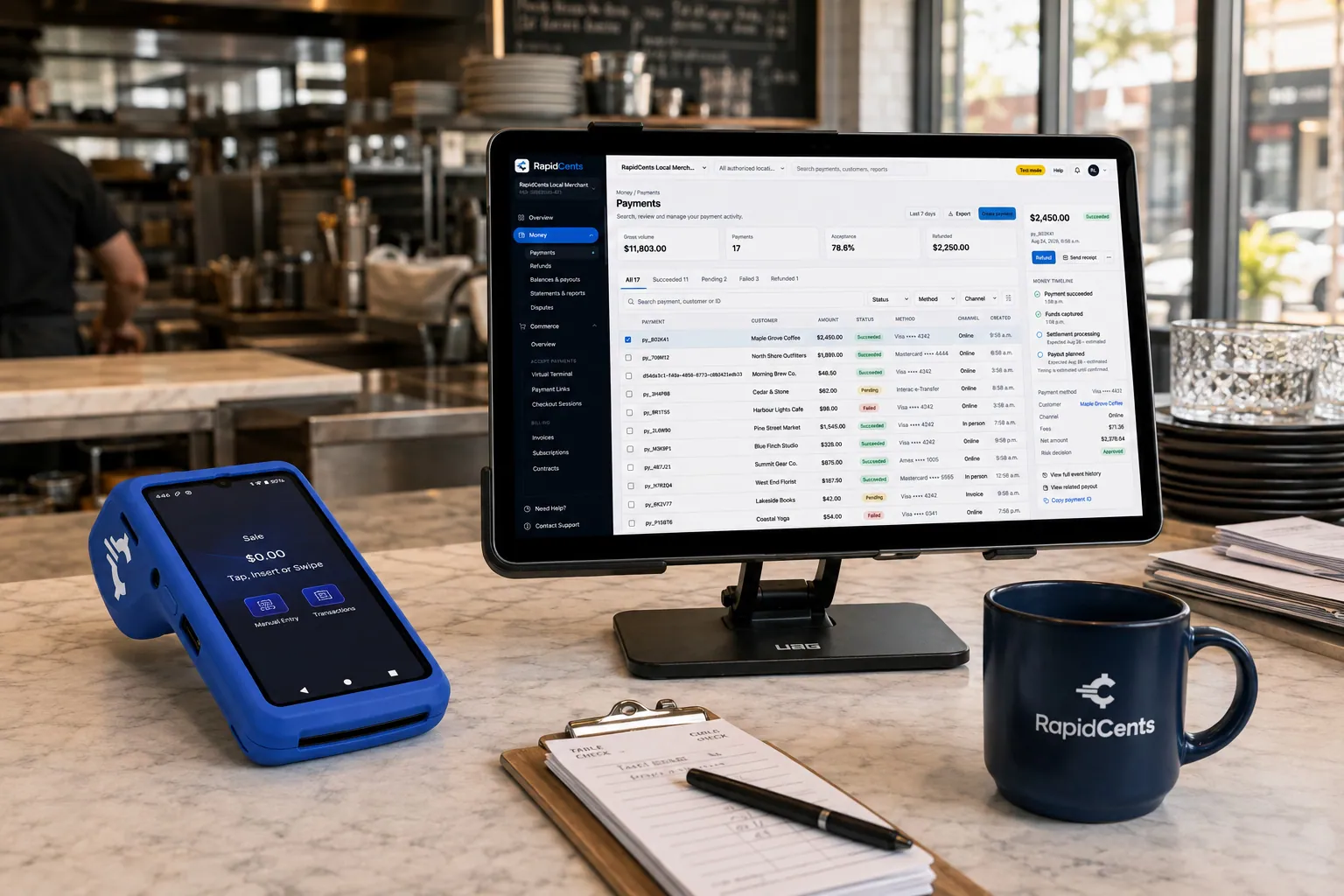
Tableside card capture on a RapidCents terminal in a restaurant, with the POS and payments dashboard on the pass. Restaurant POS
Tableside ordering, tips, course firing and split payments.
Explore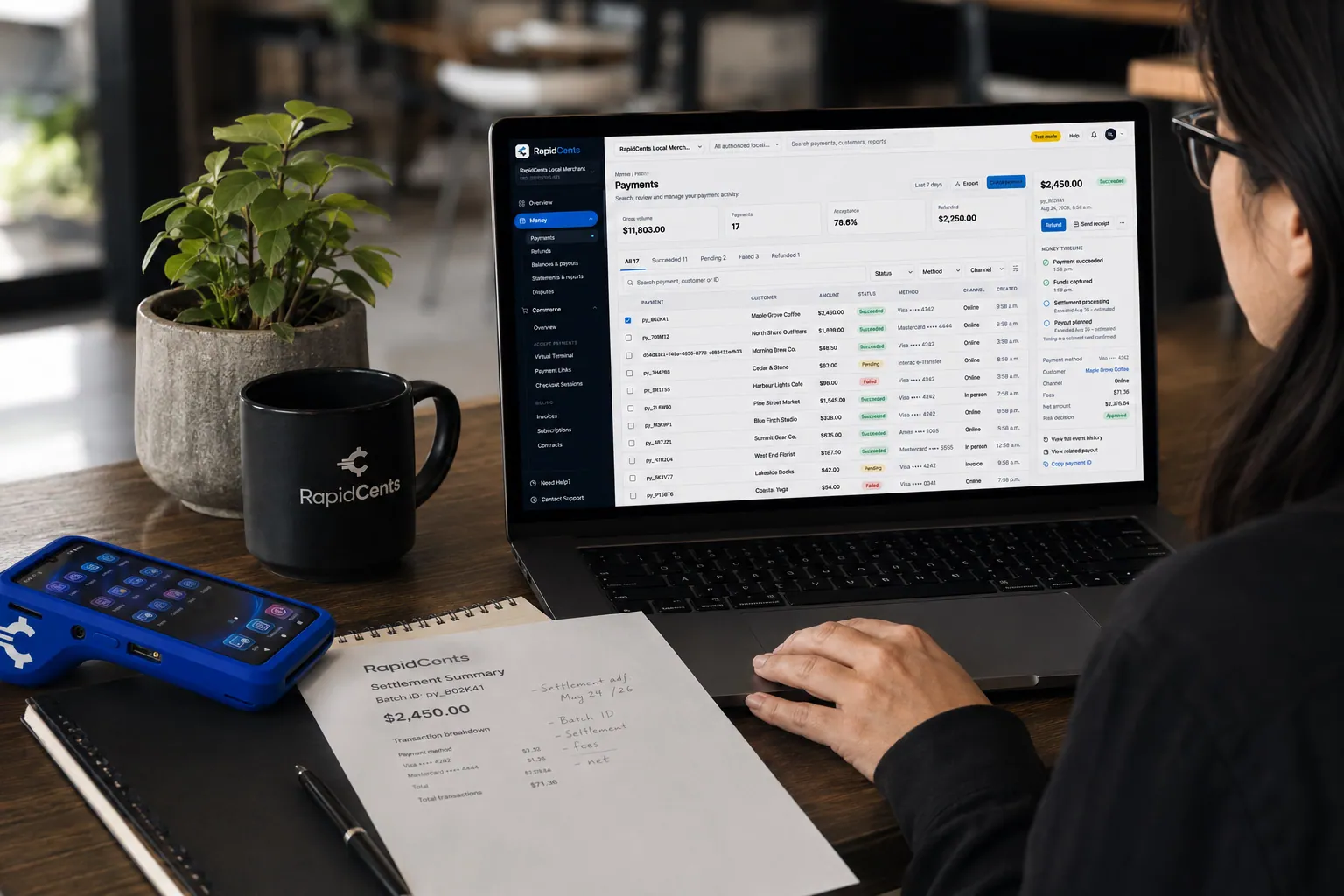
A merchant reviews RapidCents reports for volume, mix and payouts, with the terminal that took the sales on the desk. Reporting and reconciliation
Deposit-level detail that ties settlements back to the transactions behind them.
Explore


Security
PCI DSS Level 1
Processing runs on PCI DSS Level 1 audited infrastructure.
Tokenization
Card data is replaced with tokens, keeping raw credentials out of your systems.
Role-based access
Permissions and audit trails control who can see and do what.
Implementation
Discovery
A Canadian specialist reviews how your business gets paid today.
Configuration
Accounts, users and settings are prepared before you go live.
Testing
Run test transactions and confirm reporting before cutover.
Launch and support
Go live with training materials and post-launch support.
Pricing
Transparent pricing
Pricing depends on volume, card mix and configuration. Fee Check compares your current statement before you commit to anything.
Cards, currencies and settlement in Canada
What a RapidCents account in Canada accepts, the currencies it settles in, and when the money arrives.
Cards and methods accepted
Visa, Mastercard, American Express, Discover, UnionPay and Diners Club cards from any country, plus Interac Debit, Apple Pay, Google Pay and EFT/PAD bank payments, on one merchant account.
137+ currencies, settled in CAD or USD
Process in CAD, USD, EUR and 137+ currencies, and deposit payouts directly into your Canadian CAD bank account or your Canadian USD bank account, so USD sales are not converted twice.
Next-business-day funding and reconciliation
Batches close nightly and deposits arrive the next business day, based on cut-off times and eligibility, with deposit-level reporting in one RapidCents dashboard.
Questions about Online Ordering
Is this a marketplace?
No. Orders come through your own page, so there is no marketplace commission on the sale.
Can I offer pickup only?
Yes. Pickup, delivery or both can be enabled with time slots.
When is payment taken?
At the time the order is placed, before preparation begins.
Do online orders show in my reporting?
Yes, alongside in-store sales in the same dashboard.
Do I need a website before I can take online orders?
No. The menu is published as your own ordering page and the payment runs on RapidCents hosted checkout, so a full storefront build is not a prerequisite. Share the page as a link or a QR code.
How does an order actually reach the kitchen?
Orders route to where the kitchen can act on them rather than sitting in an inbox somebody has to watch. With Restaurant POS in the same account, online orders and dine-in service report together at day end.
Can I control what is orderable and when?
Yes. You publish the items, modifiers and availability windows, and you offer pickup, delivery or both with time slots, so customers cannot order a dish the kitchen is not making at that hour.
What does it cost compared with a marketplace?
A marketplace takes a commission on each order; ordering from your own page does not. What remains is card processing on the payment, priced interchange-plus: interchange and card network fees at cost, plus your RapidCents markup, stated in your Fee Schedule, and fees for equipment or services, if applicable.
Related products
Tableside card capture on a RapidCents terminal in a restaurant, with the POS and payments dashboard on the pass. Restaurant POS
Take orders, split and transfer bills, prompt for tips at the table and close the day with…
ExploreA RapidCents hosted checkout page at checkout.rapidcents.com, with the order summary and totals on the left and the card fields on the right, footed by SSL and PCI DSS assurances. Hosted Checkout
RapidCents hosted checkout delivers PCI-scoped payment pages you redirect customers to or embed via…
ExploreThe RapidCents payment links screen listing created links with their amount, status, click count and whether they have been paid, beside a phone showing the branded page a customer opens to pay $2,500.00. Payment Links
RapidCents payment links let staff generate branded pay-by-link URLs for invoices, deposits…
Explore
Take the next step
Talk to a RapidCents specialist
RapidCents Fee Check reads a processing statement and shows interchange separately from the markup. Upload a statement for an instant breakdown, or open a merchant account and start accepting payments on one account.
- No obligation
- Canadian payment specialists
- Secure statement upload