


DEVELOPER PLATFORM
Third-Party Integrations
Third-party integrations connect RapidCents to the accounting, CRM, booking and operations tools a business already runs, so payment data stops being retyped. Accounting is the common case: settled transactions, fees and refunds map into QuickBooks Online or Xero, and month-end becomes a comparison rather than a data-entry exercise. Larger ERP systems are handled through settlement import templates. One principle holds across all of them: the payment record stays authoritative in RapidCents, and the other system receives a faithful copy rather than a second version of the truth.
- Sandbox with documented test cards
- Signed webhooks
- Typed errors and idempotent retries
- Dedicated developer support

What crosses the wire
Where it sits
Downstream of the payment. A charge happens first, and the integration carries its result — the transaction, the fee, the refund, the deposit — into the system that needs it for bookkeeping, reporting or customer history.
What crosses
Settled transactions with their fees, refunds against the original sale, and deposit records that name the batch behind them. Accounting integrations care about the deposit; CRM and booking integrations care about the customer and the reference.
What has to be mapped first
Your chart of accounts, or the equivalent structure in the target system. Fees, refunds and chargebacks each need a home, and an integration configured before that decision is made produces a tidy set of wrongly categorised entries.
When to use it
Month-end takes days
When someone reconciles deposits to transactions by hand, the integration pays for itself in the first close rather than in the first year.
Two systems disagree
A payment tool and an accounting ledger that were maintained separately will drift. Connecting them makes the drift visible immediately rather than at year end.
Customer history lives elsewhere
A CRM or booking system that knows what a customer paid, and when, answers support questions without a second lookup in a payments dashboard.
How to implement Third-Party Integrations
Decide what the integration is for: bookkeeping, customer history or operational reporting.
Map fees, refunds and chargebacks to accounts before connecting anything.
Connect in sandbox where the target system supports it, or against a test company file.
Run one full cycle, from a payment through settlement to a posted entry, and check it by hand.
Reconcile the first live period manually alongside the integration before trusting it.
What fails, and how you find out
Gross and net confused
A deposit is the sale minus the fee. Posting the deposit as revenue understates income and hides the cost of processing, and the error compounds quietly across a year.
Duplicate entries after a retry
If the integration re-posts a period it already posted, the ledger doubles. Reconciling the first cycle by hand is what catches this while it is still one period rather than twelve.
Refunds posted as new expenses
A refund belongs against the original sale, not as an unrelated outflow. Mapped wrongly, revenue and expense both inflate and the net looks correct, which is why nobody notices.
A revoked connection nobody watches
Tokens expire and permissions get withdrawn when staff change. An integration that silently stopped syncing is discovered at close, so alert on the absence of expected entries.
Sandbox versus production
Accelerated settlement makes the cycle testable
Accounting integrations depend on deposits, which on production follow your funding schedule. Sandbox compresses that, so a full sale-to-deposit-to-entry cycle can be checked in one sitting.
Use a test company file
Where the target system offers a sandbox or a test company, connect to that rather than to live books. An integration mapped wrongly against real accounting data is much harder to unwind than to prevent.
Sandbox amounts are not your rates
Fees shown against sandbox transactions are illustrative. Map the structure with them, but validate the actual amounts against your first real settlement.
Questions about Third-Party Integrations
Which accounting systems does RapidCents connect to?
QuickBooks Online and Xero are the two most commonly connected, covering settled transactions, fees and refunds. Larger ERP systems such as SAP and NetSuite are handled through settlement import templates rather than a live connector.
Does the integration replace my bank reconciliation?
No. It makes the comparison possible by giving you the deposit, the batch behind it and the fees deducted, so the bank line matches a record you already hold. Someone still confirms the match.
What about point-of-sale and booking systems?
Certified partner connectors exist for common point-of-sale platforms, and other operational systems are connected through the APIs or RapidBridge depending on whether the software can be changed.
Can I pull payment data into a reporting tool instead?
Yes. Read access through the API is the cleaner route for business intelligence, because it lets you shape the data for your own model rather than accepting the layout a connector chose.
Who owns the mapping decisions?
Whoever owns the chart of accounts, which is rarely the person configuring the integration. Getting those two people in the same conversation before the connection is made is the step that prevents a year of miscategorised fees.
What happens to historical data when I connect?
Decide the start date deliberately rather than accepting a default. Backfilling into a period that has already been closed creates entries that will not match a set of books someone has already signed off.
How do I know the integration is still running?
Alert on what should have arrived. An integration that stops rarely announces itself, and the absence of a daily or weekly batch is a far more reliable signal than an error that was never raised.
Should a deposit be posted as revenue?
No. A deposit is the sale minus the fee, so posting it as revenue understates income and hides the cost of processing, and the error compounds quietly across a year. Post the gross sale, post the fee as a cost, and let the deposit be what the bank line reconciles against.
Where should refunds and chargebacks be mapped?
A refund belongs against the original sale, not as an unrelated outflow: mapped as a new expense, revenue and expense both inflate while the net still looks correct, which is why the error survives review. Chargebacks need their own home too, and both decisions are made with whoever owns the chart of accounts before anything is connected.
Continue the integration
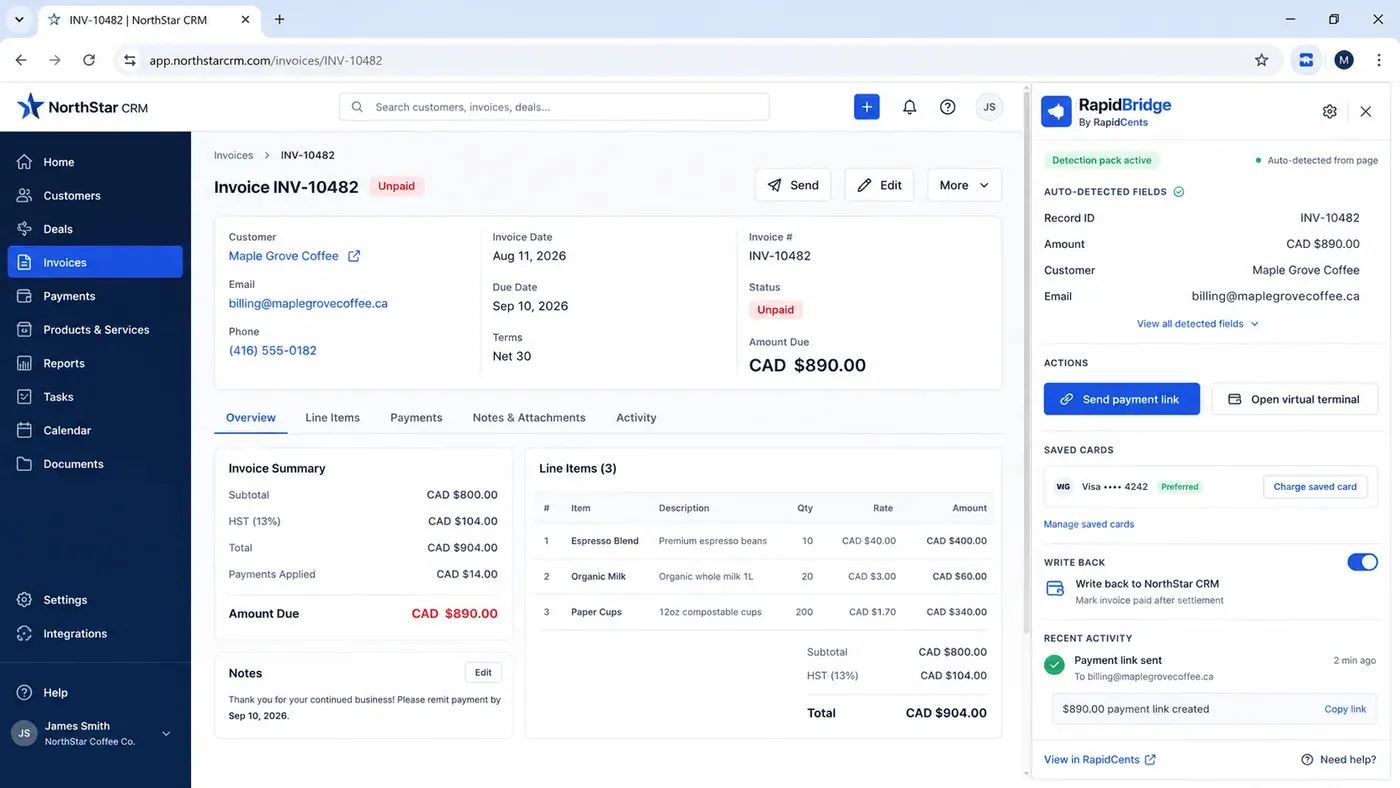
An unpaid invoice open in a third-party CRM with the RapidBridge panel beside it, showing the record number, amount, customer and email it detected from the page on its own, and buttons to send a payment link or charge a saved card. RapidBridge
Automatic payment detection in 178 business applications: RapidBridge takes payments inside…
Explore
A RapidCents API request and its response on a developer workstation, with the merchant dashboard and a test terminal. RapidCents APIs
REST APIs for payments, refunds, customers, tokens and settlement, with predictable errors and…
Explore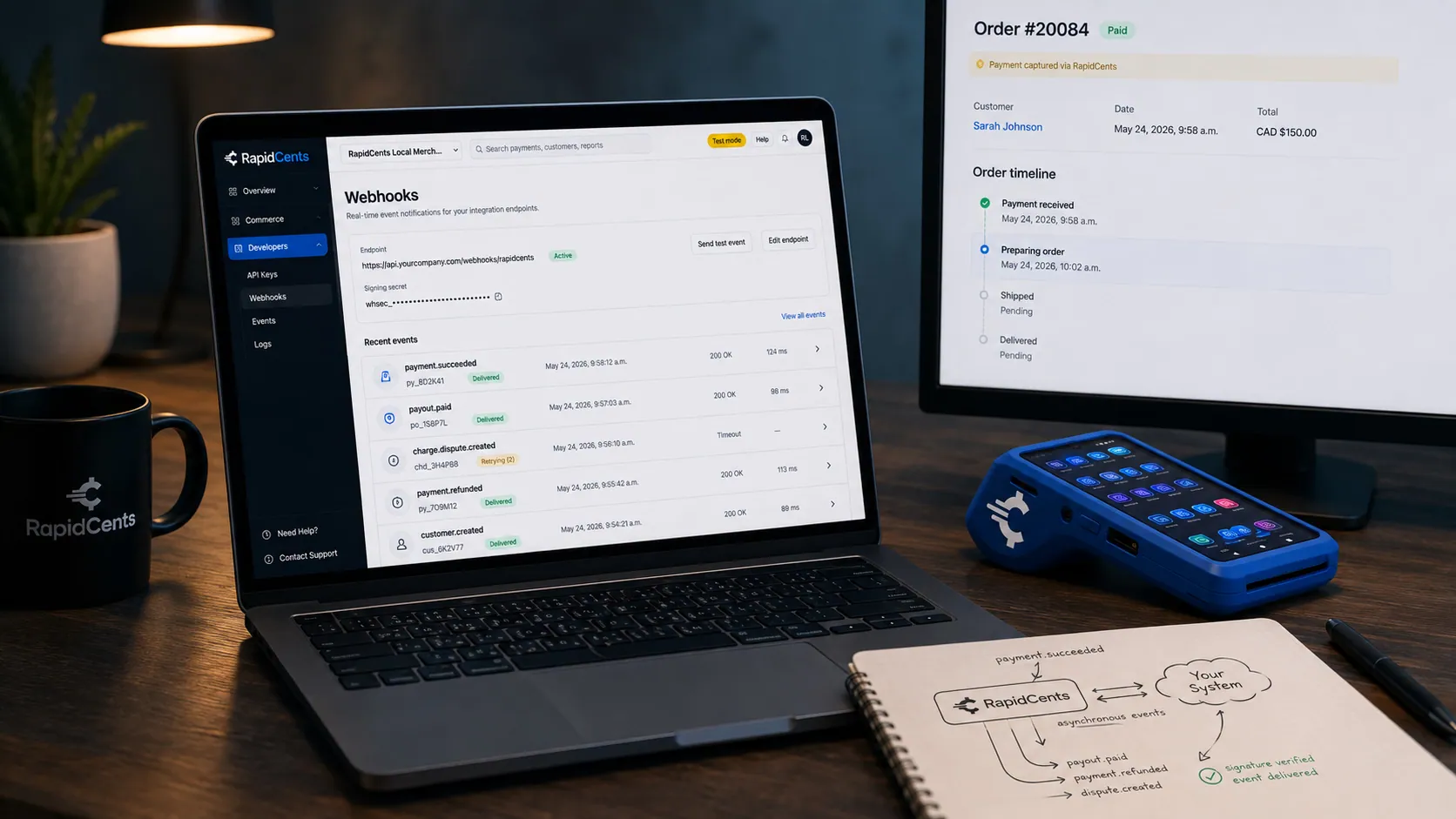
A RapidCents webhook delivery timeline next to the payment that triggered it, with a test terminal on the desk. Webhooks
Signed webhook events for payment lifecycle with idempotent processing guidance.
Explore
A RapidCents plugin connecting a commerce admin to checkout, so card payments work without custom gateway code. Plugins & Extensions
A WooCommerce payment gateway, a Shopify connection and prebuilt integrations for other…
Explore


Take the next step
Talk to a RapidCents specialist
RapidCents Fee Check reads a processing statement and shows interchange separately from the markup. Upload a statement for an instant breakdown, or open a merchant account and start accepting payments on one account.
- No obligation
- Canadian payment specialists
- Secure statement upload



