


Payment processing for SaaS companies: plans, usage and payouts
RapidCents provides payment processing for SaaS companies that take cards inside their product or by payment link, charge plans and metered usage on a schedule, and recover failed renewals. We combine Embedded Payments, the Payment Gateway API, Recurring Payments for renewals and Platform Payments for sub-merchants, all priced on interchange-plus.

- PCI DSS Level 1
- SOC 2 Type II
- All major cards: Visa, Mastercard, Amex, Discover, UnionPay, Diners Club & Interac Debit
- Interchange-plus available
- Canadian support
How SaaS companies get paid
SaaS companies get paid through five payment jobs, each with its own payer and trigger: checkout inside the product, usage charged after the period closes, renewals that need recovery, gateway-driven subscription charges and revenue shared with platform merchants. Finance and revenue operations need a separate, clean record for each.
Checkout inside your product
A trial user, an admin adding seats or a customer buying credits pays inside your application. The upgrade click triggers the charge, collected through Embedded Payments or Hosted Checkout. If the card declines or a 3D Secure challenge appears, the customer sees a clear message and tries again. Finance gets the payment reference on the account and the transaction in the Merchant Dashboard.
Usage charged after the period closes
The account owner whose meter ran pays after month end. The period close triggers the charge, collected on a stored card or by an invoice with a payment link for accounts on terms. If a total changes after close, you adjust it with a credit or a partial refund. The invoice number is the finance reference.
Failed-payment recovery on renewals
A subscriber whose renewal declines is the payer. The decline triggers retries and a request to update the card, handled by Recurring Payments or by your own dunning emails. If a card never recovers, the subscription ends. Transaction reports list the attempts and their outcomes.
Subscription charges through a gateway
A team that runs its own billing engine calls the Payment Gateway API on each renewal date to authorize, capture, void, refund or tokenize against a stored token. The renewal job is the trigger. If a call times out, your system checks the result before it retries. Webhooks and settlement reports give finance the record.
Revenue share with platform merchants
SaaS platform revenue share payments start when a merchant's customer pays on your platform. Platform Payments routes the charge to the connected account and distributes the split payout after the sale. If a refund or dispute lands after payout, your platform terms say who funds it. Settlement reports are what finance matches to platform fees and merchant revenue.
How do embedded payments for SaaS platforms work?
Embedded payments for SaaS platforms put card entry, wallet buttons and payment status inside your own application, so customers pay without leaving it. RapidCents provides Embedded Payments components themed with CSS to match your product, the Payment Gateway for server-side calls and webhooks, and Platform Payments when you also onboard sub-merchants and split payouts.
How the in-app checkout runs
A customer upgrades a plan, adds seats or buys credits. Your application mounts Embedded Payments card fields and wallet buttons, themed with CSS. The customer pays, a payment status widget shows the result, and a webhook tells your backend to apply the change and store the payment reference.
Set up the merchant model first
Decide who the merchant is. If you charge your own customers, you are. If your customers charge theirs, Platform Payments onboards each sub-merchant, and its compliance tooling collects information from each one. Your RapidCents representative will show you which integration method keeps card numbers off your servers and which card-data security duties stay with you, and you test it all in the sandbox.
What goes wrong and who handles it
A decline or a 3D Secure challenge needs a clear on-screen message, and idempotency keys on gateway calls stop a double click charging twice. Open sign-up forms attract card testing, and Fraud Prevention is there to help you handle it. On a platform, write into your terms who funds a refund after a split payout and who answers a dispute.
A salon's $120 deposit on a booking platform
Say a booking platform lets a salon owner take a $120 deposit inside the app. The charge routes to the salon's connected account, the split payout is distributed after the sale, and finance matches it to the platform fee and the salon's revenue using the booking reference.
How are usage based billing payments collected after month end?
Usage based billing payments are collected after your billing system closes the period and totals each account's usage. The charge then goes to the stored card through the Payment Gateway, or you send an invoice with a Payment Link, and the outcome returns by webhook against your invoice number.
How the month-end charge runs
Usage events collect in your metering system all month. At close, your billing logic totals each account and creates the invoice. For a stored card, your system charges the token through the Payment Gateway. For accounts on terms, Invoicing sends a branded invoice with a Payment Link. A webhook reports success or failure.
Set up authorization and references first
Get the customer's authorization to store the card, and agree how the variable amount is worked out, when it is charged and how to cancel. Payment Tokenization stores a token instead of the card number, but it does not replace the customer's agreement. Decide which invoice number each charge carries as its reference.
What goes wrong after close
A usage total can change after close, through late events or a corrected meter. Fix it with a credit on the next invoice or a partial refund, and keep the original reference. Unclear variable amounts draw disputes, so send a usage summary with every charge; Disputes and Chargeback Protection then gives you alerts, evidence tools and deadlines.
A month-end overage on a $200 base plan
Say an analytics tool bills a $200 base plan in advance and meters overage. On the 1st, its system totals a $340 overage, charges the stored card and receives a webhook that marks invoice INV-2041 paid. If the card declines, the account owner gets a Payment Link for that same invoice.
RapidCents products for SaaS companies
Embedded Payments puts card fields in your product, Platform Payments onboards sub-merchants and splits payouts, the Payment Gateway gives your developers the API, and Recurring Payments runs renewals and retries. Start with the product that matches how you bill today.
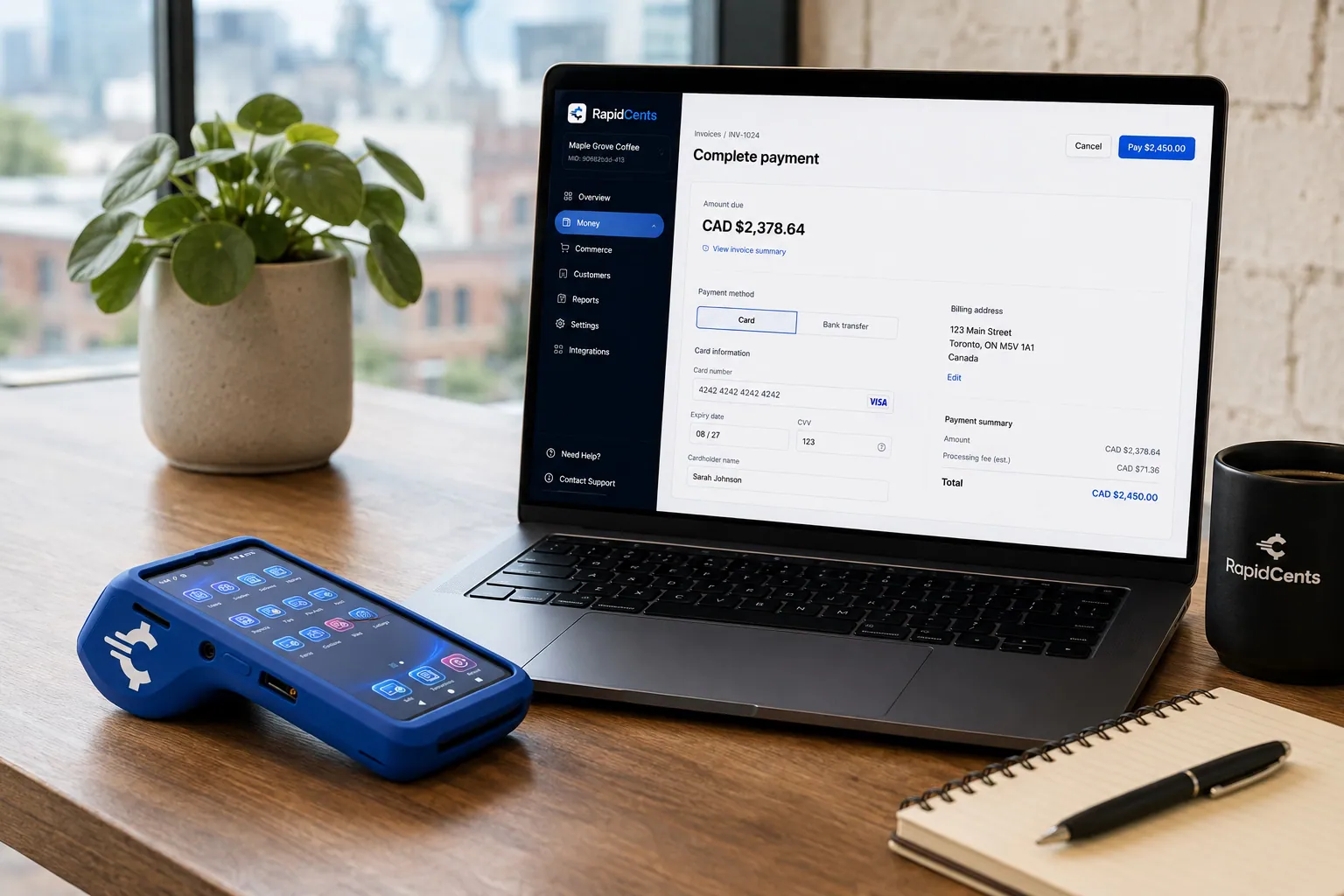
Card fields hosted by RapidCents sit inside a merchant checkout, with a terminal and the payments dashboard beside them. Embedded Payments
RapidCents embedded payments provide drop-in UI components, card fields, wallet buttons and payment status…
Explore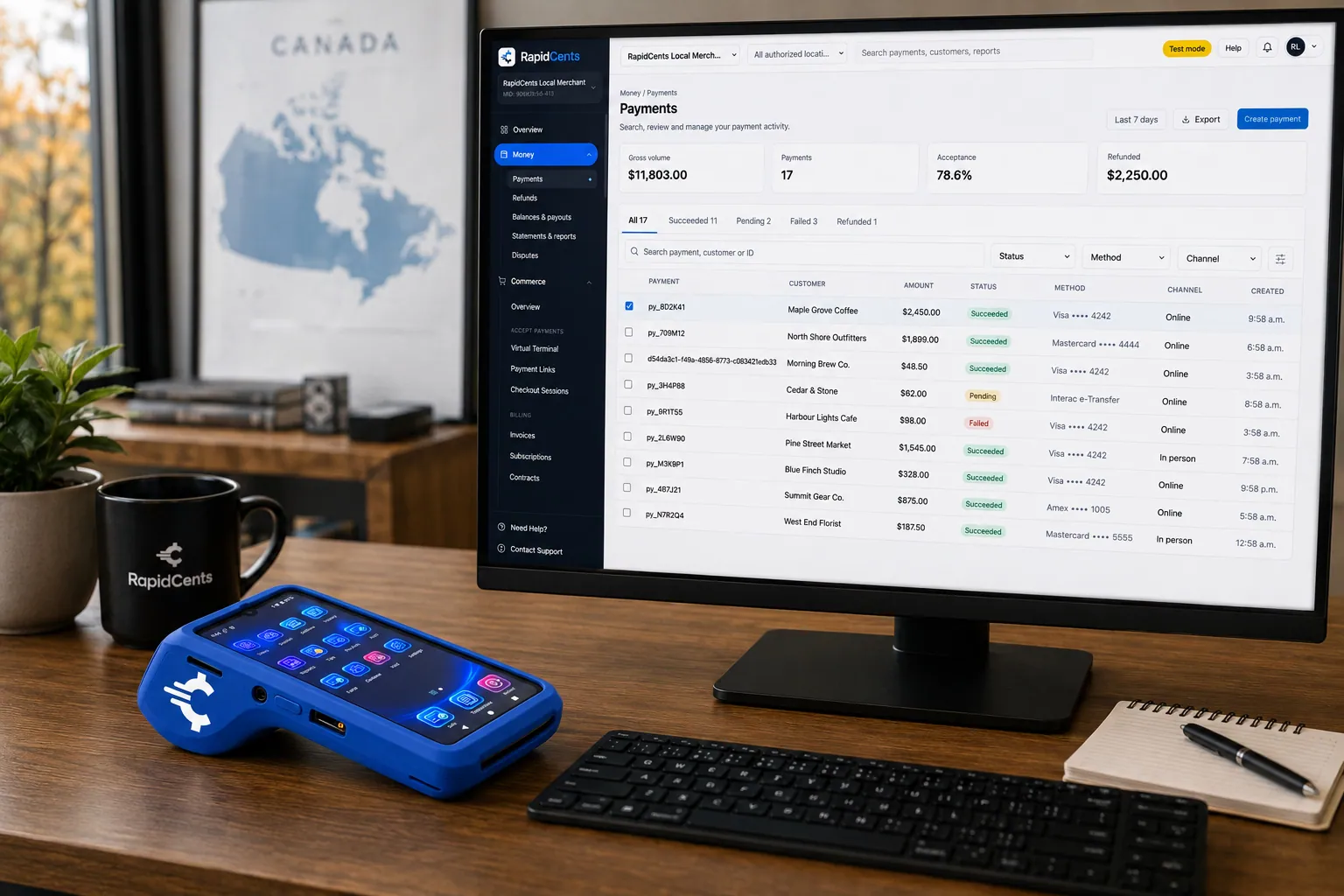
A software platform routes connected-merchant payments through RapidCents, with terminals and settlement in one view. Platform Payments
RapidCents platform payments enable marketplaces, franchises and software platforms to onboard sub-merchants…
Explore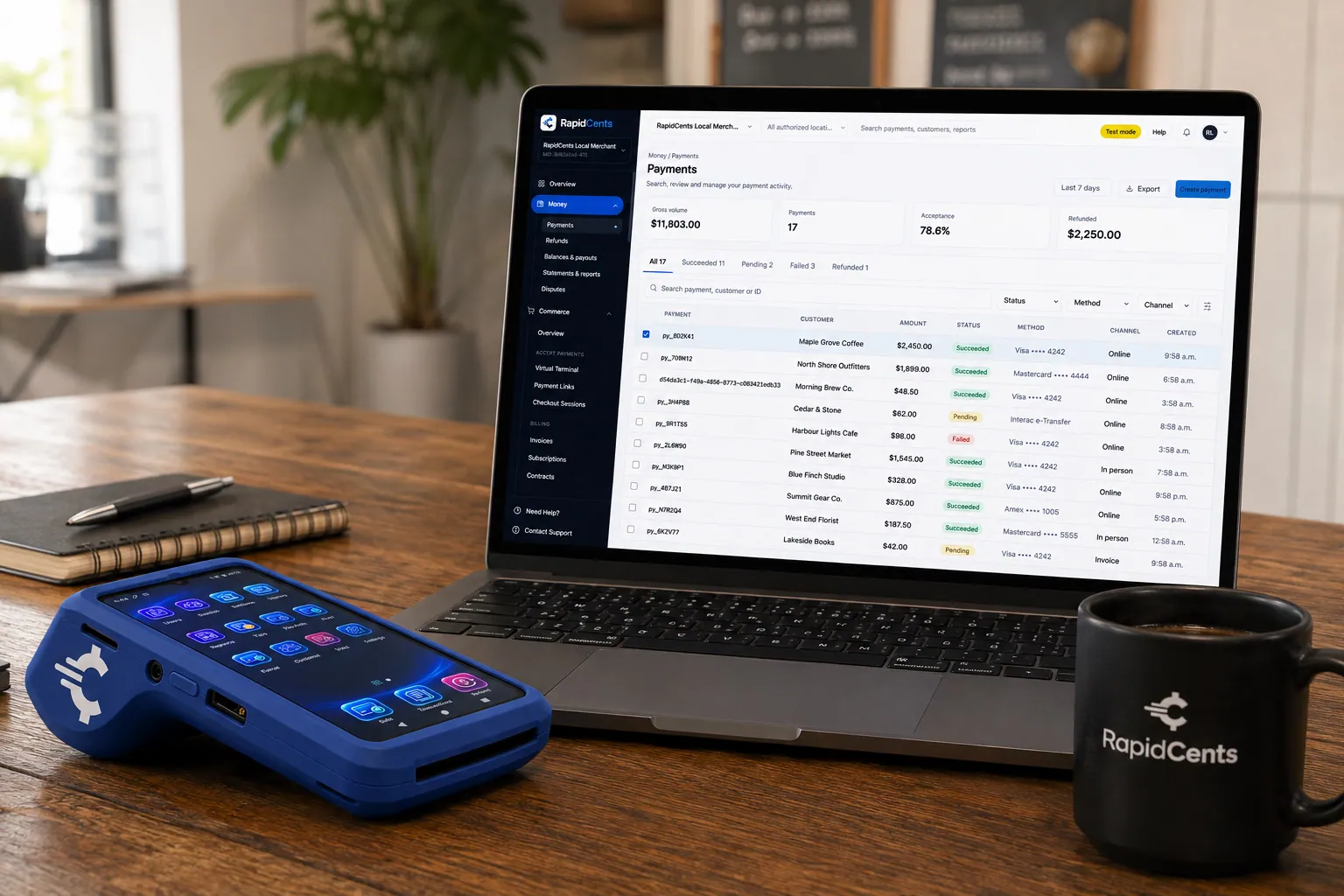
A payment-gateway integration desk: API response on screen, RapidCents terminal ready for a test sale. Payment Gateway
The RapidCents payment gateway exposes REST endpoints for authorize, capture, void, refund and tokenize…
Explore
The RapidCents recurring payments screen showing active subscriptions, monthly recurring revenue, failed payments and upcoming renewals, above a list of subscriptions with their plan, amount, frequency and next billing date. Recurring Payments
RapidCents recurring payments manage subscription plans, membership renewals and installment schedules with…
Explore


How does a subscription payment gateway recover failed renewals?
A subscription payment gateway recovers failed renewals in four steps: a structured error code, an automatic retry, a refreshed card and a prompt to the customer. RapidCents handles subscription dunning and payment retries through Recurring Payments, or through the Payment Gateway when your own billing engine owns the schedule.
How a renewal runs
On the renewal date the charge goes out one of two ways. Recurring Payments runs the schedule and retries automatically, or your billing engine calls the Payment Gateway to authorize and capture a token. Customers are notified before each Recurring Payments charge, and webhooks return every outcome to your ledger.
Set up one schedule owner first
Pick one owner for the schedule, RapidCents or your billing engine, never both, or a customer can be charged twice. Record the customer's agreement on amount, timing and cancellation when you store the card. Decide your grace period and what happens to access while renewals keep failing.
What goes wrong on a decline
Use the structured error code to decide whether to retry, ask for a new card or stop. Account Updater refreshes expired or replaced cards. A card that stays declined needs the customer, so send a Payment Link or an in-app prompt. If a retry and a manual payment both succeed, refund the duplicate promptly.
A $79 team plan that declines on the 1st
Say a $79 monthly team plan renews on the 1st and declines for insufficient funds. With Recurring Payments, the retry runs automatically while the account owner sees an in-app banner with a Payment Link to update the card. Access continues through your grace period, and the payment that finally succeeds is matched to the original renewal invoice.
Compare fees using your real SaaS payment mix
Compare fees by putting your own payment mix through an itemized quote. Under interchange plus pricing for SaaS companies, interchange passes through at cost, your RapidCents markup is set out in your Fee Schedule, and fees for equipment or services are added, if applicable. Month to month, no fixed term.
What moves interchange for SaaS
Nearly every SaaS payment is keyed or online, so interchange follows card type: debit, credit, premium or commercial. A B2B vendor paid on corporate cards has a different mix from a consumer app. The card networks set interchange and RapidCents passes it through at cost, so your mix decides that part of the bill.
Ticket size and billing pattern
Ticket size shapes the total. One $12,000 annual invoice paid on a commercial card is a different cost picture from twelve $79 monthly charges on consumer cards. Annual prepay, monthly seats and metered overage each form their own pattern, so price them separately.
Costs beside interchange
Your Fee Schedule shows the RapidCents markup, fees for equipment or services where they apply, and how declined retries, refunds and chargebacks are charged. If you run Platform Payments, it also shows the service fees for onboarding sub-merchants and split payouts, and how cards issued outside your country are treated.
What to bring to Fee Check
Bring recent processing statements, your card mix, average ticket, the split between monthly, annual and metered charges, and refund and chargeback volume. Fee Check reads an uploaded statement and shows interchange separately from markup. Compare written quotes line by line, on the same assumptions and the same settlement currency.
Does RapidCents connect to Chargebee, Recurly, Stripe Billing, Paddle or Maxio?
RapidCents integrates with many major platforms through APPIE and RapidBridge. RapidBridge works with Chargebee, Recurly and Maxio, and for Stripe Billing and Paddle the right option depends on your vendor and version. Your RapidCents representative will walk you through the route that fits the way you bill.
Chargebee
Chargebee runs plans, invoices, renewals and dunning, so it decides when a charge is attempted. RapidBridge works with Chargebee, so RapidCents payments post against the subscriptions and invoices you already manage there, without changing how Chargebee runs. Your RapidCents representative will walk you through setup for your edition and country.
Recurly
Recurly manages subscription plans, invoices and failed-payment recovery, so your retry schedule may already live there. RapidBridge works with Recurly, so a card payment posts against the invoice you already have open. Your RapidCents representative will walk you through how retries and reconciliation fit together for your plan.
Stripe Billing
Stripe Billing is subscription billing from a company that also processes payments, so the first question is whether your plan can bill through another processor at all. RapidCents integrates with many major platforms through APPIE and RapidBridge; the right option depends on your vendor and version, and your RapidCents representative will walk you through a parallel run or a gateway build.
Paddle
Paddle provides billing and checkout for software sales. If Paddle is the merchant of record for your sales, Paddle collects the payment itself and a separate processor does not apply to those sales. For flows that use your own merchant account, your RapidCents representative will walk you through the options that fit your Paddle setup.
Maxio
Maxio provides subscription billing and revenue operations. RapidBridge works with Maxio, so successes, failures and refunds line up with the subscriptions you already run there. Your RapidCents representative will walk you through the setup for your plan and country, and how payment events flow back to Maxio.
Payment data flow for any of them
Whatever the platform, payment events follow one path: authorize, capture, refund or void at the gateway, a webhook to your billing system, a settlement report to finance. Revenue recognition and tax calculation stay in your billing software. RapidCents connects settled transactions, fees and refunds to QuickBooks Online and Xero, and SAP and NetSuite import settlement files.
Payment options for SaaS companies in Canada
A SaaS company in Canada can take Visa, Mastercard and American Express online, add EFT or pre-authorized debit for invoiced accounts, and settle in CAD. Interac debit applies where you also take payments at a terminal. Your RapidCents representative sets up the methods you need.
Cards online and on a schedule
Visa, Mastercard and American Express run through Embedded Payments, Hosted Checkout, Payment Pages or the Payment Gateway, with Recurring Payments handling plans. A stored card needs your customer's agreement on amount, timing and cancellation.
EFT and pre-authorized debit
EFT or pre-authorized debit suits invoiced business accounts. It needs your customer's authorization and bank details, and a returned bank payment follows a different path from a card decline, so plan a separate follow-up.
GST/HST and provincial rules
Invoices and receipts may show GST/HST, which your billing software calculates. RapidCents processes the payment and does not give tax advice. Provincial consumer rules on automatic renewals differ, so have your own advisor review how you disclose renewals.
How do you switch processors without missing a renewal?
To switch payment processor for SaaS companies safely, list what is stored, test the new flow, run both accounts in parallel and reconcile deposits to your ledger. Move customers in cohorts, and keep the old account open until its invoices, refunds and disputes are resolved.
Inventory before you move
List every stored card and the authorization behind it, each plan and renewal date, open invoices, refunds and disputes in progress, and the references your billing system uses. Ask your current processor for full transaction exports and keep them with your ledger.
Test before live traffic
Once your account is approved, run a sale, a refund, a void, a failed renewal and a webhook replay before any customer moves. Your RapidCents representative will walk you through receipts, 3D Secure and Account Updater, so the first live charge is not the first test.
Move stored cards honestly
Do not plan around token portability: it needs both processors to agree in writing. If tokens cannot move, ask customers to re-enter or re-authorize cards, with notice before the first charge on the new account. Move new signups first, then renewals by billing date.
Map references and reconcile
Carry your invoice and subscription IDs as the payment reference on both accounts, so refunds and chargebacks still match. Reconcile each deposit to your ledger with settlement reports in CSV or PDF, or with the QuickBooks Online or Xero mapping RapidCents provides.
Payment questions from SaaS companies
What is the best payment processor for SaaS companies?
Pick the processor that fits how you bill. RapidCents takes cards inside your product, runs plans and metered usage, recovers failed renewals and splits platform payouts, with webhooks and settlement reports feeding your ledger. Upload a statement to Fee Check or ask for an itemized interchange-plus quote, and set it beside your current costs line by line before you decide.
How much does credit card processing cost for SaaS companies?
The cost of credit card processing for SaaS companies depends on your payment mix, and RapidCents prices it on interchange-plus. Interchange, set by the card networks, passes through at cost, and your RapidCents markup is set out in your Fee Schedule, with fees for equipment or services where they apply. Card type, ticket size, retries, refunds and disputes move the total, so upload a statement to Fee Check or ask for an itemized quote.
Can Chargebee use a different payment processor?
That depends on your Chargebee edition and country, because Chargebee decides which gateways it supports. RapidBridge works with Chargebee, so RapidCents payments can post against the subscriptions and invoices you already run there. Your RapidCents representative will walk you through the option that fits your edition, whether that is a connector, an API integration, a payment link or a settlement import for reconciliation.
How can SaaS companies switch processors without losing payment history?
Keep payment history by exporting it before you move and carrying the same references into the new account. List stored cards and their authorizations, open invoices, refunds and disputes in progress, and ask your current processor for full transaction exports. Test a sale, a refund and a renewal before live traffic, and treat stored-card transfer as a separate question for both processors.
Which payment options can a SaaS company in Canada offer?
A SaaS company in Canada can offer Visa, Mastercard and American Express online, plus EFT or pre-authorized debit for invoiced accounts, with settlement in CAD. Interac debit is a terminal method, so it matters only if you also sell in person. Bank payments need your customer's authorization, and stored cards need agreement on amount, timing and cancellation. Your RapidCents representative will tell you which methods your account supports before you promise one to customers.
How can we charge customers for metered usage after month end?
Charge metered usage after month end by totaling each account's usage at period close, then collecting on a stored card or an invoice. Your billing software works out the amount, and RapidCents collects it through the Payment Gateway or through Invoicing with a Payment Link. Get the customer's authorization first, and use the invoice number as the payment reference so webhooks and refunds map back to it.
How can we embed payment checkout inside our SaaS?
Embed checkout by mounting RapidCents Embedded Payments components in your application: card fields, wallet buttons and a payment status widget, themed with CSS to match your product. Pair them with the Payment Gateway for authorize, capture, void and refund calls, and use webhooks to tell your backend the result. Your application keeps the plan or order record, and RapidCents processes the payment. Test in the sandbox before launch.
How can we reconcile platform fees and merchant revenue?
Reconcile platform fees and merchant revenue by matching each charge, split payout and refund to your own reference. SaaS platform revenue share payments are easiest to audit when Platform Payments routes charges to connected accounts and your finance team matches settlement and fee reports to your ledger. Decide in your platform terms who funds refunds and disputes. Your ledger keeps the revenue; RapidCents reports the payments and payouts.
How can we recover failed subscription payments?
Recover failed subscription payments with automatic retries, card refresh and a prompt to the customer. Recurring Payments retries automatically, Account Updater refreshes replaced or expired cards, and customers are notified before each charge. For a card that stays declined, send a Payment Link or an in-app prompt to update it. Keep one owner for the schedule so a retry never collides with a manual charge.
How can we move recurring customers to a new processor?
Move recurring customers in cohorts, once you know what the old and new processors can transfer. Stored cards move only if both processors agree to transfer tokens; otherwise customers must re-enter or re-authorize a card. Keep the old account running for open invoices and refunds, migrate new signups first and renewals by billing date, and tell customers before the first charge on the new account.
What MCC is used for software and SaaS companies?
MCC 5734 is commonly associated with software businesses. RapidCents sets the correct merchant category during onboarding based on what you actually sell, so describe plainly whether you offer hosted subscriptions, downloadable licenses or a platform that processes payments for other merchants. Tell your RapidCents representative about every product line, so the category matches the business.
Industries with similar payment workflows
Digital Products, Downloadable Software, Edtech & eLearning, Gaming (video games) and E-commerce share parts of this workflow: stored cards, recurring billing, online checkout and refund handling.
Digital Products
Hosted Checkout and a Payment Gateway that release each ebook, template or preset pack…
Downloadable Software
Sell license keys online, renew subscriptions and maintenance plans on stored cards, and…
Edtech & eLearning
Sell courses at checkout, collect tuition in scheduled installments and invoice employers…
Gaming
Take in-game and web shop purchases, renew battle passes and memberships, and run esports…
E-commerce
Take cards at your online checkout, renew subscribe-and-save orders, collect phone and…
Take the next step
Review your SaaS payment mix before you move
Upload a recent processing statement to Fee Check to see interchange separated from markup, then compare it with how you bill plans, usage and platform payouts.
- No obligation
- Canadian payment specialists
- Secure statement upload



