


Counter to stockroom
A retail POS that keeps the line moving and the stock count honest
Retail POS is for businesses in the USA. US retailer linking item sales, inventory, returns and payments; distinguish store operating software from the terminal family. The sections below separate the workflow, the control and its limit, and the account facts to confirm before you rely on them.
- Fast lane checkout
- Inventory that stays accurate
- In-store and online in one view

- PCI DSS Level 1
- SOC 2 Type II
- Specialist support
- Interchange-plus available
- All major card brands: Visa, Mastercard, Amex, Discover, PIN debit
Who it's for
Single-store retailers
One counter, clear reporting.
Multi-store retailers
Consistent pricing and stock across sites.
Omnichannel sellers
Stores that also sell online.
Core capabilities
Fast checkout
Scan, tender and finish without slowing the line.
Inventory
Track stock at the item and variant level as sales happen.
Omnichannel view
See in-store and online sales together.
Returns and exchanges
Handle returns against the original transaction.
Staff permissions
Control discounts, refunds and drawer access by role.
How it works
Load your catalogue and set up the counter.
Staff scan and tender at checkout.
Inventory adjusts as items sell.
Returns reference the original transaction.
Reporting connects store sales with deposits.
Dashboard and reporting
Transactions, deposits and exceptions visible in the RapidCents merchant dashboard.
Try it, edit values and click buttons
Merchant dashboard
- Today
- $4,218
- Deposits
- $12,482
- Disputes
- 2 open
- In-person
- $842
- Online
- $1,104
- Virtual terminal
- $392
Demonstration data only
Integrations
Merchant dashboard
Every transaction, deposit and exception lands in one dashboard.
APIs and webhooks
Connect the product to your own software with REST APIs and signed webhooks.
Partner connectors
Certified connectors for common POS, ERP and commerce platforms.
Works with Retail POS
Capabilities on the same account, so the parts below connect without a second integration or a second contract.
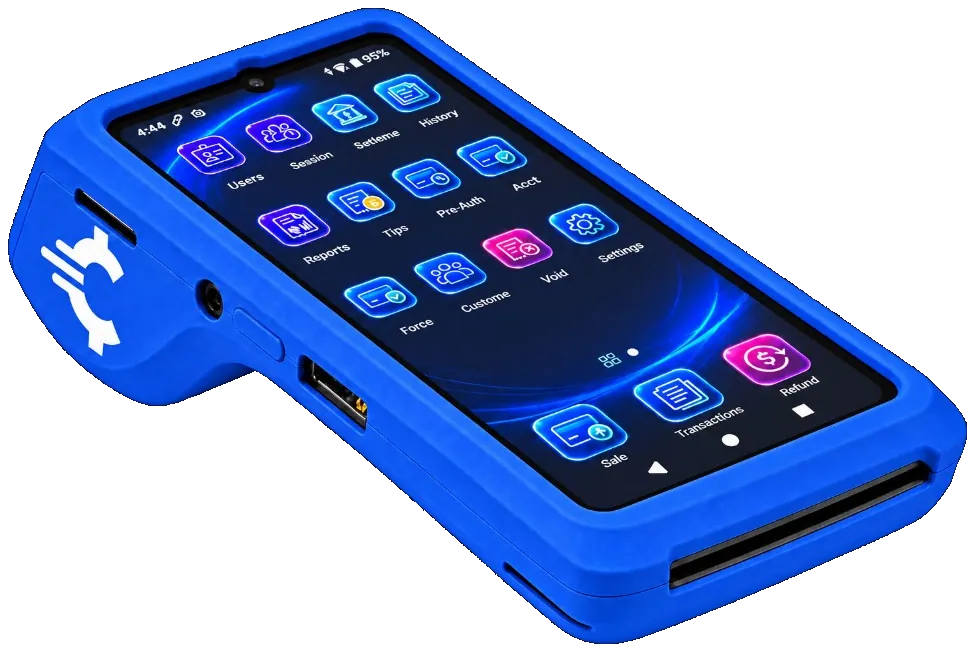
The RapidCents Rivo Go on a counter, the flagship of the Rivo line of countertop, mobile and compact card terminals. Payment terminals
Countertop, mobile and smart terminals for tap, chip and swipe at the counter.
Explore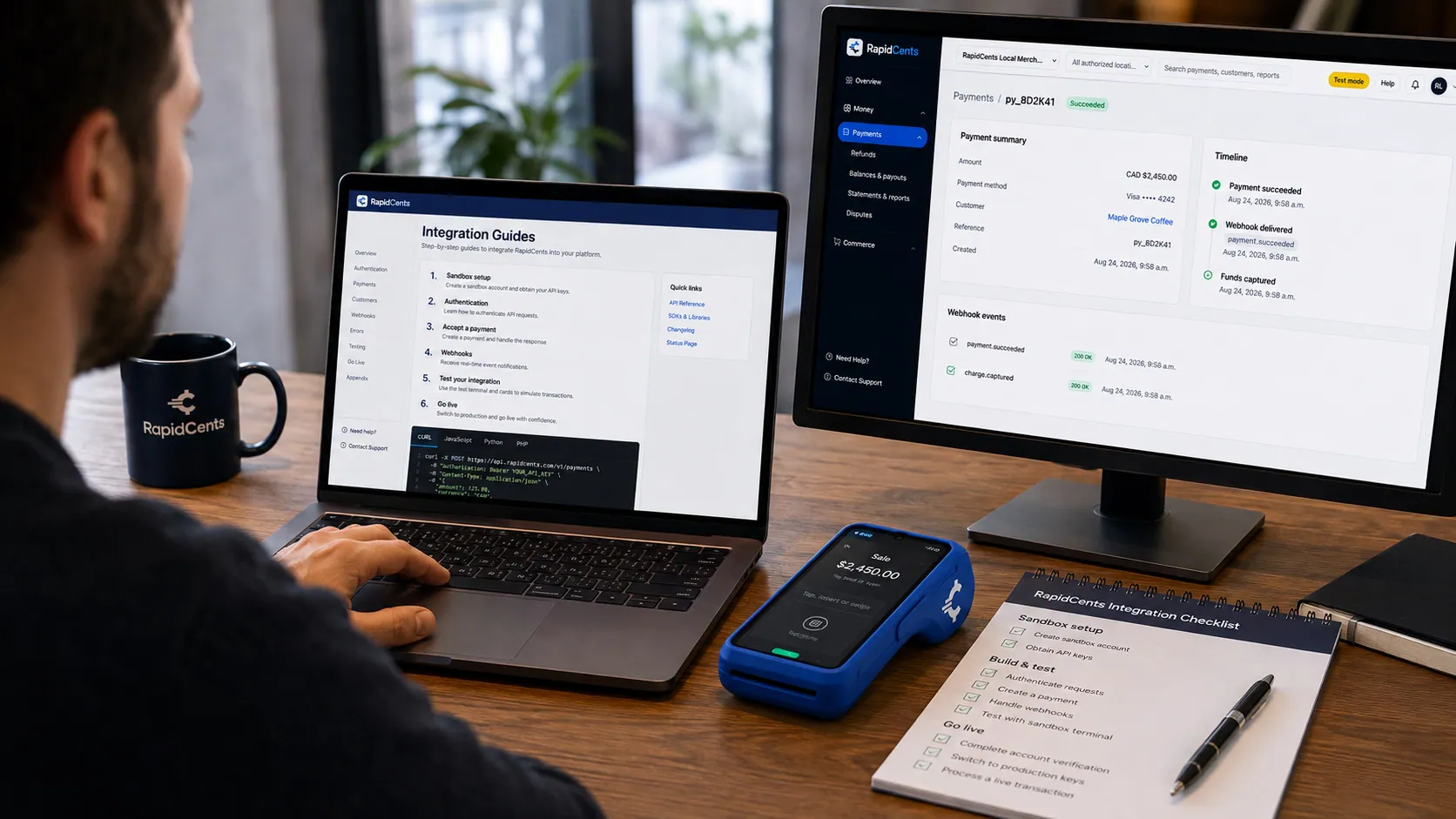
APPIE interoperability on a RapidCents desk: a terminal and host path that can work across processor boundaries. APPIE
The interoperability layer that lets existing point-of-sale software drive RapidCents hardware.
Explore
A café worker holds a phone running RapidCents Tap to Pay, showing an $18.75 sale and the contactless symbol, while a customer holds a Visa card to the screen. No separate card reader is present. Tap to Pay
Contactless acceptance on a compatible phone, with no extra hardware.
Explore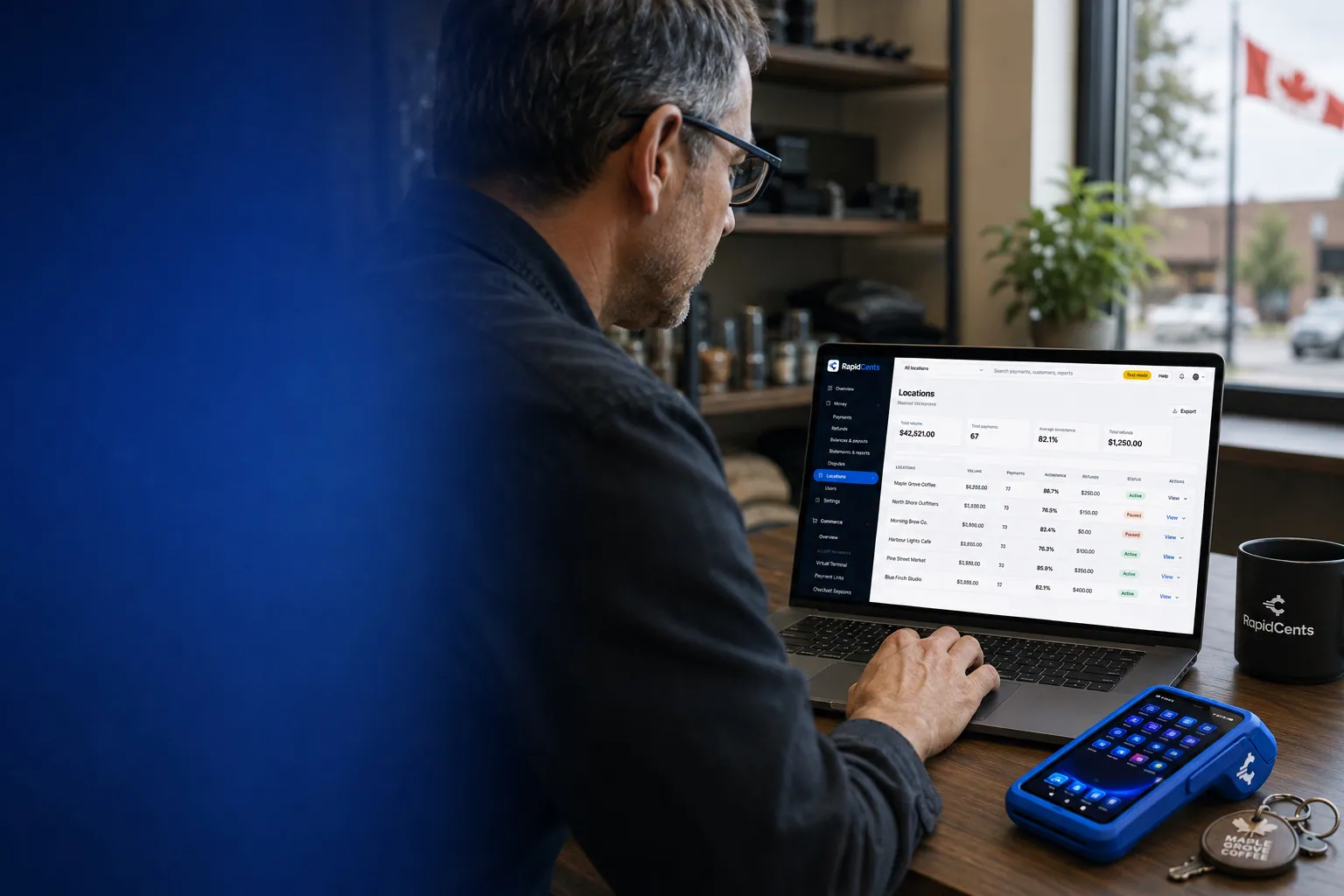
One RapidCents account comparing sales across locations, with a terminal representing the store-level capture. Multi-location
Per-site reporting and permissions under one merchant account.
Explore
A merchant reviews RapidCents reports for volume, mix and payouts, with the terminal that took the sales on the desk. Reporting and reconciliation
Deposit-level detail that ties settlements back to the transactions behind them.
Explore
The RapidCents payments screen: gross volume, payment count, acceptance rate and refunds across the top, a filterable transaction list below, and a money timeline on the right tracing one payment from capture to planned payout. Merchant dashboard
Transactions, deposits, refunds and disputes across every channel in one place.
Explore


Security
PCI DSS Level 1
Processing runs on PCI DSS Level 1 audited infrastructure.
Tokenization
Card data is replaced with tokens, keeping raw credentials out of your systems.
Role-based access
Permissions and audit trails control who can see and do what.
Implementation
Discovery
A payment specialist reviews how your business gets paid today.
Configuration
Accounts, users and settings are prepared before you go live.
Testing
Run test transactions and confirm reporting before cutover.
Launch and support
Go live with training materials and post-launch support.
Pricing
Transparent pricing
Pricing depends on volume, card mix and configuration. Fee Check compares your current statement before you commit to anything.
For businesses in the USA
A direct answer for a business in the USA: the workflow, the limit, and what to confirm next.
The payment workflow
Follow a US store sale from item/variant selection to payment and receipt, then show a return tied to the original transaction. In practice, actual inventory updates and online-sales connections. Keep the POS role clear rather than implying the payment terminal alone manages a complete catalog and stock ledger. Confirm eligibility, presentment currency, settlement currency and the enabled payment methods on the USA merchant account before quoting them. An illustrative amount is an example, not a fee or a funding promise. Retail POS does not, by itself, prove delivery or win a dispute.
The problem and the limit
The practical view covers discount/refund/drawer permissions and the audit trail. In practice, stock/payment mismatches, canceled transactions and partial returns using tested examples. Avoid guaranteed inventory accuracy or instant omnichannel synchronization without validated connector and exception handling. Confirm eligibility, presentment currency, settlement currency and the enabled payment methods on the USA merchant account before quoting them. An illustrative amount is an example, not a fee or a funding promise. Retail POS does not, by itself, prove delivery or win a dispute.
What to confirm
Before you rely on this, confirm US POS/peripheral versions, methods, USD pricing, tax configuration and store eligibility. Name only certified ecommerce/accounting integrations and disclose software/hardware/setup charges. Keep separate tax calculation and reporting capabilities from legal compliance or filing services. Confirm eligibility, presentment currency, settlement currency and the enabled payment methods on the USA merchant account before quoting them. An illustrative amount is an example, not a fee or a funding promise. Retail POS does not, by itself, prove delivery or win a dispute.
Questions about Retail POS
Does it track inventory?
Yes, at item and variant level, adjusting as sales and returns happen.
Can I run more than one store?
Yes, with shared configuration and consolidated reporting.
How are returns handled?
Returns reference the original transaction so refunds match the sale.
Can I limit what staff can do?
Yes, discounts, refunds and drawer access are permissioned by role.
What hardware sits on the counter?
A RapidCents terminal takes the payment. The Rivo Go prints a receipt on the spot from its built-in thermal printer, the Rivo Touch is a slim all-screen device, and the Rivo Link adds a tactile PIN pad. Your advisor matches the device to the counter.
How is Retail POS different from Grocery POS?
Grocery POS is the same idea pushed toward long baskets: items priced by weight for produce and deli, several lanes on a shared catalogue, restricted-item prompts and day-end reconciliation built for heavy transaction counts.
What does a retail POS add to payment acceptance for a USA store?
For a business in the USA, in practice, verified catalog, inventory, return and staff functions, identifying the system of record. This depends on the approved USA account setup and does not remove the merchant's own records or dispute duties.
How do returns affect the original payment and stock count?
For a business in the USA, the practical view covers tested full/partial refund and inventory behavior, approvals and exception handling. This depends on the approved USA account setup and does not remove the merchant's own records or dispute duties.
Related products

The RapidCents Rivo Go standing upright in its blue silicone case, showing the full-touch sale screen a customer reads across the counter. Payment Terminals
RapidCents payment terminals cover countertop, mobile and smart form factors so you can accept…
ExploreOne RapidCents account comparing sales across locations, with a terminal representing the store-level capture. Multi-Location
RapidCents multi-location tools organize stores, franchises and regions in a hierarchy with…
ExploreA merchant reviews RapidCents reports for volume, mix and payouts, with the terminal that took the sales on the desk. Reporting
RapidCents reporting delivers customizable transaction, settlement and fee reports with CSV and PDF…
Explore

Industries that run on Retail POS
Breweries & Wineries
Producers sell at the taproom, at farmers markets and through a beer or wine club, so the…
Furniture Stores
Furniture retailers take a deposit at order and the balance on delivery weeks later, and…
Sporting Goods
Sporting goods stores swing hard by season, run a service counter for tuning and fitting…
Garden Centres & Nurseries
Garden centres compress most of the year into spring, add mobile checkout out in the…
Auto Parts Retailers
Parts counters serve retail walk-ins and trade accounts on terms, so the same store needs…
Bookstores & Gift Shops
Independent bookstores and gift shops run thin margins on small baskets, add author…
Museums & Galleries
Museums sell timed admission online and at the door, run memberships that renew annually…
Take the next step
Talk to a RapidCents specialist
RapidCents Fee Check reads a processing statement and shows interchange separately from the markup. Upload a statement for an instant breakdown, or open a merchant account and start accepting payments on one account.
- No obligation
- Payment specialists, not a call centre
- Secure statement upload



