


Payment processing for attractions: tickets, passes and outlets
Payment processing for attractions covers online ticket sales, card payments at the gate and at food, merchandise and ride outlets, and season pass billing. RapidCents sells day tickets through Hosted Checkout, bills passes with Recurring Payments, runs Payment Terminals at every outlet and reports each one as its own location, next to the ticketing software you already run.

- PCI DSS Level 1
- SOC 2 Type II
- All major cards: Visa, Mastercard, Amex, Discover, UnionPay, Diners Club & Interac Debit
- Interchange-plus available
- Canadian support
How attractions get paid
Attractions get paid through five jobs: online tickets before arrival, gate and outlet sales on site, cashless wristband top-ups, season pass billing and refunds after weather closures. Each job has a different payer, trigger and record, so each gets its own setup.
Online day tickets
A family buys tickets for a chosen date on your site. Hosted Checkout takes the card and sends a receipt, and your ticketing software issues the barcode. Finance sees one settled payment per order, tied to the visit date and the ticketing reference.
Gate and outlet sales
Guests tap or insert a card at the gate, food stand, gift shop or ride outlet. Payment Terminals take the payment at each counter, and Multi-Location reports every outlet separately so a busy Saturday can be reviewed outlet by outlet.
Season passes
A pass holder agrees to a payment schedule for the season. Recurring Payments collects each installment on the agreed date, retries a failed card and updates saved card details. The schedule is a collection schedule, not a loan.
Refunds and rain checks
A storm closes the park and guests ask for money back. Staff refund the original card, or reissue a date-flexible ticket in the ticketing software. Finance matches each refund to the original sale and the closure date.
Payment pages for specialized businesses
Some businesses in this sector take payments differently enough to need their own page. Each one covers its own payment jobs, software questions and buyer FAQs.
How do attractions collect payments on a peak day?
Attractions collect payments at three points at once: online before arrival, at the gate on arrival, and at each outlet inside. Put each point on its own channel and its own location, so a peak weekend reconciles by outlet instead of as one large total.
Run each outlet as its own location
Give the gate, each food stand, the gift shop and the ride outlets their own location in Multi-Location. Managers see only their outlet, and finance sees a roll-up. When one outlet has a short deposit, you know where to look first.
Plan for queues, signal and weather
Gate lines punish slow payments. Use countertop terminals where power exists and Rivo mobile terminals with an active SIM for roaming carts and line-busting. If a terminal drops its connection, check the sale status on the Merchant Dashboard before charging again.
A holiday weekend, outlet by outlet
Say a family park sells 400 tickets online for Saturday and 600 at the gate. Evening reports show the gate, each outlet and online orders as separate locations, so an outlet total that looks low is traced to one terminal and one batch.
How do attraction online ticket payments work?
Attraction online ticket payments work through Hosted Checkout or Payment Links. The guest picks a date and ticket type, pays by card and receives a receipt. Your ticketing software issues the barcode and controls inventory and entry, and RapidCents controls the card payment.
Set up date and ticket rules first
Decide ticket types, visit dates, group sizes and the cutoff for changes before you sell. The payment page only collects money, so the rules live in your ticketing software. Your RapidCents representative will show you how the order hands off from your software.
Handle declines, duplicates and group orders
Declined cards ask the guest to try another card on the same page. A guest who refreshes after paying sees an order status, not a second charge. Large group bookings can go out as a Payment Link, so a school contact pays remotely.
A school group of 60, paid by Payment Link
Say a teacher books 60 student admissions for a field trip. You send a Payment Link for the total, the teacher pays by purchase card, and the receipt shows the visit date. If the trip is rained out, you refund the same card.
RapidCents products for attractions
These products cover the attraction payment jobs: Hosted Checkout for online tickets, Payment Terminals for the gate and outlets, Recurring Payments for season passes and Multi-Location for outlet-level reporting.

A RapidCents hosted checkout page at checkout.rapidcents.com, with the order summary and totals on the left and the card fields on the right, footed by SSL and PCI DSS assurances. Hosted Checkout
RapidCents hosted checkout delivers PCI-scoped payment pages you redirect customers to or embed via iframe…
Explore
The RapidCents Rivo Go standing upright in its blue silicone case, showing the full-touch sale screen a customer reads across the counter. Payment Terminals
RapidCents payment terminals cover countertop, mobile and smart form factors so you can accept chip…
Explore
The RapidCents recurring payments screen showing active subscriptions, monthly recurring revenue, failed payments and upcoming renewals, above a list of subscriptions with their plan, amount, frequency and next billing date. Recurring Payments
RapidCents recurring payments manage subscription plans, membership renewals and installment schedules with…
Explore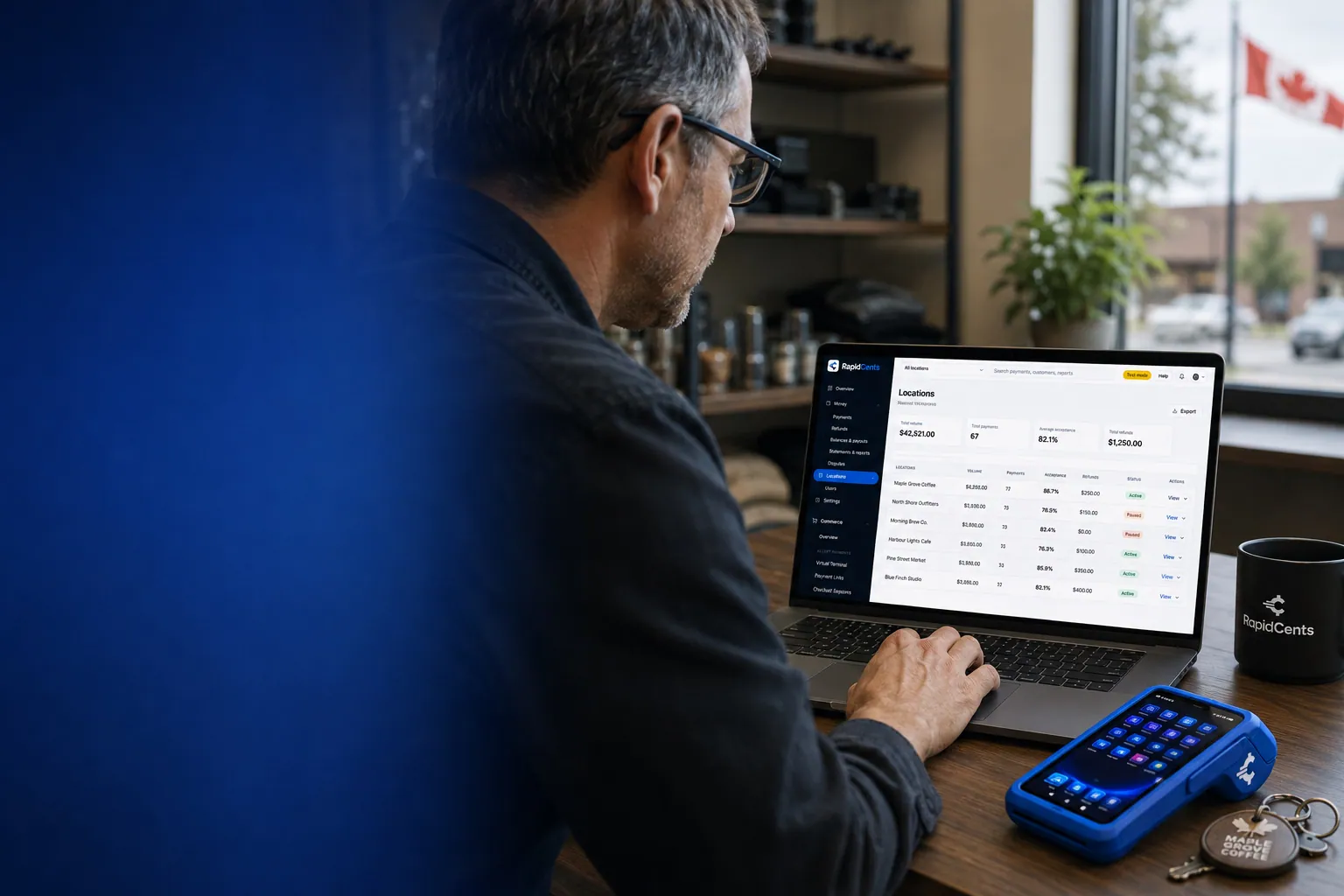
One RapidCents account comparing sales across locations, with a terminal representing the store-level capture. Multi-Location
RapidCents multi-location tools organize stores, franchises and regions in a hierarchy with location-level…
Explore


What is needed for amusement park cashless wristband payments?
Cashless wristband payments need a wristband or ticketing system that holds guest balances, plus a card payment to load them. RapidCents processes the card payment that tops up the wristband. Your RapidCents representative will walk you through how your wristband software connects.
Separate the top-up from the spend
A guest loads value with a card at a kiosk, booth or online. That card payment is the processed transaction. Spending the balance at outlets happens inside the wristband software, so your outlet reports need the software's own record too.
Decide refund and unused balance rules
Write down what happens to leftover balance at closing time, who can refund a top-up and how long guests have to ask. Refunds to the original card are processed through RapidCents. Balance rules belong in your terms, not in the payment setup.
A $50 splash park top-up, $20 refunded
Say a guest tops up a wristband with $50 at a kiosk and later asks for the unused $20 back. Staff check the balance in the wristband software, then refund $20 to the same card, and finance matches the refund to the top-up.
How do fees work for attraction payments?
Attraction fees depend on your card mix, average ticket and how guests pay. RapidCents prices every account on interchange-plus: interchange passes through at cost, you pay your RapidCents markup set out in your Fee Schedule, plus fees for equipment or services if applicable. Service is month to month with no fixed term.
What moves your cost
Interchange varies with card type, such as debit, credit, premium or commercial, and with how the card is taken. A tapped card at the gate prices differently from a card keyed for a group booking. Online ticket sales and on-site sales are different mixes.
What to bring to compare
Bring two or three recent processing statements, your average ticket, the split between online, gate and outlet sales, your refund volume and any dispute history. Peak-season and off-season months can look very different, so include both.
Run a Fee Check
Upload a statement to Fee Check to see interchange shown separately from markup. Compare written quotes line by line, including equipment, wristband readers and any monthly service fees. Ask each provider to spell out what is and is not included.
Which ticketing and park software works with RapidCents?
RapidCents integrates with many major business platforms through APPIE and RapidBridge, so most attractions keep the ticketing, wristband and park management software they run today. The right option depends on your software vendor and version, and your RapidCents representative will walk you through it, including how payments, refunds and settlements reach your reports.
ROLLER
ROLLER handles ticketing and bookings for attractions. RapidCents integrates with many major platforms through APPIE and RapidBridge, so you can keep the booking system you run today. Your RapidCents representative will show you how settlement matches back to bookings for your plan.
Aluvii
Aluvii is used for park operations and wristband-style workflows. The option that fits depends on your version, your readers and how you handle refunds. Tell your RapidCents representative which Aluvii setup you run, and they will walk you through it.
Gateway Galaxy
Gateway Galaxy handles season pass and membership billing. Tell your RapidCents representative how you bill passes today, and they will show you where saved cards live, who retries a failed installment and how each payment reaches your reports.
accesso
accesso covers ticketing and on-site point of sale for larger attractions. APPIE lets point-of-sale software drive RapidCents terminals, so outlets can keep the system they know. Your RapidCents representative will explain how outlet sales and online orders share one report.
CenterEdge
CenterEdge is common in family entertainment venues. Your RapidCents representative will walk you through the option for your edition and hardware. For accounting, RapidCents connects settled transactions, fees and refunds to QuickBooks Online and Xero, and SAP and NetSuite import settlement files.
Payment options for attractions in Canada
Attractions in Canada can accept Interac debit and credit cards at the gate and outlets, take online tickets by card, and use EFT or pre-authorized debit for bank payments such as pass installments. Settlement is in CAD, and your RapidCents representative walks you through what is enabled on your account.
Cards at the gate and outlets
Guests tap or insert Interac debit and credit cards at terminals. Expect many debit payments from families on site, and your RapidCents representative will walk you through contactless limits. Show GST/HST on receipts where it applies to your admissions and food sales.
Bank payments for passes and groups
EFT or pre-authorized debit (PAD) can collect season pass installments or group balances, with the customer's written agreement. Provincial rules on admissions and refunds can differ, so check the rules for your province.
How do attractions switch processors and reconcile refunds?
Attractions switch safest in the off-season, with a test plan and a parallel period. Once your account is approved, your RapidCents representative helps you inventory what is stored, test a sale and a refund, then reconcile deposits by location. Attraction ticket refund reconciliation starts with the original sale reference.
Inventory before you move
List season pass schedules, saved cards, open group invoices, unredeemed tickets and pending refunds. Ask your current provider whether card data can be moved. Both providers must agree, so plan for the possibility that some saved cards need to be collected again with the customer's authorization.
Test, then run in parallel
Before opening day, run a test sale, a test refund and a test top-up at each location. Keep your old terminals at the gate for a short parallel period, so a problem at one counter does not stop admissions.
Reconcile by location and sale reference
Match each deposit to gross sales, refunds, disputes and fees by location. Keep the ticketing reference on every payment, so a weather refund ties back to its sale. Export reports for your accountant at the end of each week.
Payment questions from attractions
What should attractions compare before choosing a payment processor?
Compare the whole acceptance workflow, not one price. Check online ticket payments, gate and outlet terminals, season pass billing, ticketing software restrictions, refunds, settlement reports and support during peak weekends. Ask each provider for written quotes and a demo of online ticketing. RapidCents will walk you through all of it before peak season.
How much does payment processing cost for attractions?
It depends on your card mix, average ticket and channels. RapidCents prices every account on interchange-plus: interchange passes through at cost, you pay your RapidCents markup set out in your Fee Schedule, plus fees for equipment or services if applicable, month to month with no fixed term. Upload a statement to Fee Check to see interchange separated from markup.
Can I use ROLLER with RapidCents?
RapidCents integrates with many major platforms through APPIE and RapidBridge, so most attractions keep the booking software they run today. The exact option depends on your ROLLER product, plan and version. Tell your RapidCents representative how you run ROLLER, and they will show you how payments, refunds and settlement connect to it.
How can my business handle attraction online ticket payments?
Use Hosted Checkout or Payment Links. The guest chooses a date and ticket type, pays by card and receives a receipt with the order reference. Your ticketing software controls inventory and entry. Set ticket rules and refund terms first, then test a sale and a refund before opening day.
Which payment options can an attraction in Canada offer?
An attraction in Canada can offer Interac debit and credit cards in person, online tickets by card, and EFT or pre-authorized debit for pass installments or group balances. Settlement is in CAD, and GST/HST may appear on receipts. Your RapidCents representative will walk you through which options are enabled on your account.
What setup is needed for amusement park cashless wristband payments?
You need wristband or ticketing software that holds balances, compatible readers and a card payment to load them. RapidCents processes the card top-up. Your RapidCents representative will walk you through how your wristband software connects. Write down refund and unused balance rules before launch.
How should we manage attraction season pass recurring billing?
Agree the amount, timing and cancellation terms with the pass holder, and keep the customer's authorization for the stored card. Recurring Payments collects each installment on the agreed date and retries failed cards. This is a collection schedule, not financing. Assign who can change a schedule.
Can one platform handle attraction onsite POS card payments and attraction ticket refund reconciliation?
Yes, in two steps. RapidCents handles on-site card payments, refunds and settlement reports by location. Matching a refund to a ticket order also uses the ticketing reference from your software, and your RapidCents representative will walk you through whether that travels by integration or by export and import.
How do we reconcile card payments and bank deposits for attractions?
Separate gross sales, refunds, disputes, fees and deposits, then match them by location and transaction reference. RapidCents reports settled transactions, fees and refunds by location, and connects them to QuickBooks Online and Xero. SAP and NetSuite import settlement files.
How do we switch payment providers without losing saved cards or disrupting attraction online ticket payments?
Plan the switch for the off-season. List saved cards, pass schedules and open invoices, then ask both providers whether card data can move, since both must agree. Test a sale, a refund and a top-up first, and run old and new terminals in parallel briefly. Your RapidCents representative will help you sequence it.
What MCC is used for amusement attractions?
MCC 7996 is commonly associated with amusement parks and attractions. RapidCents sets the correct merchant category during onboarding, based on what your business actually sells. A park with food, retail and ticketing may have different categories for different outlets. Talk to your RapidCents representative as you apply.
Related industries
Museums, theatres, ski resorts and arcades share advance ticketing, on-site counters and weather or schedule refunds. Compare how those venues handle the same jobs.
Museums & Galleries
Take timed admission online, serve walk-ups at the desk, renew memberships on schedule…
Theatres & Performing Arts
Sell seats online, run the box office window and collect season installments, donations…
Ski Resorts
Take cards at the ticket window, rental shop, ski school and lodge, sell season passes on…
Bowling & Arcades
Take cards at the lane desk, the arcade reload station and the snack bar, collect party…
Take the next step
See how your attraction's processing costs break down
Upload a processing statement and Fee Check shows interchange separated from markup, so you can compare quotes using your own peak-season mix.
- No obligation
- Canadian payment specialists
- Secure statement upload



