


Payment processing for subscription box businesses
Payment processing for subscription box businesses means charging each subscriber on the cycle that matches your ship date, then recovering failed renewals before boxes are packed. RapidCents offers Recurring Payments, Account Updater, Hosted Checkout and Fraud Prevention. Subscribers authorize the stored card at signup, and you agree on amount, timing and cancellation with them.

- PCI DSS Level 1
- SOC 2 Type II
- All major cards: Visa, Mastercard, Amex, Discover, UnionPay, Diners Club & Interac Debit
- Interchange-plus available
- Canadian support
How subscription box businesses get paid
Subscription box businesses get paid by charging stored cards on a recurring cycle tied to the ship date. Four payment jobs cover most of the work: the scheduled charge, the failed renewal, the expired card and the skipped or changed box. Each one leaves a record your finance lead can reconcile.
Scheduled box charge
Subscribers pay when their plan renews, a few days before the box is packed. The renewal runs against the card they authorized at signup through Recurring Payments. If it clears, the order releases to packing. Finance receives a settled transaction with the plan and order reference attached.
Failed renewal recovery
A renewal declines for insufficient funds, an expired card or a fraud flag. The plan retries on the schedule you set, and the subscriber is asked to update the card. If it still fails before the pack date, the box is held and the attempt is logged.
Expired card update
Cards expire or get reissued between boxes. Account Updater asks the networks for refreshed details so the stored card keeps working. When no update returns, the subscriber gets a Payment Link to add a new card, and that new authorization is recorded.
Skips and prorated changes
A subscriber skips a month, upgrades to a bigger box or cancels mid-cycle. Your subscription software sets the new amount, and the payment record shows the charge, credit or partial refund that results. Finance sees each adjustment as its own line tied to the same plan.
How do you charge subscribers on the box shipment schedule?
You charge subscribers on the box shipment schedule by tying each billing date to your pack date. Subscription box payment processing then runs the renewal through Recurring Payments with the subscriber's stored-card authorization, and the result tells your team whether the box can ship.
How the scheduled charge runs
A subscriber joins through Hosted Checkout, which captures the card and records agreement to the amount, timing and cancellation terms. Recurring Payments then charges each cycle on a date set before your pack date. Your subscription software owns the plan and order; RapidCents owns the charge.
Exceptions to plan for
Charge too early and a subscriber may dispute a box that has not shipped. Charge too late and the box is packed unpaid. Refund canceled orders before packing, keep the order reference on every charge, and use Disputes tools to gather shipping proof if a charge is questioned.
A $38 snack box, billed on the 16th
Say a monthly snack box packs on the 20th and bills on the 16th, leaving four days for retries. A subscriber on a $38 plan is charged on the 16th, the order releases to the warehouse on the 17th, and the settled charge matches one line on the pack list.
How do you recover a renewal that failed before the box is packed?
You recover a failed renewal by retrying the card on a set schedule, telling the subscriber what to fix and holding the box until the charge clears. This subscription box failed payment recovery routine runs before the pack date, so unpaid orders do not ship and good subscribers are not lost.
How recovery runs
Recurring Payments retries a declined renewal on a schedule you configure and notifies the subscriber before the next attempt. The notice links to a Payment Link where the subscriber can enter a new card. Each attempt is logged, so your retention manager sees which plans are at risk.
What goes wrong
Not every decline is the same. A hard decline such as a closed account needs a new card; a soft decline such as insufficient funds may clear on retry. Fraud Prevention can hold a suspicious attempt for review. Never retry beyond what the subscriber agreed to, and stop when they cancel.
A $45 beauty box that declines, then clears
Say a $45 beauty box renewal declines on the 16th for insufficient funds. A retry on the 18th clears and the order releases. Had the retry failed, the box would be held, the subscriber would get a Payment Link, and a payment on the 19th would still make the pack.
RapidCents products for subscription box businesses
Recurring Payments runs each cycle, Account Updater refreshes expiring cards, Hosted Checkout captures the first card at signup, and Fraud Prevention screens new subscriptions. Together they cover the renewal from the first card to the settled deposit.

The RapidCents recurring payments screen showing active subscriptions, monthly recurring revenue, failed payments and upcoming renewals, above a list of subscriptions with their plan, amount, frequency and next billing date. Recurring Payments
RapidCents recurring payments manage subscription plans, membership renewals and installment schedules with…
Explore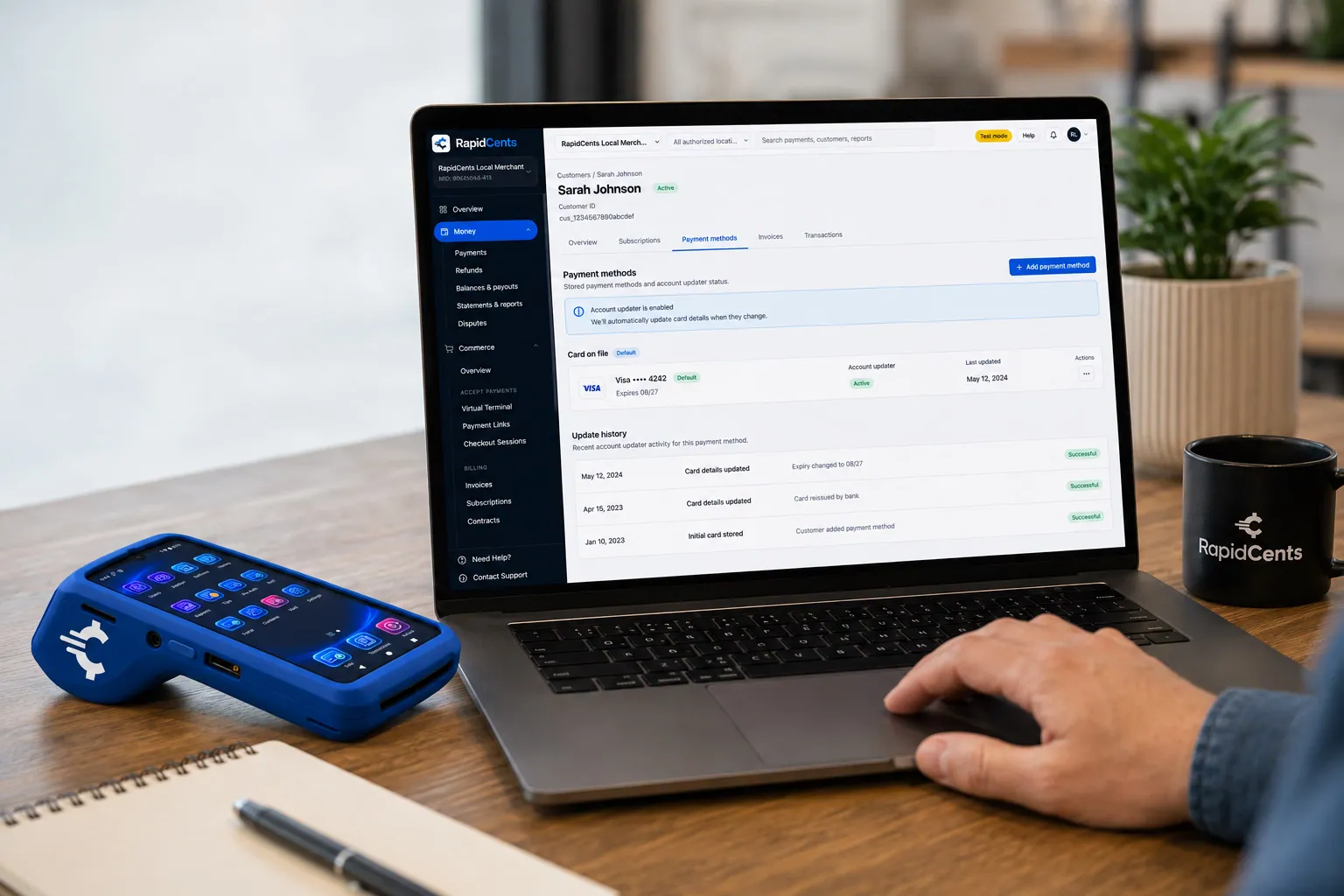
RapidCents refreshes a stored card after a reissue, so the vaulted credential keeps working without asking the customer again. Account Updater
Cards expire, get reissued and get replaced after fraud. Account Updater refreshes stored credentials with…
Explore
A RapidCents hosted checkout page at checkout.rapidcents.com, with the order summary and totals on the left and the card fields on the right, footed by SSL and PCI DSS assurances. Hosted Checkout
RapidCents hosted checkout delivers PCI-scoped payment pages you redirect customers to or embed via iframe…
Explore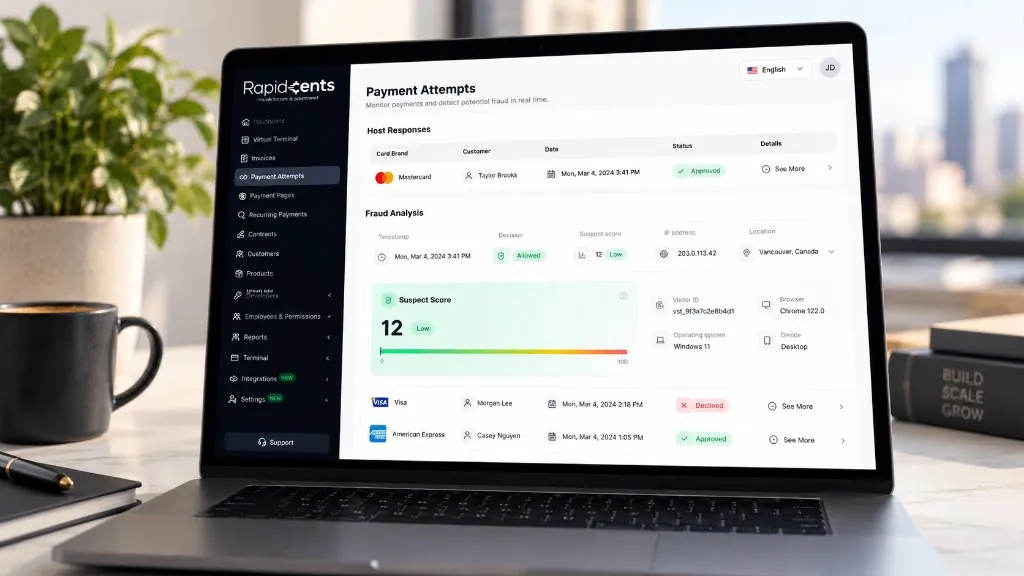
The Payment Attempts screen, shown with sample data: the host response for each attempt, then the fraud analysis behind it — decision, suspect score out of 100, IP address and location, visitor ID, browser, operating system and device. Fraud Prevention
RapidCents checks more than 180 signals on every payment attempt in under a second — the device, IP address…
Explore


How does a card updater keep a plan running when a card expires?
A subscription renewal card updater refreshes a stored card's number or expiry with the card networks before the next charge, so the plan keeps running without a message to the subscriber. Account Updater covers reissued and expired cards; closed accounts and unsupported cards still need a new card from the subscriber.
How Account Updater runs
Account Updater checks stored cards against network updates ahead of upcoming charges. When a card was reissued, the stored record changes and the next renewal runs on the new details. The plan keeps its original authorization record, and your team sees the refreshed card on the customer profile.
Limits, skips and prorated changes
Updates do not cover every card or issuer, so keep a fallback: a Payment Link for a new card. Skipped boxes and prorated upgrades are plan changes in your subscription software; the payment record shows the resulting charge, credit or partial refund against the same plan.
A card that expires in March
Say a subscriber's card expires in March and the bank issues a new one. Account Updater refreshes the stored record before the 16th renewal, and the $38 charge clears. Another subscriber closed the account, no update returns, and a Payment Link goes out for a new card.
Compare fees using your real payment mix
Subscription box fees depend on your card mix, average box price, the share of recurring versus first-time orders, and how many renewals fail or get refunded. RapidCents prices on interchange-plus: interchange at cost, your RapidCents markup in your Fee Schedule, and fees for equipment or services if applicable. Month to month, no fixed term.
What drives cost
Interchange varies with card type, such as debit, credit, premium or commercial, and with how the card is taken. Online and keyed renewals price differently from tapped or inserted cards. A subscription box business is mostly card-not-present, so ask how your own mix prices out.
What to bring
Bring recent processing statements, your card mix, average box price, the split between recurring and one-time orders, and refund and chargeback volume. Failed renewals and retries add attempts, so bring those counts too. Ask every provider for an itemized quote that separates interchange, markup and other fees.
Use Fee Check
Upload a statement to Fee Check to see interchange separated from markup. Then compare the same card mix across written quotes, including gateway, subscription software and account updater fees. Your Fee Schedule lists your RapidCents markup, and your RapidCents representative will walk you through any other fee before you sign.
Check Shopify compatibility and payment data flow
Your subscription software sets the plan and renewal date, and the payment connection decides which processor runs the charge. RapidCents integrates with many major platforms through APPIE and RapidBridge, and your RapidCents representative walks you through the option that fits your vendor and version. For accounting, we connect settled transactions, fees and refunds to QuickBooks Online and Xero, and SAP and NetSuite import settlement files.
Shopify
RapidBridge works with Shopify, so a RapidCents payment can run inside the store you already operate without changing it. Editions and countries differ on which providers can take checkout payments, so your RapidCents representative will walk you through whether a connector, a Payment Link outside Shopify or a settlement import fits your store.
Recharge
Recharge manages subscription plans, renewal dates and retries on top of a store. RapidCents integrates with many major platforms through APPIE and RapidBridge, and the right option depends on your Recharge plan. Your RapidCents representative will walk you through how stored cards, refunds and failed payment events connect.
Subbly
Subbly runs subscription box sign-ups and renewals. RapidCents integrates with many major platforms through APPIE and RapidBridge, and the right option depends on your Subbly plan and where renewal retries run. Tell your RapidCents representative how you bill today and they will map out the connection route.
Cratejoy
Cratejoy hosts subscription box storefronts and billing, so customer records and stored cards may sit with the platform. RapidCents integrates with many major platforms through APPIE and RapidBridge; your RapidCents representative will walk you through who holds the cards and which settlement reports you can export.
WooCommerce
RapidBridge works with WooCommerce, and stores there often pair it with a subscriptions extension that schedules renewals. Your RapidCents representative will walk you through how your extension and version connect, whether through a connector, an API or a Payment Link, and which payment events flow back.
Payment options for subscription box businesses in Canada
Subscription box businesses in Canada can usually take Visa, Mastercard and American Express cards, plus Interac debit where a card is present. For recurring bank payments, EFT or pre-authorized debit (PAD) may be available. Settlement is in Canadian dollars (CAD); what is enabled depends on your merchant account.
Cards and Interac debit
Online renewals run on credit cards through Hosted Checkout and Recurring Payments. Interac debit applies when a subscriber taps or inserts a card in person, for example at a pop-up or market stall.
Bank payments and tax
Bank-based plans through pre-authorized debit need a signed authorization with amount, timing and cancellation. Receipts may show GST/HST where it applies, and provincial consumer rules can affect cancellation terms; check both with your adviser.
How do you move subscribers to a new gateway without duplicate charges?
You move subscribers without duplicate charges by freezing the old billing schedule, moving stored cards only where both providers agree, and testing before live renewals. Subscription box payment migration then follows one rule: each renewal is charged by exactly one gateway, and each settled deposit maps to an order.
Inventory and cutover
List every active plan, stored card, authorization record, upcoming renewal date, open refund and failed retry. Pick a cutover date right after a billing run so no renewal falls between systems. Once your account is approved, your representative sets up the move, and token portability is agreed in writing with both providers.
Test, then run in groups
Test a sale, a refund and a renewal on the new gateway before moving live plans. Move a small group of subscribers first, and turn off the old schedule for them in the same step. Check the subscription software, not only the processor, so no plan bills twice.
Reconcile to the ledger
Map each payment reference to an order number, then match settled deposits to the ledger by billing run. Refunds, partial credits for prorated changes and failed retries should each appear as their own line. Your RapidCents representative will walk you through the settlement reports that fit your accounting software.
Payment questions from subscription box businesses
What is the best payment processor for subscription box businesses?
There is no single best processor; the right one fits your channels, plans and software. Compare total fees, subscription software compatibility, failed payment recovery, card updater support, service and reconciliation. Ask each provider for a written quote on your real payment mix. RapidCents offers Recurring Payments, Account Updater, Hosted Checkout and Fraud Prevention.
How much does credit card processing cost for subscription box businesses?
It depends on your card mix, box price, channel mix and how many renewals fail or are refunded. Interchange passes through at cost, then your RapidCents markup in your Fee Schedule and any equipment or service fees are added. Month to month, no fixed term. Upload a statement to Fee Check to see interchange separated from markup.
Can Shopify use a different payment processor?
Often, yes. RapidBridge works with Shopify, so RapidCents payments can run inside the store you already operate. What fits best depends on your Shopify edition, country and checkout settings, and a connector, a Payment Link outside Shopify or a settlement import are all options. Tell your RapidCents representative which edition you run and they will walk you through it.
How can subscription box businesses switch processors without losing payment history?
Export your transaction history before the cutover and keep it with your records. Inventory stored cards, authorizations, open refunds and renewal dates, test the new flow, then move plans in groups. Token portability needs both providers to agree, so get it in writing. Map old payment references to orders so reconciliation continues.
Which payment options can a subscription box business in Canada offer?
Most can offer major credit cards for online renewals, Interac debit for in-person sales, and EFT or pre-authorized debit (PAD) for bank-based plans, settled in Canadian dollars (CAD). Recurring charges need the subscriber's authorization covering amount, timing and cancellation. Your RapidCents representative will walk you through what is enabled on your account.
How can we charge customers on the box shipment schedule?
Set the billing date before your pack date and run each plan through Recurring Payments with the subscriber's authorization on file. Your subscription software releases the order when the charge clears. Refund canceled orders before packing and keep the order reference on every payment so finance can reconcile deposits to boxes.
How can we recover a renewal that failed before the box is packed?
Retry the card on a set schedule and ask the subscriber to update it. Recurring Payments retries declines on the schedule you configure, and a Payment Link lets the subscriber enter a new card. Hold the box until the charge clears, and stop retrying once the subscriber cancels. Each attempt is logged for your team.
How can we update an expired card without interrupting a plan?
Use Account Updater so reissued and expired cards refresh before the next charge. When no update returns, send a Payment Link so the subscriber can add a new card. The new card needs the subscriber's authorization. Updates do not cover every card, so keep a fallback and watch plans with upcoming expiry dates.
How can we handle skipped boxes and prorated changes?
Your subscription software sets the new amount, and the payment record follows it. A skipped box means no charge that cycle, an upgrade may add a partial charge, and a mid-cycle cancellation may need a partial refund. Agree the rules in your terms, keep the plan reference on each adjustment, and let finance see each as its own line.
How can we move subscribers to a new gateway without duplicate charges?
Run one billing schedule at a time. Turn off renewals on the old gateway for each group of subscribers in the same step you turn them on at the new one, and test a sale, a refund and a renewal first. Token transfer needs both providers to agree. Reconcile each deposit to orders so no subscriber is charged twice.
What MCC is used for subscription box businesses?
MCC 5968 is commonly associated with this type of business. RapidCents sets the correct merchant category during onboarding based on what your business actually sells. A box business that also sells one-time items or gift boxes may be reviewed on its full mix. Your RapidCents representative will settle your category with you when you apply.
Related industries with recurring billing
Memberships, clubs and associations share the same recurring plan, card updater and failed payment recovery workflows. Explore related industries to see how renewals and stored cards work for other subscription-style businesses.
Chambers of Commerce
Collect membership dues, event registrations and sponsorship invoices in one place, with…
Professional Associations
Take annual dues, exam fees, course registrations and employer invoices in one place…
Labour Unions
RapidCents helps union treasurers collect dues, initiation fees and arrears by card or…
Coworking Spaces
Bill desk memberships on a schedule, sell day passes online and charge meeting-room hours…
Religious Organizations
Take lobby giving, online gifts, recurring pledges and event fees on one account, with…
Sports Leagues & Clubs
RapidCents helps league administrators and club treasurers collect registration fees…
Summer Camps
Collect booking deposits, spread tuition across payments before the session, add canteen…
Childcare & Daycare
Charge tuition on schedule, keep each parent's share and any subsidy portion on separate…
Take the next step
Review your subscription box payment costs
Upload a processing statement to Fee Check and see interchange separated from markup, then compare it against your plan mix, failed renewals and refunds.
- No obligation
- Canadian payment specialists
- Secure statement upload



