


Electrician payment processing from deposit to completion
Electrician payment processing covers three moments: a materials deposit, approval of change orders and the final balance. RapidCents covers them with Payment Links and Invoicing, Tap to Pay or a terminal at the job site, and a Virtual Terminal for phone payments. Your RapidCents representative will set up the mix that fits your crews.

- PCI DSS Level 1
- SOC 2 Type II
- All major cards: Visa, Mastercard, Amex, Discover, UnionPay, Diners Club & Interac Debit
- Interchange-plus available
- Canadian support
How electricians get paid
Electricians get paid in stages: a materials deposit when the estimate is accepted, payment for each change order, a balance once the work is energized and inspected, and invoices for commercial accounts. Each stage has its own payer, trigger and channel, so each needs its own collection path and its own reference in your records.
Materials deposit when the estimate is accepted
The homeowner, tenant or property manager pays a deposit after accepting the estimate, so the panel, wire and fixtures can be ordered. It is collected by payment link. If the gear is special-order, set the deposit terms first. Finance gets a receipt and a dashboard transaction.
Change orders when the scope grows
The customer who signed the estimate approves the added work, such as extra circuits or a larger panel. Approval is the trigger, and payment is requested with a payment link or through Contracts & eSignatures. If the customer declines, the added work waits. Each change order stays its own payment.
Completion payment at the panel
The customer pays the balance once the circuit is energized and the inspector has signed off. The technician takes it on site with Tap to Pay on a phone or with a mobile terminal, or sends a link if the customer is away. Finance gets the receipt and the transaction in the Merchant Dashboard.
Commercial accounts and progress payments
Property managers and general contractors pay against an invoice. Send it from Invoicing: electrical invoice payment links let the payer settle by card, and status is tracked from draft to paid. For a long job, agree progress payments in the contract and collect them on a Recurring Payments schedule once the payer has agreed the amounts, dates and cancellation terms; it is a collection schedule, not financing.
Service calls and phone payments
A customer with a dead circuit or a tripped main pays the service-call fee when the technician arrives, and the repair is billed when the work is done. A customer who phones the office later to settle a balance can pay through the Virtual Terminal, which supports AVS, CVV and role permissions. If a customer later disputes a keyed card, your call notes are your record, so keep them.
How do electricians collect a materials deposit before ordering?
Electricians collect a materials deposit by sending the customer a payment link after the estimate is accepted and ordering from the supplier only once it has been paid. Electrical job deposit payments hold up when the amount, the refund terms for special-order gear and the job reference are agreed before the link goes out. The receipt then matches the estimate and the supplier order.
Link first, supplier order second
Send the payment link by SMS or email as soon as the customer accepts the estimate, with an optional expiry date so a stale estimate does not stay payable. Order from the supplier only after the payment appears in the Merchant Dashboard. If the customer prefers to phone it in, the office keys the card into the Virtual Terminal.
What to agree before the link goes out
Put the deposit amount, what it covers and your refund terms in the estimate, and have the customer accept them in writing before paying. Say plainly that special-order gear, such as a custom lighting package, may not be returnable once ordered. A deposit payment is not permission to save the card for the balance; ask for that authorization separately.
Declines, price changes and refunds
If the card declines, ask for another card or a bank payment where your account has one. If the supplier's price moves before you order, take the difference as a second payment agreed in writing. A refund goes back to the original card under the terms in your estimate. Disputes and Chargeback Protection helps you answer a disputed deposit with the signed estimate and receipt.
A $4,800 service upgrade, deposit first
For example, a homeowner accepts a $4,800 service upgrade estimate. The office texts a payment link for a $1,200 materials deposit, and the homeowner pays that afternoon. The contractor then orders the panel, breakers and meter base. The receipt and the dashboard transaction show the same $1,200, and the final invoice credits it against the $4,800. This is an illustration, not a customer result.
How do electricians get change orders approved and paid?
Electricians get a change order approved by sending the customer a written description and price of the added work, then collecting payment only after the customer agrees. Change order payment approvals keep the original estimate and the extra work separate, so each has its own receipt and its own record. A card on file for the first payment is not permission to charge the extra.
Approval first, payment second
Send the change order as a document with the scope, the price and any change to the schedule. With Contracts & eSignatures you send the document, capture the customer's signature and take the deposit for the added work. If you use a payment link instead, ask for a written reply that accepts the price before sending it.
Who can approve on a commercial job
On commercial work, the person on site, the facility manager and the accounts payable contact can be three different people. Record who approved each change order, with their name and the date, and send the payment link or invoice to the person who pays. If a purchase order is required, wait for the amended purchase order before billing the extra.
Saved cards, disputes and refunds
A saved card needs the customer's authorization for each use you described, so a card kept for the balance should not be charged for extra work without a fresh yes. If a change order is disputed, the signed document, photos of what was found and the receipt are your evidence in Disputes and Chargeback Protection. Refund a change order against its own payment.
Old knob-and-tube wiring behind a kitchen wall
For example, a crew opening a kitchen wall finds old knob-and-tube wiring, and the homeowner agrees to a $1,350 change order to replace it. The office sends the signed change order with a payment link for $1,350. The homeowner pays and the crew keeps working. The final invoice lists the estimate and the change order as separate lines, each matched to its own payment. This is an illustration, not a customer result.
RapidCents products for electricians
Tap to Pay covers the balance on site, Payment Links carry deposits and change orders, Invoicing serves commercial accounts, and the Merchant Dashboard shows transactions, expected deposits and user activity across every channel.

A café worker holds a phone running RapidCents Tap to Pay, showing an $18.75 sale and the contactless symbol, while a customer holds a Visa card to the screen. No separate card reader is present. Tap to Pay
RapidCents Tap to Pay turns supported iPhones and Android devices into contactless payment terminals without…
Explore
The RapidCents payment links screen listing created links with their amount, status, click count and whether they have been paid, beside a phone showing the branded page a customer opens to pay $2,500.00. Payment Links
RapidCents payment links let staff generate branded pay-by-link URLs for invoices, deposits, balances and…
Explore
The RapidCents invoices screen: outstanding, overdue, paid and draft totals across the top, the invoice list below them, and a preview of one invoice on the right with its line items and a View & Record Payment button. Invoicing
RapidCents invoicing helps professional services, contractors and B2B suppliers create branded invoices…
Explore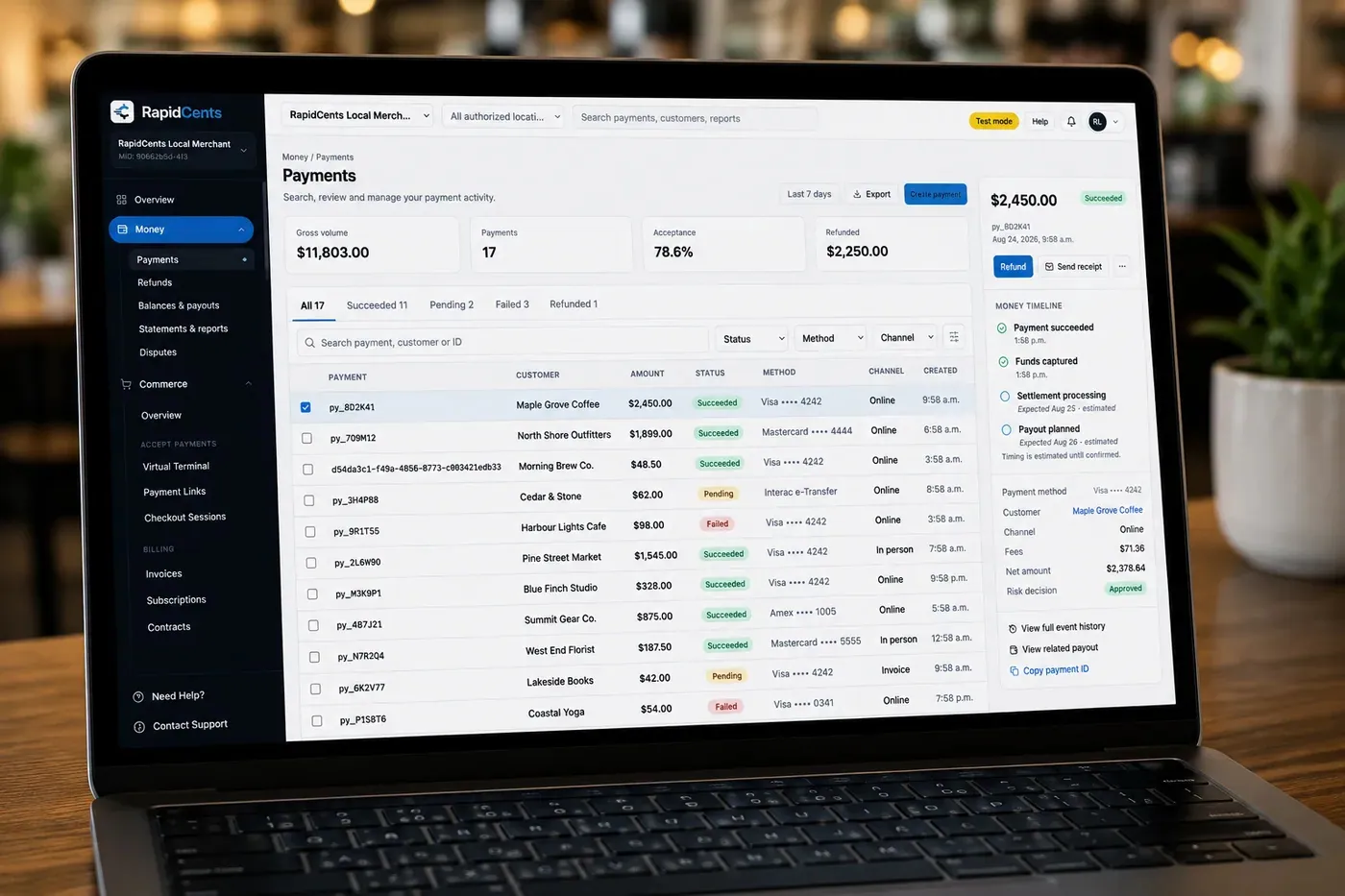
The RapidCents payments screen: gross volume, payment count, acceptance rate and refunds across the top, a filterable transaction list below, and a money timeline on the right tracing one payment from capture to planned payout. Merchant Dashboard
The RapidCents merchant dashboard gives owners, managers and finance staff a single signed-in view of live…
Explore


How do electricians take completion payments on site?
Electricians take completion payments on site by tapping a card on a supported phone with Tap to Pay, or tapping or inserting it on a mobile terminal, once the circuit is energized and the inspection is signed off. Electrician completion payments for a customer who has left go out as a payment link instead. The Merchant Dashboard shows the transactions and user activity across all three channels.
Choosing a phone or a mobile terminal
Electrician tap to pay turns a supported iPhone or Android phone into a contactless terminal, with no separate reader hardware. An electrician mobile card reader, meaning a RapidCents mobile terminal, also takes chip cards, which helps when a card will not tap. Give a phone to service technicians who already carry one and a terminal to the lead who closes larger jobs.
What to set up before the first job
Give each technician a separate sign-in rather than a shared one, and ask RapidCents how role permissions limit who can refund. Decide whether receipts go by text or email. Ask what happens when a technician has no signal in a basement or utility room, and keep the payment link as the fallback.
When the inspection fails or the card declines
If the inspection fails, hold the balance until the correction is signed off. If a card declines on site, offer another card or send a payment link instead of retrying the same card. If the customer wants to pay part now, log the part payment on the job so the remaining balance is clear. Refund against the original payment so the record stays connected.
A $3,600 panel replacement, balance on site
For example, a technician finishes a $3,600 panel replacement and the inspector signs off. The technician taps the homeowner's card on a supported phone for the $2,400 balance left after the $1,200 deposit. The office sees the transaction and the technician's activity in the Merchant Dashboard and matches it to the work order. This is an illustration, not a customer result.
How to compare processing fees and total operating cost
Compare electrician processing fees by asking for the interchange amount and the RapidCents markup on separate lines, then testing the quote against your real card mix and channels. RapidCents prices on interchange-plus, month to month with no fixed term: interchange passes through at cost, plus the markup in your Fee Schedule and any equipment or service fees that apply.
Large tickets, so card type matters
Electrical tickets are large, such as a panel replacement, so a small difference in how a card is classified shows up in dollars on one payment. Interchange is set by the card networks and varies by card type: debit, credit, premium and commercial. A homeowner may pay with a consumer debit, credit or premium card, while a property manager or general contractor may pay with a business or purchasing card.
Card-present versus keyed and online
How the card is taken also drives interchange. A card tapped or inserted at the panel carries different interchange from a card entered on a payment link or keyed into the Virtual Terminal. You cannot always choose, because a customer who has left needs the link, but your statements and reports show how much of your volume falls in each.
Markup, equipment and service fees
Electrical contractor credit card processing on RapidCents is interchange at cost, plus your markup as written in your Fee Schedule, plus any equipment or service fees that apply, such as a terminal. Tap to Pay uses a supported phone with no separate reader hardware. Whichever provider you compare, ask what refunds and disputes cost, because one bundled price for deposits and balances alike hides the interchange line.
What to bring to Fee Check
Bring recent processing statements, your average ticket for deposits and for balances, your split between in-person, link and phone payments, and your refund and dispute counts. Upload a statement to Fee Check, which shows interchange separately from markup, then compare a written quote on the same volume.
How does RapidCents fit FieldPulse, ServiceTitan and your other field service software?
RapidCents integrates with many major platforms through APPIE and RapidBridge, and RapidBridge works with FieldPulse, ServiceTitan, Jobber and Housecall Pro, so a card payment can post against the job you already have open. The right option depends on your software vendor and version, and your RapidCents representative will walk you through it. ServiceM8 users keep their software too.
FieldPulse
RapidBridge works with FieldPulse, so deposits and change orders can post against the estimate, work order or invoice you already have open instead of being retyped. Tell your RapidCents representative which FieldPulse edition you run, and they will show you how amounts and receipts flow back to the job record.
ServiceTitan
RapidBridge works with ServiceTitan, which helps when dispatchers, technicians and commercial invoices all run through it, because a payment lands on the right job and technician. Your RapidCents representative will walk you through the setup for your edition and show you how settled payments are matched.
Jobber
RapidBridge works with Jobber, so a card payment can post against the quote or invoice you already sent from Jobber rather than being marked paid by hand. Your RapidCents representative will explain how amounts and receipts transfer for your version.
Housecall Pro
RapidBridge works with Housecall Pro, so you can take RapidCents payments inside the software you already use and keep one place to reconcile. Your RapidCents representative will walk you through how the data flows for your version.
ServiceM8
RapidCents integrates with many major platforms through APPIE and RapidBridge, and the right option for ServiceM8 depends on your version. Tell your RapidCents representative how you run jobs there. Payment Links, Tap to Pay and Invoicing work alongside it, and your representative will show you how to match payments to your ServiceM8 jobs.
Payment options for electricians in Canada
An electrician in Canada can take Interac debit and credit cards at the job site, send payment links for deposits and balances, and offer EFT or pre-authorized debit for larger invoices, with settlement in Canadian dollars. Your RapidCents representative will walk you through the methods on your account during onboarding.
Interac debit and credit cards
A homeowner can pay with Interac debit by chip and PIN or contactless at a terminal, or with a Visa, Mastercard or American Express credit card. Confirm which of these each terminal and phone on your account accepts, including a phone running Tap to Pay.
Bank payments by EFT or PAD
EFT bank payments and pre-authorized debit (PAD) move money from the payer's bank account, which suits a large commercial invoice. PAD needs the payer's authorization for the amount and timing, so use it only for amounts the customer has agreed to.
GST/HST, deposits and local rules
GST/HST can appear on estimates, deposits and invoices where it applies, so keep it consistent across all three. Rules on deposits and written contracts for home work can vary by province, so follow the rules where you work. A payment record does not replace your contract, permits or tax advice.
How to switch processors and reconcile electrician payments
Switch processors by listing what is open, testing one deposit, one refund and one balance on the new account, and running both accounts side by side until open links and invoices have closed. Electrician payment reconciliation then matches each payment to its job number and each settlement to your ledger. Saved cards move only if both providers agree.
Inventory what is open before you move
List every stored card and the permission behind it, every recurring schedule such as a maintenance agreement, every unpaid invoice with a payment link out, and every deposit for work not yet started. Note which terminals and phones technicians use and which software expects a payment. Keep the old account open until those deposits and invoices are settled.
Test a deposit, a refund and a balance
Before live traffic moves, run a small deposit by payment link, a balance by Tap to Pay or terminal, and a refund of one of them. Check that each receipt, Merchant Dashboard transaction and ledger line carries the same job reference. Run old and new side by side for a short period if your software needs it.
Map references and reconcile to the ledger
Good electrician payment reconciliation starts with one job reference per estimate, used on the link, the invoice and your ledger entry. Ask your RapidCents representative which references appear on receipts and in exports. RapidCents connects settled transactions, fees and refunds to QuickBooks Online and Xero, so you can match each settlement to the payments it contains.
Go live one crew at a time
Move one crew first, then the rest, and keep the old processor running until the new account has handled real deposits, balances and refunds. Once your account is approved, setup takes some planning, so do not close the old account until the new one is live.
Payment questions from electricians
How should an electrical contractor handle materials deposits before ordering?
Take the deposit by payment link after the customer accepts the estimate, and place the supplier order only once it is paid. Put the amount, what it covers and your refund terms for special-order gear in the estimate, and use the estimate number as the job reference so the receipt, the dashboard transaction and your ledger entry match. Save the card for the balance only with the customer's separate permission.
How should an electrical contractor handle change order payment approvals?
Get the customer's approval of the scope and price in writing first, then collect payment for the added work as its own payment. Contracts & eSignatures can send the change order, capture the signature and take the deposit, or you can send a payment link after a written reply. Ask RapidCents how Contracts & eSignatures is set up on your account. A card saved for the original job is not permission to charge the extra.
How should an electrical contractor take completion payments on site?
Take the balance once the circuit is energized and the inspection is signed off, by tapping a card on a supported phone with Tap to Pay or tapping or inserting it on a mobile terminal. If the customer is not there, send a payment link. If an inspection fails, wait to request the balance until the correction passes. Give each technician a separate sign-in so payments can be matched to the person who took them.
How should an electrical contractor handle commercial account invoicing?
Send each commercial account a branded invoice from Invoicing with a payment link, and track its status from draft to paid. Match the invoice to the purchase order number if the account requires one, send it to the accounts payable contact rather than the technician on site, and offer a bank payment option where your account has it for larger amounts. Finance reconciles the paid invoice to the job.
Which payment options can an electrician in Canada offer?
An electrician in Canada can offer Interac debit and credit cards in person, payment links by SMS or email for deposits and balances, and EFT or PAD for bank payments, with settlement in Canadian dollars. Your RapidCents representative will tell you which methods your account carries before you promise one to a customer. Saved cards and PAD both need the customer's authorization.
How can an electrical contractor report payments technician by technician?
Give every technician a separate sign-in and put the work order number on each payment. Then export transactions as CSV and total them by technician, or by work order matched to your dispatch software. Ask RapidCents which fields the reports include for your account. Reports show money collected; commissions and payroll stay in your own system.
Which payment processor is best for electrical contractors, and what should we compare?
No single processor suits every electrical contractor, so compare on your own payment mix. Weigh how each handles deposits by link, change orders, balances taken on site and commercial invoices, plus total cost with interchange shown separately, terminals or Tap to Pay, settlement and technician reporting, support and software constraints. Ask for written quotes on the same volume. Fee Check reads a processing statement you upload and splits interchange from markup.
What fees should an electrical contractor expect for in-person and online card payments?
Expect interchange, which the card networks set and which varies by card type and by how the card is taken, plus a processor markup and any fees for equipment or services. With RapidCents, interchange passes through at cost and the markup is set out in your Fee Schedule, month to month with no fixed term. Card-present, keyed and online payments, refunds and disputes each need a line in the quote, so ask for a written quote on your own volume.
Can we use RapidCents with FieldPulse or ServiceTitan?
Yes. RapidBridge works with FieldPulse and ServiceTitan, so a card payment can post against the job you already have open. The right option depends on your software edition and version, and your RapidCents representative will walk you through how amounts, receipts and settlement connect before you move any live traffic.
How can an electrical contractor reduce payment disputes and protect stored card details?
Prevent disputes with a signed estimate, written deposit terms, signed change orders and a receipt for every payment, and keep photos and the inspection sign-off with the job. Keep card numbers out of work orders and texts, save cards as tokens in the Secure Card Vault only where your account supports it and the customer authorizes it, and limit staff access by role. Disputes and Chargeback Protection gives alerts, evidence and deadlines, but no outcome can be promised.
How can an electrical contractor switch payment providers without losing billing records?
Export transaction history and statements from the old processor, list what is still open, and test the new account before you move live traffic. Open items include stored cards and the permission behind each, recurring schedules, unpaid invoices with payment links, and deposits for work not yet started. Saved cards move only if both providers agree; otherwise ask customers to authorize again.
What MCC is used for electricians?
MCC 1731 is commonly associated with electrical contractors. RapidCents confirms the correct merchant category during onboarding, based on what your business actually sells, so describe your work accurately and completely when you apply: installation, service calls, and any materials or fixtures you sell on their own.
Related contractor and home-service industries
Electricians share the deposit, change order and on-site balance workflow with HVAC, plumbing, construction and solar installers. The pages below apply the same tools to each trade's own jobs.
HVAC Contractors
RapidCents lets you take the equipment deposit at the kitchen table, collect the balance…
Plumbing Contractors
Take the card at the job with Tap to Pay or a mobile terminal, send deposit links before…
Construction Contractors
RapidCents helps construction contractors bill draws, collect released retainage and…
Home Services
Card payments for the work your crews finish in customers' homes: tap at the door…
Landscaping
RapidCents handles spring deposits by payment link, monthly maintenance on autopay…
Cleaning Services
RapidCents helps cleaning businesses collect recurring cleans from a card on file, deep…
Roofing Contractors
Take the deposit that orders the shingles, bill the balance at tear-off and completion…
Painting Contractors
Collect the deposit when the estimate is accepted, the balance at the walkthrough and…
Take the next step
See what your electrical jobs cost to process
Upload a recent processing statement to Fee Check. It shows interchange separately from markup, so you can judge a quote against your own deposits, balances and phone payments.
- No obligation
- Canadian payment specialists
- Secure statement upload



