


Payment processing for pest control businesses
Pest control payment processing needs to cover three things: quarterly plans charged to a saved card, emergency treatments paid at the door, and invoices for commercial or one-off work. RapidCents handles all three with Recurring Payments, Account Updater, Tap to Pay and Invoicing, plus reporting that reconciles every deposit to the plan or invoice behind it.

- PCI DSS Level 1
- SOC 2 Type II
- All major cards: Visa, Mastercard, Amex, Discover, UnionPay, Diners Club & Interac Debit
- Interchange-plus available
- Canadian support
How pest control businesses get paid
Pest control is a subscription with a truck attached. Most revenue is a quarterly or monthly plan charged to a saved card, with emergency callouts, inspections and commercial contracts paid in other ways. Each payment job has its own payer, trigger and record, and we built RapidCents around all of them.
Quarterly plan charges
A homeowner or property manager agrees to a recurring service plan. After each scheduled treatment, or on a set billing date, the plan amount is charged to a saved card with Recurring Payments. Finance gets a dated receipt per charge, matched to the plan and the service address.
Emergency treatment callouts
A wasp nest or a rodent sighting needs a same-day visit. The technician finishes the treatment, then takes the card at the door with Tap to Pay or a portable terminal. The receipt goes to the customer by text or email, and the sale appears in the day's report.
Invoiced one-off and commercial work
A restaurant, landlord or property manager pays by invoice after an inspection, a termite treatment or a monthly commercial visit. An Invoicing payment link goes out by email or text, with a purchase order number if the account needs one. Status moves from sent to paid.
Failed and expiring cards
A card on a plan expires or is declined before a renewal. Account Updater refreshes stored credentials where the card networks support it, and a retry or a payment link recovers the rest. Finance sees which accounts are current and which need a call.
How do pest control businesses charge quarterly plans?
Pest control recurring billing works best when the customer agrees to the plan amount, the schedule and the cancellation terms once, and the saved card is charged after each visit or on a fixed date. Recurring Payments runs the schedule, retries declines and sends notices before each charge.
Get authorization before you save the card
A pest control card on file needs the customer's clear agreement to the amount, the timing and how to cancel. Capture that on the service agreement, by Payment Link or at the door, and keep the signed or recorded copy. Tokenization stores the card without exposing the number to staff.
Choose the billing trigger for the plan
Quarterly pest service autopay can charge on a fixed date or after a visit is marked complete. A fixed date keeps cash predictable, while charging after the visit avoids billing for a skipped treatment. Decide per plan type, then write it into the agreement so there is no surprise.
A $120 plan with one missed visit
When a renewal fails, automated retries run and the customer gets a Payment Link for the balance. If a visit is skipped or a re-treatment is owed, refund or credit the matching charge with a note. Say a $120 quarterly plan loses one visit: the customer gets a partial refund tied to that service date.
How do technicians take emergency treatment payments?
A technician takes an emergency treatment payment at the door with a pest control mobile card reader or Tap to Pay on a supported phone, right after the job is done. The customer taps, dips or is sent a Payment Link, and the receipt goes to the customer by text or email.
Pick the right device for the truck
A portable terminal suits crews that carry a bag and want chip, contactless and PIN. Tap to Pay on a supported iPhone or Android phone suits a lone technician who does not want extra hardware. Your RapidCents representative will tell you which phones are supported and match each device to your field software.
A $185 rodent visit that becomes $245
Quote the callout, the treatment and any follow-up visit before work begins, and note the amount on the work order. If the final amount changes, take the new total rather than adjusting an old charge. A $185 rodent exclusion visit that becomes $245 after extra sealing is charged once.
Cover no-card and no-signal visits
If the customer has no card or the basement has no signal, finish the visit and send a Payment Link for the balance by text or email. Office staff can also key a card in the Virtual Terminal over the phone. Every payment, however taken, lands in the same Merchant Dashboard and reports.
RapidCents products for pest control businesses
These products cover the pest control payment cycle: Recurring Payments for plans, Account Updater to keep stored cards working, Tap to Pay for the technician at the door, and Invoicing for commercial and one-off work.

The RapidCents recurring payments screen showing active subscriptions, monthly recurring revenue, failed payments and upcoming renewals, above a list of subscriptions with their plan, amount, frequency and next billing date. Recurring Payments
RapidCents recurring payments manage subscription plans, membership renewals and installment schedules with…
Explore
A café worker holds a phone running RapidCents Tap to Pay, showing an $18.75 sale and the contactless symbol, while a customer holds a Visa card to the screen. No separate card reader is present. Tap to Pay
RapidCents Tap to Pay turns supported iPhones and Android devices into contactless payment terminals without…
Explore
The RapidCents invoices screen: outstanding, overdue, paid and draft totals across the top, the invoice list below them, and a preview of one invoice on the right with its line items and a View & Record Payment button. Invoicing
RapidCents invoicing helps professional services, contractors and B2B suppliers create branded invoices…
Explore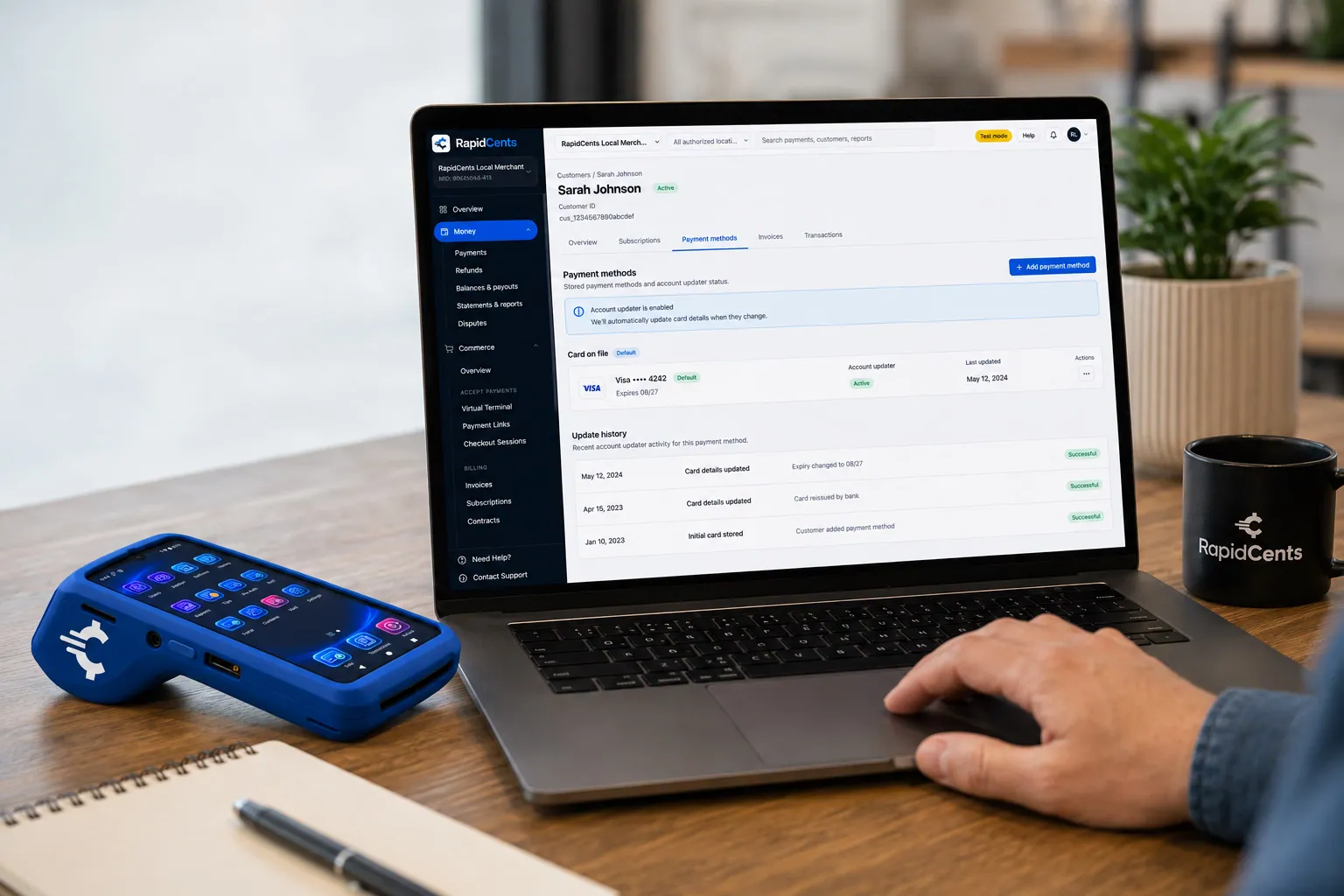
RapidCents refreshes a stored card after a reissue, so the vaulted credential keeps working without asking the customer again. Account Updater
Cards expire, get reissued and get replaced after fraud. Account Updater refreshes stored credentials with…
Explore


Service visit versus billing frequency: which should drive the charge?
Service visit frequency and billing frequency are separate choices. A plan can include six visits a year yet bill monthly, or bill once a year for the whole program. Your payment schedule should follow the billing frequency in the agreement, with each visit logged separately in your field software.
Match the charge to the contract, not the route
A bimonthly route does not require a bimonthly charge. Monthly installments spread the plan across the year, while an annual plan payment collects it up front. These are collection schedules for work you deliver, not financing, and each one needs the customer's agreement to the amount and timing.
Handle seasonal and prepaid plans
Mosquito, ant and wasp programs often run only part of the year, so the schedule starts and stops with the season. For a prepaid annual plan, record how a mid-year cancellation is refunded for visits not yet performed. Put that rule in writing before the first charge.
Reconcile commercial pest account balances
Commercial pest accounts, such as a restaurant with monthly service and an extra fly-light visit, can mix recurring and invoiced charges. Send one Invoicing payment link per invoice, note the purchase order number, and use reporting to match each deposit to the invoice and the visit.
How do you compare processing fees and total operating cost?
Compare pest control payment processing on your real payment mix: how many plan charges are keyed or stored versus tapped at the door, your average ticket and your refund volume. We price every account on interchange-plus, so the card cost and the markup show up separately.
What drives the cost in pest control
Interchange is set by the card networks and varies with card type and how the card is taken. A stored card billed each quarter is not priced like a card tapped on a doorstep. Debit, rewards and commercial cards also differ. Your mix of these drives your total, not a single headline number.
How RapidCents prices
RapidCents charges interchange at cost, plus your RapidCents markup shown in your Fee Schedule, plus fees for equipment or services, if applicable. The agreement is month to month with no fixed term. Ask for the Fee Schedule in writing and compare it line by line with your current quote.
What to bring when you compare
Bring your last few processing statements, the split between plan charges and callouts, average plan and callout amounts, and refund and chargeback counts. Upload a statement to Fee Check and it shows interchange separately from markup, so you can see what each piece of your current cost is.
Which pest control software works with RapidCents?
RapidCents integrates with many major platforms through APPIE and RapidBridge, and RapidBridge works with Jobber, Housecall Pro and Workiz. For PestPac, FieldRoutes, GorillaDesk and Briostack, the right option depends on your software vendor and version, and your RapidCents representative will walk you through it.
PestPac and FieldRoutes
Both run routes, plans and invoicing for pest operators. RapidCents integrates with many major platforms through APPIE and RapidBridge, and the right option depends on your edition and version. Tell your RapidCents representative which one you run, and they will show you how amounts, receipts and ledger posting connect.
GorillaDesk, Briostack and Jobber
RapidBridge works with Jobber, so a card payment posts against the invoice you already have open. For GorillaDesk and Briostack, your RapidCents representative will walk you through the options for your version. Payment links and the Virtual Terminal work alongside any of them.
QuickBooks Online, Xero, SAP and NetSuite
RapidCents connects settled transactions, fees and refunds to QuickBooks Online and Xero, and SAP and NetSuite import settlement files. Your RapidCents representative will show you how your field service software passes payments into the same ledger, so nothing is counted twice.
Payment options for pest control businesses in Canada
A Canadian pest control business can accept credit cards, Interac debit at the terminal and bank payments by EFT or pre-authorized debit, with settlement in CAD. Your RapidCents representative sets up the methods you need on your merchant account before you build your plans.
Interac debit and cards at the door
Technicians can take Interac debit by chip and PIN or contactless on a portable terminal, as well as Visa, Mastercard and American Express. Interac debit on Tap to Pay depends on the phone, so your RapidCents representative will tell you which phones to plan routes around.
Bank payments, taxes and rules
Longer plans can be collected by EFT or pre-authorized debit, which needs a signed PAD agreement. Receipts may need to show GST/HST, and provincial rules can affect licensing and what you may charge. RapidCents does not give tax or legal advice, so check with your advisor.
What is the checklist for setup, switching and reconciliation?
To switch pest control payment processing without losing records, list every stored card, plan schedule, open invoice and terminal first, then test a sale, a refund and a deposit before moving live traffic. Run both systems in parallel if you need to, then reconcile deposits to your ledger.
Inventory what you already have
List each plan with its card on file, amount, schedule and cancellation terms, plus open invoices, refunds owed and every terminal or phone used on routes. Once your account is approved, your RapidCents representative plans the move with you. Saved cards need a vendor-controlled migration that both providers agree to, so ask early.
Test before you move live traffic
Run a small pilot: a plan charge, a doorstep tap, a refund and a payment link. Check each receipt, each reference in your field software and each entry in the deposit report. Keep the old processor running for the plans you have not yet moved, and move one route or plan type at a time.
Reconcile deposits to the ledger
Use settlement and fee reports to tie each deposit to the charges it contains, then to the invoice or plan in your field software. For pest control payment reconciliation, include a reference to the plan, the service date and the technician so a refund or a dispute can be traced back quickly.
Payment questions from pest control businesses
How should pest control businesses handle quarterly plan charges when choosing a payment provider?
With RapidCents, the customer authorizes the card once, Recurring Payments runs the schedule and retries declines, and every charge gets its own receipt. If you bill after each visit, link each charge to the service date, so finance can match the receipt to the plan and the ledger. A skipped visit is refunded or credited against the matching charge.
How should pest control businesses handle emergency treatment checkout when choosing a payment provider?
Your technician takes payment at the door right after the treatment, on a portable terminal, with Tap to Pay on a supported phone or by Payment Link. The receipt goes by text or email, a changed total is charged once at the new amount, and the payment lands in the same report as your plan charges.
How should pest control businesses handle service visit versus billing frequency when choosing a payment provider?
Let the agreement decide, not the route. Recurring Payments follows the billing frequency you set, so a plan with six visits can bill monthly, quarterly or once a year. Write down how mid-term cancellations, seasonal pauses and refunds for visits not performed are handled, and keep each visit logged in your field software.
How should pest control businesses handle failed renewal payments when choosing a payment provider?
Expired and reissued cards are the usual cause. RapidCents runs automated retries on the agreed amount and timing, Account Updater refreshes replaced cards where the card networks support it, and a Payment Link collects any balance left. Reporting shows which accounts are current, so your office knows exactly whom to call.
Which payment options can a pest control business in Canada offer?
A pest control business in Canada can offer credit cards, Interac debit, and EFT or pre-authorized debit for bank payments, with settlement in CAD. Interac debit is taken at the terminal by chip and PIN or contactless. PAD needs a signed customer agreement. Your RapidCents representative will set this up with you for your recurring plans.
Which payment processor is best for pest control businesses, and what should we compare?
The best processor is the one that fits your plan mix, so compare in writing. Look at recurring and stored-card handling, doorstep hardware, invoicing for commercial accounts, total fees under interchange-plus, reporting for reconciliation, support and software fit. Ask each provider for a written quote based on your own statements and channel split.
What fees should pest control businesses expect for in-person and online card payments?
Expect interchange, a markup, and fees for equipment or services where they apply. With RapidCents, interchange passes through at cost, your markup is in your Fee Schedule, and the agreement is month to month. Card-present and remote payments are priced differently. Upload a statement to Fee Check to see interchange and markup separately.
Can we use RapidCents with PestPac or FieldRoutes?
RapidCents integrates with many major platforms through APPIE and RapidBridge, so most pest operators keep the software they run today. The right option depends on your edition and version. Tell your RapidCents representative which one you use, and they will show you how payments and receipts connect. Settled transactions also flow to QuickBooks Online or Xero.
How can pest control businesses reduce payment disputes and protect stored card details?
Get clear authorization for every plan, send a receipt after each charge and keep the service record. Limit staff access with role permissions, and use tokenized storage so card numbers are not kept in your own files. Dispute tools help you answer within deadlines, but no tool can promise to win a dispute.
How can pest control businesses switch payment providers without losing billing records?
List balances, stored-card plans, terminals and software dependencies, then run a pilot sale, refund and deposit before you move live. Reconcile each to your ledger. Saved cards need a vendor-controlled migration that both providers agree to, so ask early and keep the old processor for plans you have not moved.
What MCC is used for pest control businesses?
MCC 7342 is commonly associated with pest control and extermination services. RapidCents sets the right merchant category code during onboarding, based on what your business actually sells, such as recurring plans, one-off treatments or related services. If you also sell products or other services, tell your representative during setup so the account is described correctly.
Related industries
Pest control shares recurring plans, doorstep payments and invoiced balances with other field service trades. Explore how those industries collect payment on site and on a schedule.
HVAC Contractors
RapidCents lets you take the equipment deposit at the kitchen table, collect the balance…
Plumbing Contractors
Take the card at the job with Tap to Pay or a mobile terminal, send deposit links before…
Electricians
Take a materials deposit before the order goes in, get change orders approved and paid…
Construction Contractors
RapidCents helps construction contractors bill draws, collect released retainage and…
Home Services
Card payments for the work your crews finish in customers' homes: tap at the door…
Landscaping
RapidCents handles spring deposits by payment link, monthly maintenance on autopay…
Cleaning Services
RapidCents helps cleaning businesses collect recurring cleans from a card on file, deep…
Roofing Contractors
Take the deposit that orders the shingles, bill the balance at tear-off and completion…
Take the next step
See what your pest control payments really cost
Upload a recent processing statement to Fee Check and see interchange separated from markup, then compare it with your plan and callout mix.
- No obligation
- Canadian payment specialists
- Secure statement upload



