


Boutique payment processing for clothing stores
Boutique payment processing for a clothing store means one merchant setup that takes cards at the counter, online and at pop-up events, then ties every sale, exchange and partial refund back to the original transaction. RapidCents pairs Retail POS, Payment Terminals, Online Payments and Reporting so your shop and your web store read as one business.

- PCI DSS Level 1
- SOC 2 Type II
- All major cards: Visa, Mastercard, Amex, Discover, UnionPay, Diners Club & PIN Debit
- Interchange-plus available
- Specialist onboarding support
How clothing boutiques get paid
Clothing boutiques get paid in four main ways: counter sales, online orders, deposits on special orders and sales at pop-up events. Each one carries a clear reference, so exchanges, partial refunds and deposits always match back to the right sale.
Counter sales in the shop
A shopper taps, inserts or swipes a card at the register after trying on garments. Retail POS or a Payment Terminal takes the payment and sends a receipt. Declined cards and split tenders are handled right at the counter. Finance gets a daily total by location.
Online orders and ship-from-store
A customer buys from your web store through Online Payments or Hosted Checkout, and you pack from shop stock. The charge happens at checkout. Address or card mismatches and cancelled orders are handled from the same dashboard. Reporting lists web payments next to counter sales.
Special-order deposits and balances
A customer asks for a size, fabric or alteration you must order. You send a payment link by text or email for the deposit, then collect the balance at pickup. If the order is cancelled, your written terms decide what happens next. The order reference links both payments.
Pop-up and trunk-show sales
A shopper pays at a market stall, trunk show or temporary event on an approved terminal or Tap to Pay phone. Each event gets its own label, so reports separate it from shop sales. Charge your devices and check the venue's connection before doors open.
How do boutiques reconcile store and online sales?
A boutique reconciles store and online sales by running both channels under one RapidCents merchant setup, tagging each sale with its channel and location, and matching settled totals to deposits on a regular schedule. Reporting separates counter, web and event sales, so finance sees one clear picture without guessing.
Counter, web and ship-from-store orders
The shopper taps at the counter on Retail POS and Payment Terminals, or pays on your site through Online Payments or Hosted Checkout. Each sale carries a channel and location, receipts go out by text or email, and the Merchant Dashboard lists shop and web payments side by side.
Name your channels before launch
Pick one location label for each shop, pop-up and web storefront, plus an order reference format that your POS or storefront also prints. List which devices and online stores sit under the account. Clear naming now saves hours when a deposit total does not match a day's tickets.
A return at the other shop
Say a two-shop boutique sells online and at both counters in a week, and one customer returns an online order at the second shop. Reporting filtered by channel, then location, shows the refund against its original sale, so the weekly deposit ties to tickets without a manual spreadsheet.
How are exchanges and partial refunds handled?
Partial refunds and exchanges are handled by tying each credit to the original sale, refunding only the returned items to the original card, and recording the replacement as a new sale. Both stay traceable in Reporting, and refund controls limit who can issue them.
Refund the returned item, charge the new one
Look up the original sale by receipt, card or order reference. Refund the returned item's value to the card used, then ring the replacement as a new sale. If the prices differ, collect or credit only the difference. Keep both references together so the exchange reads as one event.
Controls and exceptions
Set refund permissions on the terminal and by user role so only trusted staff issue credits. Decide a rule for awkward cases: an expired or replaced card, a gift purchase, or a sale made at a pop-up. Write your handling down so staff do not improvise at the counter.
A dress and a belt, one return
Say a customer buys a dress and a belt, returns the dress and swaps the belt for a larger size. You refund the dress amount to the original card, treat the belt swap as an even exchange, and attach the receipt reference to both entries. Finance sees one traceable return.
RapidCents products for clothing boutiques
Retail POS handles the counter, Payment Terminals take chip and contactless cards in the shop and at events, Online Payments covers the web store, and Reporting ties every channel to deposits. Together they run your boutique from one merchant setup.
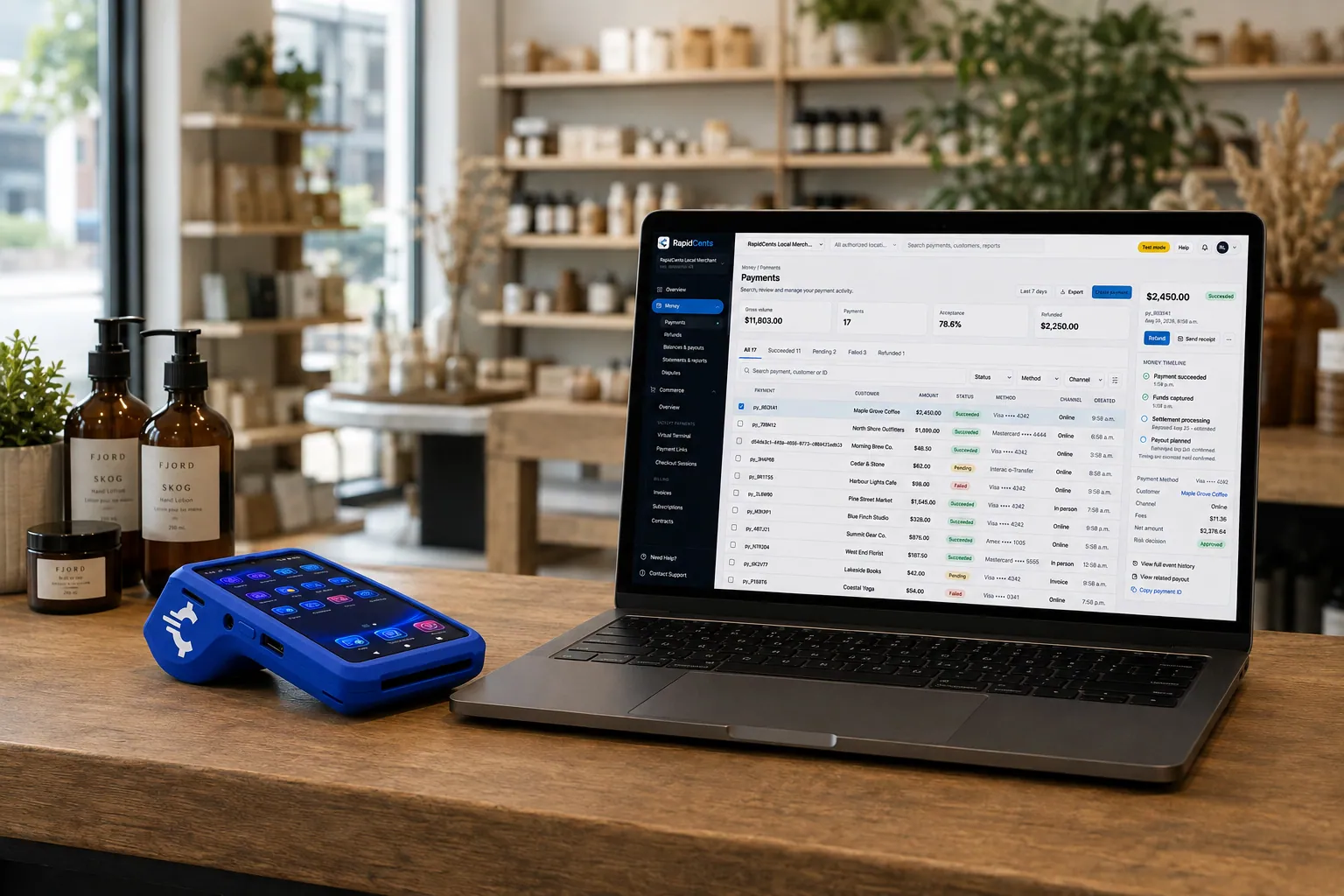
A retail counter ringing a basket on RapidCents POS, terminal taking the card and the dashboard showing the sale. Retail POS
Fast checkout, inventory that reflects what is on the shelf, and reporting that connects in-store and online…
Explore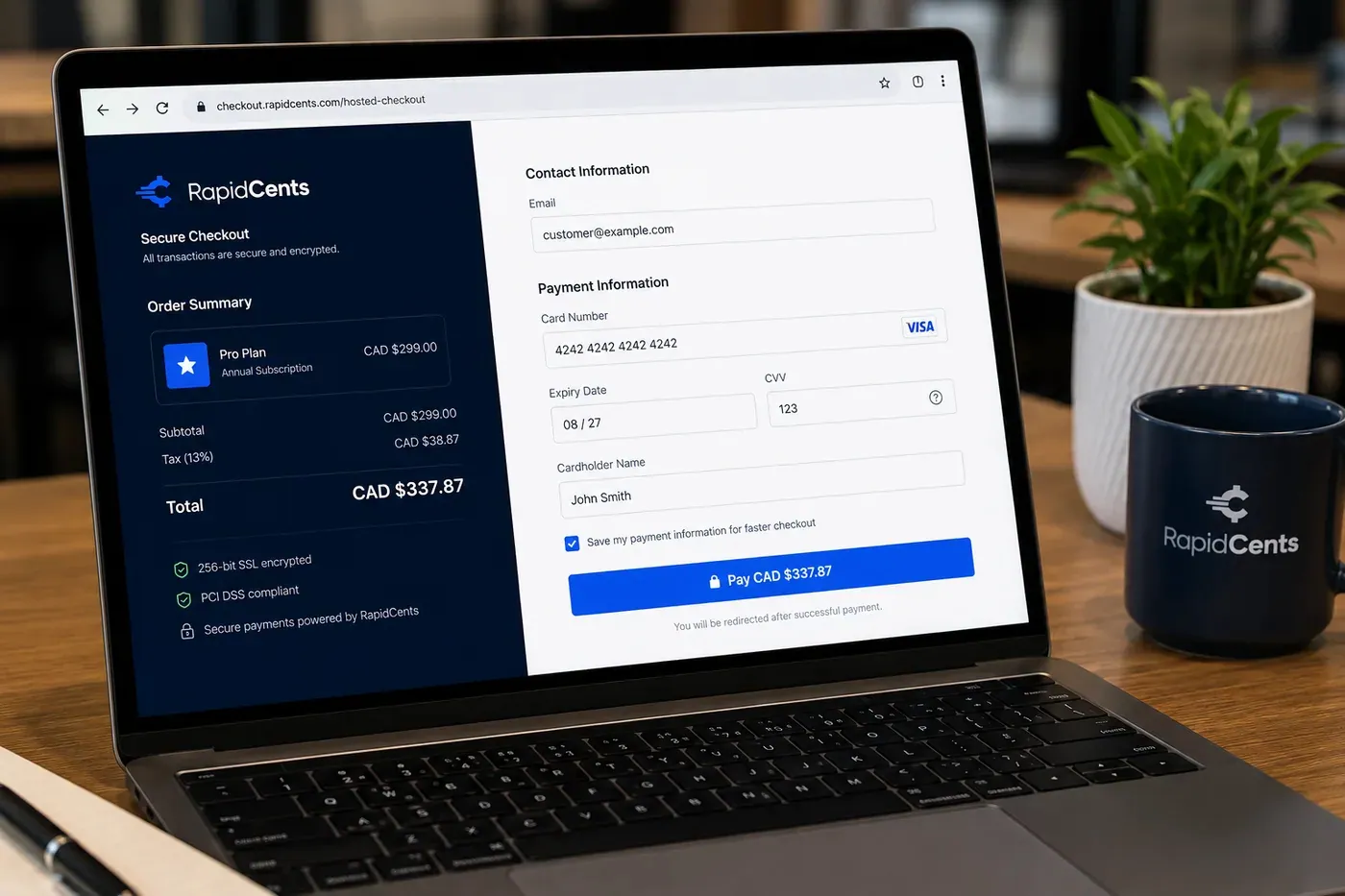
A RapidCents online checkout in a browser, with contact and card fields on the left and an order summary on the right showing the subtotal, tax and total, plus the accepted card brands. Online Payments
RapidCents online payments combine gateway APIs, hosted checkout pages, payment links and 3-D Secure…
Explore
The RapidCents Rivo Go standing upright in its blue silicone case, showing the full-touch sale screen a customer reads across the counter. Payment Terminals
RapidCents payment terminals cover countertop, mobile and smart form factors so you can accept chip…
Explore
A merchant reviews RapidCents reports for volume, mix and payouts, with the terminal that took the sales on the desk. Reporting
RapidCents reporting delivers customizable transaction, settlement and fee reports with CSV and PDF export…
Explore


How do pop-ups and special orders get paid?
Pop-up payments use approved terminals or Tap to Pay phones linked to your existing merchant setup, while special orders use a deposit collected by payment link or Virtual Terminal and a balance at pickup. Both keep references, so reports separate event sales, deposits and balances.
Register events and devices ahead of time
Tell your RapidCents representative about each pop-up, charge the terminals and check the venue's connection. A Rivo terminal with an active SIM can move onto cellular when Wi-Fi is not available. Sales land in the same reporting under an event label you choose, so the stall is not a separate business to reconcile.
Special-order deposits and balances
Send a payment link by text or email for the deposit, with the order reference and pickup terms. Keeping a card for the balance needs the customer's authorization covering amount, timing and cancellation. Otherwise collect the balance at pickup and mark the order closed.
A $150 deposit on a custom coat
Say a boutique takes a $150 deposit on a custom coat by payment link, runs a Saturday pop-up on a mobile terminal, and collects the balance at pickup. If the order is cancelled, your written terms decide what happens to the deposit, and any refund goes to the card used.
How do you compare fees using your real boutique payment mix?
Fees depend on your card mix, average ticket and how cards are taken, so compare quotes on your own numbers. We price every account on interchange-plus: interchange at cost, your RapidCents markup set out in your Fee Schedule, and fees for equipment or services if applicable. Month to month, no fixed term.
What drives interchange
Interchange is set by the card networks and varies with debit, credit, premium and commercial cards, and with how the card is taken. A tapped or inserted card differs from a keyed or online one. A boutique with many web orders or keyed special orders has a different mix from a counter-only shop.
What to bring to a comparison
Bring recent processing statements, your split between counter, online and pop-up sales, your average ticket, and your refund and chargeback volume. Include a busy month and a quiet month, because seasonal returns and event weekends change the picture.
Use Fee Check
Upload a statement to Fee Check to see interchange separated from markup, then compare any other quote in writing. Ask about equipment, terminal and service fees, and ask whether there is a fixed term. With RapidCents there is none, and your Fee Schedule sets out your markup.
Which boutique POS and accounting software can you use with RapidCents?
RapidCents integrates with many major platforms through APPIE and RapidBridge, so most boutiques keep the POS and web store they run today. The right option depends on your software vendor and version, and your RapidCents representative will walk you through it. Settled transactions, fees and refunds connect to QuickBooks Online and Xero.
Lightspeed Retail and Shopify POS
Both run shop and online sales with inventory. RapidBridge works with Shopify, WooCommerce and BigCommerce web stores, so a card payment posts against the order you already have open. For Lightspeed Retail and Shopify POS, your RapidCents representative will show you the option that fits your edition.
Square for Retail and Clover
APPIE lets the point-of-sale software a business already runs drive RapidCents terminals, so you keep the system you know. Tell your RapidCents representative whether you use Square for Retail or Clover, and they will show you how payments, your item catalog and customer records connect.
NCR Counterpoint and accounting software
Tell your RapidCents representative which NCR Counterpoint version you run, and they will show you how payments post to it. RapidCents connects settled transactions, fees and refunds to QuickBooks Online and Xero, and SAP and NetSuite import settlement files.
Payment options for clothing boutiques in the United States
A boutique in the United States can take credit and debit cards at the counter, online and at pop-ups, with USD settlement. ACH bank payments suit special-order balances. Your RapidCents representative sets up the methods you want.
Credit and debit cards at the counter
Customers tap, insert or swipe Visa, Mastercard, American Express and Discover cards. PIN debit works on supported terminals. Digital wallets work through contactless acceptance.
ACH payments and state rules
ACH can collect a special-order balance when the customer signs an authorization. State rules on gift cards, store credit, return policies and sales tax lines on receipts vary, so check yours before you print return terms.
How do you switch processors and reconcile deposits?
Switch in an order that protects open special orders and stored cards: list them, test a sale, refund and deposit on the new setup, run both providers briefly, then reconcile deposits to your ledger. Once your account is approved, your RapidCents representative helps you plan each step.
Inventory before you move
List stored cards and their authorizations, special orders with deposits taken, unpaid balances and returns still open for refund. Export history from your current provider. Stored cards move only if both providers agree; otherwise ask customers to authorize again.
Test, then run in parallel
Before moving live traffic, run a sale, an exchange refund and a deposit payment link on the new setup. Keep the old provider for open refunds while the new one takes new sales. Note which terminals, web store and pop-up devices point at which account.
Reconcile to the ledger
Each deposit should match settled sales, minus refunds and fees. Use Reporting to export settlement detail by channel and location, and map references to your POS order numbers. Check the first several deposits before you close the old account.
Payment questions from clothing boutiques
What is the best payment processor for a clothing boutique?
The best processor is the one whose written quote, tools and support match how your boutique actually sells. Compare interchange-plus pricing, counter and online coverage, how exchanges and partial refunds are recorded, pop-up device options, reporting by channel and location, and month-to-month terms. Upload a statement to Fee Check and we will give you a written quote based on your own numbers.
How much does credit card processing cost for a clothing boutique?
Cost depends on your card mix, average ticket and channel split, so no single figure applies to every boutique. We price on interchange-plus: interchange is passed through at cost, your RapidCents markup is set out in your Fee Schedule, and fees for equipment or services apply if applicable. Upload a statement to Fee Check to see interchange separated from markup.
Can my boutique POS work with RapidCents?
RapidCents integrates with many major platforms through APPIE and RapidBridge, so most boutiques keep the POS and web store they run today. The exact option depends on your vendor and version, whether that is Lightspeed Retail, Shopify POS, Square for Retail, Clover or NCR Counterpoint. Tell your RapidCents representative which system you use, and they will walk you through it.
How can a boutique switch processors without losing payment history?
Export your transaction and refund history from the current provider before you close anything, since that record stays with them. Stored cards only move if both providers agree, so list customers with saved cards and special-order balances and plan to collect authorization again where needed. Test a sale, refund and deposit on the new setup, run both briefly, then reconcile deposits to your ledger.
Which payment options can a clothing boutique in the United States offer?
A clothing boutique in the United States can offer Visa, Mastercard, American Express and Discover, with PIN debit on supported terminals, at the counter, online and at pop-ups. Settlement is in USD. ACH can collect special-order balances with signed authorization. Your RapidCents representative will walk you through the methods and set up the ones your boutique needs.
How are partial returns refunded?
A partial return is refunded against the original transaction for the returned item's amount, so the customer sees the credit on the card they used. Keep the receipt reference and itemization with the refund. If the card is no longer available or the sale happened in another channel, your representative can help you choose the right refund route. Refund permissions can be limited on the terminal and by user role.
Can pop-up events use the same merchant setup?
Yes. Only approved locations and devices should take payments, so tell your RapidCents representative about each pop-up, market or trunk show before the event and link the terminals or Tap to Pay phones you will use. Sales then appear in the same reporting, filtered by location or device. Check the venue's connection and run a test sale beforehand.
How do exchanges work when the new item costs more or less?
An exchange is either a refund of the original item plus a new sale, or a single charge or credit for the difference, depending on your POS. If the new item costs more, collect the difference. If it costs less, refund the difference to the original card. An even swap may need no card movement. Record the reference on both so reports tie out.
Can a boutique take a deposit on a special order with a stored card?
Yes, with the customer's authorization. Send a payment link by text or email, or key the deposit on the Virtual Terminal. To keep a card on file for the balance, the customer must agree to the amount, timing and cancellation terms. Note the order reference and pickup terms in writing, and set out what happens to the deposit if the order is cancelled.
Related retail industries
Florists, shoe stores and electronics stores share counter, online and deposit workflows with boutiques. Retail is the parent industry for shop-wide payment setup, and each sibling shows how returns, special orders and events differ by product.
Retail
Take tap, chip and PIN payments at every register, sell on your website, refund returns…
Florists
Take counter sales, phone orders, wedding deposits and online orders with receipts, order…
Shoe Stores
Take special-order size deposits, online pickup payments and exchanges at the counter, by…
Electronics Stores
Take high-value card purchases in store, online and by phone, keep delivery and return…
Hardware & Home Improvement Stores
RapidCents helps hardware and home improvement stores take card payments at the counter…
Computer & Phone Repair Shops
Take diagnostic fees, remote parts deposits and pickup balances at the counter or by…
Appliance Stores
Take special-order deposits in store, collect delivery balances by mobile terminal or…
Convenience Stores
RapidCents gives convenience stores countertop terminals for debit and credit taps, Tap…
Take the next step
Review your boutique's processing costs
Upload a recent statement to Fee Check and see interchange separated from your markup, using your own counter, online and pop-up mix.
- No obligation
- Payment specialists, not a call centre
- Secure statement upload



