


Personal trainer payment processing for packs, plans and coaching
Personal trainer payment processing from RapidCents covers in-person card payments, payment links and recurring billing for session packs, monthly plans and remote coaching. Tap to Pay on a supported phone takes payment at a gym or a client's home, and Customer Profiles keep each client's plans and payment history together.

- PCI DSS Level 1
- SOC 2 Type II
- All major cards: Visa, Mastercard, Amex, Discover, UnionPay, Diners Club & PIN Debit
- Interchange-plus available
- Specialist onboarding support
How personal trainers get paid
Personal trainers get paid through session packs, monthly training plans, single sessions at the gym or a client's home, and remote coaching programs. Each job has a different trigger, so we match the collection method to the promise the client agreed to and keep one record per client.
Session packs
A client buys five, ten or twenty sessions up front, at the gym, by payment link or on Tap to Pay. You take one itemized charge and the receipt names the pack. Your booking tool counts sessions used, and unused sessions follow your written expiry and refund terms.
Monthly training plans
A client agrees to a monthly amount for a number of sessions or for programming and check-ins. A stored card charges on the agreed day after the client authorizes it. A missed card is retried or fixed with a payment link, and cancellation follows the terms the client accepted.
Sessions at a gym or a client's home
A client pays for a single session when you meet. You take a contactless payment with Tap to Pay on a supported phone, or use a terminal, and send the receipt by text or email. Every charge reaches the same account and dashboard as your other client payments.
Remote and online coaching
A client in another city pays for a program, a coaching month or a video check-in series. You send a payment link or set a recurring schedule, and the client pays from a phone. Card-not-present payments carry different checks, and the receipt shows what the program covered.
How do session pack payments work for personal trainers?
Session pack payments work as one itemized charge for the pack, with the sessions tracked separately in your booking tool. RapidCents takes the money and records the sale. The client's remaining sessions, expiry date and rollover terms live in your scheduling system, so write those terms down before the first sale.
How the pack is sold
Sell the pack with a payment link, a Tap to Pay charge after a first session or a terminal at the gym desk. Name the pack on the invoice line: ten one-hour sessions, for example. The receipt then shows what the client bought, and the client's Customer Profile holds the payment history.
What to set up first
Write the pack terms before you take money: session length, expiry, rescheduling notice, whether sessions can be shared with a partner, and how unused sessions are refunded. Send the terms with the payment link and keep the client's acceptance. Disputes over a pack are easier to answer with that record.
A $900 pack, six sessions used
Say a client buys ten sessions for $900 and uses six before an injury pauses training. Your written terms decide whether the four unused sessions are held, extended or refunded. A refund goes back to the original card for the unused portion only, and your booking tool shows the final count.
Can personal trainers bill a monthly plan automatically?
Yes, with the client's written authorization. Personal training recurring payments run on a stored card, a set amount and a set day, and the client agrees to the cancellation path first. RapidCents Recurring Payments handles the schedule, retries and notices, while you keep control of the plan terms.
How the plan runs
The client enters a card on a secure form or in person, agrees to the amount, billing day and cancellation steps, and the plan starts. Each month the card is charged on schedule and a receipt is sent. Customer Profiles keep the plan, the card and any dispute together in one place.
When a card fails
Cards expire, hit limits or get replaced. Recurring Payments can retry a failed charge, and the account updater service can refresh card details where supported. If it still fails, send a payment link and pause sessions only as your terms allow. Never charge a different card without the client's agreement.
A $320 monthly plan, paused for travel
Say a client agrees to $320 a month for eight sessions and a weekly check-in. In month three, travel pauses training. Your terms say a pause needs notice before the billing day. The client gives notice in time, you skip that charge, and the plan restarts the next month.
RapidCents products for personal trainers
Tap to Pay takes payments at the gym or a client's home, Payment Links collect packs and coaching fees, Recurring Payments runs monthly plans, and Customer Profiles keep each client's cards and history together.

The RapidCents recurring payments screen showing active subscriptions, monthly recurring revenue, failed payments and upcoming renewals, above a list of subscriptions with their plan, amount, frequency and next billing date. Recurring Payments
RapidCents recurring payments manage subscription plans, membership renewals and installment schedules with…
Explore
A café worker holds a phone running RapidCents Tap to Pay, showing an $18.75 sale and the contactless symbol, while a customer holds a Visa card to the screen. No separate card reader is present. Tap to Pay
RapidCents Tap to Pay turns supported iPhones and Android devices into contactless payment terminals without…
Explore
The RapidCents payment links screen listing created links with their amount, status, click count and whether they have been paid, beside a phone showing the branded page a customer opens to pay $2,500.00. Payment Links
RapidCents payment links let staff generate branded pay-by-link URLs for invoices, deposits, balances and…
Explore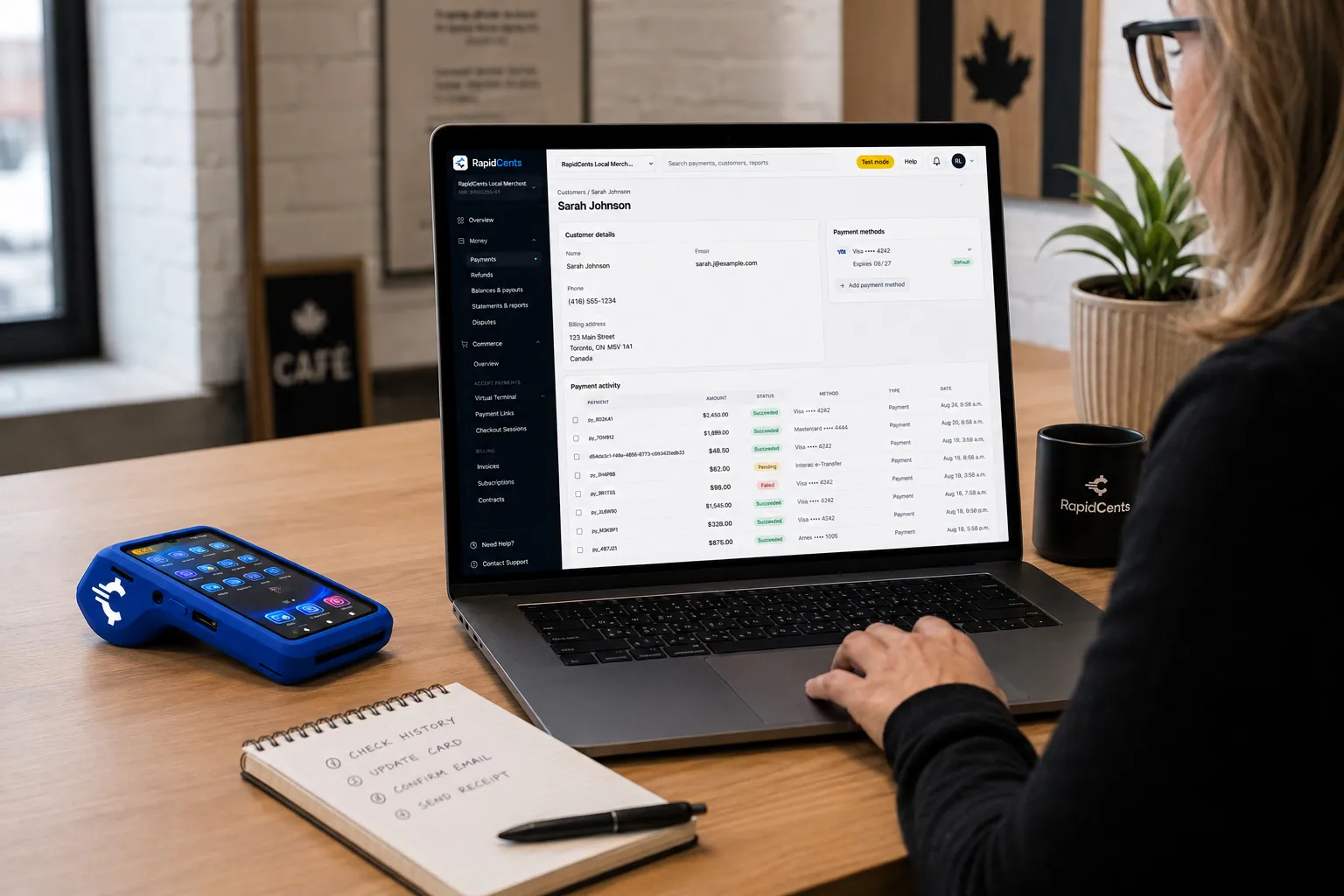
A RapidCents customer profile holds saved cards and invoices, so a return visit can be charged without re-keying the card. Customer Profiles
A customer profile ties together transactions, stored payment methods, subscriptions and disputes so staff…
Explore


How do you get paid at a client's home or for online coaching?
You get paid at a client's home with Tap to Pay on a supported phone or a mobile terminal, and for online coaching payments with a payment link or a stored card. Each method creates a record in the same dashboard, so home visits and remote clients reconcile together.
Taking payment on site
Open your phone, enter the amount and let the client tap a card or wallet. Tap to Pay needs a supported iPhone or Android phone, and a mobile terminal suits trainers who prefer a separate device. Outdoor sessions and rented studios work the same way, so long as you have a connection.
Remote coaching and keyed payments
For clients you never meet, send a payment link by text or email, or use the Virtual Terminal for a card read over the phone. Keyed payments carry address and security code checks. Say clearly what the program includes, because a vague description is a common reason a client disputes the charge.
Gym floor, front door and a coaching link
Say a trainer rents floor space at a gym on weekdays and meets two clients at home on Saturdays. Weekday clients pay with Tap to Pay at the gym, Saturday clients tap at their door, and a remote coaching client pays by link. All three show in one report, tagged by reference.
Compare fees using your real payment mix
Interchange-plus pricing shows the card networks' interchange at cost, then your RapidCents markup in your Fee Schedule, plus fees for equipment or services if applicable. It is month to month, with no fixed term. For a trainer, card type and whether a card is tapped or keyed shape the mix.
What drives cost for a trainer
Personal trainer credit card payments range from one session to a prepaid pack or a coaching program. Interchange varies with debit, credit, rewards and commercial cards, and with tapped or inserted cards versus keyed or online ones. Your channel split matters more than the industry label.
What to bring
Bring your recent processing statements, your split between in-person, link and recurring payments, your average session and pack price, and your refund and dispute history. Fee Check reads an uploaded statement and shows interchange separately from markup, so you can compare like with like.
Fees outside the card mix
Equipment or services such as a mobile terminal can carry their own fees, and each one appears in your Fee Schedule. If you work under a gym's merchant account, ask who sets pricing and who receives the deposits, because that changes what you can compare.
Does your booking software work with RapidCents?
RapidCents integrates with the software trainers already run. RapidBridge takes RapidCents payments inside web-based booking and membership tools without changing them, and we connect settled transactions, fees and refunds to QuickBooks Online and Xero. Your RapidCents representative will walk you through the option that fits your edition.
Mindbody and ABC Glofox
RapidBridge works with Mindbody and ABC Glofox, so a card payment for a pack or a membership posts inside the platform you already use. You keep your schedule, your class list and your client records exactly where they are.
Zen Planner, GymMaster and TeamUp
RapidBridge also works with Zen Planner, GymMaster and TeamUp, the gym and studio tools many trainers use for scheduling and billing. Payments taken through RapidCents land against the client you already have open, with no second system to maintain.
QuickBooks Online and Xero
If you keep books in QuickBooks Online or Xero, RapidCents maps settled transactions, fees and refunds into them, so each deposit lines up with the sales behind it. SAP and NetSuite can import settlement files, and your representative will explain the exact setup.
Payment options for personal trainers in the United States
Personal trainers in the United States can accept credit and debit cards at a terminal or on a supported phone, including PIN debit where supported, and collect bank payments by ACH. Settlement is in US dollars (USD). Your RapidCents representative sets up the methods that fit how you train and bill.
Cards, PIN debit and wallets
Clients can tap a card or wallet, insert a chip card or enter a PIN on debit where supported. Tap to Pay on a supported phone covers contactless payments at the gym or a client's home, and your representative sets up the rest.
ACH and state rules
ACH debits can collect monthly plans from a bank account when the client gives written authorization. State consumer and auto-renewal rules may affect how you word plan terms and cancellation, so review the rules where you train clients.
How do you switch processors and reconcile client payments?
Once your account is approved, switching is a short plan: list every client on a schedule or pack, test a sale and a refund on the new setup, then move clients in groups. Stored cards, plan schedules and pack balances each need a home, and your RapidCents representative guides each step.
Inventory before you move
List each client with a stored card, the plan amount and billing day, the pack balance and the expiry date. Note open payment links and pending refunds. Your RapidCents representative will tell you how stored card data can move from your current provider, which takes both providers' agreement.
Test, then run in parallel
Take a test sale, a refund and a payment link on the new setup before any client is billed. Keep the old schedule running for a billing cycle where you can, and tell clients before a charge appears under a new name. New authorizations are needed wherever stored cards cannot move.
Reconcile to your books
Use a reference on every pack, plan and link, such as the client's name and the program. Match each deposit to the settlement report, then to your bookkeeping. Keep session counts in your booking tool and money in RapidCents, so each record has one clear owner.
Payment questions from personal trainers
What is the best payment processor for personal trainers?
The right processor fits how you actually get paid. Look for Tap to Pay and terminal support, payment links, recurring billing, refund handling, reporting and a clear pricing structure. RapidCents prices on interchange-plus, so interchange shows separately from our markup, and your representative can match the tools to your mix of packs, plans and coaching.
How much does credit card processing cost for personal trainers?
Cost depends on your card mix and how cards are taken. RapidCents prices on interchange-plus: interchange at cost, your RapidCents markup in your Fee Schedule, and fees for equipment or services if applicable. It is month to month, with no fixed term. Upload a processing statement to Fee Check to see interchange separated from markup.
Can personal trainers use booking software with RapidCents?
Yes. RapidBridge works with Mindbody, ABC Glofox, Zen Planner, GymMaster and TeamUp, so card payments post inside the booking tool you already use without changing it. For other software, RapidCents integrates with many major platforms through APPIE and RapidBridge, and your RapidCents representative will walk you through the option for your vendor and version.
How can personal trainers switch processors without losing payment history?
Export your payment history first, then plan around stored cards and plan schedules. Download reports from your current provider, list clients on plans and packs, and talk to your RapidCents representative about moving stored card data, which takes both providers' agreement. Where it cannot move, collect new authorizations. Test a sale and a refund before you bill clients on the new setup.
Which payment options can a personal trainer in the United States offer?
A personal trainer in the United States can offer credit and debit cards in person, including PIN debit where supported, payment links and recurring card billing for packs and plans, and ACH for bank payments. Settlement is in US dollars (USD). Your RapidCents representative sets up the methods you need, and you keep the client's written authorization for any stored card or ACH debit.
Can clients buy a session pack?
Yes, a client can buy a session pack as one itemized purchase. RapidCents records the payment and the receipt names the pack, while your booking tool tracks sessions used, remaining and expired. Keep the pack terms in writing, including expiry and refunds for unused sessions, so the payment record and the session count agree.
Can I take payments at a client's home?
Yes. Tap to Pay turns a supported iPhone or Android phone into a contactless terminal, and a mobile terminal is the alternative. You need a data connection and a supported phone. Receipts go by text or email, and each payment appears in the same dashboard as your gym payments.
Can I bill a monthly plan?
Yes, with the client's consent. Agree the amount, billing day and cancellation path in writing, then store the card with the client's authorization. RapidCents Recurring Payments charges on schedule and can retry failed cards. The client should see how to pause or cancel, and your terms should say how much notice you need.
What happens when a client misses a session or cancels late?
You can charge a no-show fee only if the client agreed to it beforehand. Put the rule in your booking terms, including the notice period and the amount, and keep the acceptance. Then charge a stored card with authorization or send a payment link. If the client disputes it, your written terms and booking record are your evidence.
How do I collect for remote or online coaching?
Send a payment link for a program or set a recurring schedule for a coaching month. Clients pay from a phone, and keyed or online payments carry card-not-present checks. Describe what the program covers on the link and set refund terms before the client pays, so a clear record answers any question later.
Related industries
Gym and fitness studios, the parent industry, cover memberships, class packs and front desk sales. Other appointment-based service businesses share session packs, recurring plans and no-show rules.
Gym & Fitness Studios
Bill monthly dues on stored cards, recover failed payments, sell class packs at the front…
Healthcare
Take visit payments at reception, send payment links for what insurance leaves unpaid and…
Dental Clinics
Take treatment plan deposits at the front desk or by text, run in-house installment plans…
Physio & Chiropractic
Collect visit fees and patient portions at the front desk or in the treatment room, sell…
Veterinary Clinics
Take deposits when owners sign surgery estimates, charge wellness plans monthly with…
Pharmacies
Collect the patient portion once your dispensing system has adjudicated the claim, ring…
Medical Spas
Collect treatment package deposits, bill monthly memberships and ring up retail at…
Optometry
Take exam fees and copays at checkout, deposits when frames and lenses go to the lab…
Take the next step
Review your training payment setup
Upload a recent processing statement to Fee Check and see interchange separated from your markup, then compare it with how you sell packs, plans and coaching.
- No obligation
- Payment specialists, not a call centre
- Secure statement upload



