Pizza restaurant payment processing for phone, web and delivery orders
Pizza restaurant payment processing from RapidCents covers counter, phone, web and doorstep payments for pizzerias. You key phone orders on a Virtual Terminal, collect scheduled pickup and delivery orders through Online Ordering, and let drivers take cards at the door on Mobile Terminals. RapidCents integrates with many major platforms through APPIE and RapidBridge.

- PCI DSS Level 1
- SOC 2 Type II
- All major cards: Visa, Mastercard, Amex, Discover, UnionPay, Diners Club & PIN Debit
- Interchange-plus available
- Specialist onboarding support
How pizza restaurants get paid
A pizzeria collects money in four ways: over the phone, through its own ordering page, at the customer's door and at the counter or table. RapidCents gives each one its own record, so the end-of-day close adds up.
Phone orders paid by card
A customer calls, you quote the total and delivery fee, and staff key the card on the Virtual Terminal while the order is still on the line. Finance gets a receipt, an audit log entry and the order reference.
Web orders and scheduled pickups
A customer builds an order on your own page, picks a pickup time and pays at checkout. The kitchen ticket prints only after payment is collected, and the sale lands in your reporting with the order number.
Doorstep delivery payments
A driver arrives with an unpaid order and the customer taps or inserts a card on a Mobile Terminal. Tip is added on screen, and the driver's sale is tied to the delivery so the cash drawer is not involved.
Counter and table sales with tips
Walk-in guests pay at the counter or at the table, often by the slice or in a split bill. The manager closes the day by matching card totals, tips and refunds against the deposit.
How do you take card payments for pizza phone orders?
You take phone orders on a Virtual Terminal: staff quote the full total, key the card number, expiry and security code while the customer is on the line, run address and code checks, and send an emailed receipt. Only authorized staff should have keying permission.
How the call runs
The order taker confirms the pie, sides, delivery fee and tip, then keys the card. AVS and CVV checks run where applicable, and the receipt goes to the customer's email or phone. The kitchen starts the ticket once the sale goes through.
What goes wrong
Declines happen mid-call, so ask for another card before the ticket fires. For a cancelled order, void it before settlement or refund it after. A stored card for a regular customer needs their clear authorization first.
A $64 Friday party order by phone
Say a customer phones in a $64 order for a Friday party. Staff key the card, add the $10 tip the customer names, and put the order reference into the payment. When two pizzas are remade, the manager refunds one line.
How do online and scheduled pickup orders arrive already paid?
Online Ordering publishes your menu on your own page, lets customers choose pickup or delivery for now or later, and collects payment at checkout. The kitchen receives the paid order, so no one chases a card after the pie leaves the oven.
How a scheduled order runs
The customer picks a pickup window, adds toppings and pays at checkout. You set cutoff times and delivery zones in your ordering page. The ticket reaches the kitchen with the payment status and an order number.
What to set up first
Decide how substitutions, sold-out toppings and late pickups are handled, and say so on your ordering page. Agree who may refund. If your POS should receive these orders too, your RapidCents representative will walk you through the option for your system.
Six pizzas for a 12:15 office pickup
Say an office orders six pizzas for a 12:15 pickup and pays at checkout. At 12:30 nobody has arrived. Your policy says the order is held, then remade only on request, and the refund rule is set beforehand.
RapidCents products for pizza restaurants
These products cover the four ways a pizzeria gets paid: Restaurant POS for the counter, Online Ordering for web orders, Virtual Terminal for the phone, and Mobile Terminals for the door.
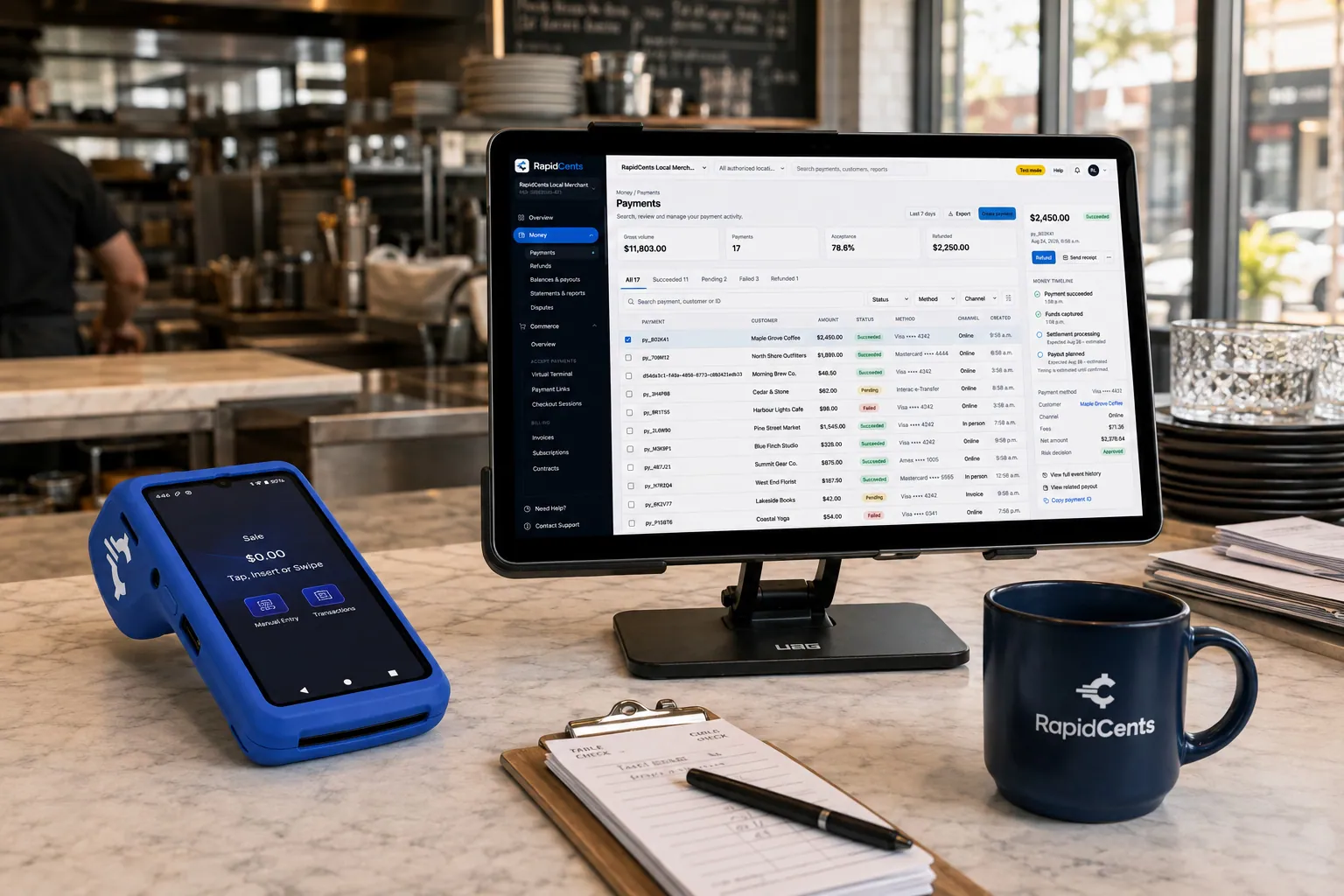
Tableside card capture on a RapidCents terminal in a restaurant, with the POS and payments dashboard on the pass. Restaurant POS
Take orders, split and transfer bills, prompt for tips at the table and close the day with reporting that…
Explore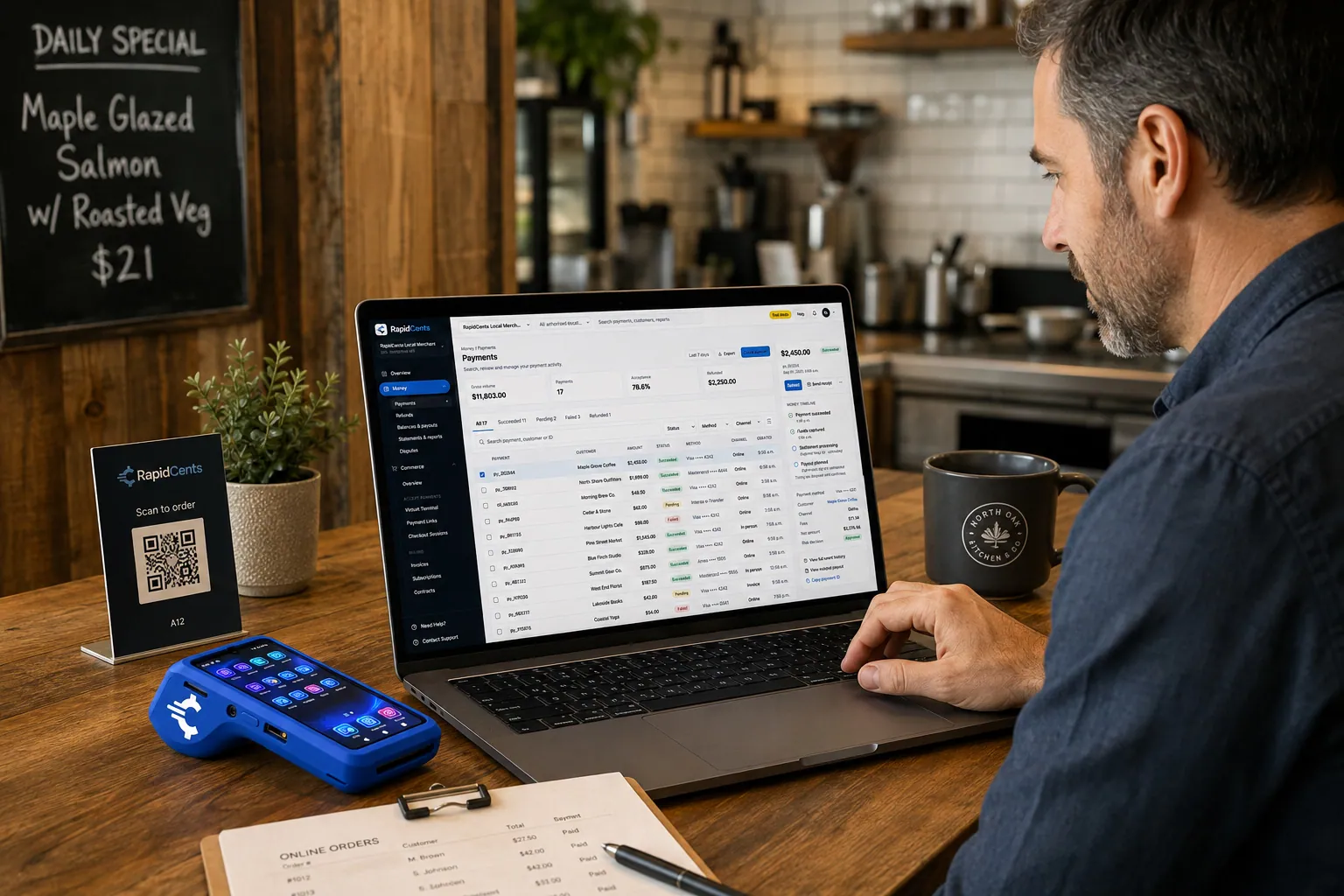
A guest pays a restaurant order online through RapidCents, with the same kitchen still running a terminal for walk-ins. Online Ordering
Publish your menu, take pickup and delivery orders on your own page, and send them straight to the kitchen…
Explore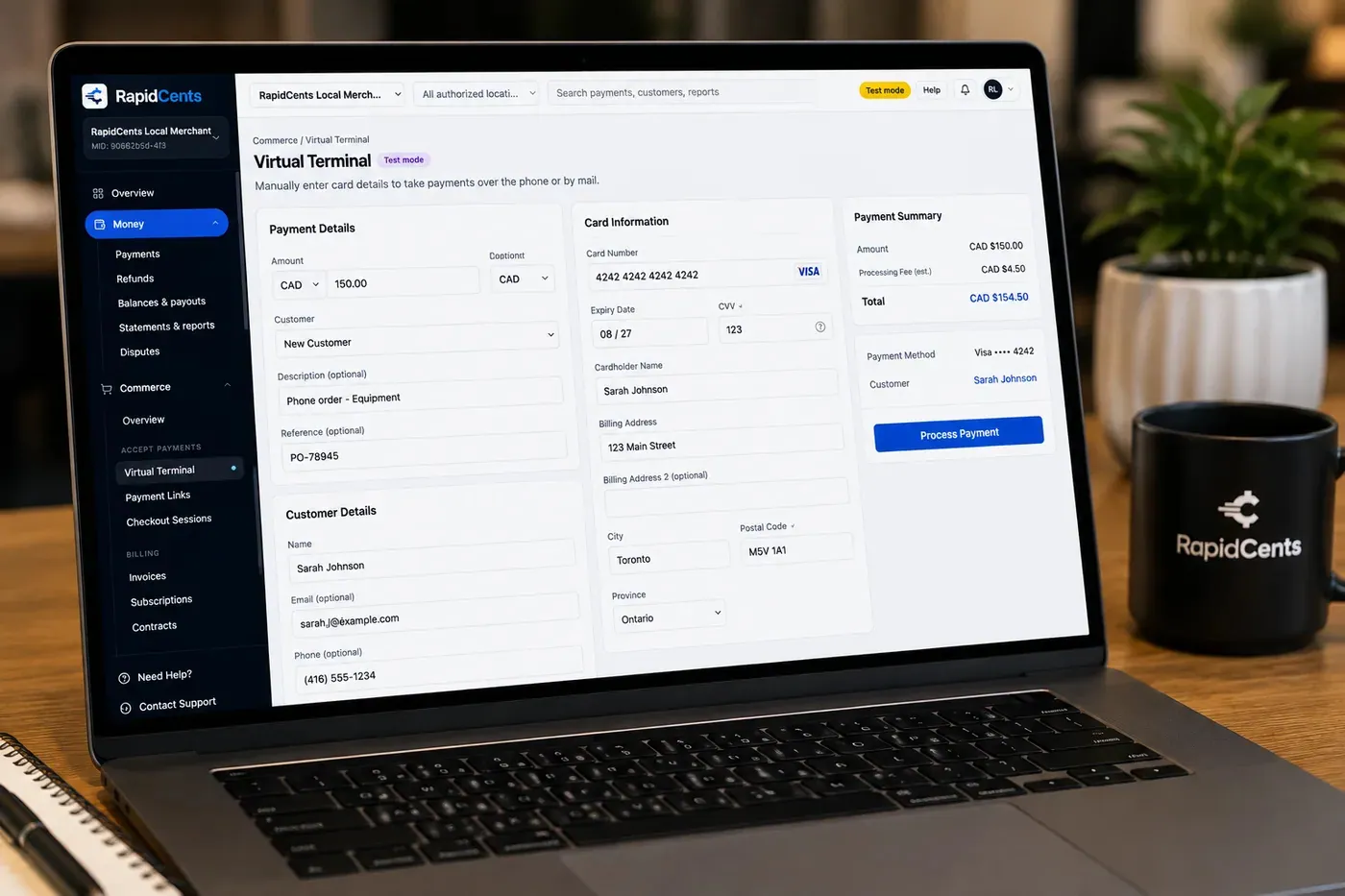
The RapidCents virtual terminal: payment details, card number, expiry and CVV keyed by hand on the left, with a payment summary on the right showing the amount, the estimated processing fee and a Process Payment button. Virtual Terminal
The RapidCents virtual terminal lets authorized staff enter mail-order and telephone-order payments through a…
Explore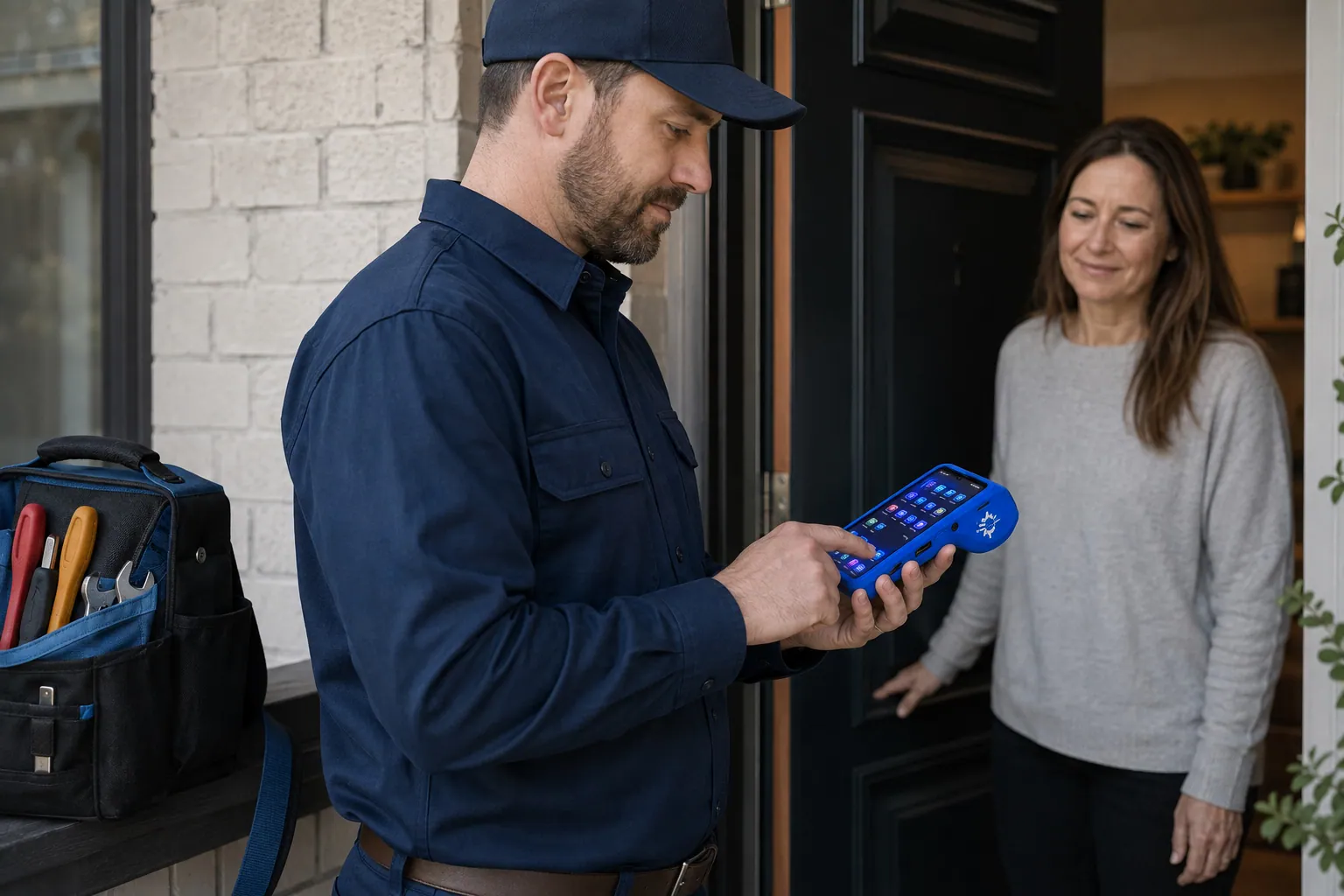
A staff member takes a card payment on a RapidCents handheld terminal, with the same sale appearing on the dashboard. Mobile Terminals
RapidCents mobile terminals are battery-powered wireless devices with LTE and Wi-Fi so staff accept payments…
Explore


Can a pizza delivery driver collect payment at the door?
Yes. Pizza delivery payments at the door work like this: drivers carry a Mobile Terminal with its own wireless connection, collect the card at the door, add the tip on screen and hand over a receipt. Test coverage in your delivery zone before launch.
How a doorstep payment runs
The dispatcher marks the order as unpaid, the driver arrives, and the customer taps, inserts or swipes. The amount, tip and driver are recorded against the order, and the receipt is emailed or texted.
What goes wrong
Dead zones in apartment lobbies, a declined card at the door, or a customer who refuses delivery. Test connectivity along your routes, decide what the driver does with an unpaid pie, and charge the device nightly.
A $48 order to a fourth-floor apartment
Say a driver delivers a $48 order to a fourth-floor apartment. The tap is declined, the customer tries a second card, and the driver adds a $7 tip. At close the manager sees both attempts and one successful sale.
How do you compare pizza restaurant processing fees?
Compare pizzeria credit card processing by your own payment mix: how many sales are tapped at the counter, keyed by phone, paid online or taken at the door. RapidCents prices on interchange-plus: interchange at cost, your RapidCents markup in your Fee Schedule, and fees for equipment or services if applicable. It is month to month, with no fixed term.
What drives your cost
Interchange varies with card type, such as debit, credit, rewards or commercial, and with how the card is taken. A tapped card at the counter and a keyed phone order are priced differently, so your channel split matters.
What to bring
Bring recent processing statements, your average ticket, the split between phone, web, driver and counter sales, and your refund volume. Pizzerias with many small tips and large party orders see different mixes.
Where Fee Check fits
Upload a statement to Fee Check to see interchange separated from markup and other fees. Then read your Fee Schedule against it, with any equipment or service fees listed so you can compare like with like.
Which POS and ordering systems can you keep?
Pizza restaurant POS payments work with the system you run today. RapidCents integrates with many major platforms through APPIE and RapidBridge, and APPIE lets the point-of-sale software you already use drive RapidCents terminals. The right option depends on your vendor and version; your RapidCents representative will walk you through it.
TouchBistro and Lightspeed Restaurant
Both are restaurant POS platforms. Tell your RapidCents representative which edition you run and whether it uses a direct connection or a separate terminal, and they will show you how payments, refunds and receipts connect.
Toast, Square for Restaurants and Clover
These platforms are built around their own payment tools, so the setup depends on your vendor and version. Your RapidCents representative will walk you through the options, including how your direct ordering page runs alongside them.
Accounting software
RapidCents connects settled transactions, fees and refunds to QuickBooks Online and Xero, and SAP and NetSuite import settlement files. Your RapidCents representative will show you how tips post in your books.
Payment options for pizza restaurants in the United States
Pizza restaurants in the United States accept credit and debit cards at the counter and the door, key card orders by phone and settle in US dollars (USD). Your RapidCents representative sets up the methods you want.
Cards at the terminal
Customers tap, insert or swipe Visa, Mastercard, American Express and Discover cards. PIN debit may be supported where enabled, so test it on a driver's Mobile Terminal before you rely on it at the door.
ACH and local rules
ACH bank payments can suit recurring catering or office accounts, with the customer's authorization. Tax display on receipts and delivery-fee rules vary by state, so check yours with your advisor.
How do you switch pizza restaurant processors without disruption?
Once your account is approved, switch in a quiet part of the week and in steps: list what is stored, test one sale, one refund and one doorstep payment, then move live traffic. Run old and new side by side where needed. Stored cards only move if both providers agree.
Inventory first
List stored cards, any recurring catering or office-lunch schedules, open phone orders with deposits and unsettled refunds. Check that each stored card carries the customer's authorization before it is used again.
Test before the Friday rush
Run a keyed phone sale, an online pickup, a driver tap and a refund on the new setup. Check that tip fields, receipts and reporting show what the kitchen and the manager expect before real orders flow.
Reconcile the first deposits
Match settled sales, tips, refunds and fees to your ledger for the first weeks. Map order references to your POS so a missing or short deposit can be traced to a specific ticket or driver.
Payment questions from pizza restaurants
What is the best payment processor for a pizza restaurant?
The best processor is the one whose written quote fits your payment mix. RapidCents prices counter, phone, online and doorstep sales on interchange-plus, month to month with no fixed term, and sets out any equipment or service fees in your Fee Schedule. We integrate with many major platforms through APPIE and RapidBridge. Upload a statement to Fee Check, and your RapidCents representative will build a written quote on your own mix.
How much does credit card processing cost for a pizzeria?
Cost depends on your card mix and channels, so no single figure fits every pizzeria. With interchange-plus, interchange passes through at cost, your RapidCents markup is in your Fee Schedule, and equipment or service fees apply if relevant. Keyed phone orders and tapped counter sales price differently. Upload a statement to Fee Check to see interchange separated from markup.
Can my restaurant POS use a different payment processor?
Often, yes. RapidCents integrates with many major platforms through APPIE and RapidBridge, and APPIE lets the POS you already run drive RapidCents terminals. The right option depends on your vendor and version, whether that is TouchBistro, Lightspeed Restaurant, Toast, Square for Restaurants or Clover. Tell your RapidCents representative which one you use, and they will walk you through it.
How can a pizza restaurant switch processors without losing payment history?
Export your reports first, then list stored cards, recurring catering schedules and open orders. Test a sale, a refund and a doorstep payment, and run both providers side by side briefly. Stored cards move only if both providers agree, and each card needs the customer's authorization. Reconcile the first deposits against your ledger.
Which payment options can a pizza restaurant in the United States offer?
A pizza restaurant in the United States can usually offer Visa, Mastercard, American Express and Discover credit and debit cards at the counter and at the door, plus keyed phone orders and online checkout. ACH bank payments may suit recurring catering accounts. Settlement is in US dollars (USD). Your RapidCents representative sets up the methods you want.
Can I take card payments for phone orders?
Yes, through a secure Virtual Terminal workflow. Authorized staff key the card while the customer is on the line, with AVS and CVV checks where applicable, and a receipt is sent once the sale goes through. Role permissions control who may key cards or refund, and an audit log records each action. Never write card numbers on paper tickets.
Can a driver collect payment at the door?
Yes, with Mobile Terminals that have their own wireless connection. The driver collects the card at the door, adds the tip on screen and issues a receipt. Test coverage along your delivery routes, charge devices nightly, and decide what happens when a card is declined at the door.
Can direct online orders flow into my POS?
Online Ordering sends paid orders to the kitchen with the payment status and an order number. Whether they also flow into your POS depends on your vendor and version. RapidCents integrates with many major platforms through APPIE and RapidBridge, and your RapidCents representative will walk you through the option for your system.
How are tips on delivery and pickup orders handled?
Tips are added at checkout, on the driver's terminal or on the table device, and recorded with the sale. Reporting separates tips from the food total so you can pay staff correctly. Decide in advance who receives delivery tips and how a refund affects them, and your RapidCents representative will show you how tip reporting reads for your setup.
How do I reconcile pizza sales to my bank deposit?
Match your settlement report to your daily sales by channel: counter, phone, web and driver. Settled transactions, tips, fees and refunds appear in reporting. RapidCents connects them to QuickBooks Online and Xero, and SAP and NetSuite import settlement files. Use order references to trace any short deposit.
Related restaurant industries
Restaurants, fast food and ghost kitchens share counter payments, delivery orders and tips with pizza restaurants. Read the Restaurants page for table service and the others for pickup-heavy or delivery-only workflows.
Restaurants
Close bills at the table, split them across cards, settle tips before staff clock out and…
Fast Food & QSR
Card payments for fast food and QSR operators: countertop and mobile terminals, Tap to…
Ghost Kitchens
Take direct online orders, run several virtual brands off one line and read each brand's…
Food Trucks
Mobile terminals with LTE and Wi-Fi for the window, Tap to Pay on a phone for the queue…
Catering
RapidCents helps caterers take the booking deposit by payment link, invoice the event…
Cafés & Bakeries
Take tap payments in the morning rush, collect deposits on cake and pickup orders, and…
Hotels & Hospitality
Collect booking deposits, hold a card for incidentals at check-in and capture the final…
Bars & Nightclubs
Open tabs on a held card, take payments on the floor with a handheld, adjust tips at…
Take the next step
Review your pizzeria's payment flow
Upload a recent processing statement to Fee Check. You will see interchange separated from markup, so you can judge phone, online, doorstep and counter sales on your own mix.
- No obligation
- Payment specialists, not a call centre
- Secure statement upload