


Customer-initiated scan
Display QR codes for contactless customer-initiated payments
QR Payments is for businesses in the USA. Merchant evaluating scan-to-pay journeys and confirmation; distinguish QR delivery of a payment page from a standalone payment rail. The sections below separate the workflow, the control and its limit, and the account facts to confirm before you rely on them.
- No payer app download required
- Dynamic QR updates amount per transaction
- Instant payment confirmation on dashboard

- Works with native camera apps
- SOC 2 Type II
- Dynamic amount refresh
- Print-ready QR assets
- Same settlement as card-present
Who it's for
Restaurants and cafés
Table QR reduces server trips for card pickup.
Farmers markets and pop-ups
Display QR when countertop terminal is impractical.
Donation and fundraising booths
Fixed-amount QR on signage for walk-up giving.
Core capabilities
Dynamic QR
Refresh QR with new amount for each order or table.
Static QR
Fixed donation or menu price on printed signage.
No app for payer
Opens mobile browser payment page on scan.
Tip on payer page
Optional tip prompt before card entry.
Real-time confirmation
Dashboard alert when QR payment completes.
How it works
Generate QR from dashboard or POS integration.
Display on table tent, counter sign or screen.
Customer scans and completes payment on phone.
Staff sees paid notification instantly.
Settlement follows standard processing schedule.
QR payment scenarios
Table service QR
Each table tent links to open check total.
Counter donation jar replacement
Static QR for fixed charity amount.
Food hall stall
Vendor refreshes QR per order on tablet display.
Parking or meterless lot
Scan-to-pay for session fee without kiosk hardware.
Dashboard and reporting
Transactions, deposits and exceptions visible in the RapidCents merchant dashboard.
Try it, edit values and click buttons
Merchant dashboard
- Today
- $4,218
- Deposits
- $12,482
- Disputes
- 2 open
- In-person
- $842
- Online
- $1,104
- Virtual terminal
- $392
Demonstration data only
Integrations
POS check sync
Push open check amount to dynamic QR.
Print services
Download high-res QR for menu inserts.
Dashboard alerts
Sound or push notification on paid scan.
Works with QR Payments
Capabilities on the same account, so the parts below connect without a second integration or a second contract.

The RapidCents payment links screen listing created links with their amount, status, click count and whether they have been paid, beside a phone showing the branded page a customer opens to pay $2,500.00. Payment links
A pay-by-link URL you can send by email, SMS or QR code.
Explore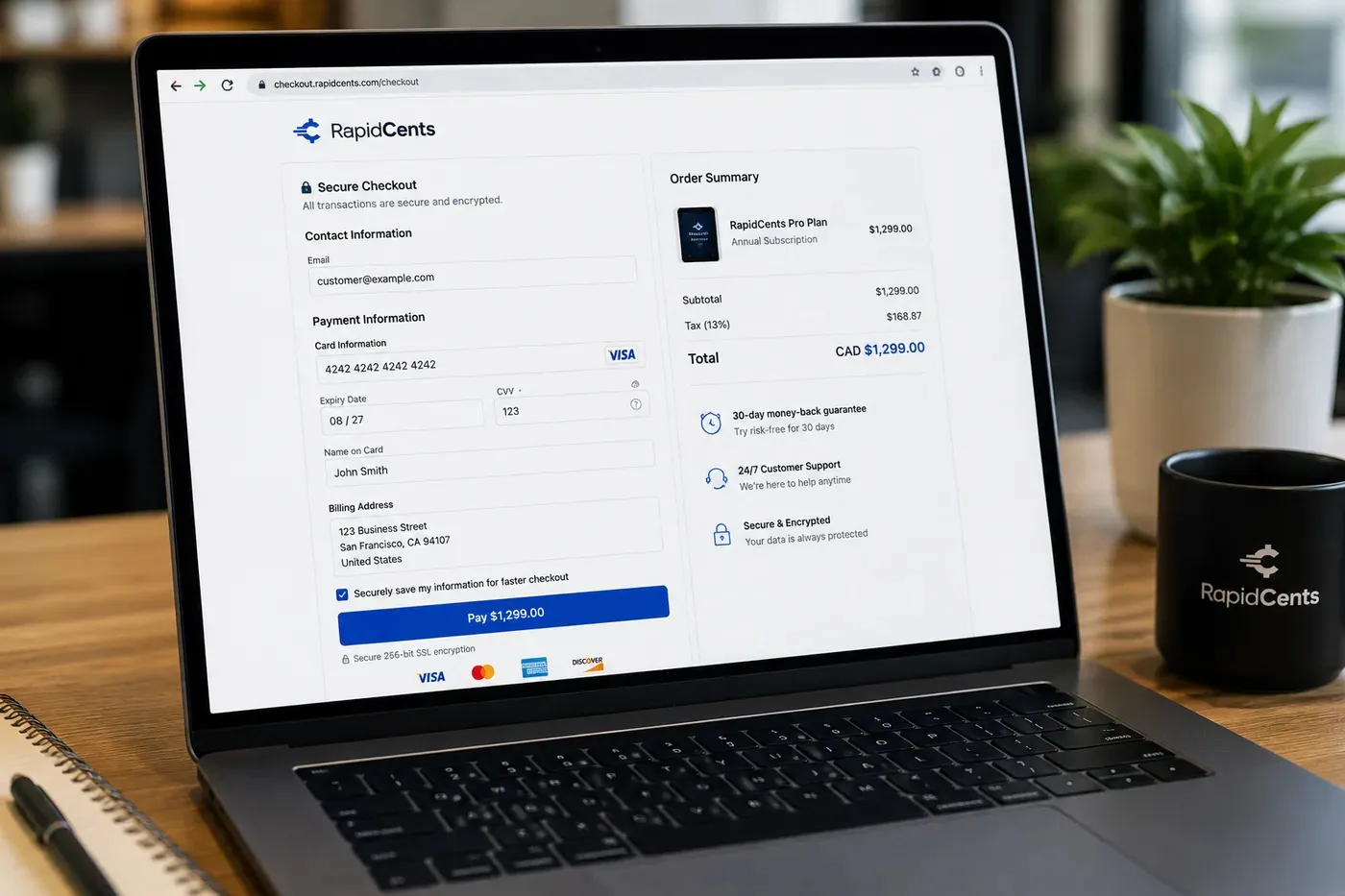
A RapidCents hosted checkout page at checkout.rapidcents.com, with the order summary and totals on the left and the card fields on the right, footed by SSL and PCI DSS assurances. Hosted checkout
A branded payment page RapidCents hosts, which keeps card data off your servers.
Explore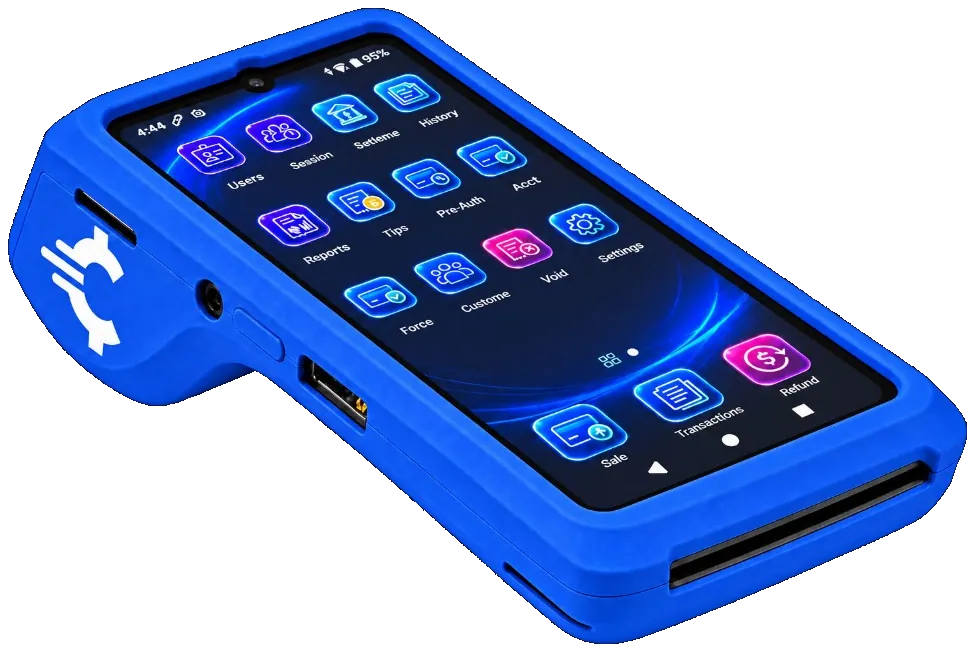
The RapidCents Rivo Go on a counter, the flagship of the Rivo line of countertop, mobile and compact card terminals. Payment terminals
Countertop, mobile and smart terminals for tap, chip and swipe at the counter.
Explore
A merchant reviews RapidCents reports for volume, mix and payouts, with the terminal that took the sales on the desk. Reporting and reconciliation
Deposit-level detail that ties settlements back to the transactions behind them.
Explore


Security
Single-use dynamic tokens
Dynamic QR sessions expire after payment or timeout.
HTTPS payer pages
Scan resolves only to TLS-protected checkout.
Amount verification
Staff confirm amount matches order before displaying QR.
Implementation
Signage design
Print table tents with scan instructions.
Staff training
Refresh dynamic QR when check changes.
Pilot tables
Run QR on section before full dining room.
Reconciliation
Match QR payments to POS checks nightly.
Pricing
QR processing
QR payments bill at card-not-present or card-present rates depending on configuration.
For businesses in the USA
A direct answer for a business in the USA: the workflow, the limit, and what to confirm next.
The payment workflow
A practical view covers US café or service counter presenting a code, the customer opening the approved payment page and staff checking the paid result. In practice, static versus dynamic behavior and when an amount/order reference is attached. A scan or page visit must not be described as payment completion. Confirm eligibility, presentment currency, settlement currency and the enabled payment methods on the USA merchant account before quoting them. An illustrative amount is an example, not a fee or a funding promise. QR Payments does not, by itself, prove delivery or win a dispute.
The problem and the limit
Cover code tampering, wrong amounts, reuse, expiry and uncertain status. Show the merchant checking the trusted dashboard or order record rather than a customer screenshot. Before you rely on this, confirm supported token and session behavior; QR delivery alone does not establish card-present classification or remove fraud responsibility. Confirm eligibility, presentment currency, settlement currency and the enabled payment methods on the USA merchant account before quoting them. An illustrative amount is an example, not a fee or a funding promise. QR Payments does not, by itself, prove delivery or win a dispute.
What to confirm
Before you rely on this, confirm US payer methods, currency, app/browser requirements, tipping and POS check synchronization. Verify print/download options and fee classification with acquiring operations. Keep separate a static printed destination from a changing on-screen transaction code, and avoid automatic parity with terminal rates or Canadian payment methods. Confirm eligibility, presentment currency, settlement currency and the enabled payment methods on the USA merchant account before quoting them. An illustrative amount is an example, not a fee or a funding promise. QR Payments does not, by itself, prove delivery or win a dispute.
Questions about QR Payments
Do customers need an app?
No. Native camera opens the payment page in browser.
Dynamic vs static?
Dynamic updates amount per sale. Static shows fixed price or open entry.
PIN debit QR?
Contact your advisor for PIN debit QR availability in your region.
Print quality?
Download SVG or PNG at print resolution from dashboard.
What is the difference between a dynamic and a static QR code?
A dynamic code carries a specific amount for one order or table and its session expires after payment, so it cannot be reused. A static code is printed once and shows a fixed price or an open amount: right for donation signage or a set menu price, wrong for a variable check total.
How do staff know a QR payment went through?
The dashboard confirms the paid scan in real time, with a sound or push notification if configured. That confirmation is the control that replaces watching a terminal print a receipt, so staff should be told to look for it before clearing a table or handing over goods.
Do USA customers need an app to pay by QR code?
For a business in the USA, state the actual supported browser/app journey and device requirements; describe any exceptions. This depends on the approved USA account setup and does not remove the merchant's own records or dispute duties.
Should I use a static code or a dynamic code for each sale?
For a business in the USA, compare verified amount, reference, expiry and reuse behavior, with one suitable scenario for each. This depends on the approved USA account setup and does not remove the merchant's own records or dispute duties.
How do staff confirm the right QR payment before handing over goods?
For a business in the USA, in practice, trusted paid-status checks and matching references/amounts, plus duplicate or failed-payment handling. This depends on the approved USA account setup and does not remove the merchant's own records or dispute duties.
Related products
The RapidCents payment links screen listing created links with their amount, status, click count and whether they have been paid, beside a phone showing the branded page a customer opens to pay $2,500.00. Payment Links
RapidCents payment links let staff generate branded pay-by-link URLs for invoices, deposits…
Explore
A café worker holds a phone running RapidCents Tap to Pay, showing an $18.75 sale and the contactless symbol, while a customer holds a Visa card to the screen. No separate card reader is present. Tap to Pay
RapidCents Tap to Pay turns supported iPhones and Android devices into contactless payment…
ExploreA RapidCents hosted checkout page at checkout.rapidcents.com, with the order summary and totals on the left and the card fields on the right, footed by SSL and PCI DSS assurances. Hosted Checkout
RapidCents hosted checkout delivers PCI-scoped payment pages you redirect customers to or embed via…
Explore

Industries that run on QR Payments
Food Trucks
Food trucks accept credit cards curbside with battery-friendly mobile terminals, Tap to…
Parking
Parking operators accept pay-by-plate, monthly permits and event surcharges via…
Car Wash
Car washes sell memberships, unlimited plans and single washes with fast lane terminals…
Events & Ticketing
Venues and promoters sell tickets, VIP packages and concessions with online checkout…
Vending & Unattended Retail
Unattended machines and kiosks take contactless payments with nobody on site, which makes…
Take the next step
Talk to a RapidCents specialist
RapidCents Fee Check reads a processing statement and shows interchange separately from the markup. Upload a statement for an instant breakdown, or open a merchant account and start accepting payments on one account.
- No obligation
- Payment specialists, not a call centre
- Secure statement upload



