Audiology payment processing for hearing clinics
Audiology payment processing for a hearing clinic means taking card payments at the reception desk, by payment link and by phone for consultation fees, hearing-device deposits, fitting balances and trial-period refunds. RapidCents pairs countertop terminals, Payment Links, Invoicing and Customer Profiles, and prices every account on interchange-plus, month to month.

- PCI DSS Level 1
- SOC 2 Type II
- All major card brands: Visa · Mastercard · Amex · Interac debit
- Interchange-plus available
- Canadian support
How hearing clinics get paid
A hearing clinic collects four kinds of payment: the assessment fee, the deposit when a device is ordered, the balance when it is fitted, and refunds when a trial ends in a return. Each has a different trigger and a different record.
Consultation and hearing test fees
The patient pays for an assessment at the desk or by link when booking. A terminal takes the card, and the receipt shows the service line only. If a benefit plan covers the fee, the clinic bills the plan separately and collects only the patient's portion.
Hearing-device deposits
After the audiologist recommends custom devices, the patient pays a deposit so the order can go to the manufacturer. Staff send a payment link or use the terminal, record the order reference, and finance matches the deposit to the final invoice.
Fitting balances
When the devices arrive, the patient pays the remaining balance at the fitting appointment. The desk looks up the deposit on the patient's profile, collects the difference by terminal or link, and the receipt shows the deposit already applied.
Trial returns and refunds
Many clinics offer a trial period. If the patient returns the devices under the clinic's written policy, staff refund the original card transaction in full or in part. Anything a benefit plan paid is handled outside the card refund.
How do hearing clinics collect a hearing-device deposit?
A hearing clinic collects a hearing-device deposit by tying the payment to a written order: the patient agrees to the device model, the deposit amount and the return terms, then pays by terminal or payment link. The order reference travels with the payment so the balance can be matched later.
How the deposit runs
After the fitting plan is agreed, the front desk sends a Payment Link by SMS or email or hands over a countertop terminal. The patient pays, receives a receipt, and the clinic records the order number in the reference field so the deposit sits against that device order.
Deposit terms in writing
Put the deposit amount, what it covers, the trial period and the return terms in writing before the patient pays. If the patient wants the card kept for the balance, get their authorization for that specific charge, with the amount and timing agreed.
Back-orders and changed devices
A manufacturer back-order can stretch the wait, and a patient may change devices after paying. Decide in advance whether the deposit moves to the new order or is refunded to the original card, and record that choice. A declined link payment is retried by sending a fresh link.
A $900 deposit by link, balance at the fitting
Say a two-audiologist clinic orders a pair of custom devices and asks for a $900 deposit by link. The patient pays from a phone that evening. At the fitting, the desk opens the profile, sees the order reference and collects only the remaining balance.
How are hearing aid trial returns refunded?
Hearing aid trial returns are refunded to the original card transaction, following the clinic's written trial policy. Staff find the sale, confirm the returned devices and any retained fees, and issue a full or partial refund so the patient and the books both see one clear record.
How a refund runs
The patient brings the devices back within the trial window. Staff confirm the return, open the original transaction from the dashboard or the terminal, and refund the agreed amount to the same card. The patient receives a refund receipt that references the original sale.
Trial policy and refund permissions
Write the trial period, any non-refundable service or fitting fee, and who may approve a refund. Limit refund permission to named staff, and keep the policy visible on the order form the patient signs before paying the deposit.
Replaced cards and benefit-plan portions
A refund may not reach the original card if it has been replaced or closed, and a part-paid order needs the split handled carefully. If a benefit plan paid part of the device cost, that portion is reversed with the plan, not through the card refund.
A $2,400 sale returned on day 28 of a trial
Say a patient pays $2,400 across a deposit and a fitting balance, then returns the devices on day 28 of a 30-day trial. The clinic keeps a documented fitting fee, refunds the rest to the original card in one action, and finance notes the order reference.
RapidCents products for audiology and hearing clinics
Hearing aid merchant services start with the clinic's payment path, and audiologist patient payments follow it: a countertop terminal at the desk, Payment Links for deposits and balances, Invoicing for itemized bills, and Customer Profiles to keep each patient's payments in one place.
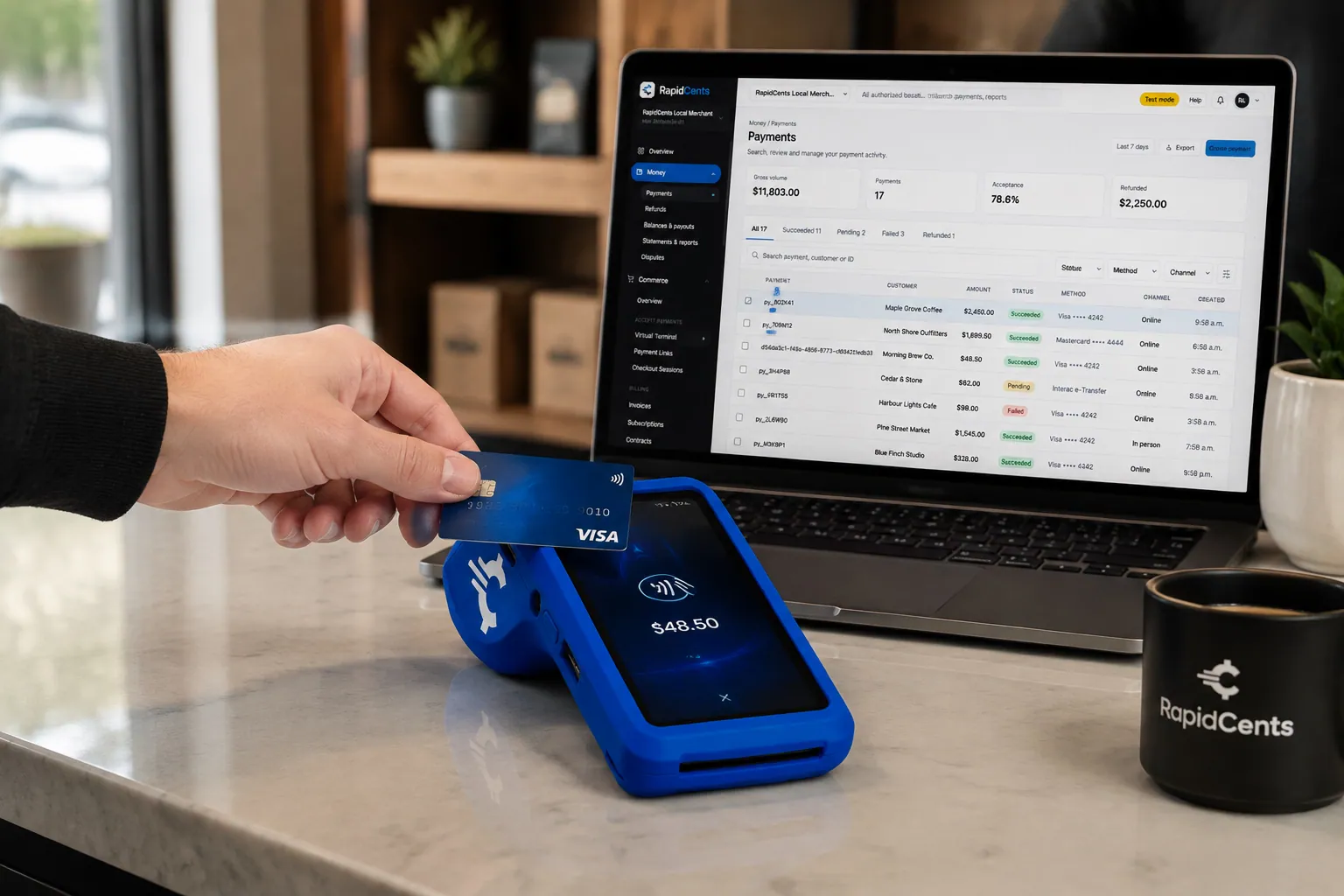
A fixed RapidCents countertop terminal taking card payments at the till, with settlement visible on the dashboard. Countertop Terminals
RapidCents countertop terminals sit at retail counters, restaurant hosts and reception desks where speed and…
Explore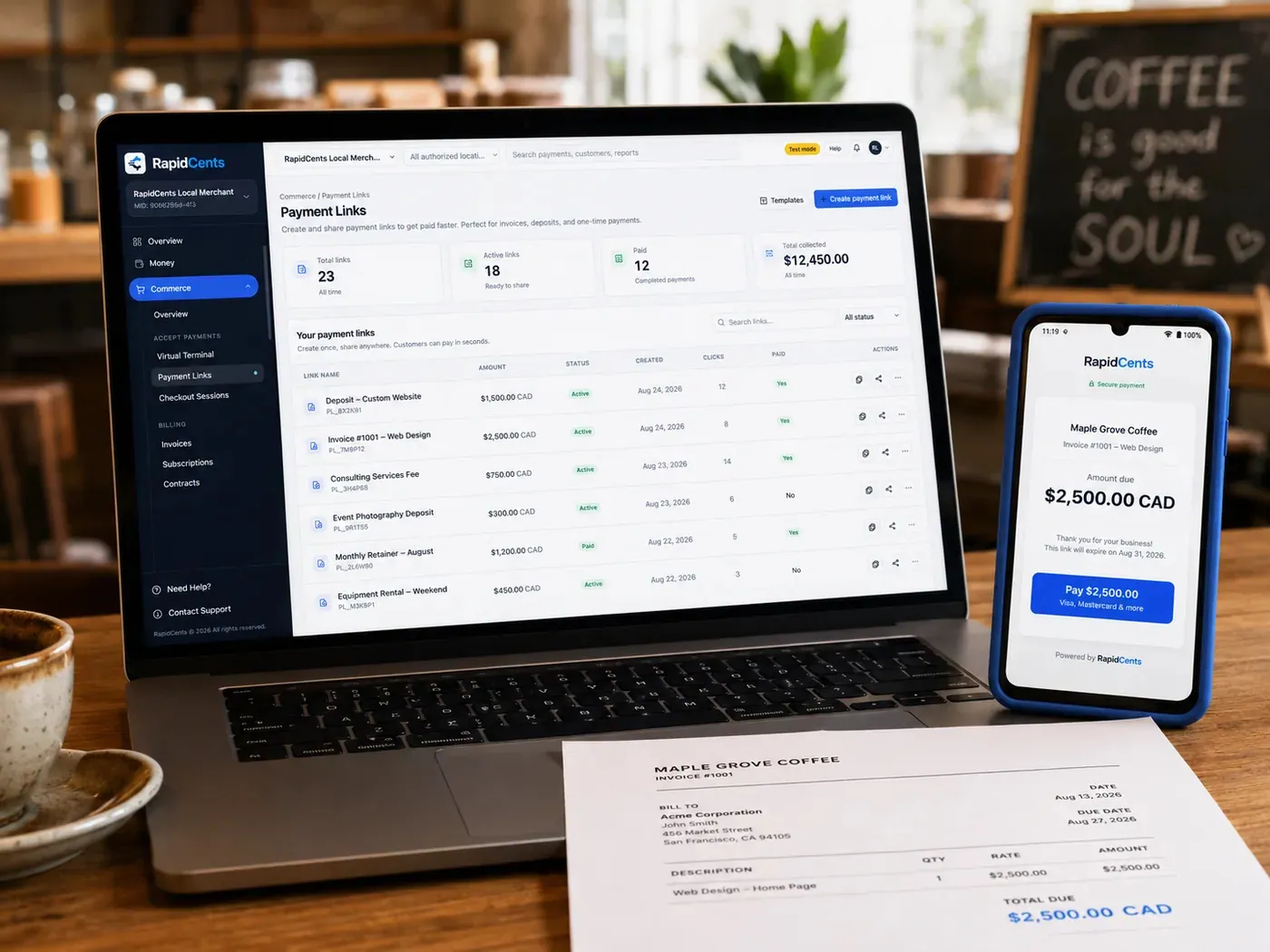
The RapidCents payment links screen listing created links with their amount, status, click count and whether they have been paid, beside a phone showing the branded page a customer opens to pay $2,500.00. Payment Links
RapidCents payment links let staff generate branded pay-by-link URLs for invoices, deposits, balances and…
Explore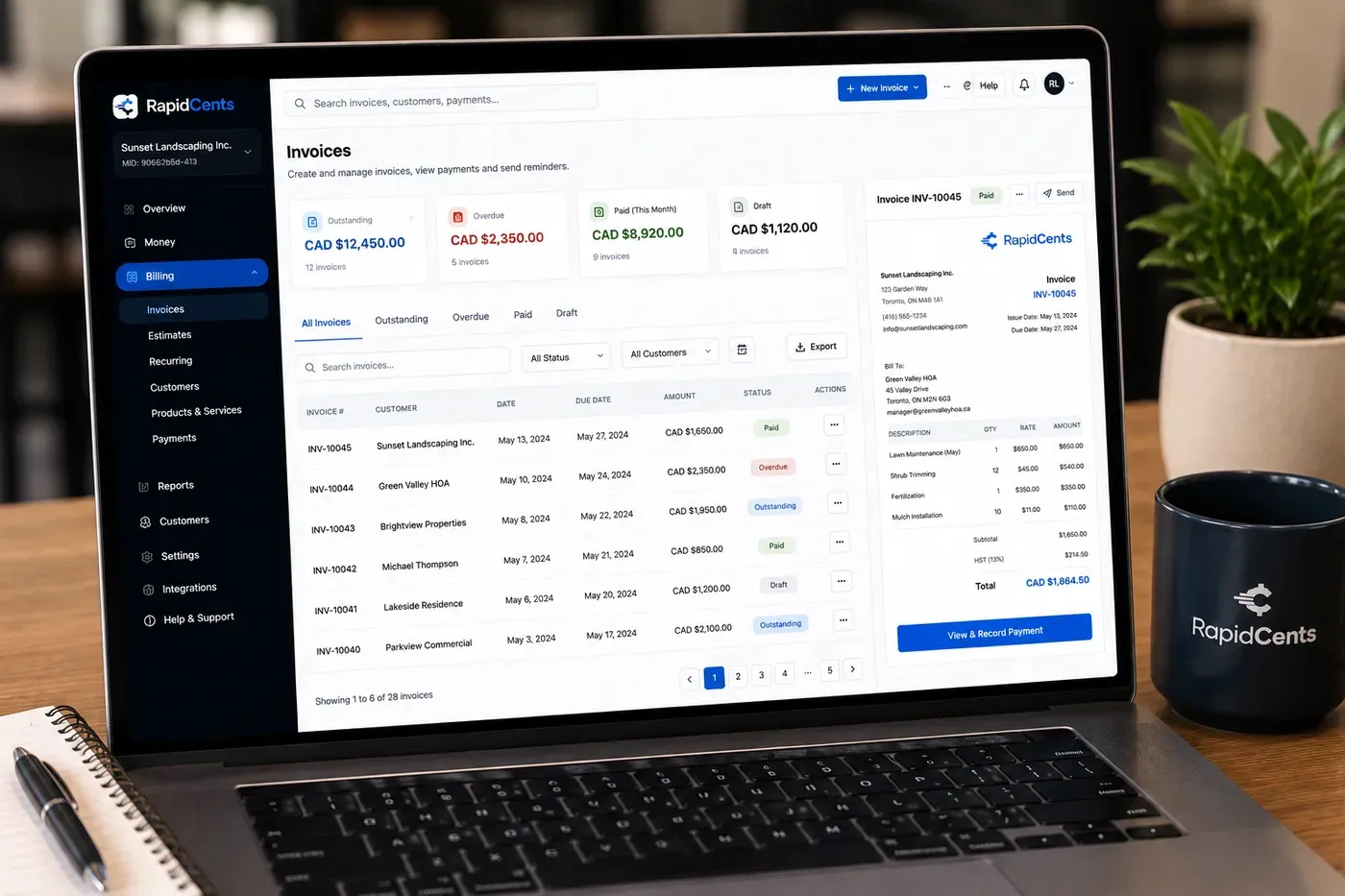
The RapidCents invoices screen: outstanding, overdue, paid and draft totals across the top, the invoice list below them, and a preview of one invoice on the right with its line items and a View & Record Payment button. Invoicing
RapidCents invoicing helps professional services, contractors and B2B suppliers create branded invoices…
Explore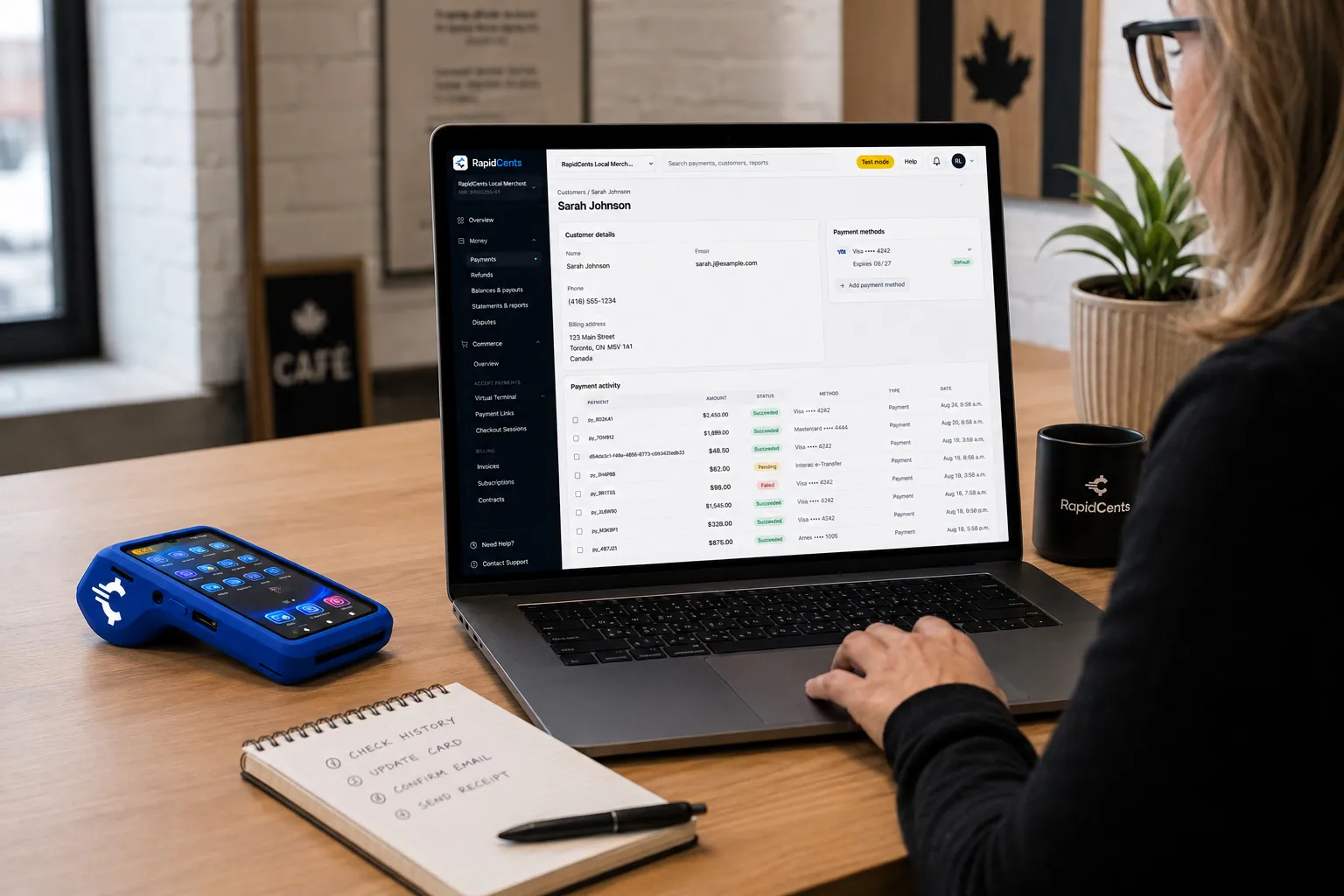
A RapidCents customer profile holds saved cards and invoices, so a return visit can be charged without re-keying the card. Customer Profiles
A customer profile ties together transactions, stored payment methods, subscriptions and disputes so staff…
Explore


Can one invoice itemize the fitting and the hearing devices?
Yes. One invoice can itemize the assessment, the devices, the fitting and any accessories, and show what the patient owes after deposits and benefit payments. RapidCents Invoicing carries the payment link, while your practice software remains the source for the clinical and product record.
How the invoice runs
Staff build an invoice with a line for each item, such as the devices, the fitting visit and a charger. The invoice shows the deposit paid, the benefit portion expected and the amount due. The patient pays the amount due from a link in the email or text.
Line labels and practice software
Decide how each line is labeled so receipts disclose only what the patient needs, with no clinical detail. Then tell your RapidCents representative which practice software you run, and they will show you how invoice data reaches it, by RapidBridge, an export or manual entry.
Part payments and edits after payment
A patient may pay part of the invoice now and the rest after the benefit plan responds. Partial payments apply to the open balance, but the clinic tracks the plan's portion on its own. An invoice edit after payment is handled as an adjustment, not a new charge.
A $3,100 invoice with the deposit already applied
Say a clinic invoices $3,100 for a pair of devices, a fitting and a charger. The deposit of $900 is already applied, a benefit plan is expected to pay $1,000, and the patient's link requests the remaining $1,200 at the fitting visit.
What drives hearing clinic credit card processing costs?
Hearing clinic credit card processing cost depends on your card mix, your average ticket and how the card is taken. RapidCents prices on interchange-plus: interchange passes through at cost, your RapidCents markup appears in your Fee Schedule, and equipment or service fees apply if relevant. Month to month, no fixed term.
Why device tickets change the picture
Hearing devices are high-value purchases, so a clinic's mix leans on larger tickets than a typical health visit. Interchange varies by card type, including debit, credit, premium and commercial cards, and by whether the card is tapped or inserted versus keyed or paid online.
What to bring to a comparison
Gather recent processing statements, your average consultation and device ticket, the split between desk, link and phone payments, and your refund volume from trial returns. Dispute history also matters. Written quotes compared on the same basis are the fair way to judge.
Run Fee Check
Fee Check reads an uploaded processing statement and shows interchange separately from markup, so you can see what your current provider adds. Your RapidCents representative will walk you through any equipment or service fees that apply to your setup, in writing.
Which practice software works with hearing clinic payments?
RapidCents integrates with many major platforms through APPIE and RapidBridge, so most clinics keep the practice software they run today. RapidBridge works with Jane App, Cliniko and Tebra (Kareo), and your RapidCents representative walks you through the right option for your vendor and version.
TELUS CHR
TELUS CHR holds the patient and billing record. RapidCents integrates with many major platforms through APPIE and RapidBridge. The right option depends on your edition; tell your RapidCents representative which version you run, and they will walk you through how payments reach it.
Accuro EMR
Accuro EMR is a clinic record and scheduling system. Tell your RapidCents representative which version you use, and they will show you how payments, receipts and Reporting exports connect to it, through APPIE, RapidBridge or a clean export.
Jane App
RapidBridge works with Jane App, so a card payment taken with RapidCents posts against the patient record you already have open, without changing the software your team knows. Your RapidCents representative will set it up for your clinic's plan.
Cliniko
RapidBridge works with Cliniko, so the front desk takes a RapidCents card payment against the open patient record and keeps its usual workflow. Your RapidCents representative will walk you through the setup for your plan.
Tebra and accounting software
RapidBridge works with Tebra (Kareo). For accounting, RapidCents connects settled transactions, fees and refunds to QuickBooks Online and Xero, and SAP and NetSuite import settlement files, so your books match your deposits.
Payment options for hearing clinics in Canada
A hearing clinic in Canada can take Interac debit and credit cards at the terminal, plus bank payments by EFT or pre-authorized debit for scheduled balances. Settlement is in CAD, so deposits land in the same currency your clinic bills in.
Cards at the desk
Patients can tap, insert or swipe Visa, Mastercard or American Express, or use Interac debit with chip and PIN or contactless. Interac debit is common for assessment fees and fitting balances.
Bank payments and receipts
EFT or pre-authorized debit suits scheduled balances and needs the patient's written authorization. Tax lines on receipts, such as GST or HST, and provincial benefit program rules vary, so talk to your accountant about how your clinic shows them.
How do hearing clinics switch processors and reconcile payments?
Once your account is approved, a hearing clinic switches processors by listing what is open, testing the new flow before going live, and running both side by side long enough to catch gaps. Reconcile every deposit and refund to the ledger and to the device order reference.
Take inventory first
List open device deposits, unpaid fitting balances, cards kept with authorization, and refunds still due from active trials. Do not assume stored cards can move between providers; both providers must agree, and you may need patients to re-authorize.
Test before moving traffic
Run a sale, a deposit by link, a refund and a partial payment on the new setup before you take real patients. Check that the order reference, receipt wording and permissions behave as the front desk expects.
Run in parallel and reconcile
Keep the old provider active for open orders while new deposits go to RapidCents. Match settlements in Reporting to the practice software each week, tying each payment to its order reference until the older balances clear.
Payment questions from hearing clinics
What is the best payment processor for a hearing clinic?
The best processor is the one whose written terms fit your payment mix, not a single name. Compare how it handles device deposits, trial refunds, itemized invoices, practice software integration, dispute support and pricing structure. Ask each provider for a written quote on your own statements, then compare like for like before choosing.
How much does credit card processing cost for a hearing clinic?
The cost depends on your card mix, ticket size and channels. With interchange-plus pricing, interchange passes through at cost, your RapidCents markup is set out in your Fee Schedule, and equipment or service fees apply if relevant. Upload a statement to Fee Check to see interchange separated from markup. There is no fixed term.
Can my practice software use a different payment processor?
Yes. RapidCents integrates with many major platforms through APPIE and RapidBridge, and RapidBridge works with Jane App, Cliniko and Tebra (Kareo), so card payments post against the patient record you already have open. The right option depends on your software vendor and version; your RapidCents representative will walk you through it.
How can a hearing clinic switch processors without losing payment history?
Keep your history by exporting reports from the old provider before closing it, and list open deposits, balances and refunds. Stored cards may not transfer, because both providers must agree, and patients may need to re-authorize. Test the new flow, then run both providers in parallel until open orders clear.
Which payment options can a hearing clinic in Canada offer?
A hearing clinic in Canada can offer credit cards and Interac debit at the terminal, payment links for deposits and balances, and EFT or pre-authorized debit for scheduled balances. Settlement is in CAD. Your RapidCents representative will set up the methods that suit how your clinic collects.
Can a hearing clinic collect a hearing-device deposit?
Yes. Collect the deposit by terminal or Payment Link against a written order that names the devices, the amount and the return terms. Record the order reference so the deposit applies to the final invoice, and your front desk can see at the fitting exactly what the patient has already paid.
How are hearing aid trial returns refunded?
A trial return is refunded to the original card transaction under your written trial policy. Staff open the sale, confirm the returned devices and any non-refundable fee, then issue a full or partial refund. If the original card is closed, your RapidCents representative will walk you through the options for getting the money back to the patient.
Can one invoice include the fitting and the hearing devices?
Yes. Itemize the devices, the fitting and any accessories on one RapidCents invoice and show deposits already paid. The invoice carries a payment link for the amount due. Your RapidCents representative will show you how invoice data reaches your practice software, whether through RapidBridge, an export or manual entry.
How does a clinic separate patient payments from insurer or benefit payments?
Card processing collects only what the patient pays. The clinic bills any insurer or benefit plan separately, and RapidCents does not adjudicate claims. Show the patient's portion on the invoice, track the plan's portion in your practice software, and match each payment to the right record.
Can a hearing clinic keep a card on file for balances, batteries or service visits?
Yes, with the patient's authorization. Agree on the amount, the timing and how the patient can cancel, and record that consent. A stored card is used only for what the patient authorized. Customer Profiles keeps the stored payment method with the patient's payment history.
Related healthcare payment pages
Healthcare is the parent page for clinic payments. Podiatry, speech therapy and telehealth share deposits, patient balances and refund questions, so they are useful next reads.
Healthcare
Take visit payments at reception, send payment links for what insurance leaves unpaid and…
Podiatry & Foot Care Clinics
Collect consultation fees, custom orthotic deposits, fitting balances and recurring…
Speech Therapy Practices
Collect weekly session fees, assessment packages and late-cancellation fees from parents…
Occupational Therapy Practices
Take cards at the clinic or a client's kitchen table, send invoice links to employers and…
Telehealth Providers
Collect virtual visit fees before or after the session, handle late cancellations and…
Dental Clinics
Take treatment plan deposits at the front desk or by text, run in-house installment plans…
Physio & Chiropractic
Collect visit fees and patient portions at the front desk or in the treatment room, sell…
Veterinary Clinics
Take deposits when owners sign surgery estimates, charge wellness plans monthly with…
Take the next step
See what your hearing clinic pays to take cards
Upload a recent processing statement and Fee Check shows interchange separated from markup, based on your own deposits, fitting balances and refunds.
- No obligation
- Canadian payment specialists
- Secure statement upload