Podiatry payment processing for foot and orthotics clinics
Podiatry payment processing from RapidCents covers in-person card payments at reception, payment links for remaining balances, invoices and stored cards for recurring foot-care visits. It fits the way your clinic gets paid: consultation fees, custom orthotic deposits and the fitting balance. Card payments stay separate from insurer payments and your clinical software.

- PCI DSS Level 1
- SOC 2 Type II
- All major card brands: Visa · Mastercard · Amex · Interac debit
- Interchange-plus available
- Canadian support
How do podiatry and foot care clinics get paid?
Podiatry clinics get paid through four payment jobs: the visit itself, a deposit on custom orthotics, the balance at fitting, and recurring foot-care visits. Each job has a different payer, trigger and record, so each uses a different RapidCents product.
Consultation and treatment fees
The patient pays at reception after an assessment, a nail procedure or a follow-up. Staff take the card on a countertop terminal or with Tap to Pay and send a receipt. Any portion paid by an insurer or benefit plan is separate, and finance sees one record per visit.
Custom orthotic deposits
A patient who orders custom orthotics pays a deposit after the cast or scan, when the lab order is placed. You send a payment link or take the card at the desk. Your written order terms decide the refund if the order is cancelled before fabrication.
Fitting balances
When the orthotics arrive, the patient pays the remaining balance at the fitting visit, or earlier through a secure payment link that carries the order reference. If the orthotics need adjusting or a remake, the balance still matches the original order.
Recurring foot-care visits
Patients who return for routine nail care, diabetic foot reviews or dressing changes can agree to pay each visit with a stored card. The patient authorizes the card and agrees to amount, timing and cancellation first. A missed visit follows your clinic's written policy.
How do podiatry clinics collect custom orthotic deposits?
Podiatry clinics collect a custom orthotic deposit by tying it to one specific lab order. The patient pays by payment link or at the desk after the assessment, the receipt names the order, and your written terms say what happens if the order changes or is cancelled.
How the deposit runs
After the gait assessment and the cast or scan, staff create the order, then send a payment link by SMS or email or take the card on a countertop terminal. Write your order terms first: what the deposit covers, when fabrication starts and what is refunded on cancellation.
What goes wrong
A declined deposit is retried with another card, never by opening a second order. If the lab order changes, adjust the balance rather than the deposit. Disputes are easier to answer when your order terms and the receipt share one reference.
A $480 pair of orthotics, deposit first
Say a clinic orders a pair of custom orthotics priced at $480. The patient pays a $150 deposit by payment link on the day of the scan. The receipt shows the order number, and the $330 balance stays open until the fitting visit.
How can patients pay a remaining orthotics balance online?
Patients pay a remaining orthotics balance online through a secure payment link that carries the order reference. The link goes out by SMS or email, the payment posts against the right order, and your clinic keeps card numbers out of messages and notes.
How the balance link runs
Create the link from the open order, enter the balance and an order reference, and send it when the orthotics are ready. Payment Links and Invoicing show open, paid or expired status, so orthotics clinic payments match the right order and staff stop chasing paid balances.
What goes wrong
A patient may pay only part of the balance, pay twice, or ask for a refund after an adjustment. Allow partial payment on the link, refund to the original card, and never ask patients to send card numbers by email or text message.
A $330 balance paid from a phone
Say a patient's orthotics arrive on a Tuesday with a $330 balance open. Staff send a link that quotes the order number, the patient pays from a phone that evening, and the fitting visit begins with the pair ready rather than a desk payment.
RapidCents products for podiatry clinics
Countertop Terminals take visit payments at reception, Payment Links collect orthotic balances, Secure Card Vault stores authorized cards for recurring visits, and Invoicing gives patients and finance a clear record for each order.
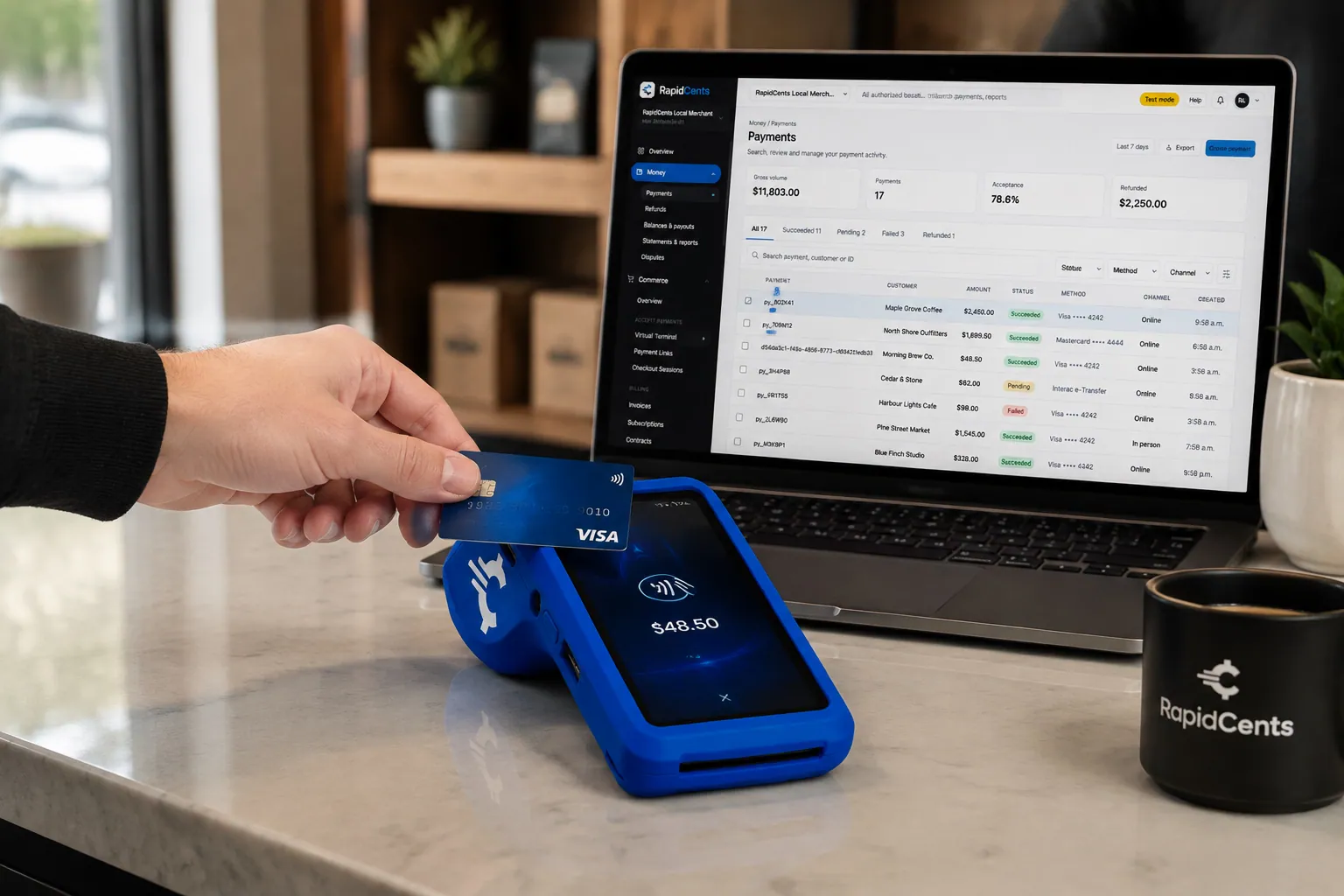
A fixed RapidCents countertop terminal taking card payments at the till, with settlement visible on the dashboard. Countertop Terminals
RapidCents countertop terminals sit at retail counters, restaurant hosts and reception desks where speed and…
Explore
The RapidCents payment links screen listing created links with their amount, status, click count and whether they have been paid, beside a phone showing the branded page a customer opens to pay $2,500.00. Payment Links
RapidCents payment links let staff generate branded pay-by-link URLs for invoices, deposits, balances and…
Explore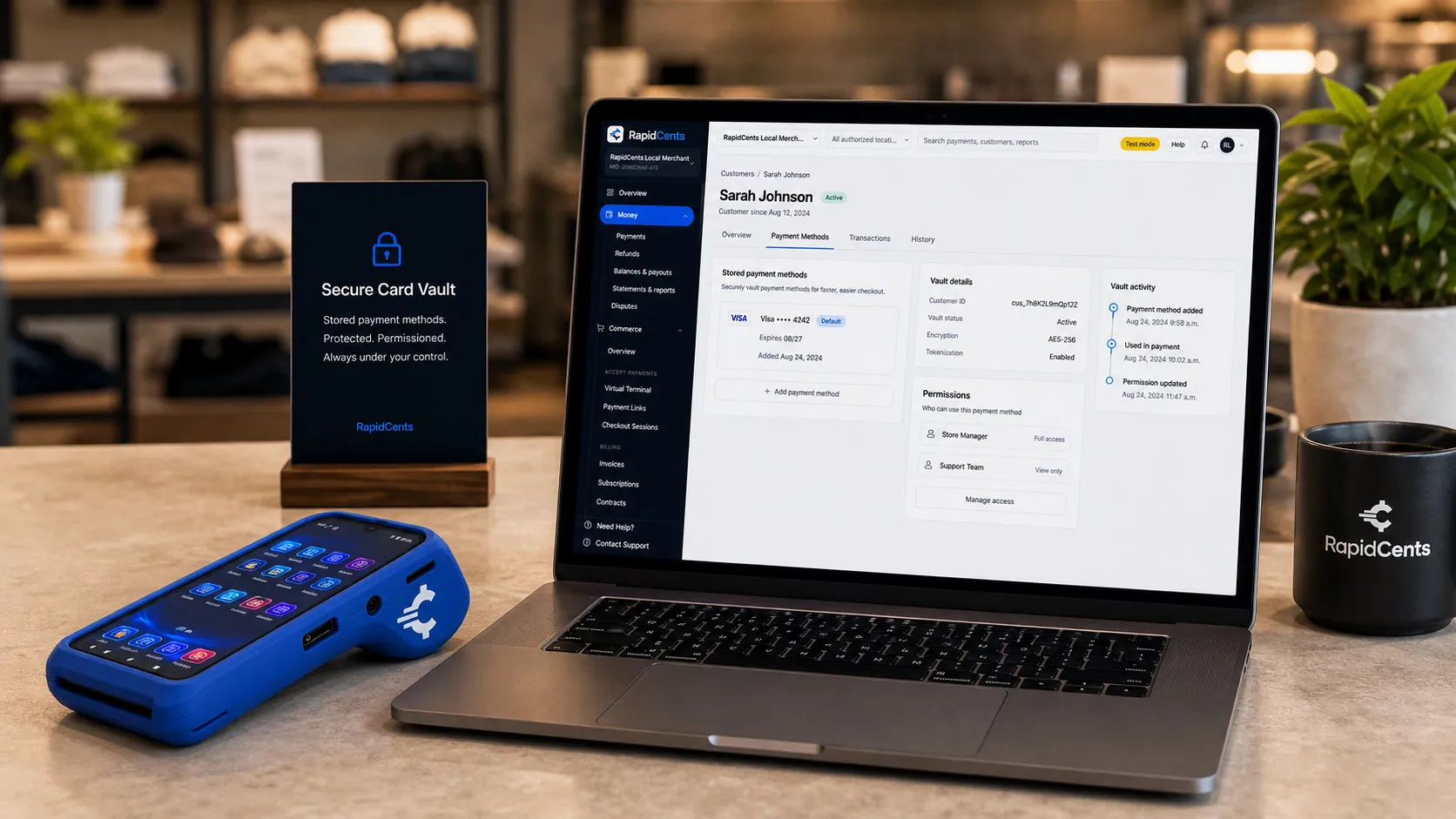
Card credentials sit in the RapidCents vault rather than in merchant software, with a terminal on the desk for new captures. Secure Card Vault
The vault stores tokenized payment methods against a customer record so staff can charge a returning…
Explore
The RapidCents invoices screen: outstanding, overdue, paid and draft totals across the top, the invoice list below them, and a preview of one invoice on the right with its line items and a View & Record Payment button. Invoicing
RapidCents invoicing helps professional services, contractors and B2B suppliers create branded invoices…
Explore


How do foot clinics bill recurring foot-care visits?
Foot clinics bill recurring foot-care visits by saving a card with the patient's authorization and charging each visit as agreed. The patient approves the amount, timing and cancellation terms, and the clinic sends a receipt with no clinical detail on it.
How recurring visits run
Capture the patient's authorization on a signed form, for example with Contracts & eSignatures, then save the card in Secure Card Vault and record the visit schedule. A recurring charge needs an agreed amount, timing and way to cancel. Without that agreement, take payment at each visit.
What goes wrong
A saved card can expire or decline. Account Updater can refresh saved details where supported, and staff contact the patient before any retry. A missed visit follows your written policy, and a changed card needs fresh authorization, not a silent swap.
A $65 nail-care visit, charged after each appointment
Say a patient on a routine nail-care schedule agrees to a charge after each visit. The clinic saves the card once, charges $65 after each appointment, and the receipt lists the date and service category, never the diagnosis or notes.
How do podiatry clinics compare card processing fees?
Podiatry card fees depend on card type, how the card is taken and your mix of small visits and larger orthotic payments. RapidCents prices on interchange-plus: interchange at cost, your RapidCents markup in your Fee Schedule, and fees for equipment or services if applicable. It is month to month, with no fixed term.
What drives your cost
Debit, credit, premium and commercial cards carry different interchange, and a tapped or inserted card is priced differently from a keyed or online one. Orthotic balances paid by link are card-not-present, so channel mix matters as much as ticket size.
What to bring to compare
Bring recent processing statements, your split of in-person and online payments, your average visit and orthotic ticket, and your refund and dispute volume. Fee Check reads an uploaded statement and shows interchange separately from markup.
How to read the quote
Ask for your Fee Schedule in writing and look for the markup line plus any equipment or service fees. Compare written quotes line by line for podiatrist credit card processing, and make sure you are month to month with no fixed term.
Does RapidCents work with your clinic software?
RapidCents integrates with many major platforms through APPIE and RapidBridge, and connects settled transactions, fees and refunds to QuickBooks Online and Xero, while SAP and NetSuite import settlement files. The right option depends on your clinic software vendor and version; your RapidCents representative will walk you through it.
TELUS CHR, Accuro EMR and Tebra
RapidBridge works with Tebra, so a card payment posts against the patient account you already have open. For TELUS CHR and Accuro EMR, RapidCents integrates through APPIE and RapidBridge, and your RapidCents representative will walk you through the option that fits your edition.
Jane
RapidBridge works with Jane App, taking RapidCents payments inside Jane without changing the software your front desk already knows. Tell your RapidCents representative how your clinic uses Jane today, and they will show you how payments and receipts line up.
Cliniko
RapidBridge works with Cliniko too, so a payment taken through RapidCents lands where your team already works. Your RapidCents representative will walk you through how appointments, balances and settlements connect for your clinic.
Payment options for podiatry clinics in Canada
Podiatry clinics in Canada can offer Interac debit at the terminal, credit cards, and EFT or pre-authorized debit (PAD) bank payments when your representative sets them up, with settlement in CAD. Receipts may show GST/HST where it applies to the service.
At the terminal and by link
Interac debit by chip and PIN or contactless suits visit fees and fitting balances. Credit cards cover orthotic deposits paid by payment link or phone.
Bank payments and rules
EFT or PAD can collect an agreed balance from a bank account with the patient's written authorization. Provincial rules on health-service receipts vary, and your RapidCents representative will walk you through what applies to your clinic.
How do you switch podiatry payment processors?
Switching foot clinic payment processing works best as a short parallel run. List stored cards, orthotic orders and recurring schedules first, test a sale, refund and deposit, then move live traffic and reconcile deposits to your ledger. Your RapidCents representative guides the move of stored cards.
Inventory what is open
List every stored card and its authorization, open orthotic orders with deposits taken, unpaid balances, recurring schedules and pending refunds. Ask patients without a clear authorization on file to give it again before their next charge.
Test before going live
Once your account is approved, run a desk sale, a payment link on a balance, a refund and a deposit against a test order. Keep both systems running in parallel until your front desk is comfortable and the order references match on both sides.
Map and reconcile
Map the order or visit reference to your practice software, then reconcile each settlement to your ledger, or to QuickBooks Online or Xero. Moving stored cards takes both providers and the patient's authorization, and your RapidCents representative will plan it with you early.
Payment questions from podiatry clinics
What is the best payment processor for a podiatry clinic?
The right processor fits your visit and orthotic payment mix, so compare written quotes on the same terms. Look at pricing structure, terminal and payment link options, stored card handling, dispute tools, reporting, software integrations and support. RapidCents offers interchange-plus pricing, month to month with no fixed term, and Fee Check shows how a quote compares with your statement.
How much does credit card processing cost for a podiatry clinic?
Cost depends on your card mix, how cards are taken and your ticket sizes. With interchange-plus pricing, interchange passes through at cost, your RapidCents markup appears in your Fee Schedule, and fees for equipment or services apply if applicable. Upload a statement to Fee Check to see interchange separated from markup.
Can TELUS CHR, Accuro EMR, Jane, Cliniko or Tebra use RapidCents for payments?
RapidBridge works with Jane App, Cliniko and Tebra, so payments post inside the software you already use. For TELUS CHR and Accuro EMR, RapidCents integrates with many major platforms through APPIE and RapidBridge. The right option depends on your vendor and version; your RapidCents representative will walk you through it.
How can a podiatry clinic switch processors without losing payment history?
Keep your reports from the old processor, then list stored cards, open orthotic orders and recurring schedules before you move. Test a sale, refund and deposit, run both systems in parallel, and reconcile to your ledger. Moving stored cards needs both providers and the patient's authorization, and your RapidCents representative will plan it with you.
Which payment options can a podiatry clinic in Canada offer?
A podiatry clinic in Canada can usually offer Interac debit and credit cards at the terminal, credit cards by payment link, and EFT or PAD bank payments, settled in CAD. Receipts may show GST/HST where it applies, and provincial rules differ. Your RapidCents representative will set up the options that fit your clinic.
Can I collect an orthotic-order deposit?
Yes. A clinic can collect a deposit on a custom orthotic order by payment link or at the terminal, as long as your written order terms say what the deposit covers and when it is refundable. Staged payments are collection schedules agreed with the patient, not financing, and the receipt should carry the order reference.
Can patients pay a remaining balance online?
Yes. Staff send a secure payment link by SMS or email for the open balance, with an order reference so the payment matches the right order. Patients pay on their phone, partial payments are possible, and staff see open, paid or expired status. Never ask patients to send card numbers by message.
Does card processing replace claims software?
No. RapidCents handles the card payment: the amount the patient pays, the receipt, the refund and the settlement. Claims submission, insurer or benefit payments, clinical notes and coding stay in your clinical or claims software. Keep diagnosis and treatment detail off receipts, and your RapidCents representative can show you how payments reconcile with your system.
How do we take recurring payments for ongoing foot-care visits?
Save the card in Secure Card Vault only after the patient authorizes it. Agree the amount, timing and cancellation terms in writing, charge after each visit or on the agreed schedule, and send a receipt. A card that declines should prompt a conversation with the patient before any retry.
How can a clinic reduce payment disputes and protect stored card details?
Clear order terms, itemized receipts and written authorization help reduce disputes. Payment Tokenization keeps card details out of your notes, Disputes and Chargeback Protection tools help gather evidence before deadlines, and role permissions limit who can refund. Never ask patients to email card numbers or record them in a chart.
What MCC is used for podiatry clinics?
MCC 8049 is commonly associated with podiatrists and chiropodists. Your RapidCents representative sets the right merchant category during onboarding, based on what your clinic actually sells, including services and any retail orthotics or footwear. The category shapes how your account is set up and reviewed, so describe your services accurately when you apply.
Related industries
Healthcare is the parent industry for clinics that collect patient balances. Audiology and hearing clinics, speech therapy and occupational therapy share the same deposit, balance and recurring-visit workflows, and telehealth covers remote visit payments.
Healthcare
Take visit payments at reception, send payment links for what insurance leaves unpaid and…
Audiology & Hearing Clinics
Take consultation fees, hearing-device deposits and fitting balances in the clinic or by…
Speech Therapy Practices
Collect weekly session fees, assessment packages and late-cancellation fees from parents…
Occupational Therapy Practices
Take cards at the clinic or a client's kitchen table, send invoice links to employers and…
Telehealth Providers
Collect virtual visit fees before or after the session, handle late cancellations and…
Dental Clinics
Take treatment plan deposits at the front desk or by text, run in-house installment plans…
Physio & Chiropractic
Collect visit fees and patient portions at the front desk or in the treatment room, sell…
Veterinary Clinics
Take deposits when owners sign surgery estimates, charge wellness plans monthly with…
Take the next step
Review your podiatry payment setup
Upload a recent processing statement to Fee Check and see interchange separated from your RapidCents markup, using your own mix of visits and orthotic orders.
- No obligation
- Canadian payment specialists
- Secure statement upload