


Bike shop payment processing for e-bike deposits and repairs
Bike shop payment processing from RapidCents covers counter sales on Payment Terminals or Retail POS, online orders, and remote payments by Payment Links. It handles e-bike order deposits, repair balances paid before pickup, and recurring service plans. Pricing is interchange-plus, month to month. Ask your RapidCents representative how it fits your retail software and ticket sizes.

- PCI DSS Level 1
- SOC 2 Type II
- All major cards: Visa, Mastercard, Amex, Discover, UnionPay, Diners Club & Interac Debit
- Interchange-plus available
- Canadian support
How bike shops get paid
Bike shops get paid through four jobs: deposits on special-order e-bikes, balances on repair work orders, recurring service plans, and everyday counter and online sales. Each job has a different trigger and a different record, so you set up each one on its own. These e-bike merchant services work best when every payment carries a reference.
E-bike order deposits
A rider orders an e-bike you do not stock. You collect a deposit at the counter or by Payment Link, tied to the order number, then collect the balance when the bike arrives. Finance sees both payments under one reference.
Repair-intake balances
A customer drops off a bike for a tune-up or a drivetrain job. After the mechanic writes the estimate, you send a Payment Link tied to the work order, so the customer can pay before pickup or at the counter. Refunds follow the original card.
Service plans and memberships
A rider signs up for a seasonal tune-up plan or a membership. With the rider's authorization, Recurring Payments collect an agreed amount on an agreed schedule, and the schedule and cancellation terms are agreed in writing.
Counter and online sales
Helmets, locks, tires and accessories sell at the counter or on your web store. Retail POS, Countertop Terminals and Online Payments feed one Merchant Dashboard, so returns and shipped orders reconcile against settled deposits.
How do bike shops take deposits on ordered e-bikes?
Bike shops take e-bike deposit payments by sending a Payment Link or running the card at the counter when the special order is confirmed, then collect the balance when the bike arrives. Agree the deposit terms in writing first, and your RapidCents representative will set the ticket limits that fit your account.
From order to deposit
Your staff writes the special order, then sends a Payment Link by SMS or email or taps the card on a Countertop Terminal. Put the supplier order number in the reference field. Agree deposit and cancellation terms in writing before you collect, and ask for authorization before keeping the card for the balance.
When a large ticket fails
Large tickets can decline or meet an issuer limit. Never split one charge to get around a limit. Ask the rider to call the card issuer or use another card. Refund a cancelled order to the original card, and keep the signed terms and order record for any dispute.
A $5,400 cargo e-bike, deposit first
Say a rider orders a cargo e-bike priced at $5,400 with a six-week lead time. You collect a $1,000 deposit by Payment Link, reference the supplier order, and call when the bike arrives. The balance is paid at the counter at pickup, and finance sees both payments under that order reference.
How can a customer pay for a repair before pickup?
A customer can pay for a bike repair before pickup when you send one of your bike repair payment links, tied to the repair reference, once the customer okays the estimate. Payment at the counter still works. Keep the work order number on every payment, so the record matches the ticket the mechanic closes.
From intake to link
At intake, staff log the bike, the customer and a work order number. When the mechanic prices the job, send a Payment Link by SMS or email with that work order number in the reference field. The customer pays remotely, and the receipt shows the work order.
Estimates, add-ons and parts
Extra work found on the bench needs the customer's okay before you charge more. Send a second link for the add-on, or collect an adjusted total at the counter. If a part is backordered, collect only what the customer agreed to, and refund any unused amount to the original card.
A rattling motor mount, paid from the office
Say a rider leaves an e-bike with a rattling motor mount and a worn chain. The mechanic quotes labor and parts, the rider okays it by text and pays by link from the office. At pickup, staff match the receipt to the work order and hand over the bike.
RapidCents products for bike shops
Retail POS and Countertop Terminals handle the counter, Payment Links collect deposits and repair balances remotely, and Online Payments cover your web store. Together they put counter, phone and online payments in one Merchant Dashboard.
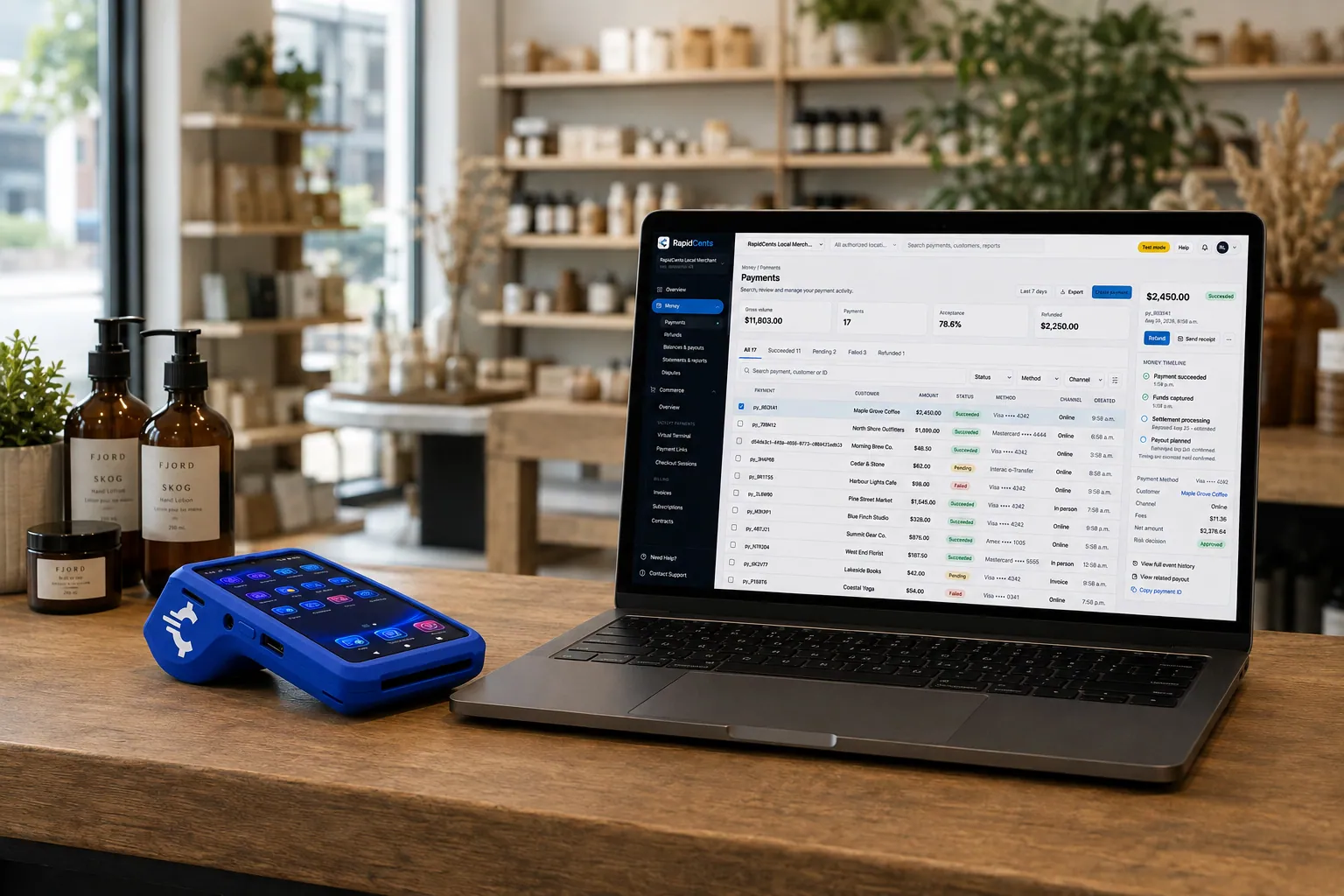
A retail counter ringing a basket on RapidCents POS, terminal taking the card and the dashboard showing the sale. Retail POS
Fast checkout, inventory that reflects what is on the shelf, and reporting that connects in-store and online…
Explore
The RapidCents payment links screen listing created links with their amount, status, click count and whether they have been paid, beside a phone showing the branded page a customer opens to pay $2,500.00. Payment Links
RapidCents payment links let staff generate branded pay-by-link URLs for invoices, deposits, balances and…
Explore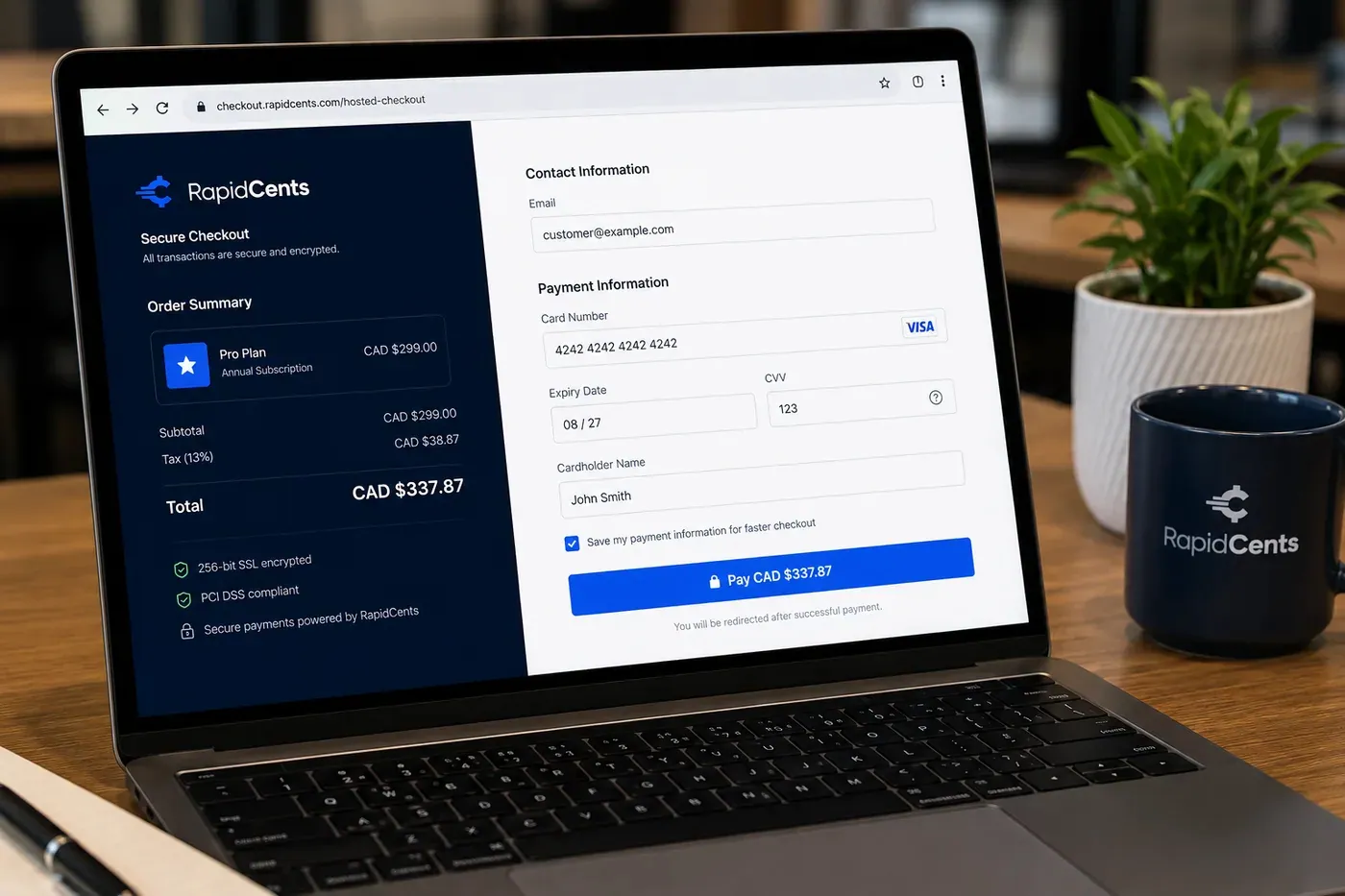
A RapidCents online checkout in a browser, with contact and card fields on the left and an order summary on the right showing the subtotal, tax and total, plus the accepted card brands. Online Payments
RapidCents online payments combine gateway APIs, hosted checkout pages, payment links and 3-D Secure…
Explore
A fixed RapidCents countertop terminal taking card payments at the till, with settlement visible on the dashboard. Countertop Terminals
RapidCents countertop terminals sit at retail counters, restaurant hosts and reception desks where speed and…
Explore


How do online and in-store bike sales reconcile?
Online and in-store bike sales reconcile when every order, return and settled deposit carries a reference that your retail software and your books can match. Online Payments and Retail POS report into one Merchant Dashboard, and your RapidCents representative will walk you through how it connects to your retail software.
One record for two channels
Counter sales run on Retail POS or Countertop Terminals, and web orders run on Online Payments or Hosted Checkout. Both appear in the Merchant Dashboard, with reports you can export. Tag each web order with the same order number your counter staff use.
Returns, pickups and exchanges
A rider buys a helmet online and returns it in the shop, or orders a rack and picks it up. Refund to the original card unless your policy says otherwise. Record the return against the original order, so reporting shows one clean adjustment.
Twenty items over a busy weekend
Say a shop sells twenty items over a busy weekend, six of them online for in-store pickup. On Monday, the owner exports the settlement report, matches the online orders to the pickup list, and posts the totals to the books.
How do you compare bicycle shop credit card processing costs?
Bicycle shop credit card processing costs depend on your card mix, ticket sizes and how cards are taken. RapidCents prices on interchange-plus: interchange at cost, your RapidCents markup in your Fee Schedule, and fees for equipment or services if applicable. It is month to month with no fixed term.
What drives your cost
Interchange varies with card type, such as debit, credit, premium or commercial, and with how the card is taken. A tapped or inserted card costs differently from a keyed or online one. E-bike deposits keyed over the phone behave differently from counter taps.
What to bring
Bring recent processing statements, your card mix, the average ticket for accessories, repairs and e-bikes, your split between counter, phone and online, and your refund and chargeback volume. A shop with a few large e-bike tickets and many small repairs needs both views.
Use Fee Check
Upload a processing statement to Fee Check and it shows interchange separated from markup. Read the Fee Schedule for your RapidCents markup and any equipment or service fees, and compare written quotes from every provider using the same statement.
Which retail software works with bike shop payments?
Your retail software decides how bike shop POS payments reach your ledger and inventory. Lightspeed Retail, Celerant, Shopify POS, Square for Retail and NCR Counterpoint are common choices. RapidCents integrates with many major platforms through APPIE and RapidBridge, and the right option depends on your vendor and version. Your RapidCents representative will walk you through it.
Lightspeed Retail and Celerant
These retail systems run inventory, special orders and work orders for many bike shops. APPIE lets point-of-sale software drive RapidCents terminals, and whether it fits your system depends on the edition you run. Tell your RapidCents representative which edition you use, and they will show you how payments, deposits and work orders connect.
Shopify POS, Square for Retail and NCR Counterpoint
Some of these platforms bundle their own processing or name a gateway, so the connection depends on the vendor and version. Your RapidCents representative will walk you through the options for your edition, and a Payment Link flow keeps deposits and repairs moving alongside the system.
QuickBooks Online, Xero, SAP and NetSuite
RapidCents connects settled transactions, fees and refunds to QuickBooks Online and Xero, and SAP and NetSuite import settlement files. Your RapidCents representative will show you what exports and what you post by hand for your setup.
Payment options for bike shops in Canada
Bike shops in Canada can usually offer Interac debit and credit cards at the counter, online and by Payment Link, plus EFT or pre-authorized debit (PAD) bank payments for larger balances. Settlement is in CAD, and your RapidCents representative will set out which methods sit on your account.
Interac and credit at the counter
Riders tap or insert Interac debit and credit cards on chip and PIN or contactless terminals. Interac debit often suits accessory and repair payments at the counter. GST/HST appears on receipts where it applies, and provincial rules may affect how you write deposit and cancellation terms.
Bank payments for large balances
For an e-bike balance, a rider may prefer an EFT or pre-authorized debit (PAD) payment, which needs the rider's written authorization. Your RapidCents representative will tell you which bank payments your account carries. Your Fee Schedule lists the fees that apply.
How do you switch a bike shop to a new processor?
You switch a bike shop by listing what is open, testing the new flow, and running both setups in parallel before moving live traffic. Once your account is approved, your RapidCents representative walks you through what can move, and stored cards move only when both providers agree.
Inventory what is open
List every open special-order deposit, unpaid repair link, active service plan and stored card. Note each customer's authorization and the amount, timing and cancellation terms. Cards saved with the old provider may not move because both providers must agree, so plan to ask riders to re-authorize where needed.
Test before going live
Run a test sale, a refund, a deposit by Payment Link and a repair payment on the new setup before real customers use it. Keep the old setup running for open orders during a short parallel period, and avoid switching during your busiest spring weekend.
Map and reconcile
Map the order number and work order number to your retail software. Then reconcile settled deposits to your ledger for the first full cycle, comparing Merchant Dashboard reports to your bank deposits and your open order list before you close the old account.
Payment questions from bike shops
What is the best payment processor for a bike shop?
There is no one right processor for every shop; the fit depends on your mix of counter sales, special-order deposits and repair payments. Compare written quotes using the same statement, your retail software, support for Payment Links and Recurring Payments, and the pricing model. RapidCents prices on interchange-plus with no fixed term, and Fee Check separates interchange from markup.
How much does credit card processing cost for a bike shop?
Cost depends on your card mix, your ticket sizes and how cards are taken. RapidCents uses interchange-plus: interchange at cost, your RapidCents markup stated in your Fee Schedule, and fees for equipment or services if applicable, month to month with no fixed term. Large e-bike deposits and small repair tickets pull the mix in different directions, so upload a statement to Fee Check.
Can Lightspeed Retail use a different payment processor?
RapidCents integrates with many major platforms through APPIE and RapidBridge. The right option depends on your edition and vendor, and some retail systems bundle a processor or name a gateway. Tell your RapidCents representative which system you run, and they will walk you through it, with Payment Links ready for deposits and repairs alongside the system.
How can a bike shop switch processors without losing payment history?
Export your payment history from the old provider before you close that account. List open e-bike deposits, repair links and service plans, and move stored cards only if both providers agree and the rider authorized the card. Test a sale, deposit and refund, run both setups in parallel for a short period, then reconcile deposits to your ledger.
Which payment options can a bike shop in Canada offer?
A bike shop in Canada can usually offer Interac debit, Visa, Mastercard and American Express credit cards, and EFT or pre-authorized debit (PAD) bank payments, with settlement in CAD. Your RapidCents representative will tell you which of these sit on your account before you promise a method to riders. Deposits, repair links and service plans can use any of them, subject to the rider's authorization.
Can a bike shop take a deposit on an ordered e-bike?
Yes. You can collect a deposit by Payment Link or at the counter when the special order is confirmed, then collect the balance on arrival. Your RapidCents representative sets the ticket limits and terms for your account. Agree deposit, cancellation and delay terms with the rider in writing, and reference the supplier order number on every payment.
Can repairs be paid before pickup?
Yes. Send a Payment Link tied to the repair work order once the customer okays the estimate, and the customer pays from a phone. Put the repair reference in the reference field so the receipt matches the ticket. Extra work found on the bench needs the customer's okay first, and unused amounts are refunded to the original card.
Can online and in-store bike sales reconcile in one place?
Yes. Retail POS, Countertop Terminals and Online Payments report into one Merchant Dashboard, and settlement and fee reports can be exported for your books. How orders sync with your retail software depends on your vendor and version, and your RapidCents representative will walk you through the connection for your setup.
Can a bike shop sell service plans and charge them on a schedule?
Yes, with the customer's authorization. Recurring Payments can collect an agreed amount on an agreed schedule for a tune-up plan or membership. Agree the amount, timing and cancellation terms in writing first. A schedule is a collection schedule, not financing, and it does not cover warranty, insurance or battery replacement promises.
How are refunds handled for special-order bikes and accessories?
Refunds return to the original card through the Merchant Dashboard or terminal, and a cancelled special order follows the terms the rider accepted. Keep the order number, deposit record and signed terms for any dispute. Disputes and Chargeback Protection tools help you track alerts and deadlines, but they do not decide a dispute for you.
What MCC is used for bike shops?
MCC 5940 is commonly associated with bicycle shops. Your RapidCents representative sets your merchant category during onboarding, based on what your business actually sells and services, such as bikes, e-bikes, parts, accessories and repairs, so the category follows the way you really trade.
Related industries for bike shops
Bike shops share deposit, repair and retail workflows with other businesses. Sporting Goods, the parent industry, covers rentals, repairs and returns, and other retail and repair industries show similar special-order and work-order payments.
Sporting Goods
Take cards at the till, the service desk and online, hold rental deposits, and reconcile…
Retail
Take tap, chip and PIN payments at every register, sell on your website, refund returns…
Convenience Stores
RapidCents gives convenience stores countertop terminals for debit and credit taps, Tap…
Grocery
Credit, debit and contactless acceptance for supermarkets and independent grocers…
Liquor Stores
RapidCents gives liquor and wine retailers card terminals for the till, payment links for…
Jewellery Stores
Take high-ticket cards at the counter, collect repair and custom-order deposits, and…
Furniture Stores
Take order deposits at the desk, collect delivery balances by link or at the door, and…
Garden Centres & Nurseries
Take cards at the till, beside the shrubs and at the loading gate, and collect landscape…
Take the next step
Review your bike shop's processing costs
Upload a recent processing statement to Fee Check and see interchange separated from your markup, then compare it with your mix of e-bike deposits, repairs and counter sales.
- No obligation
- Canadian payment specialists
- Secure statement upload



