


Payment processing for furniture stores: deposits to delivery
Payment processing for furniture stores covers showroom checkout, order deposits and delivery balances, taken by card in person, by payment link and over the phone. RapidCents handles it with Payment Terminals, Payment Links, Invoicing and Retail POS, priced on interchange-plus and billed month to month. Special order refunds return to the original card.

- PCI DSS Level 1
- SOC 2 Type II
- All major cards: Visa, Mastercard, Amex, Discover, UnionPay, Diners Club & Interac Debit
- Interchange-plus available
- Canadian support
How furniture stores get paid
Furniture stores get paid in stages: a deposit when the order is written, a balance when the piece is delivered weeks later, and card, link or invoice payments in between. Each stage is its own payment job with a different payer trigger and a different record for finance.
Order deposits
A shopper picks fabric and finish and you write the order. Staff take a deposit at the desk on a terminal, or send a Payment Link, to release the factory order. The receipt carries the order number so finance can match it later.
Delivery balances
The customer owes the remainder when the piece arrives. The office collects it by Payment Link or Invoicing request before the truck leaves, or the driver takes the card at the door. The payment closes the open order record.
Showroom checkout
On a busy Saturday, furniture showroom mobile checkout lets a salesperson take the card beside the sofa instead of walking the customer to the register. A mobile terminal or Tap to Pay on a supported phone completes the sale and sends the receipt.
Special order refunds
Made-to-order pieces get cancelled, arrive damaged or come back. Staff refund the original card for the amount the written order terms allow, and the refund shows on the same order record and in the settlement report.
How do furniture order deposit payments work?
Furniture order deposit payments work by charging the customer's card at the desk, or by Payment Link, when the order is written, and tying that payment to the order number. The deposit releases the vendor order and stays visible as a credit against the balance.
Run the deposit at the desk
Write the order with fabric, finish and dimensions, agree the deposit, then take the card on a countertop terminal, a mobile terminal or a Payment Link sent by SMS. Enter the order number as the reference. If you will store the card for the balance, get the customer's authorization first.
Handle declines and changes
A declined deposit means no vendor order, so offer another card or a link to finish later. If the customer changes fabric after paying, amend the order and charge or refund only the difference. Put the refundable window on the order so a later dispute has clear terms.
A $3,200 sectional, deposit at the desk
Say a customer orders a $3,200 sectional with a twelve-week lead time and taps a card for a $1,000 deposit. The order shows $1,000 paid and $2,200 open, and the vendor order goes out the same day. Finance sees one deposit tied to one order number.
How does furniture delivery balance collection work?
Furniture delivery balance collection works best when the customer pays before the truck leaves, by Payment Link or invoice, or at the door on a mobile terminal. Either way, the payment closes the open order, and the office knows before dispatch whether the balance is paid.
Collect before the truck rolls
When the warehouse confirms arrival, the office sends a Payment Link or an Invoicing request for the open balance, with the order number shown. Dispatch sees the paid status before loading, so a driver is not left at a doorway waiting for a card that will not work.
Handle door-side payments and damage
If the balance is taken at the door, the driver uses a mobile terminal or a phone with Tap to Pay. When a piece arrives damaged, hold the charge until the customer accepts the delivery, or refund the amount in dispute. Partial payments are fine when the order terms allow them.
A $2,200 balance, paid by link before delivery
Say the $2,200 balance on that sectional goes out as a Payment Link two days before delivery. The customer pays from a phone, dispatch sees the order marked paid, and the crew delivers without carrying a terminal. A customer who has not paid gets a call before the route is set.
RapidCents products for furniture stores
Payment Terminals take showroom and door-side payments, Payment Links collect deposits and balances remotely, Invoicing tracks open orders, and Retail POS runs the floor. Your RapidCents representative will help you choose the mix that fits your showroom.

The RapidCents Rivo Go standing upright in its blue silicone case, showing the full-touch sale screen a customer reads across the counter. Payment Terminals
RapidCents payment terminals cover countertop, mobile and smart form factors so you can accept chip…
Explore
The RapidCents payment links screen listing created links with their amount, status, click count and whether they have been paid, beside a phone showing the branded page a customer opens to pay $2,500.00. Payment Links
RapidCents payment links let staff generate branded pay-by-link URLs for invoices, deposits, balances and…
Explore
The RapidCents invoices screen: outstanding, overdue, paid and draft totals across the top, the invoice list below them, and a preview of one invoice on the right with its line items and a View & Record Payment button. Invoicing
RapidCents invoicing helps professional services, contractors and B2B suppliers create branded invoices…
Explore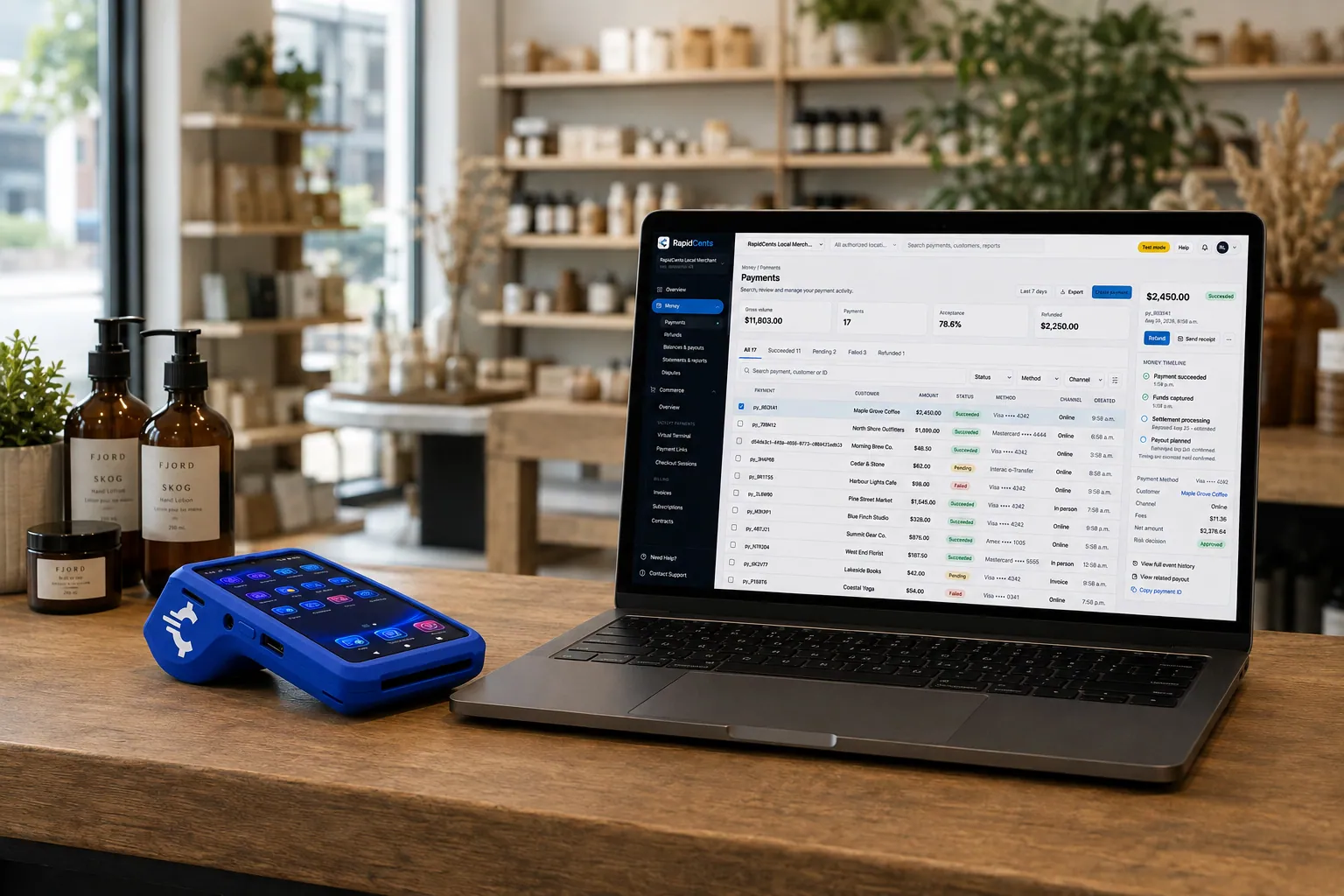
A retail counter ringing a basket on RapidCents POS, terminal taking the card and the dashboard showing the sale. Retail POS
Fast checkout, inventory that reflects what is on the shelf, and reporting that connects in-store and online…
Explore


How do furniture special order refunds work?
Furniture special order refunds go back to the original card for the amount the written terms allow, usually less any non-refundable portion once the vendor order is placed. Record the reason on the order so the refund, the vendor credit and the settlement report agree.
Refund to the original card
Look up the original sale, refund the card that paid, and record whether the reason is a cancellation, a delivery damage claim or a return. Staff permissions should limit who can refund. If the card is no longer valid, agree another route with the customer, such as a bank draft.
Cover split and partial cases
A customer who paid the deposit on one card and the balance on another needs two refunds, one to each card. Returning one piece of a multi-piece set refunds only that piece. Keep the vendor credit separate from the customer refund so neither is missed.
A $2,400 dining set cancelled after the vendor order
Say a customer who paid $2,400 cancels a dining set after the vendor order is placed. The terms keep $600 as non-refundable, so staff refund $1,800 to the card that paid and note the cancellation on the order for the vendor credit.
How do furniture store processing fees work?
Furniture store fees follow your card mix, ticket size and how the card is taken. We price every account on interchange-plus: interchange passes through at cost, your RapidCents markup is set out in your Fee Schedule, and fees for equipment or services apply if applicable. It runs month to month with no fixed term.
Large tickets and mixed cards
Furniture tickets are large and the cards vary: debit, credit, premium rewards and sometimes commercial cards from designers or builders. Interchange changes with the card type and with whether the card is tapped, inserted or keyed in, so your mix matters more than a headline price.
What to bring to compare
Bring two or three recent processing statements, your average ticket, the split between deposits, balances and showroom sales, the share of keyed or remote payments, and your refund and dispute volume. Large deposits and long lead times make refunds worth counting.
Run Fee Check
Upload a statement to Fee Check to see interchange separated from markup. Then lay written quotes side by side, line by line, including terminal fees, gateway fees and anything charged for disputes, and ask each provider for its term in writing.
Which furniture software works with RapidCents?
RapidCents integrates with many major platforms through APPIE and RapidBridge, so most furniture stores keep the software they run today. The right option depends on your software vendor and version, and your RapidCents representative will walk you through it. Settled transactions, fees and refunds connect to QuickBooks Online and Xero for your books.
STORIS
STORIS runs orders, deliveries and customer accounts for many furniture retailers. The right option depends on your STORIS version, so tell your RapidCents representative which edition you run, and they will show you how deposits, balances and refunds connect to your orders.
Furniture Wizard
Furniture Wizard handles order entry and balances due. Tell your RapidCents representative how you record a deposit and a delivery payment today, and they will show you how a payment link or a terminal sale matches back to the order so your balances stay accurate.
Lightspeed Retail
Lightspeed Retail is a cloud POS that some showrooms use. Your RapidCents representative will walk you through whether APPIE or RapidBridge fits your edition, which terminals sit with it, and how deposits on special orders are recorded.
Shopify POS
Shopify covers showroom and online sales. RapidBridge works with Shopify, so a card payment on a web order posts against the order you already have open. Your RapidCents representative will explain the best option for showroom sales on your plan.
Clover
Clover pairs terminals with a POS. If you run Clover in the showroom, RapidCents integrates with many major platforms through APPIE and RapidBridge, and the right option depends on your Clover setup. Your RapidCents representative will walk you through it, including a separate RapidCents terminal for showroom checkout.
Payment options for furniture stores in Canada
Furniture stores in Canada typically take Interac debit with chip and PIN or tap, Visa, Mastercard and American Express credit cards, and EFT or pre-authorized debit (PAD) for bank payments. Settlement is in CAD. Your RapidCents representative will set up the methods that fit your store.
Cards at the desk and by link
A deposit can be paid by Interac debit at the terminal or by credit card, tapped, inserted or sent by Payment Link. Debit and card limits are set by the cardholder's bank, so have a second method ready for a large ticket.
Bank payments and local rules
EFT or PAD can suit a large balance when a customer prefers not to use a card. PAD needs the customer's signed authorization. GST/HST appears on receipts where it applies, and provincial rules on deposits and cancellations can differ.
How do you switch processors without disrupting open orders?
Once your account is approved, switch by listing what is open, testing before you move, and running both setups for a short period. Open deposits, delivery balances, stored cards and refunds all need a home on the new setup before you stop using the old one. Do not assume saved cards can move.
List what is open
List every order with a deposit paid and a balance owed, every stored card and its authorization, and every pending refund. Moving stored cards between providers needs both providers to agree, so ask early and do not promise customers it will work.
Test, then run in parallel
Before going live, run a test deposit, a balance by Payment Link, a showroom sale on a mobile terminal and a refund. Keep the old setup for orders already in progress, and send new orders to the new one so deposits and balances do not split across two reports.
Reconcile to the ledger
Match each bank deposit to settlement reports, then to orders by order number, with refunds and fees on separate lines. QuickBooks Online and Xero connect to settled transactions, and SAP and NetSuite import settlement files. Your RapidCents representative will set up the one that fits your books.
Payment questions from furniture stores
What should furniture stores compare before choosing a payment processor?
Compare the whole payment workflow, not just a headline price. Check how deposits, delivery balances, showroom checkout and special order refunds run, what your furniture software allows, how interchange and markup are shown, how refunds and disputes work, and how support responds. We price on interchange-plus, month to month, and your RapidCents representative will walk you through each step with your own orders.
How much does payment processing cost for furniture stores?
The cost depends on your card mix, ticket size and how cards are taken. We price every account on interchange-plus: interchange passes through at cost, your RapidCents markup is in your Fee Schedule, and fees for equipment or services apply if applicable, month to month with no fixed term. Upload a statement to Fee Check to see interchange separated from markup.
Can I use STORIS with a different payment processor?
RapidCents integrates with many major platforms through APPIE and RapidBridge, and the right option depends on your STORIS version and contract. Some setups use a gateway of your choice, and a standalone terminal can work with order matching by reference. Tell your RapidCents representative which edition you run, and they will walk you through it.
How can my business handle furniture order deposit payments?
Take the deposit when the order is written, on a terminal or by Payment Link, and enter the order number as the reference. Put the deposit terms on the order, get the customer's authorization if you will store the card for the balance, and let the receipt and the settlement report carry the same number so finance can reconcile.
Which payment options can a furniture store in Canada offer?
A furniture store in Canada can usually offer Interac debit, major credit cards, Payment Links and EFT or PAD bank payments, with settlement in CAD. Cards cover deposits and showroom sales, and bank payments suit a large balance. GST/HST belongs on the receipt where it applies, and provincial rules on deposits may differ. Your RapidCents representative will walk you through each method.
What setup is needed for furniture delivery balance collection?
Send a Payment Link or Invoicing request before delivery, or use a mobile terminal at the door. Decide who can send links, which orders can take partial payments, and how a damaged delivery is handled. Test a balance payment and a refund before going live, so the crew and the office know exactly what to do.
How should we manage furniture POS payment integration?
Decide which system holds the order, which holds the payment, and how the two are linked. Staff should enter the order number on every payment, limit who can change or refund one, and know what to do when a payment fails. Your RapidCents representative will show you how APPIE and RapidBridge connect your software, and settlement reports match orders by reference.
Can one platform handle special order refunds and showroom mobile checkout?
Yes, on the payment side. A mobile terminal or Tap to Pay on a supported phone takes the sale on the floor, and refunds go back to the original card through the same Merchant Dashboard and reports. Whether both share one customer record depends on your POS, and your RapidCents representative will walk you through any import you need.
How do we reconcile card payments and bank deposits for furniture stores?
Match bank deposits to settlement reports, then settlement reports to orders. Keep gross sales, refunds, disputes and fees on separate lines, and use the order number and transaction ID to find each deposit and balance. RapidCents connects settled transactions, fees and refunds to QuickBooks Online and Xero, so your books stay in step.
How do we switch payment providers without losing saved cards or disrupting order deposits?
You can, but plan it and do not assume stored cards will move, because both providers must agree. List open deposits, balances and stored cards, test a sale, a balance payment and a refund, run the old and new setups in parallel for a short period, and reconcile before you close the old account.
What MCC is used for furniture stores?
MCC 5712 is commonly associated with furniture stores. We set the correct merchant category with you during onboarding, based on what your business actually sells, so describe your products and services accurately in the application. The category affects how the account is set up and reviewed, and it is not something to guess.
Related industries
Retail, home goods and other showroom businesses share deposits, special orders and mobile checkout. Each of them runs its payment workflow a little differently, so look at the industry closest to yours to see how deposits and balances fit.
Retail
Take tap, chip and PIN payments at every register, sell on your website, refund returns…
Convenience Stores
RapidCents gives convenience stores countertop terminals for debit and credit taps, Tap…
Grocery
Credit, debit and contactless acceptance for supermarkets and independent grocers…
Liquor Stores
RapidCents gives liquor and wine retailers card terminals for the till, payment links for…
Jewellery Stores
Take high-ticket cards at the counter, collect repair and custom-order deposits, and…
Sporting Goods
Take cards at the till, the service desk and online, hold rental deposits, and reconcile…
Garden Centres & Nurseries
Take cards at the till, beside the shrubs and at the loading gate, and collect landscape…
Auto Parts Retailers
Take cards at the counter and on delivery, collect trade statements on the terms you set…
Take the next step
Check your furniture store's processing costs
Upload a recent processing statement and Fee Check shows interchange separated from your markup, so you can compare deposits, balances and showroom sales line by line.
- No obligation
- Canadian payment specialists
- Secure statement upload



