


Payment processing for digital product sellers and creators
Payment processing for digital product sellers has to charge the card, confirm the result and only then release the ebook, template or file, because a delivered download cannot be taken back. RapidCents gives you Hosted Checkout and a Payment Gateway whose webhooks tell your store when to deliver, so every file goes out against a paid order.

- PCI DSS Level 1
- SOC 2 Type II
- All major cards: Visa, Mastercard, Amex, Discover, UnionPay, Diners Club & Interac Debit
- Interchange-plus available
- Canadian support
How digital product sellers get paid
Digital product sellers get paid through four jobs: one-time checkout for a title, payment links for launches and bundles, membership renewals, and invoices for team and commercial licenses, with refunds sending money back. Nearly every sale is card-not-present and the file goes out moments after payment, so each job starts with a confirmed payment and an order reference.
One-time purchase of a title
A reader, designer or hobbyist buys one ebook, template, font or preset pack. Hosted Checkout or the Payment Gateway charges the card, and the file is released once payment is confirmed. If a card declines or a buyer purchases twice by mistake, the order stays unpaid or the duplicate is refunded. Finance gets a transaction ID saved on the store order.
Launch offers and bundles sold by link
Newsletter subscribers or workshop attendees buy a launch bundle, single title or custom file from a link instead of a store page. Payment Links go out by email, text message or QR code, one per offer, with an expiry date if the offer ends. If a discount link gets forwarded, the expiry date limits it, and each payment carries its link's reference.
Membership and all-access renewals
Members pay monthly or yearly for a template library, stock asset collection or pattern-of-the-month club. Recurring Payments charges the stored card on the agreed date once the member authorizes it and accepts the amount, timing and cancellation terms. If a card expires, automated retries and Account Updater take over. Finance gets one subscription reference per member.
Team and commercial licenses
An agency or company buys a multi-seat font license, an extended commercial license or a bulk ebook order for staff. Invoicing sends a branded invoice with a payment link, often paid by company card. If a purchase-order number or a slow approval holds things up, the invoice waits, and finance matches each payment to its invoice number.
Refunds and revoked access
A buyer wants money back after choosing the wrong format, paying twice or getting a file that will not open. You refund the original transaction and your store revokes the download or license key. If the charge is already disputed, respond through Disputes instead of refunding. Finance sees each refund tied to its original order.
How does a payment gateway for digital downloads work?
A payment gateway for digital downloads charges the card first and lets your store release the file only after the payment result reaches your server. With the RapidCents Payment Gateway, your store sends the sale with its order number, a webhook reports success or failure, and only a success issues the download link and receipt, with a transaction ID finance can match to settlement.
From buy button to delivered file
The buyer clicks buy and your store opens an unpaid order. The card is entered on Hosted Checkout or on your own checkout built on the Payment Gateway, which authorizes and captures the sale. A webhook marks the order paid, and only then does the store create the download link and receipt. If your store emails links at order creation, move that trigger to the payment event.
What to set up before the first sale
Give the Payment Gateway a webhook address on your store and send the order number as the reference on every payment. Attach an idempotency key to each charge so a double-click or network retry cannot bill the buyer twice. For risky-looking orders, authorize first and capture after review; a void releases the hold if you turn the order down.
When a payment fails or the buyer disappears
A decline leaves the order unpaid and the file undelivered, so show a plain retry message, not a raw error code. A buyer who pays and closes the tab before the thank-you page loads still triggers the webhook, so send the download email from the webhook, not the page. Treat a repeated webhook for one order as one event, so a payment never issues two licenses.
A $24 preset pack sold at midnight
Say a photographer sells a $24 pack of editing presets on her site. A buyer pays near midnight, loses signal during the redirect and never sees the confirmation page. The payment-success webhook still reaches the store, which emails a link limited to three downloads and saves the transaction ID. Once the deposit settles, the sale shows in her settlement report under that order number.
Ebook checkout payment processing: titles, templates and bundles
Ebook checkout payment processing works best when every title, format and bundle has its own price and reference, and the buyer pays on a short page. RapidCents Hosted Checkout takes store sales your site delivers automatically, payment links for digital products sell a title or bundle wherever you can post a link, and Invoicing covers team licenses.
Match the checkout to where the buyer is
Buyers on a product page go to Hosted Checkout, redirected or embedded and styled with your logo and receipt messaging. A newsletter launch, social post or QR code on a workshop slide uses a Payment Link, one per title or bundle. A link sits outside your store, so unless your developer connects it, send the file yourself once the Merchant Dashboard shows the payment.
Set up titles, formats and licenses
Give each title and format its own reference, such as the EPUB and PDF editions, and each bundle another, so refunds and reports separate cleanly. Put the license type, personal or commercial, in the product name shown at checkout and on the receipt, so the buyer knows exactly which file and rights they paid for.
Pre-orders, double purchases and format mix-ups
For a pre-order, charge at checkout and deliver on release day, or save the card through Payment Tokenization with the buyer's permission and charge it on release day, showing the amount and date up front. If the release slips, offer refunds before buyers ask their bank. Refund an accidental second purchase against its own transaction, and answer a wrong-format purchase by sending the other edition.
A $12 planner shop selling through three channels
Say a designer sells a $12 digital planner through Hosted Checkout, a three-planner bundle through a Payment Link in her newsletter, and a 15-seat commercial license to a marketing agency by invoice. With references such as PLN-12, BND-3 and INV-104, the Reporting export shows which channel and product each payment came from.
RapidCents products for digital product sellers
Hosted Checkout takes the card on a RapidCents-hosted page, Payment Gateway webhooks tell your store when to release the file, Payment Links sell a title or bundle anywhere you can post a link, and Recurring Payments renews memberships with automated retries and Account Updater.

A RapidCents hosted checkout page at checkout.rapidcents.com, with the order summary and totals on the left and the card fields on the right, footed by SSL and PCI DSS assurances. Hosted Checkout
RapidCents hosted checkout delivers PCI-scoped payment pages you redirect customers to or embed via iframe…
Explore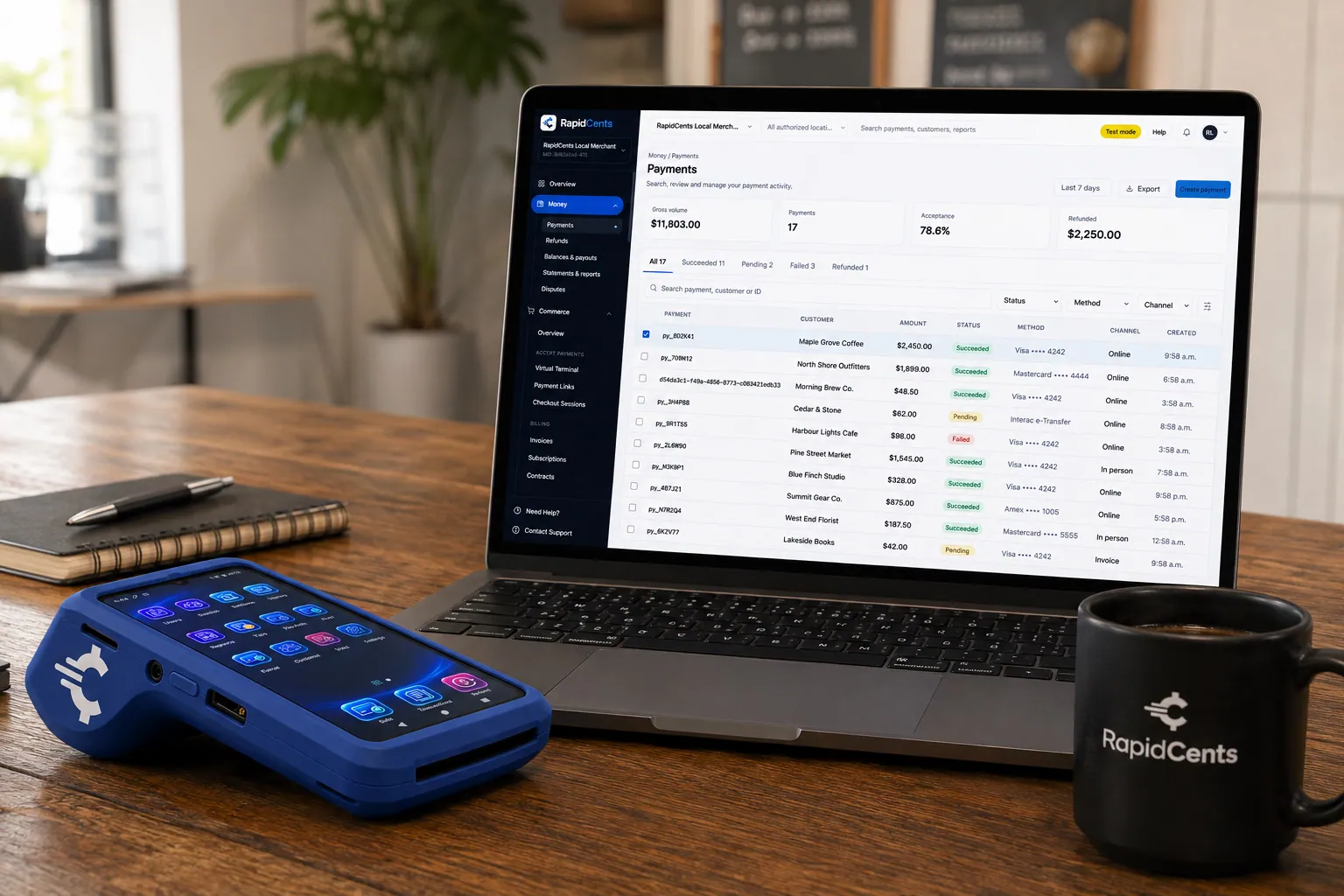
A payment-gateway integration desk: API response on screen, RapidCents terminal ready for a test sale. Payment Gateway
The RapidCents payment gateway exposes REST endpoints for authorize, capture, void, refund and tokenize…
Explore
The RapidCents payment links screen listing created links with their amount, status, click count and whether they have been paid, beside a phone showing the branded page a customer opens to pay $2,500.00. Payment Links
RapidCents payment links let staff generate branded pay-by-link URLs for invoices, deposits, balances and…
Explore
The RapidCents recurring payments screen showing active subscriptions, monthly recurring revenue, failed payments and upcoming renewals, above a list of subscriptions with their plan, amount, frequency and next billing date. Recurring Payments
RapidCents recurring payments manage subscription plans, membership renewals and installment schedules with…
Explore


Digital download chargeback protection after the file is delivered
Digital download chargeback protection is prevention plus proof: screen orders at checkout, make the charge recognizable, refund promptly when a buyer is right, and keep delivery records for the disputes that still arrive. RapidCents Fraud Prevention and 3D Secure screen online orders, and Disputes and Chargeback Protection tracks alerts, evidence and deadlines. No tool stops every dispute.
How a dispute on a download unfolds
A dispute starts when the buyer goes to their card issuer instead of you, usually claiming an unauthorized charge, a file not received or a product not as described. Downloads leave no tracking number, so your own records are the only proof of delivery. Card testers also hit low-price files with bursts of small charges to check stolen card numbers, and a file downloaded with a stolen card cannot be recovered.
Prevention to set up before you sell
Turn on Fraud Prevention screening, and 3D Secure where applicable, so the card issuer authenticates riskier buyers. Check that the name on buyers' card statements matches your store name; your RapidCents representative can show you how your descriptor is set. Show your refund policy before payment and on the receipt, and require a customer account for downloads so every file access is tied to a buyer.
Evidence when a dispute arrives
Disputes and Chargeback Protection alerts you with the reason and response deadline. Gather the order record and transaction ID, the license terms accepted at checkout, the delivery email and the download log showing the file accessed from the buyer's account, with dates and IP addresses. Earlier undisputed purchases by the same buyer help. If the file really was broken, accept the dispute instead.
A $45 font license dispute, six weeks later
Say a small type foundry sells a $45 desktop font license. Six weeks later, the buyer's bank files a not-received dispute. The foundry's records show the buyer created an account, accepted the license terms at checkout and downloaded the font files twice. The team uploads that evidence through Disputes before the deadline, and the card issuer decides the outcome.
Compare fees using your real digital sales mix
Payment processing fees for digital product sellers depend on your real mix: online card entry, small tickets and where buyers' cards are issued. RapidCents prices credit card processing for digital product sellers on interchange-plus: interchange, set by the card networks and varying with card type and entry method, passes through at cost, plus your RapidCents markup set out in your Fee Schedule and fees for equipment or services, if applicable. Agreements run month to month, with no fixed term.
Every sale is card-not-present
Cards typed into a checkout fall into online interchange categories, which generally cost more than tapped or inserted cards, and for many digital sellers that is the whole volume. Download cards sold at a convention table with Tap to Pay price as card-present, so read the two channels separately on any statement or quote.
Small tickets and how often buyers pay
A single template or preset pack is often a small charge, and any fixed per-transaction part of interchange or your Fee Schedule weighs more on a small ticket. Bundles, annual memberships and multi-seat licenses turn many small charges into fewer, larger ones. Compare quotes on average ticket and monthly transaction count together.
Which cards your buyers use
Consumers bring debit, credit and premium rewards cards, each in its own interchange category, while agencies buying commercial licenses often pay with business cards priced in commercial categories. Cards issued in other countries land in international categories and can carry network cross-border fees, so a quote means little unless it is priced on your recent card mix.
What to bring to compare quotes
Bring three months of statements, your split between store checkout, payment links, renewals and invoices, average ticket, share of foreign cards and monthly refund and chargeback counts. Check how each Fee Schedule treats refunds and disputes, and list platform fees separately, since they are not card processing. Fee Check reads one statement and shows interchange apart from markup.
Shopify compatibility and how payment data flows to your store
RapidCents integrates with many major platforms through APPIE and RapidBridge, and the right option depends on your platform, edition and country. RapidBridge works with Shopify and WooCommerce; for Easy Digital Downloads, Gumroad and Payhip, your RapidCents representative will walk you through the options. Your store keeps products, download links and customer accounts.
Shopify
Shopify runs the storefront and, through digital-download apps, file delivery for many creators. RapidBridge works with Shopify, so a RapidCents card payment can be taken inside the Shopify admin without changing your store. Payment Links or Hosted Checkout can also sit beside Shopify for licenses or launches. Your RapidCents representative will walk you through the setup for your plan and country.
WooCommerce
WooCommerce, the WordPress store plugin, grants download access once its payment plugin reports an order paid. RapidBridge works with WooCommerce, and for a deeper link your developer can build on the Payment Gateway's REST API and webhooks, or hand off to Hosted Checkout and write the result back to the order. Your RapidCents representative will walk you through the route for your version and hosting.
Easy Digital Downloads
Easy Digital Downloads is a WordPress plugin made for selling files: it records the order, emails download links and can limit how many times, or for how long, a link works. Payments run through gateway extensions. A Payment Gateway connection your developer builds is the common route, and your RapidCents representative will walk you through it for your plugin version and country.
Gumroad
Gumroad hosts the product page, takes the payment, delivers the file and pays creators out from its own platform, so its sales do not run through a merchant account you choose. Creators who move usually sell from their own site with Hosted Checkout or Payment Links, after exporting Gumroad sales history and listing what Gumroad handles for them today, such as refunds or tax.
Payhip
Payhip sells downloads, memberships and courses from a hosted store and takes payments through accounts the seller connects, such as PayPal or Stripe. The usual pattern is a separate Hosted Checkout page or Payment Link for offers outside Payhip, with delivery handled by your own system. Talk to your RapidCents representative about the best option for your country and setup.
Payment options for digital product sellers in Canada
Digital product sellers in Canada can take Visa, Mastercard and American Express online and through payment links, plus debit cards with a Visa Debit or Debit Mastercard logo where accepted, settled in CAD. EFT and pre-authorized debit (PAD) suit license invoices and memberships, and Interac debit covers in-person sales, once each is enabled on your RapidCents account.
Interac debit only when you sell in person
Interac debit is a terminal payment, inserted with a PIN or tapped, so it matters only face to face, such as download cards sold at a book fair. Online, a buyer paying by debit uses a card with a Visa Debit or Debit Mastercard logo, where your checkout accepts it.
EFT and PAD for licenses and memberships
A company buying a site license can pay your invoice by EFT, and memberships can be collected by pre-authorized debit once the member signs a PAD agreement, where enabled. Put the invoice or member number on each payment so deposits match your records.
GST/HST on digital downloads
GST/HST, and QST or provincial sales tax where it applies, can be due on ebooks, templates and other downloads depending on where the buyer lives. RapidCents processes the total your checkout charges; deciding, remitting and filing the tax stays with your accountant.
Switching, testing and reconciling your digital sales
Switching processors as a digital product seller means moving checkout without breaking renewals, open refunds or download access. Inventory stored cards and memberships, test a sale, refund and renewal, run both processors until renewals have moved, and reconcile each deposit to store orders by reference. Stored cards move only if both processors agree to a token transfer.
Inventory what is in flight
List active memberships with renewal dates and amounts, the stored cards and authorizations behind them, open refunds and disputes, unpaid license invoices and pre-orders awaiting release. Export order history with transaction IDs from your current processor or platform, because payment history stays where it was created and older sales can still be disputed.
Test before moving the buy buttons
Once your account is approved, run a real sale, a refund and a renewal through the new checkout with a staff card. Check that the webhook releases the file, the refund revokes access and the renewal lands on the right member. Then point buy buttons and payment links at RapidCents, starting with one product if you sell many.
Run in parallel while memberships move
Keep the old processor open for existing memberships until each renews on the new checkout or the member re-enters a card. Email members ahead of the change with the date, the amount and how to update their card. Plan on tokens moving only if both providers agree in writing.
Reconcile deposits to orders
Reporting gives transaction, settlement and fee reports with CSV and PDF export; match each settlement batch to store order numbers and keep refunds and dispute debits on their own lines. RapidCents connects settled transactions, fees and refunds to QuickBooks Online and Xero, and SAP and NetSuite import settlement files.
Payment questions from digital product sellers
What is the best payment processor for digital product sellers?
No single processor is best for every digital product seller; the right one fits how you sell and proves its cost on your own statement. Check that checkout releases files only on confirmed payment, renewals include retries and card updates, dispute tools track deadlines and your store software is compatible. Then compare written interchange-plus quotes priced on the same recent statement.
How much does credit card processing cost for digital product sellers?
It depends on your card mix, average ticket and share of foreign or premium cards, so no single price applies. RapidCents uses interchange-plus: interchange at cost, plus your RapidCents markup set out in your Fee Schedule and fees for equipment or services, if applicable, month to month with no fixed term. Upload a recent statement to Fee Check and ask every provider for an itemized quote.
Can Shopify use a different payment processor?
Sometimes. Shopify decides which outside payment providers run inside its checkout, the list varies by country, and your plan can affect the cost of using one. RapidCents works with Shopify through RapidBridge, and your RapidCents representative will walk you through Shopify payment processor compatibility for your store. Payment Links or Hosted Checkout handle sales outside Shopify that Shopify does not record.
How can digital product sellers switch processors without losing payment history?
Export your history first, because payment records stay with the processor or platform that created them. Keep order, refund and dispute exports for older sales, list active memberships, stored cards and open invoices, test a sale and refund on RapidCents, and run both processors until renewals move. Saved cards come across only if both processors agree to a token transfer, so expect some members to re-enter a card.
Which payment options can a digital product seller in Canada offer?
Cards, co-badged debit and bank payments, depending on what your account has enabled. Buyers pay with Visa, Mastercard and American Express through Hosted Checkout or a payment link, or with Visa Debit and Debit Mastercard cards where accepted. Memberships renew on stored cards or by PAD with a signed agreement, companies can pay license invoices by EFT, and Interac debit covers in-person sales. Settlement is in CAD, and your RapidCents representative walks you through the methods at onboarding.
How can we release a download only after payment succeeds?
Make the payment-success event, not the order or the thank-you page, the trigger that issues the download link. Your store opens the order as unpaid, the RapidCents Payment Gateway charges the card, and a webhook reports success or failure; only a success makes the store send the link and receipt. RapidCents processes the payment, while your store controls the file, link limits and access after a refund.
How can we collect payments for ebooks and templates?
Use Hosted Checkout on your store for sales that deliver automatically, and Payment Links for one-off or launch sales by email, text message or QR code. Give every title, format and bundle its own reference so payments, refunds and reports line up, and send team licenses through Invoicing. Your store or delivery tool sends the file; RapidCents records the payment against your reference.
How can we reduce disputes after a digital file is delivered?
Make the charge recognizable, answer refund requests before buyers call their bank, and keep records that prove delivery. Use a statement name that matches your store, show your refund policy before payment, and tie downloads to customer accounts with dates and IP addresses. Screen orders with Fraud Prevention and 3D Secure where applicable, and answer disputes through Disputes and Chargeback Protection before the deadline.
How can we offer a short hosted checkout?
Send buyers from your buy button to RapidCents Hosted Checkout, as a redirect or embedded, and ask only for what a download needs: an email for delivery, card details and any fields fraud screening requires. Card details go into the RapidCents-hosted page, not your server, giving you a secure checkout for digital goods without building a payment form. Your store still releases the file only after payment is confirmed.
How can we refund a digital purchase with an order reference?
Find the RapidCents transaction ID saved on the store order, then refund that transaction from the Merchant Dashboard or through the Payment Gateway's refund call. The money returns to the original card, and the order reference lets finance match the refund to the sale. Revoke the download or license key in your store, and if the charge is already disputed, respond through Disputes instead of refunding.
What MCC is used for digital product sellers?
MCC 5818 is commonly associated with digital goods sellers, and your RapidCents representative sets the right merchant category at onboarding based on what you actually sell. Card networks keep separate digital goods categories for some products, such as books, music and video or software applications, so a store selling one kind of file may be classified differently. Describe your full range, including memberships and licenses, at onboarding.
Industries with similar digital payment workflows
Downloadable Software and Software & SaaS share license keys, renewals and webhook-triggered delivery; Edtech & eLearning sells courses through the same checkout and membership patterns; Gaming faces the same card testing on small digital purchases; and E-commerce adds shipping when a creator also sells printed editions.
Software & SaaS
Take cards inside your product, bill plans and metered usage, recover failed renewals and…
Downloadable Software
Sell license keys online, renew subscriptions and maintenance plans on stored cards, and…
Edtech & eLearning
Sell courses at checkout, collect tuition in scheduled installments and invoice employers…
Gaming
Take in-game and web shop purchases, renew battle passes and memberships, and run esports…
E-commerce
Take cards at your online checkout, renew subscribe-and-save orders, collect phone and…
Take the next step
See what your digital product sales cost to process
Fee Check reads a recent processing statement and shows interchange apart from markup, so you can test any quote against your real pattern of small downloads, bundle launches, membership renewals and refunds.
- No obligation
- Canadian payment specialists
- Secure statement upload



