


Edtech payments: course tuition, instalments and LMS billing integration
A course platform collects three kinds of money: a learner paying tuition at enrolment, a parent paying a bootcamp in installments, and an employer being invoiced for a cohort of staff. RapidCents covers each with hosted checkout, recurring payments for installment schedules, payment links sent to a parent, and invoicing for corporate training accounts. Educational services carry MCC 8299, which is how a course provider is classified when it is not a school.

- PCI DSS Level 1
- SOC 2 Type II
- All major card brands: Visa · Mastercard · Amex · Interac debit
- Interchange-plus available
- Canadian support
Operational workflows
Enrolment paid at hosted checkout
Tuition split into scheduled instalments
Payment link sent to the paying parent
Employee cohort invoiced to the employer
Payment challenges
The payer is not the learner
The student enrols but a parent or an employer holds the card, so the charge has to be requested from someone who never saw the checkout.
Instalments that outlast the course
A bootcamp paid over months keeps billing after the last class, and a learner who dropped out disputes what is left.
Corporate training on net terms
An employer will not pay by card at enrolment, so the cohort is invoiced and the seats are open before the money arrives.
Choose the right payment setup for Edtech & eLearning
Choose edtech payment processing
For Edtech & eLearning, map sign-up, scheduled billing, and renewal and online checkout and remote payment before choosing a setup. Select channels that match those moments, then confirm that the chosen solution genuinely covers each channel.
Payment hardware for Edtech & eLearning
For Edtech & eLearning, physical hardware may be secondary to the checkout flow. Prioritize gateway or payment-page requirements first, then add a terminal only when an in-person payment point is genuinely needed.
Compare payment processing fees
For Edtech & eLearning, request a written fee breakdown covering scheduled billing, declined cards, and cancellations and online checkout and dispute handling. Compare the effective cost across the real card and channel mix; do not choose on a headline rate alone.
Set up or switch Edtech & eLearning payments
To set up Edtech & eLearning payments, document the checkout, confirmation, and refund path, confirm compatibility before purchase, then test a real payment flow before going live.
Recommended products
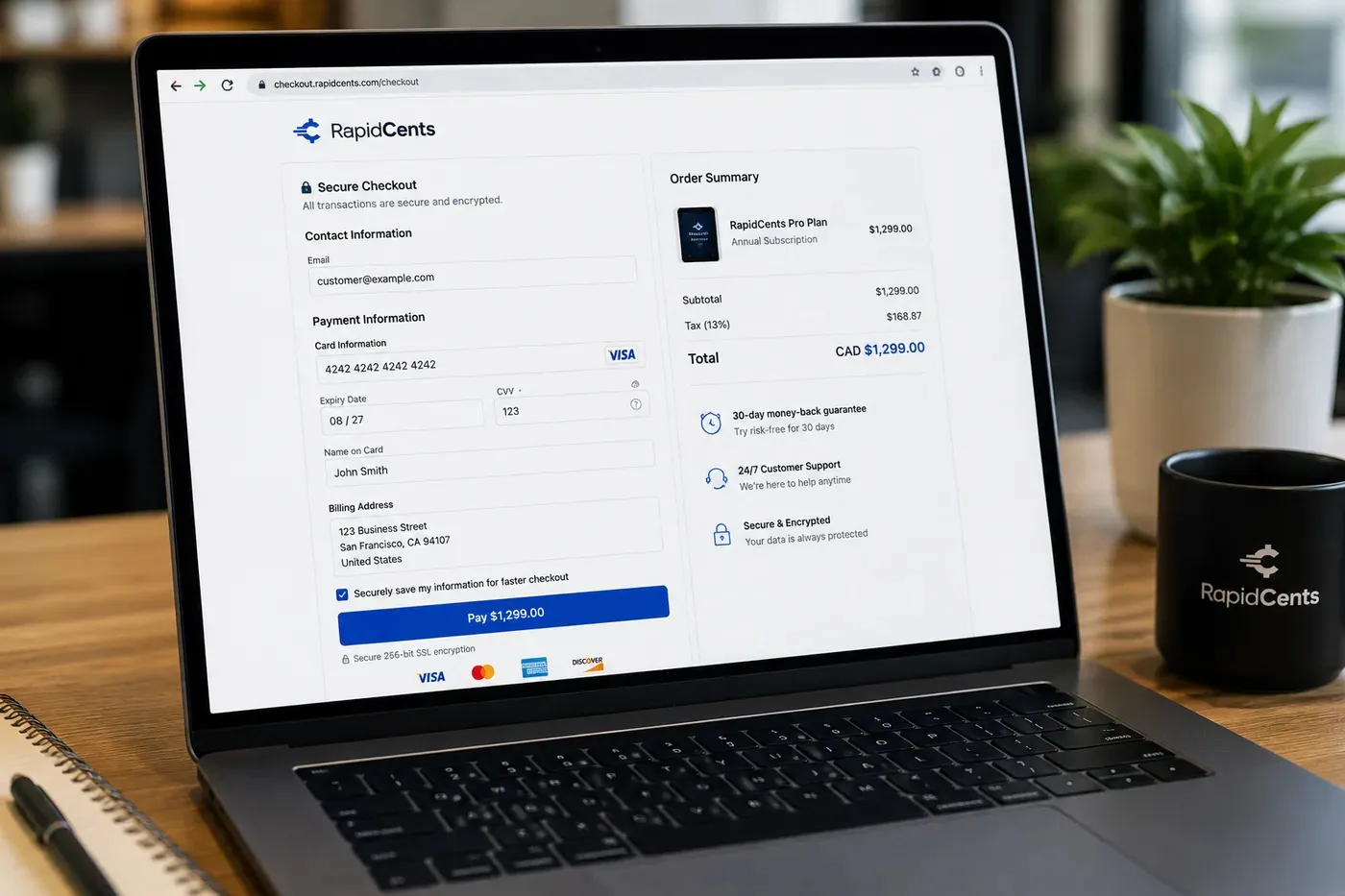
A RapidCents hosted checkout page at checkout.rapidcents.com, with the order summary and totals on the left and the card fields on the right, footed by SSL and PCI DSS assurances. Hosted Checkout
RapidCents hosted checkout delivers PCI-scoped payment pages you redirect customers to or embed via iframe…
Explore
The RapidCents recurring payments screen showing active subscriptions, monthly recurring revenue, failed payments and upcoming renewals, above a list of subscriptions with their plan, amount, frequency and next billing date. Recurring Payments
RapidCents recurring payments manage subscription plans, membership renewals and installment schedules with…
Explore
The RapidCents payment links screen listing created links with their amount, status, click count and whether they have been paid, beside a phone showing the branded page a customer opens to pay $2,500.00. Payment Links
RapidCents payment links let staff generate branded pay-by-link URLs for invoices, deposits, balances and…
Explore
The RapidCents invoices screen: outstanding, overdue, paid and draft totals across the top, the invoice list below them, and a preview of one invoice on the right with its line items and a View & Record Payment button. Invoicing
RapidCents invoicing helps professional services, contractors and B2B suppliers create branded invoices…
Explore


How this gets set up
Enrolment pays for itself
Hosted checkout takes tuition at the moment a learner enrols and intent is highest, rather than after an admissions call three days later.
The parent paying in instalments
A bootcamp fee split over the length of the cohort runs on recurring payments, and a payment link sends the first instalment to whoever is actually paying.
Invoicing an employer for a cohort
Corporate training is a purchase order and a net-term invoice, not a checkout page, so those accounts are billed with invoicing and settle by card or EFT.
Access tied to the payment record
A missed instalment becomes a support decision, so whoever answers it has to be able to read the payment history for that learner.
Integrations
Thinkific
Thinkific hosts the course and unlocks it on the payment result, so a paid enrolment becomes access without an administrator granting it by hand.
Teachable
Teachable's checkout hands the card to the RapidCents gateway, keeping the tuition charge and the course delivery on the same event.
Canvas exports
Canvas exports let you match enrolment records against payments as a file; the LMS receives no card data and no live feed.
Operations, security and going live
Reporting per cohort, not per month
Revenue belongs to an intake, so tuition, instalment draws and corporate invoices have to group by the cohort they paid for.
Refund windows and lessons already taken
A withdrawal request always comes with a claim about how far the learner got, and the transaction dates beside the platform's progress data are what settle it.
Instalment cards held in a vault, not the admissions office
Tokenization stores the parent's card instead of a spreadsheet at reception, and the account updater refreshes it when it expires mid-cohort.
Live before the intake opens
Checkout and links go up without touching the LMS, so the launch date is set by the intake calendar rather than by integration work.
Payment questions from Edtech & eLearning
What should businesses compare when choosing edtech payment processing for Edtech & eLearning?
Compare edtech payment processing against the real payment journey: sign-up, scheduled billing, and renewal and online checkout and remote payment. Start with the required channels and hardware, then confirm compatibility and support before committing.
What payment hardware is practical for Edtech & eLearning?
If Edtech & eLearning sells primarily online, do not choose physical hardware before validating checkout. Add hardware only for a clearly defined in-person payment need.
Which payment channels are relevant for Edtech & eLearning?
For Edtech & eLearning, start with sign-up, scheduled billing, and renewal and online checkout and remote payment. Keep only the channels that match those moments, then verify the complete customer flow before offering them.
How should payment processing fees be evaluated for Edtech & eLearning?
For Edtech & eLearning, compare costs related to scheduled billing, declined cards, and cancellations and online checkout and dispute handling using actual transactions. Request a written breakdown of fees and terms rather than relying on an advertised rate alone.
What should be confirmed before setting up payments for Edtech & eLearning?
For Edtech & eLearning, document the checkout, confirmation, and refund path, verify the needed compatibility, and test the flow before going live. This exposes manual steps and exceptions before customers encounter them.
What should be confirmed before using recurring payments for Edtech & eLearning?
Define consent, billing cadence, change and cancellation rules, and how a declined card is handled. Ask to see the complete customer journey before offering it to customers.
What MCC category applies to Edtech & eLearning?
MCC 8299 is commonly associated with Edtech & eLearning. Our onboarding team confirms the correct category for your business.
Related industries
Software & SaaS
SaaS companies embed payments, manage platform revenue share and use developer APIs for…
Digital Products
Sell ebooks, templates, media and digital goods with instant checkout, fraud tools and…
Downloadable Software
License keys, one-time purchases and upgrade paths for downloadable software with global…
Gaming
Game studios, esports venues and in-game commerce use gateway APIs, recurring battle…
E-commerce
Online merchants unify checkout, subscriptions, buy-now-pay-later where supported and…
Take the next step
Talk to a RapidCents specialist
RapidCents Fee Check reads a processing statement and shows interchange separately from the markup. Upload a statement for an instant breakdown, or open a merchant account and start accepting payments on one account.
- No obligation
- Canadian payment specialists
- Secure statement upload



