


Payment processing for software vendors: license keys and renewals
Payment processing for software vendors has to tie every charge to a license: a key issued only after a successful payment, renewals on a stored card and upgrades charged to the same customer. RapidCents gives you Hosted Checkout, Payment Gateway webhooks for your license server and Recurring Payments, and connects to your licensing tools through APPIE and RapidBridge.

- PCI DSS Level 1
- SOC 2 Type II
- All major cards: Visa, Mastercard, Amex, Discover, UnionPay, Diners Club & Interac Debit
- Interchange-plus available
- Canadian support
How software vendors get paid
Software vendors get paid in five ways: new license sales, annual renewals and maintenance plans, version and edition upgrades, extra seats and add-on modules, and business orders paid by invoice or phone. Each has its own payer and trigger, and each payment should carry the license ID, so finance can tie money received to the keys, seat counts and expiry dates your licensing system holds.
New license sales
An individual buyer or a small company buys a perpetual license or a first-year subscription on your website, often when a free trial ends. Hosted Checkout takes the card, and only a successful payment triggers the key, so a decline or a checkout abandoned at the 3D Secure step never issues one. Finance gets one record linking order ID, transaction ID and license.
Annual renewals and maintenance plans
Existing customers pay to keep a subscription active, or to keep receiving updates and support on a perpetual license they own. The charge comes due once a year on the card they agreed to store, through Recurring Payments. If a card has been replaced, Account Updater and a payment link cover it. Finance sees one renewal per license per term, tied to the new expiry date.
Version and edition upgrades
Owners of an older major version, or a lower edition, pay to move up when a new release ships or they need a higher tier's features. Software upgrade payment processing usually means a reduced upgrade price checked against the original license, paid at checkout or on the stored card. Check the license first, so an upgrade is never bought against the wrong one. Finance links each upgrade to the license it replaces.
Extra seats and add-on modules
A team administrator adds users, machines or a paid module partway through the term. The charge is usually prorated to the next renewal and taken from the stored card once the administrator approves it, or invoiced for large teams. When seats are removed, any credit your terms allow goes back through a refund. Finance gets the seat change, the charge and the license ID together.
Business, volume and reseller orders
Companies, schools and public bodies buy volume or site licenses against a quote or purchase order, and resellers buy for their clients. They pay a branded invoice from Invoicing by its payment link, by bank transfer, or by card over the phone through the Virtual Terminal. Put the purchase order number on the invoice, and partial payments stay easy to follow. Finance matches each invoice to the keys issued.
How does software license payment processing work?
Software license payment processing ties each license key to a confirmed payment: the buyer pays on a checkout page, RapidCents confirms the charge to your server, and only then does your licensing system create and send the key. Hosted Checkout collects the card, the Payment Gateway authorizes and captures it, and a webhook carries the result and your order ID to your backend. Keys, activations and download access stay in your licensing system.
How a first sale runs
The buyer picks an edition on your pricing page, or clicks Buy in a trial build, and lands on Hosted Checkout with your order ID and product code attached. RapidCents authorizes and captures the card and shows a receipt. A webhook then reaches your server, which asks your licensing system for a key, stores the license ID beside the RapidCents transaction ID and emails the key with the download link.
What to set up before launch
Map every price to a license type, such as perpetual with a year of updates, annual subscription or per seat, and pass the order ID and product code with each payment. Show the refund window and, for anything that renews, the amount, renewal date and how to cancel. Get the customer's authorization before storing a card for renewals, keep it with Payment Tokenization, and rehearse purchase, decline and refund in the sandbox.
Declines, refunds and chargebacks
A decline creates no key; tell the buyer plainly and let them try another card. When you refund inside your refund window, revoke the license too: a copy activated offline may keep working until it next checks the license online. In a chargeback, the license record is your evidence: purchase, key delivery, activations and downloads. Disputes and Chargeback Protection keeps alerts, evidence and deadlines together.
A perpetual license with a year of updates, from trial to refund
Say a two-person studio sells a batch PDF converter for Windows and macOS as a perpetual license with one year of updates. A designer ends a 14-day trial, clicks Buy in the app, pays on Hosted Checkout, and the webhook triggers the key. Two weeks later she asks for a refund inside the 30-day window; support refunds the card and revokes the key, and both lines appear in the transaction report.
Payment gateway for desktop software: renewals, upgrades and seats
A payment gateway for desktop software lets your server bill returning customers for renewals, upgrades and extra seats on a card they agreed to store, while the desktop app itself never holds payment credentials. Recurring Payments runs renewals with notices, automated retries and Account Updater; for upgrades and seats, your server charges the stored card through the Payment Gateway API once the customer approves the amount.
Recurring software license renewals
Recurring software license renewals bill an annual subscription or maintenance plan on the anniversary of the first purchase. The buyer agreed at checkout to the renewal amount, date and cancellation terms, and the card is held as a token. Recurring Payments notifies the customer before the charge and runs it on the date; on approval, your server extends the license expiry so the app keeps receiving updates.
Upgrades and seats bought inside the app
The customer clicks Upgrade or Add seats in the app or your customer portal. The app calls your server, never RapidCents directly, because API credentials shipped in a desktop build can be extracted. Your licensing system prices the change, the customer confirms it, and your server charges the stored card through the Payment Gateway with an idempotency key. On approval, the existing license gets the new edition or seat count.
When a renewal or upgrade charge fails
A declined renewal is retried automatically, Account Updater can supply a replaced card where the issuer takes part, and an emailed payment link lets the customer pay with a new card. Decide what the license does after a grace period: a perpetual fallback, where the owned version keeps working without updates, or a subscription build that stops. That rule lives in your licensing system, not in RapidCents. A declined upgrade leaves the current edition untouched.
A maintenance renewal and three new seats
Say an architecture firm holds ten seats of a 3D design tool on an annual maintenance plan. Recurring Payments notifies its administrator before the anniversary; on the date, the first attempt is declined, the automated retry is approved, and the license expiry moves forward a year. Mid-term the firm adds three seats in the app, approves the prorated amount, and the server charges the stored card.
RapidCents products for software vendors
Hosted Checkout takes the first license payment without card data touching your servers, and the Payment Gateway's API and webhooks tell your license server when to issue, extend or revoke a key. Recurring Payments renews subscriptions and maintenance plans with notices, retries and card updates, and the Virtual Terminal takes business orders read out over the phone.
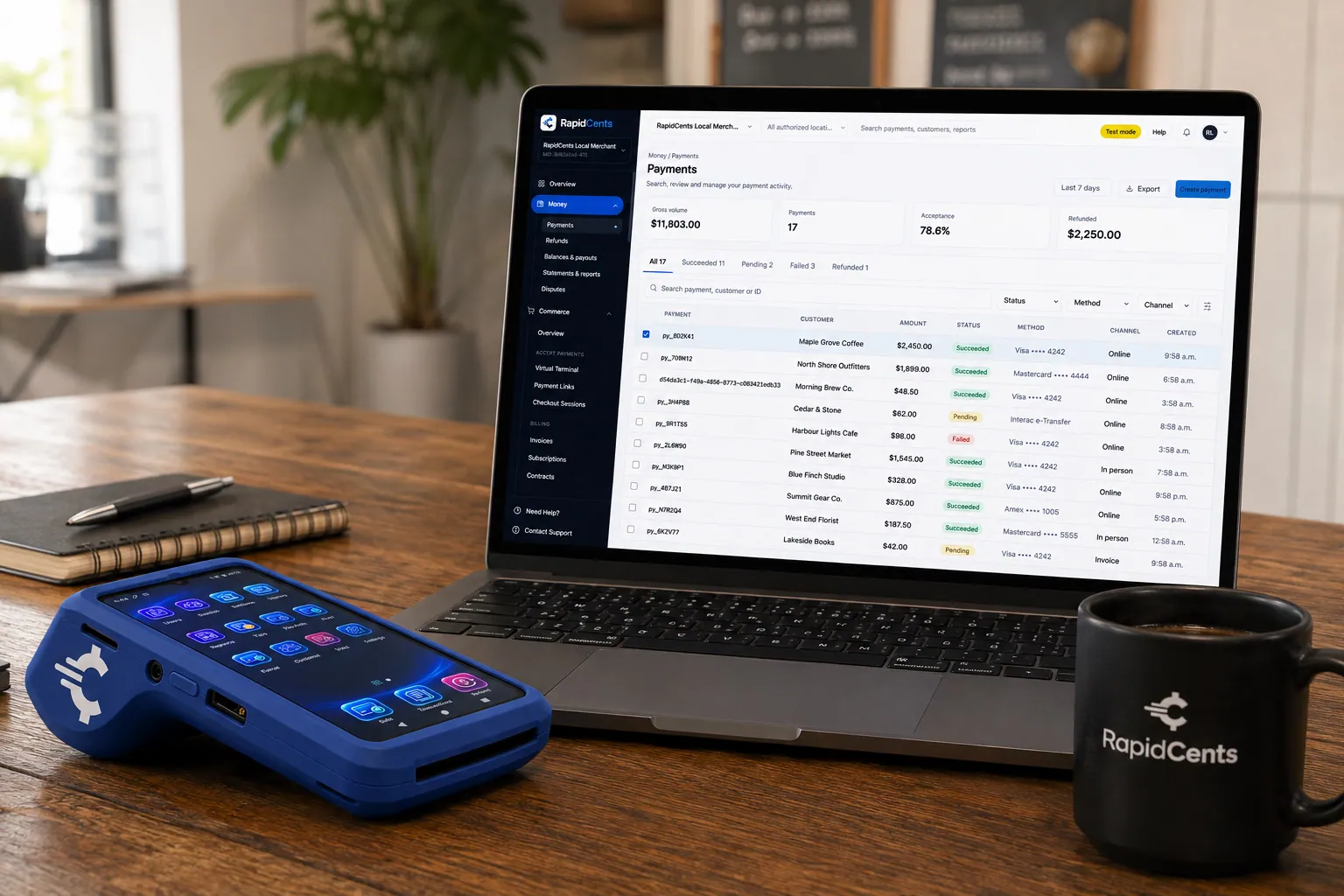
A payment-gateway integration desk: API response on screen, RapidCents terminal ready for a test sale. Payment Gateway
The RapidCents payment gateway exposes REST endpoints for authorize, capture, void, refund and tokenize…
Explore
A RapidCents hosted checkout page at checkout.rapidcents.com, with the order summary and totals on the left and the card fields on the right, footed by SSL and PCI DSS assurances. Hosted Checkout
RapidCents hosted checkout delivers PCI-scoped payment pages you redirect customers to or embed via iframe…
Explore
The RapidCents recurring payments screen showing active subscriptions, monthly recurring revenue, failed payments and upcoming renewals, above a list of subscriptions with their plan, amount, frequency and next billing date. Recurring Payments
RapidCents recurring payments manage subscription plans, membership renewals and installment schedules with…
Explore
The RapidCents virtual terminal: payment details, card number, expiry and CVV keyed by hand on the left, with a payment summary on the right showing the amount, the estimated processing fee and a Process Payment button. Virtual Terminal
The RapidCents virtual terminal lets authorized staff enter mail-order and telephone-order payments through a…
Explore


License key checkout payments that issue one key per order
License key checkout payments should produce exactly one key per paid order, even when the same webhook arrives twice, the success page loads before the webhook, or your server retries a request after a timeout. Make the order the unit you deliver against: record every webhook event ID, issue a key only for a paid order that has none, and reconcile paid orders against issued keys every day.
How one paid order becomes one key
Your server creates the order before sending the buyer to checkout, so every payment carries an order ID. When the payment webhook arrives, the handler confirms it came from RapidCents, records the event ID and checks whether the order already has a key. If not, it queues one; if so, it just acknowledges. Either way it replies quickly, so a slow key generator never triggers a resend.
Safeguards to add before launch
Put unique constraints on the webhook event ID and on the order ID each license references, so the database refuses a second key even when two handlers race. Let the success page say the key is on its way and poll your server instead of issuing one. For upgrade and seat charges, send an idempotency key such as the order ID, so a retried request returns the original result rather than a second charge.
Catching what slips through
Not every mismatch comes from a webhook: a buyer who thinks a slow checkout failed may pay again in a new tab, and a refund or chargeback can leave a working key with no payment behind it. A daily job comparing paid orders in the RapidCents transaction report with keys issued and refunds catches both. Refund the extra payment, deliver any missing key, and revoke keys whose payment was reversed.
A launch-day spike and one key per order
Say a utility vendor ships version 6 and still generates keys before acknowledging webhooks. Under launch traffic responses time out, and one buyer's payment event is delivered three times. The first delivery creates the key; the other two find the event ID already recorded and change nothing. The buyer gets one email with one key, and the vendor moves key generation to a background queue that week.
Payment processing fees for software vendors: compare on your real mix
The cost of credit card processing for software vendors depends on how each card is entered, which cards your buyers carry and how often a sale ends in a refund or dispute. RapidCents prices on interchange-plus: interchange, set by the card networks, passes through at cost, plus your RapidCents markup shown in your Fee Schedule and fees for equipment or services, if applicable, month to month with no fixed term.
Card-not-present sales and the cards buyers carry
Checkout, renewals, in-app upgrades and phone orders keyed into the Virtual Terminal are all card-not-present, which sits in different, usually higher, interchange categories than a card presented in person. IT departments often pay with corporate or purchasing cards, individuals with premium rewards cards, and because buyers download from anywhere, foreign cards add cross-border categories and network fees. Pull last quarter's split before comparing quotes.
Ticket size and billing interval
A perpetual license, an annual renewal and two seats prorated for a term's last months are very different tickets. Where interchange or your Fee Schedule includes a fixed amount per transaction, it weighs more on the small seat charge, and monthly billing creates twelve transactions where annual billing creates one. Compare quotes on average ticket and transaction count by product.
Refunds, disputes and merchant-of-record fees
Refund windows, forgotten renewals and charges a cardholder does not recognize become refunds or chargebacks, so check how your Fee Schedule treats each. When weighing your own merchant account against a merchant of record such as FastSpring or Paddle, compare totals: that fee also pays for work beyond card processing, including tax calculation and remittance, which moves to your team when you sell direct.
What to bring for a like-for-like quote
Bring three recent statements and, from your store or licensing system, the revenue split between new licenses, renewals, upgrades and invoice or phone orders; average ticket and monthly transaction count for each; the share of business and foreign cards; and monthly refunds and chargebacks. Fee Check reads one statement and separates interchange from markup; ask every provider to price that same mix in your settlement currency.
FastSpring, Paddle and licensing tools: how they fit with RapidCents
RapidCents integrates with many major platforms through APPIE and RapidBridge, and the right option depends on your software vendor and version; your RapidCents representative will walk you through it. FastSpring and Paddle sell as merchant of record and process payments themselves; Keygen and Cryptolens can issue licenses when your server reports a successful payment; Easy Digital Downloads takes payments through its own gateways.
FastSpring
FastSpring sells your software as the merchant of record: it runs checkout, processes the payment, handles tax on the sale and can deliver license keys with the order, then pays you out. Because FastSpring is the seller, RapidCents does not process underneath its checkout. Realistic choices are moving some products or customer groups to your own RapidCents checkout, or running both. Read your agreement on active subscriptions first.
Paddle
Paddle is also a merchant of record: customers buy from Paddle, which runs checkout, subscription billing and tax, then pays you. RapidCents replaces Paddle or runs beside it; it does not process underneath it. Subscriptions billed by Paddle keep renewing there until each customer moves, so ask Paddle whether stored payment details can be transferred to a new processor; if not, customers re-enter cards.
Keygen
Keygen is a licensing API: it creates license keys, tracks machine activations and entitlements, and sends its own webhooks, but leaves payment to a separate provider. With RapidCents, a payment webhook reaches your server, your server calls Keygen to create or extend the license, and you store the Keygen license ID beside the RapidCents transaction ID. Your team writes that short piece of code, and the same flow works with Keygen's hosted or self-hosted edition.
Cryptolens
Cryptolens creates and verifies license keys through its Web API and client libraries, and supports licensing on machines that stay offline. Its own payment forms connect to Stripe or PayPal, so with RapidCents your server calls the Cryptolens Web API to create the key once the RapidCents webhook confirms payment. Your Cryptolens plan sets which API access you have, so check it when you plan the build.
Easy Digital Downloads
Easy Digital Downloads is a WordPress plugin for selling downloads; its Software Licensing extension issues keys and handles renewals and upgrade paths with proration. Payments run through its gateways, Stripe and PayPal among them. To take RapidCents payments there, build a custom gateway extension on the RapidCents Payment Gateway API, or use Payment Links for invoices outside the store and issue those keys by hand.
Payment options for software vendors in Canada
Software vendors in Canada sell mainly online, where buyers pay with Visa, Mastercard and American Express cards, including debit cards that carry a Visa Debit or Debit Mastercard logo. Business customers can pay invoices by EFT and annual plans by pre-authorized debit (PAD), and funds settle in CAD. Interac debit runs on payment terminals, so it matters only if you also sell in person.
Debit cards online, Interac in person
A buyer without a credit card can often still buy online: many debit cards issued in Canada carry a Visa Debit or Debit Mastercard logo and work wherever that network is accepted. Interac debit is taken by chip and PIN or tap on a RapidCents terminal, so it applies only to in-person sales, such as a conference booth.
PAD for annual plans, EFT for business invoices
A business customer can sign a PAD agreement so its annual maintenance plan or multi-seat subscription is debited from its bank account on the renewal date, and companies, school boards and public bodies can pay invoices by EFT. Put the invoice or license number on every payment.
GST/HST and provincial tax on software
GST or HST, and provincial sales tax where it applies, can be charged on software licenses and digital downloads, and selling to buyers in other provinces or outside Canada raises registration questions. A payment through RapidCents carries the tax your checkout adds but does not decide it; registering, choosing the rate and remitting stay with you and your accountant.
Switching processors without losing renewals or license records
Switch by product and by renewal date rather than all at once: inventory what the old processor holds, test the full license flow in the sandbox, send new orders to RapidCents first, and move existing renewals as they come due or through a card-data migration both providers agree to. Keep the old account open until its last renewal, refund and dispute window are finished, and reconcile both accounts against your license records until then.
Inventory what the old setup holds
List active subscriptions and maintenance plans with their renewal dates, where each stored card lives (the old processor's vault or a merchant of record), unpaid invoices, refunds owed and open disputes. Add the technical side: webhook endpoints, every place your code calls the old API, and the reference fields that link a payment to a license. Note which items the old account must finish on its own.
Moving subscribers without collecting every card again
Cards held in the old processor's vault can move only if that provider agrees to transfer the card data and RapidCents accepts it, so raise the question at the start of the project. A merchant of record such as Paddle or FastSpring sets its own policy. Until cards have moved, the old account keeps billing renewals, and where no transfer is possible, customers enter a card again at their next renewal.
Test the whole license flow
Before live traffic moves, run each case in the sandbox: a sale that issues a key, a decline that issues nothing, a refund that revokes a key, a renewal, a failed renewal and its retry, a prorated seat charge, and a replayed webhook that must not create a second key. Release any app changes only after these pass, since old builds can stay installed for years and keep calling your server.
Cut over in stages, then reconcile
Once your account is approved, send new orders to RapidCents first, then upgrades and seats, then renewals as each comes due, and tell customers if the name on their card statement will change. During the overlap, match your license log daily against both processors' transaction reports and the bank deposits. RapidCents connects settled transactions, fees and refunds to QuickBooks Online and Xero, and NetSuite and SAP users import settlement files.
Payment questions from software vendors
What is the best payment processor for software vendors?
No single processor is best for every software vendor; the right one fits how you sell licenses. First decide between a merchant of record, which also takes on tax, and your own merchant account. Then compare merchant services for software vendors on webhooks, idempotency keys and a sandbox; stored-card renewals with retries and Account Updater; phone and invoice payments for business buyers; itemized pricing with no fixed term; and reports that reconcile to license IDs. Ask each provider, RapidCents included, for a written quote on the same statement.
How much does credit card processing cost for software vendors?
It depends on your card mix and channels: with RapidCents you pay interchange at cost, plus your RapidCents markup shown in your Fee Schedule, plus fees for equipment or services, if applicable. Interchange is set by the card networks and varies by card type and by whether a card is presented or entered online. Software sales are mostly card-not-present, often on business or foreign cards, so retail averages mislead. There is no fixed term. Upload a statement to Fee Check, then request an itemized quote.
Can FastSpring use a different payment processor?
Usually not underneath a FastSpring checkout: FastSpring is the merchant of record for the sales it handles, so it processes those payments itself. Vendors who want their own merchant account can move some products or customer groups to their own checkout, for example RapidCents Hosted Checkout with a licensing tool behind it, and keep FastSpring for the rest. Selling direct also moves tax on those sales to you. Read your FastSpring agreement first, then tell your RapidCents representative which products you plan to move.
How can software vendors switch processors without losing payment history?
Treat your own order and license records as the permanent history, and export the old processor's transaction, refund and dispute reports before you switch. Check that every license in your system carries the transaction ID of the charge that paid for it, so history survives the move. Stored cards do not follow you automatically: a card-data migration needs both providers to agree, so plan to collect cards again at renewal. Keep the old account open until its last renewal, refund and chargeback are settled.
Which payment options can a software vendor in Canada offer?
Cards online, bank payments for business customers and, for in-person sales, Interac debit. Buyers pay at checkout with Visa, Mastercard and American Express credit cards and with debit cards carrying a Visa Debit or Debit Mastercard logo. Renewals can bill a stored card the customer authorized, or a business's bank account by PAD under a signed agreement, and companies can pay invoices by EFT. Funds settle in CAD, and your RapidCents representative sets up these methods with you.
How do we issue a license key only after a successful payment?
Issue the key from your server when RapidCents confirms the payment, never from the buyer's browser. Create the order first and pass its ID into Hosted Checkout or the Payment Gateway; when the payment webhook arrives, confirm it is genuine, check the order has no key yet, then ask your licensing system for the key and store the license ID beside the transaction ID. A decline issues nothing, and a refund should revoke the key. RapidCents handles the payment; key creation, activation and download access stay with your licensing system.
How do we collect annual software license renewals?
Get the customer's agreement at the first purchase, then let Recurring Payments charge the stored card each year. At checkout, show the renewal amount, the date and how to cancel, and ask for the customer's authorization to store the card. Recurring Payments notifies the customer before each charge, retries declines automatically and uses Account Updater for replaced cards where the issuer takes part. On approval, your server extends the license expiry. Businesses that prefer paperwork can receive a renewal invoice with a payment link through Invoicing instead.
How do we take payments for upgrades and extra seats?
Price the change in your licensing system, show the customer the amount, and charge their stored card once they approve. The request goes from the app to your server, never straight to RapidCents; your server runs the charge through the Payment Gateway and, once it is approved, raises the edition or seat count on the license the customer already holds. If the stored card declines, send a Payment Link instead. Large teams can pay a seat invoice through Invoicing, and refunds for removed seats follow your terms.
How do we stop a webhook retry from issuing a second license key?
Make key issuance idempotent: a repeated webhook should find the work already done and change nothing. Record each webhook's event ID with a unique constraint and skip any event you have seen; tie the license to the order ID, so a second request for the order returns the existing key. Acknowledge the webhook quickly and generate keys in a background job, so slow responses do not trigger redelivery. Let the success page poll your server instead of issuing keys, and reconcile paid orders against issued keys daily.
How do we move software subscribers without collecting every card again?
Only through a card-data migration that the old provider and RapidCents both agree to; without one, customers enter their cards again. Ask the old provider early whether it will transfer stored card data to RapidCents. If it will, match each migrated card to the right customer, license ID and next renewal date, and carry over the terms customers already accepted. If it will not, let the old account keep billing and ask each customer for a card at their next renewal, with their authorization to store it.
What MCC is used for downloadable software businesses?
MCC 5734, computer software stores, is commonly associated with businesses that sell software licenses, including downloadable software. A business that sells only digital downloads may instead fit a digital-goods category, so the code is not assumed from your industry name. Your RapidCents representative sets the right merchant category with you, based on what your business actually sells and how you deliver it.
Related digital industries
Software & SaaS shares the renewals and seat changes, Digital Products and E-commerce share delivery after checkout, Edtech & eLearning sells course licenses that renew the same way, and Gaming shares key sales and webhook-driven delivery of what was bought.
Software & SaaS
Take cards inside your product, bill plans and metered usage, recover failed renewals and…
Digital Products
Hosted Checkout and a Payment Gateway that release each ebook, template or preset pack…
Edtech & eLearning
Sell courses at checkout, collect tuition in scheduled installments and invoice employers…
Gaming
Take in-game and web shop purchases, renew battle passes and memberships, and run esports…
E-commerce
Take cards at your online checkout, renew subscribe-and-save orders, collect phone and…
Take the next step
See what your license sales and renewals cost to process
Upload a recent processing statement and Fee Check separates interchange from markup, so you can hold any quote against your own mix of new licenses, renewals, upgrades, phone orders, refunds and cards from abroad.
- No obligation
- Canadian payment specialists
- Secure statement upload



