


Reservation deposits and seasonal site billing for campgrounds
Campgrounds & RV Parks is for businesses in the USA. Compare payment options for site reservations, arrival balances and seasonal stays; understand timing, payer authorization, exceptions and reconciliation for campgrounds and rv parks. The sections below separate the workflow, the control and its limit, and the account facts to confirm before you rely on them.

- PCI DSS Level 1
- SOC 2 Type II
- All major card brands: Visa · Mastercard · Amex · Discover · PIN debit
- Interchange-plus available
- Specialist onboarding support
Operational workflows
Site reserved online with a deposit months ahead
Balance charged on the arrival date
Gate and camp store purchases added to the site
Seasonal fees spread over off-season instalments
Payment challenges
A card stored for a whole winter
Seasonal site fees are charged in instalments through the off-season, so the card taken in September has to still work in March.
Deposits taken long before the stay
A site booked in January for July sits on a deposit for months, and cancellations have to be handled against a hold that old.
A season inside fourteen weeks
Arrivals crowd into a handful of weekends, and check-in at the gate cannot stall behind a slow payment.
Choose the right payment setup for Campgrounds & RV Parks
Choose campground payment processing
For Campgrounds & RV Parks, map the counter, service, and shift close, sign-up, scheduled billing, and renewal, and online checkout and remote payment before choosing a setup. Select channels that match those moments, then confirm that the chosen solution genuinely covers each channel.
Payment hardware for Campgrounds & RV Parks
For Campgrounds & RV Parks, choose hardware around the payment point: counter, service, or payment away from the counter. Start with the staff workflow, then confirm the suitable terminal options before purchase.
Compare payment processing fees
For Campgrounds & RV Parks, request a written fee breakdown covering scheduled billing, declined cards, and cancellations and online checkout and dispute handling. Compare the effective cost across the real card and channel mix; do not choose on a headline rate alone.
Set up or switch Campgrounds & RV Parks payments
To set up Campgrounds & RV Parks payments, document the checkout, confirmation, and refund path and the service and shift-close workflow, confirm compatibility before purchase, then test a real payment flow before going live.
Recommended products

The RapidCents recurring payments screen showing active subscriptions, monthly recurring revenue, failed payments and upcoming renewals, above a list of subscriptions with their plan, amount, frequency and next billing date. Recurring Payments
RapidCents recurring payments manage subscription plans, membership renewals and installment schedules with…
Explore
The RapidCents payment links screen listing created links with their amount, status, click count and whether they have been paid, beside a phone showing the branded page a customer opens to pay $2,500.00. Payment Links
RapidCents payment links let staff generate branded pay-by-link URLs for invoices, deposits, balances and…
Explore
The RapidCents Rivo Go standing upright in its blue silicone case, showing the full-touch sale screen a customer reads across the counter. Payment Terminals
RapidCents payment terminals cover countertop, mobile and smart form factors so you can accept chip…
Explore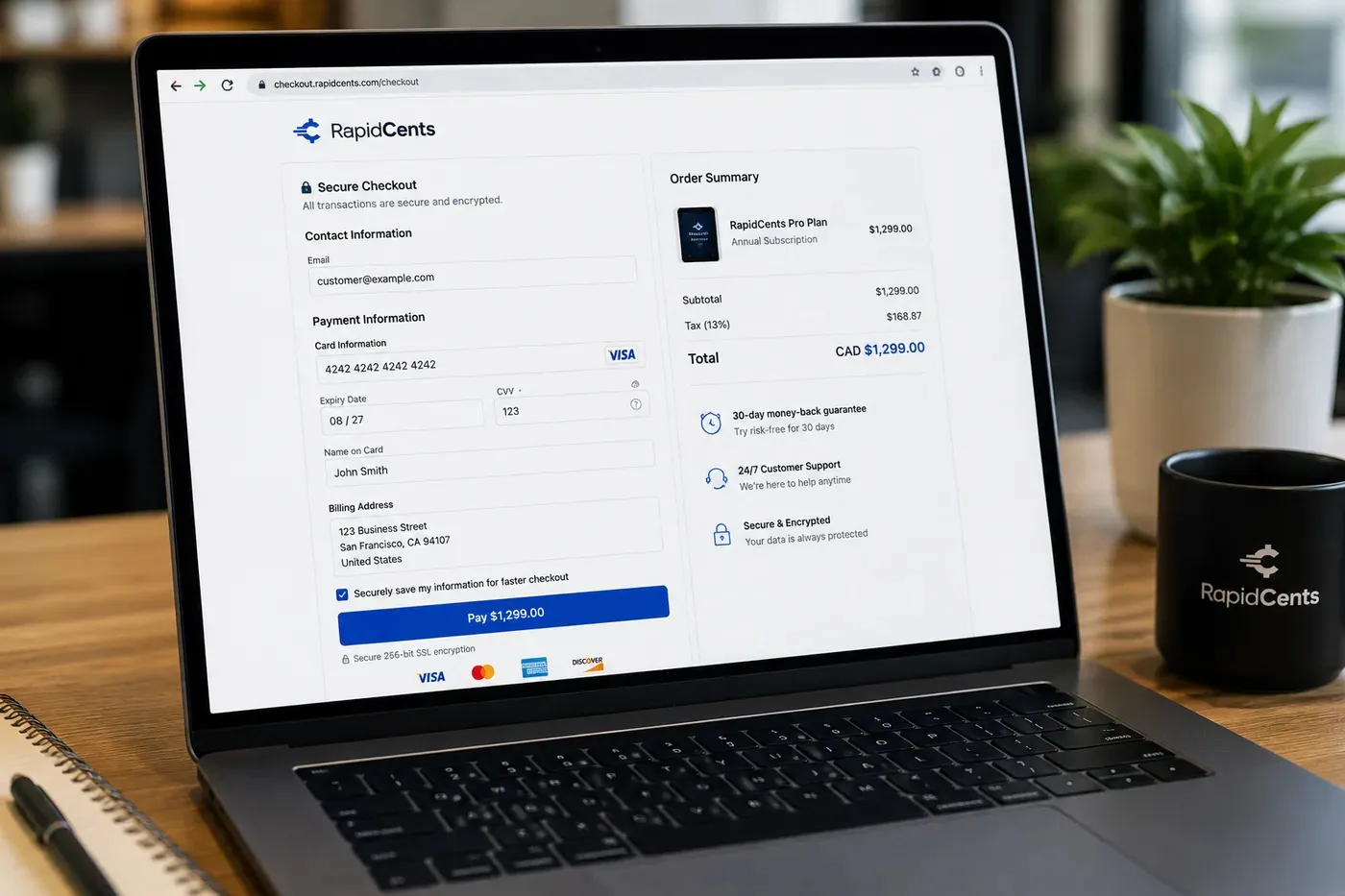
A RapidCents hosted checkout page at checkout.rapidcents.com, with the order summary and totals on the left and the card fields on the right, footed by SSL and PCI DSS assurances. Hosted Checkout
RapidCents hosted checkout delivers PCI-scoped payment pages you redirect customers to or embed via iframe…
Explore


How this gets set up
Booked in February for July
Hosted checkout takes the reservation deposit months ahead, so the site is held against money received rather than a phone promise.
Balance at the gate
When the rig pulls in, the remainder is taken on a terminal at the office window, along with the extra night nobody booked.
Seasonal sites paid down through winter
A seasonal fee is charged on recurring payments across the off-season, so the site is largely paid for before the water is turned back on.
Store, firewood and rentals on the same account
The camp store, propane and kayak rentals ring through the same merchant account as the sites, so the whole property reconciles as one business.
Integrations
Campspot
Campspot holds the site map, the availability and the reservation, so a deposit and an arrival balance post against the booking that is actually holding that pad.
RoverPass
RoverPass carries the booking requests and long-term stay records, so a reservation taken online arrives with its deposit already attached to it.
Sage
Sage is where a season's deposits and site revenue are recognized in the ledger, which is how money taken in February for a July stay is not booked as February trading.
Operations, security and going live
Deposits taken for a season that has not happened
Reporting has to show deposits held against future arrival dates separately from tonight's takings, because those are not the same money.
Cancellations, weather and the deposit policy
Sites get moved and seasons wash out, so refunds and retained deposits against the original booking are a weekly job and reporting keeps track of which was which.
Off-season cards go stale
A seasonal plan charging monthly from November to April will meet reissued cards, so watching declines through the winter is what prevents a spring arrival with nothing on file.
Live before the gates open
The gate terminal, the online booking page and the seasonal charge schedule are configured in the shoulder season, with the first seasonal run checked as a small batch.
For businesses in the USA
A direct answer for a business in the USA: the workflow, the limit, and what to confirm next.
The payment workflow
Trace a site reservation through deposit, arrival payment and optional stay charges; distinguish a short stay from a season-long agreement with scheduled installments. Confirm eligibility, presentment currency, settlement currency and the enabled payment methods on the USA merchant account before quoting them. An illustrative amount is an example, not a fee or a funding promise. Campgrounds & RV Parks does not, by itself, prove delivery or win a dispute.
The problem and the limit
Address date changes, early departures and utility adjustments. In practice, refund timing and authorization-hold limitations without promising fixed release times or automatic access control. Confirm eligibility, presentment currency, settlement currency and the enabled payment methods on the USA merchant account before quoting them. An illustrative amount is an example, not a fee or a funding promise. Campgrounds & RV Parks does not, by itself, prove delivery or win a dispute.
What to confirm
Ask for a site ledger connecting booking dates, occupants’ charges and refunds; show which records come from reservation software and which from the payment account. Confirm eligibility, presentment currency, settlement currency and the enabled payment methods on the USA merchant account before quoting them. An illustrative amount is an example, not a fee or a funding promise. Campgrounds & RV Parks does not, by itself, prove delivery or win a dispute.
Payment questions from Campgrounds & RV Parks
What should businesses compare when choosing campground payment processing for Campgrounds & RV Parks?
Compare campground payment processing against the real payment journey: the counter, service, and shift close, sign-up, scheduled billing, and renewal, and online checkout and remote payment. Start with the required channels and hardware, then confirm compatibility and support before committing.
What payment hardware is practical for Campgrounds & RV Parks?
For Campgrounds & RV Parks, hardware should match the point when staff collect payment: at the counter, during service, or elsewhere. Test each scenario before choosing a terminal form factor.
Which payment channels are relevant for Campgrounds & RV Parks?
For Campgrounds & RV Parks, start with the counter, service, and shift close, sign-up, scheduled billing, and renewal, and online checkout and remote payment. Keep only the channels that match those moments, then verify the complete customer flow before offering them.
How should payment processing fees be evaluated for Campgrounds & RV Parks?
For Campgrounds & RV Parks, compare costs related to scheduled billing, declined cards, and cancellations and online checkout and dispute handling using actual transactions. Request a written breakdown of fees and terms rather than relying on an advertised rate alone.
What should be confirmed before setting up payments for Campgrounds & RV Parks?
For Campgrounds & RV Parks, document the checkout, confirmation, and refund path and the service and shift-close workflow, verify the needed compatibility, and test the flow before going live. This exposes manual steps and exceptions before customers encounter them.
How should a campground collect a reservation balance at arrival?
For a business in the USA, retrieve the reservation, confirm dates and approved charges, subtract any deposit, and present the remaining balance before taking payment. Match the receipt to the site and booking reference; verify any reservation-system synchronization to avoid a second collection of prepaid charges. This depends on the approved USA account setup and does not remove the merchant's own records or dispute duties.
How are seasonal-site installments different from nightly charges?
For a business in the USA, in practice, the season agreement's total price, installment dates and included services separately from nightly rates and optional stay charges. Record consent for scheduled payments and disclose how changes or early departure are reviewed; do not assume every installment purchases a new month of occupancy. This depends on the approved USA account setup and does not remove the merchant's own records or dispute duties.
How should a shortened stay affect a prepaid campsite balance?
For a business in the USA, recalculate eligible charges under the booking's disclosed change or cancellation policy and record the revised departure date. Apply an approved refund or credit to the original reservation and payment; payment adjustments and campsite availability should be updated consistently. This depends on the approved USA account setup and does not remove the merchant's own records or dispute duties.
Related industries
Restaurants
RapidCents connects counter, tableside, online ordering and multi-location restaurant…
Fast Food & QSR
Quick-service and fast-food operators need high-throughput contactless terminals…
Food Trucks
Food trucks accept credit cards curbside with battery-friendly mobile terminals, Tap to…
Catering
Caterers invoice events, collect deposits and run on-site final payments with virtual…
Cafés & Bakeries
Cafés and bakeries combine fast counter contactless, pre-order pickup payments and…
Hotels & Hospitality
Hotels manage deposits, folio charges, multi-property settlement and contactless checkout…
Bars & Nightclubs
Bars run open tabs against a pre-authorized card, split large groups at close, and…
Breweries & Wineries
Producers sell at the taproom, at farmers markets and through a beer or wine club, so the…
Take the next step
Talk to a RapidCents specialist
RapidCents Fee Check reads a processing statement and shows interchange separately from the markup. Upload a statement for an instant breakdown, or open a merchant account and start accepting payments on one account.
- No obligation
- Payment specialists, not a call centre
- Secure statement upload



