


Desk Memberships, Day Passes and Meeting-Room Payments for Coworking Spaces
Coworking Spaces is for businesses in the USA. Compare payment options for desk memberships, day passes and room bookings; understand timing, payer authorization, exceptions and reconciliation for coworking spaces. The sections below separate the workflow, the control and its limit, and the account facts to confirm before you rely on them.

- PCI DSS Level 1
- SOC 2 Type II
- All major card brands: Visa · Mastercard · Amex · Discover · PIN debit
- Interchange-plus available
- Specialist onboarding support
Operational workflows
Desk or office membership billed monthly on file
Day passes bought online before arrival
Meeting-room bookings charged to the member profile
Printing and overages added to the same month
Payment challenges
One member, two kinds of charge
A predictable desk fee and an unpredictable pile of room hours have to appear against the same member without running two systems.
Members who move between locations
Someone on one site's membership books a room at another, so the charge should follow the member rather than the building.
Month-to-month by design
Memberships are meant to be easy to leave, so a card that quietly fails looks exactly like a cancellation until someone checks.
Choose the right payment setup for Coworking Spaces
Choose coworking space payment processing
For Coworking Spaces, map sign-up, scheduled billing, and renewal, online checkout and remote payment, and each location and consolidated oversight before choosing a setup. Select channels that match those moments, then confirm that the chosen solution genuinely covers each channel.
Payment hardware for Coworking Spaces
For Coworking Spaces, physical hardware may be secondary to the checkout flow. Prioritize gateway or payment-page requirements first, then add a terminal only when an in-person payment point is genuinely needed.
Compare payment processing fees
For Coworking Spaces, request a written fee breakdown covering scheduled billing, declined cards, and cancellations, online checkout and dispute handling, and cost detail by device and location. Compare the effective cost across the real card and channel mix; do not choose on a headline rate alone.
Set up or switch Coworking Spaces payments
To set up Coworking Spaces payments, document the checkout, confirmation, and refund path, confirm compatibility before purchase, then test a real payment flow before going live.
Recommended products

The RapidCents recurring payments screen showing active subscriptions, monthly recurring revenue, failed payments and upcoming renewals, above a list of subscriptions with their plan, amount, frequency and next billing date. Recurring Payments
RapidCents recurring payments manage subscription plans, membership renewals and installment schedules with…
Explore
The RapidCents payment links screen listing created links with their amount, status, click count and whether they have been paid, beside a phone showing the branded page a customer opens to pay $2,500.00. Payment Links
RapidCents payment links let staff generate branded pay-by-link URLs for invoices, deposits, balances and…
Explore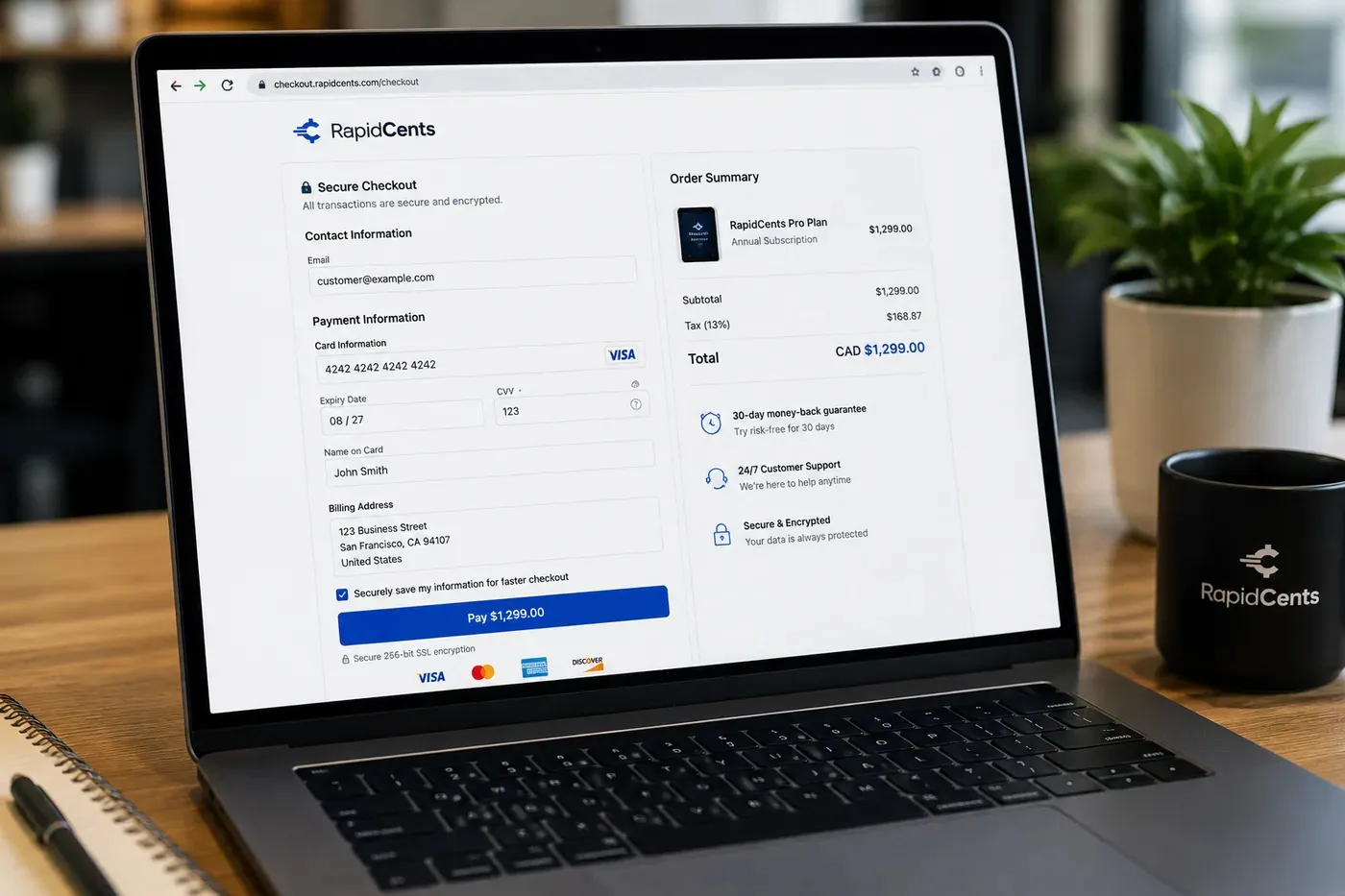
A RapidCents hosted checkout page at checkout.rapidcents.com, with the order summary and totals on the left and the card fields on the right, footed by SSL and PCI DSS assurances. Hosted Checkout
RapidCents hosted checkout delivers PCI-scoped payment pages you redirect customers to or embed via iframe…
Explore
The RapidCents payments screen: gross volume, payment count, acceptance rate and refunds across the top, a filterable transaction list below, and a money timeline on the right tracing one payment from capture to planned payout. Merchant Dashboard
The RapidCents merchant dashboard gives owners, managers and finance staff a single signed-in view of live…
Explore


How this gets set up
Desk or office signed onto a monthly charge
A new member's plan starts as a recurring charge on their move-in date, with the tier set by hot desk, dedicated desk or private office.
Day passes sold without a contract
Drop-in visitors buy a day pass on a hosted checkout before they arrive, so reception is not taking money at the door.
Meeting rooms and printing billed after use
Room hours and print overages go out as a payment link or land on the member's next charge instead of being written off.
Guest and event bookings on the same account
An outside group renting the event space pays through the same checkout the members use.
Integrations
Nexudus
A member's Nexudus account clears its invoice when the monthly plan charge settles, room bookings included.
OfficeRnD
Plans and room bookings priced in OfficeRnD are the amounts charged, so a mid-month upgrade bills at the new rate.
Cobot
A day pass or membership bought through Cobot marks the member active as soon as the payment clears.
Operations, security and going live
Recurring base separated from variable usage
The merchant dashboard shows the predictable membership base apart from room, pass and printing revenue, which is what tells an operator whether the space is genuinely full.
One stored card, many charges a month
A single tokenized card covers the monthly plan and every incidental, so reception never asks the same member for a card twice.
Access stops when the charge stops
A failed membership charge is visible the same day, so a desk is not given away for a month unbilled.
Second location added to the same account
A new site is added as its own reporting line instead of opening a separate merchant account.
For businesses in the USA
A direct answer for a business in the USA: the workflow, the limit, and what to confirm next.
The payment workflow
In practice, the difference between monthly desk or office billing, a prepaid day pass and a meeting-room reservation; show how approved printing or usage extras are added. Confirm eligibility, presentment currency, settlement currency and the enabled payment methods on the USA merchant account before quoting them. An illustrative amount is an example, not a fee or a funding promise. Coworking Spaces does not, by itself, prove delivery or win a dispute.
The problem and the limit
Cover midmonth move-ins, membership pauses, canceled rooms and access changes. Payment success should not be presented as automatic door access unless that integration is verified. Confirm eligibility, presentment currency, settlement currency and the enabled payment methods on the USA merchant account before quoting them. An illustrative amount is an example, not a fee or a funding promise. Coworking Spaces does not, by itself, prove delivery or win a dispute.
What to confirm
Ask for a member statement and room booking example showing proration, extra usage and credits; demonstrate which system governs occupancy and access. Confirm eligibility, presentment currency, settlement currency and the enabled payment methods on the USA merchant account before quoting them. An illustrative amount is an example, not a fee or a funding promise. Coworking Spaces does not, by itself, prove delivery or win a dispute.
Payment questions from Coworking Spaces
What should businesses compare when choosing coworking space payment processing for Coworking Spaces?
Compare coworking space payment processing against the real payment journey: sign-up, scheduled billing, and renewal, online checkout and remote payment, and each location and consolidated oversight. Start with the required channels and hardware, then confirm compatibility and support before committing.
What payment hardware is practical for Coworking Spaces?
If Coworking Spaces sells primarily online, do not choose physical hardware before validating checkout. Add hardware only for a clearly defined in-person payment need.
Which payment channels are relevant for Coworking Spaces?
For Coworking Spaces, start with sign-up, scheduled billing, and renewal, online checkout and remote payment, and each location and consolidated oversight. Keep only the channels that match those moments, then verify the complete customer flow before offering them.
How should payment processing fees be evaluated for Coworking Spaces?
For Coworking Spaces, compare costs related to scheduled billing, declined cards, and cancellations, online checkout and dispute handling, and cost detail by device and location using actual transactions. Request a written breakdown of fees and terms rather than relying on an advertised rate alone.
What should be confirmed before setting up payments for Coworking Spaces?
For Coworking Spaces, document the checkout, confirmation, and refund path, verify the needed compatibility, and test the flow before going live. This exposes manual steps and exceptions before customers encounter them.
How should a coworking space bill room bookings outside a membership?
For a business in the USA, create a separate room reservation or usage line showing the date, duration, agreed member rate and any included allowance. Apply only the charge authorized under the booking or membership terms, and connect the payment to the reservation; verify the booking integration before describing automatic billing. This depends on the approved USA account setup and does not remove the merchant's own records or dispute duties.
Can a membership change be reflected on the next statement?
For a business in the USA, record the approved plan change and effective date, calculate any agreed proration or credit, and show the old and new amounts on the next statement. Before you rely on this, confirm the recurring system supports that adjustment and review scheduled charges so the earlier amount is not collected again. This depends on the approved USA account setup and does not remove the merchant's own records or dispute duties.
How should a canceled meeting-room booking be credited?
For a business in the USA, apply the disclosed room-cancellation terms, record the cancellation in the booking system and issue any approved credit or refund against the reservation. Show whether the credit reduces a membership invoice or is returned to the original payment; do not assume a calendar cancellation automatically changes billing. This depends on the approved USA account setup and does not remove the merchant's own records or dispute duties.
Related industries
Chambers of Commerce
Chambers bill annual and monthly memberships alongside event tickets, sponsorship…
Professional Associations
Professional bodies collect annual member dues, certification and exam fees…
Labour Unions
Unions collect dues by payroll deduction or card, plus initiation fees, benefit…
Subscription Boxes
Subscription box brands bill a recurring plan against a fixed ship date. RapidCents runs…
Religious Organizations
Congregations take one-time and recurring giving, building-fund pledges, hall rentals and…
Sports Leagues & Clubs
Leagues and clubs collect seasonal registration, team fees, tournament entries and…
Summer Camps
Camps take a deposit at booking then instalments before the session starts, plus canteen…
Childcare & Daycare
Daycares bill tuition on a fixed monthly or biweekly cycle per child, handling subsidy…
Take the next step
Talk to a RapidCents specialist
RapidCents Fee Check reads a processing statement and shows interchange separately from the markup. Upload a statement for an instant breakdown, or open a merchant account and start accepting payments on one account.
- No obligation
- Payment specialists, not a call centre
- Secure statement upload



