


Deposit holds and rental payments for equipment yards
Equipment Rental is for businesses in the USA. Compare payment options for rental charges, deposits and return adjustments; understand timing, payer authorization, exceptions and reconciliation for equipment rental businesses. The sections below separate the workflow, the control and its limit, and the account facts to confirm before you rely on them.

- PCI DSS Level 1
- SOC 2 Type II
- All major card brands: Visa · Mastercard · Amex · Discover · PIN debit
- Interchange-plus available
- Specialist onboarding support
Operational workflows
Contract signed and the operator identified at the counter
Damage deposit authorized on the card on file
Rental period metered until the machine returns
Hold released or captured after the yard inspection
Payment challenges
A hold that outlives its authorization
A machine kept out longer than booked can leave the damage authorization expired before the yard ever inspects it.
Damage found after the renter drove off
Cracked glass or a bent bucket shows up at inspection, and the charge has to go to a card whose holder has already left the yard.
Overdue days billed after the fact
Extra days accrue with nobody at the counter, so the extension has to be added to a contract that was already closed out.
Choose the right payment setup for Equipment Rental
Choose equipment rental payment processing
For Equipment Rental, map the deposit, staged payments, and final balance, the counter or service point, and the sale and reconciliation with business systems before choosing a setup. Select channels that match those moments, then confirm that the chosen solution genuinely covers each channel.
Payment hardware for Equipment Rental
For Equipment Rental, start with the place customers pay in person: a countertop terminal, smart terminal, or portable device depending on the workflow. Verify that the hardware fits the real volume and workspace.
Compare payment processing fees
For Equipment Rental, request a written fee breakdown covering deposits and final balances. Compare the effective cost across the real card and channel mix; do not choose on a headline rate alone.
Set up or switch Equipment Rental payments
To set up Equipment Rental payments, document how payment data moves into business systems, confirm compatibility before purchase, then test a real payment flow before going live.
Recommended products

The RapidCents Rivo Go standing upright in its blue silicone case, showing the full-touch sale screen a customer reads across the counter. Payment Terminals
RapidCents payment terminals cover countertop, mobile and smart form factors so you can accept chip…
Explore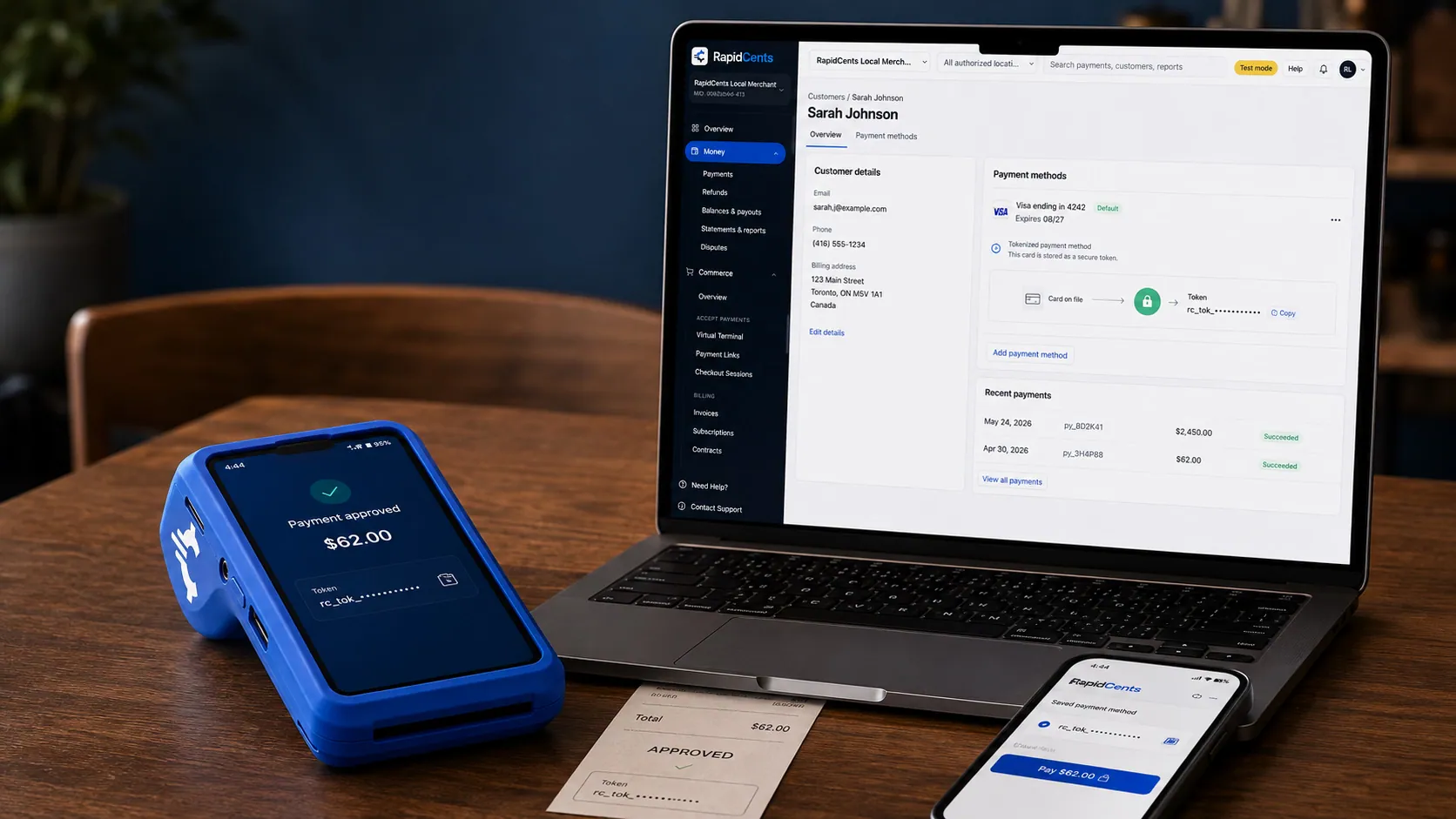
A stored RapidCents token stands in for the card number, with the terminal that captured the original credential beside it. Payment Tokenization
Tokenization exchanges a card number for a reference your software can store and reuse. Repeat billing and…
Explore
The RapidCents invoices screen: outstanding, overdue, paid and draft totals across the top, the invoice list below them, and a preview of one invoice on the right with its line items and a View & Record Payment button. Invoicing
RapidCents invoicing helps professional services, contractors and B2B suppliers create branded invoices…
Explore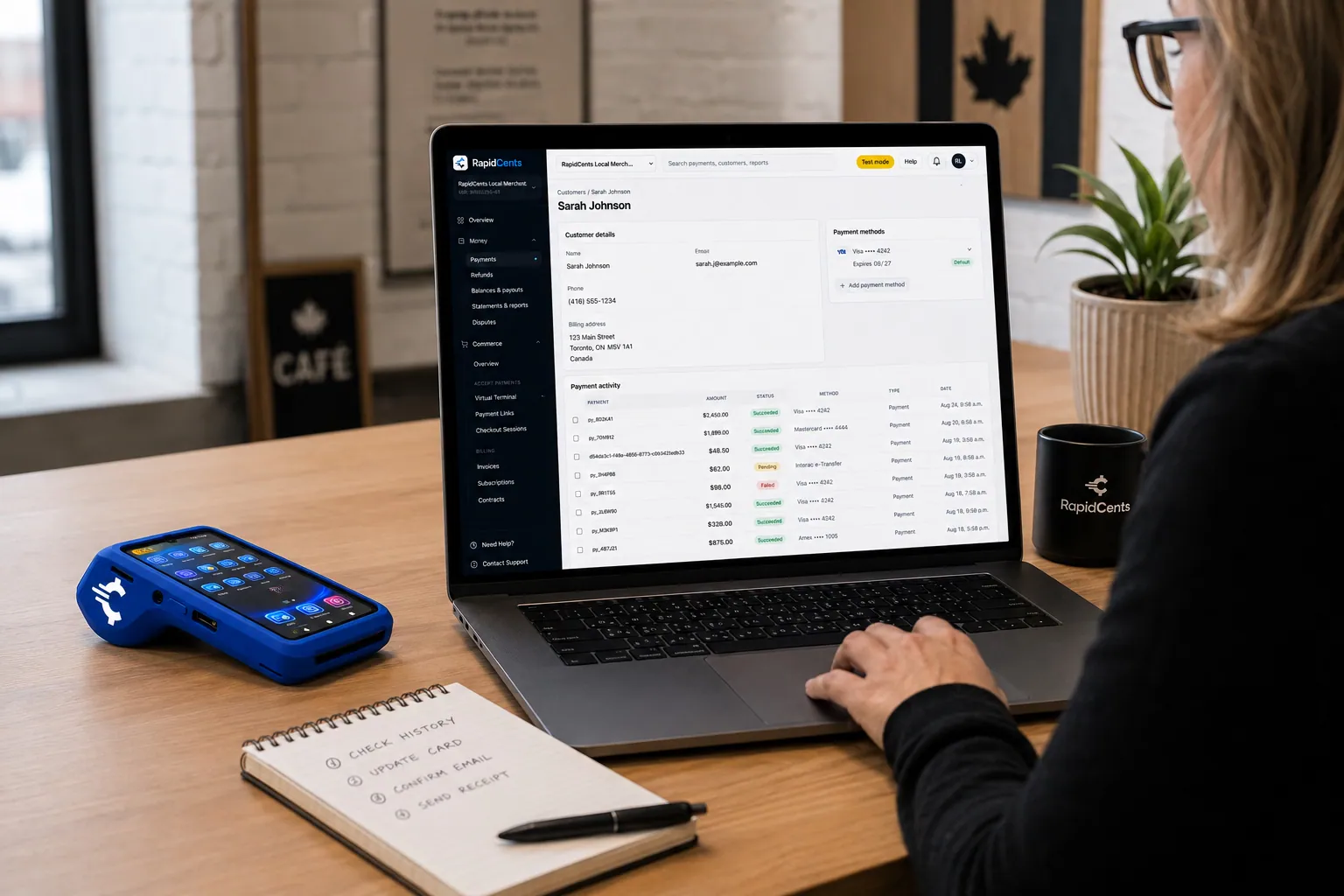
A RapidCents customer profile holds saved cards and invoices, so a return visit can be charged without re-keying the card. Customer Profiles
A customer profile ties together transactions, stored payment methods, subscriptions and disputes so staff…
Explore


How this gets set up
Account opened once at the counter
A contractor's card is vaulted on a customer profile the first time they rent, so the next Monday pickup is a signature rather than a card presentation.
Damage deposit authorized at pickup
The hold goes on the card at the counter as the machine leaves the yard, sized to the equipment rather than to the day rate.
Real period billed on return
Whatever the contract said, the invoice is built from when the machine actually came back, plus fuel, plus damage if the yard finds any.
Hold released or captured
A clean return releases the authorization and a cracked bucket captures it against the same rental, so the customer sees one decision on one contract.
Integrations
Point of Rental
Point of Rental holds the contract, the availability and the return, so a deposit hold and the final rental invoice post against the same agreement the counter wrote.
Texada
Texada tracks the fleet, its service history and the rental agreement, so a capture for damage is recorded against the asset that came back broken.
QuickBooks
QuickBooks receives rental days, fuel and damage charges as separate lines, so a machine's revenue is not buried inside one deposit total.
Operations, security and going live
Utilization and open holds in one place
Reporting shows which authorizations are still outstanding on machines that have not come back, which is a fleet question as much as a payments one.
Authorizations that go stale
A hold placed for a two-week rental can lapse before the machine returns, so tracking the age of open authorizations is what stops a yard finding it has no deposit left to capture.
Vaulted cards instead of a card file in the yard office
A repeat contractor's card lives as a token on the customer profile rather than on a rental agreement in a filing cabinet, which is what keeps stored-card scope contained.
Counter first, then the yard
Counter terminals and vaulted profiles go live first, and existing account customers are moved onto tokens as they next rent rather than in one batch.
For businesses in the USA
A direct answer for a business in the USA: the workflow, the limit, and what to confirm next.
The payment workflow
In practice, the difference between a charged rental deposit and an authorization hold, then connect rental duration, equipment return and the final amount. Confirm eligibility, presentment currency, settlement currency and the enabled payment methods on the USA merchant account before quoting them. An illustrative amount is an example, not a fee or a funding promise. Equipment Rental does not, by itself, prove delivery or win a dispute.
The problem and the limit
Cover late returns, fuel charges and damage allegations using the signed rental terms and inspection evidence. Verify hold durations and incremental-authorization support with the acquirer. Confirm eligibility, presentment currency, settlement currency and the enabled payment methods on the USA merchant account before quoting them. An illustrative amount is an example, not a fee or a funding promise. Equipment Rental does not, by itself, prove delivery or win a dispute.
What to confirm
Ask for a sample rental contract, outbound and return inspections, authorization record and final statement; show what happens when a hold expires. Confirm eligibility, presentment currency, settlement currency and the enabled payment methods on the USA merchant account before quoting them. An illustrative amount is an example, not a fee or a funding promise. Equipment Rental does not, by itself, prove delivery or win a dispute.
Payment questions from Equipment Rental
What should businesses compare when choosing equipment rental payment processing for Equipment Rental?
Compare equipment rental payment processing against the real payment journey: the deposit, staged payments, and final balance, the counter or service point, and the sale and reconciliation with business systems. Start with the required channels and hardware, then confirm compatibility and support before committing.
What payment hardware is practical for Equipment Rental?
For Equipment Rental, start with the workstation where customers pay and the space available. A test of the real flow reveals the right form factor better than a feature comparison alone.
Which payment channels are relevant for Equipment Rental?
For Equipment Rental, start with the deposit, staged payments, and final balance, the counter or service point, and the sale and reconciliation with business systems. Keep only the channels that match those moments, then verify the complete customer flow before offering them.
How should payment processing fees be evaluated for Equipment Rental?
For Equipment Rental, compare costs related to deposits and final balances using actual transactions. Request a written breakdown of fees and terms rather than relying on an advertised rate alone.
What should be confirmed before setting up payments for Equipment Rental?
For Equipment Rental, document how payment data moves into business systems, verify the needed compatibility, and test the flow before going live. This exposes manual steps and exceptions before customers encounter them.
Is an equipment-rental deposit a charge or a card hold?
For a business in the USA, it depends on the agreed rental setup: a deposit may be an actual payment or a supported authorization hold. Cover which applies, the stated amount and how the final rental is settled; verify rental eligibility and authorization limits rather than using the two terms interchangeably. This depends on the approved USA account setup and does not remove the merchant's own records or dispute duties.
How should late-return or damage charges be documented?
For a business in the USA, connect the charge to accepted rental terms, return times, itemized calculations and documented outbound or return condition. Obtain any required authorization and explain the amount to the renter; a stored card should not be treated as unrestricted permission for unsubstantiated charges. This depends on the approved USA account setup and does not remove the merchant's own records or dispute duties.
What should staff do when a rental authorization expires before return?
For a business in the USA, check the authorization status and follow the acquirer's supported renewal, new-authorization or alternate-payment process with the required customer permission. Keep the rental record linked to the new payment reference and reconcile the final charge; do not assume an expired hold remains collectible. This depends on the approved USA account setup and does not remove the merchant's own records or dispute duties.
Related industries
HVAC Contractors
HVAC companies collect estimate deposits, final job payments and maintenance plan billing…
Plumbing Contractors
Plumbers accept emergency call payments, job deposits and final invoices on-site with…
Electricians
Electrical contractors capture deposits before ordering materials and collect completion…
Construction Contractors
General contractors progress-bill milestones, retainage and change orders with secure B2B…
Home Services
Home service businesses collect payments in the field with Tap to Pay, payment links and…
Landscaping
Landscapers bill seasonal contracts, take spring deposits and accept on-site payments for…
Cleaning Services
Commercial and residential cleaners run recurring contracts, one-time deep cleans and…
Roofing Contractors
Roofers quote a job, take a deposit to schedule materials, then collect the balance on…
Take the next step
Talk to a RapidCents specialist
RapidCents Fee Check reads a processing statement and shows interchange separately from the markup. Upload a statement for an instant breakdown, or open a merchant account and start accepting payments on one account.
- No obligation
- Payment specialists, not a call centre
- Secure statement upload



