


Restoration company payment processing from mitigation to rebuild
Restoration company payment processing from RapidCents takes cards on site with Mobile Terminals or Tap to Pay, sends Payment Links and Invoicing, and takes phone payments through the Virtual Terminal. It fits the emergency mitigation deposit, staged milestone payments and the owner's portion kept apart from insurer payments, and it connects to the job software you already run.

- PCI DSS Level 1
- SOC 2 Type II
- All major cards: Visa, Mastercard, Amex, Discover, UnionPay, Diners Club & PIN Debit
- Interchange-plus available
- Specialist onboarding support
How restoration companies get paid
Restoration companies get paid through four payment jobs: an emergency mitigation deposit, staged payments on approved milestones, the owner's portion collected apart from insurer payments, and change orders with the final balance. Each one ties to a job number and a written approval.
Emergency mitigation deposit
The owner signs the work authorization on arrival and the crew starts drying or board-up. Staff take the deposit on a Mobile Terminal or send a Payment Link by text. If the owner cannot pay on the spot, the link waits for them. Finance gets a receipt tied to the job number.
Staged payments on approved milestones
The owner or property manager agrees in writing to milestones such as mitigation complete, demolition complete and rebuild complete. Each milestone triggers an Invoice with a Payment Link. If the owner disputes a stage, it waits for a scope and photo review. Finance sees each stage as its own paid record.
The owner's portion
The owner pays the deductible, upgrades and anything the policy does not cover. Staff itemize that amount on the invoice and collect it by Payment Link, terminal or phone. Insurers pay through their own channel and the office logs those receipts apart, so the owner's portion never hides in a combined total.
Change orders and final balance
Hidden damage found behind a wall adds scope. The owner signs a change order, and staff collect the added amount or fold it into the next milestone. At completion the owner signs an acknowledgment before the final Invoice is paid. A refund follows only a written adjustment.
How do restoration companies collect an emergency mitigation deposit?
A restoration company collects the emergency mitigation deposit after the owner signs the work authorization, just as the crew starts extraction, drying or board-up. Staff take the card on site with a mobile terminal or send a Payment Link, and the receipt carries the job number.
Run it from the work authorization
Sign first, charge second. With Contracts & eSignatures, the owner signs the work authorization and the deposit follows in the same flow. Staff then tap or insert the card on a Mobile Terminal at the loss site, or text a Payment Link if the owner is elsewhere. Put the job number in the reference field.
Set up consent and handle exceptions
Say in writing what the deposit amount covers before you charge. Keep a card on file only if the owner authorizes it for named later charges. If a card declines, ask for another card instead of starting work on a promise. A tenant or neighbor is not automatically the person who can approve the job.
A $1,500 deposit after a Saturday-night pipe burst
Say a kitchen supply line bursts on a Saturday night. The technician arrives, the owner signs the authorization on a tablet and pays a $1,500 mitigation deposit by Payment Link while the crew sets up drying equipment. On Monday the office matches that receipt to the job file and the opening invoice.
How can a restoration company stage payments across a job?
Restoration contractor payments are staged by agreeing approved milestones and written terms before work begins, then sending one Invoice with a Payment Link per milestone. Each stage becomes its own paid record, so a partial job never leaves one large unpaid balance and a dispute stays tied to one stage.
Agree the milestones in writing
Typical milestones are mitigation complete, demolition and drying logged, and rebuild complete. Write each one into the signed scope with its trigger and amount. A collection schedule only splits what the owner already agreed to pay. It is not financing, and RapidCents does not lend to your customers.
Handle change orders and holds
Hidden damage or a mold finding adds scope. Get a signed change order before the extra work starts, then add it to the next Invoice. If the owner pauses a milestone, hold the Payment Link instead of charging a stored card, because a stored card needs the owner's authorization for each named charge.
A fire-damaged garage in three milestones
Say a fire-damaged garage needs smoke cleaning, drywall and paint. The owner approves three milestones in writing. Staff send the first Invoice when cleaning ends, a signed change order adds replacement insulation, and the last Invoice goes out after the owner signs the completion acknowledgment.
RapidCents products for restoration companies
For restoration merchant services, Contracts & eSignatures captures the work authorization, Payment Links and Invoicing collect deposits and milestones, and Mobile Terminals take cards at the loss site. Together they keep each payer's portion and each approval tied to one job record.
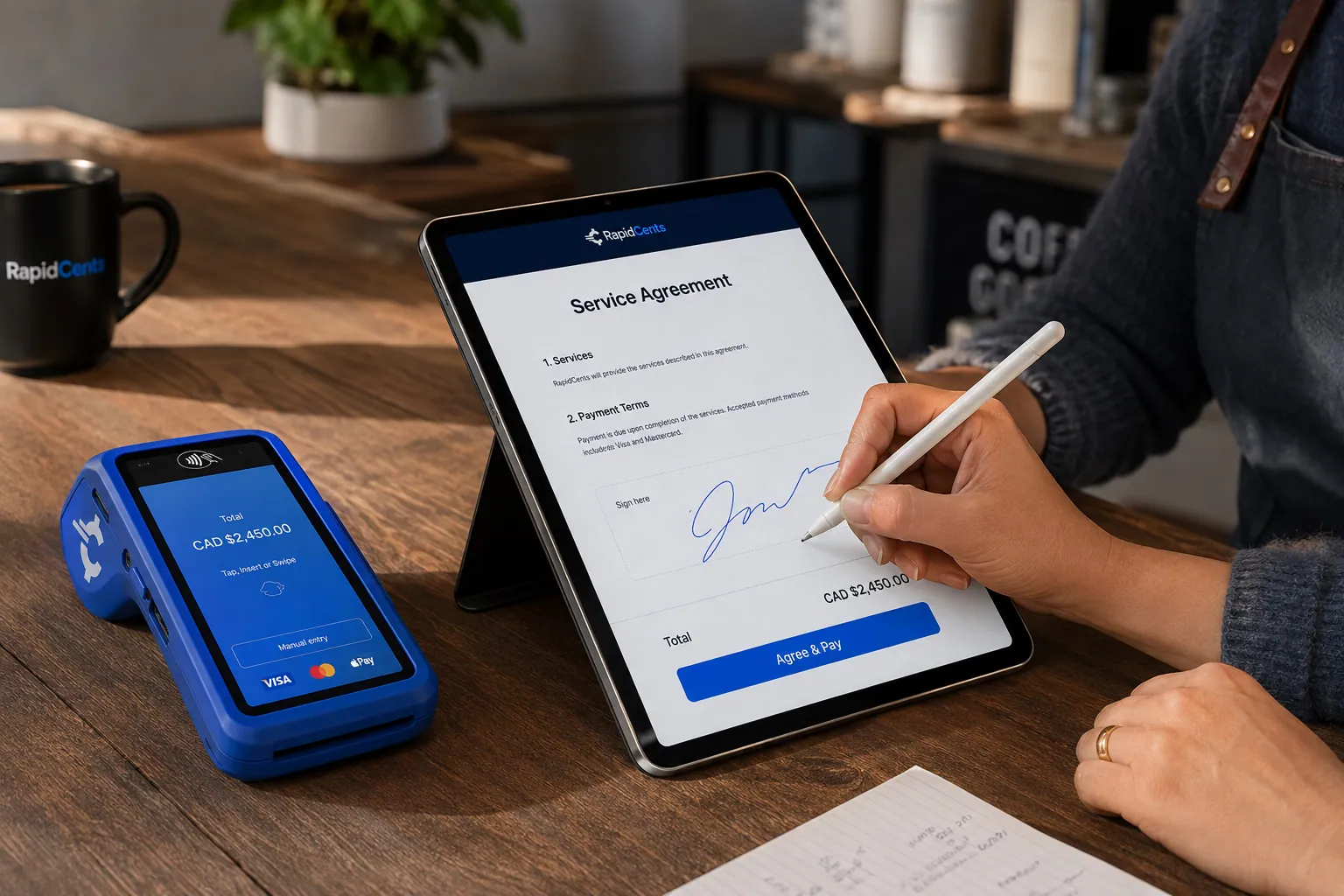
A merchant sends a RapidCents contract for e-signature with payment attached, terminal ready for an in-person counterpart. Contracts & eSignatures
Quotes, service agreements and enrolment forms usually end in a payment. Send the document, capture the…
Explore
The RapidCents invoices screen: outstanding, overdue, paid and draft totals across the top, the invoice list below them, and a preview of one invoice on the right with its line items and a View & Record Payment button. Invoicing
RapidCents invoicing helps professional services, contractors and B2B suppliers create branded invoices…
Explore
The RapidCents payment links screen listing created links with their amount, status, click count and whether they have been paid, beside a phone showing the branded page a customer opens to pay $2,500.00. Payment Links
RapidCents payment links let staff generate branded pay-by-link URLs for invoices, deposits, balances and…
Explore
A staff member takes a card payment on a RapidCents handheld terminal, with the same sale appearing on the dashboard. Mobile Terminals
RapidCents mobile terminals are battery-powered wireless devices with LTE and Wi-Fi so staff accept payments…
Explore


How do you collect the owner's portion apart from insurer payments?
You collect the owner's portion by itemizing what the owner owes, such as the deductible, upgrades and uncovered items, and charging only that amount on its own Invoice. Insurer payments arrive through their own channel and are recorded separately. RapidCents processes the card payment and does not submit or adjudicate claims.
Itemize payer responsibility
Split the job file into the owner's portion and the portion an insurer is expected to pay. Put each on its own Invoice line with a clear reference. Staff collect only the owner's line by Payment Link, terminal or the Virtual Terminal for phone payments. RapidCents does not connect to insurer claims systems.
Build the evidence file for disputes
A disputed payment is easier to answer with the signed scope, approvals, dated photos and completion acknowledgment attached to the Invoice. Gather these as the job runs, not after a complaint. Disputes and Chargeback Protection give alerts and deadlines, and your job file supplies the evidence.
A flooded basement with a deductible and an upgrade
Say a flooded basement job has an owner deductible and an upgraded flooring choice. The office invoices those two items, collects them by Payment Link and logs the insurer's later payment as a separate receipt, so the owner never pays twice for the same work.
What drives card processing cost for a restoration company?
Water damage restoration credit card processing cost is driven by ticket size, card type and how the card is taken. We price every account on interchange-plus: interchange passes through at cost, your RapidCents markup appears in your Fee Schedule, and equipment or service fees apply if relevant. It is month to month with no fixed term.
Large tickets and card mix
Mitigation deposits and milestone payments can be large, and owners may pay with debit, credit, premium rewards or commercial cards. Interchange changes with card type and with whether the card is tapped or inserted versus keyed or entered online. A crew that keys many phone payments has a different mix from one that taps on site.
What to bring to compare
Bring recent processing statements, your average ticket, the split between on-site, link and phone payments, and your refund and dispute volume. Ask any provider of restoration merchant services to show interchange separately from markup, and compare written quotes on that basis.
Run Fee Check
Upload a processing statement to Fee Check and it shows interchange separately from markup. Use the result to ask specific questions about your Fee Schedule, equipment fees and any service fees. Fee Check is a comparison tool, not a quote.
Which job management software works with RapidCents?
RapidCents integrates with many major platforms through APPIE and RapidBridge, so restoration crews keep the job software they run today. RapidBridge works with Jobber, Housecall Pro, Workiz and ServiceTitan, and your RapidCents representative walks you through the option that fits your vendor and version.
Jobber, Housecall Pro and Workiz
These field service tools handle scheduling, quotes and invoices. RapidBridge takes RapidCents payments inside them without changing the software, so a card payment posts against the job you already have open. Tell your RapidCents representative which edition you run and they will show you how deposits and milestone payments connect.
ServiceTitan and other dispatch platforms
ServiceTitan is a larger dispatch and job-costing platform, and RapidBridge works with it too. For other dispatch or job-costing software, APPIE and RapidBridge give RapidCents several ways in, and the right one depends on your vendor and version. Your RapidCents representative will walk you through it, including Payment Links and the Virtual Terminal.
QuickBooks Online, Xero, SAP and NetSuite
RapidCents connects settled transactions, fees and refunds to QuickBooks Online and Xero, and SAP and NetSuite import settlement files. Decide with your accountant how insurer payments post in your ledger, and your RapidCents representative will help you map the rest.
Payment options for restoration companies in the United States
Restoration companies in the United States can offer credit and debit cards, including PIN debit where supported, plus ACH bank payments, with USD settlement. Your RapidCents representative turns on the methods your merchant account needs, so every owner has a way to pay.
Cards at the job site
Visa, Mastercard, American Express and Discover cards work by tap, insert, Payment Link or phone through the Virtual Terminal. PIN debit works where the terminal and your account support it.
ACH and state rules
ACH bank payments can collect from the owner's account with a signed authorization. Check how your state treats deposits, cancellation rights and contractor licensing for home work, and have your adviser review your contract terms.
How do you switch processors and reconcile restoration payments?
Once your account is approved, switch in an order that protects open jobs: list what is in flight, test a sale, a refund and a deposit on the new account, run both in parallel if needed, and reconcile deposits to your ledger before closing the old account. Do not expect stored cards to move on their own.
Inventory open jobs
List every open job with its approved milestones, unpaid Invoices, active Payment Links, stored cards and recurring authorizations. Note which owner agreed to which later charge. Stored cards and tokens only move if both providers agree, and owners may need to authorize the new processor again.
Test before moving live
Run a test sale on a mobile terminal, send a Payment Link, issue a refund and take a deposit, then match each one to a job reference. Keep the old account running for jobs already mid-cycle until the new flow reconciles cleanly.
Reconcile deposits and records
Map payment references to job numbers, match settlement reports to your ledger and keep insurer payments on their own account line. Keep photos, scope approvals and completion acknowledgments with the Invoice history so older disputes stay answerable.
Payment questions from restoration companies
What is the best payment processor for a restoration company?
The best processor is the one that fits your job flow, and you should compare written quotes to decide. Look for on-site and remote collection, separate handling of the owner's portion, dispute tools, clear interchange-plus pricing, month-to-month terms and a connection to the job software you run. RapidCents offers all of these, and your representative will help you match them to your crews.
How much does credit card processing cost for a restoration company?
The cost depends on your card mix, ticket size and how cards are taken, so no single figure applies. RapidCents prices on interchange-plus: interchange at cost, your RapidCents markup in your Fee Schedule, and fees for equipment or services if applicable. Large deposits and keyed phone payments can change the mix. Upload a statement to Fee Check to see interchange separate from markup.
Can Jobber, ServiceTitan or similar software use RapidCents?
Yes. RapidBridge works with Jobber, Housecall Pro, Workiz and ServiceTitan, so a card payment posts against the job you already have open. For other software, RapidCents integrates with many major platforms through APPIE and RapidBridge. The right option depends on your vendor and version, and your RapidCents representative will walk you through it.
How can a restoration company switch processors without losing payment history?
Export your payment history first, keep it with your job files, then move in stages. List open jobs, unpaid Invoices, stored cards and active schedules, and test a sale, a refund and a deposit on the new account. Stored cards only move if both providers agree, and owners may need to authorize again. Reconcile deposits before closing the old account.
Which payment options can a restoration company in the United States offer?
A restoration company in the United States can offer Visa, Mastercard, American Express and Discover cards by tap, insert, Payment Link or phone, PIN debit where supported, and ACH bank payments, with USD settlement. Your RapidCents representative will set up the ones you want. ACH needs the owner's signed authorization, and insurer payments stay separate from the owner's portion.
Can I collect the customer's portion separately from the insurer's?
Yes. Itemize each payer's responsibility on the Invoice and collect only the owner's portion, such as the deductible and upgrades, by Payment Link, terminal or phone. Insurers pay through their own channel and you record those receipts separately. RapidCents processes the card payment; it does not submit claims or connect to insurer systems.
Can I stage payments across a restoration job?
Yes, when the milestones and terms are approved in writing first. Name each milestone, its trigger and its amount in the signed scope, then send an Invoice with a Payment Link for each stage. A collection schedule is not financing. Stored cards need the owner's authorization for each named later charge.
What supports a disputed restoration payment?
A complete job file supports it: the signed scope and work authorization, change-order approvals, dated photos and the completion acknowledgment, all matched to the Invoice. Gather them as the job runs. Disputes and Chargeback Protection provide alerts and deadlines, but the card issuer decides each case on the evidence you supply.
How do you take a deposit when the owner is not on site?
Send a Payment Link by text or email, or take the card by phone through the Virtual Terminal, after the owner authorizes the work in writing. Make sure the person paying is allowed to approve the job and use the card. Keep the card only with permission for named later charges, and note the job number as the reference.
How do you collect a signed change order?
Collect it after the owner signs the change order and before the extra work starts, or add it to the next milestone Invoice. Name what changed, why and the amount in the signed document, then send a Payment Link. If the owner declines, pause that scope and keep the written record.
Related industries
Home Services is the parent page for crews that collect deposits and balances at the door. Construction Contractors share milestone billing and change orders. Locksmiths and Garage Door Services share emergency call-out collection.
Home Services
Card payments for the work your crews finish in customers' homes: tap at the door…
Construction Contractors
RapidCents helps construction contractors bill draws, collect released retainage and…
Insurance
Collect down payments at binding, monthly installments and agency fees by payment link…
Locksmiths
Take the callout fee, the approved quote and the final invoice by contactless card at the…
Garage Door Services
Collect the service-call charge at the door, take a deposit on a made-to-order door and…
Pool & Spa Services
Collect maintenance plans, seasonal visits, repairs and installation milestones with…
Septic Services
Collect at the tank, from owners who are not home, and on scheduled maintenance accounts…
HVAC Contractors
RapidCents lets you take the equipment deposit at the kitchen table, collect the balance…
Take the next step
Review how your restoration jobs get paid
Upload a processing statement to Fee Check and see interchange separated from markup, then bring your mitigation deposits, milestones and owner portions to a conversation about your setup.
- No obligation
- Payment specialists, not a call centre
- Secure statement upload



