


Salon and spa payments: Tap to Pay at the chair, tips and deposits
Salons & Spas is for businesses in the USA. Compare appointment deposits and service checkout while confirming gratuities, staff access and package-software support. The sections below separate the workflow, the control and its limit, and the account facts to confirm before you rely on them.

- PCI DSS Level 1
- SOC 2 Type II
- All major card brands: Visa · Mastercard · Amex · Discover · PIN debit
- Interchange-plus available
- Specialist onboarding support
Operational workflows
Appointment booked with a deposit held
Service finished at the chair
Tip prompted before the card leaves the client
Tip attributed to the stylist who did the work
Payment challenges
No-shows on a booked chair
A stylist's slot left empty at the last minute earns nothing unless a deposit was taken when the appointment was made.
Tips split across shared chairs
Several stylists work the same floor and each tip belongs to one of them, not to the salon's daily total.
Add-ons decided during the service
A colour that turns into a treatment changes what is owed after the appointment was priced, so the final amount is set at the chair.
Choose the right payment setup for Salons & Spas
Choose salon POS system
For Salons & Spas, map booking, the appointment, and follow-up, the field and customer visits, and the counter or service point before choosing a setup. Select channels that match those moments, then confirm that the chosen solution genuinely covers each channel.
Payment hardware for Salons & Spas
For Salons & Spas, prioritize a portable payment terminal when payment happens away from a fixed counter. If staff also collect at a desk, assess a separate countertop setup instead of forcing one device to cover two jobs.
Compare payment processing fees
For Salons & Spas, request a written fee breakdown covering device use in the field. Compare the effective cost across the real card and channel mix; do not choose on a headline rate alone.
Set up or switch Salons & Spas payments
To set up Salons & Spas payments, document testing the field workflow and deposit and post-appointment payment rules, confirm compatibility before purchase, then test a real payment flow before going live.
Recommended products

A café worker holds a phone running RapidCents Tap to Pay, showing an $18.75 sale and the contactless symbol, while a customer holds a Visa card to the screen. No separate card reader is present. Tap to Pay
RapidCents Tap to Pay turns supported iPhones and Android devices into contactless payment terminals without…
Explore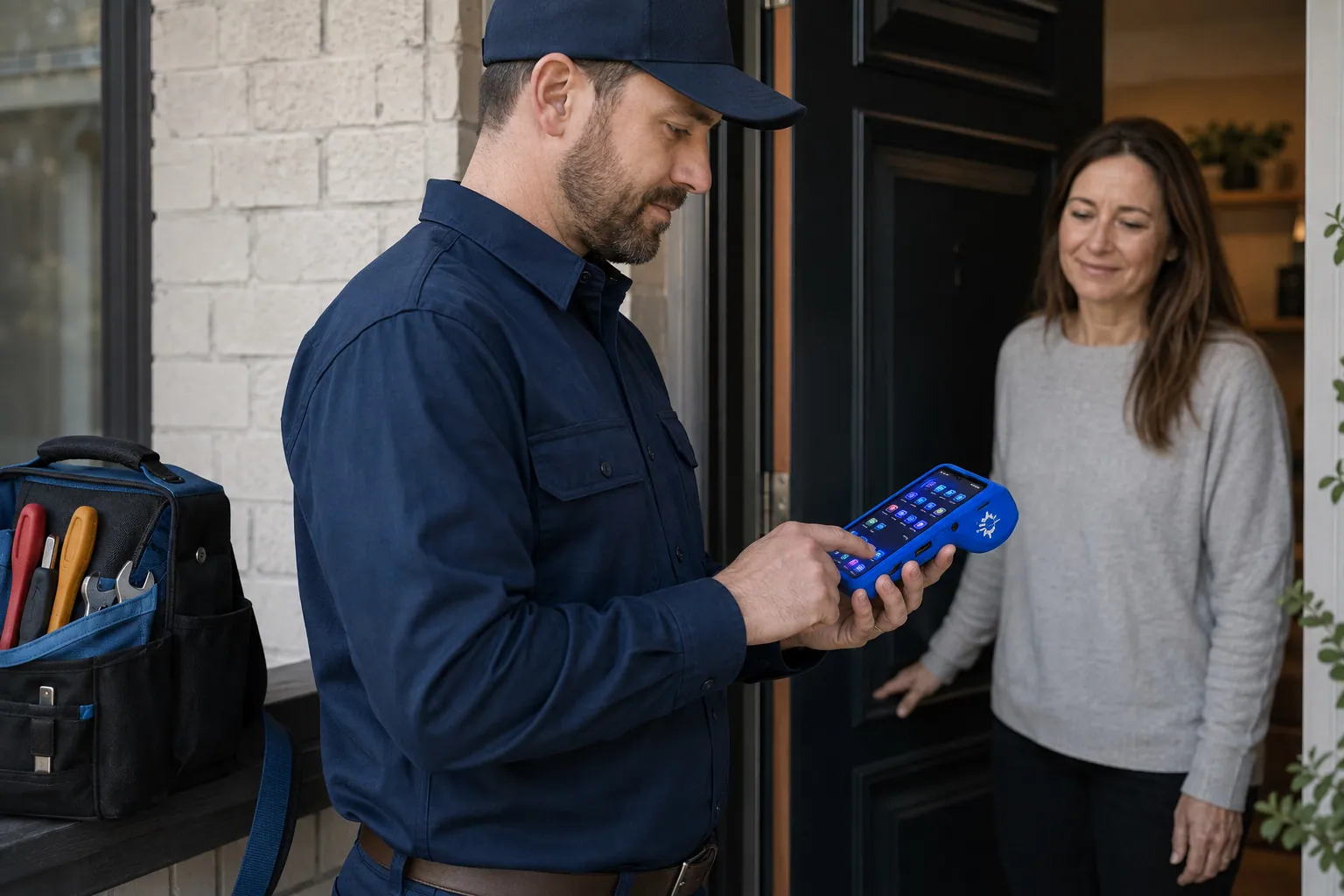
A staff member takes a card payment on a RapidCents handheld terminal, with the same sale appearing on the dashboard. Mobile Terminals
RapidCents mobile terminals are battery-powered wireless devices with LTE and Wi-Fi so staff accept payments…
Explore
The RapidCents payment links screen listing created links with their amount, status, click count and whether they have been paid, beside a phone showing the branded page a customer opens to pay $2,500.00. Payment Links
RapidCents payment links let staff generate branded pay-by-link URLs for invoices, deposits, balances and…
Explore
The RapidCents recurring payments screen showing active subscriptions, monthly recurring revenue, failed payments and upcoming renewals, above a list of subscriptions with their plan, amount, frequency and next billing date. Recurring Payments
RapidCents recurring payments manage subscription plans, membership renewals and installment schedules with…
Explore


How this gets set up
Paying at the chair
Tap to Pay on the stylist's phone or a mobile terminal ends the service where it happened, not at a till the next client is already waiting at.
The tip, before the card is handed back
The prompt appears while the stylist is still standing there, and the tip is attributed to the person who did the work rather than divided later by guess.
A deposit that makes a booking real
A payment link sent with the appointment confirmation is what turns a Saturday colour slot from a hope into a commitment.
The colour membership
Regulars on a standing appointment move onto recurring payments, so the schedule and the money run on the same rhythm.
Integrations
Fresha
Fresha runs the online booking and the client record, so the deposit that held the appointment and the final payment sit on the same visit.
Vagaro
Vagaro manages the schedule, the staff and the retail inventory, and posting each service payment there keeps commission calculations on real numbers.
Mindbody
Mindbody handles booking for salons and spas that also sell classes or memberships, so a payment posts against the appointment or the pass it paid for.
Operations, security and going live
Tips by staff member, service by service
Payroll depends on it, and a single daily tip total is unusable when six chairs shared the day between them.
Chair rental against salon revenue
An independent stylist renting a chair and a salon-employed one are different money, and that has to be separated at the transaction rather than in a month-end spreadsheet.
A no-show fee you can actually charge
The booking deposit and its record are what make that charge defensible, and both replace the card number written on a paper booking card.
Going live on a quiet weekday
Each stylist's phone is set up and a test tap taken midweek, because a failed tap at the chair on a Saturday is a queue at the door.
For businesses in the USA
A direct answer for a business in the USA: the workflow, the limit, and what to confirm next.
The payment workflow
Follow a booked service from deposit to final checkout, retail products and gratuity. Cover which record connects the appointment, authorized payer and employee handling the payment. Confirm eligibility, presentment currency, settlement currency and the enabled payment methods on the USA merchant account before quoting them. An illustrative amount is an example, not a fee or a funding promise. Salons & Spas does not, by itself, prove delivery or win a dispute.
The problem and the limit
The practical view covers cancellation authorization, corrected service totals and controlled refunds. Distinguish payment reporting from payroll, tip-pool calculations and a booking system’s tracking of package usage. Confirm eligibility, presentment currency, settlement currency and the enabled payment methods on the USA merchant account before quoting them. An illustrative amount is an example, not a fee or a funding promise. Salons & Spas does not, by itself, prove delivery or win a dispute.
What to confirm
Use a U.S. Salon collecting USD at reception or chair-side to explain device choices. Verify Tap to Pay compatibility, gratuity behavior and the actual salon-software integration before promising them. Confirm eligibility, presentment currency, settlement currency and the enabled payment methods on the USA merchant account before quoting them. An illustrative amount is an example, not a fee or a funding promise. Salons & Spas does not, by itself, prove delivery or win a dispute.
Payment questions from Salons & Spas
What should a salon or spa compare when choosing a POS system?
Compare salon POS system against the real payment journey: booking, the appointment, and follow-up, the field and customer visits, and the counter or service point. Start with the required channels and hardware, then confirm compatibility and support before committing.
What payment hardware is practical for Salons & Spas?
Because Salons & Spas also collects away from a fixed counter, test a portable terminal in real conditions. If staff also collect at a desk, validate the need for a separate countertop setup.
Which payment channels are relevant for Salons & Spas?
For Salons & Spas, start with booking, the appointment, and follow-up, the field and customer visits, and the counter or service point. Keep only the channels that match those moments, then verify the complete customer flow before offering them.
How should payment processing fees be evaluated for Salons & Spas?
For Salons & Spas, compare costs related to device use in the field using actual transactions. Request a written breakdown of fees and terms rather than relying on an advertised rate alone.
What should be confirmed before setting up payments for Salons & Spas?
For Salons & Spas, document testing the field workflow and deposit and post-appointment payment rules, verify the needed compatibility, and test the flow before going live. This exposes manual steps and exceptions before customers encounter them.
Can a booking deposit be applied to a service and retail purchase?
For a business in the USA, the practical view covers tested checkout configuration and how the deposit and remaining amount are represented. This depends on the approved USA account setup and does not remove the merchant's own records or dispute duties.
How are tips associated with the correct service provider?
For a business in the USA, in practice, supported tip fields and reports, distinguishing payment data from payroll allocation or tip-pool calculations. This depends on the approved USA account setup and does not remove the merchant's own records or dispute duties.
Can staff take contactless payment at the chair on a phone?
For a business in the USA, name the approved device and enabled Tap to Pay configuration, including actual supported methods and limitations. This depends on the approved USA account setup and does not remove the merchant's own records or dispute duties.
Related industries
Healthcare
Healthcare providers collect patient payments at reception, via payment links and…
Dental Clinics
Dental practices accept front-desk, remote and scheduled payments with card-on-file…
Physio & Chiropractic
Physiotherapy and chiropractic clinics collect copays, package payments and recurring…
Veterinary Clinics
Vet clinics take exam-room payments, estimate deposits and recurring wellness plan…
Pharmacies
Independent and specialty pharmacies accept countertop, contactless and phone payments…
Medical Spas
Med spas combine high-ticket treatment packages, memberships and retail add-ons with…
Optometry
Optometry practices collect exam fees, eyewear deposits and insurance balance payments at…
Gym & Fitness Studios
Gyms and boutique fitness studios run memberships, class packs, retail and front-desk…
Take the next step
Talk to a RapidCents specialist
RapidCents Fee Check reads a processing statement and shows interchange separately from the markup. Upload a statement for an instant breakdown, or open a merchant account and start accepting payments on one account.
- No obligation
- Payment specialists, not a call centre
- Secure statement upload



