Telehealth payment processing for virtual care providers
Telehealth payment processing from RapidCents lets virtual care providers collect visit fees online, by payment link and by phone, handle late-cancellation fees and refunds, and bill memberships on a collection schedule. Every account is priced on interchange-plus, month to month, with no fixed term.

- PCI DSS Level 1
- SOC 2 Type II
- All major card brands: Visa · Mastercard · Amex · Discover · PIN debit
- Interchange-plus available
- Specialist onboarding support
How telehealth providers get paid
Telehealth providers get paid through online clinic payments made before or after a virtual visit, fees for late cancellations, and authorized memberships or care plans. Each job uses a different RapidCents product and leaves finance a receipt tied to the appointment reference.
Visit fee before a video visit
A patient books a remote appointment and pays the visit fee before the session. You send a payment link by text or email, or the patient uses Hosted Checkout from your booking page. Finance receives a receipt and a reference for the appointment.
Visit fee after the session
Some practices collect once the visit is complete, for example after a consultation of variable length. Staff enter the agreed amount in the Virtual Terminal or send a link with the final amount. The patient receives a receipt, and the reference ties the payment to the appointment.
Cancellations and no-show fees
A patient cancels late or misses a booked video visit. If your terms were accepted in advance and the patient authorized a stored card, staff can charge the agreed fee. Without that authorization, you send a payment link instead. Each charge keeps a reference to the appointment.
Memberships and care plans
A virtual care subscription or a plan of several sessions can be billed on a collection schedule using Recurring Payments. The patient agrees to the amount, timing and cancellation terms first. Failed charges are retried, and refunds for unused sessions follow your written policy.
How do telehealth providers collect a visit fee before a video visit?
Telehealth providers collect the visit fee before the session by sending a payment link or routing the patient through Hosted Checkout when the appointment is booked. Payment comes first, so the clinician joins the video visit knowing the fee is paid, and unpaid slots can be released.
How the pre-visit payment runs
The patient books online, receives a link by SMS or email, and pays on a mobile-friendly page. The link can carry a reference field for the appointment ID and an expiry date so unpaid slots can be released. The patient receives a receipt automatically.
What to set up first
Agree what the patient is told at booking: the visit fee, the cancellation terms and the refund policy. Keep the payment page and receipt free of diagnosis, medication or clinical notes. Only the amount, date and a booking reference belong in the payment record.
A $90 video visit that drops mid-session
Say a virtual primary-care clinic books a 30-minute video visit at a $90 fee. The patient pays through the link the evening before. The session drops because of a connection fault, and the clinic refunds the fee in full under its written policy and rebooks.
How do telehealth cancellations, no-shows and refunds work?
Telehealth cancellation and no-show fees work when the patient has seen and accepted your terms before the visit. Charge the agreed fee to a card the patient authorized you to keep, refund when your policy or a failed session requires it, and record the reason against the appointment.
Terms and authorization
Show the late-cancellation window and fee at booking and record that the patient accepted. Saving a card in the Secure Card Vault needs the patient's explicit authorization for that purpose. If there is no authorization, send a Payment Link rather than charging a card.
When a refund is the right call
Connection failures, clinician cancellations and rescheduled slots call for a refund or a credit, not a fee. Partial refunds suit visits that ended early. A patient who disputes the charge with their card issuer starts a dispute, so keep the accepted terms and appointment log ready.
A $40 fee for a missed therapy session
Say a virtual therapy practice charges a $40 late-cancellation fee after a patient skips a session without notice. The patient had accepted the terms and authorized a stored card. The practice charges once, sends a receipt showing only the fee, and logs the reference.
RapidCents products for telehealth providers
Hosted Checkout and Payment Links cover the telehealth payment gateway needs of a booking page, Secure Card Vault keeps authorized cards on file, and Recurring Payments bills memberships and care plans on a collection schedule.
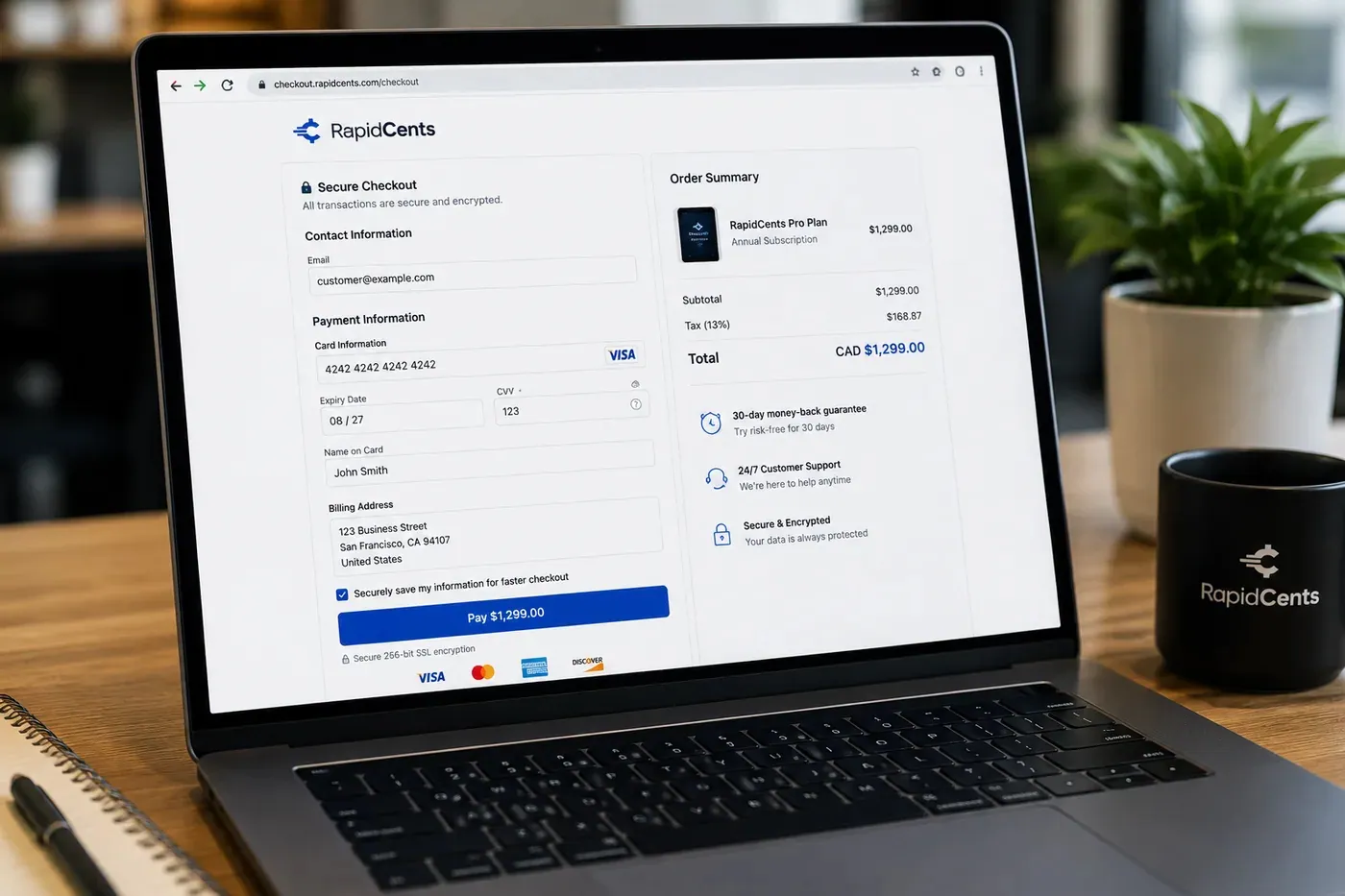
A RapidCents hosted checkout page at checkout.rapidcents.com, with the order summary and totals on the left and the card fields on the right, footed by SSL and PCI DSS assurances. Hosted Checkout
RapidCents hosted checkout delivers PCI-scoped payment pages you redirect customers to or embed via iframe…
Explore
The RapidCents payment links screen listing created links with their amount, status, click count and whether they have been paid, beside a phone showing the branded page a customer opens to pay $2,500.00. Payment Links
RapidCents payment links let staff generate branded pay-by-link URLs for invoices, deposits, balances and…
Explore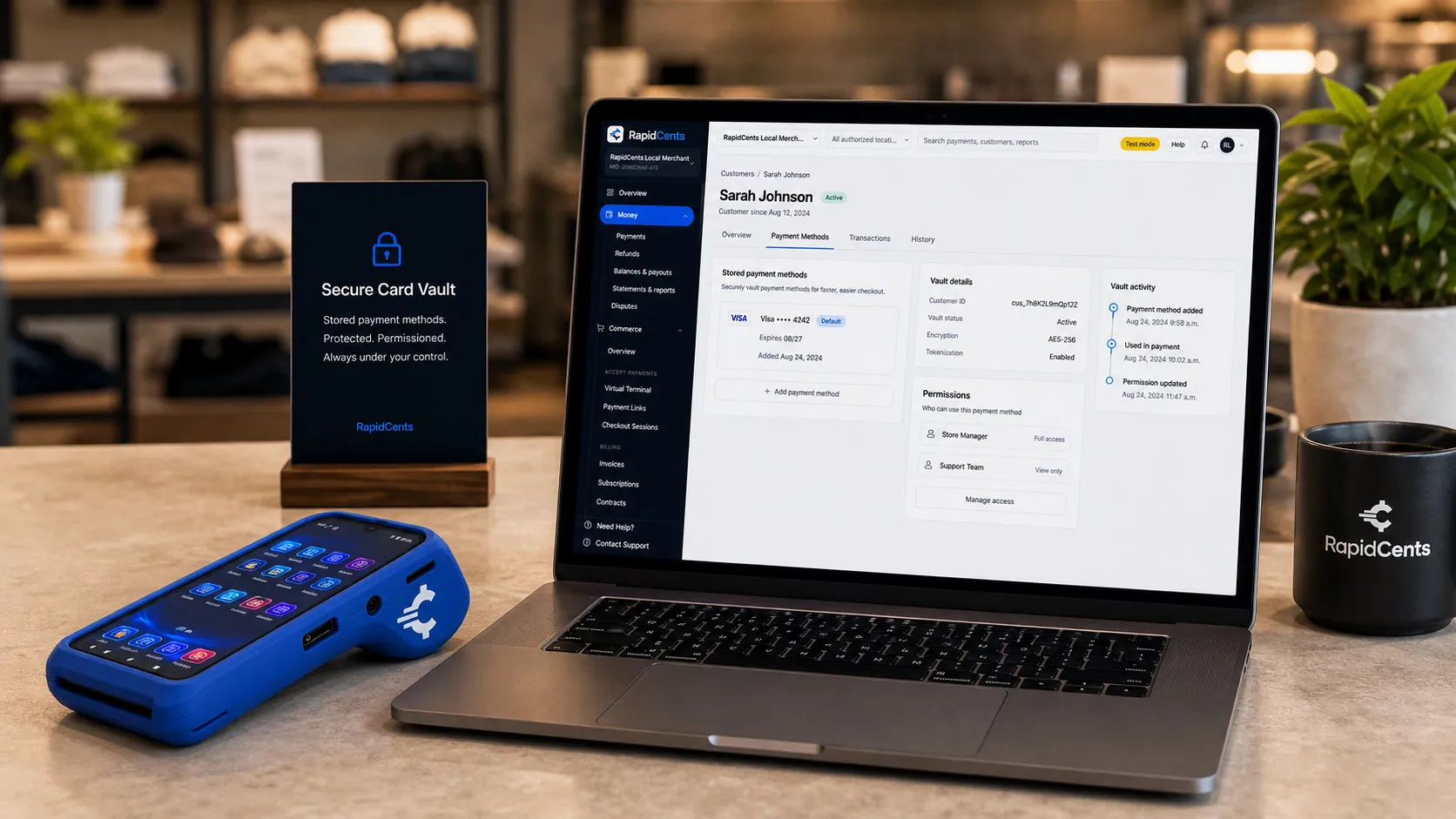
Card credentials sit in the RapidCents vault rather than in merchant software, with a terminal on the desk for new captures. Secure Card Vault
The vault stores tokenized payment methods against a customer record so staff can charge a returning…
Explore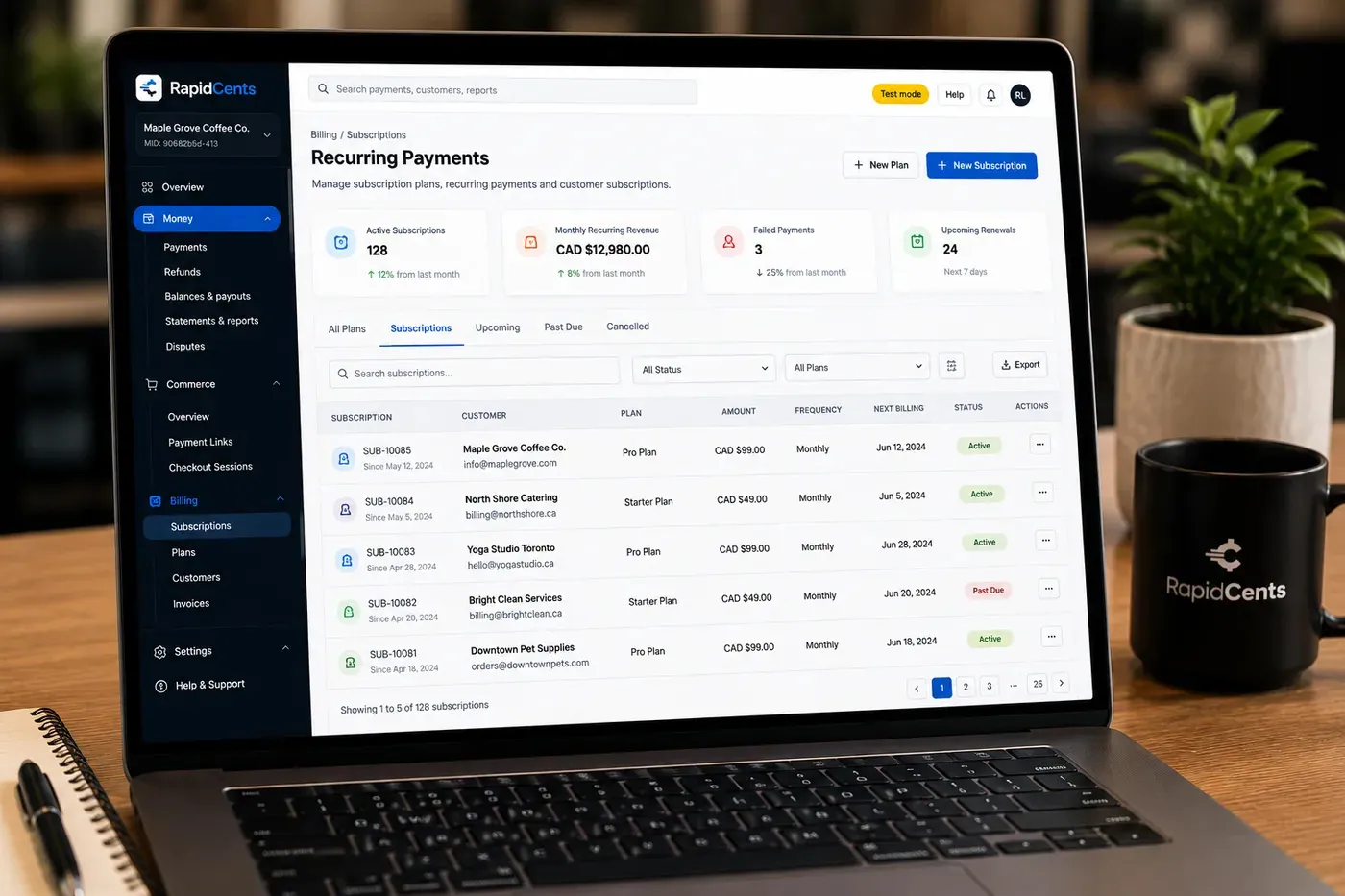
The RapidCents recurring payments screen showing active subscriptions, monthly recurring revenue, failed payments and upcoming renewals, above a list of subscriptions with their plan, amount, frequency and next billing date. Recurring Payments
RapidCents recurring payments manage subscription plans, membership renewals and installment schedules with…
Explore


How do telehealth memberships and care plans get billed?
Telehealth memberships and multi-session care plans are billed with Recurring Payments after the patient agrees to the amount, timing and cancellation terms. Each charge is a collection schedule against an authorized card, never financing, and you can see every billing cycle in your reporting.
How a plan runs
The patient chooses a plan, authorizes a card and receives a notice before each charge. Recurring Payments retries a failed charge on a set schedule, and the Account Updater can refresh a replaced card. Finance sees each billing cycle in reporting.
What to set up first
Write the plan terms in plain words: what each charge covers, how often it runs, how to cancel and what happens to unused sessions. Capture the patient's agreement before the first charge. If a plan bundles prescriptions or products, your RapidCents representative will review that model with you.
A $60 membership with a declined renewal
Say a virtual care membership bills $60 on the first of each month. A card is declined and the retry also fails, so staff send a Payment Link to update the card. The patient pays, then cancels in writing the next month, and billing stops before the following cycle.
What drives telehealth payment processing costs?
Telehealth is mostly card-not-present, so most of your cost comes from online and keyed card payments rather than tapped cards. We price every account on interchange-plus: interchange at cost, your RapidCents markup in your Fee Schedule, and fees for equipment or services if applicable. Month to month, no fixed term.
Card mix and channel
For telemedicine credit card processing, interchange varies with card type, such as debit, credit, premium or commercial, and with how the card is taken. Online and keyed payments usually carry different interchange than tapped or inserted ones. Your split between links, checkout and Virtual Terminal matters more than any single headline number.
What to bring to a comparison
Bring two or three recent processing statements, your average visit fee, your split between online and in-person payments, and your refund and dispute volume. Include any monthly membership revenue. This is the real payment mix a quote should be built on.
Use Fee Check
Upload a statement to Fee Check to see interchange separated from markup. Compare that against the Fee Schedule you are offered, and ask about fees for equipment or services, if applicable. Ask for written terms: month to month, no fixed term.
Does telehealth payment processing work with my practice software?
RapidCents integrates with many major platforms through APPIE and RapidBridge, and the right option depends on your software vendor and version. RapidBridge works with Jane App, Cliniko and Tebra, settled transactions, fees and refunds connect to QuickBooks Online and Xero, and SAP and NetSuite import settlement files.
Jane App, Cliniko and Tebra
RapidBridge works with Jane App, Cliniko and Tebra, so a RapidCents card payment posts against the appointment or invoice you already have open, without changing the software your team knows. Your RapidCents representative will walk you through the setup for your edition.
TELUS CHR and Accuro EMR
RapidCents integrates with many major platforms through APPIE and RapidBridge. The right option for TELUS CHR and Accuro EMR depends on your vendor and version, and your RapidCents representative will walk you through how scheduling, billing and payments connect.
QuickBooks Online, Xero, SAP and NetSuite
Settled transactions, fees and refunds connect to QuickBooks Online and Xero, so finance reconciles from one report. SAP and NetSuite import settlement files. Refunds appear against the original visit fee, so your ledger matches your deposits.
Payment options for telehealth providers in the United States
Telehealth providers in the United States can usually offer credit and debit cards, PIN debit where a terminal supports it, and ACH bank payments for agreed schedules. Funds settle in US dollars (USD). Your RapidCents representative will walk you through the methods that fit your services, licensing and the states you serve.
Cards and PIN debit
Online and link payments take Visa, Mastercard, American Express and Discover cards. PIN debit applies only where a patient is present at a terminal that supports it. Patients may present HSA or FSA cards as ordinary cards, and they run like any other card payment.
ACH, licensing and records
ACH bank payments suit agreed recurring schedules once the patient authorizes them. State licensing, and the states where your clinicians practice, shape which services you can take payment for. Keep payment records free of clinical detail.
How do you switch telehealth payment processors safely?
Switch telehealth payment processors by listing every stored card authorization, recurring plan, open payment link and pending refund first, then testing a sale, a refund and a deposit before live traffic moves. Stored card tokens move only when both providers agree.
Take an inventory
List patients on stored cards, membership plans, unexpired links and unpaid visit fees. Record which authorization covers which charge and the cancellation terms each patient accepted. Cards without a clear authorization should be collected again, not moved.
Test and run in parallel
Run a test visit fee, a refund and a cancellation fee in the new setup before you point booking at it. Keep the old flow open for a short period for patients already holding links. Map the payment reference to the appointment ID.
Reconcile deposits
Match each deposit to your ledger using settlement reports. Settled transactions, fees and refunds map to QuickBooks Online or Xero, and your representative can show you how that works for your setup. Refunds should appear against the original visit fee.
Payment questions from telehealth providers
What is the best payment processor for telehealth providers?
The best fit is the processor that understands your exact service model and prices it clearly. Compare telehealth eligibility in writing, card-not-present pricing, pay-before-visit tools, refund and dispute handling, stored card controls, reporting and contract terms. Ask each provider for a written quote based on your own statements, and look for month to month terms with no fixed term.
How much does credit card processing cost for telehealth providers?
The cost depends on interchange, the processor markup and any service fees. We price every account on interchange-plus: interchange at cost, your RapidCents markup in your Fee Schedule, and fees for equipment or services if applicable, month to month with no fixed term. Online payments cost differently from tapped ones, so Fee Check on a recent statement shows the split for your mix.
Can my practice software use a different payment processor?
Yes. RapidCents integrates with many major platforms through APPIE and RapidBridge, and RapidBridge works with Jane App, Cliniko and Tebra. For TELUS CHR, Accuro EMR and other systems, the right option depends on your software vendor and version. Tell your RapidCents representative which system you use, and they will walk you through how payments and reconciliation connect to it.
How can a telehealth provider switch processors without losing payment history?
Export your payment history from the current processor before you close it, then list stored cards, membership plans, open links and pending refunds. Stored card tokens move only if both providers agree, so plan to collect fresh authorization where they cannot. Test a sale and a refund, run both flows briefly, and reconcile deposits to your ledger.
Which payment options can a telehealth provider in the United States offer?
A telehealth provider in the United States can typically offer credit and debit cards for online visit fees, PIN debit where a terminal supports it, and ACH bank payments for authorized schedules, with settlement in USD. Your RapidCents representative will walk you through the methods that fit your services, licensing and the states you serve, so you can tell patients exactly how they can pay.
Is my telehealth service eligible for a RapidCents account?
Eligibility depends on a written review of your country, licensing, the services you offer and any prescribing or product fulfillment model. Prohibited controlled substances are never accepted. Send your country, licenses, service list and fulfillment model to your RapidCents representative, and they will review them with you before you plan your payment flow.
Can patients pay before a video visit?
Yes. Once your account is approved, use Hosted Checkout on your booking page or send a Payment Link by text or email, with a reference for the appointment. The patient pays on a mobile-friendly page and receives a receipt. Your RapidCents representative will walk you through the checkout or link setup for your booking tool.
Can payments connect to my practice system?
Yes. RapidBridge works with Jane App, Cliniko and Tebra, and RapidCents connects settled transactions, fees and refunds to QuickBooks Online and Xero, while SAP and NetSuite import settlement files. For other clinical or booking software, the right option depends on your vendor and version, and your RapidCents representative will walk you through it.
What patient information should a payment record hold?
As little as possible. A payment record needs the amount, date, appointment reference and receipt, not diagnoses, medications or clinical notes. Keep clinical details in your practice system, use neutral descriptions on receipts and links, and limit staff permissions. Card processing is not clinical record keeping or insurance claims submission.
How do telehealth refunds and chargebacks work?
Refunds go back to the original card and should follow your written cancellation policy. A patient who disputes a charge with their issuer starts a chargeback, so keep the accepted terms, appointment log and receipt ready. RapidCents provides dispute tools with alerts, evidence and deadlines, but the card issuer decides the outcome.
Related healthcare payment pages
Telehealth shares collection workflows with audiology and hearing clinics, podiatry and foot care, speech therapy and occupational therapy. Our Healthcare overview covers clinic payments more broadly, including patient balances and front desk permissions.
Healthcare
Take visit payments at reception, send payment links for what insurance leaves unpaid and…
Audiology & Hearing Clinics
Take consultation fees, hearing-device deposits and fitting balances in the clinic or by…
Podiatry & Foot Care Clinics
Collect consultation fees, custom orthotic deposits, fitting balances and recurring…
Speech Therapy Practices
Collect weekly session fees, assessment packages and late-cancellation fees from parents…
Occupational Therapy Practices
Take cards at the clinic or a client's kitchen table, send invoice links to employers and…
Dental Clinics
Take treatment plan deposits at the front desk or by text, run in-house installment plans…
Physio & Chiropractic
Collect visit fees and patient portions at the front desk or in the treatment room, sell…
Veterinary Clinics
Take deposits when owners sign surgery estimates, charge wellness plans monthly with…
Take the next step
See your telehealth processing costs clearly
Upload a recent processing statement to Fee Check and see interchange separated from your markup, based on your own mix of online visit fees, links and memberships.
- No obligation
- Payment specialists, not a call centre
- Secure statement upload