


On-site payments for appliance repair technicians
An appliance technician diagnoses in the customer's home, charges the call-out fee before leaving, and bills parts and labour once the repair is finished. RapidCents takes the call-out with Tap to Pay on the technician's phone or a mobile terminal at the door, then invoices the finished job with a payment link attached, so the customer settles without a second visit. Appliance repair processes under MCC 7623.

- PCI DSS Level 1
- SOC 2 Type II
- All major card brands: Visa · Mastercard · Amex · Interac debit
- Interchange-plus available
- Canadian support
Operational workflows
Service call booked and the call-out fee taken
Fault diagnosed at the machine
Parts ordered and a return visit scheduled
Parts and labour invoiced once the unit runs
Payment challenges
The diagnosis the customer declines
A tech who opens a washer and finds the repair costs more than the machine still has to be paid for the visit before leaving.
Two visits, one work order
The call-out and the parts fitting happen days apart, and both charges have to sit under the same job.
Collecting in a basement with no signal
Laundry rooms and utility corners drop connectivity, and the tech cannot walk back to the driveway to run a card.
Choose the right payment setup for Appliance Repair
Choose appliance repair payment processing
For Appliance Repair, map the field and customer visits and the counter or service point before choosing a setup. Select channels that match those moments, then confirm that the chosen solution genuinely covers each channel.
Payment hardware for Appliance Repair
For Appliance Repair, prioritize a portable payment terminal when payment happens away from a fixed counter. If staff also collect at a desk, assess a separate countertop setup instead of forcing one device to cover two jobs.
Compare payment processing fees
For Appliance Repair, request a written fee breakdown covering device use in the field. Compare the effective cost across the real card and channel mix; do not choose on a headline rate alone.
Set up or switch Appliance Repair payments
To set up Appliance Repair payments, document testing the field workflow, confirm compatibility before purchase, then test a real payment flow before going live.
Recommended products

A café worker holds a phone running RapidCents Tap to Pay, showing an $18.75 sale and the contactless symbol, while a customer holds a Visa card to the screen. No separate card reader is present. Tap to Pay
RapidCents Tap to Pay turns supported iPhones and Android devices into contactless payment terminals without…
Explore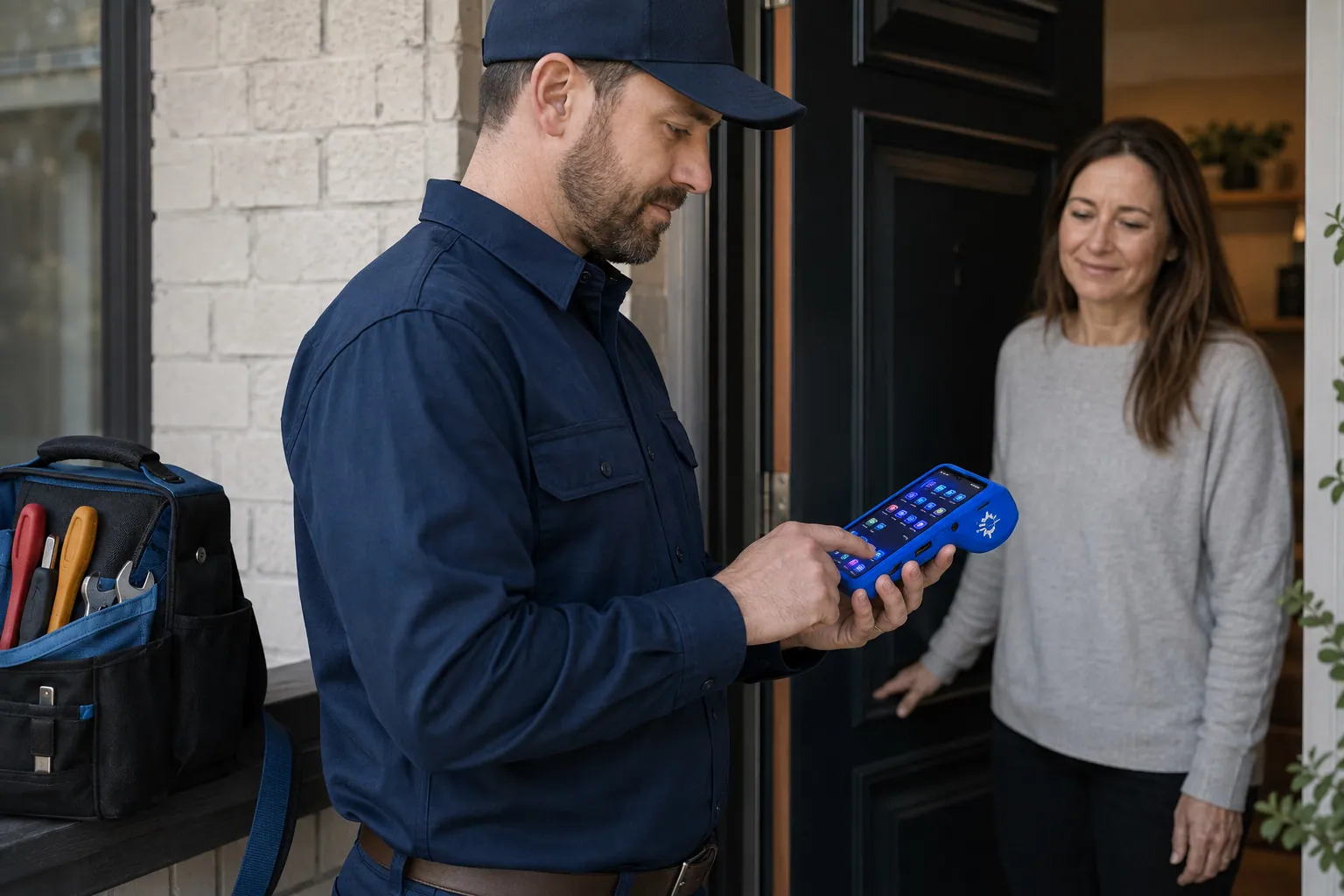
A staff member takes a card payment on a RapidCents handheld terminal, with the same sale appearing on the dashboard. Mobile Terminals
RapidCents mobile terminals are battery-powered wireless devices with LTE and Wi-Fi so staff accept payments…
Explore
The RapidCents invoices screen: outstanding, overdue, paid and draft totals across the top, the invoice list below them, and a preview of one invoice on the right with its line items and a View & Record Payment button. Invoicing
RapidCents invoicing helps professional services, contractors and B2B suppliers create branded invoices…
Explore
The RapidCents payment links screen listing created links with their amount, status, click count and whether they have been paid, beside a phone showing the branded page a customer opens to pay $2,500.00. Payment Links
RapidCents payment links let staff generate branded pay-by-link URLs for invoices, deposits, balances and…
Explore


How this gets set up
Call-out fee taken at the door
The diagnostic charge is collected with Tap to Pay on the technician's phone before the toolbag opens, which is what stops a free diagnosis.
Part ordered, job left open
When a control board has to be ordered the job stays open with the diagnostic already paid, and the customer is not invoiced for parts that have not arrived.
Parts and labour invoiced at the finish
Once the washer is running the invoice covers the part, the labour and the credit for the call-out fee already collected.
Settled without a second trip
A payment link on that invoice lets the customer pay the same evening, so nobody drives back across town for a cheque.
Integrations
ServiceTitan
ServiceTitan holds the dispatch, the price book and the job history, so the call-out fee and the finished invoice post against the same call the dispatcher created.
Jobber
Jobber carries the day's schedule and customer addresses, and payment taken at the door closes the Jobber visit before the technician drives to the next call.
QuickBooks
QuickBooks separates the diagnostic fee, parts and labour on one customer, so part cost is visible against what the repair actually collected.
Operations, security and going live
First-visit completion in the numbers
Reporting shows which jobs closed in one visit and which needed a parts return, because the second trip is what decides whether a service call was profitable.
Warranty work billed to a different payer
Repairs covered by a manufacturer or extended warranty are invoiced to someone other than the homeowner, and keeping the two streams apart is what stops warranty jobs looking unpaid.
Nothing written down in a van
Tap to Pay means the technician never copies a card number onto a work order, which is effectively the whole of a small service firm's card exposure.
One technician, then the fleet
Tap to Pay is set up on one technician's phone for a week of real calls before every van gets it, with mobile terminals for the techs who prefer a keypad.
Payment questions from Appliance Repair
What should businesses compare when choosing appliance repair payment processing for Appliance Repair?
Compare appliance repair payment processing against the real payment journey: the field and customer visits and the counter or service point. Start with the required channels and hardware, then confirm compatibility and support before committing.
What payment hardware is practical for Appliance Repair?
Because Appliance Repair also collects away from a fixed counter, test a portable terminal in real conditions. If staff also collect at a desk, validate the need for a separate countertop setup.
Which payment channels are relevant for Appliance Repair?
For Appliance Repair, start with the field and customer visits and the counter or service point. Keep only the channels that match those moments, then verify the complete customer flow before offering them.
How should payment processing fees be evaluated for Appliance Repair?
For Appliance Repair, compare costs related to device use in the field using actual transactions. Request a written breakdown of fees and terms rather than relying on an advertised rate alone.
What should be confirmed before setting up payments for Appliance Repair?
For Appliance Repair, document testing the field workflow, verify the needed compatibility, and test the flow before going live. This exposes manual steps and exceptions before customers encounter them.
What should be verified for field payments in Appliance Repair?
Test the terminal and staff workflow where customers actually pay. Also plan how to provide a receipt and reconcile each payment with the relevant job or visit.
What MCC category applies to Appliance Repair?
MCC 7623 is commonly associated with Appliance Repair. Our onboarding team confirms the correct category for your business.
Related industries
HVAC Contractors
HVAC companies collect estimate deposits, final job payments and maintenance plan billing…
Plumbing Contractors
Plumbers accept emergency call payments, job deposits and final invoices on-site with…
Electricians
Electrical contractors capture deposits before ordering materials and collect completion…
Construction Contractors
General contractors progress-bill milestones, retainage and change orders with secure B2B…
Home Services
Home service businesses collect payments in the field with Tap to Pay, payment links and…
Landscaping
Landscapers bill seasonal contracts, take spring deposits and accept on-site payments for…
Cleaning Services
Commercial and residential cleaners run recurring contracts, one-time deep cleans and…
Roofing Contractors
Roofers quote a job, take a deposit to schedule materials, then collect the balance on…
Take the next step
Talk to a RapidCents specialist
RapidCents Fee Check reads a processing statement and shows interchange separately from the markup. Upload a statement for an instant breakdown, or open a merchant account and start accepting payments on one account.
- No obligation
- Canadian payment specialists
- Secure statement upload



