


Payment processing for dental suppliers and distributors
Payment processing for dental suppliers means collecting from clinics, dental labs and group practices for consumables reorders, equipment deposits with final balances, and invoices on agreed terms. RapidCents handles them with invoice payment links, Virtual Terminal phone orders, cards stored with the clinic's authorization and in-person terminals. Your team keeps every PO reference.

- PCI DSS Level 1
- SOC 2 Type II
- All major cards: Visa, Mastercard, Amex, Discover, UnionPay, Diners Club & Interac Debit
- Interchange-plus available
- Canadian support
How dental suppliers get paid
Dental suppliers get paid by the clinics, dental labs and group practices they sell to, through six payment jobs. Reorders and account invoices bring frequent, smaller B2B dental supply payments, while equipment orders bring fewer, larger ones split into a deposit and a balance. Service work and returns add their own invoices and credits. Dental clinics collecting from patients are a separate industry with their own payment flow.
Consumables reorders
A clinic's office manager reorders gloves, impression material, composites and sterilization pouches, often on a set monthly cycle. The clinic is charged or invoiced when the order ships and pays by stored card, payment link or phone. If a line is backordered, you charge only for what ships. Finance matches each payment to the invoice number, the clinic account and the clinic's PO.
Equipment deposits and balances
A practice owner buying a chair, delivery unit, sterilizer, scanner or imaging system pays a deposit when the quote is signed and the balance after delivery or installation. Payment Links and Invoicing carry both requests, or a terminal takes the deposit at your showroom. If the clinic changes the order or a lender funds part of the price, the same order reference carries the change. Finance tracks one equipment-order reference from quote to final invoice.
Account invoices and monthly statements
Clinics with an approved trade account pay on the terms you agreed, often from a monthly statement. A due invoice triggers an emailed payment link the bookkeeper can pay by card, and Invoicing can send reminders before the due date. Bank payments are an alternative where your account offers them. If a clinic short-pays, or one payment covers several invoices, finance needs the list of invoices each payment clears.
Phone and sales-rep orders
An office manager calls your customer service desk, or a territory rep takes an order during a clinic visit. Staff with permission key the phoned card into the Virtual Terminal, while reps send the clinic a payment link instead of writing card numbers down. If a card declines or the address does not match, staff can send a payment link instead. The clinic gets an emailed receipt, and the audit log shows which staff user took the payment.
Service calls, repairs and maintenance plans
Where you run a service department, clinics pay for technician visits, handpiece repairs, parts and preventive maintenance. A closed work order triggers an invoice with a payment link. A maintenance plan can bill through Recurring Payments once the clinic agrees to the amount, schedule and cancellation terms. If the work is under warranty, there is nothing to invoice. Finance matches each payment to its work order number.
Returns, credits and refunds
Clinics send back unopened stock, wrong shades, damaged deliveries or recalled lots under your return policy. An approved return becomes either a credit note on the clinic's account or a refund to the card that paid, never both for the same amount. Restocking charges follow your written policy. Finance links the return authorization number to the original invoice and payment.
How do clinics pay for consumables reorders?
Clinics pay for consumables reorders in one of three ways: a card stored with their authorization and charged when the order ships, an invoice payment link the office manager opens on a phone or computer, or a phone payment through the Virtual Terminal. Whichever route a clinic uses, the payment record should carry the clinic account number, the invoice number and the clinic's PO, so your receivables team can apply it without calling the clinic.
How a reorder gets paid
The office manager places the order online, by phone or through your rep. When it ships, you invoice the lines that shipped and either charge the stored card the clinic has authorized or send the invoice with a payment link if the clinic pays on terms. Record the invoice number, PO and clinic account with each charge. The clinic receives an emailed receipt once the payment is approved.
Phone orders versus buyer-entered payments
When an office manager reads a card number over the phone, staff key it into the Virtual Terminal, where AVS and CVV checks apply and role permissions limit who can charge or refund. When the clinic enters its own card through a payment link or your online store, your staff never handle the number. Never accept card numbers by email or on faxed order forms.
Set up account, PO and card permissions first
Before the first charge, record on each clinic account who may order, who may pay, whether a PO number is required and which payment route the clinic prefers. Store a card as a token in the Secure Card Vault only after the clinic signs an authorization that sets out which orders it covers and how the clinic withdraws it. Capture the PO at order entry, since clinics that require one often hold payment until it appears.
Backorders, declines and credit holds
Invoice backordered lines when they ship, under the original PO. Account Updater can refresh expired or replaced stored cards where the issuer takes part. If a stored card still declines, send a payment link. When an account sits on credit hold, a link for the overdue invoices lets the clinic clear it and release the order. Before shipping a first high-value order to a new clinic account, such as handpieces or an intraoral scanner, verify the clinic and use AVS and CVV checks, plus 3D Secure on online orders where applicable.
A monthly reorder with two backorders, one PO
Say a three-chair practice sends its monthly reorder under PO 4471, and two of the eleven lines are backordered. The supplier invoices the nine lines that ship and charges the stored card, recording the invoice number and PO with the payment. Ten days later the last two lines ship on a second invoice under the same PO. The receivables clerk sees two payments matched to two invoices, with nothing left to chase.
How are dental equipment deposits and balances collected?
Dental equipment invoice payments are collected in stages under one order reference: a deposit when the clinic signs the quote, any milestone you have agreed, such as delivery, and the balance after installation. Each request should show the quoted total, what has been paid and what remains. Agree how the clinic will pay the balance before the install date, since a large balance may not fit on one card.
Quote, signature and deposit in one step
Send the equipment quote for signature through Contracts & eSignatures and collect the deposit in the same step. If the owner signs in person, take the deposit on a terminal at your showroom or with Tap to Pay on a supported phone at a dental trade show. Record the quote number with the deposit, and make sure the quote sets out the deposit, the balance trigger and the cancellation terms.
Milestones and the balance invoice
Issue each later request as an invoice against the same order reference, with earlier payments shown as credits against the quoted total. Put the balance trigger in writing, such as delivery or installation sign-off, so nobody disputes when it falls due. Take each stage as a completed payment rather than holding a card authorization for weeks, since authorizations expire under card network rules.
Large balances and card limits
The balance on an operatory package can be larger than a clinic's available credit or your account's approved transaction limit. Agree the method early: a bank payment, a card payment within limits, or staged payments tied to real milestones in the signed quote. Do not split one charge into several card transactions to get under a limit.
Change orders, trade-ins and cancellations
If the clinic changes the configuration, issue a revised quote under the same order number and show how the deposit applies. Show a trade-in allowance as a credit line so the balance math stays visible. A cancellation follows the deposit terms in the signed quote, and any refund goes back to the card or account that paid the deposit. When a lender or leasing company pays part of the price, record its payment against the same order, separately from the clinic's card and bank payments.
A two-operatory installation, deposit to final balance
Say a clinic orders two chairs, two delivery units and a sterilizer under order E-2093, and the owner pays the deposit by card at the showroom when signing. On installation, a leasing company the clinic chose pays most of the balance directly to the supplier. The supplier sends a balance invoice with a payment link for the remainder, showing the deposit and the leasing payment, and closes E-2093 when the three payments equal the quoted total.
RapidCents products for dental suppliers
These products cover a dental supplier's receivables: Invoicing and Payment Links for clinic invoices, deposits and balances, the Virtual Terminal for phone orders, and the Secure Card Vault for reorders a clinic has authorized you to charge. Payment links and invoices can carry the clinic account, invoice and PO references your team reconciles against.

The RapidCents invoices screen: outstanding, overdue, paid and draft totals across the top, the invoice list below them, and a preview of one invoice on the right with its line items and a View & Record Payment button. Invoicing
RapidCents invoicing helps professional services, contractors and B2B suppliers create branded invoices…
Explore
The RapidCents payment links screen listing created links with their amount, status, click count and whether they have been paid, beside a phone showing the branded page a customer opens to pay $2,500.00. Payment Links
RapidCents payment links let staff generate branded pay-by-link URLs for invoices, deposits, balances and…
Explore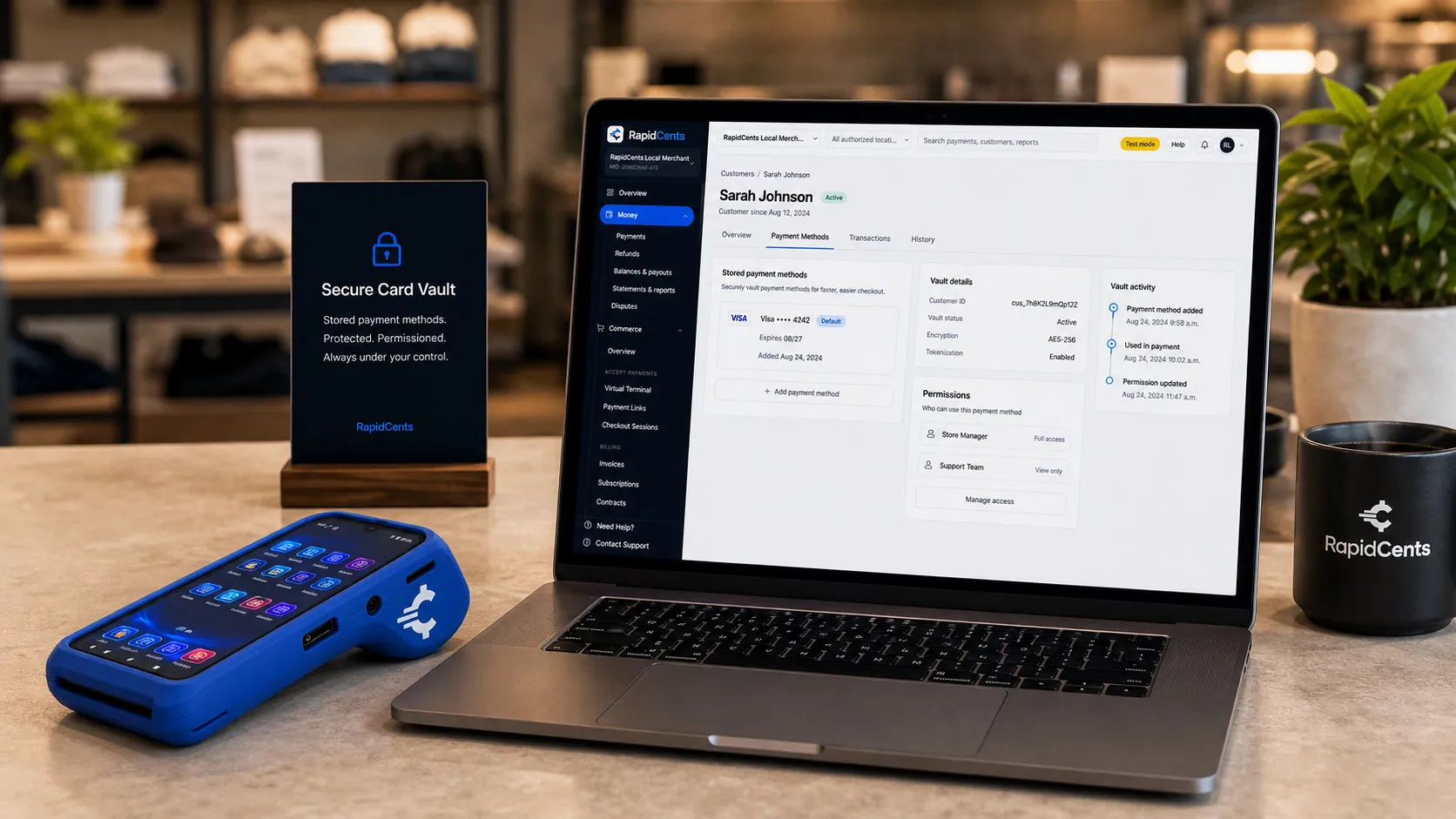
Card credentials sit in the RapidCents vault rather than in merchant software, with a terminal on the desk for new captures. Secure Card Vault
The vault stores tokenized payment methods against a customer record so staff can charge a returning…
Explore
The RapidCents virtual terminal: payment details, card number, expiry and CVV keyed by hand on the left, with a payment summary on the right showing the amount, the estimated processing fee and a Process Payment button. Virtual Terminal
The RapidCents virtual terminal lets authorized staff enter mail-order and telephone-order payments through a…
Explore


How do group practices pay for several clinic locations?
Group practices and dental service organizations either let each clinic pay its own invoices or have head office pay for every location from one statement. Both work when each invoice carries the clinic's location reference and each payment is matched to the invoices it covers. Agree the rule with the group's accounts payable team before the first order, then keep the location reference on invoices, payments, credits and refunds.
How group payments run
Each clinic orders under its own location reference, so every invoice names the site that ordered. Where clinics pay their own invoices, each office manager pays through the invoice's payment link. Where head office pays, it receives one statement for all sites and pays it in one payment, which your receivables team applies invoice by invoice in your ERP or accounting software. Either way, each location's history stays complete.
Agree buyers, payers and references first
List the authorized buyers at each location and the authorized payers at head office, and send payment requests only to people on that list. Give each location its own account or ship-to reference and use it on every invoice and payment link. Your RapidCents representative will walk you through how your account and integration setup carry these references into your reports.
Your branches are not the clinic's locations
Clinic locations are customer sites, so they are separated by account references, not by merchant accounts. If your own company runs several branches or warehouses, Multi-Location can give each one its own merchant ID, staff permissions and roll-up reporting. That is a separate decision from how you label clinic payments.
Purchasing cards, short payments and disputes
Head offices may pay with a commercial or purchasing card. When a clinic questions one invoice on a statement, apply the payment to the other invoices and keep the open item visible. If a card payment is later disputed through the card network, Disputes and Chargeback Protection tracks the deadline, and your proof of delivery, the PO and the signed order can serve as evidence.
A five-office group on one trade account
Say a group with five clinics shares one trade account with five location references. Each office manager places their clinic's consumables orders, and head office pays the month's statement total through one payment link carrying the statement number. The supplier applies that payment to the invoices listed on the statement, grouped by location, so each office can see its orders paid and the group can allocate costs by clinic.
What drives the cost of card payments for a dental supplier?
Dental supply credit card processing costs depend mainly on the cards clinics pay with, how each payment is taken, and the size and mix of your orders. RapidCents prices on interchange-plus. Interchange, which the card networks set, passes through at cost. On top of it you pay the RapidCents markup set out in your Fee Schedule and fees for equipment or services, if applicable. Agreements run month to month, with no fixed term.
Card type: business, rewards and debit
Business, rewards and purchasing cards generally carry higher interchange than debit cards, so note which ones your clinics and group head offices use. A month in which a large group pays by purchasing card looks different from one in which small practices pay by debit at your showroom, so compare several months rather than one.
Channel: phone, online or in person
How the card is taken changes interchange. Phone orders keyed in the Virtual Terminal and payments made through a link or online store are card-not-present, which generally carries higher interchange than a chip or contactless payment at a showroom terminal. Your split between phone, online and in-person payments is one of the main figures to compare.
Ticket size and enhanced commercial-card data
Equipment balances are few and large, while consumables reorders are many and smaller. Interchange generally rises with the sale amount, so large equipment balances paid by card are where a bank payment option matters most. Some commercial cards can carry PO, tax and line-item detail as Level 2 or Level 3 data where supported and verified for your setup. Measure any interchange difference on your own statements instead of assuming one.
Refunds, chargebacks and surcharges
Returns refunded to the card, such as wrong shades or damaged deliveries, and chargebacks on disputed payments add cost and staff time, so count both. If you are weighing a card surcharge, or steering large equipment balances toward bank payment, check the card network rules and the laws that apply to your business first, and compare the cost of each method before you change invoice terms.
What to bring to Fee Check
Bring two or three recent processing statements, your card-type split, your average consumables and equipment ticket, your phone, online and in-person mix, and your refund and chargeback counts. Fee Check reads an uploaded statement and shows interchange separately from markup, so you can compare what you pay now with an interchange-plus quote.
Can RapidCents work with your ERP or accounting software?
RapidCents integrates with many major platforms through APPIE and RapidBridge, and works alongside your ERP or accounting software through a connector, an API integration, payment links or a settlement export imported later. The right option depends on your software vendor and version; your RapidCents representative will walk you through it. Test a sale, a refund and an equipment deposit first.
NetSuite
Suppliers that run on NetSuite keep the sales order, invoice and customer record there. RapidBridge works with Oracle NetSuite, and NetSuite can also import RapidCents settlement files, so payments, fees and refunds reach your ledger either way. Your RapidCents representative will walk you through the option that fits your edition.
SAP Business One
SAP Business One holds clinic invoices and incoming payments for suppliers that use it. RapidBridge works with SAP Business One Web Client, and SAP systems import RapidCents settlement files. Your RapidCents representative will show you how clinic account and invoice references arrive the way your receivables team posts them.
Dynamics 365 Business Central
Business Central holds customer ledgers, sales invoices and cash receipts for suppliers that use it. RapidBridge works with Dynamics 365 Business Central, so a card payment posts against the invoice you already have open. A payment link that carries the Business Central invoice number, or a settlement export imported on a schedule, are further options your RapidCents representative can set up.
Acumatica and Epicor Prophet 21
Acumatica and Epicor Prophet 21 are both used to run distribution businesses. RapidBridge works with Acumatica, and RapidCents integrates with many major platforms through APPIE and RapidBridge for the rest. The right option depends on your vendor and version; your RapidCents representative will walk you through it, including any payment add-on already in place.
QuickBooks Online and Xero
If you keep your books in QuickBooks Online or Xero, RapidCents connects settled transactions, fees and refunds to both. Agree with your accountant how equipment deposits are recorded before the order is delivered.
Your online ordering store
If clinics reorder through your own web store, Hosted Checkout or the Payment Gateway API can take the card, and tokenization lets a clinic that agrees save its card for later orders. Your RapidCents representative will tell you whether your store platform needs a plugin or development work. Test how refunds and partial shipments appear in your order records.
Payment options for dental suppliers in Canada
Dental suppliers in Canada can collect from clinics by credit card, by Interac debit at a terminal and by bank payment through EFT or pre-authorized debit (PAD), with settlement in CAD. Cards suit invoice links and phone orders, Interac debit suits showroom and trade-show payments, and PAD suits clinics that pay their account on a set date. Your RapidCents representative sets up the methods that fit how your clinics pay.
Credit cards and Interac debit
Clinics can pay with Visa, Mastercard and American Express, including business cards, through invoice payment links, the Virtual Terminal or a terminal. When an owner pays in person at your showroom or at a trade show, Interac debit works by chip and PIN or contactless on a supported terminal.
EFT and PAD for large balances and regular accounts
A bank payment is not tied to a card's credit limit, which helps with equipment balances and monthly account payments. Before you debit a clinic's account, the clinic signs a PAD agreement that sets out the amount or how it is calculated, the timing and how to cancel.
CAD settlement and tax on invoices
Payments settle in CAD. GST/HST and any provincial sales tax on your invoices are part of the total the clinic pays; the payment collects that total, while calculating and remitting the tax stays with your business. If you also invoice clinics outside Canada, ask about International Payments and currency before sending the first link.
How to switch processors with open orders and stored cards
Switching processors as a dental supplier starts with an inventory: every stored card and its authorization, every open invoice and payment link, every equipment order with a deposit or balance outstanding, and every maintenance plan schedule. Test the new account before live payments move, run the old account in parallel while its orders and disputes close, and reconcile settlements to your ledger daily in the first weeks.
Inventory what the old processor holds
List clinics with stored cards and the authorization each one gave, maintenance plans with their billing dates, unpaid invoices that carry old payment links, and equipment deposits taken on the old account. Stored cards may not transfer, because moving card data needs both providers to agree, so plan to ask some clinics to authorize a card again.
Run both accounts in parallel for a period
A deposit taken through the old processor is normally refunded through it, and disputes on old payments arrive there too. Keep that account open until outstanding equipment orders close and the dispute period on recent payments has passed. Reissue unpaid payment links from RapidCents so no clinic pays one order through two systems.
Test before live orders move
Once your account is approved, run a test sale, a refund, an equipment deposit by payment link and a Virtual Terminal phone payment. Check that the clinic account, invoice number and PO arrive on each record and in your ERP import or accounting connection, then move one payment route at a time.
Reconcile settlements to the ledger
Match each settlement to the invoices and deposits inside it, using the transaction, settlement and fee reports in RapidCents Reporting. Export them as CSV or PDF, or in formats for accounting import, and clear unmatched items daily until a full month closes without surprises.
Tell clinics what is changing
Send each clinic's office manager a short note covering the new receipt format, the business name that will appear on their card statements, who payment links will come from and whether you need a fresh card authorization. A clinic that recognizes the new charges is less likely to dispute them.
Payment questions from dental suppliers
What is the best payment processor for dental suppliers?
The best payment processor for a dental supplier is the one that fits how your clinics actually pay, so compare dental distributor merchant services against clear criteria. Look for invoice payment links, phone orders through a virtual terminal, stored cards with authorization and in-person terminals. Then check that clinic account, invoice and PO references stay with each payment, that there is a clear route into your ERP or accounting software, and that pricing separates interchange from markup with no fixed term. Finally, compare written quotes against the same recent statement.
How much does credit card processing cost for dental suppliers?
On interchange-plus pricing, the cost is interchange plus the provider's markup, so your total depends on your card mix, channels and order sizes rather than one advertised number. With RapidCents you pay interchange at cost, the markup listed in your Fee Schedule and, if applicable, fees for equipment or services. Business, rewards and purchasing cards generally carry higher interchange than debit cards, and keyed phone orders and online payments usually cost more than cards tapped or inserted in person. Upload a recent statement to Fee Check to see your interchange and markup separately.
Can our distribution ERP use a different payment processor?
It depends on the ERP, its edition and your country. Some distribution ERPs are tied to a bundled payment add-on or particular gateways, while others accept a connector, an API integration, or payments taken by link and recorded later. RapidCents integrates with many major platforms through APPIE and RapidBridge. RapidBridge works with Oracle NetSuite, SAP Business One Web Client, Dynamics 365 Business Central and Acumatica, and RapidCents connects settled transactions, fees and refunds to QuickBooks Online and Xero. The right option depends on your vendor and version; your RapidCents representative will walk you through it.
How can dental suppliers switch processors without losing payment history?
Export your history from the old processor and keep that account open until its open items close. Download transaction, refund and dispute reports, list every stored card authorization and maintenance plan schedule, and note equipment deposits taken on the old account, since their refunds normally go back through it. Stored cards move only if both providers agree, so expect some clinics to authorize a card again. Invoices, POs and customer history stay in your ERP or accounting software throughout.
Which payment options can a dental supplier in Canada offer clinics?
A dental supplier in Canada can offer clinics credit cards, Interac debit and bank payments. Visa, Mastercard and American Express cards work through invoice payment links, the Virtual Terminal and terminals. Interac debit works in person by chip and PIN or contactless. EFT or pre-authorized debit (PAD) suits large equipment balances and regular account payments once the clinic has signed a PAD agreement. Payments settle in CAD. Your RapidCents representative will tell you which methods and limits to list on your invoices.
Can a dental clinic pay a supplier invoice by credit card?
Yes. Send the clinic an invoice with a payment link, and the office manager or bookkeeper can pay it by card on a phone or computer, with the invoice number and clinic reference kept with the payment record. Card brands, card types and transaction limits depend on your account, and a large invoice can exceed the clinic's own credit limit, so offer a bank payment for big balances where your account supports one. Paying by card clears the invoice; it does not change the payment terms you agreed with the clinic.
How should a deposit on a dental chair be matched to the final invoice?
Use one equipment-order reference on the quote, the deposit payment and every later invoice. The final invoice should show the quoted total, the deposit and any milestone payments already received, and the amount still due, so neither the clinic nor your receivables team has to rebuild the order from separate receipts. When part of the price comes from a lender or leasing company, log that payment under the same reference. Close the order when payments received equal the final invoiced total, after any change orders.
Should we store a clinic's card for frequent reorders?
Yes, if the clinic authorizes it and the card is stored as a token in a secure vault, never in email, on order forms or in spreadsheets. The RapidCents Secure Card Vault keeps the token on the clinic's customer record, so staff can charge a repeat order without re-entering the card. Record what the authorization covers, who at the clinic gave it and how the clinic cancels it, and limit which staff roles may charge or refund stored cards.
Does payment processing provide equipment financing for clinics?
No. Card acceptance and scheduled collections do not create a financing agreement, and RapidCents does not extend credit to your clinic customers. Dental equipment deposits and balance invoices are collection steps for an order, and any trade credit terms you offer remain your own agreement with the clinic. If a clinic finances equipment through a bank, lender or leasing company, keep that arrangement separate and record the lender's payment to you against the order reference.
What MCC is used for dental suppliers?
MCC 5047, which covers medical, dental, ophthalmic and hospital equipment and supplies, is commonly associated with dental supply businesses. RapidCents confirms the correct merchant category when you open a dental supply merchant account, based on what your business actually sells and how it sells it. If you sell prescription-only products, or you also run a dental laboratory or a retail counter, mention it during onboarding so the review reflects your whole business.
Related supplier and healthcare pages
Medical-surgical, laboratory and veterinary suppliers share these invoice, deposit and stored-card workflows, and the B2B & Wholesale hub covers distributor payments across categories. Dental clinics collecting from patients have their own page, which covers treatment-plan deposits, patient payment plans and balances after insurance.
B2B & Wholesale
Collect net-terms invoices by payment link with the PO number attached, take commercial…
Veterinary Suppliers
Get invoices, standing orders and equipment deposits paid by the veterinary practices…
Medical & Surgical Suppliers
RapidCents helps medical and surgical suppliers collect hospital, clinic and practice…
Laboratory & Scientific Suppliers
Collect on lab purchase orders, instrument deposits and staged deliveries, with the PO…
Pharmaceutical Wholesalers
Collect pharmacy account invoices, balances and deposits with payment links, invoicing…
Restaurant Suppliers
For dealers and distributors that sell kitchen equipment, smallwares and consumables to…
Grocery & Food Distributors
Get paid for every delivery to grocery stores, restaurants and institutional kitchens…
Produce Wholesalers
Collect on final weights, apply quality credits to the right delivery, and keep…
Take the next step
See what accepting clinic payments costs you
Upload a recent processing statement to Fee Check to see interchange separated from markup across your reorders, phone orders and equipment payments. Then bring your invoice method, equipment-versus-consumables mix, typical ticket and ERP or accounting software to a review of your dental supply payment workflow.
- No obligation
- Canadian payment specialists
- Secure statement upload



