


Payment processing for HVAC suppliers and distributors
Payment processing for HVAC suppliers has to handle equipment deposits before furnaces and heat pumps are ordered, parts sales at the branch counter, and contractor account balances paid against monthly statements. RapidCents covers these with Payment Links, countertop terminals, the Virtual Terminal and invoices carrying PO numbers, so every payment lands on its order.

- PCI DSS Level 1
- SOC 2 Type II
- All major cards: Visa, Mastercard, Amex, Discover, UnionPay, Diners Club & Interac Debit
- Interchange-plus available
- Canadian support
How HVAC supply distributors get paid
HVAC supply distributors are paid by the trade: residential HVAC contractors, mechanical contractors, refrigeration technicians and facility maintenance teams. The money comes as equipment deposits and balances, trade counter sales, phone orders, parts reorders and statement payments on branch accounts. Each payment needs the sales order, PO or job reference your ERP uses to apply it. HVAC contractors collecting from homeowners have their own page.
Equipment deposits and balances
A contractor pays a deposit on signing a quote for a furnace, condenser, heat pump or rooftop unit you factory-order or drop-ship, and the balance when the unit reaches will-call or your truck. Deposits go out by Payment Link or Contracts & eSignatures; balances are paid at the counter, by link or on account. If a unit is backordered, the deposit stays on the order and the balance follows when it ships. Finance sees both against one sales order.
Parts sales at the trade counter
Technicians buy capacitors, contactors, motors, igniters, filters and copper at the branch counter between calls. They pay on a countertop terminal with a company card, or charge the ticket to the contractor's account if they are an authorized buyer. If a ticket has no PO or job name, the contractor's office cannot assign the parts to a job, so ask for one at the counter. Finance matches each card sale to its counter ticket.
Phone orders through inside sales
Contractors call the inside sales desk to order equipment, refrigerant or a part for next-morning will-call. Staff key the card into the Virtual Terminal with address and security-code checks, and role permissions decide who may issue refunds. If the caller is not on the account's authorized buyer list, staff don't take the card. The audit log shows which employee keyed each charge.
Parts reorders on a stored company card
Service companies and facility teams reorder the same filters, belts, capacitors and refrigerant. With the contractor's written authorization, a company card is stored as a token in the Secure Card Vault and charged as each reorder ships; the authorization sets out which orders it covers, who may use it and how to cancel. Account Updater can refresh a replaced card's details, and each charge should carry its order number.
Statement payments on contractor branch accounts
Contractors with approved credit buy on a house account at one or several branches and pay a monthly statement under net terms. The office pays by invoice payment link, by a stored card it has authorized for statements, or by bank payment. A card payment does not change the agreed terms and is not financing. If the office short-pays, one disputed invoice stays open while the rest clear.
How do contractors pay HVAC equipment deposits and delivery balances?
Contractors pay HVAC equipment deposits through a Payment Link or a signed Contracts & eSignatures quote that names the sales order, job and model numbers, then pay the balance at will-call, before delivery or on account. The payment carries that order reference in RapidCents, so inside sales can release the factory order and finance can match the balance to the same order when the condenser, furnace or heat pump ships.
How the deposit request runs
Inside sales builds the equipment quote in your ERP, then sends it through Contracts & eSignatures so the contractor signs and pays the deposit in one flow, or sends a Payment Link with the sales order number and job name as references. The contractor pays by card and gets a receipt; your team sees the link marked paid in the dashboard before placing the factory order.
What to set before the first link goes out
Write a deposit rule for each order type: stock units, special-order equipment, drop-ships and commercial factory orders. Put the balance terms on the quote, whether due at pickup, before delivery or on account, and say which deposits are refundable if the job cancels and whether your return policy sets a restocking charge. Set each link to expire when the quote's pricing does.
Backorders, price changes and declines
When the coil ships but the matching condenser is backordered, keep the deposit on the order and bill the balance as pieces ship. If the manufacturer's price changes first, revise the quote and adjust the balance, not the paid deposit. If a card declines at its limit, never split the charge to force it through; agree a documented milestone schedule or offer a bank payment.
A heat pump changeout, deposit first
Say a residential contractor orders a heat pump, matching air handler and line set for a changeout in ten days, and its office manager signs the quote and pays the deposit through Contracts & eSignatures. The heat pump is backordered a week, so the deposit stays on the order. When both pieces reach will-call, the technician pays the balance on the countertop terminal against the same order number.
How contractor branch account payments are collected and applied
Contractor branch account payments are collected from the contractor's office against a statement that lists each counter ticket with its job name or PO, paid by invoice payment link or a card the office has authorized for statements. When each payment names the invoices it covers, your ERP applies it to the right tickets and branches, and your credit team sees what remains open.
How a statement payment runs
Your ERP closes the month and produces each contractor's statement. Email it with a Payment Link for the balance, carrying the account number and statement date as references, or bill through RapidCents Invoicing, which tracks each invoice from sent to paid and sends reminders before due dates. The bookkeeper pays in full or in part, and a partial payment applies to the open balance.
Authorized buyers, POs and stored statement cards
Set up each account before the first statement: which technicians may charge at the counter, whether every ticket needs a PO or job name, and who in the contractor's office approves payments. If the office wants statements charged to a stored card, get written authorization that sets out the amount basis, charge date, advance notice and how to cancel, and keep it on file.
Short-pays, holds and duplicate payments
A contractor may short-pay one invoice, such as a returned motor not yet credited; apply the payment to the invoices it names and leave the disputed one on aging. On a credit-hold account, a paid link shows in the dashboard, but your credit team decides when to release orders. If the office pays a ticket a technician already paid at the counter, refund the duplicate or hold it as credit.
Three crews, two branches, one statement
Say a service contractor with three crews buys at two of your branches all month, tagging every counter ticket by job name. Your ERP produces one statement, and the office pays it by link except one ticket for a condenser fan motor it says was returned. Finance applies the payment to the paid tickets, and the motor question goes to your warranty desk.
RapidCents products for HVAC supply distributors
Invoicing and Payment Links collect statement balances and equipment deposits with order and job references, Contracts & eSignatures pairs a signed equipment quote with its deposit, and countertop terminals take technicians' cards at the branch counter and at will-call.

The RapidCents invoices screen: outstanding, overdue, paid and draft totals across the top, the invoice list below them, and a preview of one invoice on the right with its line items and a View & Record Payment button. Invoicing
RapidCents invoicing helps professional services, contractors and B2B suppliers create branded invoices…
Explore
The RapidCents payment links screen listing created links with their amount, status, click count and whether they have been paid, beside a phone showing the branded page a customer opens to pay $2,500.00. Payment Links
RapidCents payment links let staff generate branded pay-by-link URLs for invoices, deposits, balances and…
Explore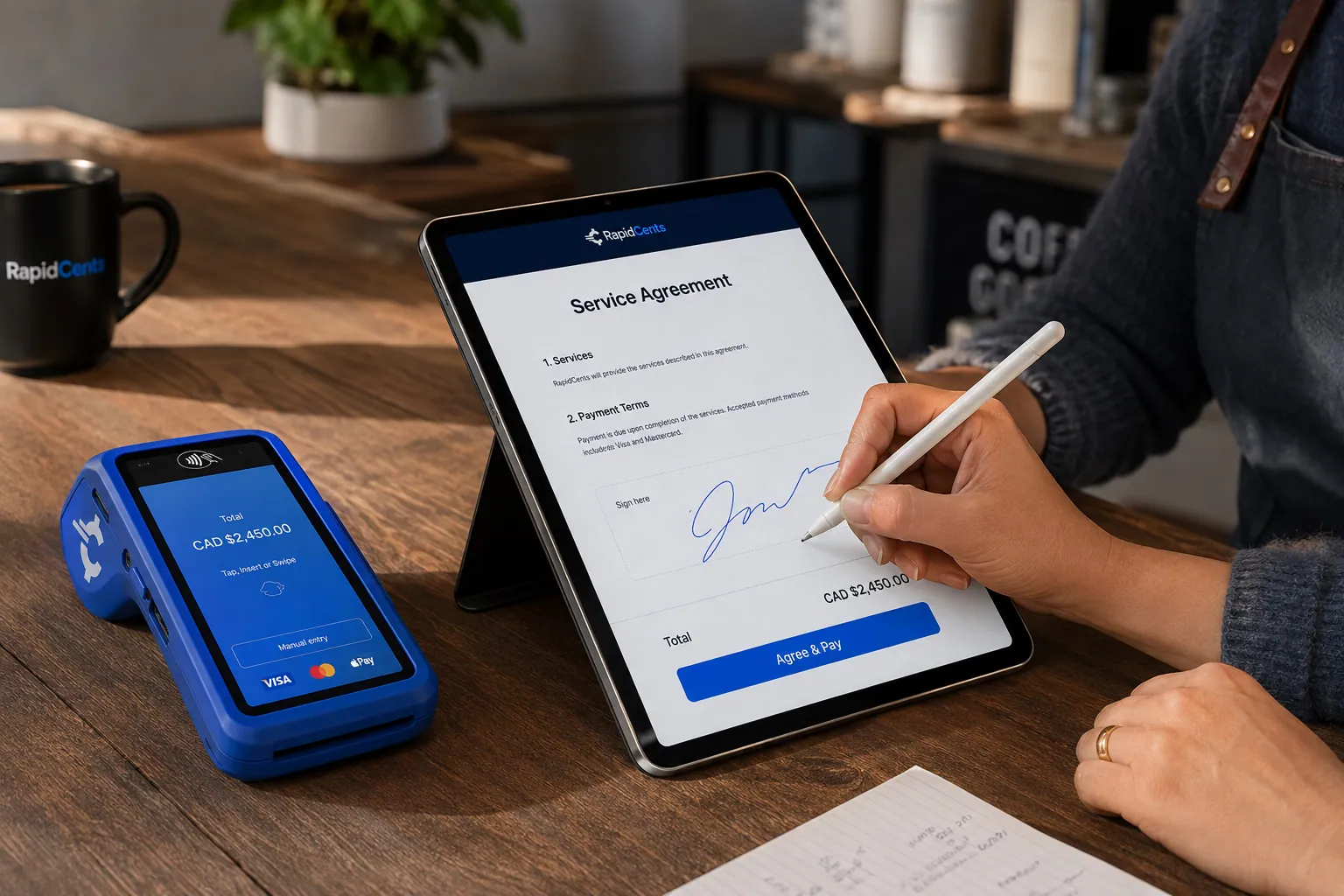
A merchant sends a RapidCents contract for e-signature with payment attached, terminal ready for an in-person counterpart. Contracts & eSignatures
Quotes, service agreements and enrolment forms usually end in a payment. Send the document, capture the…
Explore
A fixed RapidCents countertop terminal taking card payments at the till, with settlement visible on the dashboard. Countertop Terminals
RapidCents countertop terminals sit at retail counters, restaurant hosts and reception desks where speed and…
Explore


Keeping warranty credits, returns and cylinder deposits apart from card refunds
Warranty credits, returned goods and returnable cylinder deposits belong on the contractor's account as credit memos first; a card refund is a separate RapidCents transaction you choose deliberately. Keeping the two apart stops a contractor from being credited twice for one claim, lets finance match every credit to its claim, return or cylinder, and leaves the original card sale intact for dispute evidence.
How a warranty credit runs
A technician returns the failed part with its model and serial numbers and the original invoice. Your warranty desk files the claim under the manufacturer's process, and if it is approved, your ERP issues a credit memo that references the claim number and applies to the contractor's next statement or an open invoice. Nothing happens in RapidCents, because no card money moves; the original counter sale stays as it was.
When a credit should become a card refund
Decide the rule before the first return. A contractor on account normally takes credit on the statement. A walk-in buyer without an account who paid by card is refunded to the card that paid, by staff whose role permits refunds, and the claim or return number is recorded against that refund in your ERP. Use one route per claim, never both.
Returns, restocking and cylinder deposits
Stock returns come back under your return authorization; special-order units may carry a restocking charge if your policy sets one, so the credit or refund is the net amount. Charge a returnable refrigerant cylinder deposit as its own invoice line and credit it when the cylinder is checked in by tag number. Certification checks before refrigerant is released stay a counter step; the payment record does not replace them.
A no-heat motor swap, credited not refunded
Say that on a no-heat call a technician buys a replacement blower motor at the counter on the company card and leaves the failed motor, tagged with its serial number. Three weeks later the claim is approved and a credit memo lands on the contractor's next statement. The card sale is never refunded, so finance sees one sale and one credit, each with its own reference.
What drives HVAC distributor credit card processing costs?
Your card mix and the way each card is taken drive HVAC distributor credit card processing costs. RapidCents prices on interchange-plus: interchange set by the card networks passes through at cost, plus your RapidCents markup shown in your Fee Schedule and fees for equipment or services, if applicable, month to month with no fixed term. For B2B HVAC supply payments, look first at commercial cards on equipment orders and at keyed phone orders.
Card type on large equipment tickets
Contractors often pay furnace, condenser and rooftop unit orders with business, corporate or purchasing cards, and those carry different interchange than consumer debit or credit. A month heavy in commercial factory orders can cost more to process than a busy counter month with the same sales total. Ask for your card mix by type, so you can see where commercial cards sit in your volume.
Tapped at the counter or keyed on the phone
A card tapped or inserted on the countertop terminal at will-call falls into different interchange categories than the same card keyed into the Virtual Terminal by inside sales or paid online through a link. Keyed and online payments usually carry higher interchange and more fraud exposure, so a branch that moves pickups from phone payment to card-present payment changes its cost mix.
Enhanced data on purchasing cards
Some mechanical contractors and facility buyers pay with purchasing cards, where enhanced Level 2 or Level 3 data such as the PO number, tax amount and line items can travel with the payment. Talk to your RapidCents representative about sending that data for your setup. Any effect on interchange depends on the card and the data sent, and shows on your statements.
What to bring to Fee Check
Bring recent processing statements from a peak heating or cooling month and a quieter shoulder month, your card mix by type, average ticket by channel (counter, phone and link), the share of statements paid by card versus bank payment, and refund and chargeback counts from equipment returns. Fee Check reads an uploaded statement and shows interchange separately from markup, so you compare like with like.
Getting HVAC equipment invoice payments into your distribution ERP
HVAC equipment invoice payments reach your distribution ERP through the route that suits your system: a RapidBridge app for web-based software, a settlement import file, a file export, or custom work through the Payment Gateway API. RapidCents integrates with many major platforms through APPIE and RapidBridge, and your RapidCents representative will walk you through the options for your ERP, version and hosting.
Epicor Prophet 21
Epicor Prophet 21 holds the orders and receivables each payment must match. RapidCents integrates with many major platforms through APPIE and RapidBridge, and the right option depends on your Prophet 21 version and hosting; your RapidCents representative will walk you through it. Meanwhile, put the order number on every payment as its reference and post from a settlement export.
NetSuite and SAP Business One
RapidBridge works with Oracle NetSuite and SAP Business One Web Client, so a card payment can post against the customer invoice you already have open. Settled payments, fees and refunds also export from Reporting in an import format and match customer invoices by order or invoice number. Test a month of branch settlements and refunds first, and if a payment add-on is installed, check whether it limits your processor choice.
Dynamics 365 Business Central and Acumatica
RapidBridge works with Dynamics 365 Business Central and Acumatica, so each payment can land on the right customer invoice and job already open in your ERP. If your edition is hosted or customized, your RapidCents representative will walk you through the best route: a payment link outside the ERP, a settlement file you import, or custom work through the Payment Gateway API and its webhooks.
QuickBooks Online and Xero
Smaller single-branch distributors sometimes run a separate counter or inventory system with QuickBooks Online or Xero as the ledger. RapidCents connects settled card transactions, fees and refunds to both. Check how warranty credit memos from your counter system reach the ledger, since those are not card transactions.
Counter terminals beside the ERP screen
APPIE lets counter software you already run drive RapidCents terminals, so staff keep the screen they know. Where a terminal runs standalone instead, staff key the ticket total into the terminal and mark the ticket paid in the ERP. Agree how staff record the terminal's approval on the ticket, and reconcile each branch's batch to its day's tickets, so a mistyped amount is caught the same day.
Payment options for HVAC supply distributors in Canada
HVAC supply distributors in Canada can take Interac debit and Visa, Mastercard and American Express cards at the branch counter, card payments by link or phone, and EFT or pre-authorized debit (PAD) bank payments for contractor statements, with settlement in CAD.
Interac debit at the parts counter
Technicians paying with a business debit card can insert it with chip and PIN or tap it on the countertop terminal at the branch counter or will-call window. Daily debit limits are set by each cardholder's bank, so a large equipment balance may need a business credit card or a charge to the contractor's account instead.
EFT and PAD for statement balances
Contractors who would rather pay statements from a bank account can use EFT bank payments. With pre-authorized debit (PAD), you debit the statement amount on the date the contractor's signed PAD agreement sets out; each payment should carry the account number and statement date so it lands on the right balance.
GST/HST and CAD settlement
GST/HST and any provincial sales tax on equipment and parts are calculated by your ERP and printed on the invoice; the card or bank payment collects the invoice total and does not calculate tax. Card and bank payments settle in CAD, and settlement reports export as CSV or PDF for your ledger.
Switching processors without losing contractor account history
To switch processors without losing contractor account history, export your transaction history, inventory stored cards and open money such as unshipped equipment deposits, and keep the old account open until refunds and disputes on its sales clear. Test each HVAC flow on RapidCents before moving live traffic, and plan the cutover for a shoulder month rather than the first heat wave or cold snap.
Take inventory of open money
Before cutover, list contractor cards on file and the authorization behind each, statement autopay agreements, deposits taken on equipment that has not shipped, warranty credits waiting on manufacturer approval, refunds owed on returns, and payment links still unpaid. Each one needs an owner and a plan: finish it on the old account, or move it to RapidCents with fresh paperwork.
Stored cards and authorizations
Card tokens do not move between processors automatically. Ask both providers whether a transfer is possible; if it is not, collect a new authorization when each contractor next pays a statement or places an order, and store the card in RapidCents under that consent. Keep the old authorization records, since they explain charges made before the switch if a dispute arrives later.
Test every HVAC flow before go-live
Once your account is approved, run a counter sale and refund on each branch's terminal, a phone order in the Virtual Terminal, a deposit link with a sales order reference, a partial statement payment and a stored-card reorder. Check that each reaches your ERP or settlement export with its order, ticket or invoice number intact, and run both processors side by side for a statement cycle where volume is high.
Reconcile by branch from the first day
Set up each branch as a location under Multi-Location, with location-level MIDs, so settlements, fees and refunds can be reported by branch and rolled up for head office. Reconcile each settlement to the bank and to your ERP's cash receipts daily during the first statement cycle, and keep the old processor's final statements with your month-end records.
Payment questions from HVAC supply distributors
What is the best payment processor for an HVAC supply distributor?
The best payment processor for an HVAC supply distributor is the one that fits your mix of counter sales, equipment deposits and contractor statements, so judge fit rather than headline price. When you compare HVAC wholesaler merchant services, look for interchange-plus pricing with a written markup, deposit links tied to sales orders, stored cards with documented authorization, branch-level reporting, dispute tools and a tested route into your ERP. Then compare written quotes against the same recent statements.
How much does credit card processing cost for HVAC distributors?
HVAC distributor credit card processing costs depend on your card mix and how each card is taken, so there is no single figure. With RapidCents interchange-plus pricing, interchange set by the card networks passes through at cost, plus your RapidCents markup shown in your Fee Schedule and any equipment or service fees that apply, month to month. Business cards on large equipment orders, keyed phone orders and refunds on returns shape the total. Fee Check shows interchange separately from markup on an uploaded statement.
Can Epicor Prophet 21 use a different payment processor?
Yes. RapidCents integrates with many major platforms through APPIE and RapidBridge, and the right option depends on your Prophet 21 version and setup, so tell your RapidCents representative what you run and they will walk you through it. Either way, Prophet 21 stays the record of orders and receivables while RapidCents collects through terminals, Payment Links, invoices and the Virtual Terminal with the order or invoice number as reference, and your team posts settled payments, fees and refunds from a settlement export.
How can an HVAC distributor switch processors without losing payment history?
Export your full transaction history first, and keep the old merchant account open until refunds, disputes and unshipped equipment deposits taken on it are resolved. Refunds and chargebacks on old transactions run through the provider that processed them. Ask both providers whether stored contractor cards can transfer; if not, collect fresh authorization at each contractor's next order or statement. Renew statement autopay agreements and resend unpaid links from RapidCents one list at a time, so no contractor is charged twice or missed.
Which payment options can an HVAC supply distributor in Canada offer?
An HVAC supply distributor in Canada can offer Interac debit and Visa, Mastercard and American Express credit cards at the counter, card payments through Payment Links, invoices and the Virtual Terminal, and EFT or PAD bank payments for statements and large equipment orders, all settling in CAD. PAD needs the contractor's signed agreement. Your RapidCents representative will set up the mix that suits your counter, phone and statement volume.
Can a contractor pay an equipment deposit by link?
Yes. Send a Payment Link, or a Contracts & eSignatures request if you want the quote signed in the same step, that names the exact order: sales order number, job name and the model numbers of the furnace, condenser or heat pump being ordered. Show the deposit amount and the terms for the balance, whether due at will-call pickup, before delivery or on the contractor's account, and what happens if the job cancels. The contractor receives a receipt, and your team sees the deposit against that order.
How are warranty credits matched to account balances?
Warranty credits are matched as credit memos on the contractor's account in your ERP, recorded separately from any card refund in RapidCents. When your warranty desk approves the claim on a returned part, the credit memo should reference the claim number and the original invoice, then apply to the next statement or an open invoice. If you refund a card for the same part instead, apply the credit memo to that refund rather than to the statement, so the contractor is never credited twice.
Will RapidCents connect to our HVAC distribution ERP?
RapidCents integrates with many major platforms through APPIE and RapidBridge. RapidBridge works with Dynamics 365 Business Central, Acumatica, Oracle NetSuite and SAP Business One Web Client, and settled transactions, fees and refunds connect to QuickBooks Online and Xero. The right option depends on your ERP vendor and version, so tell your RapidCents representative which system you run and they will walk you through it. Before you go live, try the route with real orders, counter tickets, deposits and a refund.
Can a contractor's head office pay for purchases made at several of our branches?
Yes. A contractor's head office can pay one statement covering counter tickets from several of your branches, by invoice payment link, a stored company card, or a bank payment. Ask the office to send remittance listing the invoice numbers paid, or send one link per statement, so each payment lands on the right job and branch in your ERP. Multi-Location reporting rolls card activity from each branch up to your own finance team while keeping location-level detail.
What happens if a contractor disputes a card payment for a special-order unit?
You answer the dispute with evidence before the deadline, and the cardholder's bank decides the outcome under card network rules, so no result is promised. RapidCents Disputes and Chargeback Protection gives you alerts, a place to submit evidence and deadline tracking. For a special-order furnace, condenser or rooftop unit, useful records include the signed quote with its cancellation or restocking terms, the order confirmation with model and serial numbers, and the signed pickup ticket or delivery proof.
What MCC is used for HVAC supply distributors?
MCC 5074, plumbing and heating equipment and supplies, is commonly associated with HVAC supply distributors. RapidCents sets the correct merchant category during onboarding based on what your business actually sells and to whom, so a distributor whose sales lean toward another category may be classified differently. The MCC tells card networks what kind of business you are; it does not change which contractors can buy from you or the terms on their accounts.
Pages for related trade suppliers and HVAC contractors
The B2B & Wholesale page covers net terms, purchase orders and ERP posting for every kind of distributor. Plumbing supply wholesalers and electrical supply wholesalers share your contractor counter accounts and job references, and the HVAC Contractors page covers technicians taking homeowner payments in the field.
B2B & Wholesale
Collect net-terms invoices by payment link with the PO number attached, take commercial…
Tool & Hardware Suppliers
Take trade-counter sales, contractor account invoices, phone orders and tool returns…
Industrial MRO Suppliers
Get paid by the plants, mills and maintenance contractors you supply, from a breakdown…
Safety & PPE Suppliers
Collect site-level PPE orders, bulk uniform deposits and repeat replenishment from the…
Plumbing Supply Wholesalers
Collect counter sales, special-order fixture deposits and trade-account statements from…
Electrical Supply Wholesalers
Collect from electrical contractors and facility buyers at the will-call counter, by…
Dental Suppliers
From monthly consumables reorders to chair and imaging deposits, collect what clinics…
Veterinary Suppliers
Get invoices, standing orders and equipment deposits paid by the veterinary practices…
Take the next step
See what your HVAC branch volume costs to process
Upload a recent processing statement to Fee Check to see interchange separated from markup. Pick a peak heating or cooling month, so the statement reflects your heaviest equipment orders and phone payments.
- No obligation
- Canadian payment specialists
- Secure statement upload



