


Payment processing for solar installers
Solar installer payment processing from RapidCents covers in-person, online and phone card payments, payment links, invoicing and bank payments for every stage of a solar contract. Most installers collect a deposit at signing, bill equipment and installation as milestones, and take the commissioning balance at sign-off. Your RapidCents representative will walk you through how it fits your software.

- PCI DSS Level 1
- SOC 2 Type II
- All major cards: Visa, Mastercard, Amex, Discover, UnionPay, Diners Club & Interac Debit
- Interchange-plus available
- Canadian support
How solar installers get paid
Solar installers get paid in stages: a deposit at signing, an equipment milestone, an installation milestone and a commissioning balance. Each stage has its own payer, trigger and record, and some of the money may come from a lender instead of the homeowner.
Signing deposit
The homeowner or business owner pays a deposit when the signed agreement comes back. Staff send a payment link or take the card at the kitchen table on a mobile terminal. Finance gets a receipt tied to the contract number.
Equipment milestone
When panels, inverters and racking are ordered or delivered, you invoice the equipment stage. These solar equipment milestone payments are collected by card, bank payment or payment link, and the invoice names the contract and stage.
Installation milestone
After the crew finishes mounting and wiring, you invoice the installation stage. Larger amounts often go by bank payment instead of card. A partial payment or short balance stays visible on the invoice until it is cleared.
Commissioning balance
At commissioning and sign-off, the remaining balance is invoiced. The customer pays it, or a lender releases its portion, and any rebate the customer is waiting on is tracked separately. Finance closes the contract when the balance reads zero.
How do solar installers collect the deposit and stage payments?
Solar installers collect the deposit when the agreement is signed, then invoice equipment, installation and commissioning as each stage is reached. Contracts and eSignatures keeps the agreement and schedule together, and payment links or bank payments collect each stage. Solar installation progress payments work best when every invoice names its stage.
How the stages run
A homeowner signs a proposal, and the signature step leads straight to the deposit. Each later stage becomes an invoice with a payment link sent by text or email. This is solar project deposit collection and milestone billing in one thread, and every receipt carries the contract number.
What to set up first
Write the stage names, amounts and trigger events into the agreement before the first charge. To save a card for later stages, get the customer's authorization in the agreement and name the stages it covers. Without that permission, send fresh solar invoice payment links for each stage.
Change orders on a $24,000 contract
A change order, such as an added battery, needs its own approved invoice, not a quiet edit to a paid stage. Say a $24,000 contract bills a $2,400 deposit, then equipment, installation and commissioning. If the customer cancels after the equipment order, the refund follows the cancellation terms you wrote down.
How do financed projects work alongside card-paid milestones?
Treat a lender's disbursement and a customer's card payment as two separate receipts against the same contract. A financing approval is not collected money until the lender pays you. RapidCents handles what the customer pays directly, and the lender's funds follow the lender's own terms.
Split the balance up front
Before work starts, record how much the lender covers and how much the customer pays directly, such as the deposit or an upgrade. Card and bank payments through RapidCents apply only to the customer's portion. The lender sets its own timing, so get the release schedule from the lender in writing.
Keep each source on its own line
Give each source its own line on the contract ledger: lender, customer card, customer bank payment. An approval letter is not a receipt. Mark a milestone paid only when money has arrived, so a financing approval is never mistaken for collected funds.
Release forms on a $30,000 job
Say a lender releases funds only after a completion form is signed, while your crew has already bought equipment. On a $30,000 job the lender covers most of the cost and the customer pays $3,000 by card toward upgrades. Invoice that $3,000 separately so the lender's funds never clear it by accident.
RapidCents products for solar installers
Invoicing, Payment Links, bank payments and Contracts & eSignatures cover the signed agreement, each stage invoice and its collection, so a solar contract's schedule, receipts and balance stay in one thread.

The RapidCents invoices screen: outstanding, overdue, paid and draft totals across the top, the invoice list below them, and a preview of one invoice on the right with its line items and a View & Record Payment button. Invoicing
RapidCents invoicing helps professional services, contractors and B2B suppliers create branded invoices…
Explore
The RapidCents payment links screen listing created links with their amount, status, click count and whether they have been paid, beside a phone showing the branded page a customer opens to pay $2,500.00. Payment Links
RapidCents payment links let staff generate branded pay-by-link URLs for invoices, deposits, balances and…
Explore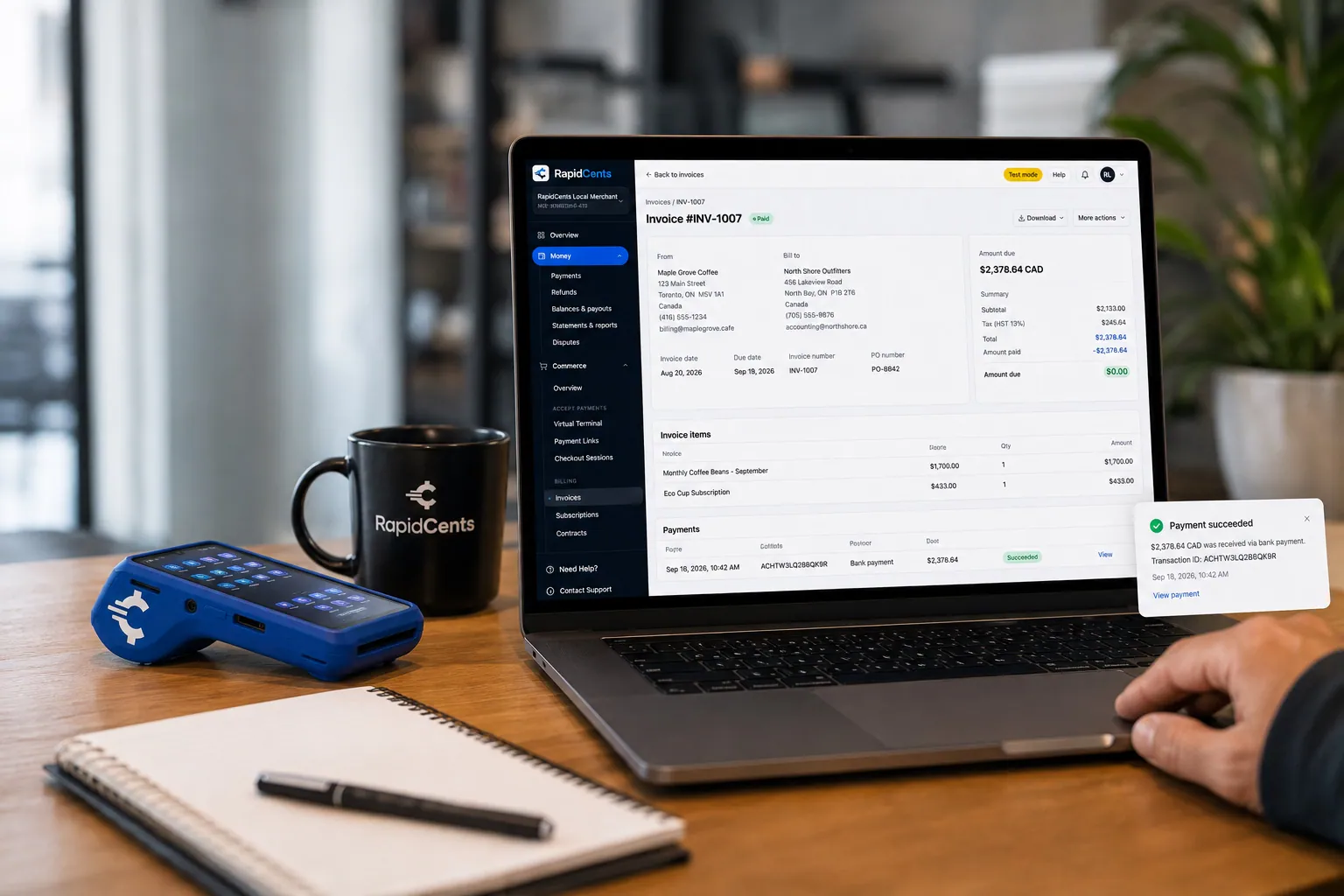
A merchant invoices a customer for bank debit through RapidCents, with card terminal capture available on the same desk. ACH / Bank Payments
Bank payments suit recurring and high-value invoices where card fees are the wrong tool. Collect directly…
Explore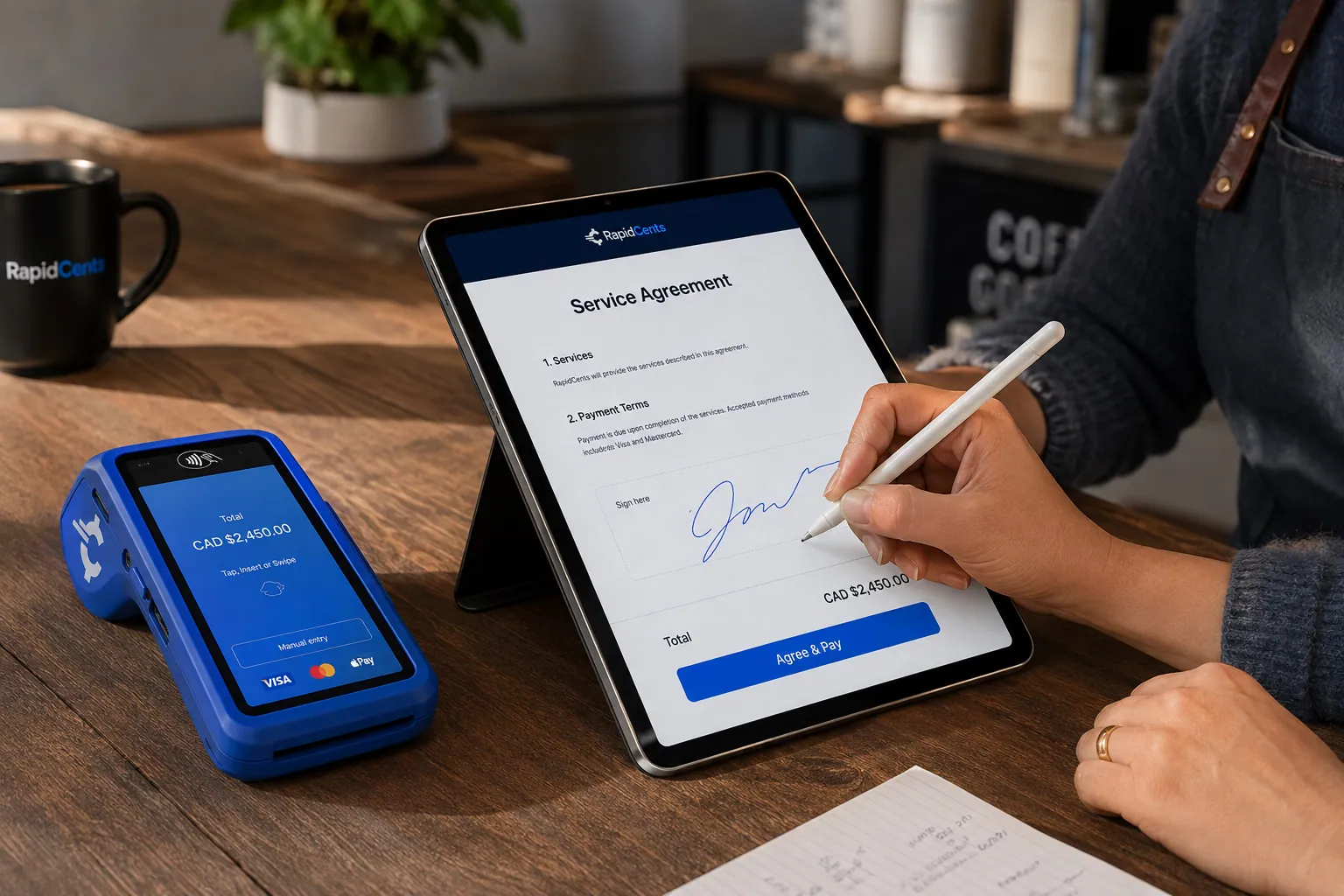
A merchant sends a RapidCents contract for e-signature with payment attached, terminal ready for an in-person counterpart. Contracts & eSignatures
Quotes, service agreements and enrolment forms usually end in a payment. Send the document, capture the…
Explore


How do you handle rebate timing and the customer balance?
Keep the balance the customer owes separate from any rebate the customer is waiting on. A rebate is paid by a program on its own schedule, so the invoice should show what is owed now, not what a rebate may cover later. Check the program's rules before you promise a balance reduction.
Bill what is owed now
Invoice the full balance the contract calls for at commissioning. If the customer expects a rebate, the customer pays you first and receives the rebate later from the program. Writing that sequence into the agreement stops a payment link sitting unpaid while the customer waits.
Partial payments and holdbacks
Payment links can allow partial payments, so a customer can pay part now and the rest later. Show the remaining amount on the invoice. Some installers hold back a small final portion until inspection or interconnection approval, so write the holdback and its release trigger into the agreement.
A $6,000 balance with a $2,000 rebate on the way
Say a customer owes $6,000 at commissioning and expects a program rebate of $2,000 later. You invoice $6,000, the customer pays by bank payment or card, and the rebate reaches the customer separately. A later refund goes back to the original payment method under your terms.
How do you compare processing fees and total operating cost?
Compare fees on your real payment mix, not on a headline. RapidCents prices on interchange-plus: interchange at cost, your RapidCents markup in your Fee Schedule, and fees for equipment or services if applicable. It is month to month with no fixed term, and Fee Check shows interchange separately.
What drives the cost
Interchange varies with the card type, such as debit, credit, premium or commercial, and with how the card is taken. A tapped or inserted card at the signing table is priced differently from a keyed or online one. On big tickets, solar contractor credit card payments make that mix matter most.
Bank payments for large milestones
A five-figure installation milestone often suits a bank payment better than a card. Bank payments carry their own fees and rules, and your RapidCents representative will list them for you in writing. Whether you offer both options is your decision, and your Fee Schedule shows what each costs.
What to bring to compare
Bring recent processing statements, your card mix, average and largest ticket, the split between in-person, links and phone, and refund and dispute volume. Upload a statement to Fee Check to see interchange separated from markup, and your representative will list any equipment or service fees.
How RapidCents works with OpenSolar and other solar software
RapidCents integrates with many major platforms through APPIE and RapidBridge, so most solar teams keep the design, sales and project software they run today. The right option depends on your software vendor and version, and your RapidCents representative will walk you through it, whether that is a software connector, an API integration, a payment link or a file import.
OpenSolar
OpenSolar covers proposals and design for many installers. Tell your RapidCents representative your edition and country, and they will show you how a deposit goes out as a payment link sent from the proposal, or how staff enter the payment by hand.
Aurora Solar
Aurora Solar is used for design and sales proposals. Payment can run as a separate payment link or invoice that carries the contract number, and your RapidCents representative will show you what connects for your version.
Enerflo
Enerflo manages sales, contracts and lender steps for some installer teams. If your Enerflo setup names a payment partner, tell your RapidCents representative, who will walk you through the options for your configuration.
JobNimbus
JobNimbus tracks jobs, estimates and invoices. Your RapidCents representative will explain how payments from a payment link post against the job for your plan, whether automatically or entered by staff.
Sage
Sage is an accounting package. RapidBridge works with Sage Intacct and Sage Business Cloud Accounting, RapidCents connects settled transactions, fees and refunds to QuickBooks Online and Xero, and SAP and NetSuite import settlement files. Tell your representative which edition you run.
Payment options for solar installers in Canada
Solar installers in Canada can offer credit cards, Interac debit, and EFT or pre-authorized debit (PAD) bank payments, settled in CAD, all inside the same staged workflow of deposit, milestones and balance. Your RapidCents representative will walk you through each method.
Interac debit and cards at the table
Interac debit by chip and PIN or contactless works well at the signing table for deposits. A debit purchase may be limited by the customer's bank, so large milestones often move to a bank payment or a payment link.
EFT, PAD and tax on invoices
EFT or PAD suits large installation and commissioning stages, and PAD needs the customer's written authorization. GST/HST may appear on invoices and receipts, and provincial rebate programs vary, so check tax treatment with your accountant.
Setup, switching and reconciliation checklist
Switch in an order that protects open contracts: list balances and saved cards, test a sale and a refund, then move live traffic. Keep the old provider running until open stages are settled. Once your account is approved, your RapidCents representative walks you through the move, and saved cards transfer only when both providers agree.
Take inventory first
List every open contract with its remaining stages, any card saved for a later stage, open invoices and payment links, and terminals in the field. Note which crew leads and sales reps can take payments, so permissions are set before launch.
Test before moving
Run a small sale, a refund and a deposit through the new setup and match each to the invoice and the ledger. Run both providers in parallel so in-flight stages finish where they started. Saved cards may need vendor-controlled migration or fresh customer authorization.
Reconcile to the ledger
Map each payment reference to the contract number and stage, then match deposits to the ledger. Reports export as CSV or PDF for accounting import. For example, one $8,000 installation payment should show as one receipt, one settlement line and one ledger entry.
Payment questions from solar installers
How should solar installers handle the deposit and the equipment, installation and commissioning stages?
Treat each stage as its own invoice tied to one contract number. Collect the deposit at signing, bill equipment when it is ordered or delivered, bill installation at completion and bill the balance at commissioning. Write the triggers, amounts and cancellation terms into the agreement. Refunds follow those written terms, and each receipt should match the ledger.
How should our solar company handle financed projects alongside card-paid installation milestones?
Keep the lender's disbursement and the customer's card payments as separate receipts against the same contract. A financing approval is not collected money until funds arrive. RapidCents processes what the customer pays directly, and the lender sets its own timing. Link each amount to a milestone so the outstanding balance stays accurate.
How should solar installers handle rebate timing and the customer balance?
Invoice the balance the contract calls for, and treat any rebate as a separate matter between the customer and the program. The customer pays you first and receives the rebate later. Put that sequence in the agreement, show the amount due on each invoice, and check the program's rules before promising a reduction.
How should solar installers handle change order approval?
Approve each change order in writing before you charge for it. Send an amended document through Contracts & eSignatures, then invoice the added amount as its own invoice. Do not edit a paid stage. A refund for a removed item goes back to the original payment method under your written terms.
Which payment options can a solar installer in Canada offer?
A solar installer in Canada can offer Visa, Mastercard and American Express credit cards, Interac debit in person, payment links and EFT or pre-authorized debit for bank payments, settled in CAD. PAD needs the customer's written authorization. Your RapidCents representative will walk you through each option, and through how GST/HST shows on invoices and receipts.
How should solar installers handle high-value project collection limits?
Plan large stages around the limits on your account, because a five-figure milestone may not fit on one card. Your RapidCents representative will walk you through your processing limits during onboarding. You can split a large stage into smaller invoices or collect it by bank payment instead. Any split should be agreed with the customer and shown on the invoice.
Which payment processor suits solar installers, and what should we compare?
Choose the one that fits how your stages run. RapidCents collects deposits at the signing table, sends milestone invoices with payment links, takes bank payments for large stages and ties each receipt to the contract number. Bring your statements to Fee Check, compare written quotes on your own payment mix, and ask your RapidCents representative to show you how settlement reports map to your ledger.
What fees should solar installers expect for in-person and online card payments?
Expect interchange, your processor's markup and any equipment or service fees. RapidCents prices interchange-plus: interchange passes through at cost, your markup sits in your Fee Schedule, and equipment or service fees apply if applicable. Card-present and keyed or online payments are priced differently. It is month to month with no fixed term.
Can we use RapidCents with OpenSolar or Aurora Solar?
RapidCents integrates with many major platforms through APPIE and RapidBridge, so most solar teams keep the software they run today. The exact option depends on your vendor and version. Tell your RapidCents representative which edition you use and what you need to move, such as amounts or receipts, and they will show you whether it runs as a software connector, an API integration, a payment link sent from the software or a file import.
How can solar installers reduce payment disputes and protect stored card details?
Clear authorization and receipts prevent most disputes. Get written agreement on each stage's amount and trigger, send a receipt for every payment and keep signed change orders. Save a card for later stages only with the customer's authorization, limit which staff can use it, and use tokenized storage where supported. No provider can promise a dispute outcome.
How can solar installers switch payment providers without losing billing records?
Inventory open balances, saved-card arrangements, terminals and software dependencies, then reconcile a pilot payment, refund and deposit before switching. Export reports from your current provider first. Saved cards may need vendor-controlled migration or new customer authorization, because both providers must agree. Keep the old provider active until open stages are settled.
What MCC is used for solar installers?
MCC 1731 is commonly associated with this type of business. RapidCents sets the merchant category during onboarding, based on what your business actually sells and installs. If you also sell equipment separately or offer other services, tell your RapidCents representative so the category reflects your real activity.
Related industries
HVAC contractors, electricians, roofing contractors and construction contractors share staged billing, deposits and change orders. The same invoice, payment link and reconciliation workflow applies across these trades.
HVAC Contractors
RapidCents lets you take the equipment deposit at the kitchen table, collect the balance…
Plumbing Contractors
Take the card at the job with Tap to Pay or a mobile terminal, send deposit links before…
Electricians
Take a materials deposit before the order goes in, get change orders approved and paid…
Construction Contractors
RapidCents helps construction contractors bill draws, collect released retainage and…
Home Services
Card payments for the work your crews finish in customers' homes: tap at the door…
Landscaping
RapidCents handles spring deposits by payment link, monthly maintenance on autopay…
Cleaning Services
RapidCents helps cleaning businesses collect recurring cleans from a card on file, deep…
Roofing Contractors
Take the deposit that orders the shingles, bill the balance at tear-off and completion…
Take the next step
Review your solar payment costs with Fee Check
Upload a recent processing statement to see interchange separated from your markup, then compare it with how your deposit and milestone payments actually run.
- No obligation
- Canadian payment specialists
- Secure statement upload



