


Payment processing for event organizers, from ticket to gate
Payment processing for event organizers has to cover two bursts of revenue: advance sales weeks out and the door on the night. RapidCents sells tickets and VIP packages through Hosted Checkout and Payment Links, then runs Payment Terminals, Tap to Pay and QR Payments at the gate and concession stand, so one team handles both.

- PCI DSS Level 1
- SOC 2 Type II
- All major cards: Visa, Mastercard, Amex, Discover, UnionPay, Diners Club & Interac Debit
- Interchange-plus available
- Canadian support
How event organizers get paid
Event organizers get paid through four jobs: advance tickets and packages sold online, sales at the gate on the night, concession and vendor sales inside the venue, and refunds or reschedules when plans change. Each job has its own payer, trigger and record.
Advance tickets and VIP packages
Fans buy weeks ahead on your ticket page, and the charge happens at order. A hosted checkout page or a payment link takes the card, and the confirmation email doubles as the ticket receipt. Finance sees every order with its reference in the settlement report.
Gate and box office sales
Walk-up guests pay at the door on the night. Staff tap or insert the card on a terminal or a supported phone, and the guest gets a receipt. If you expect a dead zone or a long line, keep a backup device charged and ready.
Concessions and vendor sales
Guests buy drinks, food and merchandise inside the venue. Stand staff take cards on handheld terminals or a scanned QR code at the counter. Vendors who pay a booth fee are billed separately by invoice, so their payments never mix with guest sales.
Refunds, reschedules and reporting
When a show is postponed or a guest cancels, a refund goes back to the original card under your refund policy. Reporting then shows gross sales, refunds, fees and deposits by day, so the box office manager can close the event cleanly.
How does an event ticket payment gateway work?
An event ticket payment gateway takes the card online, authorizes it and returns a result to your ticket page before the ticket is issued. With RapidCents, Hosted Checkout or the Payment Gateway handles the card data, so your page never stores card numbers and your team sees an order reference.
How an advance sale runs
The buyer picks seats or a ticket tier, lands on Hosted Checkout styled with your logo, pays by card or wallet and sees a confirmation. Your team gets the order reference, and the payment is tied to that order in reporting.
What to set up first
Write your refund and transfer terms before the first sale and show them on the checkout page. Decide how service fees and taxes appear on the receipt, and test one sale and one refund before you announce the on-sale date.
When it goes wrong
Declines, double clicks and abandoned carts are normal during a hot on-sale. Check the order status before you resend a link, so one buyer is never charged twice. Disputes arrive weeks later, so keep the order record and entry scan ready as evidence.
A $95 VIP package for a 600-seat show
Say a promoter opens a 600-seat show with a $95 VIP package. Buyers pay on Hosted Checkout, a few reach out by phone, and staff send a Payment Link for the same package. All orders land in one settlement report.
Which event onsite card payment terminals do you need?
Event onsite card payment terminals should match where people queue: countertop units at a fixed box office, mobile Rivo terminals at gates and stands, and Tap to Pay on supported phones for roaming staff. Plan one device for every few staff, plus spares for the busiest hour.
How the gate sale runs
A guest without a ticket reaches the door, staff enter the amount, and the guest taps, inserts or scans a QR code. The terminal prints or sends a receipt. For box office payment integration, your RapidCents representative will walk you through how your ticketing system connects.
What to set up first
Test every device on the venue network or its own cellular plan before doors open. Name each terminal by gate or stand so reports show where sales happened, and set staff permissions so only a supervisor can refund.
When it goes wrong
Connectivity drops, dead batteries and cracked screens happen on show night. Keep spare terminals and chargers at a supply table, and have staff note a manual order reference for any sale they cannot complete so it can be reconciled later.
A street festival with three gates and six stalls
Picture a street festival with three gates and six food stalls. Each gets a named mobile terminal, vendors use Tap to Pay, and one supervisor holds the spare. The next morning, reporting shows takings by gate and stall.
RapidCents products for event organizers
These products cover the full event day: Hosted Checkout for advance sales, Payment Terminals and Tap to Pay for the gate, and QR Payments for the concession counter.

A RapidCents hosted checkout page at checkout.rapidcents.com, with the order summary and totals on the left and the card fields on the right, footed by SSL and PCI DSS assurances. Hosted Checkout
RapidCents hosted checkout delivers PCI-scoped payment pages you redirect customers to or embed via iframe…
Explore
The RapidCents Rivo Go standing upright in its blue silicone case, showing the full-touch sale screen a customer reads across the counter. Payment Terminals
RapidCents payment terminals cover countertop, mobile and smart form factors so you can accept chip…
Explore
A café worker holds a phone running RapidCents Tap to Pay, showing an $18.75 sale and the contactless symbol, while a customer holds a Visa card to the screen. No separate card reader is present. Tap to Pay
RapidCents Tap to Pay turns supported iPhones and Android devices into contactless payment terminals without…
Explore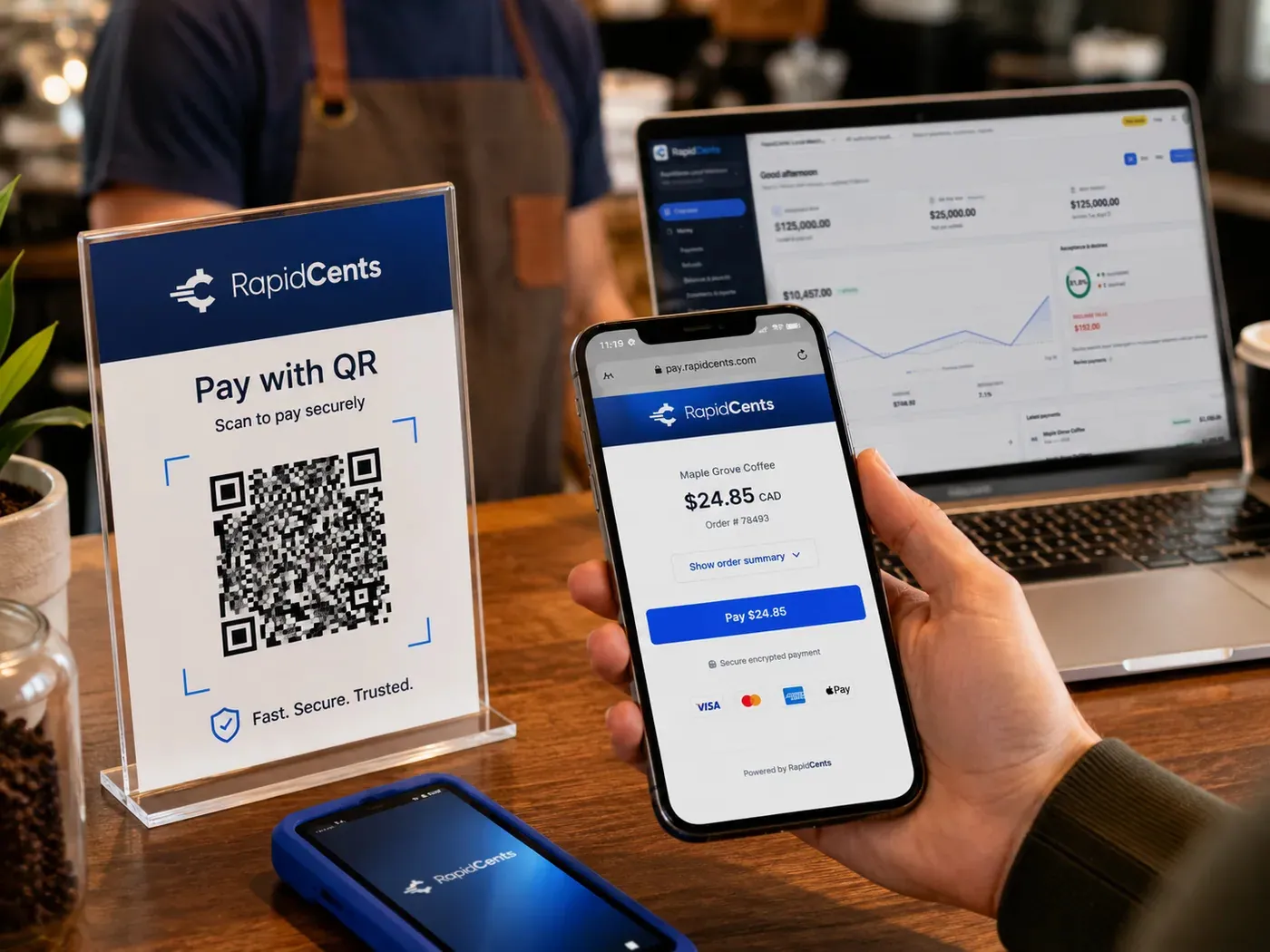
A scan-to-pay QR card standing on a café counter while a customer holds a phone showing the RapidCents payment page for a $24.85 order, with the merchant dashboard open on a laptop behind. QR Payments
RapidCents QR payments generate dynamic or static QR codes customers scan with their phone camera to open a…
Explore


How do you handle event refund payment processing?
Event refund payment processing returns the money to the original card, ties the refund to the ticket order and shows it in reporting. Refunds follow your published policy, a postponement is handled differently from a cancellation, and only authorized staff should be able to issue them.
How a refund runs
Staff find the order, confirm the buyer and the policy, then refund from the Merchant Dashboard or Virtual Terminal. The refund goes back to the original card, and the reference links it to the ticket so finance can match it.
What to set up first
Publish a clear refund policy on the checkout page and in the confirmation email. Decide who may refund, whether a transfer to a new date is offered first, and what you do for a partial refund on a package.
When it goes wrong
A buyer may dispute instead of asking you for a refund. Respond inside the deadline with the order, the policy shown at checkout and the scan record. Refunding a charge that is already disputed can cost you twice, so check dispute status first.
A headliner cancels a 400-ticket night
Say a headliner cancels a 400-ticket night. You offer a transfer to the new date, then refund the buyers who decline. Festival cashless payment reconciliation then matches each refund to its order and its deposit.
What drives card fees for event organizers?
Card fees for event organizers depend on your card mix, how cards are taken and your refund and dispute volume. RapidCents prices every account on interchange-plus: interchange passes through at cost, plus your RapidCents markup in your Fee Schedule, plus equipment or service fees if they apply. It is month to month with no fixed term.
Interchange follows the card and the channel
Card networks set interchange. It varies with debit, credit, premium and commercial cards, and with whether the card was tapped or inserted at the gate or keyed online. A busy online on-sale and a busy gate mix those costs differently.
Markup and other fees
Your Fee Schedule sets out your RapidCents markup. Fees for terminals, gateway services or other services appear there only if they apply to you. Ask for every line item in writing before you compare quotes.
What to bring to compare
Bring recent processing statements, your card mix, average ticket, the split between online and door sales, and your refund and dispute volume. Fee Check reads an uploaded statement and shows interchange separately from markup.
Does RapidCents work with Eventbrite, TicketSpice and other ticketing software?
RapidCents integrates with many major platforms through APPIE and RapidBridge, so most organizers keep the ticketing software they run today. The right option depends on your software vendor and version, and your RapidCents representative will walk you through it. Accounting connects too: settled transactions, fees and refunds map to QuickBooks Online and Xero.
Eventbrite
Eventbrite often takes payment inside its own checkout, so the plan and country you are on shape the setup. Tell your RapidCents representative which plan you use, and they will show you how gate terminals, payouts and refunds line up with your orders.
TicketSpice
Tell your RapidCents representative how you run TicketSpice today and how door sales are recorded. They will show you how event onsite card payment terminals sit beside the platform and how those sales match your ticket orders.
Showpass
For Showpass, your representative will walk you through your edition and country, and through how a refund made in the platform and one made on a terminal reconcile together in your reports.
Ticket Tailor
Ticket Tailor supports box office sales. Share how your account takes payment today, and your RapidCents representative will lay out how in-person sales and online orders come together before you move your box office.
Universe
For festivals on Universe, festival cashless payment reconciliation starts with a clear export of wristband and on-site spend. Your RapidCents representative will walk you through which data maps to your RapidCents reports.
Payment options for event organizers in Canada
Event organizers in Canada can accept the cards guests carry and the debit most of them prefer. Your RapidCents representative will walk you through the methods that fit your merchant account before you announce a sale.
Cards at the gate and online
Interac debit by chip and PIN or contactless works at a terminal, and Visa, Mastercard and American Express work online and in person. Online ticket sales use credit cards and wallets, and funds settle in CAD.
Bank payments and receipts
EFT or pre-authorized debit (PAD) can collect sponsor or vendor fees by invoice. Receipts may show GST/HST where it applies, and provincial consumer rules can affect your refund terms, so check them for each venue.
How do you switch processors and set up reporting before an event?
Switch processors between events, not during one. List your open orders, refunds and authorizations, test a sale and a refund on the new setup, then run both providers in parallel for a short window. Reconcile the first deposits to your ledger before the next on-sale opens.
Inventory what is live
List open ticket orders, pending refunds, payment links still in circulation, and any stored cards for season passes or installment plans. Stored cards need the customer's authorization, and moving them between providers needs both providers to agree.
Test, then run in parallel
Once your account is approved, run a sale, a refund and a gate sale on it before you move live traffic. Keep the old provider for open orders until the first event closes, and never promise guests that nothing changes at the door.
Reconcile every event
After each event, match gross sales, refunds, disputes and fees to the deposits in your bank. Export settlement reports for accounting. RapidCents maps settled transactions, fees and refunds to QuickBooks Online and Xero, and SAP and NetSuite import settlement files.
Payment questions from event organizers
What should event organizers compare before choosing a payment processor?
Compare the whole event workflow, not one headline number. Look at the online ticket checkout, gate terminals, refund handling, support on show night, reporting and settlement, plus software restrictions and total fees in writing. Ask each provider to demonstrate a ticket sale and a refund. No single provider is best for every event.
How much does payment processing cost for event organizers?
It depends on your card mix, how cards are taken and your refund and dispute volume. RapidCents prices on interchange-plus: interchange at cost, your RapidCents markup in your Fee Schedule, and fees for equipment or services if they apply. It is month to month. Upload a statement to Fee Check to see interchange separated from markup.
Can I use Eventbrite with a different payment processor?
It depends on your Eventbrite product, plan and country, since some platforms take payment inside their own checkout and limit which gateways you can choose. RapidCents integrates with many major platforms through APPIE and RapidBridge. Tell your RapidCents representative which plan you are on, and they will walk you through your options.
How can my business handle an event ticket payment gateway?
Use a hosted checkout page that takes the card, shows the result and ties the payment to the ticket order. With RapidCents, Hosted Checkout or the Payment Gateway handles card data, and reporting shows each order. Set your refund terms first, then test one sale and one refund before the on-sale opens.
Which payment options can an event organizer in Canada offer?
An event organizer in Canada can usually offer credit cards, Interac debit at the terminal, online checkout and QR payments. EFT or pre-authorized debit (PAD) suits vendor and sponsor invoices, and settlement is in CAD. Your RapidCents representative lays out every method open to your merchant account before the on-sale.
What setup is needed for event onsite card payment terminals?
You need terminals, a connection by venue network or cellular plan, named devices per gate or stand, and staff permissions for refunds. Test every device before doors open and keep spares. Your RapidCents representative will walk you through the hardware and functions that suit your event before the first gate opens.
How should we manage event refund payment processing?
Refund to the original card, under a policy you publish at checkout. Limit who can refund, link every refund to its ticket order, and check dispute status first so you do not refund a charge already disputed. When a refund fails, record the order reference and follow up with the buyer directly.
Can one platform handle box office payment integration and festival cashless payment reconciliation?
Often, yes. A ticketing platform may keep box office sales and wristband or cashless spend in separate reports, so RapidCents reporting separates sales, refunds, fees and deposits and exports settlement data. Your RapidCents representative will walk you through how your ticketing system connects and where an import fits.
How do we reconcile card payments and bank deposits for event organizers?
Match gross sales, refunds, disputes and fees to each bank deposit by transaction ID and by gate or stand. RapidCents reporting exports settlement data, and settled transactions, fees and refunds map to QuickBooks Online and Xero. SAP and NetSuite import settlement files.
How do we switch payment providers without losing saved cards or disrupting ticket sales?
Switch between events. List open orders, refunds and any stored cards, then test a sale, a refund and a gate sale on the new account. Run both providers in parallel for a short period. Moving saved cards is not automatic: both providers must agree, and customer authorization still applies.
What MCC is used for event organizers?
MCC 7922 is commonly associated with ticket agencies and theatrical producers. RapidCents sets the right merchant category during onboarding, based on what your business actually sells, so a venue with food service or merchandise may be reviewed differently. Tell the onboarding team your full mix of tickets, concessions and packages.
Related industries
Nonprofits, membership clubs, golf courses and wedding services share parts of this workflow: advance bookings, deposits, on-site sales and refunds. Each has its own payer and exceptions.
Nonprofits & Charities
Take one-time and monthly gifts online, sell event tickets by link and reconcile deposits…
Education
Take enrollment deposits online, run tuition installments on schedules families authorize…
Government
Take permit fees, counter payments and mailed-in payments from residents, then trace…
Membership Clubs
RapidCents collects membership dues on a schedule, takes event fees and guest passes by…
Travel Agencies
Take booking deposits, collect final balances and group installments, and match settled…
Agriculture
RapidCents helps farms invoice bulk buyers, take cards at the market stall and bill CSA…
Pet Services
RapidCents helps boarding kennels, dog daycares, groomers, trainers and pet sitters take…
Photography
Collect retainers, session balances and gallery print orders with payment links, invoices…
Take the next step
Review your event payment costs
Upload a recent processing statement to Fee Check and see interchange separated from your current markup, using your own online and gate mix.
- No obligation
- Canadian payment specialists
- Secure statement upload



