


Payment processing for food trucks, from window to festival
Payment processing for food trucks means taking cards at a service window with no counter, no wired connection and often a crowded network. RapidCents covers it with battery-powered mobile terminals on LTE and Wi-Fi, Tap to Pay on a phone, QR codes, and payment links for catering and event deposits.

- PCI DSS Level 1
- SOC 2 Type II
- All major cards: Visa, Mastercard, Amex, Discover, UnionPay, Diners Club & Interac Debit
- Interchange-plus available
- Canadian support
How food trucks collect payments
Food trucks collect payments in five ways: walk-up card sales at the window, contactless sales on a second phone, scan-to-pay QR codes, deposits and balances by payment link, and event takings matched to the bank afterward. RapidCents covers each with Mobile Terminals, Tap to Pay, QR Payments, Payment Links and Reporting.
Walk-up sales at the service window
Lunch and dinner customers pay order by order as the ticket is called. Your staff collect on a battery-powered mobile terminal by tap, chip or PIN. If a card declines or an order changes after payment, they refund or retake it on the spot. Your records show one transaction line per sale.
Second-line sales on a phone
Customers at the back of a long queue pay a staff member who walks the line with a supported phone. Tap to Pay on an iPhone or Android phone takes the payment, and a customer who prefers to insert a card pays on the terminal instead. Your bookkeeper sees these sales in the transaction report.
Scan-to-pay from a QR code
Customers scan a QR code on the window sign or menu board with their own phone camera and pay on a secure payment page, with no payer app. A customer with no signal or a flat battery pays by card instead. Each payment is recorded as a transaction.
Deposits and balances for catering and private events
An office manager or event host pays a deposit when the booking is confirmed and a balance before the date. You send a payment link by SMS or email, or an invoice with a payment link. If a client pays late or asks for a refund, Invoicing shows the invoice status and each payment is its own transaction.
Event takings matched to bank deposits
After a festival day, you or your bookkeeper match sales to the bank deposit, and sometimes hand the organizer a sales total. The trigger is the close of the event, not a customer payment. Reporting supplies the transaction, settlement and fee reports. A refund or dispute that lands after the event shows up in the next reports.
How does a mobile card reader for food trucks work at the service window?
At the service window, your staff enter the order total on a battery-powered RapidCents mobile terminal, the customer taps, inserts or enters a PIN, and the sale is recorded as a transaction. A second person can add contactless sales with Tap to Pay on a supported phone. The terminal carries its own LTE and Wi-Fi connection.
Run the window on one mobile terminal
The mobile terminal is battery-powered, so it does not depend on a counter or a wired line. Staff enter the order total, the customer pays by tap, chip or PIN, and the terminal can prompt for a tip on screen. How tips are paid out to staff is a payroll matter, outside the payment record.
Food truck tap to pay on phone for the second line
A second person can take contactless payments on a supported iPhone or Android phone with Tap to Pay, with no separate card reader hardware. Your RapidCents representative will tell you which phone models and operating system versions work. Keep the terminal for customers who insert a card, and give the phone its own data connection.
A noon rush at a downtown lunch spot
Say the line at a downtown lunch spot reaches the corner at noon. The cashier keeps taking $14 combos on the terminal while a second person walks the line with Tap to Pay. One card declines, so the customer offers another that works; a wrong amount is refunded and retaken. At close, the owner compares the exported count and total with the order tickets.
What does a food truck LTE payment terminal need when the signal drops?
A food truck LTE payment terminal needs a charged battery, a mobile signal at the spot and a tested second route for when the signal drops. The food truck offline payment options are routing choices: the terminal's Wi-Fi, a phone with its own data, a QR code, a link sent ahead, or cash. Plan for each before the first event, not during the rush.
Set up and test at each spot
Charge the battery, then run a sale and a refund on the terminal at the commissary and again at each regular spot and the festival field before the gates open. Signal changes with the venue, the crowd and the hour. Note the weak spots and decide in advance when staff switch to the terminal's Wi-Fi.
Keep a second route ready
Keep a phone with Tap to Pay on a different carrier, a QR code on the window sign that customers scan on their own phone, and a payment link sent ahead for prepaid orders or bookings. A QR code needs the customer's phone to have a signal, which at a crowded festival is not certain. Cash stays the last fallback.
A festival where the LTE signal fades
Say the LTE signal fades at a festival with eight customers waiting. The cashier switches to Wi-Fi where there is one, and a second person takes taps on a phone with its own data. One card stalls after the tap, so staff check the terminal result and the transaction report before charging again, find it unpaid and retake it. Your RapidCents representative will tell you whether your terminal has an offline mode.
RapidCents products for food trucks
Four RapidCents products cover a truck's day: Mobile Terminals for the window, Tap to Pay for a second person on the queue, QR Payments for scan-to-pay at the sign, and Payment Links for catering and event deposits.

A staff member takes a card payment on a RapidCents handheld terminal, with the same sale appearing on the dashboard. Mobile Terminals
RapidCents mobile terminals are battery-powered wireless devices with LTE and Wi-Fi so staff accept payments…
Explore
A café worker holds a phone running RapidCents Tap to Pay, showing an $18.75 sale and the contactless symbol, while a customer holds a Visa card to the screen. No separate card reader is present. Tap to Pay
RapidCents Tap to Pay turns supported iPhones and Android devices into contactless payment terminals without…
Explore
The RapidCents payment links screen listing created links with their amount, status, click count and whether they have been paid, beside a phone showing the branded page a customer opens to pay $2,500.00. Payment Links
RapidCents payment links let staff generate branded pay-by-link URLs for invoices, deposits, balances and…
Explore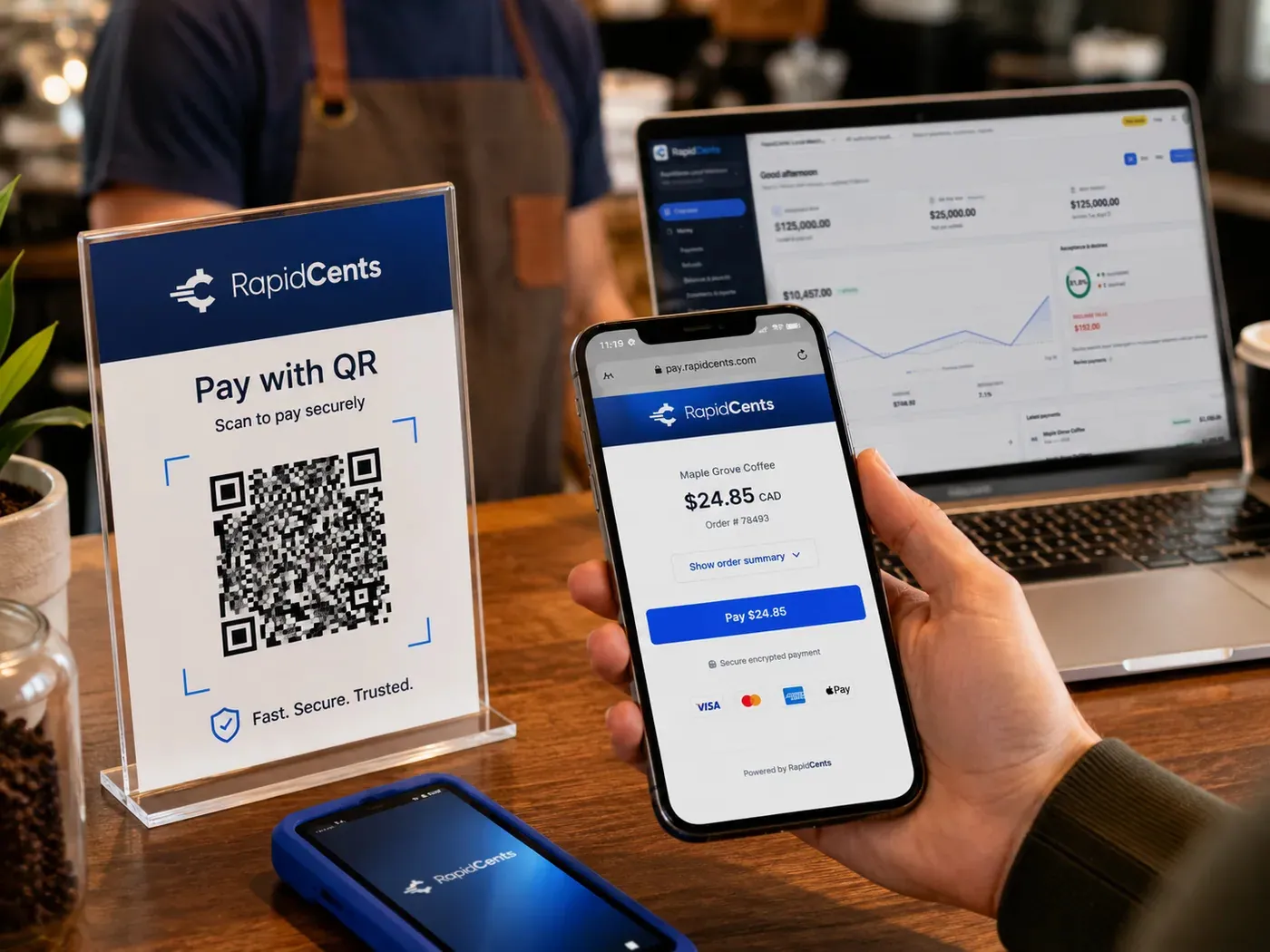
A scan-to-pay QR card standing on a café counter while a customer holds a phone showing the RapidCents payment page for a $24.85 order, with the merchant dashboard open on a laptop behind. QR Payments
RapidCents QR payments generate dynamic or static QR codes customers scan with their phone camera to open a…
Explore


How do you handle food truck festival payment reconciliation and event deposits?
Take the deposit with a payment link before the date, agree the balance and cancellation terms in the booking, and reconcile the event afterward by grouping its transactions and matching them to the settlement report. Food truck festival payment reconciliation separates gross sales, refunds, disputes and fees so your bookkeeper and any organizer can see how the total was reached.
Take the deposit and set the terms first
Send a payment link by SMS or email when the booking is confirmed, with an optional expiry date. Contracts & eSignatures can send the booking document, capture the signature and take the deposit. Put the balance date and cancellation terms in that document. If you will charge a card later, the client authorizes it, with the amount and timing agreed. Keep the signed booking with the payment record; it backs you up if a client disputes the charge.
Reconcile the event afterward
After the event, export the transaction report for its dates and group the sales by event time, and by terminal where the export shows one. Compare that total with the settlement report: gross sales, less refunds, disputes and processing fees, explain the deposit that reaches the bank. If an organizer asks for a sales total, the same export supplies it.
A two-day festival, totaled on Monday
Say a truck works a two-day festival with one mobile terminal and one phone. On Monday the owner exports both days, totals gross sales by day, subtracts refunds, and checks the settlement report to see the fees and net deposit. The organizer's vendor fee, if any, is a separate bill, not a processing fee.
How should you compare food truck credit card processing fees?
Compare food truck credit card processing fees by pricing the same month of real sales with each provider, not by comparing headline numbers. We price every account on interchange-plus: interchange passes through at cost, plus your RapidCents markup set out in your Fee Schedule, plus fees for equipment or services, if applicable. The agreement is month to month with no fixed term.
What drives interchange on a food truck
Interchange is set by the card networks, not by RapidCents, and varies with card type (debit, credit, premium or commercial) and how the card is taken. Tapped or inserted cards sit in different categories from keyed or online payments. A food truck's ticket is usually small, so a fixed per-transaction amount weighs more on a lunch order than on a catering order.
Equipment, services and the whole season
Fees for equipment or services, if applicable, come on top of interchange and your markup. Your RapidCents representative will list the ones that apply to the terminals you plan to carry, including any that continue in the months when the truck is parked. Event weekends and winter months swing volume, so compare a busy month and a quiet month rather than one average.
What to bring and where Fee Check fits
Bring recent processing statements, including a busy event month, your average ticket, the split between tapped, keyed and link payments, and your refund and chargeback volume. Upload a statement to Fee Check to see interchange separated from markup, then ask any provider to price the same month in writing.
Does RapidCents work with Square for Restaurants, Clover, Toast, TouchBistro or Revel?
RapidCents integrates with many major platforms through APPIE and RapidBridge, so most trucks keep the ordering system they run today. APPIE lets point-of-sale software drive RapidCents terminals, and the right option depends on your software vendor and version. Your RapidCents representative will walk you through it, and a separate terminal or payment link beside the order system always works too, with sales matched by report.
Square for Restaurants
Square for Restaurants runs menus, orders and kitchen tickets for a truck. Tell your RapidCents representative which Square product you use and where you trade, and they will show you how payments connect. A separate RapidCents terminal beside Square, with each sale matched to its order by report, is always an option.
Clover
Clover is a point-of-sale and terminal system a truck may already own. Tell your RapidCents representative your device model and how it connects on the road, and they will walk you through the right option for your vendor and version. A separate RapidCents terminal is the simple route if you would rather keep the setups apart.
Toast
Toast is a restaurant system for orders, kitchen tickets and reports. RapidCents integrates with many major platforms through APPIE and RapidBridge, and the option for Toast depends on your plan and version. Your RapidCents representative will explain it, and a terminal beside Toast is a separate setup you can run on the same day.
TouchBistro
TouchBistro is a restaurant order system. For a truck, tell your RapidCents representative how you take payments today, inside the software or on a separate terminal, and they will map out the options for your plan. A phone with Tap to Pay can sit beside it for the second line.
Revel
Revel is a point-of-sale platform. For festival days, tell your RapidCents representative which Revel edition you run and what its sales export looks like, and they will show you how event sales line up with settlement. A separate terminal with matching by report works alongside it.
Payment options for food trucks in Canada
Food trucks in Canada can take Interac debit by tap or chip and PIN, Visa, Mastercard and American Express credit cards, and EFT or pre-authorized debit (PAD) bank payments for catering invoices, with settlement in Canadian dollars. Your RapidCents representative sets up the methods you want on your account and terminal before your first event.
Interac debit at the window
Interac debit is taken by tap or by chip and PIN on the mobile terminal. Your RapidCents representative switches it on for your account and terminal, and tells you how it works with Tap to Pay on a phone.
EFT or PAD for catering invoices
Office and event clients can pay a catering invoice by EFT or PAD bank payment once it is set up on your account. A pre-authorized debit needs the payer's agreement before you collect, so keep that authorization with the booking.
Canadian dollars, GST/HST and local rules
Settlement is in Canadian dollars. GST/HST may appear on receipts and invoices where it applies, and how it applies to your menu is a question for your accountant. Mobile vendor permits and festival rules vary by province and municipality, outside your payment account.
How do you switch processors and set up refunds and reporting?
Switch a food truck in stages: list what you hold today, test a sale, a refund and a deposit on the new terminal, run old and new side by side for a few events, then reconcile deposits to your books. Pick a quiet day to cut over, and keep the old route until the first deposits match your records.
List what you hold today
Write down stored cards such as catering clients, any recurring schedules, open invoices and links, pending deposits and refunds in progress. Stored cards move only when both providers agree to transfer the card data, and some clients may need to authorize their card again. Your RapidCents representative will help you plan it.
Test, run both routes, then cut over
Once your account is approved, run a sale, a refund and a deposit by payment link on the new terminal and phone before customers use them. Refunds go back to the original card, so decide who may issue them. Keep the old terminal for the first few events, cut over on a quiet day rather than a festival weekend, and check your current agreement for notice and end dates before you cancel anything.
Map references and reconcile
Where the terminal or link accepts a reference, use the order number or event name so deposits trace back to a booking. RapidCents connects settled transactions, fees and refunds to QuickBooks Online and Xero, and SAP and NetSuite import settlement files. With more than one truck, Multi-Location gives you separate locations and a roll-up report.
Payment questions from food truck owners
What should food trucks compare before choosing a payment processor?
Compare the whole truck day, not only a price: the terminal and how it connects, what happens when the signal drops, how fees are itemized, how refunds and disputes work, and how deposits are reported. RapidCents is month to month with no fixed term, so run a test sale and a refund at your usual spot, and upload a statement to Fee Check to see interchange separated from markup on your own card mix.
How much does payment processing cost for food trucks?
It depends on your card mix, average ticket and how cards are taken. Under interchange-plus, interchange passes through at cost, and your RapidCents markup is set out in your Fee Schedule, with fees for equipment or services, if applicable. Tapped cards, keyed orders and payment links fall in different interchange categories. Upload a processing statement to Fee Check to see interchange separated from markup.
Can I use Square for Restaurants with a different payment processor?
Square for Restaurants sets which processors its software supports for your product and country. RapidCents integrates with many major platforms through APPIE and RapidBridge, and your RapidCents representative will walk you through the right option for your version. A separate RapidCents terminal beside Square can also take cards, with each sale matched to its order by report.
How does a food truck take a card payment on a mobile terminal, from order to receipt?
The customer orders, staff enter the total on the RapidCents mobile terminal, and the customer taps, inserts or enters a PIN. The terminal can prompt for a tip, and the sale is recorded as a transaction that you match to the order ticket at close. If a card declines, ask for another; if the amount was wrong, refund and retake it. Your RapidCents representative will show you the receipt options on your account.
Which payment options can a food truck in Canada offer?
A food truck in Canada can offer Interac debit, Visa, Mastercard and American Express credit cards, contactless payments on a phone with Tap to Pay, QR payments, and EFT or PAD bank payments for catering invoices, settled in Canadian dollars. Tell your RapidCents representative which methods you want, and they will set them up before your first event.
What setup is needed for a food truck LTE payment terminal?
Setup needs a mobile terminal, a charged battery and a tested connection at your usual spots. Decide in advance whether you want a tip prompt, who may issue refunds and how receipts go out, then run a sale and a refund at the commissary and where you park. Your RapidCents representative will walk you through the functions on your account before you launch.
How should we manage food truck offline payment options?
Treat a lost signal as a routing problem. Switch to a second route: the terminal's other network, Tap to Pay on a phone with its own data, a QR code the customer scans, or a payment link sent ahead, with cash as the last fallback. If a payment stalls, check the transaction report before charging again. Limit refunds and adjustments to the owner or a manager, and talk to your RapidCents representative about offline mode on your terminal.
Can one account handle Tap to Pay on a phone and festival reconciliation for a food truck?
Yes. When both are set up under one merchant account, sales from Tap to Pay on a phone and from a mobile terminal are transactions in the same account, covered by the transaction, settlement and fee reports with CSV or PDF export. Festival reconciliation is a report filtered to the event. An import or mapping is only needed to move the figures into accounting software. Your RapidCents representative sets up your devices with you.
How do we reconcile card payments and bank deposits for food trucks?
Match each bank deposit to a settlement report, then match that report to the day's transactions, so gross sales, refunds, disputes and processing fees explain the net deposit. Use the transaction ID, date and terminal where shown, and export CSV or PDF for your bookkeeper. RapidCents connects settled transactions, fees and refunds to QuickBooks Online and Xero, and your RapidCents representative will show you how.
How do we switch payment providers without losing saved cards or disrupting the truck?
Switch in stages. List what you hold today, including stored cards, recurring schedules, open invoices and pending deposits, then ask your current provider in writing to release the card data, since both providers must agree to a transfer. Test a sale, a refund and a deposit on the new terminal, run old and new side by side, and cut over on a quiet day. Your RapidCents representative will guide each step.
What MCC is used for food trucks?
MCC 5814, the merchant category code for quick-service restaurants, is commonly associated with food trucks. RapidCents sets the correct merchant category during onboarding, based on what your business actually sells, so a truck that mostly caters or sells packaged goods is checked against its real mix. Describe your menu, events and booking channels accurately in your application.
Industries with similar payment workflows
Catering shares the deposit and balance workflow, Fast Food & QSR shares the small-ticket window, and Restaurants share tips and end-of-day reporting. Pick the industry closest to how you take most of your payments.
Restaurants
Close bills at the table, split them across cards, settle tips before staff clock out and…
Fast Food & QSR
Card payments for fast food and QSR operators: countertop and mobile terminals, Tap to…
Catering
RapidCents helps caterers take the booking deposit by payment link, invoice the event…
Cafés & Bakeries
Take tap payments in the morning rush, collect deposits on cake and pickup orders, and…
Hotels & Hospitality
Collect booking deposits, hold a card for incidentals at check-in and capture the final…
Bars & Nightclubs
Open tabs on a held card, take payments on the floor with a handheld, adjust tips at…
Breweries & Wineries
Take cards at the taproom bar, the tasting room and the farmers market, bill wine and…
Ghost Kitchens
Take direct online orders, run several virtual brands off one line and read each brand's…
Take the next step
Check what your truck pays to take cards
Upload a processing statement to Fee Check and see interchange separated from markup. Bring a busy event month and a quiet month, your average ticket, and your split of tapped, keyed and link payments so the comparison fits your real truck.
- No obligation
- Canadian payment specialists
- Secure statement upload



