


Payment processing for quick service restaurants
Payment processing for quick service restaurants has to keep a counter line, a drive thru window and a self service kiosk moving, then show every store's deposits in one place. RapidCents supplies countertop and mobile terminals, Tap to Pay for line busting and Multi-Location reporting for franchise groups, and your RapidCents representative walks you through connecting your POS.

- PCI DSS Level 1
- SOC 2 Type II
- All major cards: Visa, Mastercard, Amex, Discover, UnionPay, Diners Club & Interac Debit
- Interchange-plus available
- Canadian support
How fast food and QSR operators get paid
Fast food and QSR operators get paid through five repeating jobs: counter orders, drive thru windows, self service kiosks, POS-to-terminal orders and store-by-store deposits. Each job has its own payer, its own trigger, a refund path and one record that finance can match to the bank.
Counter orders paid by tap or insert
The customer pays on a countertop terminal once the cashier reads back the total. If a refund comes after the customer has left, it goes back to the card that paid. Finance gets each sale in the Merchant Dashboard.
Drive thru window payments
The driver pays at the window once the order is confirmed, on a mobile terminal. If a car pays at one window and collects at the next, it is still one sale. Finance gets one transaction per vehicle.
Self service kiosk orders
The customer pays at the kiosk for an order the kitchen has not yet seen, with no staff member present. If your kiosk runs another processor today, your RapidCents representative walks you through bringing it onto RapidCents. Finance sees each kiosk sale on the same record as the counter and the window.
Orders sent from the POS to the terminal
The customer pays the total the cashier rang on the POS, which Integrated Payments sends to the terminal when your POS is connected. If it is not, the terminal runs standalone and the cashier keys the amount. Finance gets sale amounts, tips and refunds on one record once the connection is in place.
Store-by-store deposits and reconciliation
The finance lead of a franchise group matches each store's card sales to its bank deposit each morning. Multi-Location gives every store its own merchant ID and roll-up reporting. If a refund or dispute lands in a different period from the sale, it still shows against the store it belongs to.
How do quick service restaurants collect payments at the counter?
Quick service restaurants collect counter payments with a countertop terminal at each register, a tap or insert from the customer and a receipt before the next order. QSR contactless payment terminals take taps, inserts and PINs on one device, and Tap to Pay on a supported phone lets staff take payment in the line.
How a counter payment runs
The cashier rings the order, reads back the total and turns the countertop terminal toward the customer, who taps, inserts or enters a PIN. At rush, a second person with Tap to Pay or a mobile terminal takes payment in the line, so the register only hands out food.
What to set up before the first shift
Decide whether each register's terminal receives the total from the POS or runs standalone, because standalone means the cashier types the amount. Agree who may refund or void, and set up each store as its own location in Multi-Location so reports sort by store.
Declines, timeouts and double charges
When a tap declines, ask for a second card or cash instead of retrying the same card. When a terminal times out after a tap, check the transaction record before charging again, because a second approval is a duplicate charge. Void a mistaken sale before it settles and refund it afterward.
A lunch rush with a timed-out tap
At noon a cashier rings a combo and the customer's tap times out. The cashier opens the transaction record, sees one approval for that ticket and hands over the food instead of charging again. At close, the manager finds one approval per ticket.
How do drive thru payment terminals work at the window?
Drive thru payment terminals work by bringing the card reader to the car instead of the car to the register, and payment is cleared before the bag is handed out. The terminal has to stay connected wherever the attendant stands, so connectivity, receipts and decline handling are set up before opening day.
How a window payment runs
The order taker confirms the total at the speaker. At the window, the attendant holds a mobile terminal out to the driver, who taps or inserts. The bag goes out only after the approval shows.
What to set up before the lane opens
Choose the payment point: one window, separate pay and pickup windows, or a handheld at the order point. With two windows, decide how the pickup attendant sees that the order is paid. Check Wi-Fi at the window, use a mobile terminal's LTE where signal is weak, and test how each model issues receipts.
Dropped connections, declines and wrong orders
A dropped connection is the window's own risk: check whether the first attempt approved before charging again, because a second approval doubles the sale. A decline blocks the lane, so staff ask for a second card or cash before the next car moves up. Refund a wrong order to the original card.
A decline with two cars waiting
Two cars wait behind a driver whose tap declines at the window. The attendant asks for a second card, the approval shows and the bag goes out. At close, the manager matches approved transactions to tickets; the declined attempt was never a sale, so it needs no refund.
RapidCents products for fast food and QSR
Countertop Terminals run the front register lanes, Mobile Terminals take payment at the drive thru window or anywhere away from the counter, Tap to Pay turns supported phones into terminals for line busting, and Multi-Location gives each store its own merchant ID with roll-up reporting.

A fixed RapidCents countertop terminal taking card payments at the till, with settlement visible on the dashboard. Countertop Terminals
RapidCents countertop terminals sit at retail counters, restaurant hosts and reception desks where speed and…
Explore
A staff member takes a card payment on a RapidCents handheld terminal, with the same sale appearing on the dashboard. Mobile Terminals
RapidCents mobile terminals are battery-powered wireless devices with LTE and Wi-Fi so staff accept payments…
Explore
A café worker holds a phone running RapidCents Tap to Pay, showing an $18.75 sale and the contactless symbol, while a customer holds a Visa card to the screen. No separate card reader is present. Tap to Pay
RapidCents Tap to Pay turns supported iPhones and Android devices into contactless payment terminals without…
Explore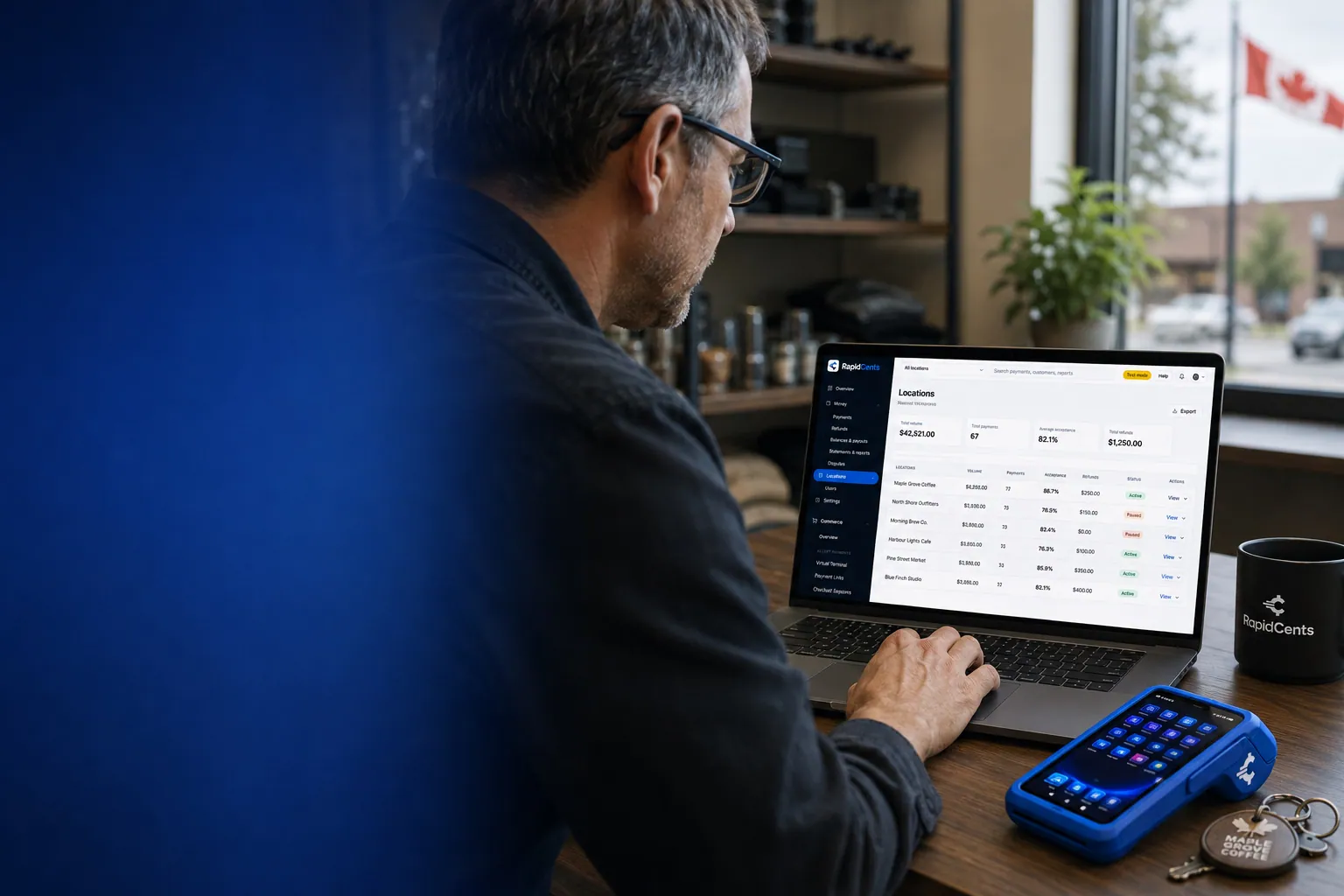
One RapidCents account comparing sales across locations, with a terminal representing the store-level capture. Multi-Location
RapidCents multi-location tools organize stores, franchises and regions in a hierarchy with location-level…
Explore


What setup do self service kiosk card payments need?
Self service kiosk card payments need kiosk software that builds the order, a payment device that software supports and a processor connection set up for that pairing. Treat a kiosk as its own project, because the kiosk software decides which devices and gateways it will use, and your RapidCents representative helps you scope it.
How a kiosk payment runs
The customer builds an order on the screen and presents a card to the kiosk's payment device. The order should reach the kitchen display only after approval. With no staff member present, the screen has to handle a decline, a retry and a cancel by itself and give the receipt before the customer leaves.
What to settle before you buy
Ask the kiosk vendor which payment devices and gateways the kiosk supports, then tell your RapidCents representative, who will walk you through the setup for your country. If the vendor builds to the Payment Gateway REST API, which offers authorize, capture, void, refund and tokenize with webhooks, scope it as an API integration with its own testing, not a plug-in.
Paid but never released, and refunds
A kiosk can approve a card and then fail to send the order to the kitchen, leaving the customer charged for nothing. Decide who owns that case: the kiosk software voids the unfulfilled authorization, or staff refund it using the kiosk order number, which should print on every receipt.
An approved card and an offline kitchen display
A kiosk takes a family order and the card approves, but the kitchen display is offline. The kiosk shows an error, a team member finds the order by its number, and the authorization is voided or refunded before the customer leaves. Without that rule, the charge sits unmatched until a dispute arrives.
What drives quick service restaurant credit card processing fees and total cost?
Quick service restaurant credit card processing fees are driven by your card mix, how each card is taken and your average ticket, then by the markup and equipment lines on top. RapidCents prices on interchange-plus: interchange, set by the card networks, passes through at cost, plus the markup in your Fee Schedule and any equipment or service fees, month to month with no fixed term.
Small tickets magnify fixed charges
On a small average ticket, a fixed per-transaction charge takes a larger share of the sale than on a large one, and a quick service restaurant runs many small tickets a day. Ask each quote to show the transaction count it assumes, then compare every fixed charge with your own average ticket.
Card mix and how the card is taken
Interchange varies by card type: debit, credit, premium rewards and commercial cards each fall in their own category. It also varies with how the card is taken. Taps and inserts at the counter, window and kiosk price differently from keyed phone orders and online or app orders, so split your volume by channel before comparing quotes.
Equipment, settlement and what to bring
Ask for equipment on its own line, with how each terminal is acquired and any service fee, and ask which settlement schedule your account gets. Bring recent statements, your card mix, average ticket, channel split and refund and dispute counts, then upload a statement to Fee Check to see interchange separate from markup.
Software compatibility: can NCR Aloha, Toast and other POS systems use RapidCents?
RapidCents integrates with many major platforms through APPIE and RapidBridge, so a quick service POS can keep running the way it does today. Quick service POS payment integration may run through APPIE, an API integration or a standalone terminal with exported reports, and your RapidCents representative walks you through the option for NCR Aloha, Toast, Revel, Square for Restaurants or PAR POS.
NCR Aloha
If your drive thru lane runs on NCR Aloha, tell your RapidCents representative your edition and country. The right option depends on your vendor and version, and they will walk you through it, including which window terminals work alongside Aloha and how sales reach your books.
Toast
If your self service kiosk card payments run through Toast, tell your representative which Toast edition, kiosk and terminals you use. They will walk you through how payments and refunds connect, so the kiosk and the POS keep working together.
Revel
For QSR contactless payment terminals on Revel, your RapidCents representative shows you which terminal and processor setup fits your edition, and how a refund on a tap links back to the order it belongs to.
Square for Restaurants
For quick service POS payment integration on Square for Restaurants, tell your representative which plan you run. They walk you through the options, including which terminals pair with it and how reports reach your accounting.
PAR POS (formerly Brink POS)
For franchise restaurant payment reconciliation on PAR POS, your RapidCents representative walks you through giving each store its own merchant ID and matching the POS sales report to the settlement report by store and transaction ID.
Payment options for quick service restaurants in Canada
Quick service restaurants in Canada can take Interac debit and Visa, Mastercard and American Express credit at every lane, with card sales settled in Canadian dollars. EFT or pre-authorized debit (PAD) bank payments can suit catering and corporate accounts where enabled.
Interac debit at every lane
Interac debit by chip and PIN or contactless is an option for customers at the counter and window. Your RapidCents representative sets it up on every terminal, including the window terminal and any kiosk payment device.
GST/HST and provincial rules on receipts
Receipts may show GST/HST where it applies, and provincial rules can differ. Your accountant tells you what each receipt must show; RapidCents processes the payment and does not give tax advice.
How do you switch processors and set up refunds and reporting?
You switch a quick service restaurant to RapidCents in stages: inventory first, then test sales and refunds on each lane, a one-store pilot and a store-by-store reconciliation before the rest follow. Franchise restaurant payment reconciliation is easiest when every store reports under its own location. Saved cards move only if both providers agree, so never plan around them.
Inventory before you touch a lane
List every terminal and lane, every app or online ordering account holding saved cards, any loyalty or membership schedule, open catering invoices and your refund policy. Saved cards need the customer's authorization to be reused, a recurring charge needs agreed amount, timing and cancellation, and tokens move between processors only if both providers agree.
Test, pilot, then move the rest
Once your account is approved, run a test sale, a void and a refund on each terminal type: counter, window, mobile and kiosk where it applies. Pilot one store while the old terminals stay in place, then move the rest outside a lunch or dinner rush. Decide who may refund and which tickets need a manager.
Reporting and reconciliation by store
Match each store's POS sales to settlement by transaction ID and location, then to the bank deposit, keeping gross sales, refunds, disputes and fees on separate lines. Multi-Location gives store-level reporting, and RapidCents Reporting exports CSV or PDF. RapidCents connects settled transactions, fees and refunds to QuickBooks Online and Xero, and SAP and NetSuite import settlement files.
Payment questions from quick service restaurants
What should quick service restaurants compare before choosing a payment processor?
Compare the whole payment workflow, not one price. Check how the counter, drive thru window and kiosk each take a card, which POS software the processor supports, the full fee schedule, settlement, refunds and support during your rush. Ask each provider to demonstrate a drive thru payment and to quote in writing against the same statement. No single provider suits every restaurant.
How much does payment processing cost for quick service restaurants?
The cost depends on your card mix, average ticket, channel split and equipment, so no single figure fits every restaurant. Under interchange-plus, interchange passes through at cost and RapidCents adds the markup in your Fee Schedule, plus equipment or service fees if they apply, on a month-to-month agreement. Upload a statement to Fee Check to see the two separated.
Can I use NCR Aloha with a different payment processor?
That depends on your NCR Aloha edition, country and contract. RapidCents integrates with many major platforms through APPIE and RapidBridge, and the right option depends on your vendor and version. Tell your RapidCents representative which gateways and terminals your edition allows, and they will walk you through it. Where your contract limits you, a standalone terminal with exported sales reports is a workable fallback.
How can my business handle drive thru payment terminals?
Handle drive thru payment terminals by placing a terminal at each payment window, reading the total back before the tap and handing out the bag only after the approval shows. RapidCents offers mobile terminals with LTE and Wi-Fi for the window and countertop terminals for the register lanes. Plan for a decline, a dropped connection and a wrong-order refund before opening day.
Which payment options can a quick service restaurant in Canada offer?
A quick service restaurant in Canada can offer Interac debit and Visa, Mastercard and American Express credit at the counter, drive thru window and kiosk, settled in Canadian dollars. EFT or PAD bank payments can suit catering accounts where enabled. Which methods are live depends on your merchant account and each lane's software, and your RapidCents representative sets them up with you.
What setup is needed for self service kiosk card payments?
Self service kiosk card payments need kiosk software, a payment device that software supports and a processor connection set up for that pairing. Ask the kiosk vendor which devices and gateways it supports, then tell your RapidCents representative, who walks you through the setup for your country. Decide who voids or refunds a paid but unsent order.
How should we manage QSR contactless payment terminals?
Manage QSR contactless payment terminals by assigning each terminal to a store and lane, agreeing who may refund or void, and tying every tap to its order ticket. When a tap fails, staff ask for a second card or cash instead of retrying the same card. A short run-through of connectivity and receipts before the first rush catches lane problems early.
Can one platform handle quick service POS payment integration and franchise restaurant payment reconciliation?
One platform can cover both. RapidCents offers Integrated Payments where your POS is connected, and Multi-Location for store-level merchant IDs and roll-up reporting. Where the POS is not connected, sales come from the POS and settlement from RapidCents, and finance matches them by store and transaction ID using exported reports. Your RapidCents representative walks you through the option for your POS.
How do we reconcile card payments and bank deposits for quick service restaurants?
Reconcile by matching each store's POS sales to settlement reports by transaction ID and location, then settlement totals to the bank deposit. Keep gross sales, refunds, disputes and fees on separate lines. Reporting exports CSV or PDF for accounting import, and RapidCents connects settled transactions, fees and refunds to QuickBooks Online and Xero. Check delivery marketplace payouts separately, because a marketplace usually pays you itself, outside your card deposits.
How do we switch payment providers without losing saved cards or disrupting drive thru payment terminals?
Switch in stages: audit your contract and who owns the card tokens, test a sale and a refund on every terminal, and pilot one store while the old window terminal stays in place. Saved cards can move only if both providers agree to transfer them, so RapidCents does not promise portability. If a transfer is not possible, customers re-enter their cards, which needs their authorization again.
What MCC is used for fast food and quick service restaurants?
MCC 5814 is commonly associated with fast food and quick service restaurants. RapidCents sets the correct merchant category during onboarding, based on what your business actually sells and how it takes orders, so the code is matched to your account rather than assumed.
Industries that share quick service payment workflows
Restaurants, Cafés & Bakeries, Food Trucks, Ghost Kitchens and Catering share counter, mobile and online ordering payments with quick service. Each adds its own difference: table service tips, truck connectivity, delivery-only orders or invoiced events.
Restaurants
Close bills at the table, split them across cards, settle tips before staff clock out and…
Food Trucks
Mobile terminals with LTE and Wi-Fi for the window, Tap to Pay on a phone for the queue…
Catering
RapidCents helps caterers take the booking deposit by payment link, invoice the event…
Cafés & Bakeries
Take tap payments in the morning rush, collect deposits on cake and pickup orders, and…
Hotels & Hospitality
Collect booking deposits, hold a card for incidentals at check-in and capture the final…
Bars & Nightclubs
Open tabs on a held card, take payments on the floor with a handheld, adjust tips at…
Breweries & Wineries
Take cards at the taproom bar, the tasting room and the farmers market, bill wine and…
Ghost Kitchens
Take direct online orders, run several virtual brands off one line and read each brand's…
Take the next step
Bring one store's statement to Fee Check
Upload a recent processing statement from one store. Fee Check shows interchange separately from markup, so you can see how much of your cost is set by the card networks and how much is markup, before any terminal changes.
- No obligation
- Canadian payment specialists
- Secure statement upload



