


Payment processing for courier and delivery companies
Courier payment processing from RapidCents covers corporate account invoices, retail senders paying at the counter and drivers collecting at the door. Billing managers send invoices with payment links, counter staff use a terminal, and drivers use Tap to Pay on a supported phone. Every payment carries a waybill reference, so dispatch and finance read the same record.

- PCI DSS Level 1
- SOC 2 Type II
- All major cards: Visa, Mastercard, Amex, Discover, UnionPay, Diners Club & Interac Debit
- Interchange-plus available
- Canadian support
How courier and delivery companies get paid
Courier and delivery companies get paid in four ways: invoices to business accounts, payments at the drop-off counter, collection from the recipient at delivery, and settlement of adjustments after the run. Each one uses its own RapidCents channel and leaves its own record.
Corporate account invoices
A law office, clinic or supplier ships every week on account terms. Your billing manager sends an invoice with a payment link, the account pays by card or bank payment, and finance gets the paid status and the invoice number for matching.
Retail sender drop-off
A walk-in customer hands over a parcel at your counter and pays on the spot. Staff take the card on a terminal, print or send the receipt, and the waybill number on the sale ties the payment to the shipment.
Collection at delivery
Some shippers ask the driver to collect the delivery charge or the item balance from the recipient. The driver taps a card on a phone or terminal at the stop, and dispatch sees paid or unpaid before the route closes.
Surcharges and accessorials
Fuel surcharges, waiting time, redelivery and address corrections change the amount after the order is booked. Billing adds the extra to the account invoice or sends a separate payment link, so the original charge stays untouched.
How do you handle corporate account invoice terms?
Handle corporate account invoice terms by sending each business account a branded invoice with a payment link, then reading paid status against the waybills it covers. Courier corporate account billing works best when the invoice number, account code and run dates all travel with the payment.
How the invoice cycle runs
Billing closes the week, groups manifests by account and sends one invoice through Invoicing with a payment link. The account pays by card or bank payment, and Reporting shows settled amounts by invoice for the ledger.
What to set up first
Agree payment terms in writing, name who at the account may pay, and get the customer's written authorization before saving a card for future invoices. Recurring charges need agreement on amount, timing and cancellation.
Exceptions and disputes
Accounts short-pay when a waybill is contested or a proof of delivery is missing. Issue a partial refund or credit the next invoice, and keep the signed delivery record with the invoice so a dispute has evidence to answer it.
A $2,340 weekly invoice for a medical lab
Say a medical lab ships nineteen runs in a week. Billing sends one invoice for $2,340, the lab pays by link on day ten of its terms, and finance matches the settled amount to the invoice number without opening each waybill.
How do retail sender drop-off payments work?
Retail sender drop-off payments work as a counter sale: the customer pays before the parcel leaves your hands, and the waybill number goes on the sale. A Payment Terminal at the counter covers chip, contactless and PIN, and refunds follow the same reference.
How the counter sale runs
Staff weigh and quote the parcel, enter the waybill number, and take the card on the terminal. The customer gets a receipt by print or message, and the sale lands in the day's reporting with that number.
What to set up first
Decide who may refund, how a cancelled pickup is handled, and whether quotes can change after payment. Keep a clear receipt message about size and weight limits so a reweigh does not surprise the sender.
Reweighs, cancellations and declines
If the reweigh raises the price, charge the difference as a second sale rather than editing the first. If the sender cancels, refund to the same card. A declined card means asking for another form of payment before the parcel is accepted.
A 12 kg box quoted at $38, then reweighed
Say a sender books a 12 kg box quoted at $38, then the counter reweigh adds $9. Staff run a second $9 sale with the same waybill number, so both receipts and both settled lines match the one shipment.
RapidCents products for courier and delivery companies
Invoicing and Payment Links cover business accounts, Tap to Pay and terminals cover the counter and the door, Recurring Payments covers scheduled account billing, and bank payments suit large invoices.

The RapidCents invoices screen: outstanding, overdue, paid and draft totals across the top, the invoice list below them, and a preview of one invoice on the right with its line items and a View & Record Payment button. Invoicing
RapidCents invoicing helps professional services, contractors and B2B suppliers create branded invoices…
Explore
A café worker holds a phone running RapidCents Tap to Pay, showing an $18.75 sale and the contactless symbol, while a customer holds a Visa card to the screen. No separate card reader is present. Tap to Pay
RapidCents Tap to Pay turns supported iPhones and Android devices into contactless payment terminals without…
Explore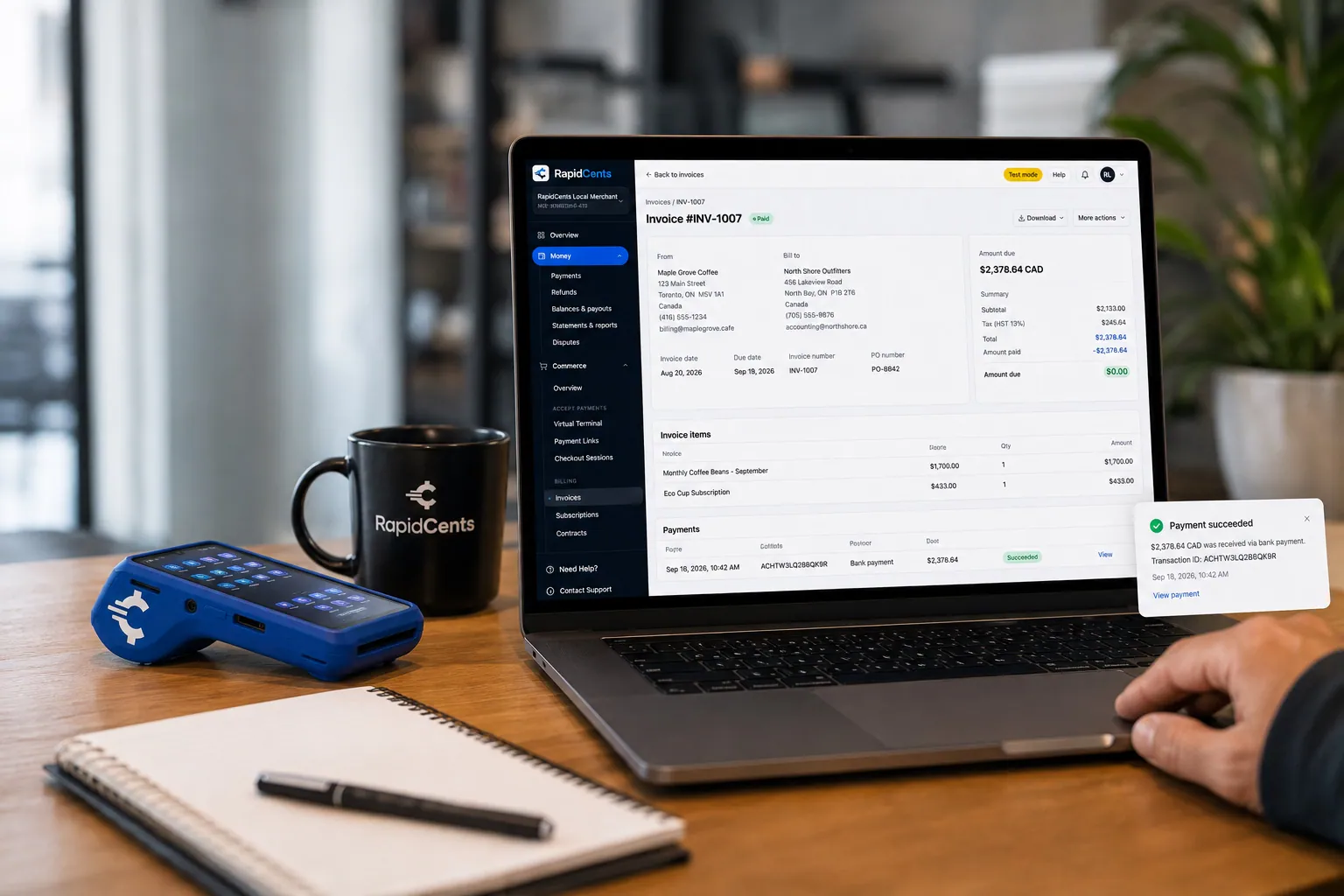
A merchant invoices a customer for bank debit through RapidCents, with card terminal capture available on the same desk. ACH / Bank Payments
Bank payments suit recurring and high-value invoices where card fees are the wrong tool. Collect directly…
Explore
The RapidCents recurring payments screen showing active subscriptions, monthly recurring revenue, failed payments and upcoming renewals, above a list of subscriptions with their plan, amount, frequency and next billing date. Recurring Payments
RapidCents recurring payments manage subscription plans, membership renewals and installment schedules with…
Explore


Can drivers take card payments at delivery?
Drivers can take card payments at delivery when the shipper has agreed that the recipient pays at the door. Courier cash on delivery card payments run on a phone with Tap to Pay or a mobile terminal, and the receipt goes to the recipient while the record goes to dispatch.
How the door payment runs
The driver confirms the amount on the manifest, presents a supported phone or a Rivo Go terminal, and the recipient taps or inserts a card. Dispatch sees the result before the driver marks the stop complete.
What to set up first
Limit which drivers may take payments, keep devices on a managed account, and write the collection rule into the shipper agreement. Drivers should never keep or write down card numbers.
When the recipient cannot pay
A declined card, a recipient who is absent or a disputed charge means the parcel returns or waits for redelivery. Billing decides whether the shipper or the recipient owes the return charge, then sends a payment link for it.
A $640 parts order, collect on delivery
Say a parts supplier ships a $640 order marked collect on delivery. The driver taps the recipient's card at the loading dock, the stop closes as paid, and billing sees the settled amount against that manifest line.
Compare processing fees and total operating cost
Your processing cost depends on your card mix, how cards are taken and how many remote payments you run. RapidCents prices on interchange-plus: interchange passes through at cost, your RapidCents markup is set out in your Fee Schedule, and equipment or service fees apply if relevant. It is month to month, with no fixed term.
What drives interchange
Interchange is set by the card networks and varies with debit, credit, premium and commercial cards, and with whether the card is tapped or inserted versus keyed or paid online. Business accounts paying by commercial card cost differently from walk-in senders.
What to bring to a comparison
Bring recent processing statements, your split between counter, door and invoice payments, average ticket, refund volume and any dispute history. Written quotes only compare fairly when they use the same mix.
Run Fee Check
Upload a statement to Fee Check and see interchange shown separately from markup. Then ask for your Fee Schedule and compare the total operating cost, including terminals and any monthly services, not only one line.
How RapidCents fits OnTime 360 and your dispatch software
RapidCents integrates with many major platforms through APPIE and RapidBridge, so most courier firms keep the dispatch software they run today. The right option depends on your software vendor and version, and your RapidCents representative will walk you through it. Settled transactions, fees and refunds also connect to QuickBooks Online and Xero.
OnTime 360
OnTime 360 manages dispatch and billing for courier firms. Tell your RapidCents representative which edition you run, and they will show you how payments, receipts and settled amounts connect to it. SAP and NetSuite import settlement files.
Onfleet and Detrack
Onfleet and Detrack track routes and proof of delivery. Your RapidCents representative will walk you through how a payment collected at the door reaches the stop record, and how billing sees it beside the proof of delivery.
Dispatch Science and CXT Software
Dispatch Science and CXT Software coordinate orders and, in some editions, invoicing. Tell your RapidCents representative your version and who owns the payment step today, and they will lay out the option that fits your setup.
Payment options for courier companies in Canada
Courier and delivery companies in Canada can take Interac debit and credit cards at the counter and the door, and collect account balances by EFT or pre-authorized debit (PAD). Everything settles in CAD, so your deposits match the invoices you send.
Interac debit and cards
Walk-in senders and recipients often pay with Interac debit by chip and PIN or contactless. Credit cards from Visa, Mastercard and American Express work on the same terminal or phone.
EFT and PAD for accounts
Business accounts can pay invoices by EFT or PAD, which needs a signed authorization. GST or HST may appear on invoices and receipts, and your accountant decides how it is reported.
Setup, switching and reconciliation checklist
Switch courier payment processors by listing everything that touches money, testing a sale, refund and deposit, then running both systems side by side for a short period. Match every payment to a waybill or invoice before you move all traffic.
Inventory first
List open invoices, saved cards and the authorizations behind them, recurring schedules, terminals, driver phones and software that sends payments. Moving saved cards between providers needs both providers to agree.
Test and run in parallel
Once your account is approved, run a counter sale, a door payment, an invoice paid by link and a refund. Keep your old setup for the accounts that pay on invoice terms until their open balances clear, then move them.
Reconcile deposits
Match each deposit to settled transactions, then to waybills and invoice numbers. Export Reporting in the format your accountant uses, and settled transactions, fees and refunds can be mapped to QuickBooks Online or Xero.
Payment questions from courier and delivery companies
How should courier and delivery companies handle corporate account invoice terms when choosing a payment provider?
For delivery company invoice payments, choose a provider that lets you send delivery invoice payment links, show paid status by invoice number and export settled amounts for your ledger. Look at how authorizations, partial payments and refunds work for accounts on terms. Test one invoice from send to deposit before you move every account.
How should courier and delivery companies handle retail sender drop-off payments when choosing a payment provider?
Choose a provider with a counter terminal that takes chip, contactless and PIN, and that records a waybill number on each sale. Settle who may refund and how a reweigh is charged. Test a sale and a refund at your counter before going live.
How should courier and delivery companies handle card collection at delivery when choosing a payment provider?
For courier driver payment collection, choose a provider that supports a courier mobile card reader or phone for drivers, with permissions limited to named staff. Write the collection rule into the shipper agreement and decide what happens when the recipient cannot pay. Pick the devices and phones you plan to use before rollout.
How should courier and delivery companies handle proof of delivery and invoice matching when choosing a payment provider?
Keep the payment reference, waybill number and signed delivery record together, so an invoice can be matched to its proof. RapidCents reports show settled payments, and your dispatch software holds the proof of delivery. Your RapidCents representative will show you how the two line up for your software.
Which payment options can a courier company in Canada offer?
A courier company in Canada can offer Interac debit, Visa, Mastercard and American Express at the counter and at the door, and EFT or PAD for account invoices. Payments settle in CAD. Your RapidCents representative will help you pick the mix that suits your accounts when you sign up.
How should courier and delivery companies handle fuel surcharge and accessorial adjustments when choosing a payment provider?
Treat each adjustment as its own line the customer can see. Add fuel surcharges, waiting time and redelivery to the account invoice, or send a separate payment link for a single extra. Do not change a paid charge in place, because a clean refund-and-resale trail is easier to reconcile.
Which payment processor is best for courier and delivery companies, and what should we compare?
The best processor is the one that fits your own mix. Compare written quotes using your own card mix, then look at counter and mobile hardware, invoice tools, reporting, support and how well it fits your dispatch software. Ask for interchange shown separately from markup, and weigh total operating cost rather than one headline line.
What fees should courier and delivery companies expect for in-person and online card payments?
Expect interchange, set by the card networks, plus your RapidCents markup in your Fee Schedule, and fees for equipment or services if applicable. Cost varies with card type and with whether cards are tapped or keyed. Upload a statement to Fee Check and request a written quote based on your real payment mix.
Can we use RapidCents with OnTime 360 or Onfleet?
RapidCents integrates with many major platforms through APPIE and RapidBridge. The right option for OnTime 360, Onfleet or another dispatch system depends on your software vendor, edition and version, and your RapidCents representative will walk you through it. Your accounting stays connected too.
How can courier and delivery companies reduce payment disputes and protect stored card details?
Get clear written authorization for saved cards, send itemized invoices and keep signed delivery records. Limit staff and driver access, and use tokenized storage so card numbers are never written down. These steps strengthen your evidence, though no provider can promise the outcome of a dispute.
How can courier and delivery companies switch payment providers without losing billing records?
List open balances, saved-card arrangements, terminals and software dependencies, then reconcile a test sale, refund and deposit before you move. Export your history from the old provider first. Saved payment credentials may need a migration both providers agree to, so raise that early with your RapidCents representative.
What MCC is used for courier and delivery companies?
MCC 4215 is commonly associated with courier services. RapidCents sets the correct merchant category during onboarding, based on what your business actually sells. A company that also runs freight, storage or retail packing may be reviewed differently, so describe all of your services when you apply.
Related industries
Taxi, towing, parking and limousine businesses also collect at the curb or on account. They run on the same mobile payment and invoice workflows, so you will find their industry pages a natural next read.
Taxi & Transportation
Take card fares and tips in the vehicle, reconcile each driver's takings by shift and…
Parking
Take cards at booths and event gates, let drivers pay by plate or QR code, and bill…
Towing & Roadside
Take release fees at the yard gate, card payments at the roadside and invoices for…
Automotive
Take the parts deposit, the phone-approved repair, the insurance deductible and the…
Car Wash
Single washes at the pay station, unlimited plans on monthly autopay and the renewals…
Car Dealerships
Take holding deposits by payment link, ring service and parts tickets on terminals, and…
Limousine & Charter
Take a booking deposit, adjust for wait time and gratuity, and capture the final fare…
Driving Schools
RapidCents helps driving schools sell lesson packages online, collect installments and…
Take the next step
Review your courier payment costs
Upload a recent processing statement to Fee Check and see interchange separated from markup, then compare it against your counter, door and account invoice mix.
- No obligation
- Canadian payment specialists
- Secure statement upload



