


Auto repair payment processing from diagnosis to vehicle pickup
Auto repair payment processing has to handle three points on a repair order: the diagnostic fee, a parts deposit once the customer approves the estimate, and the final balance before the vehicle leaves. RapidCents covers them with Countertop Terminals, Payment Links and Invoicing for fleet accounts. RapidBridge works with Tekmetric, Shopmonkey and AutoLeap.

- PCI DSS Level 1
- SOC 2 Type II
- All major cards: Visa, Mastercard, Amex, Discover, UnionPay, Diners Club & PIN Debit
- Interchange-plus available
- Specialist onboarding support
How auto repair shops get paid
An auto repair shop collects six kinds of payment around a repair order: the diagnostic fee, a parts deposit on an approved estimate, the final balance at the counter, a balance paid by text before pickup, fleet and business account invoices, and split payments. The vehicle owner pays most of them. Fleet managers pay on account, and a vehicle service contract company may pay its covered share.
Diagnostic fees
The vehicle owner pays for the technician's time tracing a warning light, a noise or an electrical fault. Your policy decides whether the fee is due at drop-off, added to the repair order, or credited toward the repair once approved. If a customer declines the repair and takes the car, collect the fee on the counter terminal before the keys go back. Finance gets a card sale recorded against the repair order.
Parts deposits on approved estimates
When an approved estimate calls for special-order or high-cost parts, such as a dealer-only module or fuel injectors, the vehicle owner pays part of the cost before the shop orders them, at the counter or by Payment Link. If the job is called off after a non-returnable part ships, your written terms decide what you keep. Finance needs each deposit tracked against its repair order until the final invoice uses it.
Final balance at the counter
When the work is finished and the invoice is final, the vehicle owner pays what remains after any deposit or diagnostic credit, usually by tap or chip on the counter terminal. If the total grew with extra work found mid-repair and approved by phone, the customer may question it at pickup, so keep each approval on the repair order. Finance gets the payment that closes the repair order.
Balances paid by text before pickup
A customer at work or away from the shop pays the final balance from a Payment Link the advisor texts or emails once the car is ready. After-hours pickups from a key drop need the most care, because nobody is at the counter to take a card or answer a question about the bill. Finance gets a card-not-present payment it can match to the repair order by reference.
Fleet and business account invoices
Local businesses with vans, pickups or service vehicles often have repairs done on account and pay by invoice, per repair order or monthly. The shop sends a RapidCents invoice with a payment link, or charges a card the fleet manager has authorized for the account. A missing purchase-order or unit number, a disputed line or one payment covering several invoices are the usual snags. Finance gets each invoice's paid status and date, and open amounts show in aging reports.
Split payments and third-party shares
Some repair orders have more than one card or payer: debit for part and credit for the rest, two people sharing a bill, or a vehicle service contract company paying its covered share while the customer pays the deductible. Each share goes through the counter terminal, a Payment Link or Virtual Terminal. If one card declines after another has gone through, the first payment stands. Finance needs every share listed separately on the repair order.
How do you take a parts deposit on an approved repair estimate?
Take the deposit after the customer approves the written estimate and before you order parts that are hard to return. Collect it on the counter terminal when the customer is at the shop, or send a Payment Link for the deposit amount when they approve by phone or text. Write down what the deposit covers and when it is refundable, then hold it as a credit on the repair order until the final invoice applies it.
From diagnosis to approval to deposit
The technician finds the fault, and the advisor builds the estimate in your shop software, including any diagnostic fee already owed. The customer approves it at the counter with a signature or by replying to a text, and the approval is saved on the repair order. The advisor then takes the deposit on the terminal or sends a Payment Link with the repair-order number as its reference, and the customer has a receipt before the parts order goes out.
Deposit terms to write down first
Car repair deposit payments need written terms: which jobs require a deposit, how it is sized, and what happens to it if the customer calls off the job before or after the parts arrive. List the parts you cannot send back, such as electrical components some suppliers refuse once the box is opened, so the customer sees that risk before paying. If your shop software does not capture signatures, Contracts & eSignatures can send the terms, record the signature and take the deposit in one flow.
When the job is called off, the part is wrong or the card declines
If the customer calls off the job before anything is ordered, refund the deposit to the card that paid it. Once a non-returnable part has shipped, keep only what your written terms allow and refund the balance. A wrong part from the supplier changes nothing for the customer: the deposit stays on the repair order while the correct part comes in. If the deposit card declines, ask for another card or text a Payment Link, and hold the parts order until a payment is approved.
If the customer disputes the deposit
If a customer asks their card issuer to reverse a deposit, answer with the approved estimate and the time it was approved, the deposit terms they saw, the receipt and, if the job is finished, the invoice showing the deposit applied. Disputes and Chargeback Protection keeps that evidence and the response deadline in one place. A recorded approval and written terms give you something to send; a verbal agreement at the counter does not.
A slipping transmission, deposit first
Say an SUV comes in with a transmission that slips between gears. The diagnosis points to a remanufactured unit that the supplier will not take back once it ships. The advisor texts the estimate, the owner approves it by reply, and a Payment Link for the deposit follows with the repair-order number as its reference. The deposit sits on the repair order as a credit; at pickup the invoice applies it, and the owner pays the remaining parts, labor and fluids at the counter.
How does text to pay work when the car is ready?
With auto repair text to pay, the advisor finalizes the invoice, texts or emails a Payment Link for the exact balance, and the customer pays from a phone before coming for the car. The link carries the repair-order number, the receipt goes out automatically and the Merchant Dashboard marks the link as paid. Release the vehicle when the dashboard shows the payment, not when the customer shows a screenshot.
Send the link for the exact balance
Finalize the invoice in your shop software first, so the amount reflects every approved line, the taxes your software calculates and the deposit already paid. Create the Payment Link for that balance, put the repair-order number in its reference field, set an expiry date and send it by SMS or email. Keep the message to the shop name, the vehicle and the amount, and never invite the customer to reply with card numbers.
Check payment before the keys go out
Repair shop payment links show their status in the Merchant Dashboard as open, paid or expired. Check that status before releasing a vehicle, especially for after-hours pickups from a key drop or lockbox. Copy the RapidCents transaction reference onto the repair order at the same time, so the payment and the job stay linked when your bookkeeper reconciles the day.
When the customer questions the total
A text payment invites questions about work added mid-repair, because the customer sees the total before seeing the advisor. Before sending the link, make sure each added line has an approval on the repair order with its time, its amount and the person who gave it. If the customer wants to pay part now, send a link for that part and a second link later; the remainder stays open on the repair order in the meantime.
If the link expires unpaid
If the link expires before the customer pays, send a fresh one for the same balance and note the resend on the repair order. Some customers would rather pay at the counter when they come in, and the open balance simply waits for them there. The Merchant Dashboard shows the old link as expired, so you can see it lapsed unpaid before you sent the new one.
An after-hours pickup from the lockbox
Say a customer drops off a sedan for brake pads and rotors before work. The technician finds a leaking brake hose; the advisor sends photos and a revised estimate from the shop software, and the customer approves by reply. By late afternoon the invoice is final, so the advisor texts a Payment Link for the balance. The customer pays from work, the advisor sees the link marked paid, and the keys go into the lockbox with a printed invoice.
RapidCents products for auto repair shops
These four products follow a repair order from write-up to pickup: Countertop Terminals for diagnostic fees and final balances at the service counter, Payment Links for deposits and text-to-pay balances, Invoicing for fleet and business accounts, and Customer Profiles to keep each customer's authorized cards and payment history together.

A fixed RapidCents countertop terminal taking card payments at the till, with settlement visible on the dashboard. Countertop Terminals
RapidCents countertop terminals sit at retail counters, restaurant hosts and reception desks where speed and…
Explore
The RapidCents payment links screen listing created links with their amount, status, click count and whether they have been paid, beside a phone showing the branded page a customer opens to pay $2,500.00. Payment Links
RapidCents payment links let staff generate branded pay-by-link URLs for invoices, deposits, balances and…
Explore
The RapidCents invoices screen: outstanding, overdue, paid and draft totals across the top, the invoice list below them, and a preview of one invoice on the right with its line items and a View & Record Payment button. Invoicing
RapidCents invoicing helps professional services, contractors and B2B suppliers create branded invoices…
Explore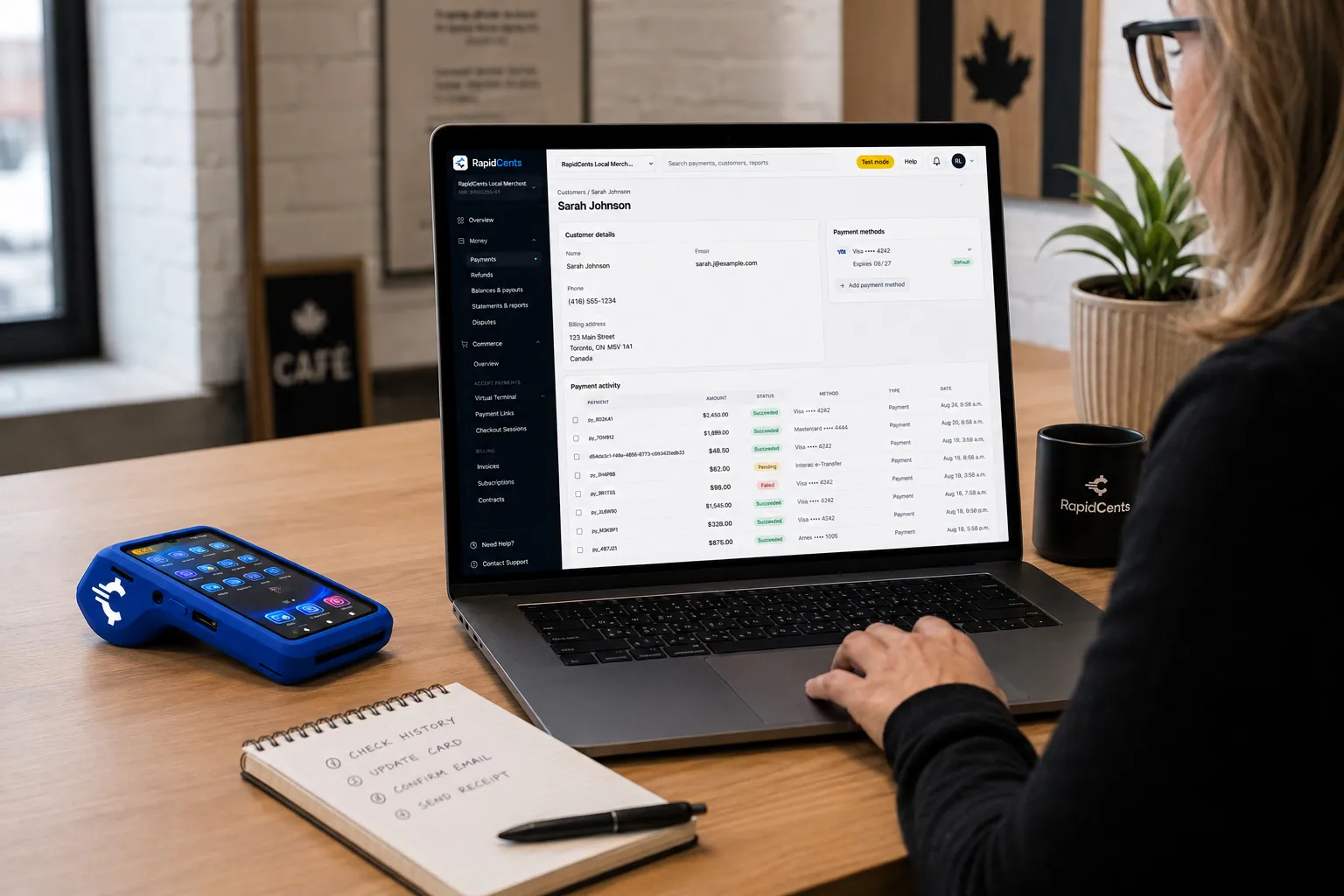
A RapidCents customer profile holds saved cards and invoices, so a return visit can be charged without re-keying the card. Customer Profiles
A customer profile ties together transactions, stored payment methods, subscriptions and disputes so staff…
Explore


How do you close a repair order paid by more than one card or payer?
Close a split-tender repair order by taking each share as its own transaction and recording every one against the same repair-order number until the payments add up to the invoice. A customer can split between debit and credit at the counter, a service contract company can pay its covered share by phone, and a fleet can pay by authorized card or invoice. RapidCents processes each payment; who owes which share is decided in your shop software and your agreements.
Two cards at the counter
When a large repair runs past one card's limit, or two people share the bill, agree both amounts with the customer before the first card goes in. Run the first sale for its share and a second sale for the rest. If the second card declines, the first payment stands and the balance stays open on the repair order until another card or a Payment Link covers it.
Vehicle service contract payments
When a vehicle service contract company approves a covered repair, it decides what it pays, and the customer typically owes the deductible plus anything the contract excludes. If the company pays by card over the phone, key its payment in Virtual Terminal as a separate sale and note its claim authorization number in your shop software. The claim and the coverage decision stay outside RapidCents; the payment record holds the amount, date and your reference.
When a third-party lender pays for the repair
Some customers pay for a major repair through a third-party lender. The lender approves the customer, sets the repayment terms and pays your shop under its own agreement with you, so record its payment against the repair order like any other share. RapidCents processes card payments and does not lend to your customers or arrange their financing.
Fleet accounts: stored cards and invoices
A fleet customer can authorize a card for its account so you can charge approved repair orders without phoning for the number each time. Put that authorization in writing: which repairs the card covers, any limit per repair order, how the fleet manager hears about each charge and how the fleet can withdraw it. Customer Profiles hold the stored card and the account's payment history in one place. Fleets that prefer to pay on terms get a RapidCents invoice with a payment link instead.
Closing the repair order at zero
A split repair order is closed only when the payments recorded against it equal the invoice total. Record each payment's RapidCents reference on the repair order as it happens, so the daily report shows several payments for one job instead of amounts nobody can place. If part of a split payment is refunded later, refund it to the card that paid that share.
One repair, three payments
Say a minivan needs a water pump, and the owner agrees to replace the timing belt while the engine is apart. The service contract covers the pump and its labor but not the belt, which it treats as maintenance. The contract company pays its share by card over the phone, keyed in Virtual Terminal. At pickup the owner owes the deductible and the belt, and splits that between a debit card and a credit card. Three payments, one repair order, closed at zero.
What drives card processing costs for an auto repair shop?
Card processing cost in an auto repair shop depends on which cards customers use for large unplanned repairs, how many fleet and commercial cards you take, how much comes in by phone or link, and your refunds and disputes. With interchange-plus pricing, interchange passes through at cost. Card networks set it by card type and by how the card is taken. Your Fee Schedule lists your RapidCents markup and any equipment or service fees, and there is no fixed term: the agreement runs month to month.
Interchange-plus on a repair-shop card mix
Card networks set different interchange for debit, standard credit, premium rewards and commercial cards, and RapidCents passes it through at cost. Mechanic credit card processing quoted as one bundled price hides which payments cost more to accept. Interchange-plus keeps interchange separate from markup, so you can see that a brake job paid on a rewards card carried more interchange than an oil change paid by debit.
Large, unplanned repair bills
Engine, transmission and suspension work produces bills customers did not budget for, so they may reach for a credit card, sometimes a premium rewards card that carries higher interchange than debit. That makes your card-type split, not only your monthly volume, the first number to check. Pull it from a recent statement, and note how often large tickets arrive on rewards and commercial cards.
Fleet and commercial cards
Fleet managers and business customers often pay with commercial or fleet cards, which have their own interchange categories. Some fleet cards run on the major card networks, while others belong to proprietary fleet programs that need separate acceptance. List the fleet cards your account customers carry and ask your RapidCents representative which ones your account can take before you promise them to a fleet.
Counter payments versus phone and link payments
Payments taken on the counter terminal, by tap or chip, are card-present. Phone payments keyed into Virtual Terminal, for a service contract company or a customer at work, are card-not-present, and so are Payment Links paid before pickup. Interchange can be higher on those, and checks such as AVS, CVV and 3-D Secure apply where relevant. Work out what share of your repair-order revenue comes in each way.
Terminals for the counter and the lot
Count the terminals you need: an auto shop credit card machine at the service counter, perhaps one at the parts counter, and one per location. An advisor handing keys back in the lot can also take contactless payments on a supported iPhone or Android phone with Tap to Pay. Ask whether each quote sells, rents or leases the equipment, because a lease can keep billing after the processing agreement ends.
Refunds, disputes and what to bring to a comparison
Refunds on deposits for jobs that fell through and chargebacks on disputed repairs take staff time, and your Fee Schedule shows any fee that applies to them. To compare quotes, pull three recent processing statements and note your average repair-order value, your split between counter, phone, text-link and invoice payments, your debit, credit and commercial card mix, and your refund and chargeback counts. Fee Check reads an uploaded statement and separates interchange from markup.
Does RapidCents work with Tekmetric and other shop management software?
Yes. RapidBridge works with Tekmetric, Shop-Ware, Mitchell 1 Manager SE, Shopmonkey and AutoLeap, so a card payment posts against the repair order you already have open. RapidCents takes the card, sends the receipt and reports the money; your shop software keeps estimates, approvals, parts and technician time. Your RapidCents representative walks you through the setup for your software and version.
Integrated or standalone: what changes at the counter
With RapidBridge or APPIE, the repair order's total goes to the payment screen or terminal and the result lands back on the repair order without retyping. For shop software outside those options, the advisor enters the amount on the terminal or in a Payment Link and records the RapidCents reference on the repair order, which adds a few keystrokes and a daily match. Your RapidCents representative tells you during onboarding which setup fits your shop.
Tekmetric
Tekmetric is where the repair order, the estimate and the customer's approval live, and RapidBridge works with it. Deposits and final payments taken through RapidCents post against the repair order your advisors already have open, so nobody retypes a card sale. If your current card processing is tied to your Tekmetric account, your RapidCents representative will walk you through the change.
Shop-Ware
Shop-Ware holds the repair orders and invoices your payments have to land on, and RapidBridge works with it. A deposit, a final payment or a refund taken through RapidCents posts against the matching repair order, and the payment record carries its reference for your bookkeeper. Your RapidCents representative walks you through the setup for your edition.
Mitchell 1 Manager SE
Shops that write estimates and repair orders in Mitchell 1 Manager SE need each card payment to end up on the matching repair order. RapidBridge works with Mitchell 1 Manager SE, so deposits, final payments and refunds post against the repair order without notes or retyping. If you run another Mitchell 1 product, your RapidCents representative will show you the option that fits.
Shopmonkey and AutoLeap
Shopmonkey and AutoLeap keep repair orders and invoices, and RapidBridge works with both. Customers pay a payment request from either platform with RapidCents, and the payment posts against the repair order you already have open. Your RapidCents representative walks you through the setup for your plan.
QuickBooks Online and Xero
RapidCents connects settled card payments, processing fees and refunds to QuickBooks Online and Xero, which saves your bookkeeper from typing each day's deposit by hand. Parts purchases and technician payroll stay in your accounting workflow as before. A group of shops running NetSuite or SAP imports settlement files instead of using a live connector.
Payment options for auto repair shops in the United States
A US auto repair shop on RapidCents can take Visa, Mastercard, American Express and Discover credit and debit cards at the service counter, including PIN debit where supported. Payment Links handle deposits and text-to-pay balances, Invoicing covers fleet customers, and ACH bank payments are available where enabled. Everything settles in USD, and any sales tax on the repair is added by your shop software before the customer pays.
Cards and PIN debit at the service counter
Customers tap or insert Visa, Mastercard, American Express or Discover cards, and debit customers can enter a PIN where supported. On a major repair, a debit card can hit its daily spending limit and a credit card its credit line, so be ready to split the bill across two cards. Debit, standard credit and premium rewards cards carry different interchange, which is why the mix on large repairs matters as much as your volume.
ACH for fleet and business accounts
Fleet and business customers billed each month can authorize ACH debits from a business bank account, where bank payments are enabled on your account. That suits predictable maintenance billing for a fleet. ACH payments can be returned after submission, so wait for the funds to clear before marking a fleet invoice paid in your shop software.
State repair laws and your payment records
Several states have laws that require a written estimate, the customer's consent before work begins, or fresh consent before the bill goes past the estimate. Those obligations belong to your shop and its paperwork. Keep each approval with the repair order in your shop management software; the RapidCents payment record adds the amount, time and reference beside it without replacing it.
How do you switch processors without losing repair-order history?
Once your account is approved, you switch without losing history by taking stock of open deposits, fleet invoices and cards on file, testing the new account on real repair orders, collecting new card authorizations where stored cards cannot move, and matching payments to repair orders daily from the start. Your repair-order history stays in your shop software throughout. Close the old account only after its last refunds and disputes settle.
Take stock of what charges a card today
List open repair orders holding deposits, unpaid fleet invoices, authorized cards on file with the paperwork behind them, pending refunds for comebacks (cars returning with the same fault) or returned parts, and open disputes. Add each terminal with its lease or rental terms, any payment settings inside your shop software, and any online booking or estimate page that collects money. Read your current agreement for early termination fees before you pick a switch date. The list doubles as your test plan.
Cards on file for fleets and regulars
Card tokens belong to the vault of the processor that created them, and a secure transfer happens only when both providers agree to it. Where a transfer is not possible, ask each fleet manager or regular customer for a fresh authorization, by Payment Link or at their next visit, before the first charge on RapidCents. Never rebuild the list from card numbers written on repair orders, sticky notes or emails.
Test on real repair orders
Put a handful of real repair orders through the new account before the switch date: a diagnostic fee on the counter terminal, a deposit by Payment Link, a final payment and a refund. Check that each one shows in RapidCents Reporting with a reference your advisors can copy onto the repair order. Limit who can key cards in Virtual Terminal or issue refunds with role permissions, and walk advisors through voids.
Overlap the two accounts briefly
Expect a short overlap. A deposit taken on the old account still counts on its repair order after the switch. If that deposit has to be refunded, refund it against its original payment on the old account, so keep that account open until those refunds and any open disputes are done. Then download its transaction and statement history and close it after the final payout.
Reconcile each day against closed repair orders
At closing, compare the payments recorded in your shop software with the RapidCents transaction report: deposits still held, final payments that closed repair orders, and refunds. Then tie the bank deposit to the settlement report, allowing for refunds and any fees deducted. A group of shops can use Multi-Location to give every shop its own merchant ID and user permissions, with combined reporting for the owner.
Payment questions from auto repair shops
What is the best payment processor for an auto repair shop?
The best processor for an auto repair shop is the one whose written quote and workflow fit your own repair orders and card mix, and that is the test we want RapidCents judged on. We take parts deposits, text-to-pay balances, fleet invoices and phone payments from service contract companies, and RapidBridge posts them to the repair order in Tekmetric, Shop-Ware, Mitchell 1 Manager SE, Shopmonkey and AutoLeap. When you compare auto repair merchant services, check that interchange is shown apart from markup. We price on interchange-plus, month to month, and Disputes and Chargeback Protection helps when a customer disputes a repair charge.
How much does credit card processing cost for an auto repair shop?
Credit card processing for an auto repair shop costs interchange plus your processor's markup and any equipment or service fees, and the total depends on your card mix and channels. With RapidCents, interchange passes through at cost, your markup is set out in your Fee Schedule, and the agreement is month to month. Interchange is usually lower for debit than for premium rewards or commercial cards, and it can be higher when a card is keyed by phone or paid by link than when it is tapped or inserted at the counter. Upload a statement to Fee Check to see your current interchange and markup separately.
Does RapidCents work with Tekmetric, Shop-Ware, Mitchell 1, Shopmonkey and AutoLeap?
Yes. RapidBridge works with Tekmetric, Shop-Ware, Mitchell 1 Manager SE, Shopmonkey and AutoLeap, so a card payment posts against the repair order you already have open, without changing your shop software. For other shop software, RapidCents integrates with many major platforms through APPIE and RapidBridge. The right option depends on your software vendor and version; your RapidCents representative will walk you through it.
How can an auto repair shop switch processors without losing payment history?
Save the old processor's records and move open items deliberately, because your repair-order history already stays in your shop software. Before closing the old account, download its transaction, settlement and statement history. List open deposits, unpaid fleet invoices and authorized cards on file, and ask both providers whether stored cards can move securely. Where they cannot, collect fresh authorizations before the first charge on RapidCents, and keep the old account open until its refunds and disputes are finished.
Which payment options can an auto repair shop in the United States offer?
An auto repair shop in the United States can take cards at the service counter, by text link, over the phone and by invoice, plus ACH bank payments where enabled, all settled in USD. In person that covers Visa, Mastercard, American Express and Discover credit and debit cards, including PIN debit where supported; remotely, Payment Links, Invoicing and Virtual Terminal. Fleet cards depend on the specific program, so ask your RapidCents representative about the ones your fleet customers carry. Your merchant account sets which methods are turned on.
Can payments be attached to a repair order?
Yes, by reference, so each payment can be traced to its repair order. A Payment Link has a reference field for the repair-order number, and for a sale on the counter terminal or in Virtual Terminal, staff copy the RapidCents transaction reference onto the repair order. With RapidBridge, payments post to the repair order in Tekmetric, Shop-Ware, Mitchell 1 Manager SE, Shopmonkey and AutoLeap on their own. Otherwise staff record them by hand or match them from an export. RapidCents Reporting exports transactions as CSV or PDF for that match.
Can I collect a deposit before ordering parts?
Yes, once the customer has approved the estimate. Take the deposit on the counter terminal, or text a Payment Link for the deposit amount if the approval came by phone, and place the parts order only after the payment is approved. Put the terms in writing first: what the deposit covers, which parts cannot be returned and what is refunded if the job is called off. If it is, refund the card that paid, keeping only what those terms allow. At pickup, the final invoice applies the deposit and the customer pays only the balance.
Can a customer pay remotely before picking up the car?
Yes: once the invoice is final, text or email the customer a Payment Link for the exact balance, with the repair-order number as its reference. The customer pays on a mobile-friendly page and gets a receipt automatically, and the link shows as paid in your Merchant Dashboard. Check that status before you hand over keys or leave them in a drop box. Do not accept card numbers sent back by text or email; the link exists so customers never need to send them.
How do we take split payments on one repair order?
Treat split tender as several payments against one repair order. At the counter, agree each amount with the customer, then run each card as its own sale. If a later card declines, the earlier payments stand and the balance stays open for another card or a Payment Link. When a service contract company pays its covered share by card, key that sale in Virtual Terminal and note the company's claim authorization in your shop software. The repair order closes when the recorded payments equal the invoice.
How can a repair shop take phone payments safely and reduce disputes over repair charges?
Send a Payment Link instead of reading card numbers over the phone, and record the customer's approval before any work that raises the total. If a card must be taken by phone, key it straight into Virtual Terminal with AVS and CVV checks, never onto paper or into repair-order notes. When a customer disputes a repair charge, your evidence is the approved estimate, each added approval with its time and approver, the invoice and the receipt. Disputes and Chargeback Protection tracks evidence and deadlines, though no evidence package wins every case.
What MCC is used for auto repair shops?
MCC 7538, the merchant category code for automotive service shops that are not dealerships, is commonly associated with independent auto repair shops. Card networks use the code to classify the business behind each payment. During onboarding, your RapidCents representative sets the correct merchant category from what your business actually sells, so mention a separate parts counter, tire sales, towing or vehicle sales that share your premises.
Related automotive pages
The Automotive page covers the sector as a whole. Tire shops add seasonal storage and special-order tires to the same counter-and-deposit pattern, auto glass businesses collect on the road and keep insurer payments apart from the customer's portion, and truck repair shops work with fleet offices and roadside callouts.
Automotive
Take the parts deposit, the phone-approved repair, the insurance deductible and the…
Tire Shops
Take deposits on special-order tires, collect installation balances at the counter or by…
Auto Glass Businesses
Take cards at the vehicle or by payment link, collect the customer's portion apart from…
Commercial Truck Repair
RapidCents helps truck repair shops collect repair orders, parts deposits, fleet-office…
Taxi & Transportation
Take card fares and tips in the vehicle, reconcile each driver's takings by shift and…
Parking
Take cards at booths and event gates, let drivers pay by plate or QR code, and bill…
Towing & Roadside
Take release fees at the yard gate, card payments at the roadside and invoices for…
Car Wash
Single washes at the pay station, unlimited plans on monthly autopay and the renewals…
Take the next step
Find out what your repair orders cost to process
Fee Check reads a recent processing statement and shows the interchange you paid separately from your markup. Use that baseline to judge any quote, including a RapidCents quote built on your own mix of counter, phone and text-link payments.
- No obligation
- Payment specialists, not a call centre
- Secure statement upload



