


Payment processing for electrical suppliers and wholesalers
Payment processing for electrical suppliers covers three jobs: counter pickups, project orders invoiced against a job and PO, and large orders paid in stages. RapidCents handles them with countertop terminals, the Virtual Terminal for phone orders, invoices with payment links, and bank payments where your account offers them. We set it up around your software.

- PCI DSS Level 1
- SOC 2 Type II
- All major cards: Visa, Mastercard, Amex, Discover, UnionPay, Diners Club & PIN Debit
- Interchange-plus available
- Specialist onboarding support
How electrical supply wholesalers get paid
Electrical supply wholesalers take B2B electrical payments from contractors, plant and facility buyers and some walk-in customers. Counter pickups are frequent and small; project invoices, lighting packages and cable cuts bring job references, deposits and return rules. Electricians who bill homeowners and builders have their own industry page.
Will-call and counter pickups
An electrician from a contractor's crew collects boxes, fittings, breakers or wire at the counter. The sale posts to the contractor's account under a job and PO, or the crew pays on the spot by company card. If someone is missing from the pickup list, the counter calls the contractor's office before the material leaves. The counter ticket keeps the job and approval together.
Project invoices billed to a job and PO
The contractor's project manager issues a PO per job, and you invoice each delivery or release against it. The office pays on agreed terms by invoice payment link, by phone or by bank payment where your account offers it. Your AR team applies each payment by job, PO and invoice number, so a payment without them is the common snag.
Lighting packages and long-lead gear
A contractor orders a lighting package from an approved fixture schedule, or switchgear and panelboards with long lead times. Payments follow the signed quote, from deposit to final balance, under one order reference. Substitutions and change orders are the exceptions, so AR tracks an order total that can move.
Cut-to-length wire and cable
A contractor orders feeder, building wire or control cable cut to length from a reel. Account customers have the cut added to the job invoice; others pay at the counter or by payment link before you cut. Return terms and any reel deposit are the exceptions, recorded with the cut ticket and reel tag.
Plant and facility buyers on purchasing cards
Maintenance buyers at plants, hospitals, schools and managed properties order lamps, LED drivers, motor controls and breakers, some on purchasing cards. They pay by link, by phone or at the counter, and their payables team may want the PO and line detail. A card limit below the invoice total is the usual hold-up.
COD deliveries and phone orders
Customers without credit terms, and contractors on credit hold, pay before material leaves or on delivery. Inside sales keys phoned cards into the Virtual Terminal with AVS and CVV checks; drivers can take cards on site with Tap to Pay on a supported phone. A large first-time phone order for wire, collected by a third party, needs extra checks.
How are contractor pickups paid and tied to the right job?
Contractor pickups are either posted to the contractor's account under a job and PO or paid on the spot by card on a RapidCents countertop terminal. Trade counter card payments and account pickups start the same way: the counter ticket records account, job and PO before material leaves, which keeps electrical supply invoice payments matched later.
How a pickup runs at the counter
Counter staff pull the pick ticket, confirm the person collecting is on the contractor's pickup list and check the job and PO. An account sale posts to the job and the signed ticket goes to billing. A cash-and-carry buyer taps or inserts a card instead, and the approval prints with the ticket number.
Set up pickup lists and stored cards first
Record on each contractor account who may collect, who approves charges, whether every job needs a PO and how jobs are named. If a contractor wants a card kept for counter purchases, save it in the Secure Card Vault only after a signed authorization covering which pickups it pays for, who may use it and how to cancel.
When the person, the job or the amount is wrong
If a crew member is not on the list, call the contractor's office and, if they want to pay now, send the approver a payment link. Fix a purchase posted to the wrong job with a transfer between jobs in your ERP, not a refund and recharge. If a statement is short-paid over one disputed ticket, apply the rest and keep that ticket open.
Two crews, two jobs, one morning
For example, one crew collects conduit and boxes for a school renovation while another picks up wire for a warehouse expansion. Both pickups post to the contractor's account under separate job numbers and POs. At month end the bookkeeper pays each job's statement through its own payment link, and the credit team applies both without a phone call.
How are lighting packages and project releases paid in stages?
A lighting package is paid in stages when the signed quote sets out each stage before the first payment, such as a deposit at release to the manufacturer, a payment per delivery and a final balance. Each request goes out as an invoice or payment link under one order reference, showing the package total, payments so far and the amount still open.
Quote, release and deposit together
When the contractor approves the fixture schedule, send the quote for signature through Contracts & eSignatures and take the deposit in the same step, or by payment link if approval comes by email. Record the quote number and PO with the deposit, and list milestones, custom or non-returnable fixtures and cancellation terms on the quote.
Deliveries that follow the building
Deliveries often track construction: recessed housings at rough-in, fixtures and trims at finish, custom fixtures when they arrive. Invoice each delivery against the same order reference and PO, applying the deposit as the quote says. Take each stage as a completed payment when due, since a card authorization cannot stay open through months of lead time.
Substitutions, change orders and large balances
When the engineer approves a substitute fixture or the scope changes, re-quote under the same order number and get a new signature if the total moves. A final balance can exceed the contractor's card limit or your approved transaction limit, so agree the method early, such as a bank payment. Never break one invoice into several card charges to fit a limit.
A 40-unit apartment building lighting package
For example, a contractor orders lighting for a 40-unit apartment building under order L-5120 and pays the deposit by payment link at release. Recessed housings ship at rough-in on the first invoice, suite fixtures and trims at finish on the second, and custom lobby fixtures on the last. Each invoice shows the deposit and earlier payments, and L-5120 closes when payments match the final total.
RapidCents products for electrical suppliers
These products fit a supply house's receivables: Countertop Terminals for will-call pickups, Invoicing and Payment Links for job and PO invoices, lighting deposits and balances, and bank payments for large balances where your account offers them. Each payment link can carry the job, PO and invoice references your credit team works from.

The RapidCents invoices screen: outstanding, overdue, paid and draft totals across the top, the invoice list below them, and a preview of one invoice on the right with its line items and a View & Record Payment button. Invoicing
RapidCents invoicing helps professional services, contractors and B2B suppliers create branded invoices…
Explore
The RapidCents payment links screen listing created links with their amount, status, click count and whether they have been paid, beside a phone showing the branded page a customer opens to pay $2,500.00. Payment Links
RapidCents payment links let staff generate branded pay-by-link URLs for invoices, deposits, balances and…
Explore
A fixed RapidCents countertop terminal taking card payments at the till, with settlement visible on the dashboard. Countertop Terminals
RapidCents countertop terminals sit at retail counters, restaurant hosts and reception desks where speed and…
Explore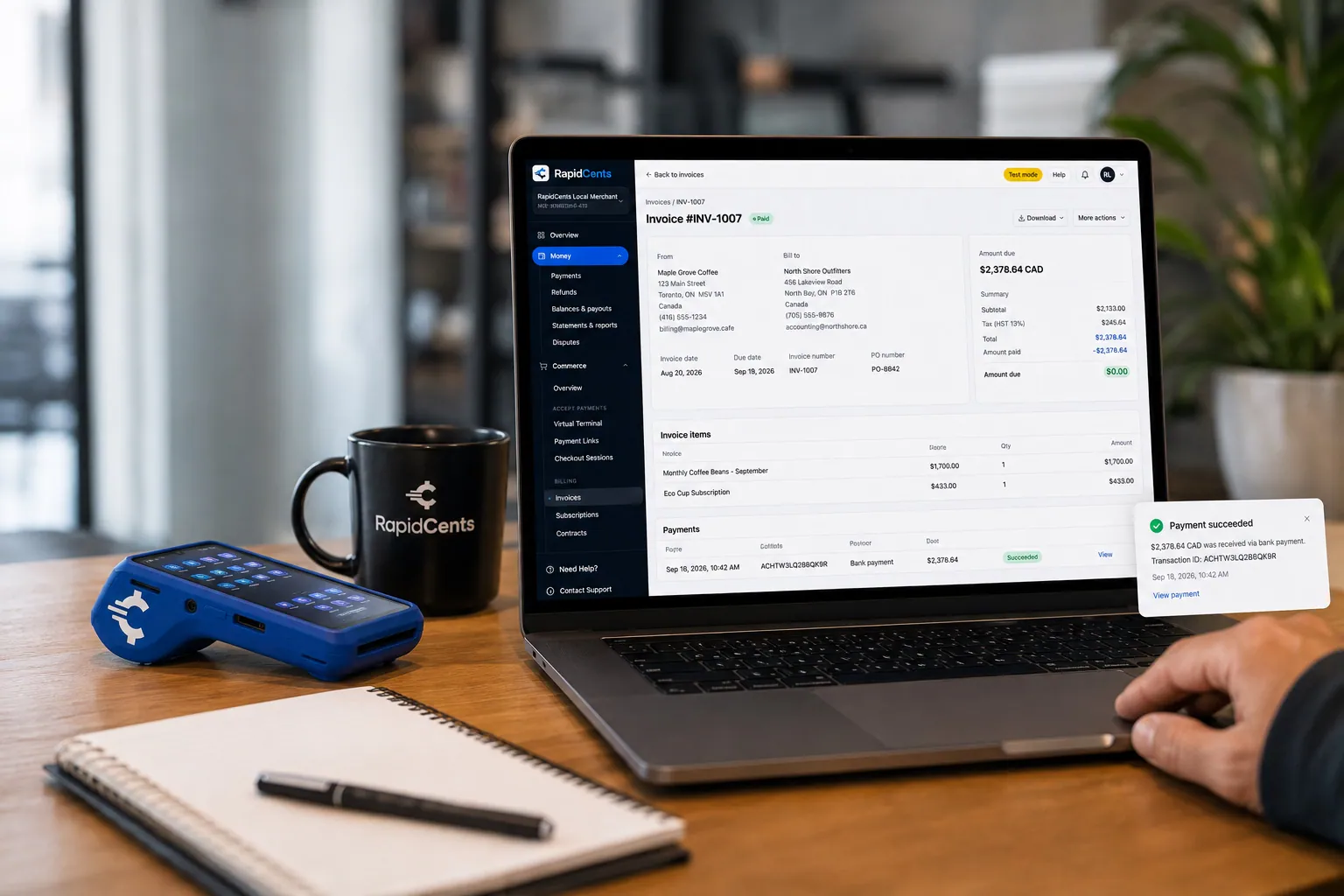
A merchant invoices a customer for bank debit through RapidCents, with card terminal capture available on the same desk. ACH / Bank Payments
Bank payments suit recurring and high-value invoices where card fees are the wrong tool. Collect directly…
Explore


How do cut-to-length cable orders, reel deposits and returns work?
Cut-to-length cable works like a custom order: the customer accepts the length, price and your return terms before you cut, and you may want payment first from buyers without an account, since a cut length is hard to resell. Reel deposits, if you charge them, sit on their own line and come back as a credit or refund when the reel returns.
How a cut order is paid
Inside sales or the counter confirms conductor, length, price and return terms, and the customer accepts them on the quote, ticket or payment page. An account customer's cut goes on the job invoice. A buyer without an account pays at the counter, by phone through the Virtual Terminal or by payment link before the cut.
Metal prices that move between quote and shipment
If your wire prices follow the copper or aluminum market, the invoice at shipment can differ from the quote. Say on the quote how long the price holds and how a difference is handled. Collect or credit any difference on the final invoice rather than charging a stored card for an amount the customer has not seen.
Returned reels, returned stock and disputes
When a reel comes back in a condition you accept, return its deposit as an account credit or a refund to the paying card, never both, and log the reel tag. Stock returns follow your written policy, including any restocking charge. If a card payment for a cut is disputed, Disputes and Chargeback Protection shows the response deadline, and the accepted order and cut ticket become your evidence.
Feeder cuts with a reel deposit
For example, a contractor upgrading a building's electrical service orders three cuts of feeder cable, shipped on one reel. With no account on file, counter staff confirm lengths and return terms on the ticket and take the card payment, reel deposit on its own line, before cutting. When the empty reel returns, staff refund the deposit to the same card and note the reel tag.
What drives electrical distributor card processing costs?
Electrical distributor card processing costs depend mainly on the cards contractors and facility buyers use, whether cards are tapped at the counter or keyed and linked, and the size of your project invoices. On RapidCents interchange-plus pricing, network-set interchange passes through at cost, the RapidCents markup comes from your Fee Schedule, and equipment or service fees apply only if you use them. Your supply house signs no fixed term; the agreement runs month to month.
Business, purchasing and debit cards
Business credit, purchasing and rewards cards generally carry higher interchange than debit, so a month of large purchasing-card invoices from facility buyers looks different on your statement from a month of small debit purchases at the counter. Compare several months, including your busiest construction season, rather than one statement.
Counter, phone and payment link channels
A card tapped or inserted at will-call is card-present. A card keyed into the Virtual Terminal for an inside-sales order, or typed by the buyer on a payment link, counts as card-not-present, where interchange is generally higher. Bring your split between counter, phone and link payments to any comparison.
Project invoice size and enhanced data
Lighting packages and gear balances are few and large; counter tickets are many and small. Interchange generally grows with the sale amount, so your largest invoices are where a bank payment deserves a look. Some purchasing card programs ask for Level 2 or Level 3 data, such as PO, tax and line items; it is available only where supported and verified for your setup.
Discounts, surcharges and what to bring
Decide whether an early-payment discount applies to card payments, and check card network rules and the law where you operate before adding a surcharge. Then bring two or three recent statements, your card mix, average counter ticket and project invoice, channel split, and refund and chargeback counts, reel deposit refunds included, to Fee Check, which shows interchange separately from markup.
Will RapidCents work with your distribution ERP and counter?
RapidCents can work beside a distribution ERP and trade counter in four ways: through a connector, a custom API integration, payment links kept outside the ERP, or settlement reports you import, depending on your ERP, edition and country. RapidCents connects settled transactions, fees and refunds to QuickBooks Online and Xero, and NetSuite and SAP import settlement files. For any other ERP, your RapidCents representative will walk you through the right option for your vendor and version.
Epicor Prophet 21 and Epicor Eclipse
Epicor Prophet 21 and Epicor Eclipse are distribution ERPs, and the right RapidCents option depends on your vendor and version; your RapidCents representative will walk you through it. Find out whether your version accepts cards only through a bundled payment module or specific gateways, and whether cards saved in it belong to your current provider. Either way, quote the ERP invoice number on each payment link and post receipts in the ERP.
NetSuite and SAP Business One
For NetSuite and SAP, RapidCents offers import templates for settlement data rather than a live connector; payments, fees and refunds land in batches you import. Put the job and PO in each payment reference so the import finds the right invoice, and tell your RapidCents representative your edition or version, localization, country and any payment add-on.
Dynamics 365 Business Central and Acumatica
RapidBridge works with Dynamics 365 Business Central and Acumatica, and your RapidCents representative will walk you through the option for your edition and country. Meanwhile, you can also send a payment link that quotes the Business Central or Acumatica invoice number and record the receipt yourself, or import settlement files on a schedule. Ask whether your current payment add-on allows another processor.
QuickBooks Online and Xero
If QuickBooks Online or Xero is your ledger, the RapidCents connection maps settled transactions, fees and refunds into it. Check that your edition and country are covered, and decide with your accountant how lighting deposits on undelivered orders and refundable reel deposits are recorded until earned or returned.
Countertop terminals beside the ERP
Without a connection, the countertop terminal runs on its own: staff enter the ticket total and write the approval on the counter ticket. Integrated Payments, which passes sale amounts and refunds from the point of sale, is how the POS software you already run can drive RapidCents terminals through APPIE. Match terminal batches to counter tickets daily to catch keying errors.
Payment options for electrical suppliers in the United States
In the United States, an electrical supplier can accept credit and debit cards, including business and purchasing cards, plus ACH bank payments, all settling in USD. Cards suit counter pickups, invoice links and phone orders, while ACH suits lighting balances and monthly job statements. Which of these you can offer depends on your approved RapidCents account.
Cards and PIN debit at the counter
Contractors and facility buyers can pay invoice links, phoned orders and counter tickets with Visa, Mastercard, American Express or Discover, business and purchasing cards included. At will-call, PIN debit works where the terminal and your account support it.
ACH, sales tax and exemption certificates
An ACH debit is not capped by a card's available credit, which helps with lighting balances and job statements; get the contractor's written authorization first. Sales tax differs by state, and resale or exemption certificates stay on the customer record in your ERP while the payment collects the invoice total. State law and card network rules both govern surcharges.
How to switch processors with open jobs, deposits and stored cards
Switching processors as an electrical supplier starts with an inventory of what the old provider holds: stored cards and their authorizations, invoices carrying old payment links, lighting deposits with balances due and reel deposits still to come back. Test at one counter and one inside-sales desk, run both accounts until old orders close, and reconcile every settlement.
List what the old processor holds
List contractors with stored cards and the authorization each signed, deposits on undelivered packages and gear, reel deposits taken by card and unpaid invoices with old links. Saved cards stay with the old provider unless both providers agree to a transfer, so allow time to collect fresh authorizations.
Leave the old account open until its refunds clear
Refunds go back through the processor that took the original payment, which matters for reel deposits and for lighting deposits on orders a contractor cancels after the switch. Disputes on old payments land there too, so keep the account open until those orders close and recent dispute windows pass, and reissue unpaid links from RapidCents so no invoice is paid twice.
Test at one branch before the rest move
Run tapped and inserted counter sales, a refund, a Virtual Terminal phone payment, a partial payment and a payment link carrying a job and PO, then check the references in your ERP import or accounting connection. Move one branch at a time; Multi-Location can set up a merchant ID per branch, with branch-level staff permissions and roll-up reports for head office.
Reconcile settlements and tell contractors
Tie each settlement to its counter tickets and invoices with RapidCents Reporting's transaction, settlement and fee reports, downloaded as CSV or PDF or in accounting-import formats, and post fees to their own account. Tell contractors' offices who will send payment links, the business name on their card statements and whether a new card authorization is needed.
Payment questions from electrical supply wholesalers
What is the best payment processor for electrical supply wholesalers?
The best payment processor for an electrical supply wholesaler is the one that fits how contractors and facility buyers pay you, so judge electrical wholesaler merchant services on criteria, not claims. Look for will-call terminals, a virtual terminal for inside sales, invoice links that carry job and PO references, staged payments under one order and authorized stored cards. Then confirm the ERP route, ask for interchange shown apart from markup, and compare written quotes on the same statement.
How much does credit card processing cost for electrical suppliers?
Electrical supply credit card processing costs depend on your card mix, channels and invoice sizes, so no single number fits every supply house. On RapidCents interchange-plus pricing, each counter sale or invoice payment carries interchange at cost plus the RapidCents markup listed in your Fee Schedule, with equipment or service fees only where they apply. Purchasing and business credit cards usually cost more in interchange than debit cards, and keyed or linked payments usually cost more than cards tapped at will-call. Fee Check shows your own split from a recent statement.
Can Epicor Eclipse, Prophet 21 or another distribution ERP work with a different processor?
That depends on which ERP and version you run and on your country, and RapidCents integrates with many major platforms through APPIE and RapidBridge. Some distribution ERPs accept cards only through a bundled payment module or specific gateways, while others allow an API integration, payment links recorded afterward or settlement imports. For accounting, RapidCents connects to QuickBooks Online and Xero, and NetSuite and SAP import settlement files. For Eclipse, Prophet 21, Business Central or Acumatica, your RapidCents representative will walk you through the option for your setup.
How can electrical wholesalers switch processors without losing payment history?
Keep the old processor account open, with its records downloaded, until every refund and dispute that could reach it has cleared. Save transaction, refund and dispute reports, list each stored card with its authorization, and note lighting and reel deposits taken by card, since a refund has to run through the processor that took the original charge. Card data transfers only if both providers agree, so some contractors may need to re-authorize. Job accounts, POs and invoice history stay in your ERP.
Which payment options can an electrical supplier in the United States offer contractors?
At the will-call counter and on job invoices, electrical suppliers in the United States can offer contractors credit and debit cards and ACH bank payments, once each method is approved on the account. Contractors can use Visa, Mastercard, American Express or Discover, including business and purchasing cards, on invoice links, by phone or at the counter, where PIN debit also works if your terminal supports it. ACH needs the contractor's authorization before the first debit, and payments settle in USD.
How is a payment tied to the right construction project?
A payment stays tied to the right project when the same three references travel from order to receipt: the contractor's account, the job name or number, and the PO. Capture them on the counter ticket or sales order, carry them onto the invoice, and enter them in the payment link's reference fields, so the receipt and RapidCents reports show the same three values. When one payment covers several jobs, list each invoice it clears.
Can a large lighting order be paid in stages?
Yes, when the quote or order acknowledgment documents the stages before the first payment. Set out the deposit at release, each procurement or delivery milestone, the final balance and cancellation terms for custom fixtures, then send each request under one order reference. Each stage is a separate payment tied to a real milestone, never one charge split to fit a card limit. Your RapidCents representative will walk you through deposit handling and transaction limits before you quote the schedule.
How should returns of custom-cut wire and cable be handled?
Handle them under the return policy the customer accepted before paying. Show on the quote, counter ticket or payment page whether cut cable and custom fixtures can be returned and on what conditions, and keep the accepted order with the cut ticket. If you accept a return, issue an account credit or a refund to the original payment method, not both. If the card payment is disputed, that accepted order is the record you submit.
Can plant and facility buyers pay by purchasing card with PO details?
Yes, purchasing and other commercial cards can pay invoices by payment link, by phone in the Virtual Terminal or at the counter, within your account approval and the buyer's card limits, with the PO and invoice number in the payment reference. Some card programs also want Level 2 or Level 3 data, such as tax and line items; that is available only where supported and verified for your setup, so ask your RapidCents representative about it and do not assume a lower cost.
Do card payments or staged schedules change a contractor's terms?
No, a card or bank payment clears an invoice without changing the net or prox terms you agreed with the contractor, and RapidCents does not extend credit to your customers. A staged schedule on a lighting package is a collection plan tied to deliveries, not financing. Whether an early-payment discount applies to card payments is your policy, so print it on invoices and statements. Credit limits and holds stay with your credit department.
What MCC is used for electrical supply wholesalers?
MCC 5065, which covers electrical parts and equipment, is commonly associated with electrical supply wholesalers. During onboarding, RapidCents confirms the right category for your account based on the products you sell and the channels you sell them through. If you also run a lighting showroom open to homeowners, a tool and hardware counter or installation services, say so in your application so the review covers the whole business.
Related supplier and trade pages
Plumbing supply wholesalers, HVAC supply distributors and tool and hardware suppliers share these trade counters, job references and staged deliveries, while the B2B & Wholesale page covers net terms, commercial cards and ERP posting across distribution.
B2B & Wholesale
Collect net-terms invoices by payment link with the PO number attached, take commercial…
Tool & Hardware Suppliers
Take trade-counter sales, contractor account invoices, phone orders and tool returns…
Industrial MRO Suppliers
Get paid by the plants, mills and maintenance contractors you supply, from a breakdown…
Safety & PPE Suppliers
Collect site-level PPE orders, bulk uniform deposits and repeat replenishment from the…
Plumbing Supply Wholesalers
Collect counter sales, special-order fixture deposits and trade-account statements from…
HVAC Supply Distributors
Collect furnace and condenser deposits, trade counter sales and contractor statement…
Dental Suppliers
From monthly consumables reorders to chair and imaging deposits, collect what clinics…
Veterinary Suppliers
Get invoices, standing orders and equipment deposits paid by the veterinary practices…
Take the next step
See what your counter and project payments cost
Fee Check reads a statement you upload and shows interchange apart from markup across your counter pickups, phone orders and project invoices. Then bring your ERP, counter setup and the way you stage lighting and gear payments to a review of your supply house payment workflow.
- No obligation
- Payment specialists, not a call centre
- Secure statement upload



