


Payment integration guides
RapidCents integration guides name the eight paths a team actually chooses between: the WooCommerce plugin, a Rapid.js checkout, the server-to-server payments API, POS and ECR integration, the recurring billing engine, webhook event processing, legacy software through RapidBridge, and accounting exports. The right one follows from two questions: do you control the checkout code, and where is the card entered. All eight land on the same merchant account, the same vault and the same settlement records, so the choice is about what you own.
DEVELOPER PLATFORM
Choose the path, not the product
Eight paths cover almost every RapidCents integration, and the right one follows from two questions: do you control the checkout code, and where is the card entered? A prebuilt plugin deploys in hours and decides the flow for you. Rapid.js keeps the flow yours and the card off your servers. The APIs give you full control and full responsibility. All three land on the same account, the same vault and the same settlement records, so the choice is about what you want to own rather than about what you end up with.
- Sandbox with documented test cards
- Signed webhooks
- Typed errors and idempotent retries
- Integration review before cutover

Pick your integration path

A RapidCents plugin connecting a commerce admin to checkout, so card payments work without custom gateway code. WooCommerce payment plugin
Install the RapidCents plugin, map webhooks to order status and test with sandbox cards before going live.
Explore
Rapid.js hosted card fields on a developer workstation, keeping card entry out of the merchant's PCI scope. E-commerce checkout with Rapid.js
Embed hosted card fields so card data never touches your servers, then confirm payments server-side.
Explore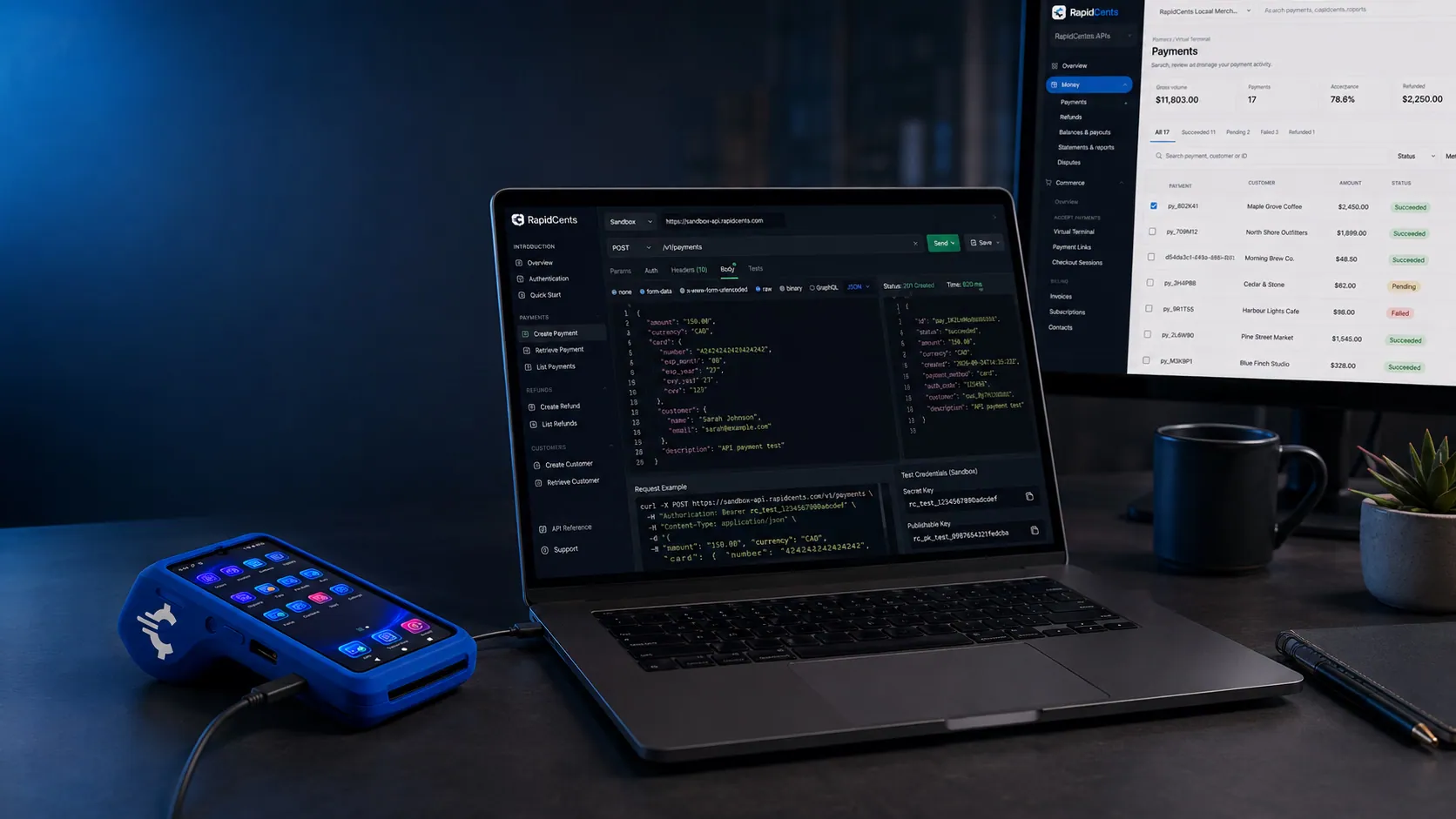
A RapidCents API request and its response on a developer workstation, with the merchant dashboard and a test terminal. Server-to-server payments API
Create, capture and refund payments over REST with idempotency keys and typed error handling.
Explore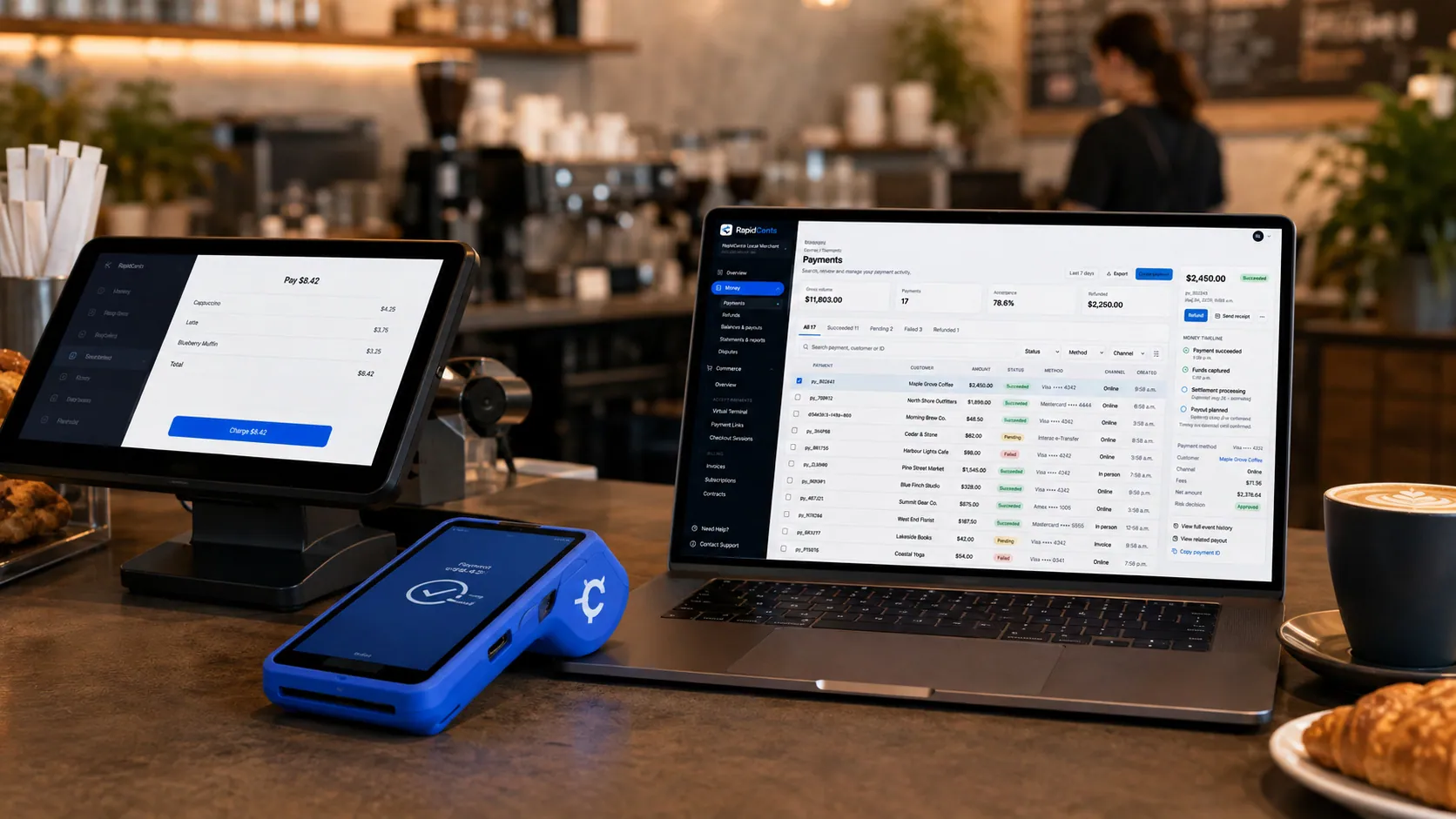
Payments taken inside existing business software through RapidCents, with the terminal and dashboard in the same workspace. POS and ECR integration
Connect certified POS systems so sale totals, tips and refunds flow to the terminal without rekeying.
ExploreA RapidCents subscription charge created over the API, using the same billing engine as the dashboard. Recurring billing engine
Vault a card with the Tokenization API, create a plan and let the retry engine handle failed renewals.
Explore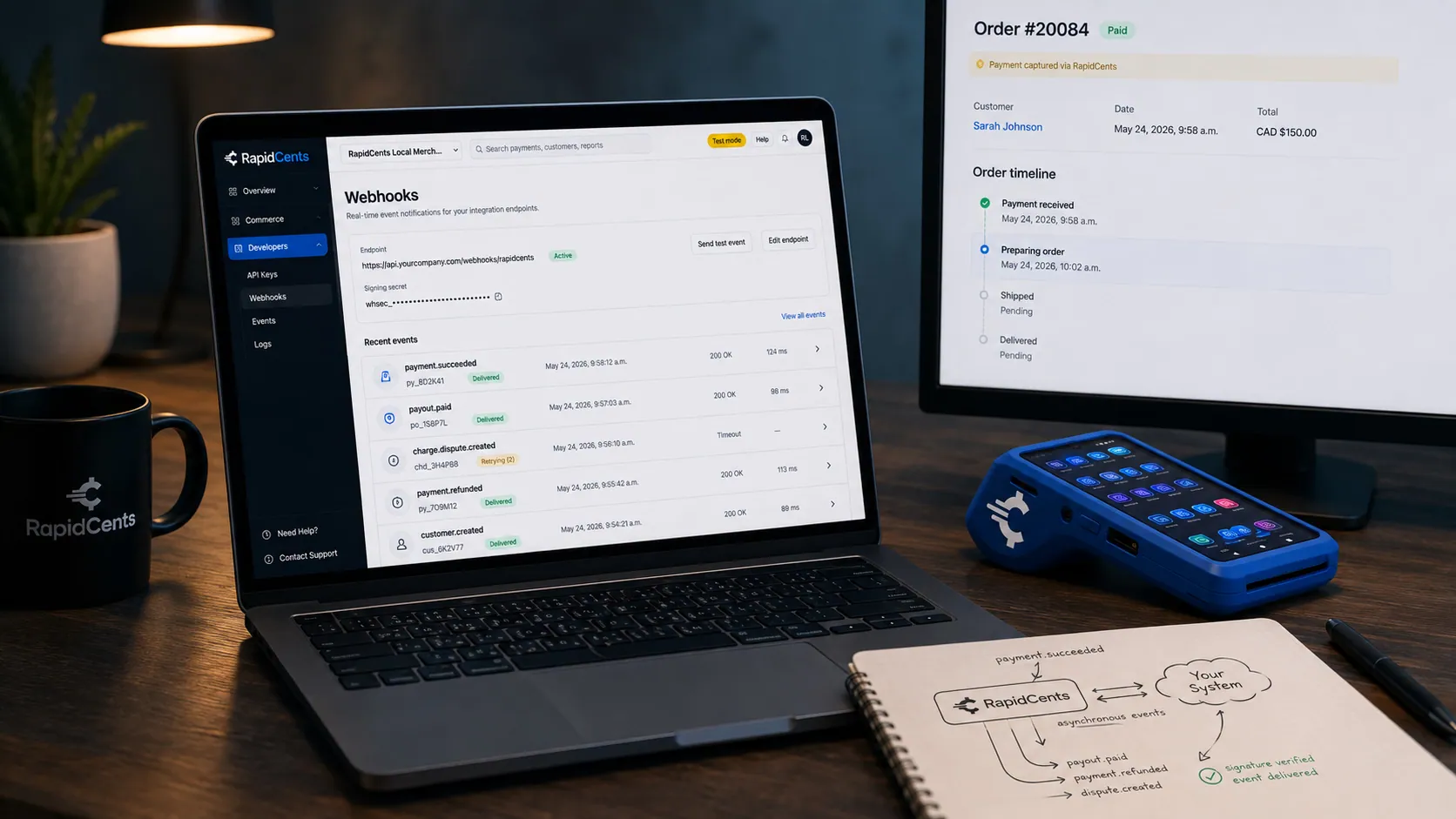
A RapidCents webhook delivery timeline next to the payment that triggered it, with a test terminal on the desk. Webhooks and event processing
Verify signatures, process events idempotently and reconcile payment lifecycle changes in real time.
Explore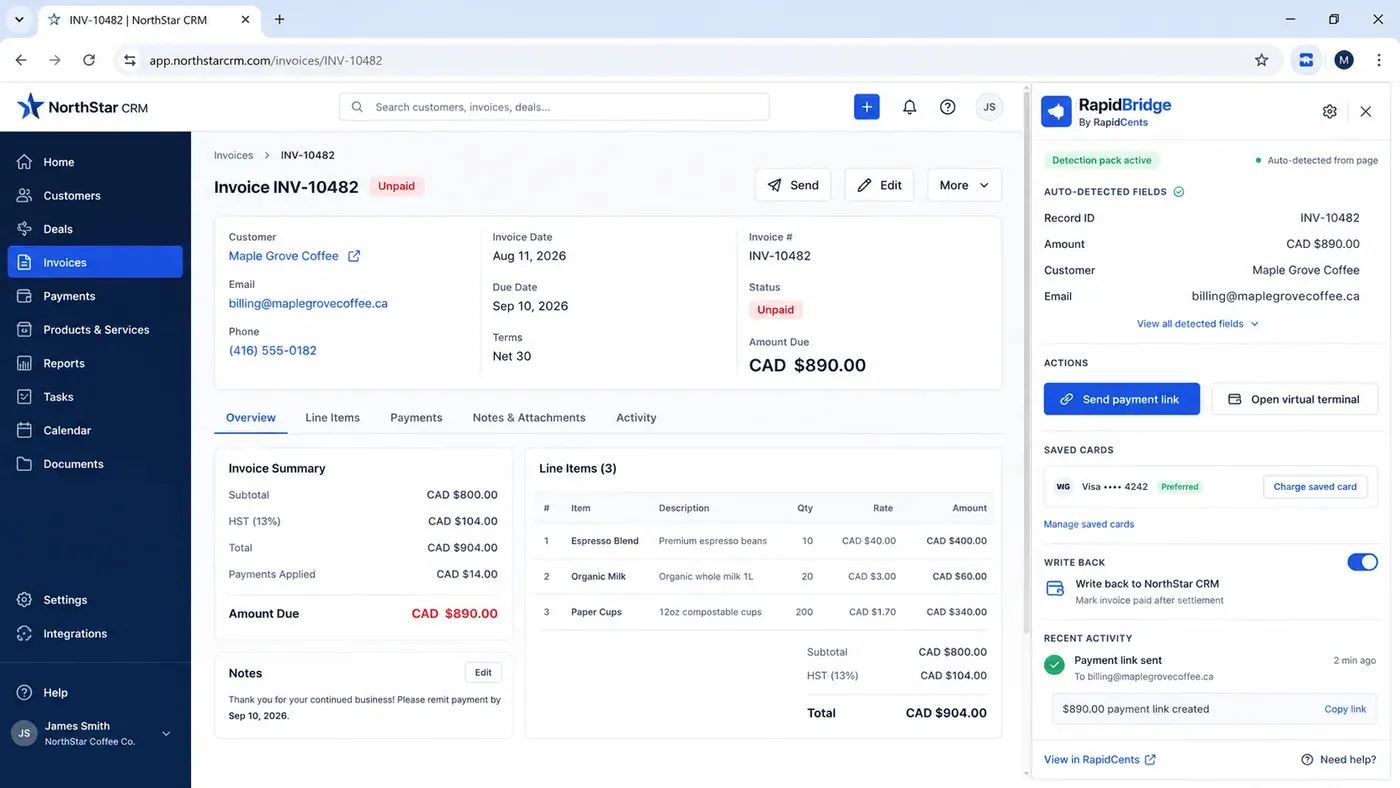
An unpaid invoice open in a third-party CRM with the RapidBridge panel beside it, showing the record number, amount, customer and email it detected from the page on its own, and buttons to send a payment link or charge a saved card. Legacy software with RapidBridge
Bring payments into business software that was never built for them, without rewriting the application.
Explore
RapidCents connected to accounting and operations tools a business already runs, with payments landing in the same dashboard. Accounting exports (QuickBooks, Xero)
Map settlement batches, fees and refunds to your ledger so month-end reconciliation stops being manual.
Explore


What every path has in common
The payment is created server-side
A browser can tokenize a card with a publishable key, but only a secret key creates a payment. That split holds whether you installed a plugin or wrote the checkout yourself.
State arrives twice
The response gives you the immediate outcome; the signed webhook gives you everything after it — refund, dispute, funding. An integration that ignores the second goes stale after the first payment.
Reconciliation runs on settlement
Authorizations expire, get voided and get partially captured. Settlement records name the batch, the fees and the deposit, and those are what accounting should be tied to.
Every integration follows the same five steps
Get sandbox credentials and documented test cards.
Build against the sandbox with webhooks connected to a tunnel.
Exercise declines, a refund and a 3-D Secure challenge, not just the happy path.
Pass an integration review with a RapidCents specialist.
Cut over to production, swap the signing secret, and watch the first batch settle.
What fails, and how you find out
The signing secret left behind at cutover
Sandbox and production sign with different secrets. A handler that verified correctly all through development rejects every live event, and the symptom looks like an attack rather than a configuration mistake.
An idempotency key derived from the wrong thing
A key tied to a customer or a session collapses two genuine purchases into one, and the second payment appears to vanish rather than fail. Derive it from the operation.
The refund path never tested
It is where plugins, platforms and APIs most often disagree. A refund issued in RapidCents that never reaches your system leaves a paid order that has already been paid back.
No request id logged
The identifier only exists on the response you discarded. Without it, a support report becomes a reproduction attempt rather than a lookup.
Sandbox versus production
The outcome follows the card, not an issuer
In sandbox a documented card produces the same result every time. That is what makes a decline test repeatable in continuous integration, which no real issuer allows.
Settlement is compressed
Batches close and deposits fund in minutes so reconciliation can be exercised. On production that follows your account’s funding schedule, so recheck any timing assumption.
Nothing crosses the boundary
Tokens, customer records and payments belong to their environment, and neither key works against the other. A card vaulted in sandbox has no production counterpart.
Questions about sandbox and production
How long does a payment integration take?
A prebuilt plugin deploys in hours. A full API integration usually takes one to three weeks including sandbox testing, webhook wiring and the integration review.
Is the sandbox free to use?
Yes. Sandbox credentials, documented test cards and simulated settlement events are provided during evaluation at no charge.
Do I need my own PCI certification?
Rapid.js and hosted checkout keep card entry off your servers, which reduces your PCI scope to the simplest self-assessment questionnaire in most cases.
How do I choose between a plugin, Rapid.js and the API?
Ask two questions. Do you control the checkout code? If not, a plugin or RapidBridge. Do the flow and the branding matter to your conversion? Then Rapid.js rather than a redirect. The API is the answer when the cart, deposit or partial-fulfilment rules are yours to own.
Can I start on a plugin and move to the API later?
Yes, on the same account. A plugin can carry live traffic while a custom checkout is built, and both produce payments in the same records, so the migration does not break reporting or customer history.
Do I need separate integrations for in-person and online?
No. Terminal, hosted checkout, payment link and API payments land on the same merchant account and the same settlement records, so reporting, refunds and reconciliation stay one integration rather than several.
What does the integration review actually check?
The things that get expensive later: idempotency on calls that move money, signature verification against the raw body, soft versus hard decline handling, and reconciliation tied to settlement records rather than authorization responses.
Take the next step
Talk to a RapidCents specialist
RapidCents Fee Check reads a processing statement and shows interchange separately from the markup. Upload a statement for an instant breakdown, or open a merchant account and start accepting payments on one account.
- No obligation
- Payment specialists, not a call centre
- Secure statement upload



