


Payment processing guides for merchants worldwide
Four shelves — pricing, terminals, online payments, security and compliance — and three ideas underneath all of them. Settle those first and the rest of the collection reads as variations rather than as separate subjects.
Browse by topic
Pricing & transparency
Interchange-plus, effective rate and statement reading.
ExploreTerminals & in-person
Hardware, Tap to Pay and lane throughput.
Explore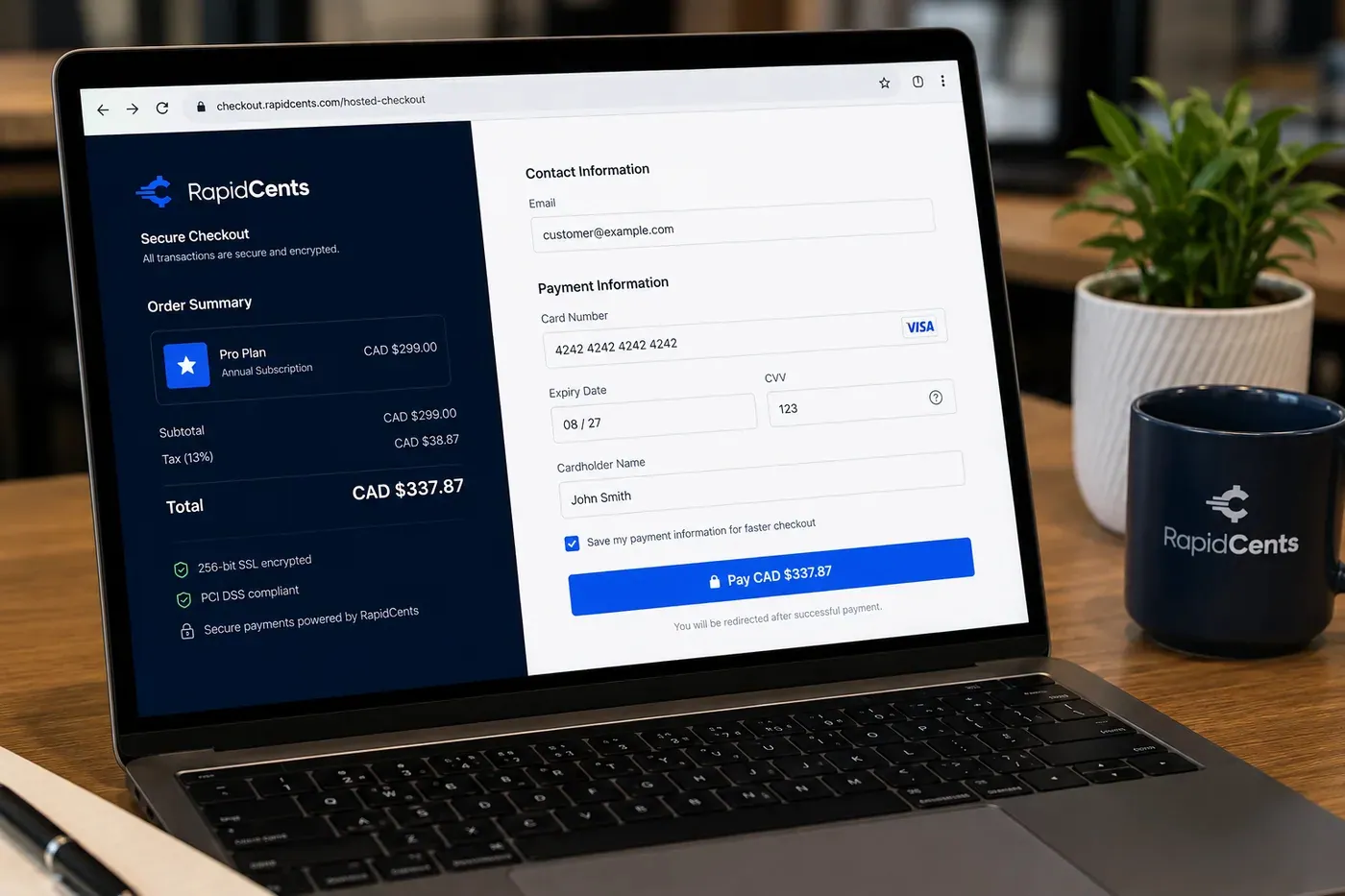
A RapidCents online checkout in a browser, with contact and card fields on the left and an order summary on the right showing the subtotal, tax and total, plus the accepted card brands. Online & integrated
Checkout, gateway and recurring billing.
ExploreSecurity & compliance
PCI DSS, fraud and chargebacks.
Explore

What order to read these in
First, the effective rate — not the quoted one
A quoted rate describes one kind of transaction. What you pay is the average across every transaction you actually took — different card types, different ways the card reached you — plus the charges that arrive per month rather than per sale. The effective rate is total fees divided by card volume, and it is the only figure two processors can be compared on, because it is the only one that does not depend on which transactions you choose to count. Settle this before anything else: much of the pricing shelf is, underneath, an explanation of why your effective rate is not the number you were quoted.
Then the split: the networks set interchange, your processor sets the markup
A card fee is not one fee. Interchange goes to the bank that issued the card and is set by the card networks; assessments go to the networks themselves; the markup goes to your processor. Only the last of those is quoted differently by two providers competing for the same business, which is why negotiating a rate means negotiating the markup and very little else. Once that is clear, pricing models stop being brand names and become a question of disclosure: interchange-plus prints the network cost and the markup as separate lines, while flat and tiered pricing deliver them combined — flat as one rate, tiered as the two or three the processor sorts your transactions into. Read a single pricing guide with that in mind and the rest of the shelf goes quickly.
Then what changes when the card is not there
A card tapped or inserted at a terminal proves it was present. A payment keyed in, taken over the phone or made through a website cannot, and that one difference moves interchange, fraud exposure and who absorbs the loss on a disputed charge. It is why the same card can cost you two different amounts on the same day, why remote selling comes with tools that in-person selling has no use for — 3-D Secure, address checks — and why the security shelf is a pricing subject as much as a compliance one. Anyone selling through more than one channel should settle this before opening a channel-specific guide.
Only then, the shelf you came for
With those three in place, the four shelves stop being four subjects. Pricing and transparency is the effective rate applied to your own statement and to the models a processor can offer you. Terminals and in-person is a hardware decision taken downstream of where your customer hands you a card — a counter, a table, a doorstep. Online and integrated is that same decision for sales you never see in person, where the real question is how to ask for the money: a checkout, a link, or an invoice. Security and compliance is what follows from the card-not-present line: fraud, chargebacks and PCI DSS, the parts of card acceptance that usually get attention only once something has already gone wrong. Each shelf lists newest first rather than easiest first, which is why the short list of starting points below is worth more here than the top row.
Where to start
Credit Card Processing Explained: Parties, Fees, Pricing
The orientation to read first if the vocabulary is the obstacle. It names the parties to a card transaction, the fees each of them takes, and the pricing models those fees get packaged into — enough scaffolding to read anything else here without stopping to look a term up.
Flat-rate vs. interchange-plus pricing: an evidence-led comparison
The comparison to have read before a sales call. Flat rate is one price for every card and easy to forecast; interchange-plus itemises the network cost and the processor’s margin separately. Each side is written as a trade-off, so you can tell which one your volume and average sale argue for.
How to Save on Credit Card Processing Fees
Open this once the split matters to you. It separates interchange, network assessments and processor markup, then works through the part a merchant can actually move — the markup — along with consolidating processors, preventing chargebacks and watching a statement for fee creep.
Card-Present vs Card-Not-Present: Why the Same Card Costs You Different Amounts
Read this if you sell through more than one channel. It explains why a tapped card and a keyed one are priced differently, how fraud liability shifts between them, why some remote payments sit better than others, and what to do about the ones you cannot move.
Can I Rent a Card Reader Instead of Buying One?
The terminal question most merchants ask first. Renting against buying, judged on business stage and cash flow rather than sticker price, plus the two costs that only surface later: processor lock-in and replacing a device once the warranty is over.
Payment Links vs Checkout vs Invoicing: When to Use Each
The front door to selling remotely. Three ways to ask for money — a checkout, a link, an invoice — and the kind of sale each one suits, so a deposit does not end up travelling through a shopping cart.
7 PCI Compliance Myths That Cost Merchants Money (or Get Them Breached)
Start the security shelf here rather than with the standard itself. Seven beliefs that cost merchants money, including two of the most expensive: that a processor’s compliance covers the merchant, and that card data is not being stored when it is.
Questions that come up across these guides
Why is the deposit in my bank account smaller than the day’s card sales?
Two things separate them, and neither is an error. Fees come out before the money arrives — netted out of each transfer or billed as a monthly total, depending on your agreement — and a deposit covers a settlement batch rather than a calendar day, so the transactions inside it are not the ones your point of sale rang up between opening and close. Refunds, chargebacks and per-month charges then pull the two figures further apart. The place to settle it is a statement rather than a rate quote: the statement itemises the fees and the deposits against the same month, which is the only view in which the two figures can be made to agree.
Do I still have to be PCI compliant if card numbers never touch my systems?
Yes. PCI DSS applies to every business that accepts cards, whatever its size. What hosted payment pages and validated terminals change is scope, not obligation: when card data never reaches your own systems the self-assessment is shorter, and most of what is left concerns staff, devices and process rather than infrastructure. The compliance your processor holds covers your processor — it does not cover you, and assuming otherwise is one of the misunderstandings the security and compliance shelf exists to take apart.
What is the difference between a payment gateway and a payment processor?
A gateway carries the transaction; a processor moves the money. The gateway is the layer that takes card details from a website, an app or a virtual terminal and passes them into the payment chain securely, which is why it exists for remote selling and has nothing to do at a terminal where the card is tapped. The processor sits behind it, routing the authorization out to the card networks and the issuing bank and then settling the funds to your account. Plenty of providers supply both, so a single price can be paying for two jobs — worth knowing when you are comparing quotes line by line.
Do I need a merchant account of my own, or is a payment app enough?
Both give you a merchant account; what differs is whose name it is in. An aggregator signs you up underneath a shared account, which is why sign-up is quick and the price is the same for everyone on it. An account underwritten in your own name takes an application, and in return the pricing can be set against your own card mix rather than against an average of everyone else’s, and the reporting can be broken out by location, device and channel. The practical test is volume and mix: one fixed price is cheap while your transactions look average, and stops being cheap when they do not.
Are all of these guides written for the market my business operates in?
Only the ones you can see, and that is deliberate. A guide whose subject is a national rule, a tax regime or a domestic debit network cannot be made correct somewhere else by swapping a few words, so guides like that are published only in the market they describe rather than adapted for another. The counts on the shelves above are what actually applies where you are reading, which is why the same shelf holds a different number of guides in different markets. Everything on this page is in scope for you.
Pricing & transparency
Interchange-plus, effective rate and statement reading.

Printed statements and a calculator on a desk, with a phone, pen and glasses alongside Why Payment Processors Hold Funds, and How to Get Yours Released
Processors hold funds when a transaction pattern looks riskier than the profile they underwrote: a sudden volume spike, an unusually large ticket, a surge of card-not-present sales or rising disputes. The hold protects the processor from chargebacks that could arrive after paying you out. Most holds resolve quickly once you supply invoices, delivery proof or an explanation; the durable fix is keeping your processing profile current.
ExplorePrinted statements and a calculator on a desk, with a phone, pen and glasses alongside B2B Payment Processing: How Level 2 and Level 3 Data Cut Your Card Costs
When a business pays another business by corporate or purchasing card, the card networks offer reduced interchange rates in exchange for richer transaction data. Level 2 adds tax amounts and customer codes; Level 3 adds line-item detail like an invoice. The savings on qualifying transactions are meaningful, frequently dozens of basis points, and most eligible B2B merchants never collect them because their payment systems simply do not send the data.
Explore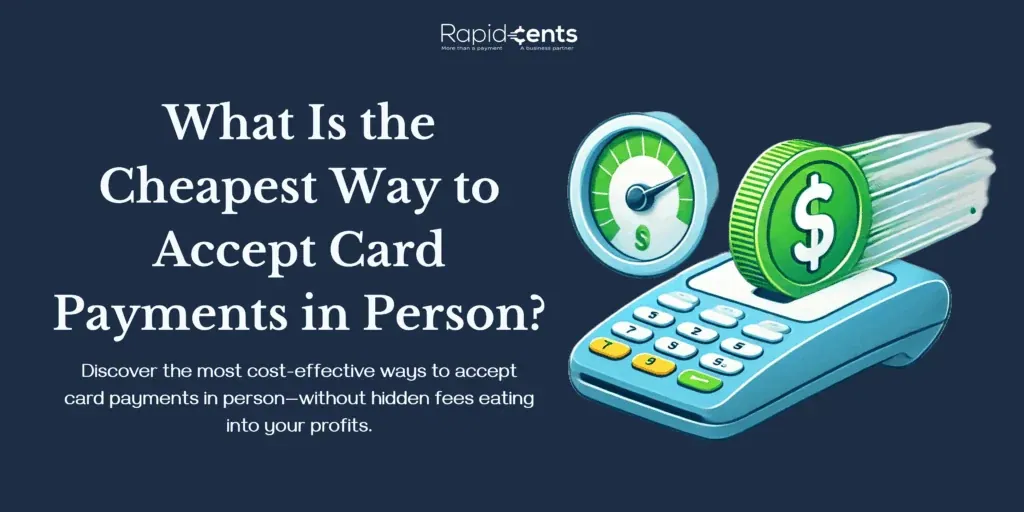
What Is the Cheapest Way to Accept Card Payments in Person? Cheapest Way to Accept Card Payments in Person
For most small and medium businesses, the cheapest way to accept card payments in person is a transparent interchange-plus processor paired with an all-in-one POS or mobile card reader and no extra monthly or compliance fees. Mobile readers cost the least upfront at roughly 2.6%-2.9% per transaction, but POS systems on interchange-plus pricing usually win long term.
Explore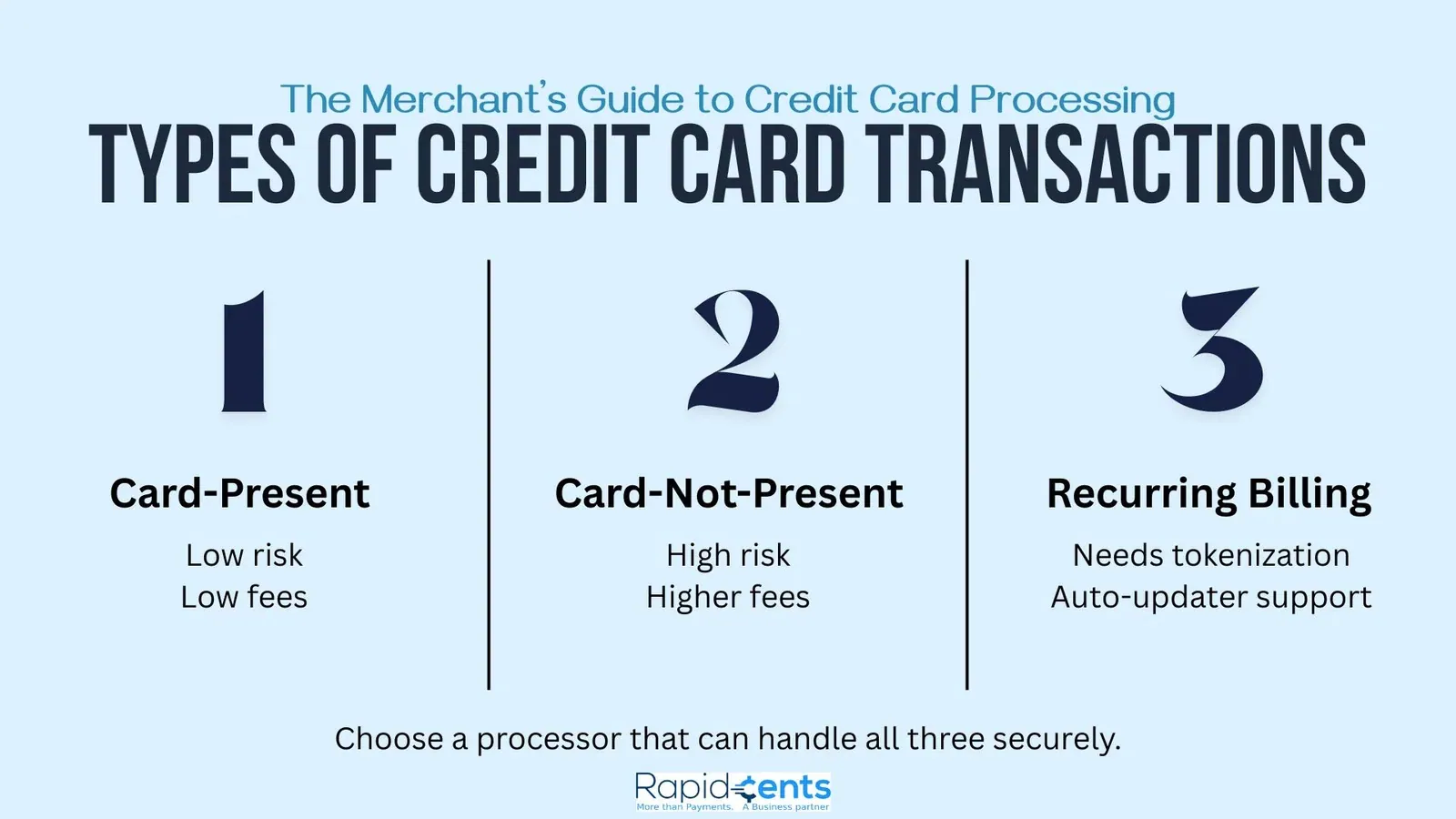
The Merchant's Guide to Credit Card Processing The Merchant's Guide to Credit Card Processing
Credit card processing moves money from a customer's card to the merchant's bank account through a chain of players: gateway, processor, issuing bank, and acquiring bank. Merchants pay interchange fees, assessment fees, and processor markup, funds typically settle in 1-3 business days, and understanding each cost helps lower the effective rate.
Explore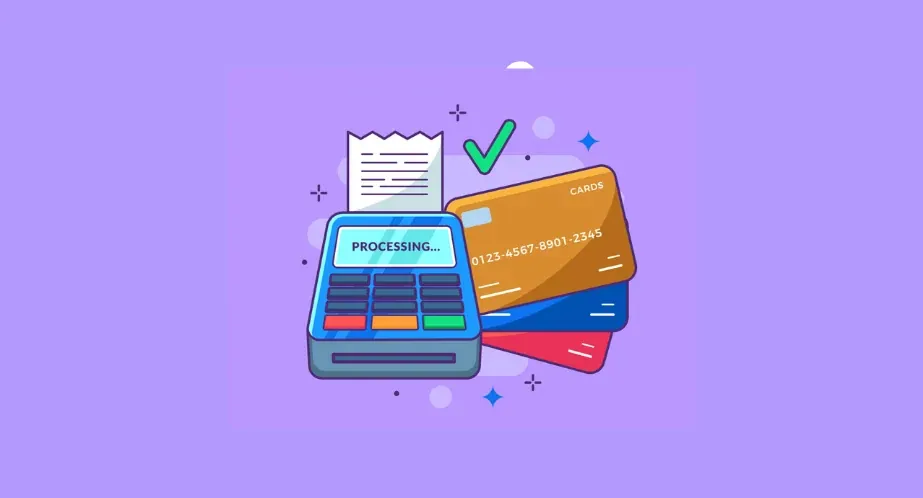
Everything You Need to Know About Credit Card Processing Credit Card Processing Explained: Parties, Fees, Pricing
Credit card processing moves a payment from the cardholder's issuing bank to the merchant's acquiring bank through a payment processor, with card associations like Visa and Mastercard setting interchange rates. Merchants pay transaction, recurring, and one-off fees under pricing models such as interchange-plus, flat rate, tiered, or membership pricing.
Explore
Demystifying Credit Card Processing Fees: What Every Business Should Know Credit Card Processing Fees: What Every Business Should Know
Credit card processing fees break down into interchange fees paid to issuing banks, assessment fees charged by card networks, payment gateway fees, and monthly or annual processor fees. Hidden charges like batch, retrieval, and inactivity fees add to the real cost. Businesses can lower costs by knowing their transaction volume, comparing processors, understanding industry benchmarks, and negotiating rates as they grow.
Explore
Understanding Prorated Charges: A Guide to Prorated Billing Prorated Billing: A Guide to Prorated Charges
Prorated billing charges customers only for the portion of a billing period they actually use a service — calculated by dividing the full-period cost by the number of days and multiplying by days used. It appears in telecom, utilities, subscriptions, SaaS, insurance, and real estate, improving cash flow for businesses and delivering fair, usage-based pricing for customers.
Explore
Merchant comparing two payment-pricing statements Flat-rate vs. interchange-plus pricing: an evidence-led comparison
Flat-rate pricing combines several payment costs into a simple quoted rate. Interchange-plus separates card interchange from the processor markup and may show other pass-through fees separately. Neither model is automatically cheaper: compare both over the same statement period, using the same sales, refunds, card mix and non-processing fees.
Explore
How to Save on Your Credit Card Payment Processing Fee How to Save on Credit Card Processing Fees
To save on credit card processing fees, understand the three fee components — interchange fees set by card networks, assessment fees paid to networks, and markup fees set by processors — then negotiate the markup, since that is the portion merchants can control. Consolidating processors, maintaining PCI compliance, preventing chargebacks, and monitoring statements for fee creep all reduce costs further.
Explore


Terminals & in-person
Hardware, Tap to Pay and lane throughput.

A customer at the counter of a small shop while the owner serves them Apple Pay and Google Pay for Merchants: Costs, Setup and Why Wallets Convert
Apple Pay and Google Pay are tokenized versions of the cards your customers already carry: the phone stores a network token, authenticates the payer biometrically and pays over NFC in-store or through a wallet button online. For merchants they cost nothing beyond normal card fees, typically skip the $250 contactless PIN ceiling because the device authenticated the buyer, and carry lower fraud rates than plain card entry, which is why wallet-enabled checkouts convert better.
Explore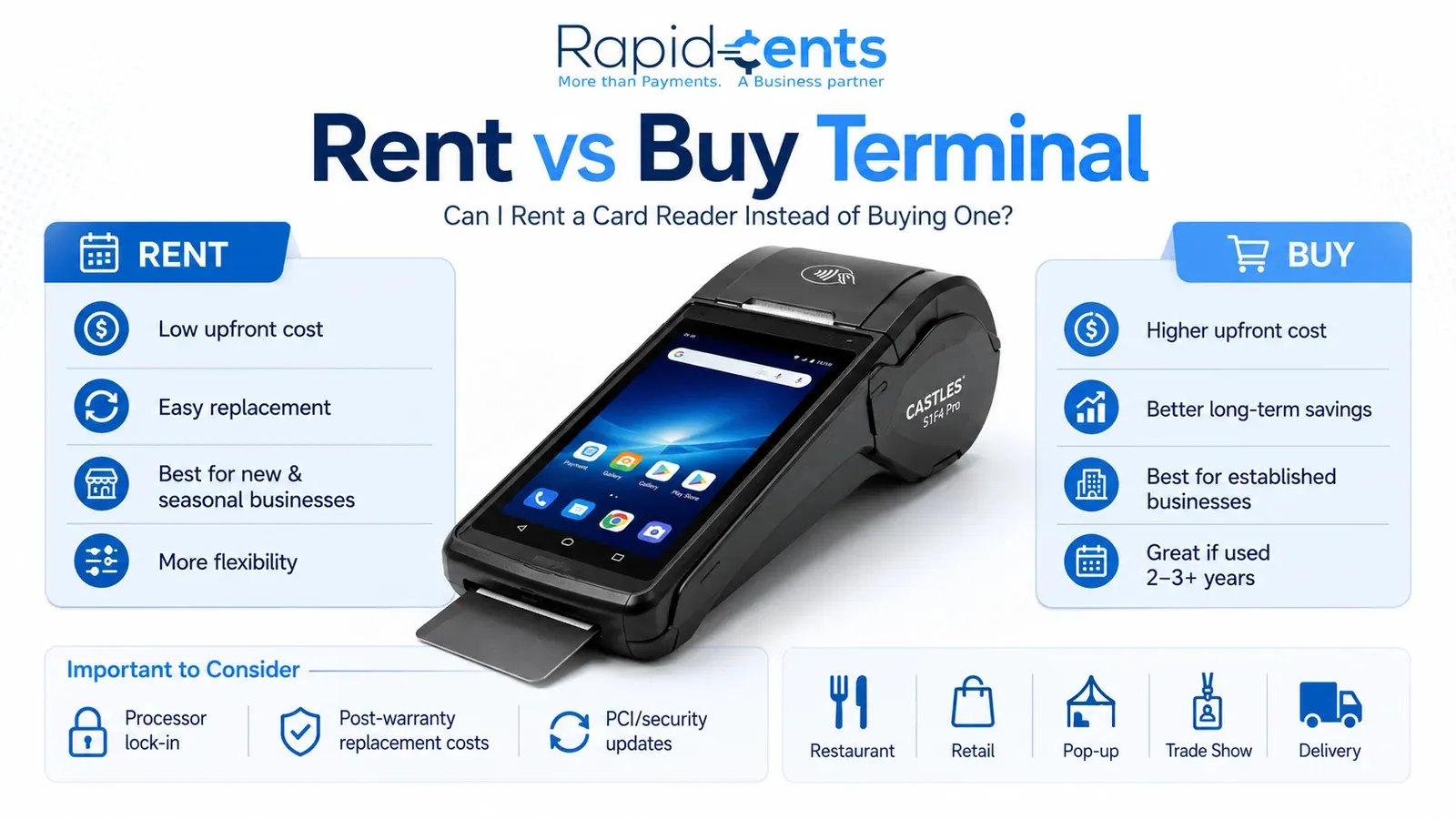
Can I Rent a Card Reader Instead of Buying One? Can I Rent a Card Reader Instead of Buying One?
Yes, you can rent a card reader instead of buying one. Renting suits new, seasonal, pop-up, trade show, retail, and restaurant businesses that need flexibility and easier replacement. Buying suits established merchants with stable cash flow, daily terminal use, and plans to stay with the same processor for three to five years. The right choice depends on business stage, cash flow, and equipment needs, not just price.
Explore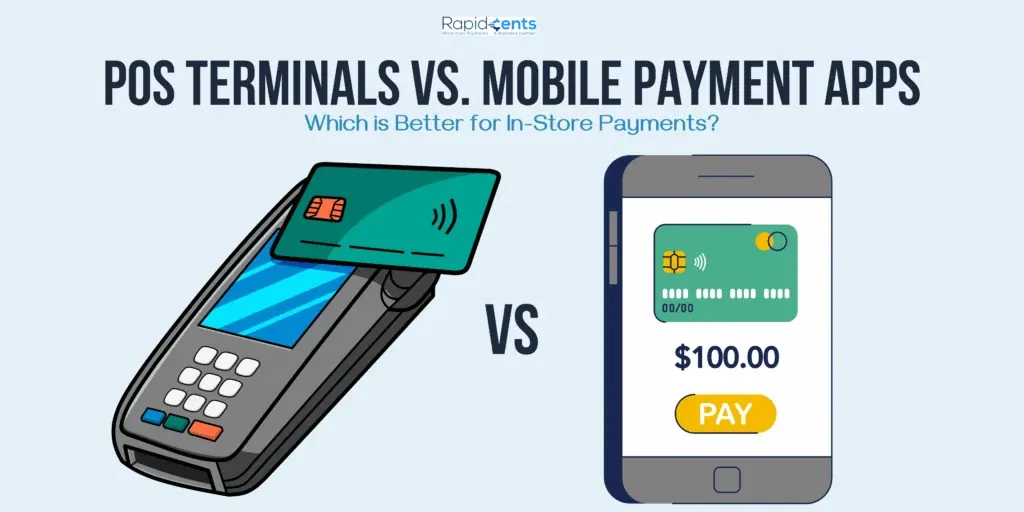
POS Terminals vs. Mobile Payment Apps: Which Is Better for In-Store Payments? POS Terminals vs. Mobile Payment Apps for In-Store Payments
For established brick-and-mortar retailers with high transaction volumes, a POS system delivers more value through inventory tracking, staff management, and detailed reporting; for pop-ups, markets, and low-volume or mobile-first sellers, mobile payment apps are the smarter, lower-cost start. Many businesses combine both, using a POS at the counter and mobile apps for events and off-site sales.
Explore
How to Transition from Cash-Only to a Debit Processing Service Moving From Cash-Only to Debit Processing
Transitioning from cash-only to debit processing takes five stages: assess transaction volumes and customer payment preferences, choose a provider on fees, reliability, integration and security, prepare hardware and internet connectivity, train staff, then test and launch the system while informing customers. The payoff is a broader customers, faster checkout, less theft risk and simpler bookkeeping.
Explore
Innovative Features to Look for in Modern Debit Card Terminals Features to Look for in Modern Debit Card Terminals
The most valuable features in a modern debit card terminal are NFC contactless acceptance, EMV chip technology that generates dynamic authentication codes to block counterfeit fraud, integration with mobile wallets like Apple Pay, Google Pay, and Samsung Pay, and built-in analytics that turn transaction data into insights on sales patterns, peak periods, and customer behaviour.
Explore
How to Troubleshoot Common Issues with Your Credit Terminals Troubleshooting Common Credit Terminal Issues
Most credit terminal problems fall into four groups: connectivity drops, hardware faults, software glitches and payment processing errors. Start by checking power and network connections, restarting the terminal and installing software updates. Then work through targeted fixes—repositioning for signal, cleaning card readers, verifying cables—and escalate to the manufacturer or support if problems persist.
Explore
Tap-and-Pay NFC Payments: A Comprehensive Guide NFC Payments Guide: Tap-and-Pay for Business
NFC (Near Field Communication) payments let customers pay by tapping a phone, smartwatch, or contactless card on a terminal, completing a transaction in a second or two. Card details are tokenized and encrypted, making tap-and-pay safer than swiping. To accept NFC payments, a business needs an NFC-enabled terminal, a merchant account, and a processor that supports wallets like Apple Pay, Google Pay, and Samsung Pay.
Explore
Pros and Cons of Integrated Payment Systems vs. Standalone Credit Card Terminals Integrated Payments vs Standalone Terminals: Pros and Cons
Integrated payment systems connect payments with inventory, CRM, and accounting, delivering automation, real-time data, and a better customer experience, but they cost more upfront and depend on technology working reliably. Standalone credit card terminals are simple, cheaper to acquire and maintain, and portable, but offer limited integration, manual data management, and little decision-making data. The right choice depends on business complexity, budget, and growth plans.
Explore


Online & integrated
Checkout, gateway and recurring billing.

Hands holding a payment card above a laptop keyboard Text to Pay: How to Get Paid by Text Message (and Why It Works So Well)
Text to pay sends a secure payment link by SMS: the customer taps, a checkout opens with the amount pre-filled, and they pay by card or wallet in under a minute. It works because texts get seen almost immediately and acted on quickly, while emailed invoices queue behind everything else in an inbox. The fit is any moment where payment should happen now: field-service balances, appointment deposits, curbside orders and overdue-invoice nudges.
ExploreHands holding a payment card above a laptop keyboard QR Code Payments: The Complete Merchant Guide
A payment QR code encodes a link to a secure checkout: the customer scans with their camera, a payment page opens with the amount or catalogue ready, and they pay by card or wallet on their own phone. Static codes point to a fixed destination and cost nothing to print; dynamic codes are generated per transaction with the amount embedded. The pattern's power is deploying checkout where hardware is impractical: tables, counters, vehicles, posters, invoices and events.
ExploreHands holding a payment card above a laptop keyboard How to Collect Past-Due Invoices: 8 Tactics That Actually Get You Paid
Most overdue invoices are not refusals; they are friction. The fixes attack the friction in order: attach a payment method to every invoice so paying takes one click, automate a polite reminder sequence, take deposits before work starts, move repeat clients to autopay, offer instalments before threatening escalation, charge (disclosed) late fees, make the phone call at day 30, and know when handing the file to collections beats carrying it. Businesses that systematize this shorten collection cycles dramatically.
ExploreHands holding a payment card above a laptop keyboard Dunning Management: How Subscription Businesses Recover Failed Payments
Dunning is the systematic recovery of failed recurring payments: classifying each decline, retrying soft failures on an intelligent schedule, refreshing expired cards through an account updater, and messaging customers in a tone that assumes good faith. It matters because involuntary churn, customers lost to failed cards rather than decisions, typically accounts for a large share of all subscription churn, and it is the most fixable revenue problem a recurring business has.
Explore
SaaS metrics dashboard Recurring Billing for SaaS
Recurring programs need retry logic, self-service and PCI-safe card-on-file with clear cancellation paths.
Explore
Payment Links vs Checkout vs Invoicing: When to Use Each Payment Links vs Checkout vs Invoicing: When to Use Each
Use checkout for fast, self-serve purchases with fixed pricing; use payment links for deposits, custom quotes, balance payments, and overdue-invoice recovery sent by email, text, or chat; use invoicing for B2B and pay-later workflows that need documentation, net terms, or progress billing. The best setup maps each method to its use case rather than forcing everything through one channel.
Explore
The Complete Guide to Subscription Revenue Models The Complete Guide to Subscription Revenue Models
A subscription revenue model charges customers a recurring monthly, quarterly, or annual fee for continued access to a product or service. The five common types are fixed flat-rate, tiered pricing, usage-based metered billing, freemium or free-trial-to-paid, and hybrid product-plus-service models. Success depends on tracking MRR, churn, CLTV, CAC, and ARPU, and on infrastructure for recurring billing, dunning, and revenue analytics.
Explore
Online Payment Processing & Gateways: The Complete Guide for Merchants Online Payment Processing & Gateways: The Complete Guide
Online payment processing lets merchants accept credit cards, debit cards, and mobile wallets through a secure chain: the gateway encrypts transaction details, the processor and card network verify them, and the issuing bank approves or declines. Merchants need a merchant account, a pricing model (flat-rate or interchange-plus), and terminals suited to online or in-person selling.
Explore
How to Trace an ACH Transaction: The Complete Step-by-Step Guide How to Trace an ACH Transaction
To trace an ACH transaction, gather the transaction details—date, amount, parties and any reference numbers—along with account statements and authorization records, then contact your financial institution, explain the issue, complete any required trace forms and record the case number. Follow up regularly; banks can track transfers through the ACH network even across intermediaries.
Explore
Should You Build a Custom Checkout or Use a Third-Party Solution? Should You Build a Custom Checkout or Use a Third Party?
Build a custom checkout when you need full control over UX, industry-specific flows, and data ownership, and you have developers, security expertise, and budget for PCI DSS compliance. Use a third-party checkout when you want fast deployment, built-in security and compliance, automatic updates, and global payment support. Many businesses choose a hybrid: a third-party backend for compliance with a custom frontend for branding.
Explore
Integrating Debit Card Processing Into Your E-Commerce Strategy Integrating Debit Card Processing Into E-Commerce
Integrating debit card processing into an e-commerce strategy means offering shoppers a payment method drawn directly from their bank account, which broadens your customer base, cuts cart abandonment, and builds trust. Success depends on choosing a processor with fair fees and strong security, integrating its gateway with your platform, meeting PCI DSS, and improving checkout for conversion.
Explore
Tips for Smooth Integration of Online Card Processing in Your Business Operations Integrating Online Card Processing Into Your Operations
Integrating online card processing smoothly follows a clear sequence: assess your transaction types and compliance needs, research and compare providers on fees and features, prepare your website with SSL encryption and PCI DSS compliance, train employees, run functional and pilot testing, support customers with dedicated channels, and monitor performance with real-time alerts and analytics.
Explore
E-Commerce Payment Gateway APIs: Building Custom Solutions for Your Business E-Commerce Payment Gateway APIs: Building Custom Solutions
A payment gateway API is the digital channel that connects your e-commerce site or app to a payment processor, carrying payment requests and responses securely. Building a custom solution involves choosing an API type (direct, hosted, JavaScript, or RESTful), getting API credentials, integrating in a sandbox, testing transactions, and applying security measures like encryption, tokenization, and PCI DSS compliance.
Explore
5 Key Features Your Online Ordering System Should Have 5 Key Features of a Good Online Ordering System
A strong online ordering system needs five core features: a user-friendly interface that makes browsing and checkout effortless, mobile compatibility through an app or responsive site, customization and personalization options for each order, secure payment processing that follows PCI standards and supports multiple payment methods, and real-time order tracking with notifications that keep customers informed.
Explore
ACH Transactions: Everything You Need to Know ACH Transactions: Everything You Need to Know
ACH (Automated Clearing House) transactions move funds electronically between bank accounts through a network governed by NACHA, typically settling in one to two business days at lower cost than checks, wires, or cards. ACH credits push funds out (payroll, tax refunds, vendor payments) while ACH debits pull funds in (subscriptions, loan payments, utility bills), making ACH the backbone of recurring billing and direct deposit.
Explore
What Is a SaaS Payment Gateway? What Is a SaaS Payment Gateway?
A SaaS payment gateway is a cloud-hosted service that securely transmits payment information between customers, merchants, and financial institutions — handling authorization, encryption, and processing without on-premise software. Delivered on a subscription model, it offers scalability for transaction spikes, pre-built integrations and APIs, PCI DSS-grade security with tokenization, and multiple payment methods that simplify checkout.
Explore
Level Up Your E-commerce Skills: A Beginner's Guide Level Up Your E-Commerce Skills: A Beginner's Guide
To build e-commerce skills, learn the B2B, B2C, and C2C models, choose a platform like Shopify, WooCommerce, or Magento based on cost and scalability, design a user-friendly website with fast checkout, build a catalog with quality images, implement secure PCI-compliant payment gateways, market through SEO, social, and email, and track performance with analytics.
Explore


Security & compliance
PCI DSS, fraud and chargebacks.

A laptop showing a dashboard beside a hand holding a phone 7 PCI Compliance Myths That Cost Merchants Money (or Get Them Breached)
PCI DSS applies to every business that accepts cards, regardless of size, and the most expensive misunderstandings are consistent: believing the processor's compliance covers the merchant, treating the annual questionnaire as the whole obligation, storing card numbers 'temporarily', and paying non-compliance fees instead of completing a form. The realistic good news: with hosted payments and validated terminals, most small merchants' actual obligations are modest.
ExploreA laptop showing a dashboard beside a hand holding a phone Card-Present vs Card-Not-Present: Why the Same Card Costs You Different Amounts
A card-present transaction physically reads the card by tap or chip, generating a cryptogram that proves the card was there; a card-not-present transaction, online, keyed or over the phone, cannot prove it. That single difference drives higher interchange, higher fraud exposure and different chargeback liability on CNP payments, and it is partially within a merchant's control: every payment moved from keyed to tapped, or protected by 3-D Secure and AVS, moves the odds back.
Explore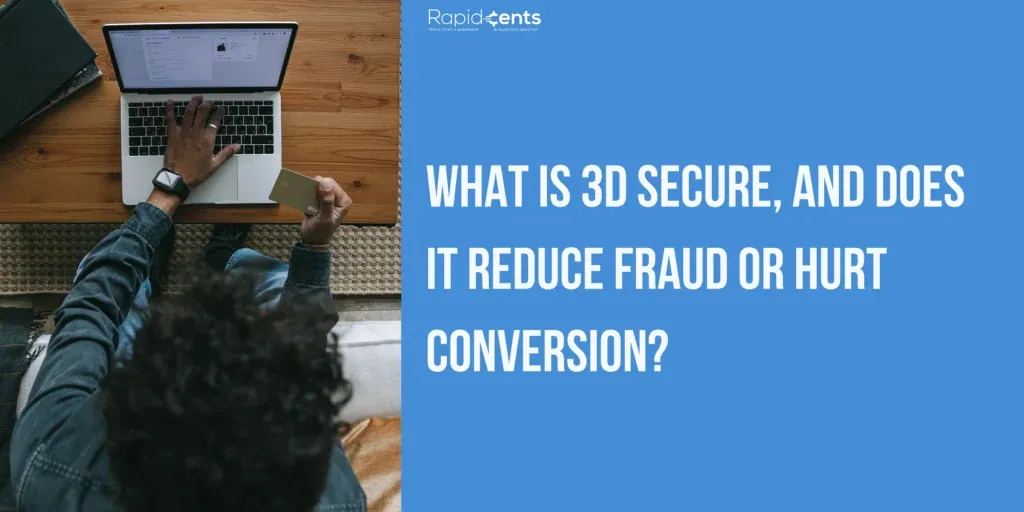
What Is 3D Secure, and Does It Reduce Fraud or Hurt Conversion? What Is 3D Secure, and Does It Reduce Fraud?
3D Secure (3DS) is an extra authentication step where the cardholder's bank confirms the customer is real — via app approval, one-time code, or biometrics — before approving an online payment. It reduces stolen-card fraud and unauthorized chargebacks, but forcing it on every order adds friction. Risk-based 3DS challenges only medium- and high-risk orders, protecting revenue without hurting conversion.
Explore
Best Practices for Managing Credit Card Information in E-commerce Best Practices for Managing Credit Card Data in E-Commerce
To manage credit card information securely in e-commerce, comply with PCI DSS, encrypt data in transit with TLS and at rest with AES, tokenize stored card numbers, integrate a PCI-compliant payment gateway, restrict access to authorized personnel, run regular security audits, train employees on threats like phishing, and maintain an incident response plan for breaches.
Explore
Guidelines for PCI DSS Compliance in Credit Card Payment Integration on Websites PCI DSS Compliance Guidelines for Websites
PCI DSS is the Payment Card Industry Data Security Standard, a set of security requirements for any business that stores, processes or transmits credit card data. Websites achieve compliance by determining their level from annual transaction volume, running a gap analysis, encrypting and tokenizing cardholder data, restricting access, training staff and auditing security regularly.
Explore
5 Tips to Ensure Secure Credit Card Processing for Your Online Store Secure Credit Card Processing: 5 Tips for Online Stores
Secure credit card processing for an online store rests on five practices: choose a reputable payment gateway that encrypts customer data, implement SSL encryption so card numbers are scrambled in transit, comply with PCI DSS standards, monitor transactions with fraud detection tools like AVS and velocity checks, and train both staff and customers on security best practices.
Explore
Demystifying the CVV on Credit Cards: What You Need to Know What Is the CVV on a Credit Card?
The CVV (Card Verification Value) is the three-digit code on the back of Visa and Mastercard cards, or the four-digit code on the front of American Express cards, that verifies the cardholder physically holds the card. It is generated by the issuer with cryptographic algorithms, is never stored on the magnetic stripe or chip, and is required mainly for online and other card-not-present transactions.
Explore





