


Pay-by-link requests
Send secure payment links by SMS or email in seconds
A payment link is a branded pay-by-link URL a merchant sends by SMS or email so a customer can settle an invoice, deposit or balance without a checkout page. RapidCents staff create links from the dashboard or the API, set an expiry, lock the amount or allow a partial payment, and attach an invoice or job number for reconciliation. The dashboard tracks each link as open, paid or expired, and receipts send automatically after approval.
- Create and send links without developer work
- Partial payments and expiry controls
- Branded mobile payment pages

- No coding required
- Link expiry and amount locks
- Automatic paid notifications
- PCI-scoped payer pages
- SOC 2 Type II
Who it's for
Accounts receivable teams
Collect overdue balances without phone tag.
Contractors and trades
Send deposit links before scheduling work.
Nonprofits and fundraisers
Share campaign links on social and email.
Core capabilities
SMS and email delivery
Send links from dashboard or API with delivery tracking.
Partial payment amounts
Allow customers to pay deposits or installments.
Expiry and single-use
Links expire or deactivate after successful payment.
Custom references
Attach invoice or job numbers for reconciliation.
Status dashboard
Filter open, paid and expired links by date and staff.
How it works
Enter amount, description and customer contact.
Choose SMS, email or copy link manually.
Customer opens mobile page and pays.
Webhook and dashboard update to paid.
Receipt sends automatically; link deactivates.
Payment link use cases
Invoice balance reminder
Email link for remaining B2B invoice after net-30.
Event deposit
SMS link for registration deposit with expiry before event date.
Field quote approval
Contractor sends link after customer approves estimate by phone.
Donation campaign
Share fixed-amount link on social media bio.
Dashboard and reporting
Transactions, deposits and exceptions visible in the RapidCents merchant dashboard.
Try it, edit values and click buttons
Merchant dashboard
- Today
- $4,218
- Deposits
- $12,482
- Disputes
- 2 open
- In-person
- $842
- Online
- $1,104
- Virtual terminal
- $392
Demonstration data only
Integrations
QuickBooks invoice sync
Attach link to open invoice records.
CRM one-click
Generate link from deal or ticket view.
API bulk send
Programmatic links for billing runs.
Works with Payment Links
Capabilities on the same account, so the parts below connect without a second integration or a second contract.
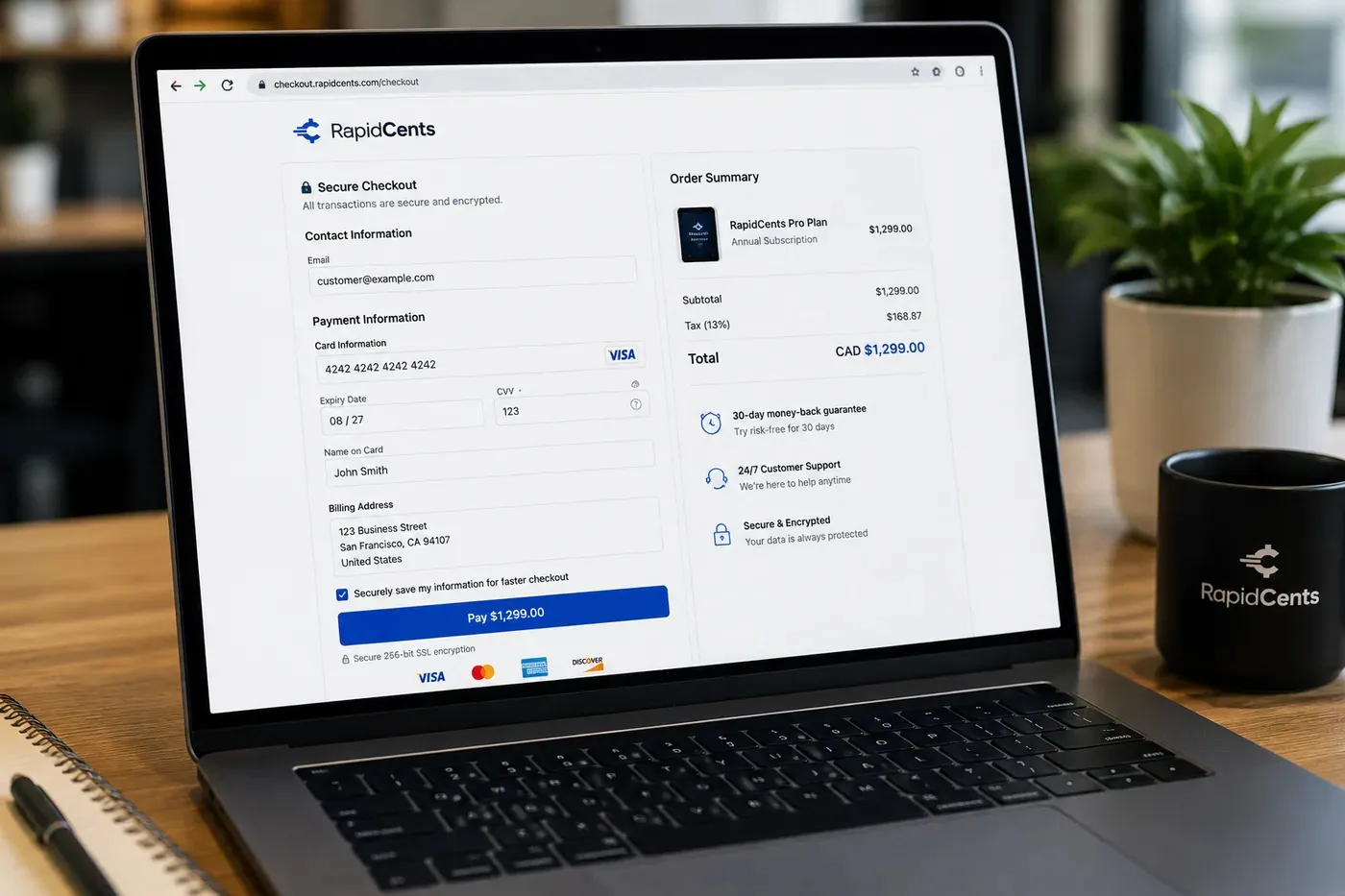
A RapidCents hosted checkout page at checkout.rapidcents.com, with the order summary and totals on the left and the card fields on the right, footed by SSL and PCI DSS assurances. Hosted checkout
A branded payment page RapidCents hosts, which keeps card data off your servers.
Explore
The RapidCents invoices screen: outstanding, overdue, paid and draft totals across the top, the invoice list below them, and a preview of one invoice on the right with its line items and a View & Record Payment button. Invoicing
Send an invoice that carries its own payment page and reconciles itself.
Explore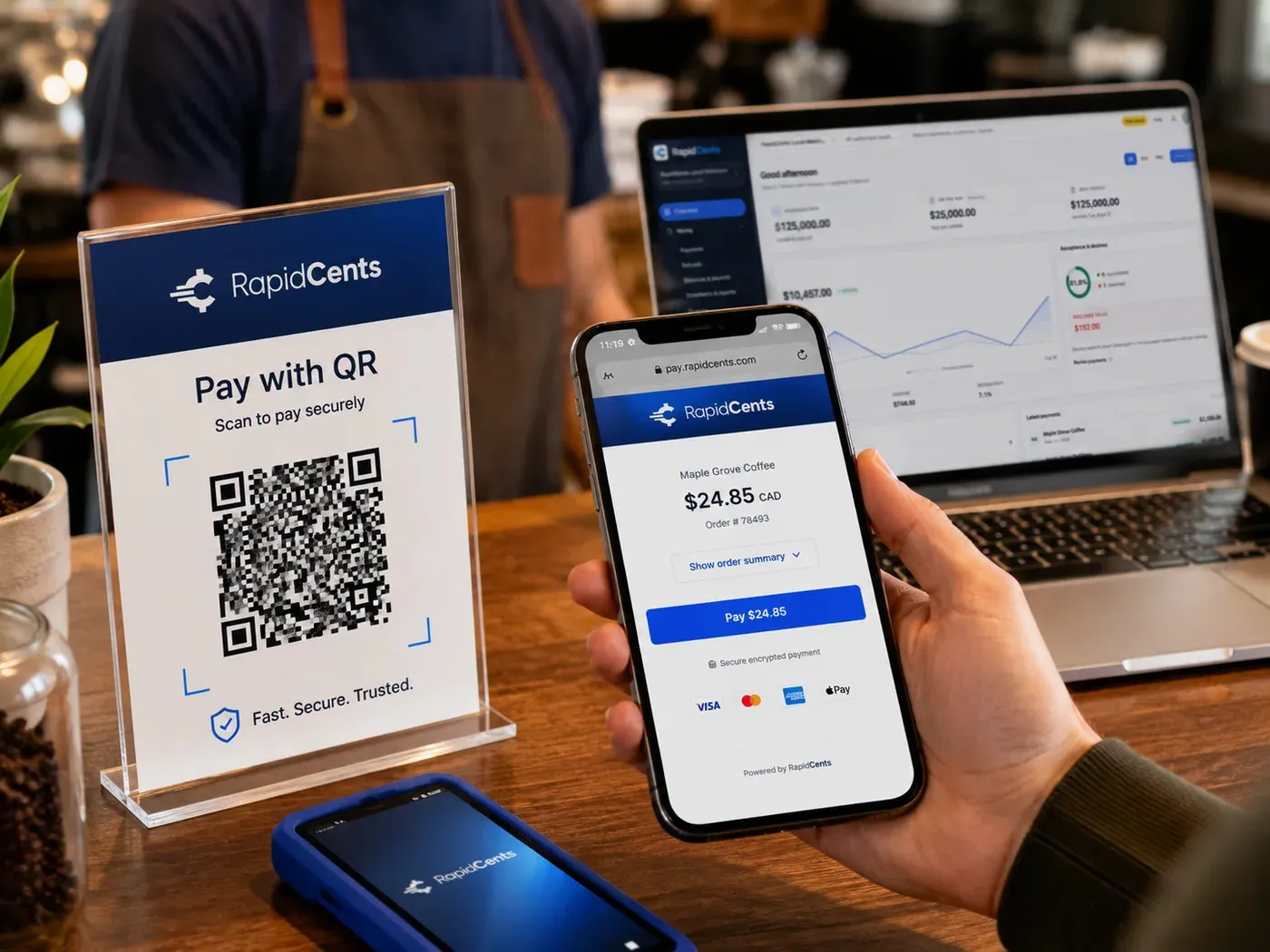
A scan-to-pay QR card standing on a café counter while a customer holds a phone showing the RapidCents payment page for a $24.85 order, with the merchant dashboard open on a laptop behind. QR payments
A scannable code that opens the payment page on the customer's own phone.
Explore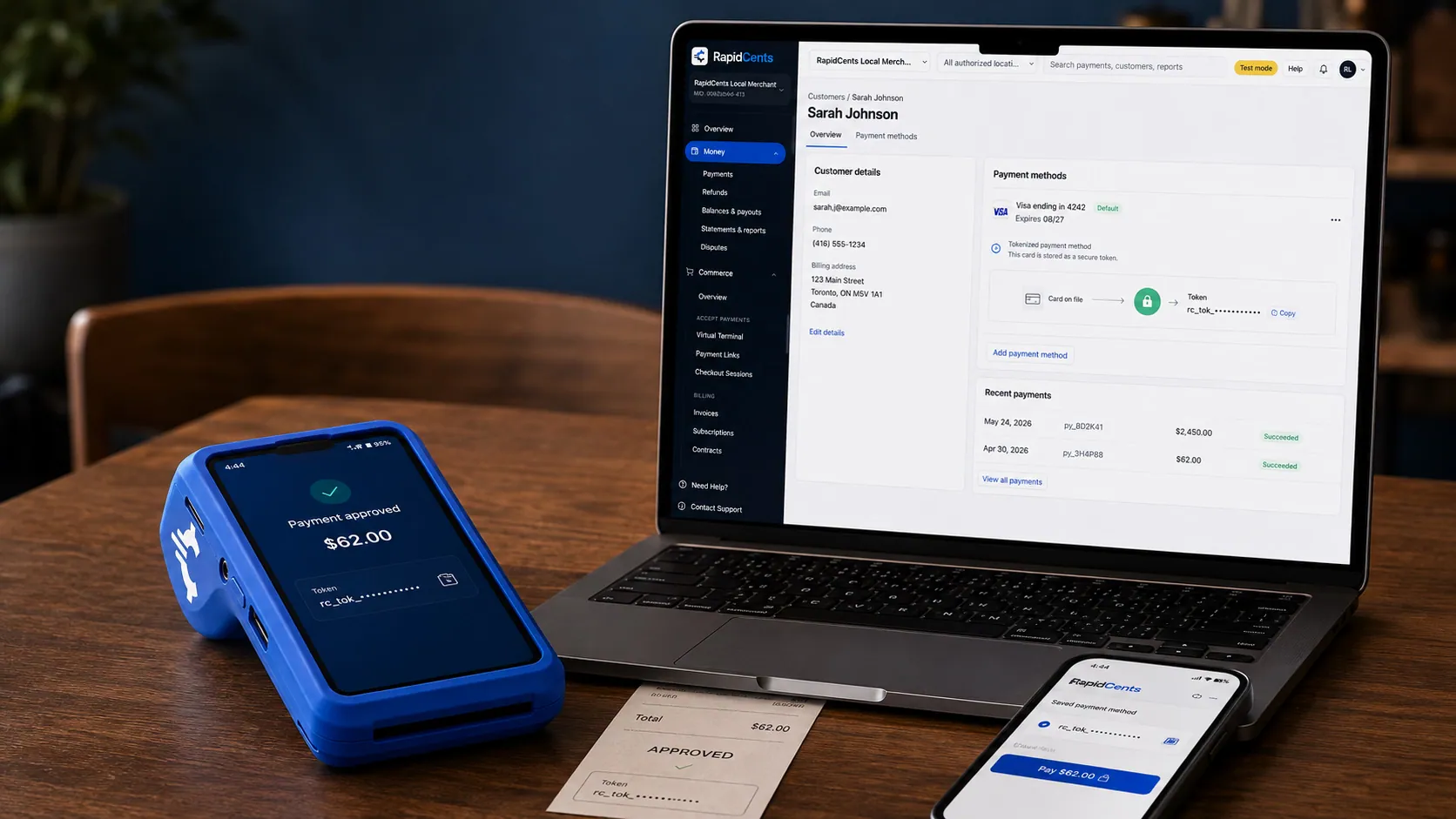
A stored RapidCents token stands in for the card number, with the terminal that captured the original credential beside it. Tokenization
Card numbers are replaced by a token, so nothing reusable is stored in your systems.
Explore
A merchant reviews RapidCents reports for volume, mix and payouts, with the terminal that took the sales on the desk. Reporting and reconciliation
Deposit-level detail that ties settlements back to the transactions behind them.
Explore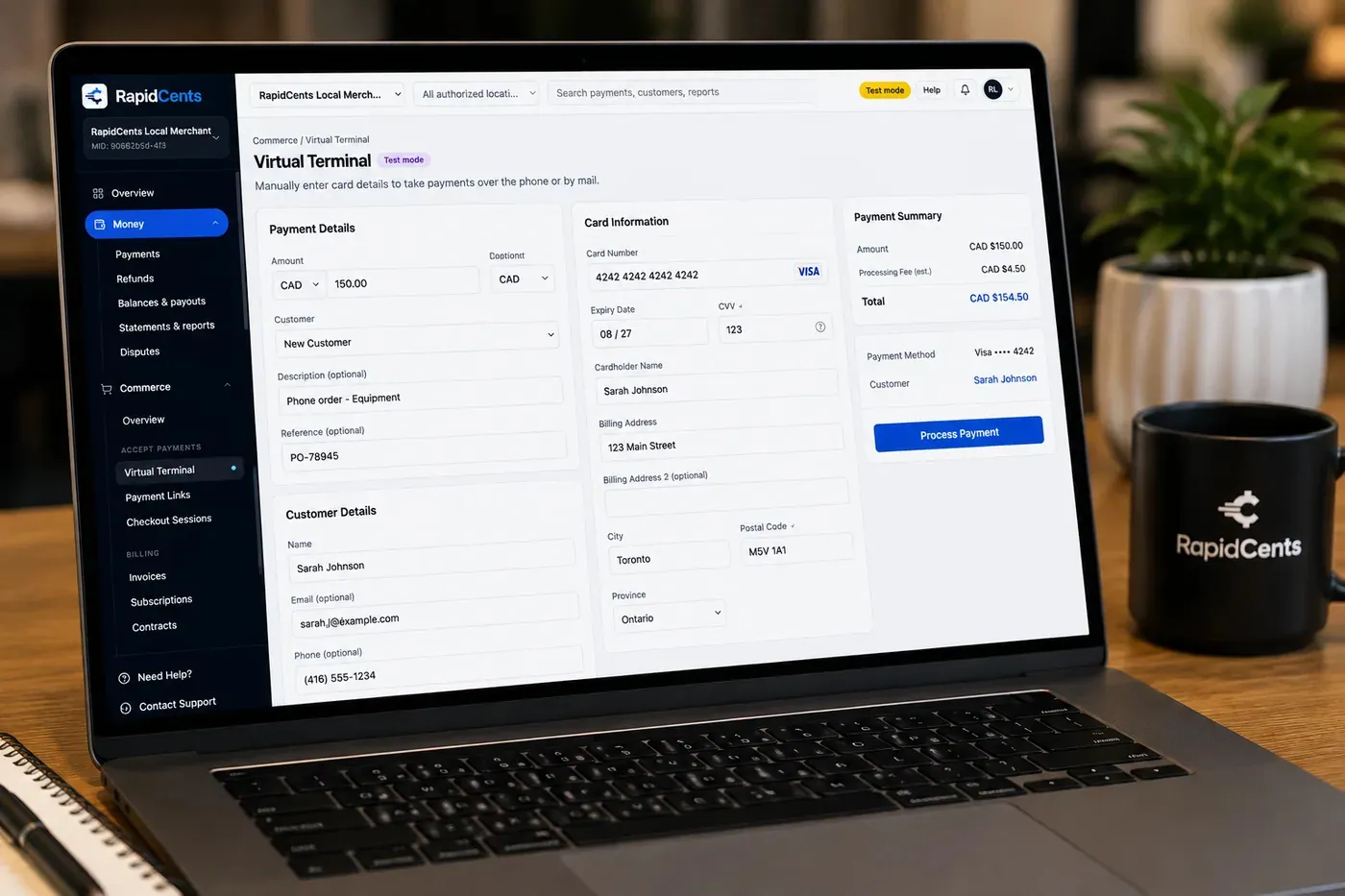
The RapidCents virtual terminal: payment details, card number, expiry and CVV keyed by hand on the left, with a payment summary on the right showing the amount, the estimated processing fee and a Process Payment button. Virtual Terminal
Key a card into a browser for phone, mail and back-office orders.
Explore


Security
HTTPS-only pages
Links served over TLS with tamper-evident tokens.
Amount locking
Optional fixed amount prevents payer edits.
Staff permissions
Control who can create and cancel links.
Implementation
Template setup
Configure default email and SMS copy.
Staff training
Five-minute walkthrough for AR team.
Webhook optional
Mark invoices paid in ERP on link paid event.
Pilot with AR
Run one billing cycle on links before full rollout.
Pricing
Link pricing
Same card-not-present rates as online checkout. No per-link creation fee on standard plans.
Questions about Payment Links
Can customers pay partial amounts?
Yes when configured. Fixed-amount links can also require full payment only.
Do links work internationally?
Payer page works globally; settlement is in USD for merchants worldwide.
API available?
Yes. Create and send links programmatically from billing systems.
Branding?
Logo and accent color appear on payer page and receipt email.
How is a payment link different from an invoice?
An invoice is the document, with line items, taxes and terms, and it carries a pay button. A payment link is just the request for money, created in seconds for a deposit, a balance or a donation with no document behind it. Use invoicing when the customer needs the breakdown, and a link when they only need to pay.
What stops a customer from changing the amount?
Amount locking. A fixed-amount link cannot be edited by the payer, which is what you want for a quoted deposit or a set fee. Leaving the amount open is a deliberate choice for cases like partial payments and installments, where the customer decides how much of a balance to clear.
Can I send links in bulk from my billing system?
Yes. The API creates and sends links programmatically, so a billing run can issue them per account rather than a staff member creating each one by hand. Custom reference fields carry your invoice or job numbers through, which is what makes the paid results reconcile automatically.
How do I know whether a link was seen or paid?
The dashboard tracks every link as open, paid or expired, filterable by date and by the staff member who created it. Delivery is tracked for SMS and email sends. Receipts go out automatically on approval, so the customer's confirmation does not depend on someone remembering to send one.
Related products
The RapidCents invoices screen: outstanding, overdue, paid and draft totals across the top, the invoice list below them, and a preview of one invoice on the right with its line items and a View & Record Payment button. Invoicing
RapidCents invoicing helps professional services, contractors and B2B suppliers create branded…
ExploreThe RapidCents virtual terminal: payment details, card number, expiry and CVV keyed by hand on the left, with a payment summary on the right showing the amount, the estimated processing fee and a Process Payment button. Virtual Terminal
The RapidCents virtual terminal lets authorized staff enter mail-order and telephone-order payments…
ExploreA RapidCents hosted checkout page at checkout.rapidcents.com, with the order summary and totals on the left and the card fields on the right, footed by SSL and PCI DSS assurances. Hosted Checkout
RapidCents hosted checkout delivers PCI-scoped payment pages you redirect customers to or embed via…
Explore
Industries that run on Payment Links
Digital Products
Sell ebooks, templates, media and digital goods with instant checkout, fraud tools and…
Edtech & eLearning
Course platforms, bootcamps and LMS providers collect tuition, installments and corporate…
Healthcare
Healthcare providers collect patient payments at reception, via payment links and…
Dental Clinics
Dental practices accept front-desk, remote and scheduled payments with card-on-file…
Physio & Chiropractic
Physiotherapy and chiropractic clinics collect copays, package payments and recurring…
Veterinary Clinics
Vet clinics take exam-room payments, estimate deposits and recurring wellness plan…
Medical Spas
Med spas combine high-ticket treatment packages, memberships and retail add-ons with…
Optometry
Optometry practices collect exam fees, eyewear deposits and insurance balance payments at…
Take the next step
Talk to a RapidCents specialist
RapidCents Fee Check reads a processing statement and shows interchange separately from the markup. Upload a statement for an instant breakdown, or open a merchant account and start accepting payments on one account.
- No obligation
- Payment specialists, not a call centre
- Secure statement upload



