


Branded pages, no build
Branded payment pages you can publish without a developer
A payment page is a branded, RapidCents-hosted web page that collects payments for a product, service, deposit or event. The amount, description, custom fields and confirmation message are set in the dashboard, so a page goes live without a developer or a storefront. Pages render for phones first and are shared by link or QR code. Card entry happens on RapidCents infrastructure, and each payment reaches the dashboard with its reference for reconciliation.
- Live in an afternoon
- Your logo and colours
- PCI scope stays with RapidCents

- PCI DSS Level 1
- SOC 2 Type II
- Specialist support
- Interchange-plus available
- All major card brands: Visa, Mastercard, Amex, Discover, PIN debit
Who it's for
Service businesses
Collect deposits and balances without an online store.
Events and programs
Take registrations and fees on a single page.
Teams without developers
Publish and edit pages from the dashboard.
Core capabilities
Page builder
Set the amount, description, fields and confirmation message without writing code.
Fixed or customer-entered amounts
Charge a set price or let the customer enter what they owe.
Custom fields
Collect the order number, invoice reference or booking detail you need to reconcile.
Mobile-first layout
Pages render for phones first, where most links are opened.
Reporting
Every page payment appears in the merchant dashboard with its reference.
How it works
Create a page and set the amount and description.
Add any fields you need for reconciliation.
Publish and share the link or QR code.
The customer pays on a secure RapidCents-hosted page.
The payment and its reference land in your dashboard.
Dashboard and reporting
Transactions, deposits and exceptions visible in the RapidCents merchant dashboard.
Try it, edit values and click buttons
Merchant dashboard
- Today
- $4,218
- Deposits
- $12,482
- Disputes
- 2 open
- In-person
- $842
- Online
- $1,104
- Virtual terminal
- $392
Demonstration data only
Integrations
Merchant dashboard
Every transaction, deposit and exception lands in one dashboard.
APIs and webhooks
Connect the product to your own software with REST APIs and signed webhooks.
Partner connectors
Certified connectors for common POS, ERP and commerce platforms.
Works with Payment Pages
Capabilities on the same account, so the parts below connect without a second integration or a second contract.
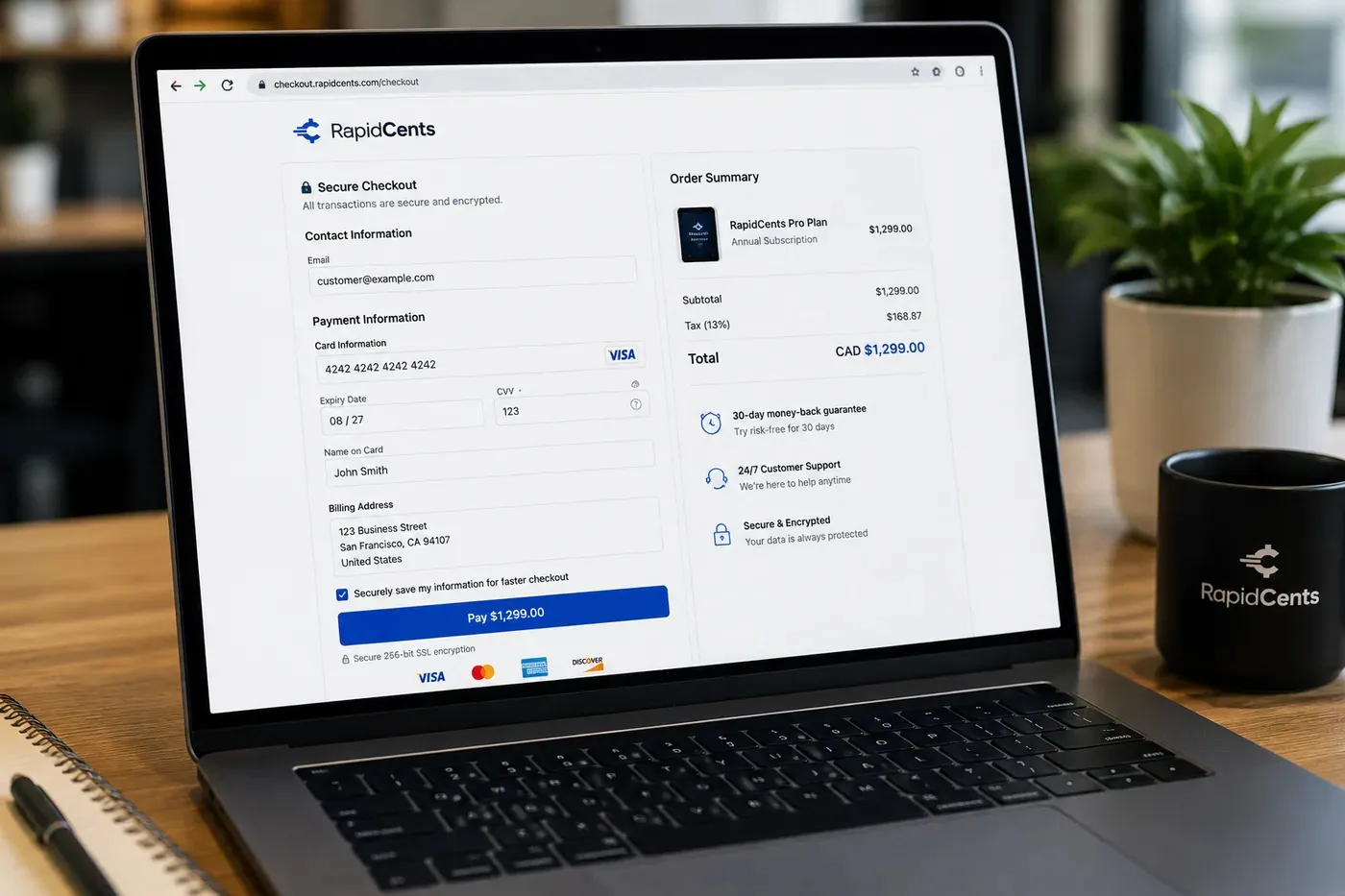
A RapidCents hosted checkout page at checkout.rapidcents.com, with the order summary and totals on the left and the card fields on the right, footed by SSL and PCI DSS assurances. Hosted checkout
A branded payment page RapidCents hosts, which keeps card data off your servers.
Explore
The RapidCents payment links screen listing created links with their amount, status, click count and whether they have been paid, beside a phone showing the branded page a customer opens to pay $2,500.00. Payment links
A pay-by-link URL you can send by email, SMS or QR code.
Explore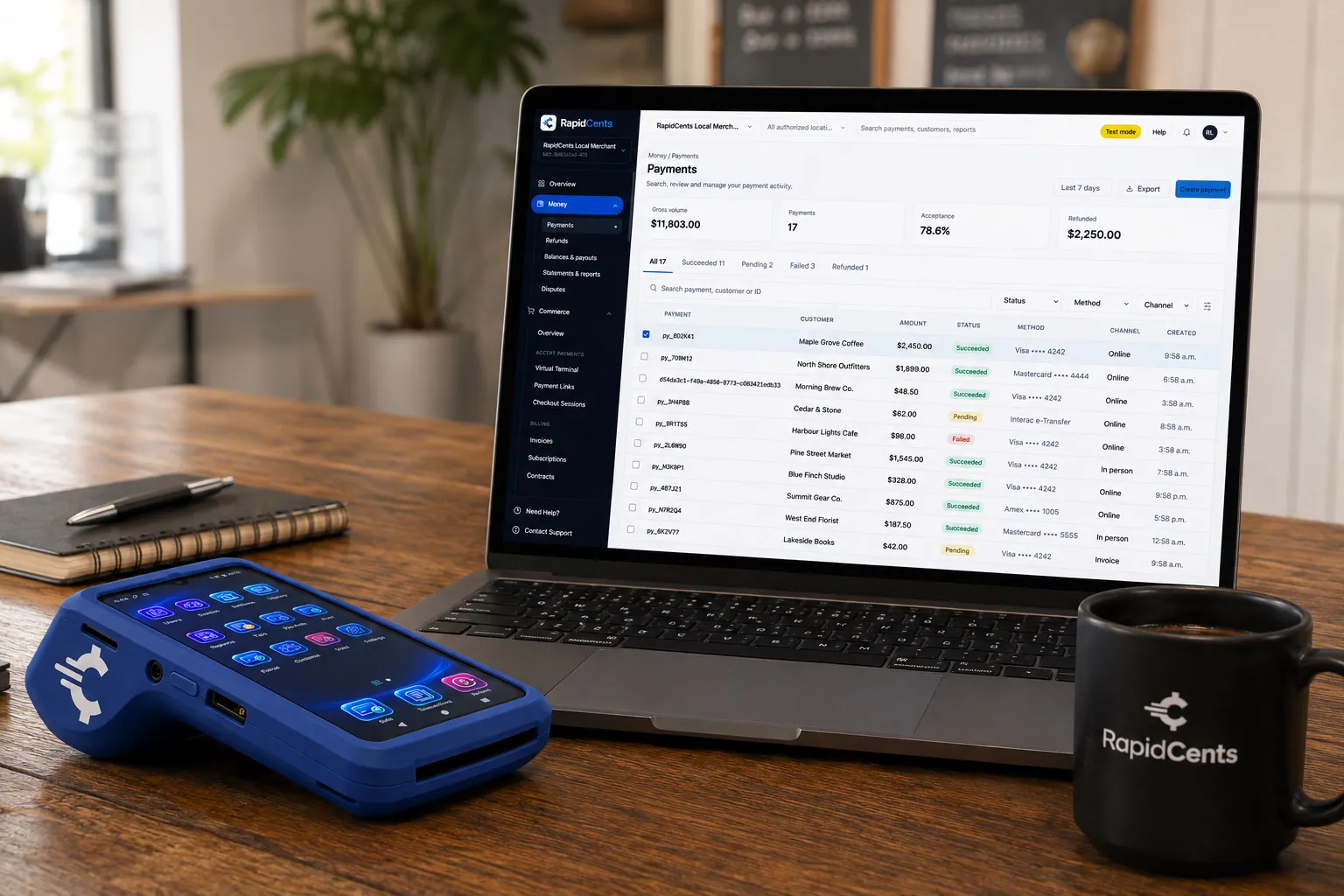
A payment-gateway integration desk: API response on screen, RapidCents terminal ready for a test sale. Payment gateway
The authorization layer every online RapidCents payment runs through.
Explore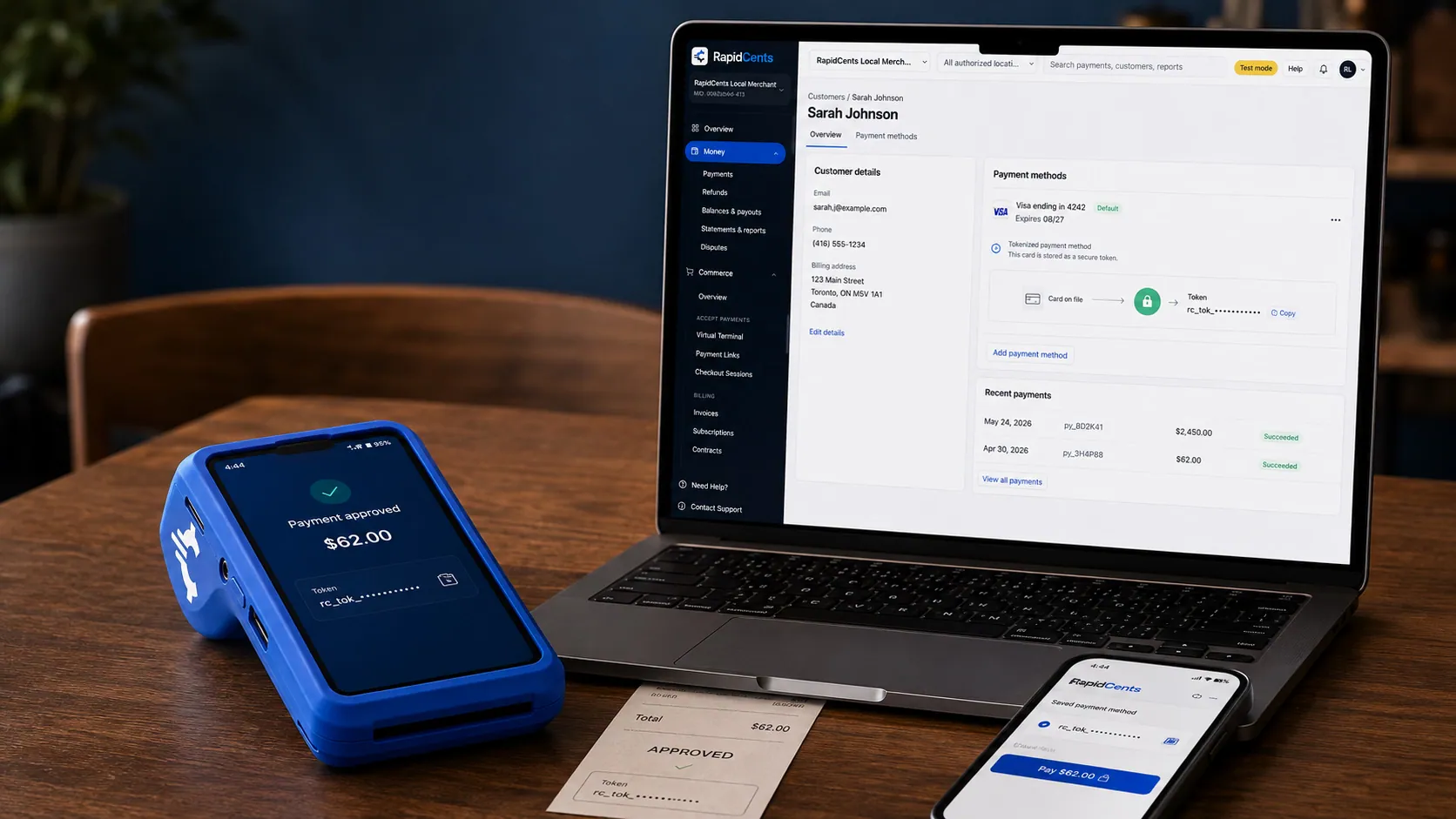
A stored RapidCents token stands in for the card number, with the terminal that captured the original credential beside it. Tokenization
Card numbers are replaced by a token, so nothing reusable is stored in your systems.
Explore
A merchant reviews RapidCents reports for volume, mix and payouts, with the terminal that took the sales on the desk. Reporting and reconciliation
Deposit-level detail that ties settlements back to the transactions behind them.
Explore


Security
PCI DSS Level 1
Processing runs on PCI DSS Level 1 audited infrastructure.
Tokenization
Card data is replaced with tokens, keeping raw credentials out of your systems.
Role-based access
Permissions and audit trails control who can see and do what.
Implementation
Discovery
A payment specialist reviews how your business gets paid today.
Configuration
Accounts, users and settings are prepared before you go live.
Testing
Run test transactions and confirm reporting before cutover.
Launch and support
Go live with training materials and post-launch support.
Pricing
Transparent pricing
Pricing depends on volume, card mix and configuration. Fee Check compares your current statement before you commit to anything.
Questions about Payment Pages
How is this different from Payment Links?
Payment Links are single-use or reusable links sent to one customer. Payment Pages are published pages you can point many customers to, with your branding and custom fields.
Do I need a website?
No. The page is hosted by RapidCents and works from a link or QR code.
Can I collect custom information?
Yes. Add fields such as invoice number, booking reference or account ID and see them on the transaction.
Does it reduce PCI scope?
Card entry happens on RapidCents-hosted infrastructure, so raw card data never touches your systems.
Can the customer enter their own amount?
Yes. A page can charge a fixed price or let the customer type in what they owe, which is what makes one page usable for balances and part payments as well as set-price items.
Can several customers pay through the same page?
Yes, and that is the point of a page rather than a link. A payment link is sent to one customer; a page is published once and pointed at everyone, with your branding and your fields on it.
Can I edit a page after it is published?
Yes. Pages are created and edited from the merchant dashboard, so the amount, description, fields or confirmation message can be changed by the team that owns them, with no developer involved.
How are payment pages priced?
Pages are part of the RapidCents account rather than a separate tool, so the cost is the processing cost. Pricing can be quoted interchange-plus or bundled, depends on volume, card mix and configuration, and Fee Check compares your current statement first.
Related products
The RapidCents payment links screen listing created links with their amount, status, click count and whether they have been paid, beside a phone showing the branded page a customer opens to pay $2,500.00. Payment Links
RapidCents payment links let staff generate branded pay-by-link URLs for invoices, deposits…
ExploreA RapidCents hosted checkout page at checkout.rapidcents.com, with the order summary and totals on the left and the card fields on the right, footed by SSL and PCI DSS assurances. Hosted Checkout
RapidCents hosted checkout delivers PCI-scoped payment pages you redirect customers to or embed via…
Explore
The RapidCents invoices screen: outstanding, overdue, paid and draft totals across the top, the invoice list below them, and a preview of one invoice on the right with its line items and a View & Record Payment button. Invoicing
RapidCents invoicing helps professional services, contractors and B2B suppliers create branded…
Explore

Take the next step
Talk to a RapidCents specialist
RapidCents Fee Check reads a processing statement and shows interchange separately from the markup. Upload a statement for an instant breakdown, or open a merchant account and start accepting payments on one account.
- No obligation
- Payment specialists, not a call centre
- Secure statement upload



