


Browser-based MOTO
Accept authorized payments through a secure browser-based terminal
A virtual terminal is a secure web page that turns any browser into a card terminal. Authorized staff key a card number, expiry and security code for an order taken by phone, mail or email, and the payment authorizes through the same processor a countertop device would use. The RapidCents virtual terminal adds AVS and CVV checks, a tokenized card vault for repeat charges, separate permissions for key-entry, refunds and voids, and an exportable audit log.
- Secure MOTO entry without physical terminal hardware
- Customer vault for repeat phone-order charges
- Role permissions and full audit trail for every transaction

- MOTO-compliant keyed flows
- SOC 2 Type II
- Permission-based access controls
- Exportable audit logs
- Instant email receipts
Who it's for
Call center order teams
Agents capture phone payments while order details stay on screen.
B2B accounts receivable
Apply open invoice payments without sending customers to a link.
Practices with mail-order renewals
Charge saved cards for membership or policy renewals.
Core capabilities
Keyed card entry
Enter PAN, expiry and CVV with AVS address verification, then take the approval or the decline reason on screen.
Tokenization
The card number is replaced by a token the moment it is entered. Your systems hold the token, the vault holds the credential, and nothing reusable sits in a CRM note or a spreadsheet.
Card on file and customer vault
Save a tokenized card against a customer profile with documented consent, then charge it again without reading the number back over the phone.
Recurring and scheduled charges
Promote a saved card to a schedule when a phone order turns into a renewal, without re-keying anything.
Refund and void controls
Full or partial refunds against the original authorization, limited to the roles you choose.
Transaction history and search
Every keyed sale searchable by customer, amount, reference or last four, alongside terminal and online volume.
Audit logging
Every login, sale, refund and void timestamped with the user ID that performed it.
Receipt delivery
Email branded receipts immediately after approval, carrying the reference the customer quoted on the call.
How it works
Enable virtual terminal access on merchant account.
Create staff users with MOTO and refund permissions.
Open browser terminal and enter sale or select saved customer.
Complete AVS/CVV checks; issuer approves or declines.
Receipt emails to customer; transaction logs to audit export.
Virtual terminal workflows
Phone order capture
Agent keys card while reading order confirmation number aloud.
Saved card renewal
Select vault profile and charge annual membership fee.
Partial refund adjustment
Manager refunds shipping overcharge on original authorization.
Audit review
Compliance exports MOTO activity by user for quarterly review.
Dashboard and reporting
Transactions, deposits and exceptions visible in the RapidCents merchant dashboard.
Try it, edit values and click buttons
Merchant dashboard
- Today
- $4,218
- Deposits
- $12,482
- Disputes
- 2 open
- In-person
- $842
- Online
- $1,104
- Virtual terminal
- $392
Demonstration data only
Integrations
RapidBridge
Connects the virtual terminal to the software your team already works in, so an agent takes a card from inside your CRM, ERP or booking system instead of alt-tabbing to a second screen.
RapidCents APIs
Key a payment through the interface or post it through the API against the same account, the same vault and the same reporting.
CRM pop-up
Launch the virtual terminal from a customer record via SSO, with the customer already selected.
Accounting references
Attach invoice or order numbers to keyed transactions so reconciliation matches without a lookup.
Dashboard search
Keyed sales appear alongside terminal and online volume rather than in a separate report.
Works with Virtual Terminal
Capabilities on the same account, so the parts below connect without a second integration or a second contract.
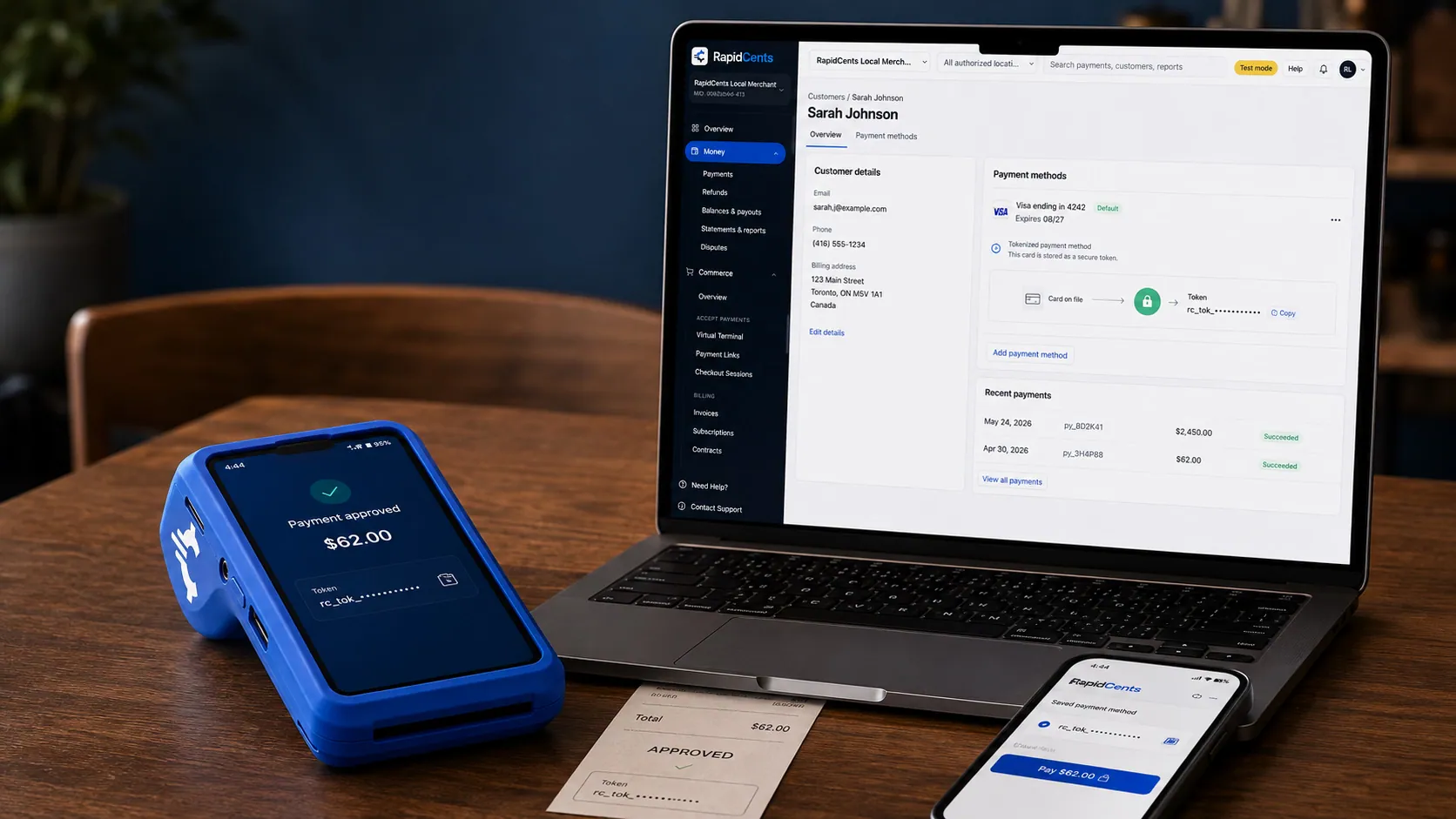
A stored RapidCents token stands in for the card number, with the terminal that captured the original credential beside it. Tokenization
Card numbers are replaced by a token, so nothing reusable is stored in your systems.
Explore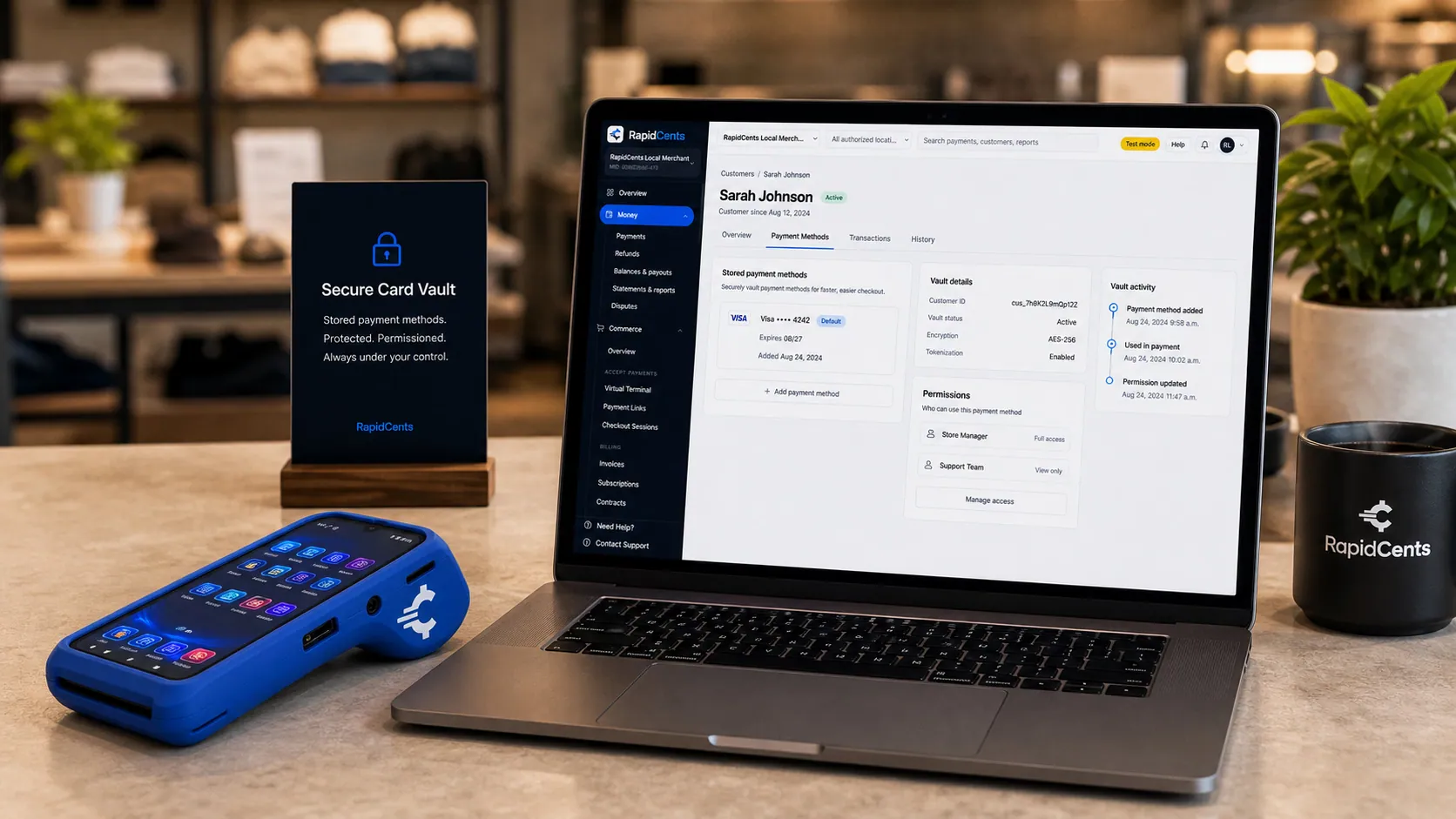
Card credentials sit in the RapidCents vault rather than in merchant software, with a terminal on the desk for new captures. Secure card vault
The PCI-scoped store the tokens point at, so card-on-file stays out of your scope.
Explore
The RapidCents recurring payments screen showing active subscriptions, monthly recurring revenue, failed payments and upcoming renewals, above a list of subscriptions with their plan, amount, frequency and next billing date. Recurring payments
Schedules, subscriptions and instalments billed from a stored credential.
Explore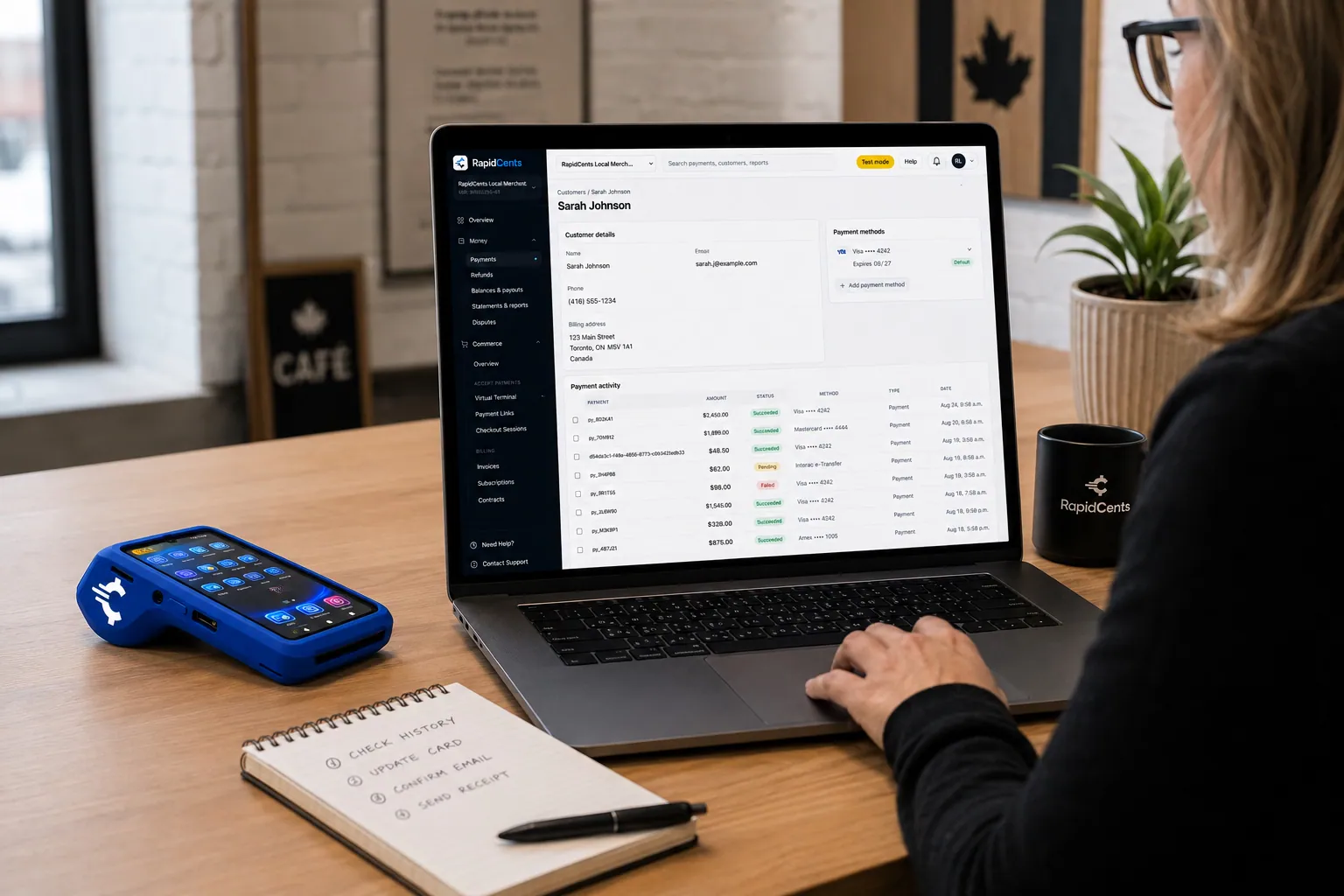
A RapidCents customer profile holds saved cards and invoices, so a return visit can be charged without re-keying the card. Customer profiles
One customer record holding contact details, stored credentials and payment history.
Explore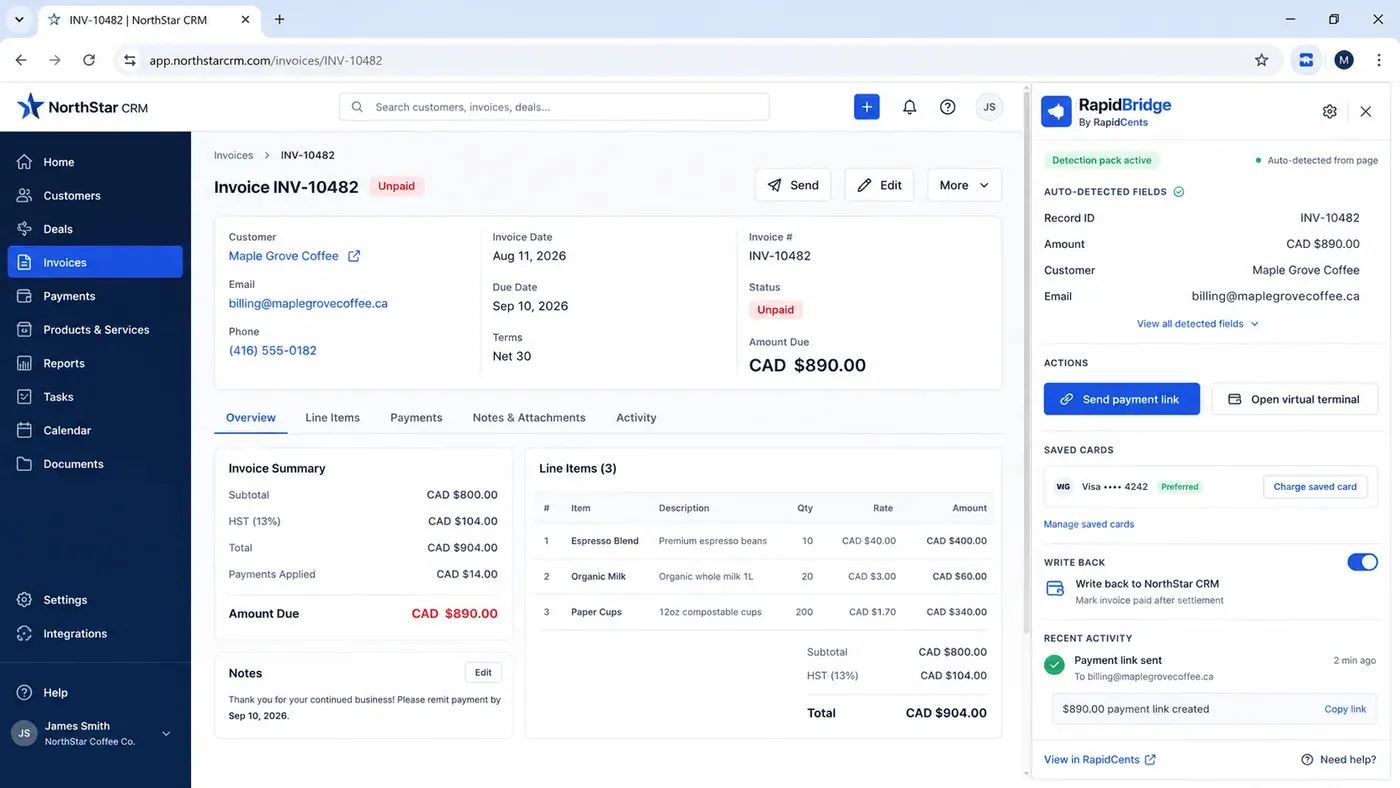
An unpaid invoice open in a third-party CRM with the RapidBridge panel beside it, showing the record number, amount, customer and email it detected from the page on its own, and buttons to send a payment link or charge a saved card. RapidBridge
Connects RapidCents to the software you already run, without rebuilding it.
Explore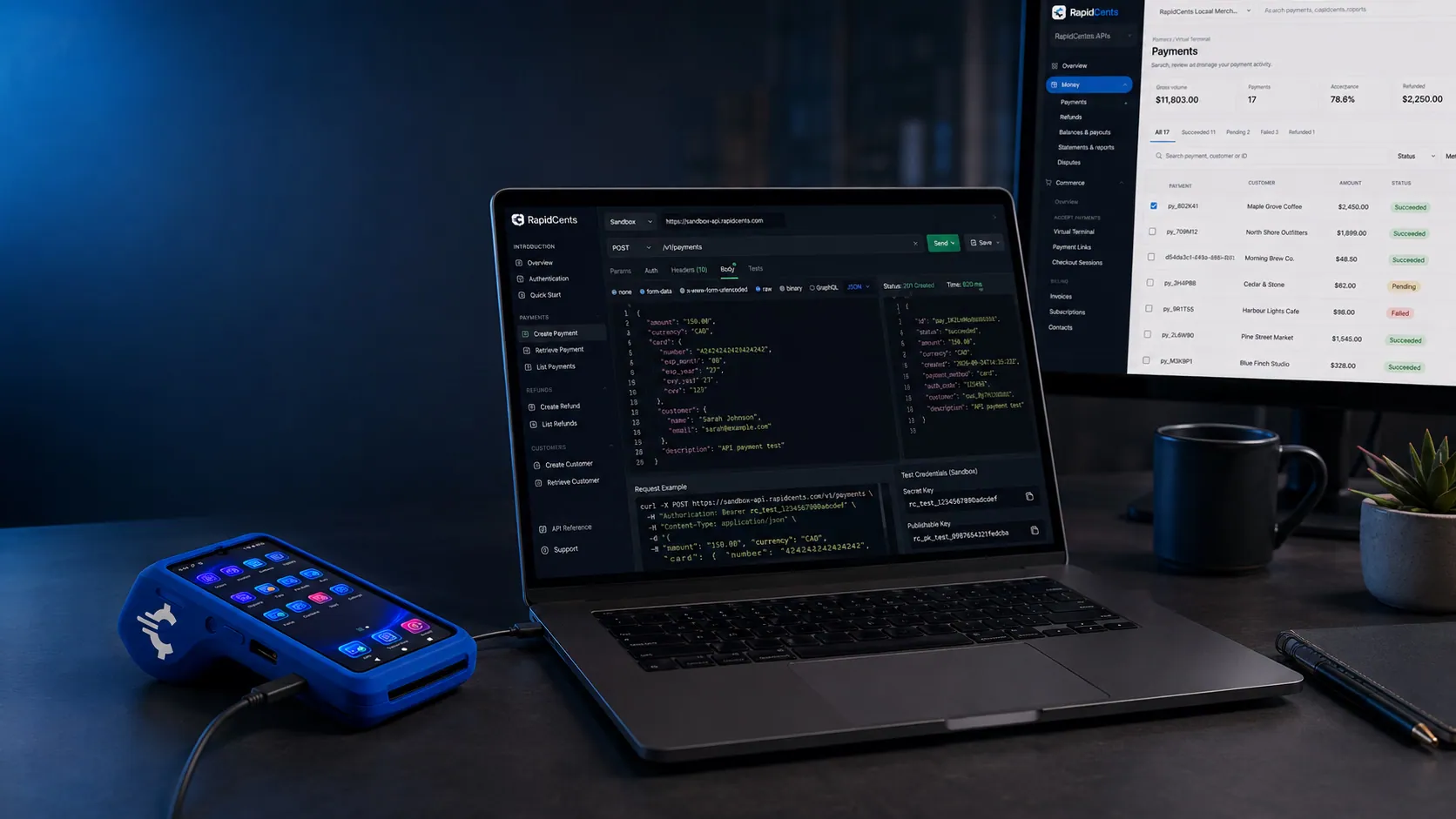
A RapidCents API request and its response on a developer workstation, with the merchant dashboard and a test terminal. RapidCents APIs
REST endpoints for payments, customers, refunds and reporting.
Explore
The RapidCents payment links screen listing created links with their amount, status, click count and whether they have been paid, beside a phone showing the branded page a customer opens to pay $2,500.00. Payment links
A pay-by-link URL you can send by email, SMS or QR code.
Explore
The RapidCents invoices screen: outstanding, overdue, paid and draft totals across the top, the invoice list below them, and a preview of one invoice on the right with its line items and a View & Record Payment button. Invoicing
Send an invoice that carries its own payment page and reconciles itself.
Explore
A merchant reviews RapidCents reports for volume, mix and payouts, with the terminal that took the sales on the desk. Reporting and reconciliation
Deposit-level detail that ties settlements back to the transactions behind them.
Explore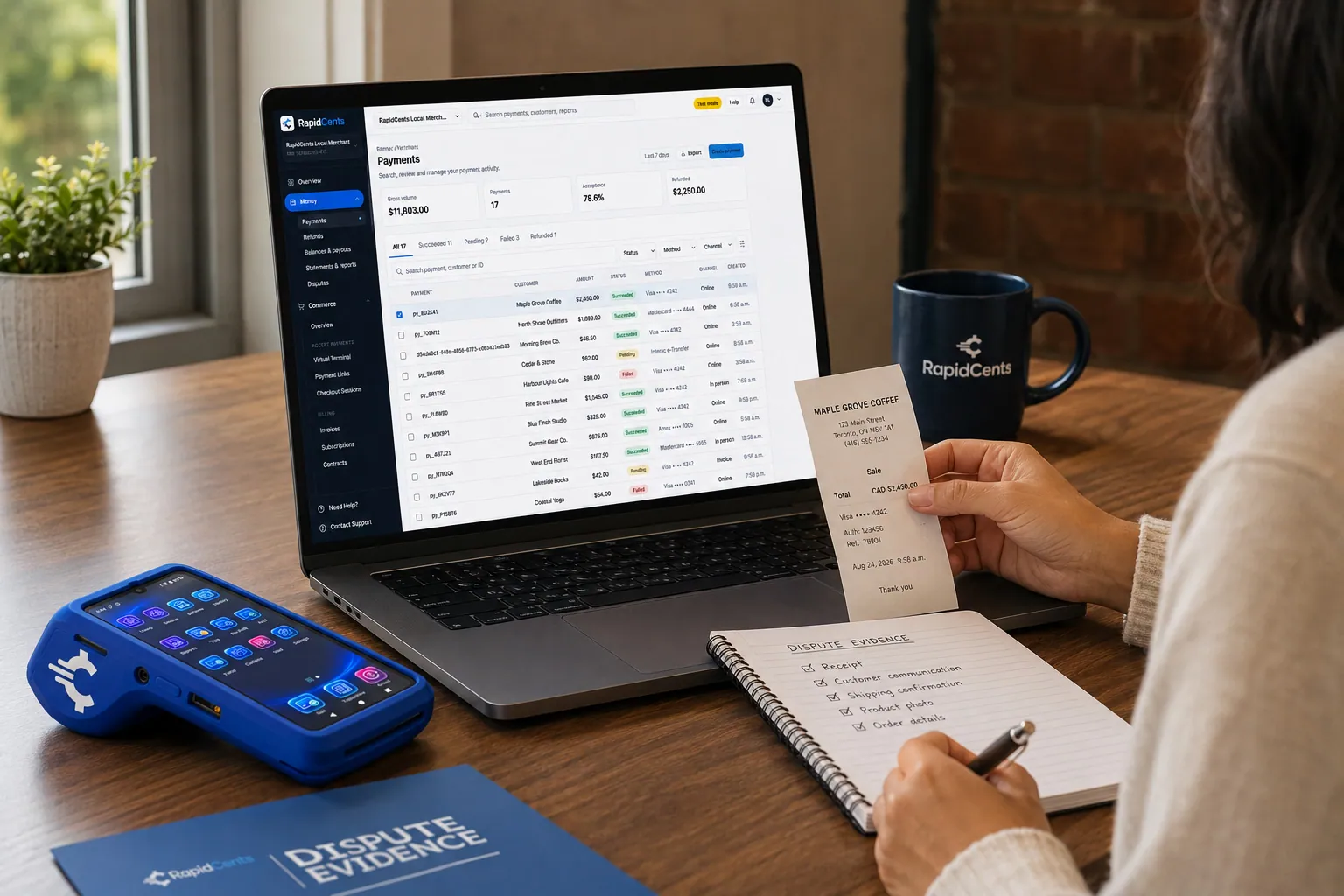
RapidCents assembles chargeback evidence from the original sale, with the terminal and receipts still at hand. Chargeback Protection
Dispute alerts and evidence assembly, so representment does not eat your week.
Explore


Security
Tokenized storage
Card numbers live in the PCI-scoped vault, not in your CRM, your notes or your database. Staff and integrations work with tokens.
AVS, CVV and 3-D Secure
Address and security-code checks on every keyed sale, with issuer authentication where the transaction supports it.
Role permissions
Separate permissions for key-entry, refunds, voids and user administration, so no single login can do everything.
Session timeout
Automatic logout after inactivity, which matters on a shared order-desk workstation.
Audit exports
CSV logs with user, action, timestamp and IP, which is what a compliance review actually asks for.
Implementation
User provisioning
Create staff accounts with least-privilege permissions.
MOTO policy
Document verbal authorization procedures for phone orders.
Training session
Walk through sale, vault and refund flows.
Audit schedule
Set quarterly export review for keyed activity.
Pricing
MOTO processing rates
Keyed card-not-present rates apply. Vault storage included on standard plans.
Questions about Virtual Terminal
What is a virtual terminal?
A virtual terminal is a secure web page that turns any browser into a card terminal. Authorized staff key in a card number, expiry and security code for an order taken by phone, mail or email, and the payment is authorized through the same processor a countertop terminal would use. No hardware is involved.
Can I accept payments without a physical terminal?
Yes. A virtual terminal needs only a browser and a login. It is the standard way to take card-not-present payments when the customer is on the phone, when an invoice is being settled, or when a counter terminal would not fit the workflow.
What is the difference between a virtual terminal and a payment terminal?
A payment terminal reads a card that is physically present, so the transaction is card-present and priced accordingly. A virtual terminal takes the number without the card, so it is card-not-present: the rate differs, and AVS and CVV checks do the work the chip would otherwise do.
Can a virtual terminal store customer cards securely?
Yes, through tokenization. The card number is exchanged for a token the moment it is entered, the number itself stays in the PCI-scoped vault, and your systems only ever see the token. That is what makes charging a repeat customer safe without writing the number down.
Can I process recurring payments from a saved card?
Yes. A card saved from a phone order can be attached to a schedule, so a renewal or instalment plan bills automatically. Account Updater refreshes the stored credential when the card expires or is reissued, so the schedule does not break.
Can my existing software connect to the virtual terminal?
Yes, through RapidBridge or the RapidCents APIs. RapidBridge connects the terminal to software you already run so staff take payment without leaving it; the APIs let you post the same transaction programmatically against the same account and vault.
Is keying a card by phone PCI compliant?
It is, provided staff follow MOTO handling rules: the number goes straight into the terminal and is never written down or stored outside the vault. Because the virtual terminal keeps the number off your systems, most merchants stay on a short self-assessment questionnaire.
Who can issue refunds?
Whoever you decide. Key-entry, refunds and voids are separate permissions, and most merchants restrict refunds to supervisors while leaving key-entry open to the whole order desk.
What details do I need from the customer to key a payment?
The card number, expiry and security code, plus the billing address and postal code so AVS can check them. Take them straight into the virtual terminal while the customer is on the line. Nothing should be written on a notepad or pasted into a CRM note; that is what creates the compliance problem, not the phone call itself.
Can two agents work in the virtual terminal at the same time?
Yes. Each agent signs in under their own login, and every sale, refund and void is stamped with the user ID that performed it. Sessions time out after inactivity, which matters on a shared order-desk workstation where the next person to sit down should not inherit an open session.
What does the audit log actually show?
Login, sale, refund and void events with the user, action, timestamp and IP address, exportable as CSV. That is the format a compliance review or an internal investigation asks for, and it is why MOTO activity can be reviewed by agent for a full quarter without reconstructing anything from receipts.
Can I attach an invoice or order number to a keyed sale?
Yes. Accounting references travel with the transaction, so reconciliation matches without a lookup and a customer quoting a reference on a later call can be found by it. Keyed sales are searchable by customer, amount, reference or last four alongside terminal and online volume.
Related products
The RapidCents payment links screen listing created links with their amount, status, click count and whether they have been paid, beside a phone showing the branded page a customer opens to pay $2,500.00. Payment Links
RapidCents payment links let staff generate branded pay-by-link URLs for invoices, deposits…
ExploreThe RapidCents recurring payments screen showing active subscriptions, monthly recurring revenue, failed payments and upcoming renewals, above a list of subscriptions with their plan, amount, frequency and next billing date. Recurring Payments
RapidCents recurring payments manage subscription plans, membership renewals and installment…
ExploreA stored RapidCents token stands in for the card number, with the terminal that captured the original credential beside it. Payment Tokenization
Tokenization exchanges a card number for a reference your software can store and reuse. Repeat…
ExploreA RapidCents customer profile holds saved cards and invoices, so a return visit can be charged without re-keying the card. Customer Profiles
A customer profile ties together transactions, stored payment methods, subscriptions and disputes…
Explore
The RapidCents payments screen: gross volume, payment count, acceptance rate and refunds across the top, a filterable transaction list below, and a money timeline on the right tracing one payment from capture to planned payout. Merchant Dashboard
The RapidCents merchant dashboard gives owners, managers and finance staff a single signed-in view…
Explore

Industries that run on Virtual Terminal
Downloadable Software
License keys, one-time purchases and upgrade paths for downloadable software with global…
Healthcare
Healthcare providers collect patient payments at reception, via payment links and…
Dental Clinics
Dental practices accept front-desk, remote and scheduled payments with card-on-file…
Pharmacies
Independent and specialty pharmacies accept countertop, contactless and phone payments…
Optometry
Optometry practices collect exam fees, eyewear deposits and insurance balance payments at…
Oil & Energy
Energy field services, suppliers and retail fuel operations accept high-ticket B2B cards…
Construction Contractors
General contractors progress-bill milestones, retainage and change orders with secure B2B…
Catering
Caterers invoice events, collect deposits and run on-site final payments with virtual…
Take the next step
Talk to a RapidCents specialist
RapidCents Fee Check reads a processing statement and shows interchange separately from the markup. Upload a statement for an instant breakdown, or open a merchant account and start accepting payments on one account.
- No obligation
- Payment specialists, not a call centre
- Secure statement upload



