


Stop chasing recurring invoices by hand
Chasing invoices by hand is mostly avoidable. Three changes remove it: an invoice that carries its own payment page, a schedule that collects a stored card without anything being re-keyed, and reminders that go out before, at and after the due date. RapidCents adds a retry policy on day 3, 7 and 14 with customer notices, and Account Updater refreshing reissued cards where the issuing bank participates. What is left is an exceptions queue rather than a call list.
- Payment specialists
- Interchange-plus available
- Guided migration
- Post-launch support
Who this solution is for
Businesses invoicing on terms
Where an invoice is sent and then followed up, and the follow-up is the real cost.
Membership and subscription operators
Where renewals should be silent and only failures need a person.
Practices and services billing in instalments
Where an agreed plan is spread over time and should run without being re-entered each cycle.
Common challenges
Payment separated from the invoice
An invoice that tells someone what to pay but not how creates a second step, and the second step is where the delay lives.
Follow-up done from memory
Manual reminders happen when someone remembers. What gets chased is the large invoices, and the small ones quietly accumulate.
Failures nobody sees
A failed renewal without an alert looks the same as a customer who left. The difference is only visible if something reports it.
The RapidCents approach
Attach payment to the document, because an invoice carrying its own payment page removes the second step.
Put repeating revenue on a schedule with the credential stored at signup, so nothing is re-keyed each cycle.
Automate the reminders — before due, at due and after — rather than sending them by hand.
Set a retry policy for failures, with Account Updater refreshing cards where the issuer participates.
Work the exceptions queue, which is what remains once the routine collections run themselves.
Recommended capabilities
Invoicing with payment attached
Send an invoice carrying its own payment page, which reconciles itself when paid rather than being matched afterwards.
Reminders
Scheduled notices before and after the due date, sent without anyone remembering to send them.
Subscription and instalment schedules
Weekly, monthly, quarterly or custom cadence, with trials, setup charges and proration on mid-cycle changes.
Automatic retries and dunning
Failed cards retried on day 3, 7 and 14 with customer notifications, instead of an immediate repeat that fails the same way.
Account Updater
Expired and reissued cards refreshed where the issuing bank participates, so a renewal does not fail for a reason the customer does not know about.
Related products

The RapidCents recurring payments screen showing active subscriptions, monthly recurring revenue, failed payments and upcoming renewals, above a list of subscriptions with their plan, amount, frequency and next billing date. Recurring Payments
RapidCents recurring payments manage subscription plans, membership renewals and installment schedules with…
Explore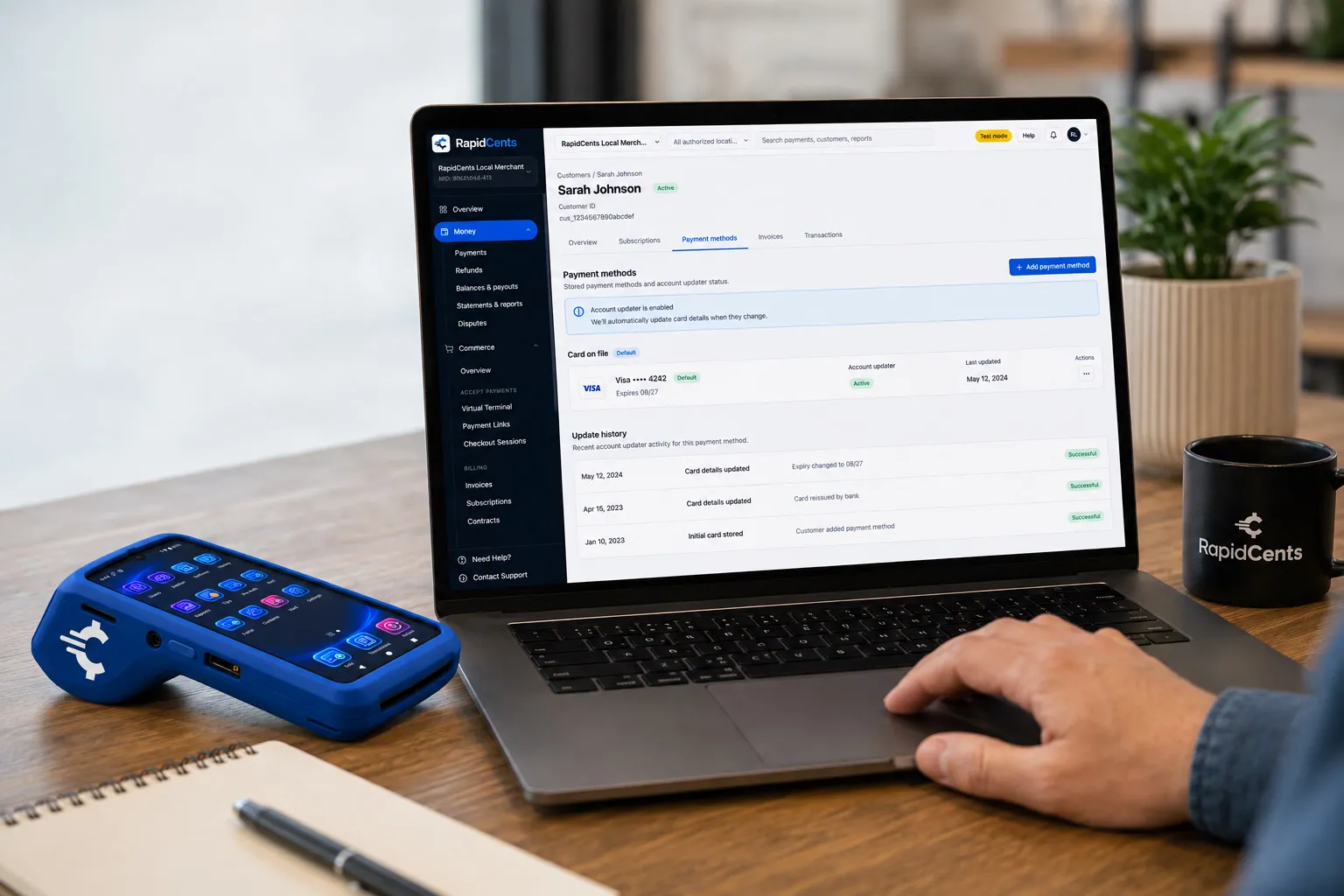
RapidCents refreshes a stored card after a reissue, so the vaulted credential keeps working without asking the customer again. Account Updater
Cards expire, get reissued and get replaced after fraud. Account Updater refreshes stored credentials with…
Explore
The RapidCents invoices screen: outstanding, overdue, paid and draft totals across the top, the invoice list below them, and a preview of one invoice on the right with its line items and a View & Record Payment button. Invoicing
RapidCents invoicing helps professional services, contractors and B2B suppliers create branded invoices…
Explore


Implementation approach
Map the collections you actually run
One-off invoices, standing plans and instalments are different problems. Automating them as one produces a poor version of each.
Configure documents and messages
Invoice content, reminder timing and failed-payment wording written once, in your own language.
Move existing customers onto schedules
Consent captured, credentials stored, and the first cycle checked before the manual process is stopped.
Review the exceptions
After the first full cycle, the failure list tells you whether the retry policy and the reminder timing are right.
What does not change
Your payment terms
Automation collects on the terms you set. It does not shorten them or impose a policy of its own.
Your customer relationships
Automated reminders replace the chasing calls, not the conversations. Anything genuinely disputed still goes to a person.
Your accounting treatment
Invoices and successful cycles export to the ledger you already run, on the revenue treatment you already use.
Frequently asked questions
Which invoices are worth automating first?
The repeating ones, and the small ones. Repeating invoices are pure duplication, and small invoices are the ones manual follow-up quietly abandons because chasing them is not worth an hour of someone’s time.
What does a customer see if a cycle still needs a follow-up?
A professional notice, then further notices as the retry schedule runs on day 3, 7 and 14. Where Account Updater has refreshed the card, the cycle collects and the customer sees the receipt.
Can I keep sending some invoices manually?
Yes. Automation is per-arrangement rather than all-or-nothing. Negotiated or irregular billing can stay manual while the routine part runs itself.
Does this replace my accounting software?
No. It changes how payment is collected and reconciled. Invoices and paid cycles export into the accounting system you already run.
What happens to a customer who never pays?
They surface in the exceptions queue with their retry history and notification record. Automation identifies them earlier and with evidence; the decision about what to do next is still a commercial one.
How is the recurring authorization recorded?
Consent is captured at signup and documented against the plan, and every pause, change and cancellation is logged with the user who made it. That record is what a recognition dispute turns on.
Do existing customers have to be moved onto schedules by hand?
Each one needs consent captured and a credential stored, so there is a migration step rather than a switch. It is done before the manual process stops, with the first cycle checked, which is also where reminder wording and retry timing get their first real test.
Can a plan include a free trial or a setup charge?
Yes. Trials and setup charges are part of the plan definition, alongside the interval and the proration rule for mid-cycle changes. Defining them in the plan is what keeps the first invoice of a new customer from being assembled by hand.
Take the next step
Talk to a RapidCents specialist
RapidCents Fee Check reads a processing statement and shows interchange separately from the markup. Upload a statement for an instant breakdown, or open a merchant account and start accepting payments on one account.
- No obligation
- Payment specialists, not a call centre
- Secure statement upload



