


Swim school payment processing for term and family billing
Swim school payment processing lets you collect term registrations, sibling and family payments, and installment schedules by card at the pool desk, online, by payment link or on a stored card. Key jobs are registering a family for a term, billing in authorized installments, and handling make-up credits and cancellations. RapidCents keeps the payment record.

- PCI DSS Level 1
- SOC 2 Type II
- All major cards: Visa, Mastercard, Amex, Discover, UnionPay, Diners Club & PIN Debit
- Interchange-plus available
- Specialist onboarding support
How swim schools get paid
Swimming lesson payments arrive when a family registers for a term, when a sibling joins a class, when an installment falls due and when a parent books extras. Each job has its own payer, trigger and record, so we set them up separately.
Term registration fees
A parent registers a child for an eight-week term at the pool desk, online or from a payment link sent by text, so swim school payment links carry the child and term. Registration triggers the charge, and the receipt names the child, level and term so your office can match it to the roster.
Family and sibling payments
One parent often pays for two or three swimmers in a single visit. You take one card payment, keep a family reference on it and split the amounts by child afterward. If a grandparent or a separate household pays for one child only, the payment is recorded under that payer.
Installment schedules
A family splits a term fee into dated collections after agreeing the amounts and dates. RapidCents charges the stored card on each date, and a declined collection goes to a retry or a staff follow-up. This is a collection schedule, not financing.
Private lessons, intensives and add-ons
Private lessons, holiday intensives, swim caps and birthday pool rentals are paid outside the term. Staff take them by terminal, payment link or invoice, and each charge carries its own reference so term fees stay separate from extras.
How do swim schools bill a term in installments?
A swim school bills a term in installments by taking a deposit at registration and collecting the balance on agreed dates from a stored card. Swim school recurring billing works best when the parent has agreed the amounts, dates and cancellation steps in advance.
How the schedule runs
A parent registers a child for a Saturday level-three class and pays a deposit. Staff create the balance schedule in Recurring Payments, and the family gets a notice before each charge, with a receipt after it.
Set up first, then plan for declines
Agree the term fee, deposit, dates and withdrawal terms in writing, and store the card only with the parent's authorization. When a collection declines, use a retry or send a payment link, and decide in advance whether the child keeps swimming while a balance is open.
A $120 deposit and two $90 payments, one declined
Say a parent agrees to a $120 deposit and two $90 payments across a ten-week term. The second payment declines, staff send a payment link, the parent pays the same day, and the schedule then continues as planned.
How do family payments work when siblings share one card?
Family payments work by taking one card payment for several swimmers and recording a shared family reference plus each child's amount. The payer is the parent or guardian on the account, and your office allocates the total across children, classes and terms.
How one payment covers several children
A parent registers two siblings in different levels and pays once. Put the family name or account number in the reference and list each child's class in the note, so the pool-site manager can see exactly who is covered.
Who is allowed to pay
A grandparent, a separated parent or a nanny paying with their own card is a different cardholder from the account holder. The receipt goes to whoever paid. Keep that payer's name on the record, and refund to the card that paid.
$540 for three siblings, one moves up a level
Say a parent pays $540 for three siblings, then one child moves up a level mid-term. Your office updates the roster, and any difference is refunded to the same card or kept as a credit under your written policy.
RapidCents products for swim schools
Recurring Payments runs installment schedules, Payment Links collect registrations and balances remotely, Online Payments takes web registrations, and Customer Profiles keeps each family's cards and receipts together.

The RapidCents recurring payments screen showing active subscriptions, monthly recurring revenue, failed payments and upcoming renewals, above a list of subscriptions with their plan, amount, frequency and next billing date. Recurring Payments
RapidCents recurring payments manage subscription plans, membership renewals and installment schedules with…
Explore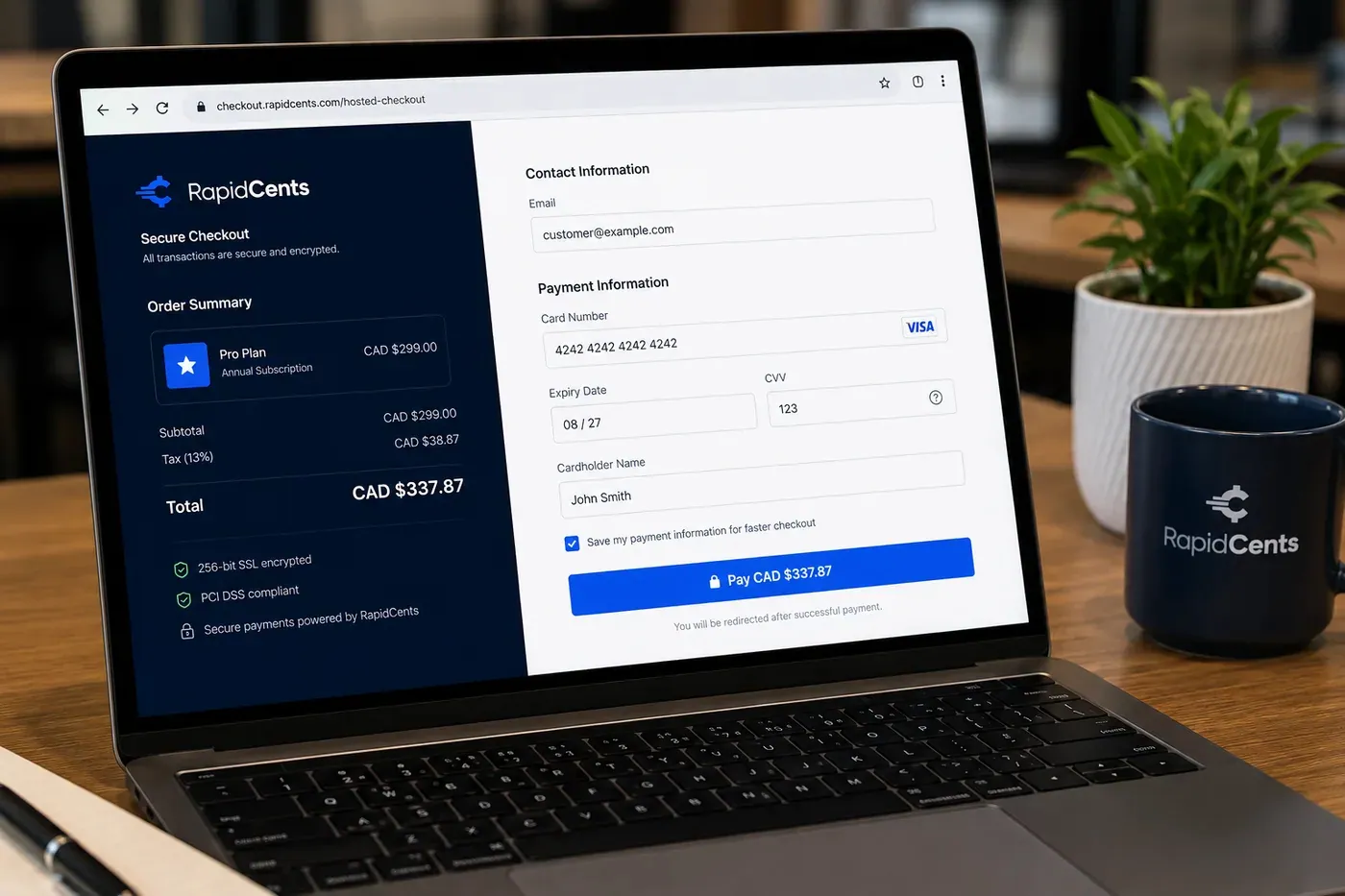
A RapidCents online checkout in a browser, with contact and card fields on the left and an order summary on the right showing the subtotal, tax and total, plus the accepted card brands. Online Payments
RapidCents online payments combine gateway APIs, hosted checkout pages, payment links and 3-D Secure…
Explore
The RapidCents payment links screen listing created links with their amount, status, click count and whether they have been paid, beside a phone showing the branded page a customer opens to pay $2,500.00. Payment Links
RapidCents payment links let staff generate branded pay-by-link URLs for invoices, deposits, balances and…
Explore
A RapidCents customer profile holds saved cards and invoices, so a return visit can be charged without re-keying the card. Customer Profiles
A customer profile ties together transactions, stored payment methods, subscriptions and disputes so staff…
Explore


How are make-up credits, cancellations and refunds handled?
Make-up credits and cancellations follow your written policy, and the payment record follows what you actually decide: a refund to the original card, a credit on the family account, or a transfer to another term. RapidCents records refunds and you decide eligibility.
Keep credits and refunds apart
A make-up class is usually a scheduling credit in your registration software, not money returned. A cancellation before the term starts may become a full or partial refund under your policy, issued to the original card from the Merchant Dashboard.
When a parent disputes a charge
A parent may dispute a charge after missed lessons. Keep the signed policy, attendance notes and receipt together, and respond within the deadline in the dispute tools. If a card can no longer take a refund, your RapidCents representative will walk you through another route.
A $60 make-up credit, then a move away
Say a swimmer is out for two weeks after a sprained wrist. You record a $60 credit for next term in your registration software instead of refunding. Later the family moves away, so you refund the unused amount to the original card.
How should a swim school compare card processing fees?
A swim school compares card processing fees by lining up interchange, your RapidCents markup and any equipment or service fees against its own payment mix. RapidCents prices on interchange-plus, month to month with no fixed term. Fee Check reads your statement and separates interchange from markup.
What drives the cost
Interchange is set by the card networks and passes through at cost. It varies with card type (debit, credit, premium, commercial) and with how the card is taken: tapped or inserted at the pool desk versus keyed or online.
What sits on top
Your RapidCents markup is stated in your Fee Schedule, alongside fees for equipment or services if they apply. Ask every provider for the same written breakdown so you can compare like with like.
What to bring to compare
Bring recent statements, your split between desk, online and phone registrations, the average term fee, and refund and dispute volume. Use a busy registration month, then upload a statement to Fee Check to see interchange beside markup.
Which registration software works with your payment setup?
RapidCents integrates with many major platforms through APPIE and RapidBridge, so most swim schools keep the registration software they run today. The right option depends on your software vendor and version; your RapidCents representative will walk you through it, along with payment links and accounting connections.
Swim school registration and class software
Class scheduling tools track levels, rosters and attendance. RapidBridge works with Jackrabbit Class and Amilia SmartRec, so a card payment posts against the family account you already have open. Tell your RapidCents representative which tool you use and they will show you how payments match.
FACTS Tuition Management, Blackbaud Tuition Management and PowerSchool
Schools that bill by term use these tuition and administration platforms, and some bundle their own payment processing. RapidCents integrates with many major platforms through APPIE and RapidBridge; the right option depends on your vendor and version, and your RapidCents representative will walk you through it.
QuickBooks Online and Xero
RapidCents connects settled transactions, fees and refunds to QuickBooks Online and Xero, so your books match the deposits. SAP and NetSuite import settlement files.
Payment options for swim schools by country
RapidCents serves merchants in Canada and the United States. Payment methods, bank-payment options and settlement currency depend on the country of your merchant account, so your RapidCents representative will walk you through what is enabled on yours before you promise families a payment method.
Cards and debit
Cards from the major brands are the usual starting point for registration, but debit options differ by country. Ask your RapidCents representative which debit networks your terminals support.
Bank payments and currency
Bank payments for term schedules need separate setup and a customer authorization. Your RapidCents representative will walk you through availability, authorization wording and settlement currency for your account country before you publish payment options.
How do you switch processors without disrupting a running term?
Once your account is approved, switching swim school processors safely means listing every stored card, active installment schedule and open balance first, then testing a sale, a refund and a deposit before families pay on the new account. Plan the move between terms where you can.
Inventory before you move
List families with stored cards, active schedules, unpaid balances and credits. Stored cards move between processors only if both providers agree, so do not assume they carry over. Parents may need to authorize their cards again.
Test and run in parallel
Run a test sale, a refund and a deposit before registration opens. Keep the old account for refunds on earlier payments while new term registrations go to the new one, and match payment references to your registration software.
Reconcile by pool site
Reconcile deposits to your ledger by pool site, using the reference on each payment. Multi-Location and reporting exports group collections by site, term and family, so each pool manager sees what the desk collected.
Payment questions from swim schools
Which payment processor is right for a swim school?
The right processor is the one that fits how your families actually pay. When you compare swim school merchant services, look at recurring billing for term schedules, stored-card authorization, family and sibling references, refund handling, reporting by pool site, support and the written pricing breakdown. Ask each provider for a quote in writing, and use Fee Check to read your current statement.
How much does credit card processing cost for a swim school?
It depends on your mix, so no single figure applies. RapidCents prices on interchange-plus: interchange at cost, your RapidCents markup in your Fee Schedule, and fees for equipment or services if applicable, month to month with no fixed term. Card type, tapped versus keyed or online, term fee size and refunds all move the total.
Can my registration software use a different payment processor?
Often, yes. RapidCents integrates with many major platforms through APPIE and RapidBridge, and RapidBridge works with Jackrabbit Class and Amilia SmartRec. Some tuition platforms bundle their own processing, while others accept an outside processor or let you collect by payment link. The right option depends on your vendor and version; your RapidCents representative will walk you through it.
How can a swim school switch processors without losing payment history?
Plan the move between terms and export your payment history first. List stored cards, installment schedules, open balances and credits. Stored cards move between processors only if both providers agree, so parents may need to authorize them again. Test a sale and a refund, run both accounts briefly, and reconcile deposits to your ledger.
Which payment options are available to swim schools in different countries?
The options depend on the country of your merchant account. RapidCents serves merchants in Canada and the United States, and card acceptance is the common base. Debit networks, bank payments and settlement currency differ by country. Your RapidCents representative will show you exactly which methods and currency are enabled on your account before you advertise them to families.
Can one parent pay for several children in one transaction?
Yes. Take one payment and record a family reference plus each child's class and amount, so your office can allocate it afterward. If a different adult pays for one child, keep that payer's name on the record. A refund for a single child goes back to the card that paid.
Can swim lesson term fees be split into payments?
Yes, as a collection schedule the parent authorizes. Agree the amounts, dates and cancellation steps in writing before the first charge, store the card with the parent's permission and run the schedule in Recurring Payments. It is not financing or a loan. Declined collections need a retry or a follow-up with the family.
How are cancellations or make-up credits handled?
Your written policy decides, and the payment record follows it. A make-up class is normally a scheduling credit in your registration software, while a cancellation may become a refund to the original card or a credit on the family account. Your RapidCents representative will walk you through partial refunds on older payments.
Where does swim school billing end and class scheduling begin?
Billing ends at the payment record: who paid, how much, by which method and under which reference. Scheduling stays in your registration software, which holds levels, rosters, attendance and instructor assignments. RapidCents does not place children in classes. Use a shared family or child reference so your office can match the two systems.
How can a swim school report payments by pool site?
Give each pool site its own reference and use Multi-Location for location-level setup. Reporting then shows transactions, settlements and fees, with CSV or PDF export for your accounting. Before term registration opens, we will show you how deposits are grouped on your account.
What MCC is used for swim schools?
MCC 8299 is commonly associated with schools and educational services, which is how many swim schools are classified. RapidCents sets the correct merchant category during onboarding based on what your business actually sells, such as lessons, camps or retail items, so give accurate details when you apply.
Related industries for swim schools
Education is the parent industry for term-based billing. Summer camps share registration tables and family payers, and martial arts and dance studios share installment schedules and make-up credits.
Education
Take enrollment deposits online, run tuition installments on schedules families authorize…
Summer Camps
Collect booking deposits, spread tuition across payments before the session, add canteen…
Martial Arts & Dance Studios
Bill each student on their own membership, take grading and competition fees at the front…
Music Schools
Bill weekly lessons, term tuition, instrument rentals and recital fees to parents and…
Nonprofits & Charities
Take one-time and monthly gifts online, sell event tickets by link and reconcile deposits…
Government
Take permit fees, counter payments and mailed-in payments from residents, then trace…
Events & Ticketing
Sell advance tickets online, take cards at the gate and concession stand, and give…
Membership Clubs
RapidCents collects membership dues on a schedule, takes event fees and guest passes by…
Take the next step
Review your swim school payment flow
Upload a recent processing statement to Fee Check and see interchange separated from markup, using your own mix of desk, online and installment payments.
- No obligation
- Payment specialists, not a call centre
- Secure statement upload



