


Payment processing for janitorial suppliers and sanitation distributors
Payment processing for janitorial suppliers is how a janitorial and sanitation (jan-san) distributor collects from the cleaning contractors, facility managers and institutions it supplies: standing monthly orders whose quantities change, invoices paid remotely against a purchase order, and will-call counter sales. RapidCents gives you payment links, a Virtual Terminal and counter terminals for all three.

- PCI DSS Level 1
- SOC 2 Type II
- All major cards: Visa, Mastercard, Amex, Discover, UnionPay, Diners Club & PIN Debit
- Interchange-plus available
- Specialist onboarding support
How janitorial and sanitation suppliers get paid
Janitorial and sanitation suppliers get paid by the cleaning contractors, facility managers, institutions and owner-operators they supply, through six payment jobs. Many B2B cleaning supply payments are frequent repeat orders; floor machines bring fewer, larger ones. RapidCents handles each of the six with the same account.
Standing monthly supply orders
Contract cleaners and facilities restock can liners, hand towels, soap and sanitizer refills and chemical concentrates on a set delivery cycle. Each delivery triggers an invoice paid by link or a charge to an authorized stored card. If an item is backordered or substituted, you bill only what arrived. Finance needs the invoice, delivery date and site reference.
Facility and institutional invoices
Property managers, school facilities offices, municipal maintenance departments and hospital environmental services teams buy on account against a purchase order. A due invoice triggers an emailed payment link, paid by card or bank payment where offered. If a buyer short-pays a disputed line, you follow up on that line alone. Finance needs the PO, invoice and building.
Will-call counter sales
Owner-operator cleaners and crew leads from contract cleaning firms pick up mop heads, disinfectant, gloves and top-up cases at your counter, paying by tap or chip or on a stored card the contractor's owner has authorized for pickups. If a pickup is not recognized later, the receipt and buyer record answer it. Finance needs the receipt, the buyer and the site.
Floor machine sales and service
Contractors and facility teams buy auto scrubbers, burnishers, carpet extractors and vacuums, and send machines in for repair. An equipment order brings a deposit by payment link or at the counter and a balance invoice on delivery; a closed repair work order brings its own invoice. If a repair falls under warranty, you handle it under the warranty terms. Finance tracks the order or work order number.
Dispenser and dilution-system programs
If you place soap, towel or tissue dispensers or chemical dilution stations at customer sites under a supply agreement, refills are invoiced with each delivery and a fixed monthly service fee can run on an agreed Recurring Payments schedule. Unreturned equipment is charged only as the signed agreement allows. Finance needs the agreement and site references.
Returns, credit memos and refunds
Buyers send back unopened cases, mis-picked items and freight-damaged deliveries under your return policy, which may exclude opened chemical containers. Each accepted return is settled one way only: a credit memo on the account or a refund to the card that paid. Finance links the return authorization to the original invoice and payment.
How are janitorial supply standing orders billed when quantities change?
Janitorial supply standing orders are billed in one of two ways: a repeat invoice the buyer pays by link each cycle, or an automatic charge to a card the buyer has authorized you to store. Because liner, towel and chemical counts move with occupancy and added sites, send each invoice before any automatic charge so the buyer sees the delivered total first.
Repeat invoice or automatic charge
With a repeat invoice, each delivery produces an invoice in Invoicing with a payment link, and automated reminders go out before the due date. With an automatic charge, staff charge the invoiced total to the card token in the Secure Card Vault on the agreed day and record the invoice number. Offer invoices to buyers whose accounts payable team signs off on every bill.
Write the authorization for a changing amount
The authorization should say that each charge equals the delivered invoice, not a fixed figure; when the charge runs; any ceiling above which you will ask first; and how the buyer changes or cancels it. Contracts & eSignatures can collect the signature. For a truly fixed amount, such as a dilution-system service fee, use a Recurring Payments schedule with automated retries.
Substitutions, backorders and declines
Charge only for what arrived. A backordered pail of floor finish goes on its own invoice when it ships, and a substitution, such as a heavier liner gauge, appears on the invoice before the card is charged. A disputed count becomes a credit memo on the next invoice. If a stored card declines, Account Updater may supply reissued card details where the issuer participates; otherwise, send a payment link.
Six buildings, one changing order
Say a contract cleaning company has a standing order delivered to six office buildings on the first Monday of each month. In March one tenant moves out, so liner and towel counts drop for that building, while a new medical tenant elsewhere adds hand-sanitizer refills. The supplier emails the order summary by building two days ahead, then charges the stored card for the delivered total.
How do facility managers and institutions pay supply invoices against a PO?
Facility managers and institutional buyers pay supply invoices against a PO through the payment link on an emailed invoice, or by reading a purchasing card number to your staff by phone. Janitorial invoice payments from these buyers are easiest to match when every request shows the PO number, building and any budget code. The payer gets an emailed receipt.
How a remote invoice payment runs
A property manager, school custodial supervisor or hospital environmental services lead receives your invoice by email with a payment link, checks the PO and building shown, and pays by card from a phone or laptop, or by bank payment where offered. The invoice moves to paid in Invoicing, and your receivables team sees which invoice the payment cleared.
Carry the purchaser reference from order to payment
Many institutions pay only after a three-way match of purchase order, receiving record and invoice. Capture the PO number, ship-to building and requester at order entry, print them on the invoice and add them to the payment link's custom reference fields. Your RapidCents representative will tell you how many reference fields your setup carries and where they appear in reports.
Purchasing cards, limits and split shipments
When a school or hospital cardholder phones in a purchasing card, staff key it into the Virtual Terminal, where AVS and CVV checks apply and role permissions limit who can charge or refund. A decline may reflect the institution's own single-purchase limit, which only its program administrator can change. Invoice partial shipments under the same PO as they leave; never split one invoice into several charges.
A summer floor-care order for three schools
Say a school system's facilities office orders floor stripper, finish and burnishing pads for summer refinishing under PO 2208, delivered to three schools in two shipments. The supplier invoices the first shipment with a payment link showing the PO and schools, which the cardholder pays from the office. The second shipment gets its own invoice under the same PO, so accounts payable matches each receipt to a packing slip.
RapidCents products for janitorial and sanitation suppliers
Invoicing and Payment Links collect facility and institutional invoices with PO and site references, the Secure Card Vault holds cards contractors have authorized for standing orders and counter pickups, and Recurring Payments runs fixed monthly charges a customer has agreed to, such as a dilution-system service fee.

The RapidCents invoices screen: outstanding, overdue, paid and draft totals across the top, the invoice list below them, and a preview of one invoice on the right with its line items and a View & Record Payment button. Invoicing
RapidCents invoicing helps professional services, contractors and B2B suppliers create branded invoices…
Explore
The RapidCents payment links screen listing created links with their amount, status, click count and whether they have been paid, beside a phone showing the branded page a customer opens to pay $2,500.00. Payment Links
RapidCents payment links let staff generate branded pay-by-link URLs for invoices, deposits, balances and…
Explore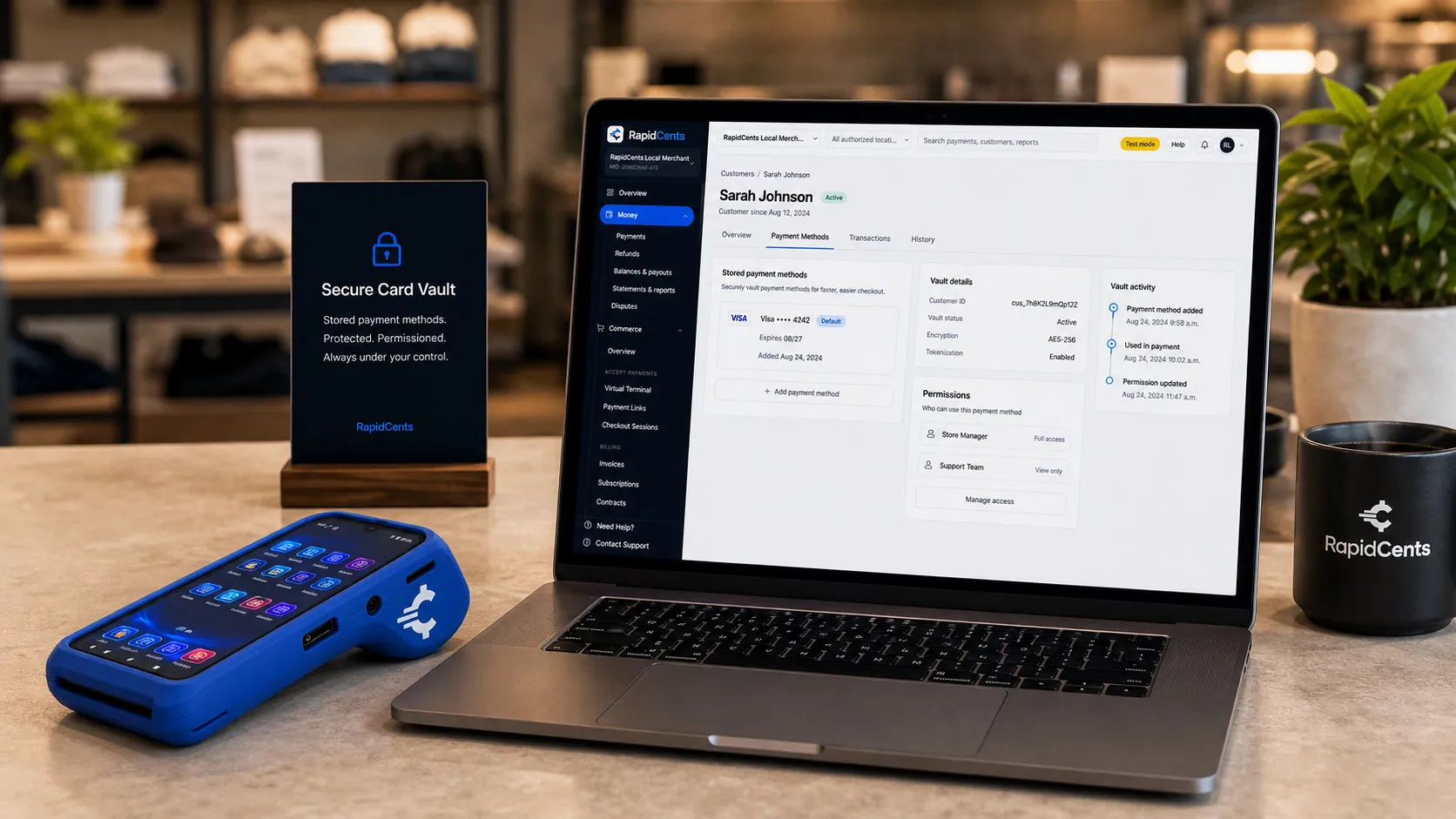
Card credentials sit in the RapidCents vault rather than in merchant software, with a terminal on the desk for new captures. Secure Card Vault
The vault stores tokenized payment methods against a customer record so staff can charge a returning…
Explore
The RapidCents recurring payments screen showing active subscriptions, monthly recurring revenue, failed payments and upcoming renewals, above a list of subscriptions with their plan, amount, frequency and next billing date. Recurring Payments
RapidCents recurring payments manage subscription plans, membership renewals and installment schedules with…
Explore


How do cleaning contractors pay for supplies across many client sites?
Cleaning contractors pay for supplies across many client sites from one account: crew leads pay for pickups at your counter, deliveries go to each building, and the office pays per invoice or by monthly statement. Payments stay traceable when every order carries a job-site reference, so the contractor can allocate supply costs to each building it cleans and you can show who bought what.
How multi-site buying runs
Give each client building its own ship-to or job reference on the contractor's account. Scheduled deliveries go straight to the sites, and the office pays each invoice through its payment link or pays a monthly statement from your ERP that lists purchases by site. With the reference on every invoice and payment, the contractor's bookkeeper can allocate or rebill supply costs by building.
Agree who may buy and who may pay
Before the first pickup, get a list from the contractor's owner naming the supervisors who may buy on the account and who signs off on payment. A crew lead can tap the company card, or staff can charge a card the owner stored with written authorization covering pickups. Virtual Terminal role permissions limit which of your staff can charge stored cards or refund.
Lost contracts and disputed pickups
When a contractor loses a building contract, unopened stock bought for that site may come back for credit under your return policy, so tie each return to its site reference. If the owner later questions a pickup, the counter receipt, your pickup log and the authorized-buyer list are your evidence, and Disputes and Chargeback Protection tracks the response deadline.
One contractor, four sites
Say a janitorial contractor cleans a bank branch, two medical offices and a warehouse under one account with four site references. Its night supervisor taps the company card at the counter for warehouse disinfectant and mop heads, and staff record the sale under that site. Deliveries to the other sites go on the monthly statement, which the owner pays by payment link. Every purchase ends up under its building.
What does card acceptance cost a janitorial and sanitation supplier?
Cleaning supply credit card processing costs depend on who pays you and how: purchasing cards from institutions, business cards from contractors and debit cards at the counter carry different interchange, and keyed or online payments differ from tapped ones. On RapidCents interchange-plus pricing, interchange set by the card networks passes through at cost, plus your RapidCents markup set out in your Fee Schedule and fees for equipment or services, if applicable, month to month with no fixed term.
Purchasing, business and debit cards
Purchasing and business cards from institutions and contractors, and rewards cards from owner-operators, generally carry higher interchange than debit cards tapped at your counter. Your mix can swing with the calendar: a summer of school floor-care orders paid by purchasing card reads differently from a month of small counter sales, so compare several months of statements.
Counter, phone and link payments
How the card reaches you matters too. Chip and contactless payments at your will-call counter generally carry lower interchange than card-not-present payments, such as a purchasing card keyed into the Virtual Terminal or an invoice paid by link. A supplier that mostly invoices remotely has a different cost profile from one with a busy counter.
Large orders, enhanced data and bank payments
Large tickets, such as a ride-on scrubber or a school system's chemical order for the year, are where card costs add up and where a bank payment may suit the buyer, if offered. Some commercial and purchasing cards can carry PO, tax and line-item detail as Level 2 or Level 3 data where your setup supports it; your RapidCents representative will show you how to measure the effect on your statements.
Refunds, chargebacks and what to bring
Refunds on returned cases and chargebacks on disputed pickups add cost and staff time. For Fee Check, bring two or three recent processing statements, your counter, phone and link split, your typical standing-order and equipment ticket, and your refund and chargeback counts. Fee Check reads the statement you upload and separates interchange from markup, a like-for-like base for an interchange-plus quote.
Will your distribution ERP or accounting software work with RapidCents?
Your ERP or accounting software stays in place, and RapidCents payment records reach it through one of four routes: a connector, an API integration, payment links sent outside the software or a settlement export imported on a schedule. RapidCents integrates with many major platforms through APPIE and RapidBridge. The right option depends on your software vendor and version; your RapidCents representative will walk you through it.
NetSuite and SAP Business One
Jan-san distributors on NetSuite or SAP Business One keep customers, sales orders and invoices there. RapidBridge works with Oracle NetSuite and SAP Business One Web Client in the browser, and settlement import templates bring standing-order charges, counter sales, fees and refunds into the ledger. Your RapidCents representative will walk you through the route for your edition and who holds any cards saved in an existing payment add-on.
Dynamics 365 Business Central
RapidBridge works with Dynamics 365 Business Central, so a card payment posts against the invoice and PO you already have open. If you prefer to stay outside the software, send a payment link carrying the Business Central invoice and PO numbers and enter the cash receipt in the ERP, or import a settlement export on a schedule.
Acumatica and Epicor Prophet 21
RapidBridge works with Acumatica. For Epicor Prophet 21, RapidCents integrates with many major platforms through APPIE and RapidBridge, and the right option depends on your vendor and version; your RapidCents representative will walk you through it. If counter staff ring up will-call sales in the ERP, a RapidCents terminal can take the card while the ERP records the sale.
QuickBooks Online and Xero
Smaller suppliers that keep their books in QuickBooks Online or Xero can connect RapidCents directly, which maps settled transactions, fees and refunds to either. Agree with your accountant how standing-order charges, counter sales and credit memos will be recorded before you go live; your RapidCents representative can set the mapping up with you.
Payment options for janitorial suppliers by country
RapidCents serves merchants in Canada and the United States, and the payment options a janitorial or sanitation supplier can offer depend on the country of its merchant account. Major cards work through invoice payment links, the Virtual Terminal and counter terminals, while debit options, the bank-payment method and the settlement currency follow the account's country. Your RapidCents representative will walk you through the options before you print them on invoices.
Cards at the counter, by phone and by link
Contractors, facility managers and institutions can pay supplier invoices by card through a payment link, a phone payment keyed into the Virtual Terminal or a terminal at your will-call counter. Card brands, debit options, purchasing card acceptance and transaction limits follow your merchant account's country.
Bank payments for standing orders
A bank payment suits standing orders and monthly statements because it is not tied to a card's credit line. The bank-payment method, the authorization the buyer signs and the notice you give before a variable debit all depend on where your merchant account is held.
Buyers in more than one country
If you supply contractors or institutions in more than one country, ask your RapidCents representative about International Payments and how settlement currency is handled before you send payment links to new accounts.
How to switch processors without interrupting standing orders
Once your account is approved, switching processors as a janitorial supplier goes best in four steps: list what the old processor holds, test the new account, keep the old account open while its refunds and disputes close, and reconcile settlements to your ledger. Cut over between delivery cycles so no standing order is charged twice or missed, and expect some buyers to authorize their card again.
List what the old processor holds
Record each contractor and facility with a stored card, the authorization they signed and the standing order it pays; unpaid invoices carrying old payment links; floor machine deposits; and fixed monthly schedules, such as dispenser service fees. Stored cards move only when both providers agree. Note each standing order's next delivery date, so you know the first cycle charged on RapidCents.
Test before the next delivery run
On the new account, run a test sale on a counter terminal, a refund, a stored-card charge for a standing order and a payment link carrying a PO and site reference. Check each reference in RapidCents reports and in your ERP import or accounting connection, then move one route at a time, such as new invoices first and standing orders at the next cycle.
Run the old account in parallel
Refunds for cases paid through the old processor normally go back through it, and disputes on those payments arrive there too. Keep it open until recent returns and the dispute period on recent payments have passed. Reissue unpaid invoices with RapidCents payment links and cancel the old links where you can, so no facility manager pays twice.
Reconcile daily and tell accounts payable
Match each settlement daily to the invoices and counter sales inside it using RapidCents transaction, settlement and fee reports, exported as CSV, PDF or in formats for accounting import. Tell buyers' accounts payable teams the business name on their card statements and where payment links will come from, so a new link is not mistaken for phishing.
Payment questions from janitorial and sanitation suppliers
What is the best payment processor for janitorial suppliers?
The best payment processor for a janitorial supplier is the one that fits how your contractors, facility managers and institutions actually pay, so judge sanitation distributor merchant services on specific criteria: invoice payment links that carry PO and site references, a virtual terminal for phoned purchasing cards, card storage only with authorization, and counter terminals. Then look at the route into your ERP and pricing that separates interchange from markup, and compare written quotes against the same statement.
How much does credit card processing cost for janitorial and sanitation suppliers?
A janitorial supplier's processing cost is the interchange on each payment plus the provider's markup, so it moves with who pays you, how and how much. With RapidCents, interchange passes through at cost, plus the markup in your Fee Schedule and any equipment or service fees, with no fixed term. Purchasing and business cards generally carry higher interchange than debit, and keyed or link payments more than tapped ones. Upload a statement to Fee Check to see interchange and markup separately.
Can NetSuite or another distribution ERP use a different payment processor?
Yes, in most cases. RapidBridge works with Oracle NetSuite, SAP Business One Web Client, Dynamics 365 Business Central and Acumatica, settlement import templates cover NetSuite and SAP, and RapidCents connects settled transactions, fees and refunds to QuickBooks Online and Xero. For Epicor Prophet 21 and other ERPs, RapidCents integrates with many major platforms through APPIE and RapidBridge; your RapidCents representative will walk you through the option for your version. A payment link carrying the ERP invoice number also works.
How can janitorial suppliers switch processors without losing payment history?
You keep payment history by exporting it first and keeping the old account open until its last refunds and disputes clear. Download transaction, refund and chargeback reports, list every contractor card on file with its signed authorization and standing-order schedule, and note open floor machine deposits. Invoices, POs and customer history stay in your ERP. Card tokens move only when both processors agree, so some buyers will need to authorize their card again.
Which payment options are available to janitorial suppliers in Canada and the United States?
Card payments by invoice link, phone and counter terminal work for janitorial and sanitation suppliers in Canada and the United States, along with a bank-payment option, but the exact mix depends on the country where the merchant account is held. The debit options at your counter, the bank-payment method for standing orders, the authorization a buyer signs and the settlement currency all differ by country. Your RapidCents representative will walk you through the mix for your account.
Can a facility manager pay a supply invoice remotely?
Yes. Email the invoice with a payment link, and the facility manager can pay by card from a phone or laptop, or by bank payment where your account offers one. Show the purchaser reference their accounts payable team needs, such as the PO number and building, on both the invoice and the link. The payer then gets an emailed receipt to save or forward. Paying by link does not change the net terms you agreed, and RapidCents does not extend credit to your buyers.
How are standing monthly supply orders billed?
Standing monthly orders are billed by a repeat invoice or an authorized automatic charge, and changing quantities usually decide which fits. A repeat invoice with a payment link lets the buyer check delivered counts before paying, which suits accounts payable teams that sign off on every bill. An automatic charge to a stored card suits buyers who want hands-off payment, but variable quantities need an authorization that allows a variable amount and an invoice sent before each charge.
Does the payment system track chemical safety documents?
No. RapidCents processes payments and keeps the payment record, such as the amount, card brand, invoice and PO references, refunds and settlement; it does not store, update or send safety data sheets (SDS), product labels or dilution instructions. Keep those in your product information system, ERP or document system and send them as you do today. A payment link carries payment references, not safety documents, so your SDS routine stays exactly as it is.
Can a school or hospital pay our invoices with a purchasing card?
Yes. Purchasing card payments can come through an invoice payment link or be keyed into the Virtual Terminal when the cardholder phones, within the limits on your account. Put the PO number on the invoice and in the payment reference. If an invoice exceeds the card's single-purchase limit, the institution can raise the limit or pay by bank where you offer it; never split the invoice into several charges. Level 2 or Level 3 data applies where your setup supports it.
Can a cleaning contractor's crew leads charge supplies to the company card?
Yes, if the contractor's owner authorizes it in writing. The authorization should name the supervisors who may pick up on the account, say what the stored card covers and explain how the owner withdraws it. Staff then charge the card from the Secure Card Vault and record the job site, or the crew lead taps a company card on your terminal. Update the list when supervisors change, since an unrecognized pickup can become a card dispute.
Related supplier and cleaning pages
Packaging suppliers and paper and disposable suppliers rely on the same standing orders, PO references and multi-site deliveries, and the B2B & Wholesale page covers distributor payments across categories. For a cleaning company's own client billing, see the Cleaning Services page.
B2B & Wholesale
Collect net-terms invoices by payment link with the PO number attached, take commercial…
Packaging Suppliers
Take the production deposit once a proof is approved, bill each split shipment against…
Paper & Disposable Suppliers
Collect case and pallet invoices from hospitality and facilities accounts with payment…
Dental Suppliers
From monthly consumables reorders to chair and imaging deposits, collect what clinics…
Veterinary Suppliers
Get invoices, standing orders and equipment deposits paid by the veterinary practices…
Medical & Surgical Suppliers
RapidCents helps medical and surgical suppliers collect hospital, clinic and practice…
Laboratory & Scientific Suppliers
Collect on lab purchase orders, instrument deposits and staged deliveries, with the PO…
Pharmaceutical Wholesalers
Collect pharmacy account invoices, balances and deposits with payment links, invoicing…
Take the next step
See what your contractor and facility payments cost
Upload a recent processing statement to Fee Check to see interchange separated from markup across your counter sales, standing-order charges and remote invoice payments. Then bring your purchasing card share, invoice method and ERP or accounting software to a review of how your accounts pay you.
- No obligation
- Payment specialists, not a call centre
- Secure statement upload



