


Payment processing for bookstores and gift shops
Payment processing for bookstores and gift shops covers the counter, website, event table and special-order desk. RapidCents offers Retail POS, Tap to Pay, Hosted Checkout and Reporting, so a paperback and a candle ring on one ticket, preorder deposits go by payment link, and event sales stay separate from shop-floor sales.

- PCI DSS Level 1
- SOC 2 Type II
- All major cards: Visa, Mastercard, Amex, Discover, UnionPay, Diners Club & PIN Debit
- Interchange-plus available
- Specialist onboarding support
How bookstores and gift shops get paid
Bookstores and gift shops get paid at the counter, through special orders and preorders, at events, and by phone or website. Each job has a different trigger and a different record, so you set up the counter, deposits, tickets and remote orders separately and then reconcile them together.
Counter and floor sales
A shopper brings a novel, a card and a candle to the till. Staff ring all three on one Retail POS ticket, and the customer taps, inserts or swipes a card. Split tenders and returns are handled there, and the receipt lists every line for your bookkeeper.
Special orders and preorders
A regular asks you to order an out-of-print title or reserve a signed preorder. You take a deposit at the counter or send a payment link, then collect the balance when the book arrives. If the publisher cancels, you refund the deposit to the same card.
Events and ticketed readings
A reading, workshop or book club needs a ticket. Guests pay through a hosted checkout page before the night, and a signing table takes contactless cards on Tap to Pay. Reporting keeps event money apart from shop-floor sales.
Online and phone orders
A customer orders a gift basket by phone or buys a title on your website. Staff key the card into the Virtual Terminal, or the shopper pays on Hosted Checkout. Address checks, shipping and refunds follow the same record as in-store sales.
How do bookstores and gift shops collect payments in the shop?
Bookstores and gift shops collect payments in the shop on a Retail POS terminal at the till, and on a phone for gift shop mobile checkout away from it. Customers tap, insert or swipe, staff ring mixed baskets on one ticket, and every sale lands in the same settlement report.
How a basket runs
The customer reaches the till with books, cards and gifts. Staff scan or search each item, apply any discount you offer, and the buyer pays by tap, chip or swipe. A receipt prints or goes by text, and the sale posts to the day's batch.
What to set up first
Name your terminals by till and by floor so reports show who sold what. For gift shop mobile checkout, set up Tap to Pay on a supported phone for the seasonal table, the gift-wrap counter or a pop-up stall. Decide who may refund and who needs a manager.
Two hardcovers and a candle, split across two cards
A shop rings two hardcovers and a scented candle, and the first card declines. The buyer splits the total across two cards, and the sale still posts as one ticket. A returned gift is refunded to the original card.
How does bookstore POS payment integration work?
Bookstore POS payment integration means the card terminal and the inventory system agree on what was sold and what was paid. With RapidCents Retail POS, the sale amount and the payment come from one ticket. If you run other inventory software, RapidCents integrates with many major platforms through APPIE and RapidBridge, and the right option depends on your vendor and version.
Staff action and payment status
The cashier rings the ticket, the terminal receives the amount, and the customer pays. The POS shows approved, declined or voided, and stock leaves the shelf count only when the sale completes. Staff never re-key the amount on the terminal.
What your software may restrict
Some inventory systems require their own gateway or restrict which terminals they accept, so a standalone terminal may mean amounts keyed by hand. Ask your software vendor in writing which processors it supports before you buy hardware, and bring the answer to your RapidCents representative.
Twelve copies on one school order
A shop sells twelve copies of a title on a school order. The clerk rings the quantity once and takes one card payment, so the report shows one sale of twelve copies, not twelve separate taps. If two copies come back, only that portion is refunded.
RapidCents products for bookstores and gift shops
Retail POS rings books and gifts on one ticket, Tap to Pay covers tables and pop-ups, Hosted Checkout takes deposits and tickets online, and Reporting separates event sales from shop-floor sales and exports for your bookkeeper.
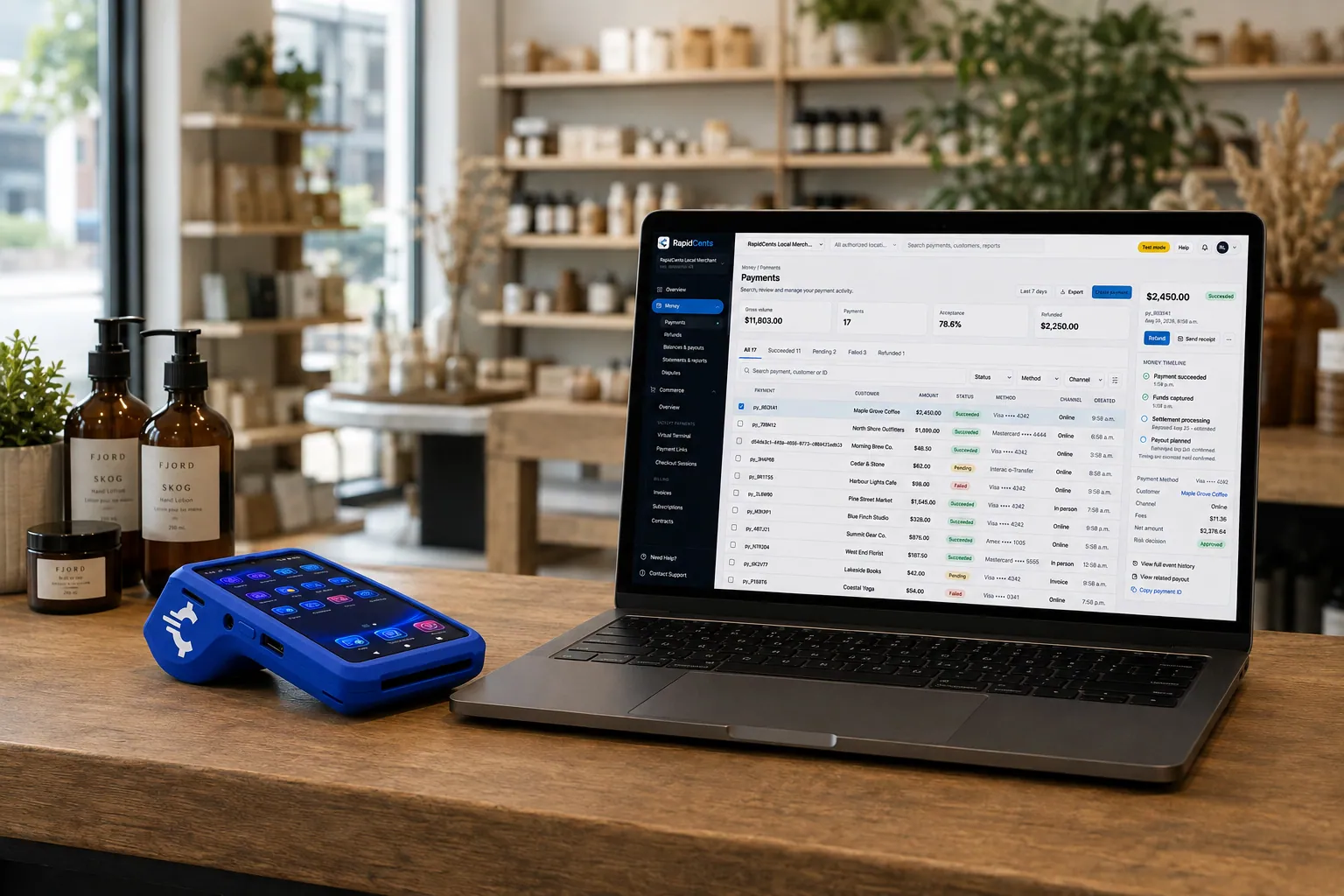
A retail counter ringing a basket on RapidCents POS, terminal taking the card and the dashboard showing the sale. Retail POS
Fast checkout, inventory that reflects what is on the shelf, and reporting that connects in-store and online…
Explore
A café worker holds a phone running RapidCents Tap to Pay, showing an $18.75 sale and the contactless symbol, while a customer holds a Visa card to the screen. No separate card reader is present. Tap to Pay
RapidCents Tap to Pay turns supported iPhones and Android devices into contactless payment terminals without…
Explore
A RapidCents hosted checkout page at checkout.rapidcents.com, with the order summary and totals on the left and the card fields on the right, footed by SSL and PCI DSS assurances. Hosted Checkout
RapidCents hosted checkout delivers PCI-scoped payment pages you redirect customers to or embed via iframe…
Explore
A merchant reviews RapidCents reports for volume, mix and payouts, with the terminal that took the sales on the desk. Reporting
RapidCents reporting delivers customizable transaction, settlement and fee reports with CSV and PDF export…
Explore


How do you take book preorder deposits and event tickets?
Take book preorder deposit payments by sending a payment link or Hosted Checkout page, or by keying a deposit at the counter, then collect the balance when the title ships. Bookshop event ticket payments use the same tools with an event reference. Both are one-time collections, not financing.
How a deposit runs
Create a payment link for the amount, send it by text, email or QR code, and record the title and customer name as the reference. The customer pays, the deposit posts, and you collect the balance when the book arrives.
Agree terms before you charge
Say whether the deposit is refundable if the publisher cancels or delays, or if the customer changes their mind. To keep a card for the balance, the customer must authorize it, and you agree the amount and timing with them.
A reading night with a signed preorder
A shop sells tickets to an author reading through Hosted Checkout with an event reference, and offers a signed preorder deposit for the new book. At the signing table, Tap to Pay takes walk-up sales, and the event report totals both.
How should bookstores and gift shops compare fees using their real payment mix?
Compare fees using your real payment mix, because a shop with mostly tapped cards costs differently from one with many keyed phone orders and web sales. RapidCents prices on interchange-plus: interchange at cost, your RapidCents markup in your Fee Schedule, and fees for equipment or services if applicable. It is month to month, with no fixed term.
Card type and entry method
Debit, credit, premium and commercial cards carry different interchange, and a tapped or inserted card differs from one keyed by phone or typed on a website. A shop with many keyed orders should not be compared on counter sales alone.
What to bring to a comparison
Bring recent processing statements, your average ticket, your split between counter, event and online sales, and your refund and chargeback volume. Include the holiday months, because the mix changes then.
Use Fee Check
Upload a processing statement to Fee Check, which shows interchange separately from markup. Then ask every provider for a written quote that lists equipment, gateway and service fees, and compare the same payment mix across all quotes.
Which software works with bookstore and gift shop payments?
Bookstore systems, retail platforms and accounting tools each own part of the payment record, and RapidCents integrates with many major platforms through APPIE and RapidBridge. RapidBridge works with Shopify for web checkout and with QuickBooks Online and Xero for accounting. Your RapidCents representative walks you through the option that fits your vendor and version.
Bookmanager and Basil
If you run Bookmanager or Basil for inventory, special orders and preorders, tell your RapidCents representative which one and which version you use. They show you how payments, receipts and settlement connect, and which gateway and terminal setup fits your version.
Lightspeed Retail and Shopify POS
Many shops run the counter on Lightspeed Retail or Shopify POS and sell online too. RapidBridge works with Shopify for web checkout, and APPIE lets point-of-sale software drive RapidCents terminals. Your RapidCents representative explains which option fits your edition.
Square for Retail and accounting
If you use Square for Retail for gift shop mobile checkout, your representative maps out how it fits with RapidCents terminals. RapidCents connects settled transactions, fees and refunds to QuickBooks Online and Xero, and SAP and NetSuite import settlement files.
Payment options for bookstores and gift shops by country
RapidCents serves merchants in Canada and the United States. The card networks, bank-payment options and settlement currency available to a bookstore or gift shop depend on the country of the merchant account, and your RapidCents representative walks you through them before you plan your workflow.
Cards at the till, on a phone and online
Card payments at the counter, through Tap to Pay and on Hosted Checkout are the common starting point. Which debit networks and bank payments are enabled differs by country, and your RapidCents representative lists them for your account.
Settlement currency and receipts
Settlement currency and receipt requirements follow the country of the merchant account. Ask your accountant which details must appear on receipts for your shop, and your RapidCents representative will walk you through settlement currency.
How do you switch payment providers and reconcile your deposits?
Once your account is approved, switch by listing what you have, testing the new flow and running both providers in parallel before you move live traffic. Stored cards, preorder deposits and open special orders need an inventory first, and card portability depends on both providers agreeing. Your RapidCents representative guides each step.
Take inventory first
List open special orders, preorder deposits, stored cards and any recurring arrangements, such as a monthly book club. Note which cards have customer authorization on file, and ask both providers whether tokens can move, since that needs their agreement.
Test before busy days
Run a sale, a refund and a deposit on the new terminals before you rely on them. Run the old and new setups in parallel for a short period where you need to, and avoid switching in the weeks before the holidays.
Reconcile the deposits
Match each bank deposit to the settlement report by date and batch, and separate gross sales, refunds, disputes and fees. Tag event and shop-floor sales by reference so your bookkeeper can post them to QuickBooks Online, Xero or another ledger.
Payment questions from bookstores and gift shops
What should bookstores and gift shops compare before choosing a payment processor?
Compare the whole workflow, not one headline number. Ask each provider to show a counter sale, a refund, a preorder deposit and an event ticket, then list software restrictions, equipment and gateway fees, settlement reporting and support. Request a written quote built on your own payment mix, and start from your workflow and your statements.
How much does payment processing cost for bookstores and gift shops?
The cost depends on your card mix, how cards are taken and any fees for equipment or services. RapidCents prices on interchange-plus: interchange passes through at cost, your RapidCents markup appears in your Fee Schedule, and equipment or service fees apply if applicable. It is month to month, with no fixed term. Upload a statement to Fee Check to see interchange separate from markup.
Can I use Bookmanager with a different payment processor?
RapidCents integrates with many major platforms through APPIE and RapidBridge, so most shops keep the software they run today. The exact option depends on your Bookmanager version. A connected terminal, a standalone terminal with amounts keyed by hand and an accounting export are different things, so tell your RapidCents representative how you work and they will show you how it fits.
How can my business handle bookstore POS payment integration?
Bookstore POS payment integration means the sale amount, payment status, receipt and settlement record agree with each other. With RapidCents Retail POS, the cashier rings one ticket and the customer pays on the terminal. With other software, your RapidCents representative shows you whether it links through APPIE or RapidBridge, and you test a sale, a refund and a void before going live.
Which payment options are available to bookstores and gift shops by country?
Card payments are available to bookstores and gift shops in both countries RapidCents serves, Canada and the United States. Debit networks, bank-payment options and settlement currency depend on the country of your merchant account, and your RapidCents representative lists exactly what is enabled on yours before you choose terminals or plan event sales.
What setup is needed for book preorder deposit payments?
Set up a payment link or Hosted Checkout page for the deposit, decide whether it is refundable, and record the title and customer as the reference. The customer authorizes each charge, and keeping a card for the balance needs their agreement on amount and timing. Your RapidCents representative sets these functions up on your merchant account.
How should we manage bookstore ecommerce checkout?
Send shoppers to Hosted Checkout, give refund permission only to trusted staff, and tie every payment to an order reference. When a payment fails, staff contact the customer for another card rather than retrying repeatedly. RapidBridge works with Shopify, and your RapidCents representative explains the option for your web platform and edition.
Can one platform handle bookshop event ticket payments and gift shop mobile checkout?
Often yes, if both share one customer record and one settlement report. Event tickets can run through Hosted Checkout or payment links, and gift shop mobile checkout through Tap to Pay, with Reporting separating the two. Where your ticketing or web software keeps its own records, expect a separate import or export, and your RapidCents representative walks you through it.
How do we reconcile card payments and bank deposits for bookstores and gift shops?
Match each bank deposit to the settlement report, then separate gross sales, refunds, disputes and processing fees. Use the transaction reference and the event or location tag to tie each line to a business record. Reporting exports CSV and PDF files, and RapidCents connects settled transactions, fees and refunds to QuickBooks Online and Xero.
How do we switch payment providers without losing saved cards or disrupting bookstore POS payment integration?
List your contracts, open special orders, preorder deposits and stored cards, then ask both providers whether tokens can move, because portability needs their agreement and is never assured. Test a sale, a refund and a deposit first, and run both setups in parallel before moving live traffic. Avoid switching just before the holidays.
What MCC is used for bookstores and gift shops?
MCC 5942 is commonly associated with book stores, and a gift shop may be classed differently depending on what it mainly sells. RapidCents sets the correct merchant category during onboarding, based on what your business actually sells, so describe your mix of books, gifts and event tickets accurately when you apply.
Related industries
Retail, sporting goods, furniture and print shops share counter, deposit and event workflows with bookstores. Explore a neighboring industry when your payment mix looks more like theirs.
Retail
Take tap, chip and PIN payments at every register, sell on your website, refund returns…
Convenience Stores
RapidCents gives convenience stores countertop terminals for debit and credit taps, Tap…
Grocery
Credit, debit and contactless acceptance for supermarkets and independent grocers…
Liquor Stores
RapidCents gives liquor and wine retailers card terminals for the till, payment links for…
Jewellery Stores
Take high-ticket cards at the counter, collect repair and custom-order deposits, and…
Furniture Stores
Take order deposits at the desk, collect delivery balances by link or at the door, and…
Sporting Goods
Take cards at the till, the service desk and online, hold rental deposits, and reconcile…
Garden Centres & Nurseries
Take cards at the till, beside the shrubs and at the loading gate, and collect landscape…
Take the next step
Check your bookstore's processing costs
Upload a recent processing statement to Fee Check and see interchange separated from your markup, with your counter, event and online sales in mind.
- No obligation
- Payment specialists, not a call centre
- Secure statement upload



