


Snow removal payment processing for plow and salt contractors
Snow removal payment processing from RapidCents lets plowing, salting and sidewalk-clearing companies take cards in person, by phone, online and by payment link, and bill seasonal contracts in installments. It covers per-push and extra-event charges, and invoices to property managers who pay for several sites, all in one account with a clear record for every site.

- PCI DSS Level 1
- SOC 2 Type II
- All major cards: Visa, Mastercard, Amex, Discover, UnionPay, Diners Club & PIN Debit
- Interchange-plus available
- Specialist onboarding support
How do snow removal companies get paid?
Snow removal recurring billing and invoicing come down to four jobs: seasonal contract installments, per-push charges, extra-event overage, and site-by-site invoices to property managers. Each job has its own trigger, collection method and exception, and each leaves a record your finance lead can match to a site.
Seasonal contract installments
Homeowners and property managers pay a season price in scheduled installments. The signed contract triggers each charge, collected from an authorized stored card through Recurring Payments. A decline goes to a Payment Link. Finance gets a schedule showing the status of every installment.
Per-push and storm callouts
Clients without a seasonal contract pay per visit. The completed push triggers an Invoice with a Payment Link sent by text or email. If a client disputes a visit, your crew logs settle it, so keep them. Finance gets one paid record for each push.
Overage and extra events
When a storm passes the contract cap, or a client asks for extra salting or hauling, the extra work is billed apart from the season price. The contract threshold is the trigger. Collect by Payment Link or an approved stored card, and finance sees the extra event on its own line.
Commercial property invoices
Property managers, retailers and associations pay by site. Each invoice carries a site code and purchase order number, and the payer may use a business or purchasing card. Partial payments leave other sites open. Finance gets payments matched to each reference.
How do snow removal companies bill seasonal contracts in installments?
A seasonal snow removal contract is billed on a collection schedule agreed in writing. The client authorizes a card, you set the number and timing of installments, and Recurring Payments charges the stored card on each date. Seasonal contract installments spread collection of the contract price over the season. It is not financing.
How the schedule runs
The payer is a homeowner, landlord or property manager. The signed contract sets the season price and the installment dates. Recurring Payments charges the stored card on each date, and Customer Profiles keeps the contract, card and receipts together so the office can answer a billing call quickly.
What to set up first
Before the first charge, send a Contracts & eSignatures document that records the amount, the dates, what the season covers and how to cancel. The client authorizes the stored card in that document. Without agreement on amount, timing and cancellation, do not save the card.
Declines, and a $4,800 lot-clearing contract
If a card declines, automated retries run first, then the office sends a Payment Link for the missed installment. Say a contractor holds a $4,800 lot-clearing contract and sets five monthly installments from November. Account Updater picks up a reissued card where the networks supply the update.
How are per-push and extra-event charges billed?
Per-push billing follows each visit, and extra events are billed when the contract threshold is crossed. Write the trigger depth, the price per visit and the approval rule into the contract. Then send an Invoice with a Payment Link for each push, or charge the stored card only as the client agreed.
Per-push visits
A per-push client pays for each plow or salt visit. The crew closes the job in your dispatch software with a time and a site name. The office then issues an Invoice with a Payment Link, or charges the stored card if the client authorized charges per visit. Finance sees one record per push.
Overage and extra events
Seasonal contracts often cap the number of pushes or set a snowfall trigger. When a storm exceeds the cap, the extra push is a separate charge. If your contract requires fresh approval, send a Payment Link for approval. The stored card does not cover it unless the client agreed in advance.
Disputed visits, and a thirteenth push at a church lot
Clients sometimes dispute a push they did not see. Keep crew logs, photos and arrival times, and use them as evidence through Disputes. Say a church lot reaches its twelve-push cap in January: the contractor invoices the thirteenth push with the crew log attached and a Payment Link.
RapidCents products for snow removal companies
Recurring Payments handles snow removal recurring billing and seasonal contract installments, Invoicing and Payment Links cover snow removal invoicing, per-push billing and storm charges, and Customer Profiles keeps stored cards and contracts with each client.

The RapidCents recurring payments screen showing active subscriptions, monthly recurring revenue, failed payments and upcoming renewals, above a list of subscriptions with their plan, amount, frequency and next billing date. Recurring Payments
RapidCents recurring payments manage subscription plans, membership renewals and installment schedules with…
Explore
The RapidCents invoices screen: outstanding, overdue, paid and draft totals across the top, the invoice list below them, and a preview of one invoice on the right with its line items and a View & Record Payment button. Invoicing
RapidCents invoicing helps professional services, contractors and B2B suppliers create branded invoices…
Explore
The RapidCents payment links screen listing created links with their amount, status, click count and whether they have been paid, beside a phone showing the branded page a customer opens to pay $2,500.00. Payment Links
RapidCents payment links let staff generate branded pay-by-link URLs for invoices, deposits, balances and…
Explore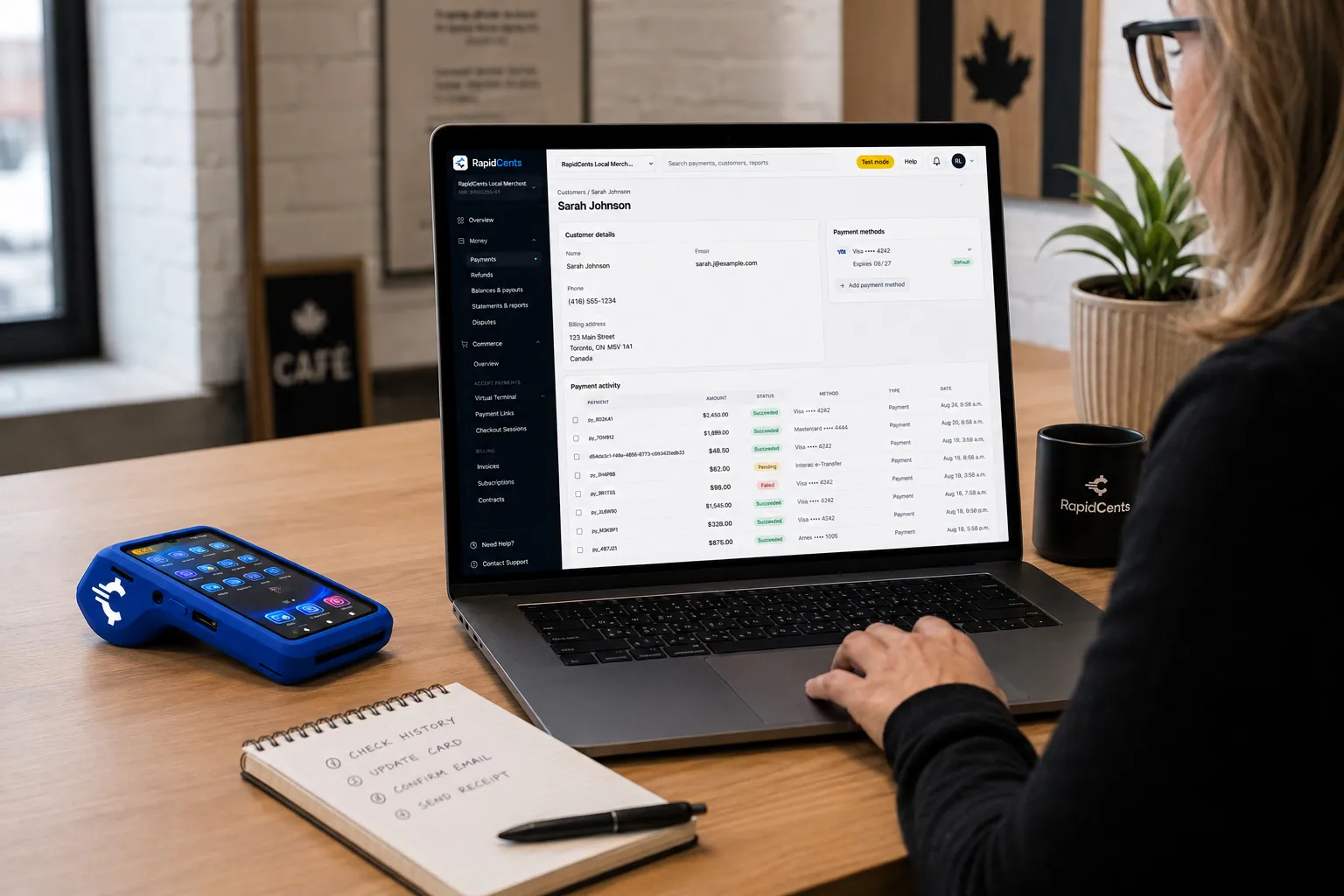
A RapidCents customer profile holds saved cards and invoices, so a return visit can be charged without re-keying the card. Customer Profiles
A customer profile ties together transactions, stored payment methods, subscriptions and disputes so staff…
Explore


How can one payer cover several snow removal sites?
One payer covers several properties when each site has its own reference on the invoice and the payment. A property manager or retail owner receives one invoice per site, or one invoice with a line per site. RapidCents reporting then shows what was collected under each reference, so your office sees every site clearly.
References for every site
Put a site code, contract number and the payer's purchase order number on each Invoice and in the Payment Link reference field. A property manager paying for twelve lots can then match each payment to a lot, and your office can match each payment to a crew route.
Who may pay and approve
The person who pays may not own the property. Record who is authorized to pay for which sites and who may approve extra pushes. A stored card still needs the cardholder's own authorization, even when a head office pays for several branches.
Partial payments, and a management company with eight lots
If a payer settles only some sites, apply the payment to the sites it names and leave the rest open. Say a management company pays six of eight lot invoices by card: the contractor sends a Payment Link for the other two. Credits for skipped visits follow your policy.
How do you compare snow removal processing fees?
Your cost depends on your card mix, your ticket sizes and how each card is taken. RapidCents prices on interchange-plus: interchange passes through at cost, your RapidCents markup is stated in your Fee Schedule, and fees for equipment or services apply if relevant. It is month to month, with no fixed term.
What drives the cost
Interchange is set by the card networks and varies with debit, credit, premium and commercial cards, and with whether the card is tapped or inserted, keyed or paid online. Stored-card installments and storm invoices paid by link fall in the keyed or online group.
Bring your real mix
Gather recent processing statements, your split between stored-card installments, link payments and payments taken on site, your average contract and per-push ticket, and your refund and dispute volume. Include your busiest storm month, because it shows your mix at peak.
Run Fee Check
Upload a statement to Fee Check to see interchange separated from markup. Then compare written quotes line by line, including equipment and service fees, and ask each provider what applies to recurring and keyed payments. RapidCents does not require a fixed term.
Does RapidCents work with Jobber, LMN and other snow software?
RapidCents integrates with many major platforms through APPIE and RapidBridge, so most snow contractors keep the dispatch and contractor software they run today. The right option depends on your software vendor and version, and your RapidCents representative will walk you through it. For accounting, we connect settled transactions, fees and refunds to QuickBooks Online and Xero.
Jobber
RapidBridge works with Jobber, so a card payment posts against the quote or invoice you already have open for the client. Jobber handles quotes, scheduling, invoices and client payments for service crews, and your RapidCents representative will show you how it fits your plan.
LMN
LMN is estimating and operations software used by landscape and snow contractors. Tell your RapidCents representative which LMN version you run, and they will walk you through how payments, receipts and per-push charges connect to it.
Aspire, Service Autopilot and SingleOps
These platforms run routes, work orders and recurring billing for larger contractors. Tell your RapidCents representative which one you use, and they will show you how storm invoices and per-push charges post.
Payment options for snow removal companies by country
RapidCents serves merchants in Canada and the United States. The payment methods, bank-payment options and settlement currency a snow removal company uses follow the country of the merchant account, and your RapidCents representative sets them up with you before you promise a method to a client.
Cards and payment links
Card payments on a terminal, by phone or online, and payment links for invoices, are the usual starting point. Your representative sets up the card brands and entry methods that fit your merchant account.
Bank payments and currency
Bank-payment options for seasonal installments differ by country and need a signed authorization from the account holder. Settlement currency follows the country of your merchant account. Your RapidCents representative will walk you through both for your setup.
How do you switch snow removal processors before the season starts?
Switch between seasons if you can. Once your account is approved, list stored cards, installment schedules and open invoices, test a sale, a refund and a scheduled charge on the new setup, then run both providers in parallel until the first cycle reconciles. Stored cards do not move automatically, because both providers must agree to any transfer.
Inventory before you move
List every contract with its installment dates, remaining balance, site references and open storm invoices. Note which clients authorized a stored card and which pay by link or bank draft. Decide which open items finish on the old provider.
Test before the first storm
Run a test sale at a lot, a refund for a skipped push and a scheduled installment on a test client. Check that the receipt shows the site reference and that settlement reports reach your accountant. A storm day is a poor time to find a gap.
Run in parallel and reconcile
Keep the old provider for schedules still running until their last installment, and start new contracts on RapidCents. Reconcile each settlement to the ledger by site reference, and record the date each client re-authorized a card if you have to ask again.
Payment questions from snow removal companies
What is the best payment processor for a snow removal company?
The best processor is the one that fits how you collect: installments on seasonal contracts, per-push invoices and storm callouts. Compare stored-card scheduling, invoice and link tools, reporting by site, software fit, dispute support, how fees are itemized and the contract term. Ask for written quotes and compare them with your own statements. RapidCents offers all of these tools.
How much does credit card processing cost for a snow removal company?
The cost depends on your card mix and how cards are taken, and RapidCents does not publish a single number. Pricing is interchange-plus: interchange passes through at cost, your RapidCents markup is stated in your Fee Schedule, and fees for equipment or services apply if relevant. It is month to month. Upload a statement to Fee Check to see interchange apart from markup.
Can Jobber or LMN use a different payment processor?
Yes, most snow contractors keep the software they run today. RapidBridge works with Jobber, so card payments post against the quote or invoice you already have open. For LMN and other contractor platforms, RapidCents integrates with many major platforms through APPIE and RapidBridge. The right option depends on your vendor and version; your RapidCents representative will walk you through it.
How can a snow removal company switch processors without losing payment history?
Keep your records and move in steps. Export contract, installment, refund and invoice history, list the authorized stored cards, and plan to keep the old provider for schedules still running. Stored card tokens may not transfer, and both providers must agree to any transfer. Test a sale, a refund and a scheduled charge before the first storm, then reconcile each settlement.
Which payment options are available to a snow removal company by country?
Cards, payment links and invoices are the usual starting point for a snow removal company, and the full list follows the country of your merchant account. Bank-payment options and settlement currency differ between Canada and the United States. Your RapidCents representative will walk you through them, and any bank debit authorization should be signed first.
Can seasonal snow removal contracts be paid in installments?
Yes, if the contract sets the schedule and the client authorizes a stored card. RapidCents Recurring Payments can charge on agreed dates. It is a collection schedule for the price you already agreed, not financing. Write the amount, dates, cancellation terms and treatment of a light snow season into the contract. Your RapidCents representative will help you set the schedule.
How are extra snow events charged?
Extra events are charged the way your contract says. If the agreement sets a snowfall or push threshold and the client authorized charges beyond it, you can bill the stored card. If not, ask for approval and send an Invoice with a Payment Link. Keep crew logs and times, since extra events are the charge clients most often question.
Can one payer cover several properties?
Yes. A property manager or owner can pay for many sites if each site has its own reference. Use one invoice per site, or one invoice with a line per site, plus a site code and purchase order number. RapidCents reporting shows transactions by reference, and your representative will set up the grouping and export you need.
Do snow removal clients need to authorize a stored card?
Yes. A stored card needs the client's authorization before you charge it. Record the amount or the pricing rule, the timing, which services the card covers and how the client cancels. Recurring charges need agreement on amount, timing and cancellation. A card saved for installments does not cover extra work unless the authorization says so.
What happens when a client disputes a snow removal charge?
You can respond with evidence before the deadline set by the card network. Gather the contract, crew log, arrival times, photos and messages, then submit them through Disputes. Chargeback Protection tools provide alerts and deadlines. A clear contract and a site log are your strongest defense, and a refund for a missed push is often faster than a dispute.
Related industries
Landscaping is the parent industry for snow contractor merchant services. Landscapers, property maintenance crews and other seasonal contractors share installment billing, stored cards and multi-site invoices, so their pages are useful next reads.
Landscaping
RapidCents handles spring deposits by payment link, monthly maintenance on autopay…
HVAC Contractors
RapidCents lets you take the equipment deposit at the kitchen table, collect the balance…
Plumbing Contractors
Take the card at the job with Tap to Pay or a mobile terminal, send deposit links before…
Electricians
Take a materials deposit before the order goes in, get change orders approved and paid…
Construction Contractors
RapidCents helps construction contractors bill draws, collect released retainage and…
Home Services
Card payments for the work your crews finish in customers' homes: tap at the door…
Cleaning Services
RapidCents helps cleaning businesses collect recurring cleans from a card on file, deep…
Roofing Contractors
Take the deposit that orders the shingles, bill the balance at tear-off and completion…
Take the next step
Review your snow removal payment setup
Upload a recent processing statement to Fee Check and see interchange separated from markup, with your seasonal installments, storm invoices and stored cards in mind.
- No obligation
- Payment specialists, not a call centre
- Secure statement upload



