


Utility payments: online bill pay, autopay enrolment and overdue balances
A utility bills the same household every month, so the work is enrolment in autopay and recovery of the accounts that fall behind. RapidCents runs the autopay side with recurring payments, puts a hosted checkout inside the customer portal for a one-off bill, and sends payment links for an overdue balance before disconnection procedures start. Reporting reconciles the day's collections against the billing system. Utilities such as electric, gas and water use MCC 4900.

- PCI DSS Level 1
- SOC 2 Type II
- All major card brands: Visa · Mastercard · Amex · Discover · PIN debit
- Interchange-plus available
- Specialist onboarding support
Operational workflows
Ratepayer enrols in autopay from the portal
Monthly bill drawn by card or ACH debit
One-off bill paid on hosted checkout
Arrears link sent before disconnection steps begin
Payment challenges
Autopay enrolment that never happens
Most ratepayers pay by hand every month, and each manual payment is one more chance to be late.
Failed drafts on a bill nobody can pause
A household cannot stop using water or power because a card expired, so the balance keeps growing while the payment fails.
Reconciling collections to the billing system
The day's card and debit collections have to line up with account balances in the billing system, not just with the deposit total.
Choose the right payment setup for Utilities
Choose utility payment processing
For Utilities, map sign-up, scheduled billing, and renewal and online checkout and remote payment before choosing a setup. Select channels that match those moments, then confirm that the chosen solution genuinely covers each channel.
Payment hardware for Utilities
For Utilities, physical hardware may be secondary to the checkout flow. Prioritize gateway or payment-page requirements first, then add a terminal only when an in-person payment point is genuinely needed.
Compare payment processing fees
For Utilities, request a written fee breakdown covering scheduled billing, declined cards, and cancellations and online checkout and dispute handling. Compare the effective cost across the real card and channel mix; do not choose on a headline rate alone.
Set up or switch Utilities payments
To set up Utilities payments, document the checkout, confirmation, and refund path, confirm compatibility before purchase, then test a real payment flow before going live.
Recommended products

The RapidCents recurring payments screen showing active subscriptions, monthly recurring revenue, failed payments and upcoming renewals, above a list of subscriptions with their plan, amount, frequency and next billing date. Recurring Payments
RapidCents recurring payments manage subscription plans, membership renewals and installment schedules with…
Explore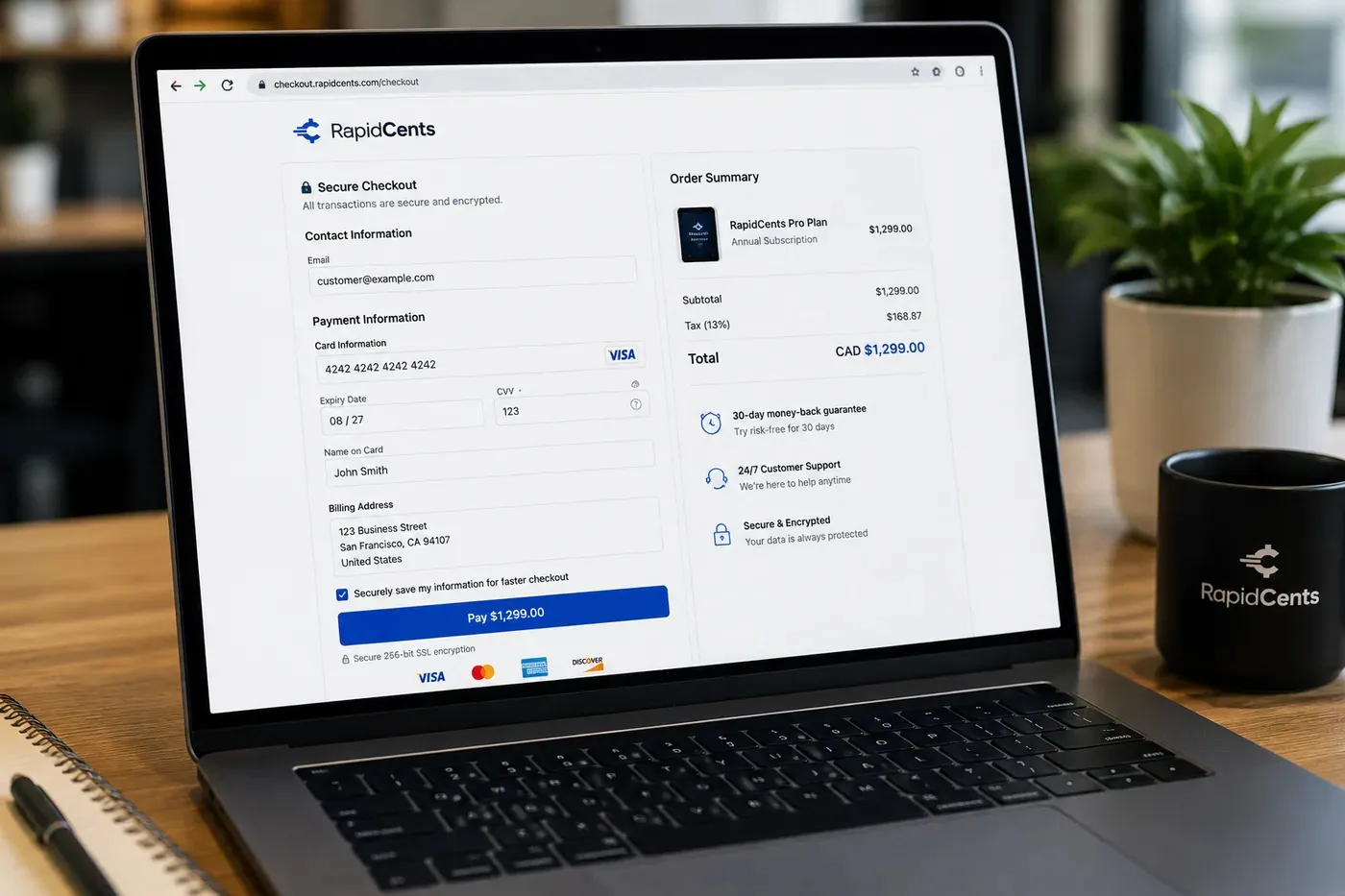
A RapidCents hosted checkout page at checkout.rapidcents.com, with the order summary and totals on the left and the card fields on the right, footed by SSL and PCI DSS assurances. Hosted Checkout
RapidCents hosted checkout delivers PCI-scoped payment pages you redirect customers to or embed via iframe…
Explore
The RapidCents payment links screen listing created links with their amount, status, click count and whether they have been paid, beside a phone showing the branded page a customer opens to pay $2,500.00. Payment Links
RapidCents payment links let staff generate branded pay-by-link URLs for invoices, deposits, balances and…
Explore
A merchant reviews RapidCents reports for volume, mix and payouts, with the terminal that took the sales on the desk. Reporting
RapidCents reporting delivers customizable transaction, settlement and fee reports with CSV and PDF export…
Explore


How this gets set up
Enrolment in autopay
The work is not the first payment; it is getting the ratepayer to sign up once so that twelve bills a year take care of themselves.
The one-off bill in the portal
Hosted checkout inside the customer portal lets an account holder pay a single bill without creating a login they will have forgotten by next month.
ACH debit for the household that will not use a card
Drawing from a bank account rather than a card avoids the expiry and limit problems that break a monthly bill on a credit line.
The overdue notice with a link on it
A payment link in the arrears notice gives the customer a way to clear the balance the same evening, before the account moves further into the collection steps.
Integrations
CIS exports
CIS exports move the day's collections into the customer information system as a posting file, a batch hand-off rather than a live feed.
Tyler Technologies
Tyler Technologies runs the utility billing and the account of record, so a portal payment or an autopay draw has to post to that same account number.
Operations, security and going live
Collections reconciled against the billing system daily
Every payment has to land on the right account number, and a mismatch found a month later becomes a credit balance nobody can explain to the customer.
An autopay follow-up is a service problem, not just a billing one
A draw that still needs a person starts a sequence with real consequences for a household, so the retry and notification record has to be complete and readable.
Bank details held once, in one place
Keeping ACH debit information in the payment system rather than in a customer service queue is what keeps it out of email and off paper forms.
Autopay migrated cycle by cycle
Existing enrolments move as each billing cycle comes due, so no household is drawn twice and none is skipped.
Payment questions from Utilities
What should businesses compare when choosing utility payment processing for Utilities?
Compare utility payment processing against the real payment journey: sign-up, scheduled billing, and renewal and online checkout and remote payment. Start with the required channels and hardware, then confirm compatibility and support before committing.
What payment hardware is practical for Utilities?
If Utilities sells primarily online, do not choose physical hardware before validating checkout. Add hardware only for a clearly defined in-person payment need.
Which payment channels are relevant for Utilities?
For Utilities, start with sign-up, scheduled billing, and renewal and online checkout and remote payment. Keep only the channels that match those moments, then verify the complete customer flow before offering them.
How should payment processing fees be evaluated for Utilities?
For Utilities, compare costs related to scheduled billing, declined cards, and cancellations and online checkout and dispute handling using actual transactions. Request a written breakdown of fees and terms rather than relying on an advertised rate alone.
What should be confirmed before setting up payments for Utilities?
For Utilities, document the checkout, confirmation, and refund path, verify the needed compatibility, and test the flow before going live. This exposes manual steps and exceptions before customers encounter them.
What should be confirmed before using recurring payments for Utilities?
Define consent, billing cadence, change and cancellation rules, and how a declined card is handled. Ask to see the complete customer journey before offering it to customers.
What MCC category applies to Utilities?
MCC 4900 is commonly associated with Utilities. Our onboarding team confirms the correct category for your business.
Take the next step
Talk to a RapidCents specialist
RapidCents Fee Check reads a processing statement and shows interchange separately from the markup. Upload a statement for an instant breakdown, or open a merchant account and start accepting payments on one account.
- No obligation
- Payment specialists, not a call centre
- Secure statement upload



