


Monthly Monitoring Billing and Card Updater for Alarm Companies
Alarm monitoring is a small monthly charge repeated across a very large subscriber base, so RapidCents bills the monthly fee on a recurring schedule, offers pre-authorized bank debit for subscribers who prefer it, and runs account updater so a reissued card is refreshed before the next cycle. Reporting shows which accounts still need a person and why. Alarm and monitoring companies are classified under MCC 7393.

- PCI DSS Level 1
- SOC 2 Type II
- All major card brands: Visa · Mastercard · Amex · Discover · PIN debit
- Interchange-plus available
- Specialist onboarding support
Operational workflows
Monitoring fee billed monthly across the subscriber base
Cards refreshed automatically before each cycle
Bank debit offered to subscribers who prefer it
Accounts that need a follow-up, listed with the issuer reason
Payment challenges
Keep monitoring collecting
Subscribers rarely cancel monitoring; RapidCents refreshes stored cards so the monthly charge stays current through expiry and reissue.
Too small to chase one at a time
The monthly amount is low enough that manually recovering a single account costs more than the account, so recovery has to be automatic.
Service continues while billing needs a follow-up
The panel keeps reporting whether or not the fee cleared, so RapidCents lists the accounts that still need a person before unbilled months accumulate.
Choose the right payment setup for Alarm & Monitoring
Choose alarm monitoring payment processing
For Alarm & Monitoring, map sign-up, scheduled billing, and renewal, online checkout and remote payment, and the sale and reconciliation with business systems before choosing a setup. Select channels that match those moments, then confirm that the chosen solution genuinely covers each channel.
Payment hardware for Alarm & Monitoring
For Alarm & Monitoring, physical hardware may be secondary to the checkout flow. Prioritize gateway or payment-page requirements first, then add a terminal only when an in-person payment point is genuinely needed.
Compare payment processing fees
For Alarm & Monitoring, request a written fee breakdown covering scheduled billing, declined cards, and cancellations and online checkout and dispute handling. Compare the effective cost across the real card and channel mix; do not choose on a headline rate alone.
Set up or switch Alarm & Monitoring payments
To set up Alarm & Monitoring payments, document how payment data moves into business systems and the checkout, confirmation, and refund path, confirm compatibility before purchase, then test a real payment flow before going live.
Recommended products

The RapidCents recurring payments screen showing active subscriptions, monthly recurring revenue, failed payments and upcoming renewals, above a list of subscriptions with their plan, amount, frequency and next billing date. Recurring Payments
RapidCents recurring payments manage subscription plans, membership renewals and installment schedules with…
Explore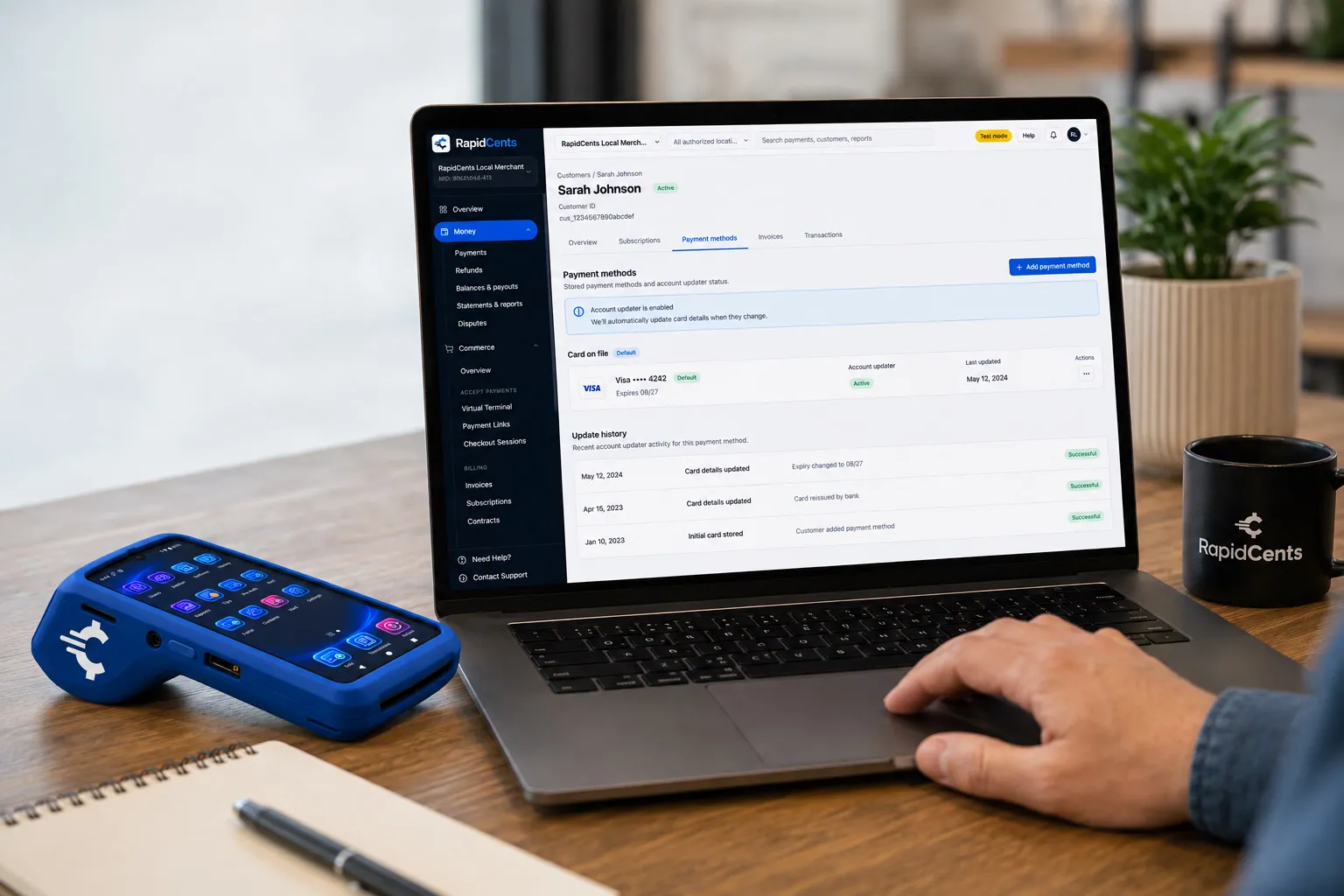
RapidCents refreshes a stored card after a reissue, so the vaulted credential keeps working without asking the customer again. Account Updater
Cards expire, get reissued and get replaced after fraud. Account Updater refreshes stored credentials with…
Explore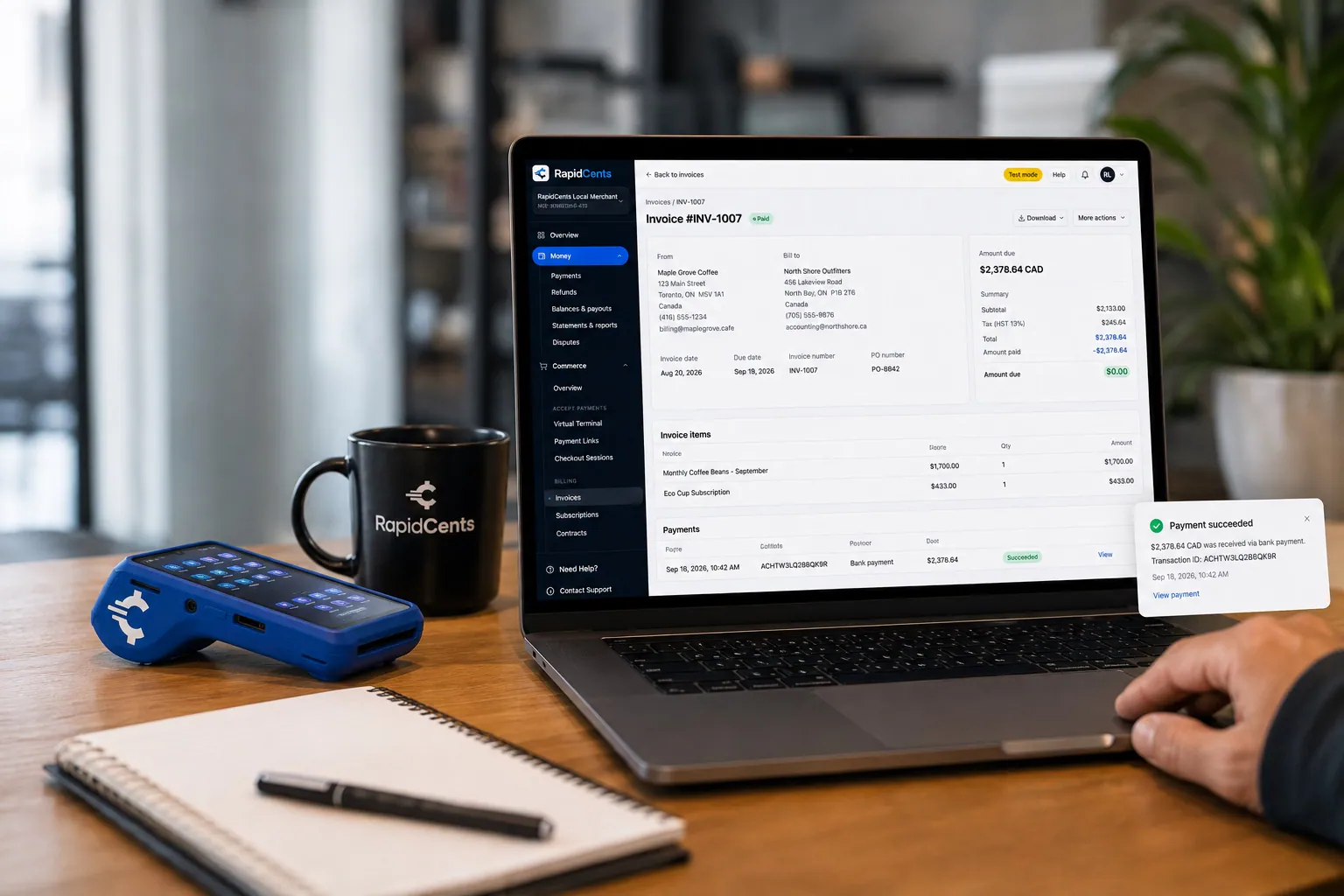
A merchant invoices a customer for bank debit through RapidCents, with card terminal capture available on the same desk. ACH / Bank Payments
Bank payments suit recurring and high-value invoices where card fees are the wrong tool. Collect directly…
Explore
A merchant reviews RapidCents reports for volume, mix and payouts, with the terminal that took the sales on the desk. Reporting
RapidCents reporting delivers customizable transaction, settlement and fee reports with CSV and PDF export…
Explore


How this gets set up
Subscriber signed onto a monthly monitoring charge
The installation ends with the monitoring fee set up as a recurring charge, by card or bank debit, before the panel is armed for the first time.
Bank debit offered for long-term accounts
Subscribers who intend to stay for years are pointed to pre-authorised debit, which does not expire the way a card does.
Cards refreshed ahead of each monthly run
Account updater replaces reissued and expired cards before the cycle, because at a few dollars a month nobody phones in to update one.
Accounts that need a person, worked from a list
Reporting names the accounts that still need a follow-up and why, so effort goes where the account is still live but the card on file needs updating.
Integrations
Manitou
An account's monitoring status in Manitou stays tied to the subscriber whose monthly charge is actually clearing.
SedonaOffice
Recurring monitoring invoices in SedonaOffice close out as each cycle's charge settles, account by account.
QuickBooks
Monitoring revenue and installation charges post into QuickBooks as separate accounts rather than one monthly total.
Operations, security and going live
Involuntary churn measured, not guessed
Reporting separates accounts that cancelled from accounts that merely failed to charge, which is the difference between a retention problem and a card problem.
A small charge across a very large base
The monthly amount is small enough that a subscriber rarely notices a missed cycle, so the reporting has to surface it instead of the customer.
Card data out of the dealer's hands
Cards captured at installation are tokenized, so a technician or dealer signing up a subscriber is not carrying card details back to the office.
Base migrated in cycle batches
An existing subscriber base moves over in batches aligned to billing dates, so no account is double-charged during the transition.
Payment questions from Alarm & Monitoring
What should businesses compare when choosing alarm monitoring payment processing for Alarm & Monitoring?
Compare alarm monitoring payment processing against the real payment journey: sign-up, scheduled billing, and renewal, online checkout and remote payment, and the sale and reconciliation with business systems. Start with the required channels and hardware, then confirm compatibility and support before committing.
What payment hardware is practical for Alarm & Monitoring?
If Alarm & Monitoring sells primarily online, do not choose physical hardware before validating checkout. Add hardware only for a clearly defined in-person payment need.
Which payment channels are relevant for Alarm & Monitoring?
For Alarm & Monitoring, start with sign-up, scheduled billing, and renewal, online checkout and remote payment, and the sale and reconciliation with business systems. Keep only the channels that match those moments, then verify the complete customer flow before offering them.
How should payment processing fees be evaluated for Alarm & Monitoring?
For Alarm & Monitoring, compare costs related to scheduled billing, declined cards, and cancellations and online checkout and dispute handling using actual transactions. Request a written breakdown of fees and terms rather than relying on an advertised rate alone.
What should be confirmed before setting up payments for Alarm & Monitoring?
For Alarm & Monitoring, document how payment data moves into business systems and the checkout, confirmation, and refund path, verify the needed compatibility, and test the flow before going live. This exposes manual steps and exceptions before customers encounter them.
What should be confirmed before using recurring payments for Alarm & Monitoring?
Define consent, billing cadence, change and cancellation rules, and how a declined card is handled. Ask to see the complete customer journey before offering it to customers.
What MCC category applies to Alarm & Monitoring?
MCC 7393 is commonly associated with Alarm & Monitoring. Our onboarding team confirms the correct category for your business.
Related industries
Chambers of Commerce
Chambers bill annual and monthly memberships alongside event tickets, sponsorship…
Professional Associations
Professional bodies collect annual member dues, certification and exam fees…
Labour Unions
Unions collect dues by payroll deduction or card, plus initiation fees, benefit…
Coworking Spaces
Coworking operators run monthly desk and office memberships alongside day passes…
Subscription Boxes
Subscription box brands bill a recurring plan against a fixed ship date. RapidCents runs…
Religious Organizations
Congregations take one-time and recurring giving, building-fund pledges, hall rentals and…
Sports Leagues & Clubs
Leagues and clubs collect seasonal registration, team fees, tournament entries and…
Summer Camps
Camps take a deposit at booking then instalments before the session starts, plus canteen…
Take the next step
Talk to a RapidCents specialist
RapidCents Fee Check reads a processing statement and shows interchange separately from the markup. Upload a statement for an instant breakdown, or open a merchant account and start accepting payments on one account.
- No obligation
- Payment specialists, not a call centre
- Secure statement upload



