


Payment processing for beauty suppliers and salon distributors
Payment processing for beauty suppliers means collecting from the salons and stylists you sell to, not their clients. RapidCents supports invoices with payment links, Virtual Terminal phone orders and stored cards for reorders. We go through your catalogue with you, and treatment products get their own product review. Your RapidCents representative walks you through setup.

- PCI DSS Level 1
- SOC 2 Type II
- All major cards: Visa, Mastercard, Amex, Discover, UnionPay, Diners Club & PIN Debit
- Interchange-plus available
- Specialist onboarding support
How beauty and salon suppliers get paid
Beauty and salon suppliers get paid through four repeat jobs: reorder invoices from salon trade accounts, deposits on equipment orders, phone and counter orders from stylists, and stored cards for standing reorders. Each job starts from a confirmed order and ends with a receipt and a reference your finance team can match to the account.
Reorder invoices from salon trade accounts
A salon owner reorders color, developer and retail shelf stock. You issue an invoice with the salon account reference, send a payment link by email or SMS, and the owner pays by card. Finance sees the paid status and the receipt against that account.
Equipment and furniture deposits
A new salon orders chairs, shampoo bowls and dryers. You take a deposit when the order is confirmed and collect the balance at delivery. The deposit and balance share one order reference so finance can tie both payments to the final invoice.
Phone and counter orders
A stylist phones in a short order or collects it at your pickup counter. Staff key the card on the Virtual Terminal or tap it on a terminal, and attach the account reference. The receipt carries that reference into your daily reports.
Stored cards for standing reorders
A salon agrees in writing that you may charge its card for a regular replenishment order. You store the card in the Secure Card Vault, charge on the agreed schedule and send a receipt. The salon can withdraw consent at any time, and you stop charging.
How do salon trade accounts pay reorder invoices by link?
Salon trade account payments run by link when you issue an invoice with the salon account reference and send an invoice-linked Payment Link by email or SMS. The salon owner pays by card on a mobile page, and you get a receipt, a paid status and the reference for reconciliation.
How the reorder runs
The salon reorders by phone, email or through your rep. You confirm the order, create an Invoice with the salon account number as the reference and send the linked Payment Link. The owner pays, the invoice shows paid and a receipt reaches the email on the account.
What to set up first
Agree who may pay for each salon: the owner, a manager or a head office paying for several chairs or locations. Keep one reference format for account number and order number. If a salon pays part of an invoice, the balance stays open and the link collects the rest.
A $1,850 reorder, half paid now
Say a salon orders color, developer and retail shampoo for $1,850 and the owner pays half by link now. The invoice stays open for the rest. Later a damaged bottle is credited on a credit note, and the next link collects only the reduced balance.
How do you take deposits on salon equipment orders?
You take a deposit on a salon equipment order by confirming the order in writing, collecting the deposit by Payment Link or terminal, and issuing the balance invoice at delivery. The deposit and balance share one order reference so finance can match both payments to the final invoice.
How the deposit runs
Once the salon accepts a quote for chairs, shampoo bowls or a color processing station, send a Contracts & eSignatures document that sets the deposit and the delivery terms. The owner signs, then pays the deposit by link. You ship, then invoice the balance.
Set your terms before you take the deposit
Write down cancellation, custom-order and restocking terms first. If an order is cancelled or a unit arrives damaged, you refund or credit under those terms. A refund returns money to the original card, while a credit note only adjusts the invoice.
Three chairs and two shampoo bowls for $6,400
Say a new salon orders three styling chairs and two shampoo bowls for $6,400. It pays a deposit at signing and the rest when the freight arrives. One chair is back-ordered, so you invoice the delivered items and keep the balance open for the remainder.
RapidCents products for beauty and salon suppliers
Invoicing, Payment Links, Secure Card Vault and Online Payments cover the supplier workflow: invoice the salon account, collect by link, store authorized cards for reorders and take orders online. Together they keep one reference from order to deposit.

The RapidCents invoices screen: outstanding, overdue, paid and draft totals across the top, the invoice list below them, and a preview of one invoice on the right with its line items and a View & Record Payment button. Invoicing
RapidCents invoicing helps professional services, contractors and B2B suppliers create branded invoices…
Explore
The RapidCents payment links screen listing created links with their amount, status, click count and whether they have been paid, beside a phone showing the branded page a customer opens to pay $2,500.00. Payment Links
RapidCents payment links let staff generate branded pay-by-link URLs for invoices, deposits, balances and…
Explore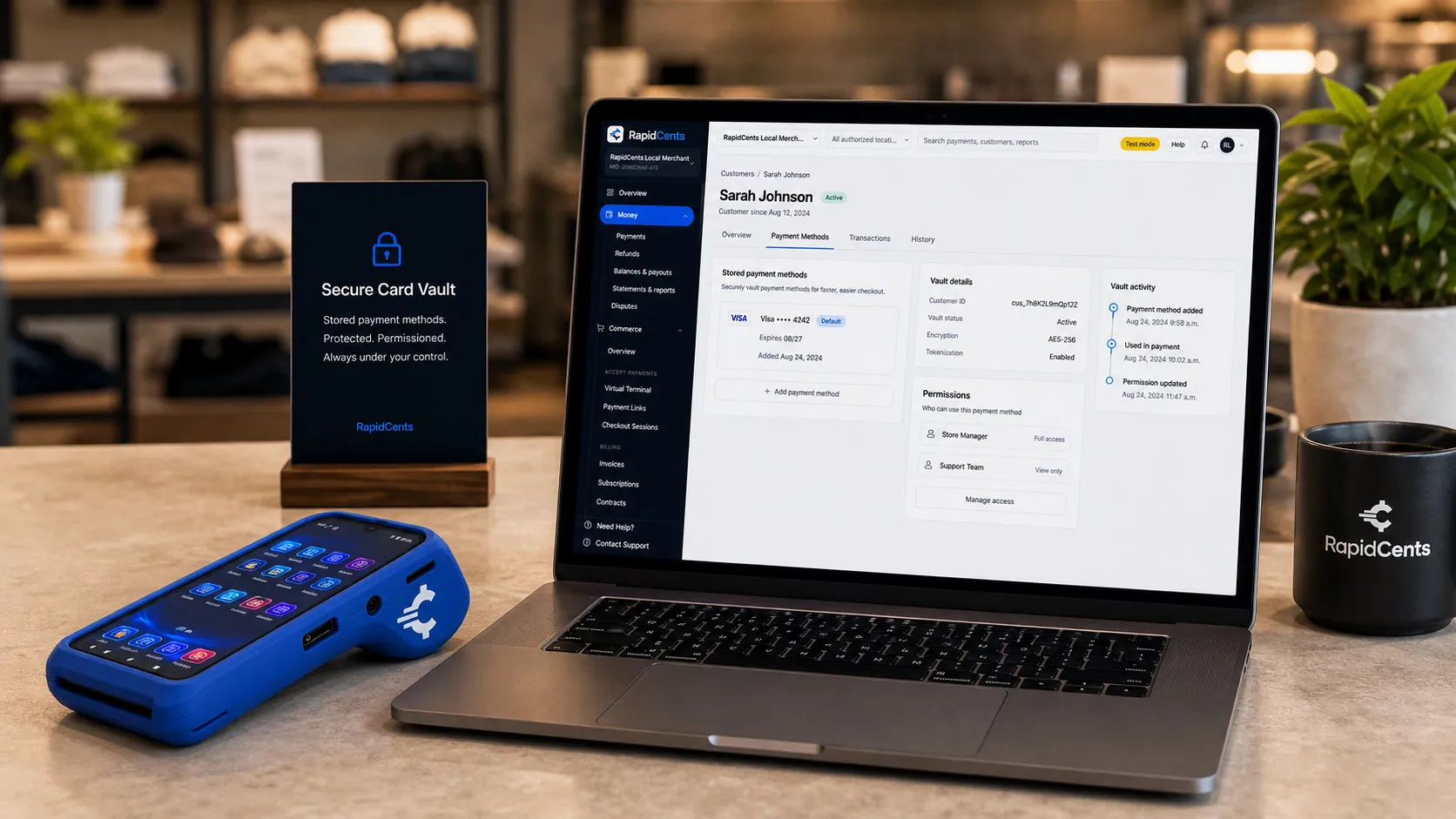
Card credentials sit in the RapidCents vault rather than in merchant software, with a terminal on the desk for new captures. Secure Card Vault
The vault stores tokenized payment methods against a customer record so staff can charge a returning…
Explore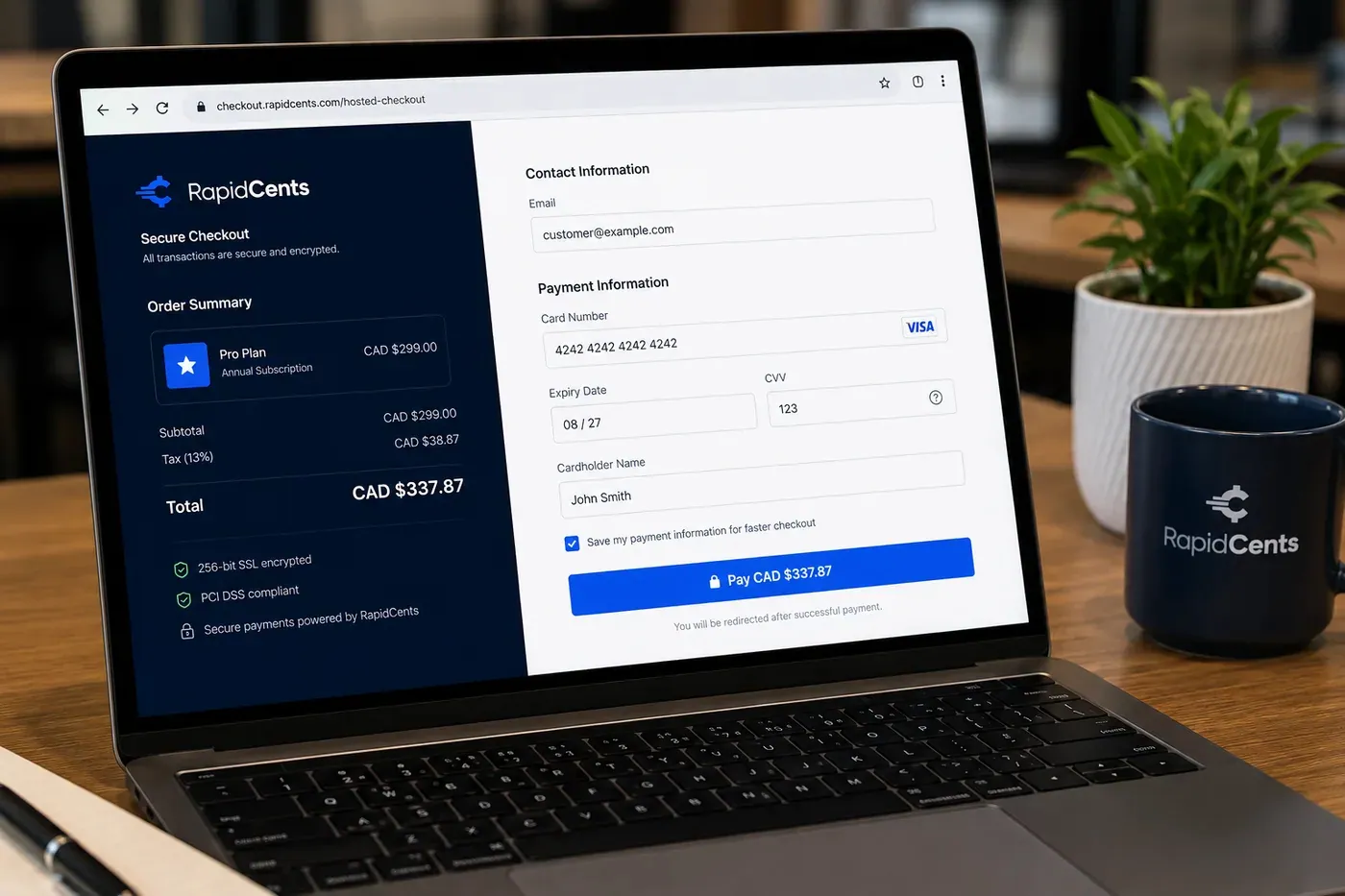
A RapidCents online checkout in a browser, with contact and card fields on the left and an order summary on the right showing the subtotal, tax and total, plus the accepted card brands. Online Payments
RapidCents online payments combine gateway APIs, hosted checkout pages, payment links and 3-D Secure…
Explore


How do phone orders and stored cards work for repeat salon buyers?
Phone orders and stored cards work for repeat salon buyers when staff take the card on the Virtual Terminal with the account reference, and the salon agrees in writing before you store the card. Standing reorders then run on the agreed amount, timing and cancellation terms.
Phone and counter orders
A stylist phones in a replacement order or picks it up at your counter. Staff enter the order on the Virtual Terminal or tap the card on a terminal, add the salon account reference and send a receipt. Address and security code checks stay on for keyed cards.
Stored cards and consent
Store a card in the Secure Card Vault once the salon owner authorizes it, and record what you agreed on amount, timing and cancellation. A card stored for reorders covers those reorders only. If a card declines, contact the salon and retry as agreed.
A $900 monthly color and developer replenishment
Say a salon agrees that you may charge its card for a monthly color and developer replenishment of about $900. The card expires, the charge declines and you ask the owner for a new card. Account Updater can refresh the card where it is offered.
What drives card processing cost for beauty suppliers?
Card processing cost for beauty suppliers depends on your card mix, ticket size and how each card is taken. We price every account on interchange-plus: interchange passes through at cost, your RapidCents markup is set out in your Fee Schedule, and fees for equipment or services apply if relevant. Pricing is month to month with no fixed term.
Interchange and card type
Interchange is set by the card networks and varies with debit or credit, premium or commercial cards, and whether the card is tapped, inserted, keyed or paid online. A salon owner paying a link invoice with a business card will not cost the same as a stylist tapping a debit card at your counter.
What to bring for a comparison
Bring recent processing statements, your card mix, average invoice size, the split between link, phone and counter payments, and refund and chargeback volume. Add any equipment or service fees you pay today. Quotes for beauty wholesaler merchant services compare fairly when they use the same inputs.
Fee Check and enhanced data
Upload a statement to Fee Check to see interchange shown separately from markup. Level 2 and Level 3 data on commercial cards is worth discussing for your setup, since it depends on how your sales are processed. Your RapidCents representative hands you your Fee Schedule before you decide.
Which distribution and accounting software works with RapidCents payments?
RapidCents integrates with many major platforms through APPIE and RapidBridge, and the right option depends on your software vendor and version. RapidBridge works with Oracle NetSuite, SAP Business One Web Client, Dynamics 365 Business Central and Acumatica, and we connect settled transactions, fees and refunds to QuickBooks Online and Xero. Your RapidCents representative walks you through the rest.
NetSuite and SAP Business One
RapidBridge works with Oracle NetSuite and SAP Business One Web Client, so a card payment posts against the invoice you already have open. SAP and NetSuite can also import settlement files, bringing settled transactions, fees and refunds in against invoices with the reference fields you want carried across.
Dynamics 365 Business Central and Acumatica
RapidBridge works with Dynamics 365 Business Central and Acumatica, which can hold your salon accounts and open invoices, so payments land on the invoice your team is already working. If you run other distribution software, your RapidCents representative will show you the option that fits your vendor and version.
QuickBooks Online and Xero
RapidCents connects settled transactions, fees and refunds to QuickBooks Online and Xero. The salon account reference lands on the right customer record, so your books match the invoices you sent and each deposit ties back to the salon that paid.
Payment options for beauty suppliers by country
RapidCents serves merchants in Canada and the United States. Payment methods, bank-payment options and settlement currency depend on the country of your merchant account, and your RapidCents representative walks you through what applies before you quote salon accounts.
Cards as the common base
Credit and debit cards by terminal, phone or payment link are the common base for B2B beauty supply payments. Debit options, bank payments and tax lines on invoices differ by country, so set your invoice and receipt wording with your RapidCents representative.
Product review applies everywhere
Treatment products get a specific review of exact products, licensing, sales channel and country. Prohibited controlled substances are never taken, whichever country your account is in.
How do beauty suppliers switch processors and reconcile deposits?
Beauty suppliers switch processors by listing stored cards, open invoices and standing reorders first, testing a sale, a refund and a deposit on the new flow, then reconciling deposits to the ledger. Once your account is approved, your RapidCents representative helps you plan the cutover. Stored cards move only if both providers agree, so plan for salons to reauthorize.
Inventory before you move
List every salon with a stored card, its authorization, open invoices, partial balances, equipment deposits and standing reorders. Note which salons pay by link, by phone and at the counter. This list becomes your test plan and your cutover checklist.
Test and run in parallel
Run a test sale, a refund and a deposit on the new flow before moving live accounts. Keep the old processor running for open invoices and recent refunds while salons move over. Tokens transfer only when both providers agree, so some salons may need to reauthorize.
Reconcile deposits
Map the salon account reference and order number to your operational software, then match each deposit to invoices, fees and refunds in the settlement report. Resolve any difference between a deposit and the invoices it covers before closing the period.
Payment questions from beauty and salon suppliers
What is the best payment processor for beauty and salon suppliers?
The best processor is the one that fits your invoice workflow, card mix and software, and written quotes are the way to find it. Look for invoice-linked payment links, authorized stored cards, clear interchange-plus pricing, account references on every payment, dispute tools and software that connects to yours. RapidCents reviews your statement through Fee Check, and you decide.
How much does credit card processing cost for beauty and salon suppliers?
Cost depends on your card mix, invoice size and how each card is taken, so no single figure fits every supplier. We price on interchange-plus: interchange passes through at cost, your RapidCents markup is in your Fee Schedule, and fees for equipment or services apply if relevant. Pricing is month to month. Upload a statement to Fee Check to compare.
Can NetSuite or other distribution software use RapidCents payments?
Yes. RapidCents integrates with many major platforms through APPIE and RapidBridge, and RapidBridge works with Oracle NetSuite, SAP Business One Web Client, Dynamics 365 Business Central and Acumatica. The right option depends on your vendor and version. Tell your RapidCents representative which system you run, and they will show you how payments and settled transactions connect to it.
How can a beauty supplier switch processors without losing payment history?
Keep your payment history by exporting reports from the current processor before you move, and list stored cards, open invoices and standing reorders. Stored cards move only if both providers agree, so salons may need to reauthorize. Test a sale, a refund and a deposit, run both flows in parallel for open invoices, then reconcile deposits.
Which payment options are available to beauty suppliers by country?
Payment options depend on the country of your merchant account. RapidCents serves merchants in Canada and the United States, and card payments by terminal, phone or payment link are the common starting point. Bank payments, debit options and settlement currency differ, so your RapidCents representative walks you through them before you quote salons. Treatment products get a specific product review.
Can salons pay reorder invoices by link?
Yes. You create an Invoice with the salon account reference and send an invoice-linked Payment Link by email or SMS, and the salon owner pays by card on a mobile page. The invoice shows paid, the receipt goes to the account email, and partial payments leave the balance open.
Does RapidCents cover payment for salon appointments?
Our beauty and salon supplier solution is for businesses collecting from the salons and stylists they sell to. Salons and spas collecting from their own clients for appointments, retail and tips have their own salons and spas solution. RapidCents serves both sides, and each has workflows, references and exceptions built for it.
Are all cosmetic or treatment products supported?
Cosmetic products are reviewed with your catalogue, and treatment products get a specific review of your exact products, product claims, licensing, sales channel and country. Prohibited controlled substances and precursors are never taken. Share your product list and licenses with your RapidCents representative before you promise salons that you take cards.
How do you keep a salon account reference with each payment?
Put the salon account number and order number in the invoice reference field, and every Payment Link, receipt and report carries it. For phone orders, staff enter the same reference on the Virtual Terminal. Finance then matches each deposit to the right salon and invoice. Your RapidCents representative will show you which reference fields carry into your software.
How are returns and credits handled on salon orders?
A refund returns money to the card the salon paid with, while a credit note reduces an open invoice or the next one. Use a refund when the invoice is paid and the salon wants money back, and a credit when the account continues. Set your return terms in writing, and keep the original order reference on both.
Related supplier and salon pages
B2B & Wholesale is the parent solution for supplier workflows. Salon supply distributor card processing shares invoice links and stored cards with computer and IT distributors and office and school suppliers. Salons and spas collecting from their own clients have a solution of their own.
B2B & Wholesale
Collect net-terms invoices by payment link with the PO number attached, take commercial…
Computer & IT Distributors
RapidCents helps computer and IT hardware distributors collect approved reseller…
Electronic Component Distributors
Collect purchase order invoices, allocation deposits and partial-shipment balances from…
Office & School Suppliers
Collect payment from schools, districts and offices that buy stationery and supplies from…
Commercial Furniture Suppliers
RapidCents helps commercial furniture suppliers collect fit-out deposits, delivery…
Apparel, Textile & Uniform Wholesalers
Collect production deposits, partial seasonal shipments and size-exchange credits from…
Pet Product Wholesalers
Collect from pet retailers on approved invoices, trade-account reorders and credits, with…
Dental Suppliers
From monthly consumables reorders to chair and imaging deposits, collect what clinics…
Take the next step
Review your salon supplier invoice workflow
Upload a processing statement to Fee Check to see interchange separated from markup, then walk through how salon reorders, equipment deposits and phone orders would run.
- No obligation
- Payment specialists, not a call centre
- Secure statement upload



