


Phone repair payment processing for computer and phone repair shops
Phone repair payment processing from RapidCents lets computer and phone repair shops take card payments at the counter, by payment link and by phone at the three moments a repair turns into money: the diagnostic fee, a parts deposit the customer approves remotely, and the balance at pickup.

- PCI DSS Level 1
- SOC 2 Type II
- All major cards: Visa, Mastercard, Amex, Discover, UnionPay, Diners Club & PIN Debit
- Interchange-plus available
- Specialist onboarding support
How computer and phone repair shops get paid
Computer repair credit card processing and device repair merchant services follow the job. A repair shop gets paid in stages. The customer pays a diagnostic fee at intake, approves and funds parts before the work starts, then pays the balance at pickup. Business customers often pay on an invoice. Each stage gets its own receipt and a repair ticket reference.
Diagnostic fees at intake
The customer drops off a cracked phone or a slow laptop and pays a diagnostic fee at the counter on a terminal, or later by Payment Link. Your policy decides whether the fee is credited toward the repair. Finance gets an itemized receipt tied to the ticket.
Parts deposits approved remotely
After diagnosis, the technician sends a written quote. The customer approves it from home and pays the parts deposit through a Payment Link sent by SMS or email. If the customer declines, the diagnostic fee stays and the deposit is never collected.
Completion balances at pickup
When the repair passes testing, the customer collects the device and pays the remaining balance on a countertop terminal, tapping, inserting or swiping a card. The receipt shows the deposit already paid, the balance due, and the ticket number.
Business repair invoices
An office sends in six laptops for a battery replacement and expects one invoice. Invoicing produces a branded invoice with a payment link, the bookkeeper pays with a company card, and the paid status shows against every ticket on the invoice.
How do repair shops collect a diagnostic fee up front?
A repair shop collects the diagnostic fee at intake on a countertop terminal or by Payment Link, as long as the fee and its policy are agreed before the technician starts. The receipt lists the fee as its own line, separate from any later repair charge.
How the intake payment runs
Create the repair ticket, tell the customer the diagnostic fee and whether it is credited toward the repair, then take the card on the terminal. The receipt carries the ticket number. A customer who cannot come in can pay the same fee through a Payment Link.
What goes wrong at intake
Disputes start when the fee was never explained. Post the policy at the counter, print it on the ticket and keep the customer's signature. If the technician finds nothing wrong, a full or partial refund goes back to the original card, as your policy says.
A laptop that will not charge, fee credited at the end
Say a customer leaves a laptop that will not charge. The shop takes a diagnostic fee on the terminal at intake. Two days later the quote is approved and the repair is done, so the shop credits the fee on the final invoice, and the customer sees one clear receipt trail.
How can customers approve a parts deposit remotely?
A customer approves a parts deposit remotely when the technician sends a written quote with a secure Payment Link. Repair shop payment links keep the deposit tied to the ticket. The customer reviews the quote, pays by card on a mobile page, and the shop orders the part once the payment shows as paid in the dashboard.
How the remote deposit runs
Send the quote by SMS or email with a Payment Link for the deposit amount. Add the ticket number as the reference. The customer pays from their phone, receives a receipt, and the paid status appears on the link so the technician can order the screen, battery or board.
What to set up first
Put the quote and the deposit terms in writing: which parts are covered, whether special-order parts are refundable, and what happens if the customer walks away. The customer agrees to those terms before paying. Never reuse a card for a later charge without the customer's authorization.
A $150 parts deposit for a back glass and camera
Say a customer's phone needs a back glass and a camera module. The shop sends a quote and a deposit link for a $150 parts deposit. The customer pays that evening, the part is ordered the next morning, and the balance is collected at pickup.
RapidCents products for computer and phone repair shops
Countertop Terminals take diagnostic fees and pickup balances at the counter. Payment Links and Invoicing collect remote deposits and business repairs, and Customer Profiles keep a customer's payments together.

A fixed RapidCents countertop terminal taking card payments at the till, with settlement visible on the dashboard. Countertop Terminals
RapidCents countertop terminals sit at retail counters, restaurant hosts and reception desks where speed and…
Explore
The RapidCents payment links screen listing created links with their amount, status, click count and whether they have been paid, beside a phone showing the branded page a customer opens to pay $2,500.00. Payment Links
RapidCents payment links let staff generate branded pay-by-link URLs for invoices, deposits, balances and…
Explore
The RapidCents invoices screen: outstanding, overdue, paid and draft totals across the top, the invoice list below them, and a preview of one invoice on the right with its line items and a View & Record Payment button. Invoicing
RapidCents invoicing helps professional services, contractors and B2B suppliers create branded invoices…
Explore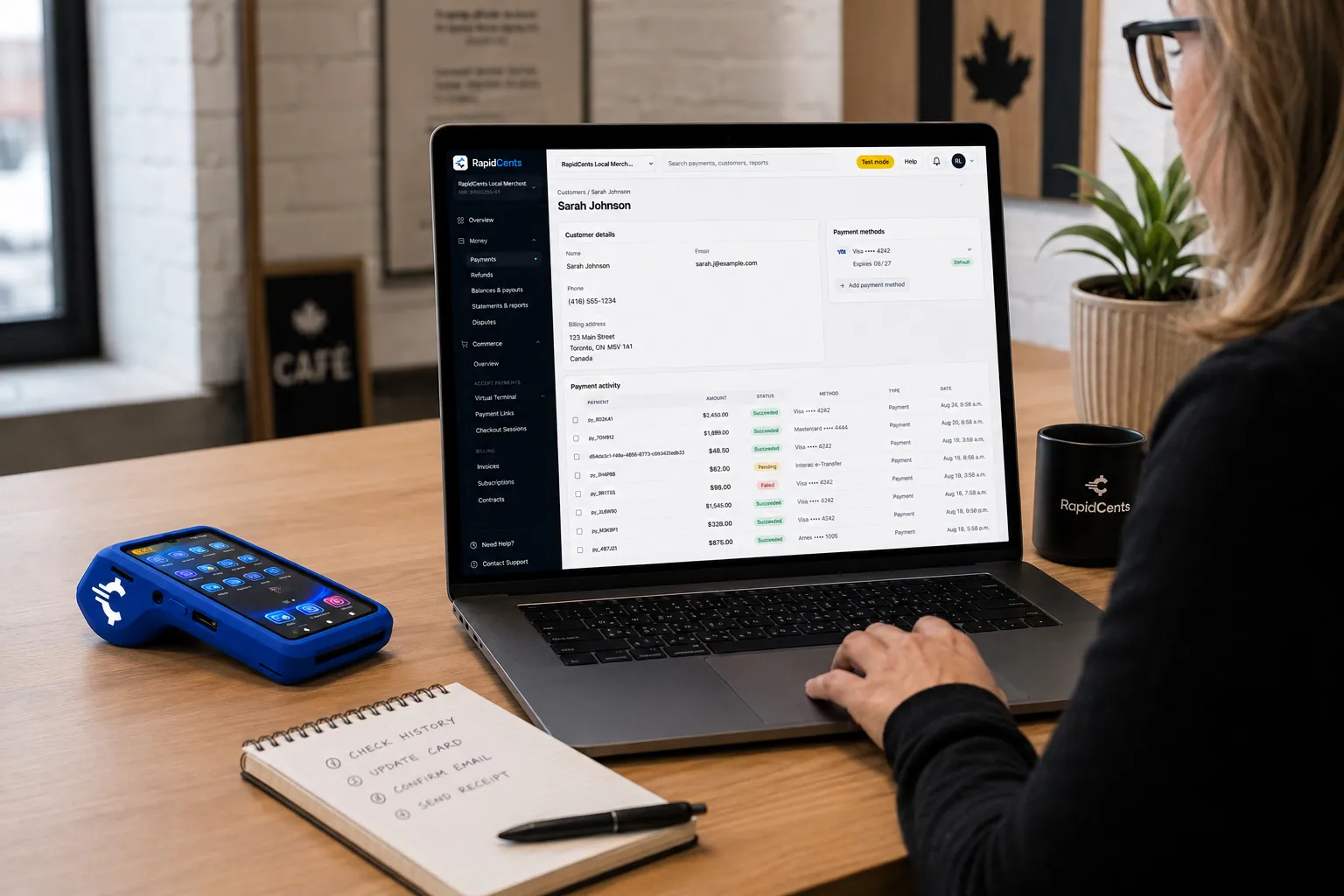
A RapidCents customer profile holds saved cards and invoices, so a return visit can be charged without re-keying the card. Customer Profiles
A customer profile ties together transactions, stored payment methods, subscriptions and disputes so staff…
Explore


How do repair shops collect the pickup balance and handle unclaimed devices?
A repair shop collects the pickup balance on a countertop terminal after the customer inspects the device, and it handles unclaimed devices only under the written terms agreed at intake. The balance is the repair total less the deposit already paid.
How pickup runs
The technician confirms the repair passes testing and hands over the device. The customer pays the remaining balance on the terminal. The receipt lists the repair, parts, the deposit already paid and the ticket number. Refunds go back to the original card.
Unclaimed devices and storage terms
Abandoned-device and storage charges are only fair when the customer agreed to them in writing at intake, with notice steps spelled out. Your own policy and local rules govern what you may charge, so talk through the terms with your adviser.
A $120 screen repair with a $40 deposit
Say a customer approves a $120 screen repair, pays a $40 deposit, and returns weeks later. At pickup the shop charges the $80 balance. Because the signed intake form set out a storage charge after notice, the shop adds that charge as a separate line.
What drives card processing costs for a repair shop?
Repair shop card costs depend on your card mix, ticket sizes and how cards are taken. We price every account on interchange-plus: interchange passes through at cost, plus your RapidCents markup in your Fee Schedule, plus fees for equipment or services if applicable. Month to month, no fixed term.
Card mix and how the card is taken
Interchange varies by card type (debit, credit, premium, commercial) and by whether the card is tapped or inserted, or keyed from a Payment Link or phone order. Counter-heavy shops and shops that send many remote deposit links will see different mixes.
What to bring to compare
Gather recent processing statements, your average repair ticket, the split between diagnostic fees, deposits and pickup balances, and your refund and chargeback volume. Compare written quotes line by line so interchange and markup are visible separately.
Use Fee Check
Upload a recent statement to Fee Check and read interchange apart from markup. Then ask for the Fee Schedule on any quote you are weighing, including any equipment fees, so the comparison covers the same payment mix.
Will RapidCents work with my repair ticket and POS software?
RapidCents integrates with many major platforms through APPIE and RapidBridge, so most repair shops keep the ticket and POS software they run today. The right option depends on your software vendor and version, and your RapidCents representative will walk you through it. Where no direct connection exists, a ticket reference still matches each payment to its job.
Repair ticket and shop management software
Repair ticket systems vary widely, from hosted ticketing tools to a simple spreadsheet. Tell your RapidCents representative which system you use, and they will show you how the ticket reference travels with each payment. Until a direct connection is in place, enter the reference by hand on the payment link or terminal sale.
Retail POS software for accessory sales
Many shops sell accessories on a retail POS. APPIE lets the point-of-sale software a business already runs drive RapidCents terminals, so you keep the POS your team knows. The right option depends on your vendor and version, and your RapidCents representative will walk you through it.
QuickBooks Online and Xero
RapidCents connects settled transactions, fees and refunds to QuickBooks Online and Xero, and SAP and NetSuite import settlement files. Reporting exports CSV and PDF, so your bookkeeper posts each repair payment without retyping it.
Payment options for computer and phone repair shops
RapidCents serves merchants in Canada and the United States. The payment methods, bank-payment options and settlement currency a repair shop uses follow the country of the merchant account, and your RapidCents representative explains the setup for yours.
Card and link payments
Card payments at the counter and by Payment Link are the core of a repair shop's day, covering diagnostic fees, deposits and balances. Debit options and card brands vary by country.
Bank payments and tax on receipts
Bank payments for business invoices, the currency of settlement and any tax shown on repair receipts follow your country and account. Talk to your RapidCents representative about which methods to offer your customers.
How do you switch processors and reconcile repair payments?
Switch in an order that protects open repair jobs: list the work in progress, test the new flow with a sale, a deposit link and a refund, then move live traffic. Reconcile each deposit to the ledger so every ticket can be matched to a payment.
Inventory open jobs first
List every ticket with a deposit paid, a balance due or an open invoice, and any stored card that has the customer's authorization. Token portability between processors needs both providers to agree, so ask early and do not assume stored cards will move.
Test, then run in parallel
Once your account is approved, run a test sale, a deposit Payment Link and a refund before you change anything at the counter. For a short period, take new jobs on the new setup while finishing old tickets on the old one, so no customer pays a deposit twice.
Reconcile to the ledger
Match each settlement to its tickets using the reference field, then post settled transactions, fees and refunds to your books. Reporting shows transactions, settlement and fees, and bookkeepers can export CSV or PDF for accounting import.
Payment questions from computer and phone repair shops
What is the best payment processor for computer and phone repair shops?
The right processor fits the way your shop actually gets paid: diagnostic fees at the counter, deposits by link and balances at pickup. We built RapidCents around that flow, with a ticket reference on every payment, refunds to the original card and reporting your bookkeeper can use. Put our written quote next to your current statements, with interchange and markup shown separately, and the differences show up quickly.
How much does credit card processing cost for computer and phone repair shops?
Cost depends on your card mix, average ticket and how cards are taken, so no single figure fits every shop. With RapidCents, interchange passes through at cost, plus your RapidCents markup in your Fee Schedule, plus fees for equipment or services if applicable, month to month with no fixed term. Upload a recent statement to Fee Check to see interchange separated from markup.
Can my repair ticket software use a different payment processor?
Usually yes. RapidCents integrates with many major platforms through APPIE and RapidBridge, so most shops keep the ticket or POS software they run today. The exact option depends on your vendor and version, so tell your RapidCents representative which system you use and they will walk you through it. Either way, you can take payments on a terminal or by Payment Link and enter the ticket reference.
How can a repair shop switch processors without losing payment history?
Export your reports and receipts before you switch so payment history stays in your own records. List open tickets with deposits paid, balances due and any stored cards that carry customer authorization. Moving stored cards between processors needs both providers to agree, so ask early. Test a sale, a deposit link and a refund, then run old and new setups side by side.
Which payment options can a computer or phone repair shop offer?
A repair shop can offer card payments at the counter and by Payment Link, and bank payments for business invoices. RapidCents serves merchants in Canada and the United States, and the methods, debit options and settlement currency follow the country of your merchant account. Your RapidCents representative will walk you through them before you tell customers.
Can I collect a diagnostic fee up front?
Yes, you can collect a diagnostic fee at intake on a terminal or by Payment Link, provided the customer agrees to the fee first. The receipt shows it as an itemized line tied to the repair ticket. Set out your policy on whether the fee is credited toward the repair or refunded if nothing is found, and post it at the counter.
Can customers approve a parts deposit remotely?
Yes. Send the customer a written quote and a secure Payment Link by SMS or email, and they can approve and pay from their phone. Put the parts covered, the refund terms and the ticket reference in the quote. The link shows paid, open or expired in your dashboard, so the technician orders parts only after the deposit arrives.
Can a payment attach to a repair ticket?
Yes. Payment Links and invoices carry a custom reference such as the ticket number, and reports show it, so each payment matches its repair ticket. Your RapidCents representative will walk you through how that reference reaches your ticket software, and in the meantime you can match payments to tickets using the reference.
What do we do when a customer never picks up the device?
Follow the written terms the customer accepted at intake. Unclaimed-device and storage charges are only defensible when they were agreed in writing and notice steps were followed. RapidCents processes the payment, but your policy and local rules govern what you may charge. Never use a stored card for a later fee unless the customer authorized it.
Which device details should stay off the payment record?
Keep passcodes, account logins, photos, messages and other personal data off receipts, payment references and notes. A payment record needs the ticket number, the charge description and the amount. Store device details only in your repair ticket system, with access limited to staff who need them. Never enter card numbers or customer data into notes fields.
What MCC is used for computer and phone repair shops?
MCC 7622 is commonly associated with electronics repair shops, including many computer and phone repair businesses. We set the right merchant category with you during onboarding, based on what your business actually sells and does. A shop that also sells new devices or accessories may be reviewed differently, so describe your full mix of services and products.
Related industries
Retail covers shops that sell accessories at the counter. Electronics stores and IT managed services share the quote, deposit and invoice workflows that repair shops use.
Retail
Take tap, chip and PIN payments at every register, sell on your website, refund returns…
IT & Managed Services
Bill per-seat and per-device contracts on stored cards, invoice hardware and projects…
Electronics Stores
Take high-value card purchases in store, online and by phone, keep delivery and return…
Florists
Take counter sales, phone orders, wedding deposits and online orders with receipts, order…
Clothing Boutiques
RapidCents gives clothing boutiques counter terminals, online checkout and pop-up…
Shoe Stores
Take special-order size deposits, online pickup payments and exchanges at the counter, by…
Hardware & Home Improvement Stores
RapidCents helps hardware and home improvement stores take card payments at the counter…
Appliance Stores
Take special-order deposits in store, collect delivery balances by mobile terminal or…
Take the next step
Review your repair shop's processing costs
Upload a recent statement to Fee Check and see interchange separated from markup for your diagnostic fees, deposits and pickup balances.
- No obligation
- Payment specialists, not a call centre
- Secure statement upload



