


Online admission, membership and shop payments for museums and galleries
A museum sells timed admission online so arrivals spread across the day, then still has to serve walk-ups at the door. RapidCents runs hosted checkout for the timed ticket, payment terminals at admissions for visitors who arrive without one, annual memberships that renew on recurring payments, and a retail POS in the gift shop that keeps shop revenue separate from admissions and donations. Museums and galleries process under MCC 7991.

- PCI DSS Level 1
- SOC 2 Type II
- All major card brands: Visa · Mastercard · Amex · Discover · PIN debit
- Interchange-plus available
- Specialist onboarding support
Operational workflows
Timed-entry ticket bought online for a chosen slot
Walk-up admission and membership taken at the front desk
Annual membership renewed automatically on its date
Gift shop and donation totals reported alongside admissions
Payment challenges
A time slot can only sell once
An unclaimed ten o'clock entry cannot be resold once that hour has passed, so unpaid holds cost real capacity.
Memberships lapse silently
An annual renewal fails on a card changed since last year, and the member only finds out standing at the admission desk.
Three revenue streams, one lobby
Admissions, retail and donations are collected within a few metres of each other and have to be separated for the people who report on each.
Choose the right payment setup for Museums & Galleries
Choose museum payment processing
For Museums & Galleries, map sign-up, scheduled billing, and renewal, online checkout and remote payment, and the counter or service point before choosing a setup. Select channels that match those moments, then confirm that the chosen solution genuinely covers each channel.
Payment hardware for Museums & Galleries
For Museums & Galleries, start with the place customers pay in person: a countertop terminal, smart terminal, or portable device depending on the workflow. Verify that the hardware fits the real volume and workspace.
Compare payment processing fees
For Museums & Galleries, request a written fee breakdown covering scheduled billing, declined cards, and cancellations and online checkout and dispute handling. Compare the effective cost across the real card and channel mix; do not choose on a headline rate alone.
Set up or switch Museums & Galleries payments
To set up Museums & Galleries payments, document the checkout, confirmation, and refund path, confirm compatibility before purchase, then test a real payment flow before going live.
Recommended products
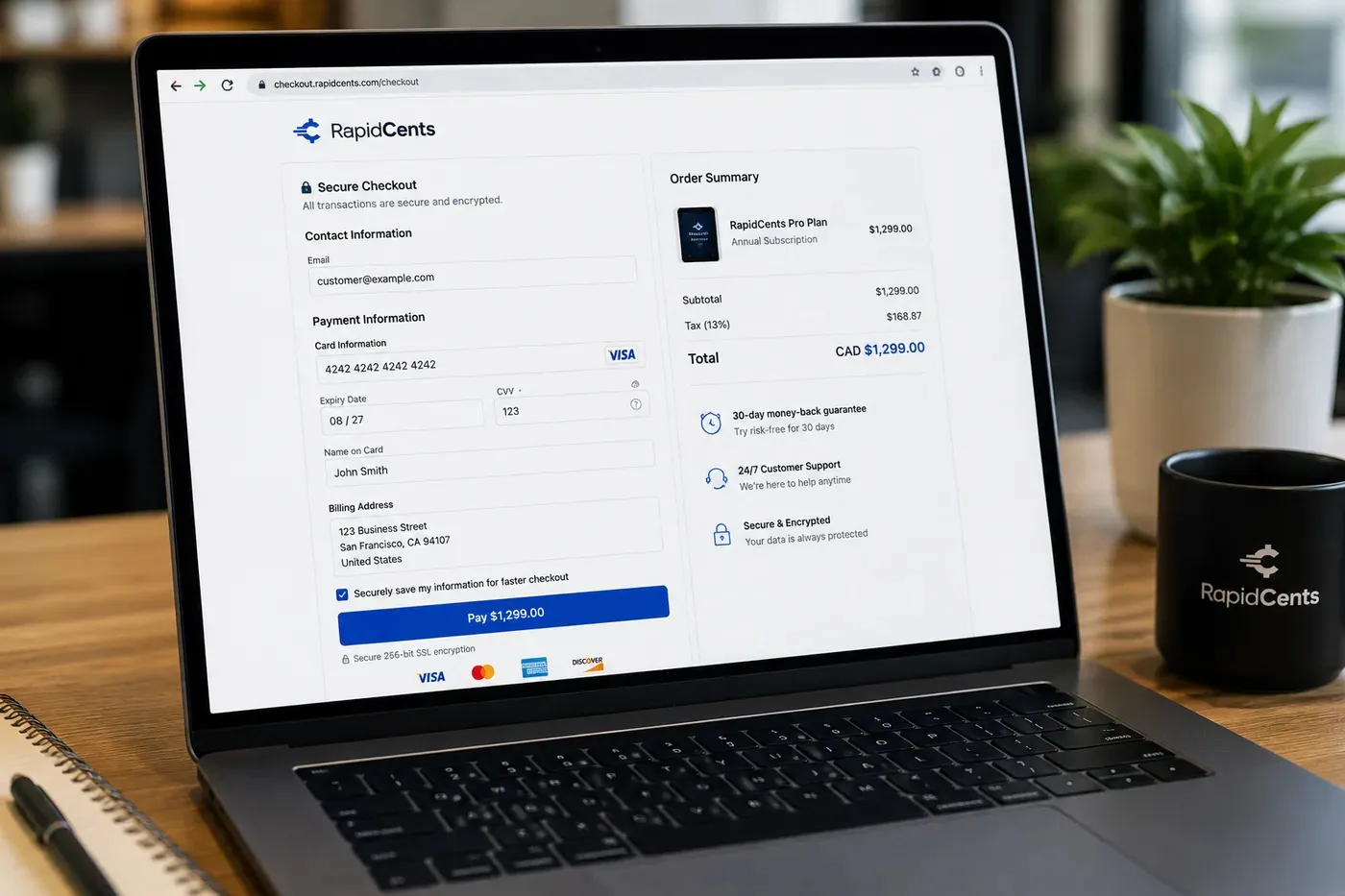
A RapidCents hosted checkout page at checkout.rapidcents.com, with the order summary and totals on the left and the card fields on the right, footed by SSL and PCI DSS assurances. Hosted Checkout
RapidCents hosted checkout delivers PCI-scoped payment pages you redirect customers to or embed via iframe…
Explore
The RapidCents Rivo Go standing upright in its blue silicone case, showing the full-touch sale screen a customer reads across the counter. Payment Terminals
RapidCents payment terminals cover countertop, mobile and smart form factors so you can accept chip…
Explore
The RapidCents recurring payments screen showing active subscriptions, monthly recurring revenue, failed payments and upcoming renewals, above a list of subscriptions with their plan, amount, frequency and next billing date. Recurring Payments
RapidCents recurring payments manage subscription plans, membership renewals and installment schedules with…
Explore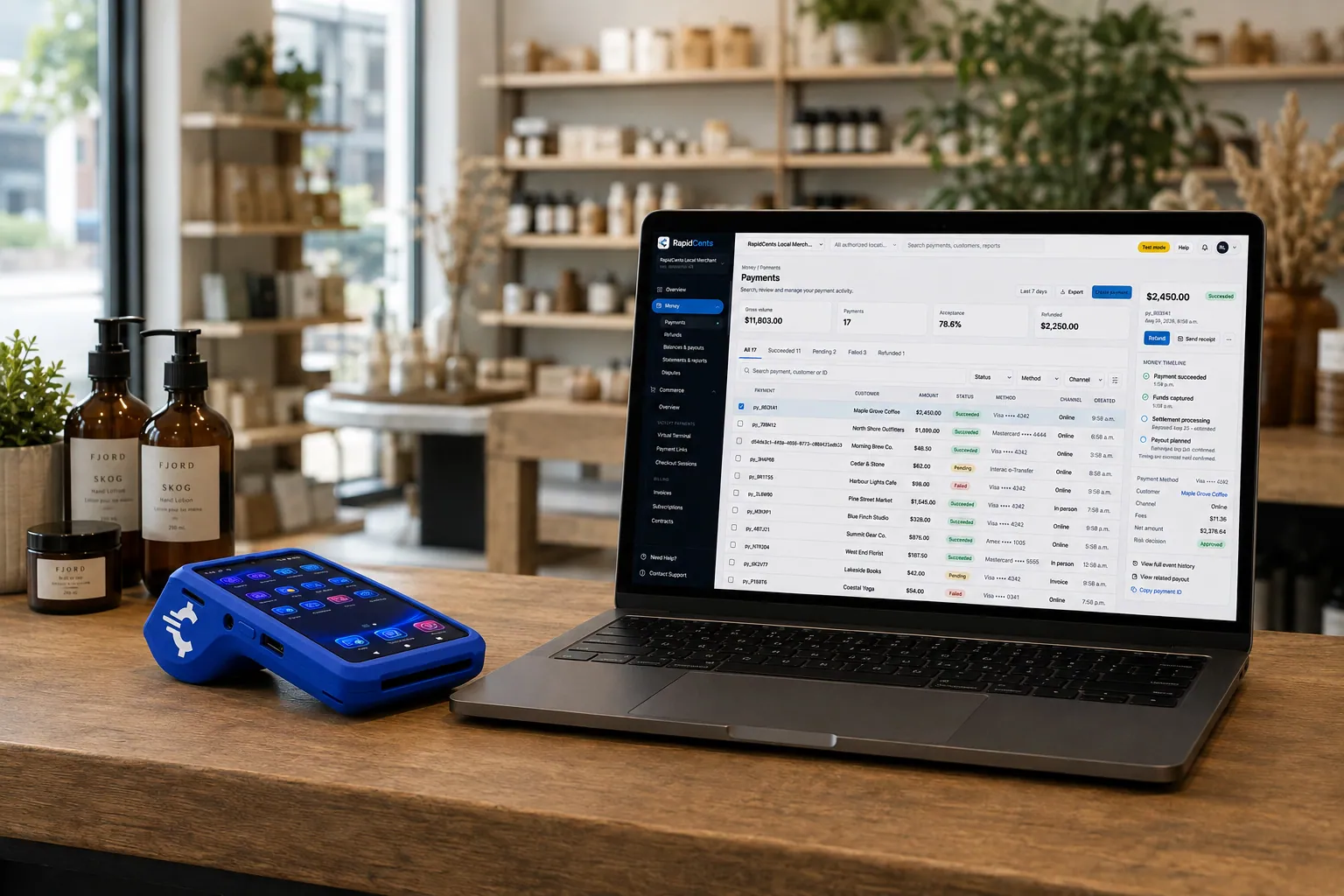
A retail counter ringing a basket on RapidCents POS, terminal taking the card and the dashboard showing the sale. Retail POS
Fast checkout, inventory that reflects what is on the shelf, and reporting that connects in-store and online…
Explore


How this gets set up
Timed admission online
Hosted checkout sells the entry slot before arrival, which is what spreads a Saturday's visitors across the day.
The desk for visitors without a ticket
A terminal at admissions serves the walk-up on the same account as the web sales, so both settle together.
Memberships renewed on file
The annual membership is charged to the stored card instead of chased with a renewal letter.
Shop and donations kept apart
The gift shop rings on retail POS and donations run on their own line, so neither lands inside the admissions figure.
Integrations
Tessitura exports
Tessitura exports carry ticketing and membership records out as a file to reconcile against settlement, not as a live payment feed.
Altru
Altru holds the constituent record, so a membership renewal and a donation taken in the same conversation post against the same person instead of as two unlinked payments.
Shopify
Shopify runs the online shop, so a print or catalogue bought from home settles through the same account as the gift shop counter.
Operations, security and going live
Admissions, membership, shop and donations counted separately
Each stream reports on its own, because the board, the funders and the shop buyer are all reading a different number.
The member's card as a token, not at the desk
It is stored as a token for the annual renewal, so front-of-house staff never keep a card number inside a member record.
A membership kept current before the visit
An annual charge that still needs a follow-up shows before the expiry date, so a member is not turned away at the admissions desk.
Between exhibitions
The changeover is timed for a quiet week between shows, not an opening weekend.
Payment questions from Museums & Galleries
What should businesses compare when choosing museum payment processing for Museums & Galleries?
Compare museum payment processing against the real payment journey: sign-up, scheduled billing, and renewal, online checkout and remote payment, and the counter or service point. Start with the required channels and hardware, then confirm compatibility and support before committing.
What payment hardware is practical for Museums & Galleries?
If Museums & Galleries sells primarily online, do not choose physical hardware before validating checkout. Add hardware only for a clearly defined in-person payment need.
Which payment channels are relevant for Museums & Galleries?
For Museums & Galleries, start with sign-up, scheduled billing, and renewal, online checkout and remote payment, and the counter or service point. Keep only the channels that match those moments, then verify the complete customer flow before offering them.
How should payment processing fees be evaluated for Museums & Galleries?
For Museums & Galleries, compare costs related to scheduled billing, declined cards, and cancellations and online checkout and dispute handling using actual transactions. Request a written breakdown of fees and terms rather than relying on an advertised rate alone.
What should be confirmed before setting up payments for Museums & Galleries?
For Museums & Galleries, document the checkout, confirmation, and refund path, verify the needed compatibility, and test the flow before going live. This exposes manual steps and exceptions before customers encounter them.
What should be confirmed before using recurring payments for Museums & Galleries?
Define consent, billing cadence, change and cancellation rules, and how a declined card is handled. Ask to see the complete customer journey before offering it to customers.
What MCC category applies to Museums & Galleries?
MCC 7991 is commonly associated with Museums & Galleries. Our onboarding team confirms the correct category for your business.
Related industries
Theatres & Performing Arts
Theatres and venues sell subscription seasons, single tickets and last-minute door sales…
Amusement & Attractions
Attractions sell day tickets, season passes and on-site food and games, with peak days…
Ski Resorts
Resorts sell season passes on instalment plans before winter, then lift tickets, rentals…
Bowling & Arcades
Bowling centres and arcades mix lane bookings, party packages, card reloads and food…
Take the next step
Talk to a RapidCents specialist
RapidCents Fee Check reads a processing statement and shows interchange separately from the markup. Upload a statement for an instant breakdown, or open a merchant account and start accepting payments on one account.
- No obligation
- Payment specialists, not a call centre
- Secure statement upload



